
Vitek VT-1111: ПОИСК ТРЕКА ПО НАЗВАНИЮ ПЕСНИ АНТИШОК ГРАФИЧЕСКИЕ ЭКВАЛАЙЗЕРЫ ПРОСЛУШИВАНИЕ ЧЕРЕЗ НАУШНИКИ
ПОИСК ТРЕКА ПО НАЗВАНИЮ ПЕСНИ АНТИШОК ГРАФИЧЕСКИЕ ЭКВАЛАЙЗЕРЫ ПРОСЛУШИВАНИЕ ЧЕРЕЗ НАУШНИКИ: Vitek VT-1111
Оглавление
- ИНСТРУКЦИЯ ПО ЭКСПЛУАТАЦИИ
- Гарантийный талон
- ТЕХНИЧЕСКОЕ ОБСЛУЖИВАНИЕ КОМПАКТДИСК КАССЕТНАЯ ЛЕНТА СПЕЦИФИКАЦИЯ СРОК СЛУЖБЫ МАГНИТОЛЫ НЕ МЕНЕЕ 5ТИ ЛЕТ
- ПОИСК ТРЕКА ПО НАЗВАНИЮ ПЕСНИ АНТИШОК ГРАФИЧЕСКИЕ ЭКВАЛАЙЗЕРЫ ПРОСЛУШИВАНИЕ ЧЕРЕЗ НАУШНИКИ
- ПРОИГРЫВАНИЕ В РЕЖИМЕ “INTRO” ВОСПРОИЗВЕДЕНИЕ ДОРОЖЕК В ПРОИЗВОЛЬНОМ ПОРЯДКЕ ВОСПРОИЗВЕДЕНИЕ ВЫБРАННЫХ ТРЕКОВ ПРОГРАММИРОВАННОЕ ВОСПРОИЗВЕДЕНИЕ
- ПРОГРАММИРОВАННОЕ ВОСПРОИЗВЕДЕНИЕ MP3ДИСК ПОВТОР ОДНОЙ ДОРОЖКИ ПОВТОР ОДНОГО АЛЬБОМА ПОВТОР ВСЕГО ДИСКА
- РЕЖИМ "ПАУЗА" СИСТЕМА "АВТОСТОП" КОМПАКТДИСК ПОИСК ЖЕЛАЕМОГО ТРЕКА ПОВТОРНОЕ ВОСПРОИЗВЕДЕНИЕ
- РАДИОПРИЕМНИК МАГНИТОФОН ВОСПРОИЗВЕДЕНИЕ КАССЕТЫ ЗАПИСЬ С РАДИОПРИЕМНИКА ЗАПИСЬ С КОМПАКТДИСКА ЗАПИСЬ СО ВСТРОЕННОГО МИКРОФОНА (19)
- Расположение элементов управления ПИТАНИЕ ОТ СЕТИ ПИТАНИЕ ОТ БАТАРЕЕК
- ENGLISHРУССКИЙ
- УВАЖАЕМЫЙ ПОКУПАТЕЛЬ!
ENGLISHРУССКИЙ
6. Для программирования других треков, повторите шаги 35.
STEREO PHONES JACK
7. Для начала запрограммированного воспроизведения нажмите кнопку "PLAY/PAUSE" (9).
A Stereo Phone Jack (3.5mm) has been provided on the top of the cabinet, so that you can listen to the
set without disturbing others. To use this jack, plug in low impedance headphones/earphones and adjust
the VOLUME CONTROL (1) to a comfortable listening level.
ПОИСК ТРЕКА ПО НАЗВАНИЮ ПЕСНИ
Note: When external headphones/earphones are connected, the sound from the unit of main speakers
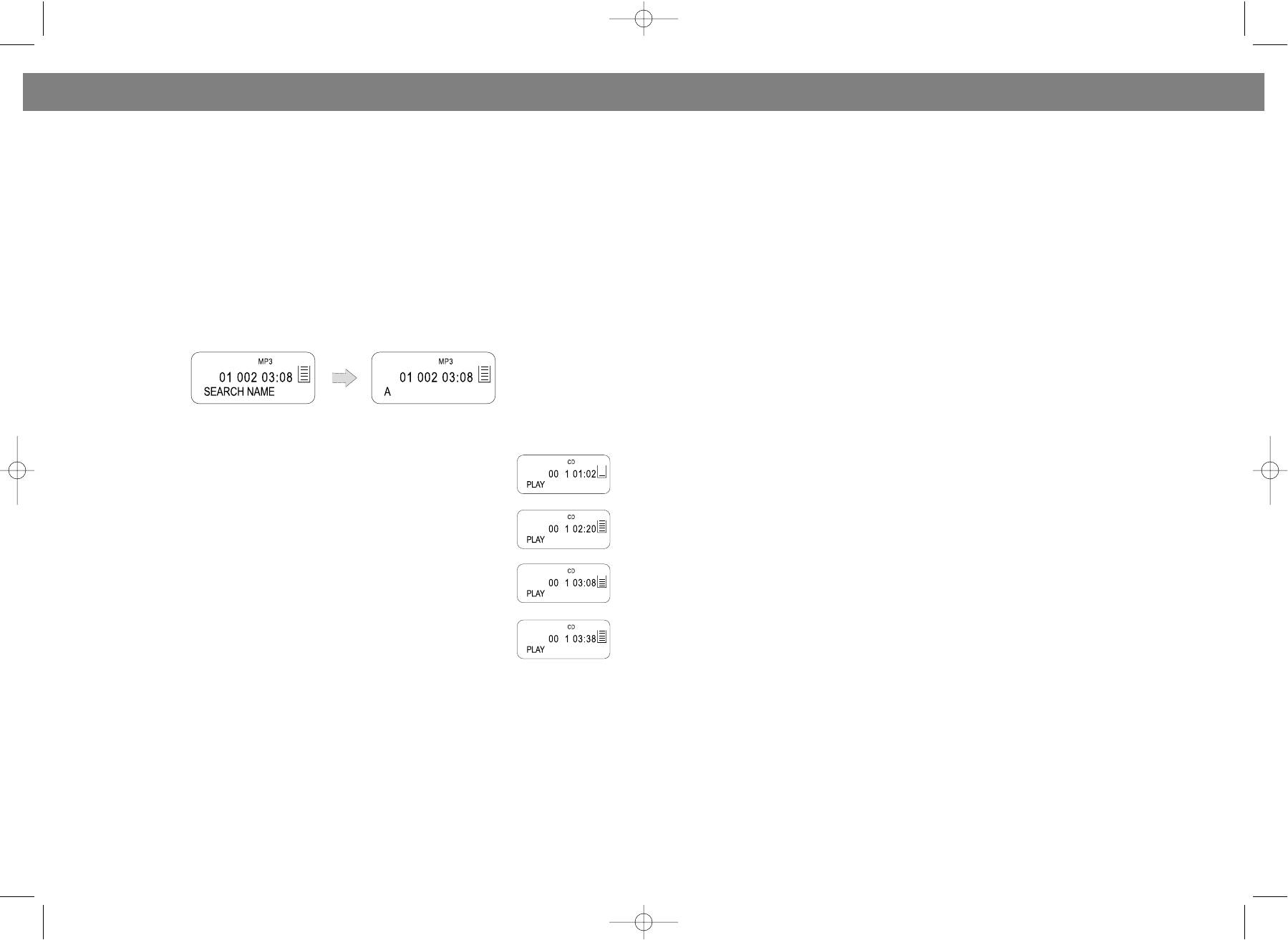
Вы можете найти желаемый трек, написав название песни на английском языке на дисплее, для
will be muted.
этого:
Caution: Listening at high power for a long moment could damage users' ears.
В режиме остановки нажмите и удерживайте кнопку MODE (3) в течение нескольких секунд до
тех пор, пока на дисплее не появится надпись “SEARCH NAME”. После того как на дисплее
CASSETTE OPERATION
появится “А”, Вы можете писать название песни.
Для написания букв и цифр воспользуйтесь кнопками SKIP/SEARCH !/" (12, 10). После выбора
RECORD button (26)
нужного символа, нажмите кнопку MODE (3) для написания следующего. Для удаления символа,
Press to make a recording from either the CD or radio or internal microphone.
воспользуйтесь кнопкой STOP (6).
Note: If a recordable cassette is installed, when the RECORD button (26) is pressed, the PLAY button (25)
По окончании написания названия песни, для поиска и воспроизведения трека нажмите кнопку
will be depressed at the same time. The record key will not go down if the cassette is protected; see
"PLAY/PAUSE" (9). Если название песни написано неправильно, на дисплее появится надпись
' Protecting recordings from being erased'.
“NOT FOUND”. Максимальное число символов 8.
PLAY button (25)
Press the PLAY button (25) to start playing a cassette.
REWIND button (24)
Press the REWIND button (24) to rewind a tape quickly. Press STOP/EJECT button (22) to release the but
ton at the end of the tape.
АНТИШОК
FAST FORWARD button (23)
Функция “АНТИШОК” необходима для предотвращения порчи или остановки
Press the FAST FORWARD button (23) to advance the tape quickly. Press STOP/EJECT button (22) to
звука, когда прибор находится под влиянием тряски или вибрации во время
release the button at the end of the tape.
проигрывания.
• Когда плеер подвержен вибрации во время воспроизведения мелодий,
STOP/EJECT button (22)
данные, хранимые в памяти, продолжают расшифровываться. Это дает время
Press the STOP/EJECT button (22) to cancel a selection, i.e, press this button during cassette play to
для стабилизации и продолжения считывания новых данных.
stop the tape.
In stop mode, press the button to eject the cassette.
• Если прибор подвергается продолжительным вибрациям и вся
информация, хранимая в памяти, использована, то на дисплее высветится
PAUSE button (21)
знак, напоминающий об этом. В этом случае звук может остановиться на
The PAUSE button (21) can be used to interrupt a Recording or Playback temporarily and is useful for
мгновение.
editing the content of the recorded tracks. Press the button once to pause the recording, press the but
• Для того, чтобы включить функцию антишока при воспроизведении
ton again to continue the recording.
компактдиска, нажмите кнопку CD ESP/10+ (8). При воспроизведении МР3
Note: In Pause mode, the Cassette motor is still energized, therefore the feature should not be used for
диска функция включается автоматически.
long periods of time.
Примечание: Антишок для компактдиска 40 с., для МР3 80 с.
AUTOMATIC STOP
The Cassette mechanism has a builtin automatic stop. During Playing/Recording, the unit will automat
ГРАФИЧЕСКИЕ ЭКВАЛАЙЗЕРЫ
ically stop when the end of the tape is detected.
Вы можете выбрать различные звуковые эффекты с помощью переключателя EQ/PROG (4). В
режиме воспроизведения CD или МР3 диска нажмите кнопку EQ/PROG (4) один раз усиление
TO PLAY A CASSETTE TAPE
низких частот, два раза попэффект, три раза классический эффект музыки, четыре раза
1. Open the cassette door by pressing the cassette STOP/EJECT button (22).
эффект джаза, пять раз рокэффект, шесть раз обычное воспроизведение.
2. Insert a cassette with the exposed tape facing upwards and the full reel on the left (unit plays from left
to right) into the guides on the inside of the cassette door.
ПРОСЛУШИВАНИЕ ЧЕРЕЗ НАУШНИКИ
3. Close the cassette door.
Наушники (3.5 мм) подключаются в гнездо РНONE (20). При подключении наушников динамики
4. Set the FUNCTION switch (16) to the TAPE position.
мангитолы автоматически отключаются. Настройка звучания осуществляется при помощи тех же
5. Press the cassette PLAY button (25) to start the tape playing.
регуляторов, как и при обычном прослушивании.
6. Adjust the VOLUME CONTROL (1) to a comfortable listening level.
7. To stop the tape playing, press the STOP/EJECT button (22). Press the button again to open the cas
sette door and eject the tape.
Note: During play, when the end of the tape is reached the PLAY button (25) will pop up and play will stop.
20
5
VT-3450.qxd 27.06.03 16:54 Page 10


