
Vitek VT-3781: ПОВТОР ОДНОЙ ДОРОЖКИ ПОВТОР ВСЕХ ДОРОЖЕК ПРОИГРЫВАНИЕ В РЕЖИМЕ “INTRO”
ПОВТОР ОДНОЙ ДОРОЖКИ ПОВТОР ВСЕХ ДОРОЖЕК ПРОИГРЫВАНИЕ В РЕЖИМЕ “INTRO”: Vitek VT-3781
Оглавление
- Гарантийный талон
- УСЛОВИЯ ГАРАНТИЙНОГО ОБСЛУЖИВАНИЯ
- ОБСЛУЖИВАНИЕ ЧИСТКА КОРПУСА ЧИСТКА ЛИНЗЫ СПЕЦИФИКАЦИЯ
- ПРОГРАММИРОВАНИЕ РАДИОСТАНЦИЙ ПРОСЛУШИВАНИЕ ЧЕРЕЗ НАУШНИКИ ПОДКЛЮЧЕНИЕ К ЗВУКОВЫМ СИСТЕМАМ
- ВОСПРОИЗВЕДЕНИЕ ДОРОЖЕК В ПРОИЗВОЛЬНОМ ПОРЯДКЕ АНТИШОК 40 СЕКУНД ПРОСЛУШИВАНИЕ РАДИО
- ПОВТОР ОДНОЙ ДОРОЖКИ ПОВТОР ВСЕХ ДОРОЖЕК ПРОИГРЫВАНИЕ В РЕЖИМЕ “INTRO”
- ВЫБОР РАЗЛИЧНЫХ РЕЖИМОВ ПРОИГРЫВАНИЯ ПРОГРАММИРОВАННОЕ ВОСПРОИЗВЕДЕНИЕ КОМПАКТДИСКА
- АВТОМАТИЧЕСКОЕ ВКЛЮЧЕНИЕ И ВЫКЛЮЧЕНИЕ ПЛЕЕРА ВОСПРОИЗВЕДЕНИЕ КОМПАКТДИСКА
- ПРОИГРЫВАНИЕ ДИСКА
- ЗАРЯД И ИСПОЛЬЗОВАНИЕ ПЕРЕЗАРЯЖАЮЩИХСЯ БАТАРЕЙ ИСПОЛЬЗОВАНИЕ КОМПАКТДИСКОВ
- ЭЛЕМЕНТЫ УПРАВЛЕНИЯ ПИТАНИЕ ОТ СЕТИ ПИТАНИЕ ОТ БАТАРЕЙ
- УВАЖАЕМЫЙ ПОКУПАТЕЛЬ! РАСПОЛОЖЕНИЕ ЭЛЕМЕНТОВ УПРАВЛЕНИЯ
ENGLISH
РУССКИЙ
LOCATING A PARTICULAR SONG OR POINT
остановки. Для повторного воспроизведения запрограммированных
TRACK SEARCH
мелодий нажмите на кнопку “PROGRAM”, а затем "PLAY/PAUSE". После
Press the FWD or BACKWARD SKIP/SEARCH BUTTON (11 or 15) during playing to
того, как плеер будет выключен, запрограммированное воспроизведение
skip to the desired track.
не сохраняется.
1. Press the #button (11) to skip to the next track on the disc.
2. Press the $button (15) to skip to the begining of the track currently playing.
3. Press the $button (15) twice or more to skip to previous tracks.
FORWARD/BACKWARD SEARCH
Press and hold the FWD or BACKWARD SKIP/SEARCH BUTTON (11 or 15) during
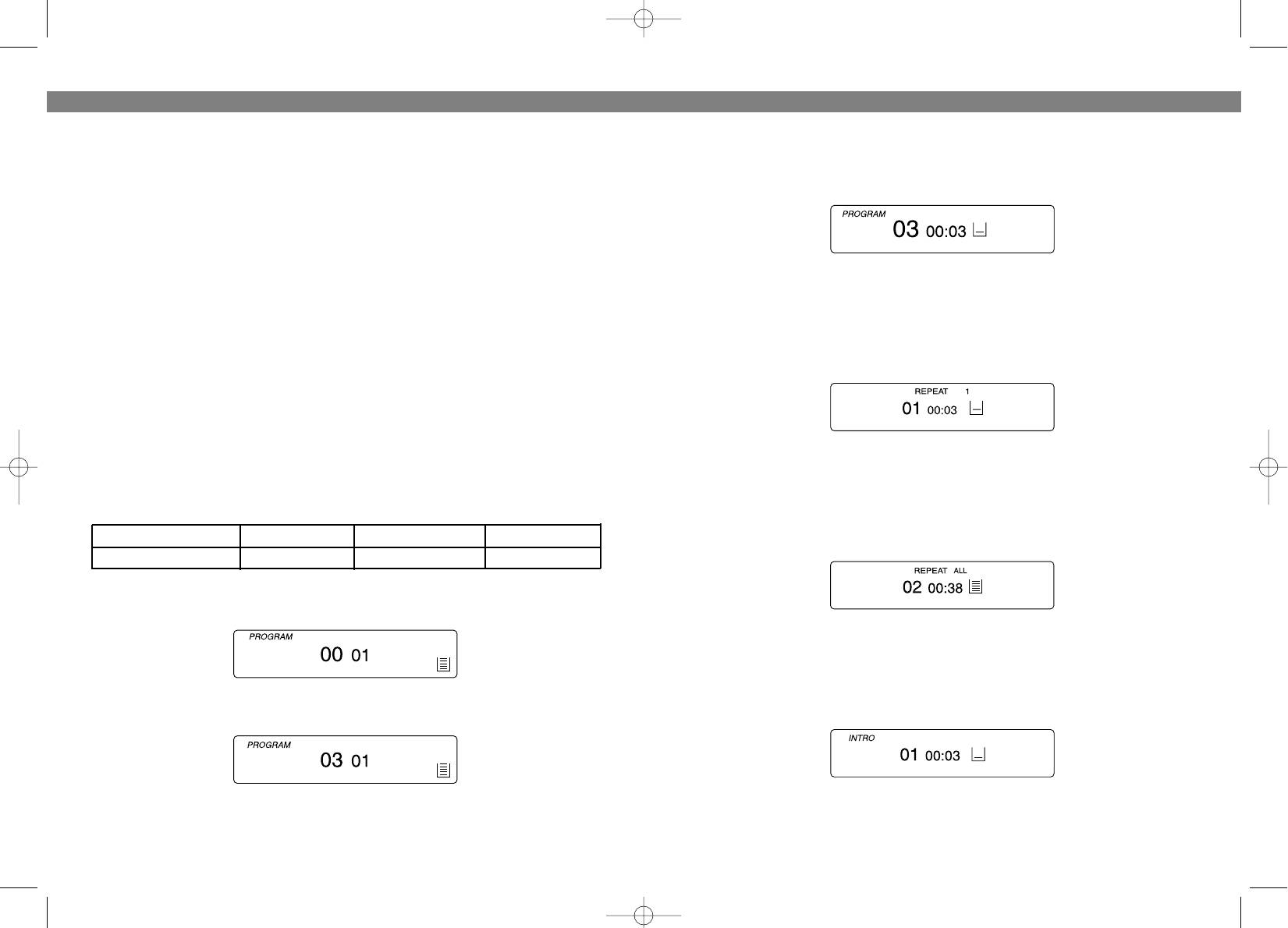
ПОВТОР ОДНОЙ ДОРОЖКИ
playing to scan the disc at high speed. When the desired section of the disc is
1. Нажмите кнопку PMODE (3) один раз , загорится индикатор повторного
found, release the button. Normal play will resume.
воспроизведения “REPEAT 1”.
1. If you press and hold the FWD button (11) while playing, it will scan the current
2. Нажимайте кнопки SKIP/SEARCH !/" , пока номер нужной дорожки не
playing track forward at high speed.
высветится на дисплее.
2. If you press and hold the BACK button (15) while playing, it will scan the current
playing track backward at high speed.
VARIOUS PLAYING MODES
PROGRAMMED PLAY
3. Дорожка будет воспроизводиться непрерывно до тех пор, пока Вы не
The tracks on the disc can be programmed for playing in any order. (Up to 20
нажмете кнопку STOP (14).
tracks can be programmed.)
• During programming, "PROG" flashes in the display.
ПОВТОР ВСЕХ ДОРОЖЕК
1. Нажмите кнопку PMODE (3) дважды, загорится индикатор повторного
Program Number 1 2 3
воспроизведения “REPEAT ALL”.
Track number 3 5 6
1 Press the PROGRAM button (6) during playing or in stop mode, " PROG " and
track number flashes in the display.
2. Нажмите кнопку "PLAY/PAUSE" (13). Дорожки будут воспроизводится
непрерывно до тех пор, пока Вы не нажмете кнопку STOP (14).
ПРОИГРЫВАНИЕ В РЕЖИМЕ “INTRO”
2 Press the FWD or BACKWARD SKIP/SEARCH button (11 or 15) to select the first
1. Нажмите кнопку PMODE (3) три раза, загорится индикатор “INTRO”.
be track to programmed.
2. Нажмите на кнопку "PLAY/PAUSE" для проигрывания первых 10 секунд
3 Press the PROGRAM button (6). The first track number is now stored in memo
каждой дорожки.
ry, program number changes to "02" waiting for your next selection.
8
21
3781.qxd 02.07.03 15:38 Page 16


