
Vitek VT-3782: ПОВТОР ОДНОЙ ДОРОЖКИ ПОВТОР ВСЕХ ДОРОЖЕК ПРОИГРЫВАНИЕ В РЕЖИМЕ “INTRO” ВОСПРОИЗВЕДЕНИЕ ДОРОЖЕК В ПРОИЗВОЛЬНОМ ПОРЯДКЕ
ПОВТОР ОДНОЙ ДОРОЖКИ ПОВТОР ВСЕХ ДОРОЖЕК ПРОИГРЫВАНИЕ В РЕЖИМЕ “INTRO” ВОСПРОИЗВЕДЕНИЕ ДОРОЖЕК В ПРОИЗВОЛЬНОМ ПОРЯДКЕ: Vitek VT-3782
Оглавление
- Гарантийный талон
- УСЛОВИЯ ГАРАНТИЙНОГО ОБСЛУЖИВАНИЯ
- СПЕЦИФИКАЦИЯ ПЕРЕНОСНОЕ УСТРОЙСТВО РАДИО ЗВУК ОСНОВНЫЕ ТЕХНИЧЕСКИЕ ХАРАКТЕРИСТИКИ
- ПРОСЛУШИВАНИЕ ЧЕРЕЗ НАУШНИКИ ПОДКЛЮЧЕНИЕ К ЗВУКОВЫМ СИСТЕМАМ ОБСЛУЖИВАНИЕ ЧИСТКА КОРПУСА ЧИСТКА ЛИНЗЫ
- АНТИШОК 40 СЕКУНД ПРОСЛУШИВАНИЕ РАДИО ПРОГРАММИРОВАНИЕ РАДИОСТАНЦИЙ
- ПОВТОР ОДНОЙ ДОРОЖКИ ПОВТОР ВСЕХ ДОРОЖЕК ПРОИГРЫВАНИЕ В РЕЖИМЕ “INTRO” ВОСПРОИЗВЕДЕНИЕ ДОРОЖЕК В ПРОИЗВОЛЬНОМ ПОРЯДКЕ
- ВЫБОР РАЗЛИЧНЫХ РЕЖИМОВ ПРОИГРЫВАНИЯ ПРОГРАММИРОВАННОЕ ВОСПРОИЗВЕДЕНИЕ КОМПАКТДИСКА
- АВТОМАТИЧЕСКОЕ ВКЛЮЧЕНИЕ И ВЫКЛЮЧЕНИЕ ПЛЕЕРА ВОСПРОИЗВЕДЕНИЕ КОМПАКТДИСКА
- ПРОИГРЫВАНИЕ ДИСКА
- ЗАРЯД И ИСПОЛЬЗОВАНИЕ ПЕРЕЗАРЯЖАЮЩИХСЯ БАТАРЕЙ ИСПОЛЬЗОВАНИЕ КОМПАКТДИСКОВ
- ЭЛЕМЕНТЫ УПРАВЛЕНИЯ ПИТАНИЕ ОТ БАТАРЕЙ
- УВАЖАЕМЫЙ ПОКУПАТЕЛЬ! РАСПОЛОЖЕНИЕ ЭЛЕМЕНТОВ УПРАВЛЕНИЯ ВАЖНЫЕ ПРИМЕЧАНИЯ
ENGLISH
РУССКИЙ
playing to scan the disc at high speed. When the desired section of the disc is
found, release the button. Normal play will resume.
1. If you press and hold the FWD button (18) while playing, it will scan the curr
playing track forward at high speed.
2. If you press and hold the BACK button (19) while playing, it will scan the curr
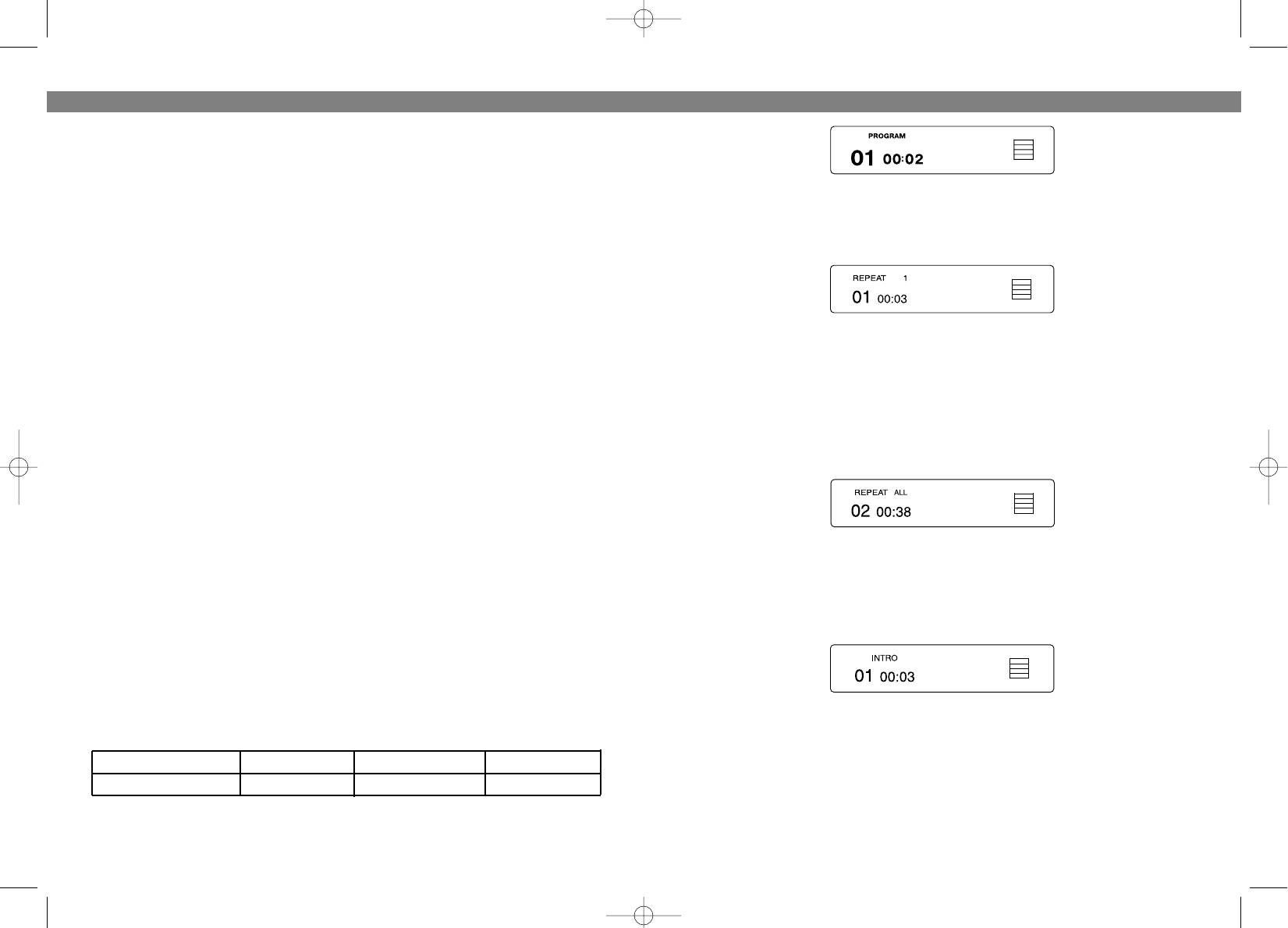
ПОВТОР ОДНОЙ ДОРОЖКИ
playing track backward at high speed.
1. Нажмите кнопку PMODE (8) один раз , загорится индикатор повторного
воспроизведения “REPEAT 1”.
40 SECONDS ELECTRONIC SHOCK PROTECTION SYSTEM
The digital ELECTRONIC SHOCK PROTECTION function uses semiconductor
memory to prevent the sound from skipping when the unit is subjected to shocks
and vibration during play.
• While the “AntiShock” button is pressed during play, the indicator appears in the
2. Нажимайте кнопки SKIP/SEARCH #/$ , пока номер нужной дорожки не
display and the digital ELECTRONIC SHOCK PROTECTION function turns on.
высветится на дисплее.
The digital datd equivalent to approximately 40 seconds of music is stored in a
3. Дорожка будет воспроизводиться непрерывно до тех пор, пока Вы не
“readahead” memory buffer before it is decoded and played. The one mark
нажмете кнопку STOP (16).
changes to the other mark, indicating that the data buffer is full.
• When the unit is subjected to a shock during play, the data stored in memory
ПОВТОР ВСЕХ ДОРОЖЕК
continues to be decoded and played. This gives the pickup time to stabilize and
continue reading new data. As the data is read from memory the indicator
1. Нажмите кнопку PMODE (8) дважды, загорится индикатор повторного
changes.
воспроизведения “REPEAT ALL”.
• Once the pickup returns to its original position, new data is stored in memory and
the display changes back to the other mark.
Press the “AntiShock” button to turn the digital Electronic Shock Protection
function off.
NOTE: Keep the digital electronic shock protection function off when using the unit
2. Нажмите кнопку "PLAY/PAUSE" (10). Дорожки будут воспроизводится
непрерывно до тех пор, пока Вы не нажмете кнопку STOP (16).
in a stable location where it will not be subjected to shocks. The battery power con
sumption is reduced when the electronic shock protection function is turned off.
NOTE: When the digital electronic shock protection function is switched on or off,
ПРОИГРЫВАНИЕ В РЕЖИМЕ “INTRO”
the sound wil be interrupted for 1 to 2 seconds.
1. Нажмите кнопку PMODE (8) три раза, загорится индикатор “INTRO”.
VARIOUS PLAYING MODES
PROGRAMMED PLAY
The tracks on the disc can be programmed for playing in any order. (Up to 20
tracks can be programmed.)
2. Нажмите на кнопку "PLAY/PAUSE" для проигрывания первых 10 секунд
• During programming, "PROG" flashes in the display.
каждой дорожки.
Program Number 1 2 3
ВОСПРОИЗВЕДЕНИЕ ДОРОЖЕК В ПРОИЗВОЛЬНОМ ПОРЯДКЕ
Track number 3 5 6
Дорожки диска могут воспроизводиться в произвольном порядке (выбор
последовательности проигрыватель осуществляет самостоятельно). Для
1 Press the PROGRAM button (4) during playing or in stop mode, " PROG " and
этого нажмите кнопку PMODE (8) четыре раза, а затем кнопку
"PLAY/PAUSE" .
8
21
3782.qxd 02.07.03 15:38 Page 16


