
Asus WL-169gE: Survey - Site Survey
Survey - Site Survey: Asus WL-169gE
Table of contents
- Installation Procedures Installing the WLAN utilities and driver Reading the WLAN status indicators
- One Touch Wizard
- Conguring with the WLAN utility (Infrastructure)
- Conguring with the WLAN utility (Ad Hoc)
- ASUS WLAN Control Center
- Quick Start Guide
- ASUS Wireless Settings Utility Status - Status
- Quick Start Guide
- Quick Start Guide Status - Connection
- Status - IP Cong Status - Ping
- Cong - Basic
- Cong - Advanced
- Quick Start Guide
- Cong - Encryption
- Quick Start Guide Data encryption
- Cong - Authentication
- Survey - Site Survey
- Link State
- Windows XP Wireless Options
- Quick Start Guide
Quick Start Guide
LEAP:
LEAP (Light Extensible Authentication Protocol) authentication is a
English
version of Extensible Authentication Protocol (EAP). EAP ensures mutual
authentication between a wireless client and a server that resides at the
network operations center.
MD5:
MD5 is a one-way encrypting algorithm that uses user name and passwords.
This method does not support key management, but require a pre-congured key
if data encryption is used.
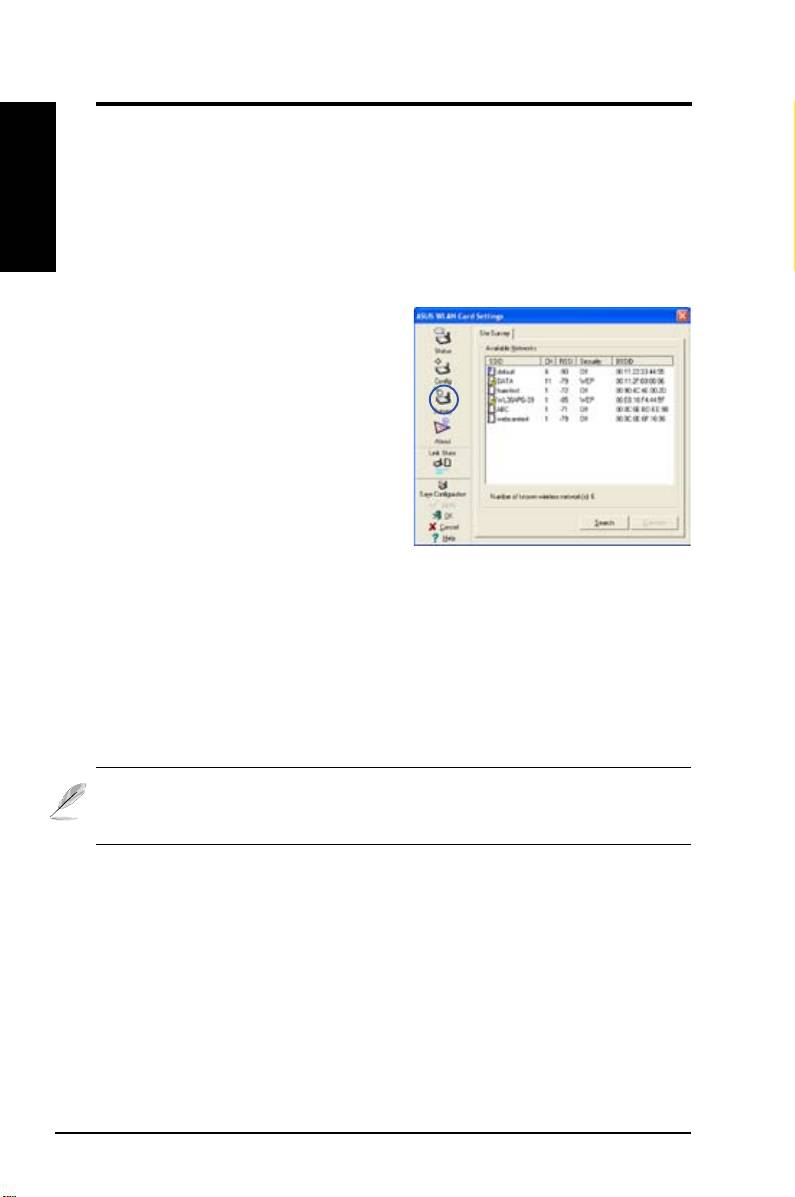
Survey - Site Survey
Use the Site Survey tab to view statistics
on the wireless networks available to the
WLAN Card. Use the Site Survey tab to
view the following network parameters.
•
SSID:
The SSID of the available
networks.
•
Channel:
The channel used by
each network.
•
RSSI:
The Received Signal Strength Indication (RSSI) transmitted by
each network. This information is helpful in determining which network to
associate to. The value is then normalized to a dBm value.
•
Encryption:
Wireless network encryption information. All devices in
the network should use the same encryption method to ensure the
communication.
•
BSSID:
The media access control (MAC) address of the access point or
the Basic Service Set ID of the Ad Hoc node.
NOTE: Some access points may disable SSID broadcast and hide
themselves from “Site Survey” or “Site Monitor”, however, you can
connect such AP if you know their SSID.
Buttons
Search
– To scan all available wireless networks and show the scan result in the
“Available Network” list.
Connect
– To associate with a network by selecting the network from the
“Available Network” list and clicking this button.
18 ASUS WLAN Card
