
Asus WL-169gE: Cong - Authentication
Cong - Authentication: Asus WL-169gE
Table of contents
- Installation Procedures Installing the WLAN utilities and driver Reading the WLAN status indicators
- One Touch Wizard
- Conguring with the WLAN utility (Infrastructure)
- Conguring with the WLAN utility (Ad Hoc)
- ASUS WLAN Control Center
- Quick Start Guide
- ASUS Wireless Settings Utility Status - Status
- Quick Start Guide
- Quick Start Guide Status - Connection
- Status - IP Cong Status - Ping
- Cong - Basic
- Cong - Advanced
- Quick Start Guide
- Cong - Encryption
- Quick Start Guide Data encryption
- Cong - Authentication
- Survey - Site Survey
- Link State
- Windows XP Wireless Options
- Quick Start Guide
Quick Start Guide
2. Automatic Generation
- Type a combination of up to 64 letters,
numbers, or symbols in the Passphrase box, the Wireless Settings Utility
automatically uses an algorithm to generate four WEP Keys.
English
Select one as your Default Key
The Default Key eld allows you specify which of the four encryption keys is to
use for transmitting data over wireless LAN. You can change the default key
by clicking on the downward arrow, selecting the number of the key you want
to use, and clicking the “Apply” button. If the access point or station with which
you are communicating uses the identical key by the same sequence, you can
use any of the keys as the default on your WLAN Card.
Click the “Apply” button after you have created the encryption keys, the
Wireless Settings Utility uses asterisks to mask your keys.
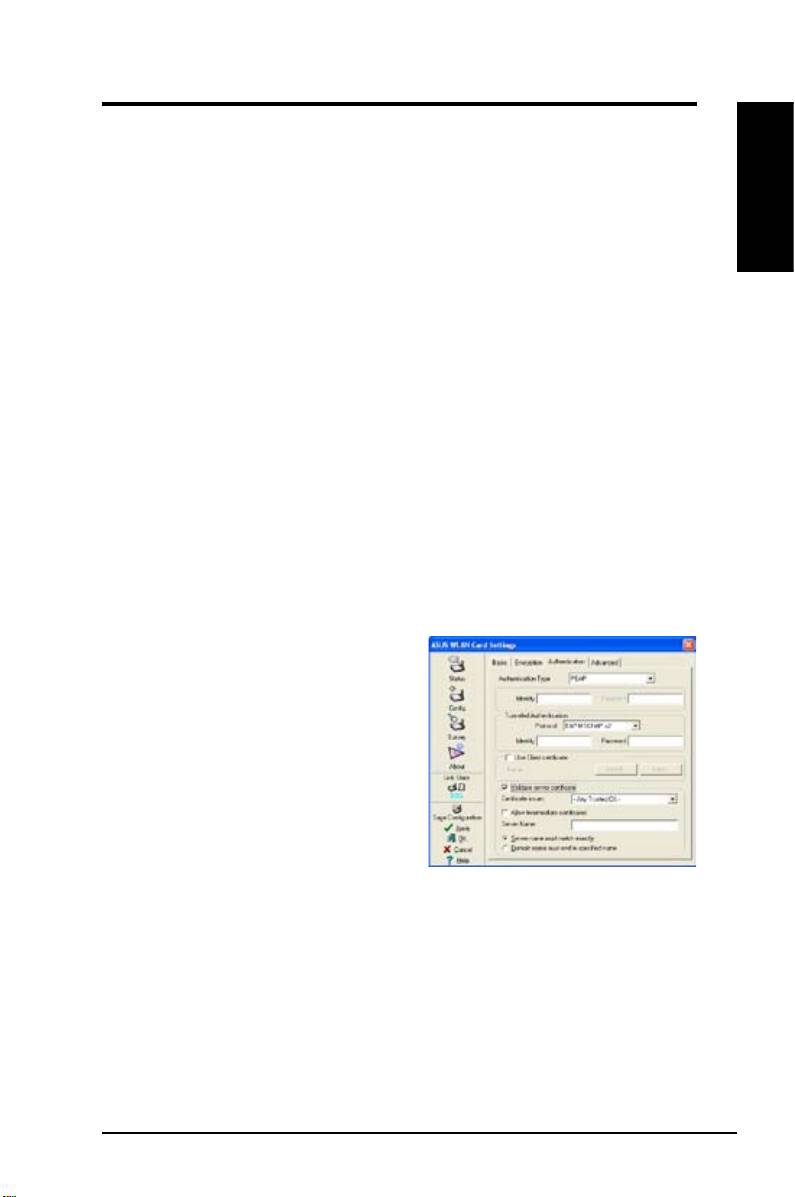
Cong - Authentication
This tab allows you to set the security settings to match those of your AP. It is
congurable only if you have set Network Authentication to WPA or WPA2 in
Cong-Encryption tab.
Authentication Type
The authentication type methods include:
PEAP:
PEAP (Protected Extensible
Authentication Protocol) authentication
is a version of Extensible Authentication
Protocol (EAP). EAP ensures mutual
authentication between a wireless client
and a server that resides at the network
operations center.
TLS/Smart Card:
TLS (Transport Layer
Security) authentication is performed to
create an encrypted tunnel and achieve server-side authentication in a manner
similar to Web server authentication using Secure Sockets Layer (SSL) protocol.
This method uses digital certicates to verify the identity of a client and server.
TTLS:
TTLS authentication uses certicates to authenticate the server, and
a simpler method to authenticate the client, all the while maintaining similar
security properties to TLS like mutual authentication and a shared secret for
session WEP key.
ASUS WLAN Card 17
