
Asus WL-169gE: Link State
Link State: Asus WL-169gE
Table of contents
- Installation Procedures Installing the WLAN utilities and driver Reading the WLAN status indicators
- One Touch Wizard
- Conguring with the WLAN utility (Infrastructure)
- Conguring with the WLAN utility (Ad Hoc)
- ASUS WLAN Control Center
- Quick Start Guide
- ASUS Wireless Settings Utility Status - Status
- Quick Start Guide
- Quick Start Guide Status - Connection
- Status - IP Cong Status - Ping
- Cong - Basic
- Cong - Advanced
- Quick Start Guide
- Cong - Encryption
- Quick Start Guide Data encryption
- Cong - Authentication
- Survey - Site Survey
- Link State
- Windows XP Wireless Options
- Quick Start Guide
Quick Start Guide
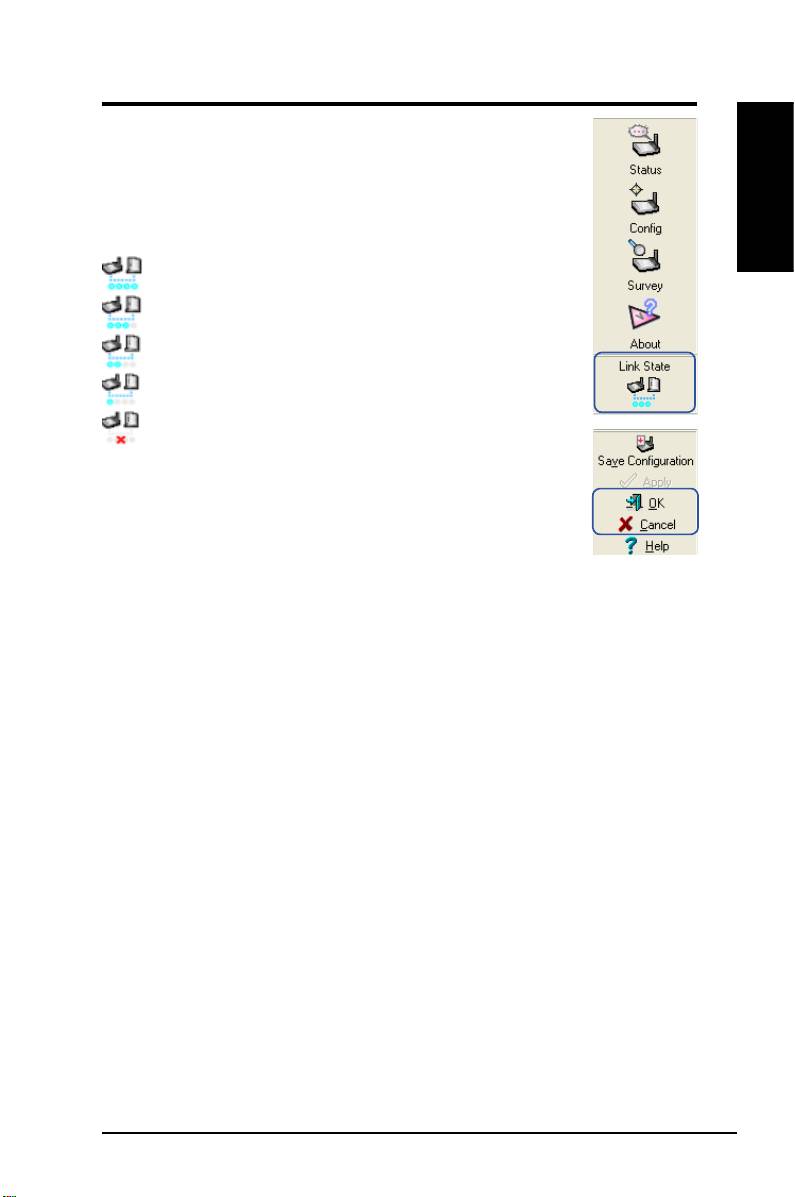
Link State
WLAN Card “Link State” icon appears on the left side of the
WLAN Card Settings. Use the icon to view the current signal
status.
English
Excellent Link Quality (Infrastructure)
Good Link Quality (Infrastructure)
Fair Link Quality (Infrastructure)
Poor Link Quality (Infrastructure)
Not linked (Infrastructure)
Exit Wireless Settings
To exit Wireless Settings, you can click
OK
or
Cancel
.
ASUS WLAN Card 19
Top 10 manuals
100.00
NZXT HALE90 1000W99.99
Samsung SM-R38099.97
AEG BSB 18C99.97
Dell 2700W99.97
Smeg KSEC70X99.96
Beurer HDE 4099.96
Pyramida KH 50 v.299.96
MSI CSM-H81M-P3299.96
AEG HR 562799.95
Melissa 640-048