
Asus WAVI: instruction
Class: Navigators and car electronics
Type:
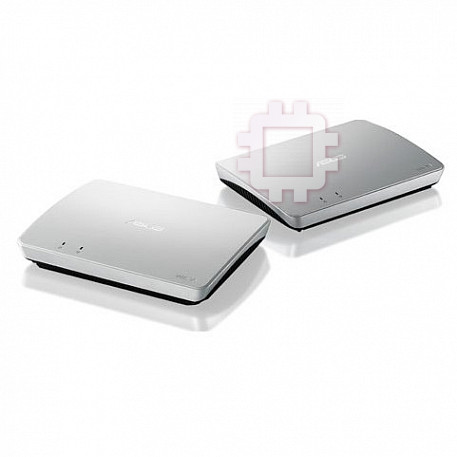
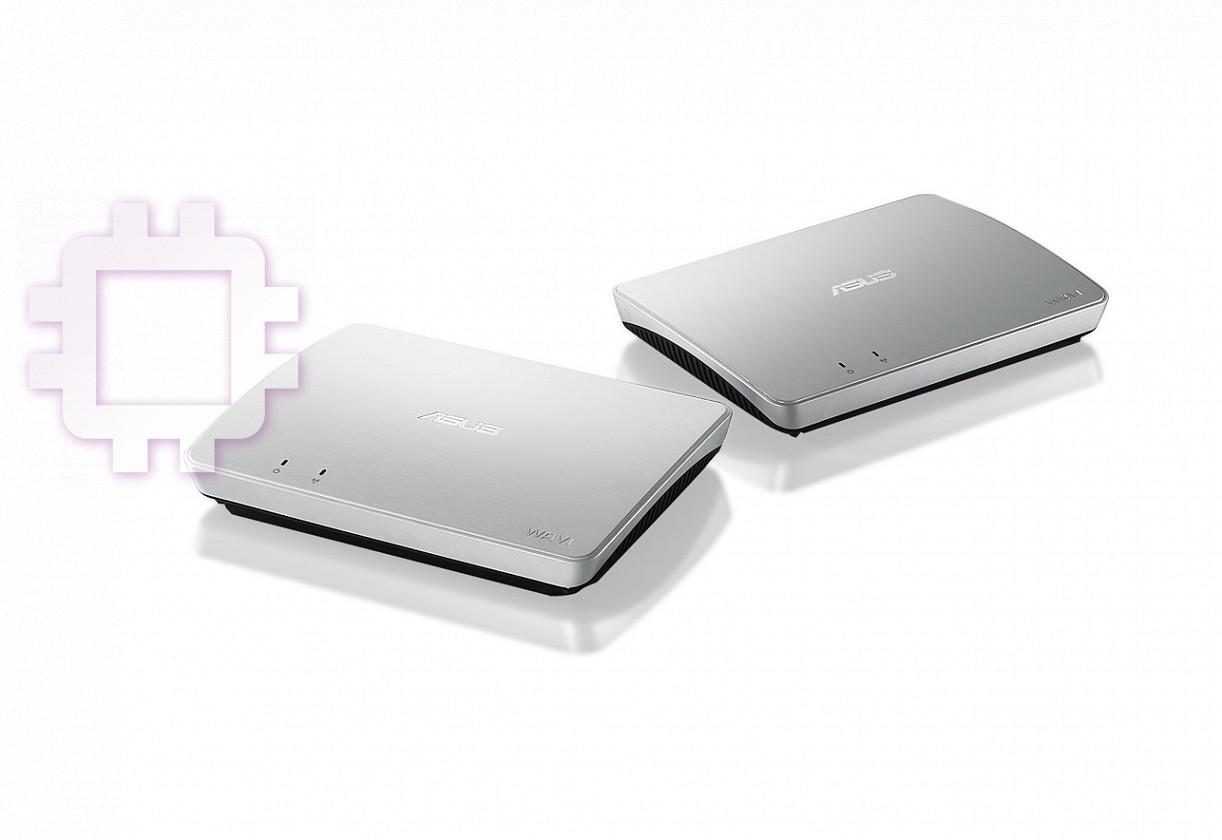
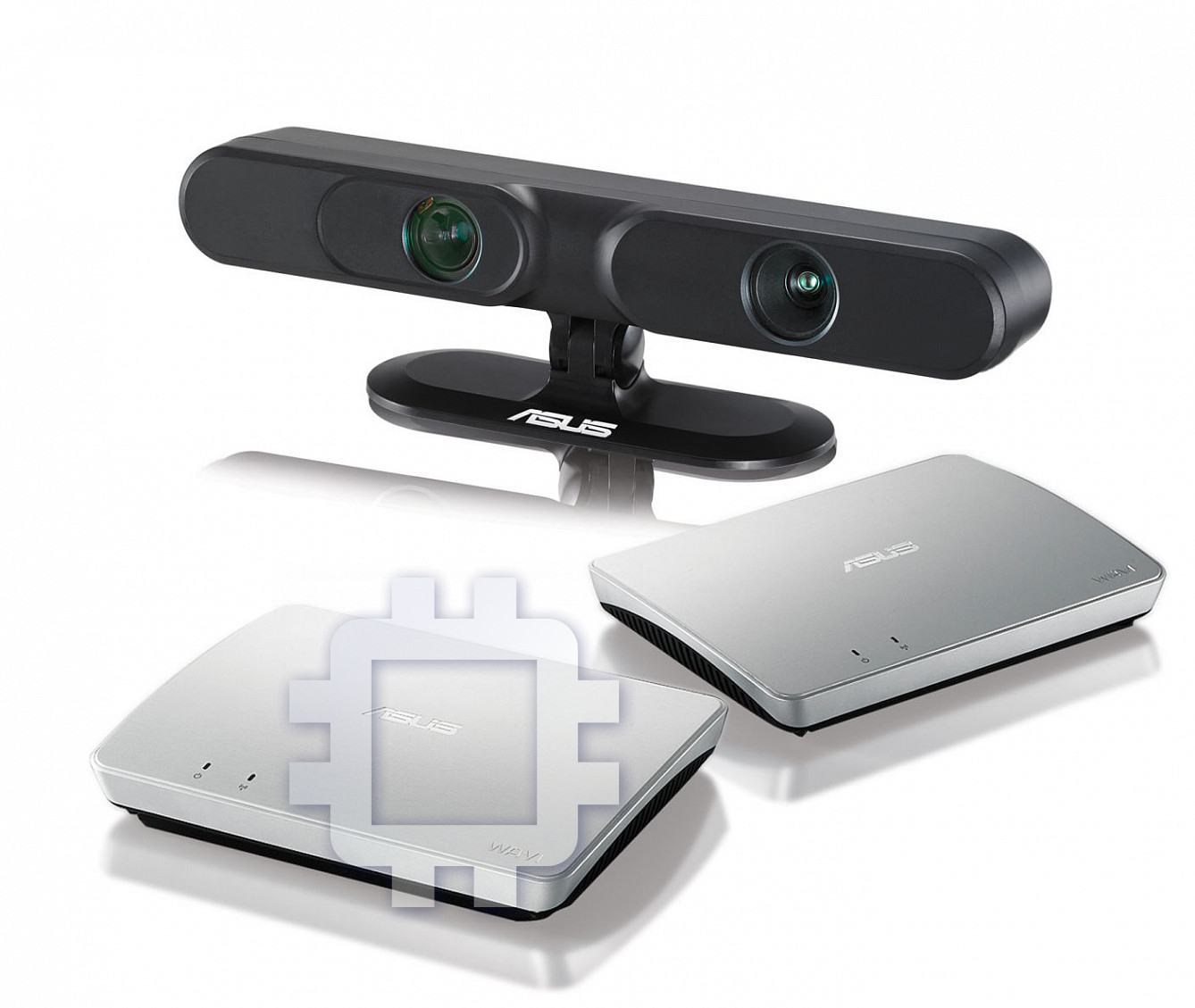
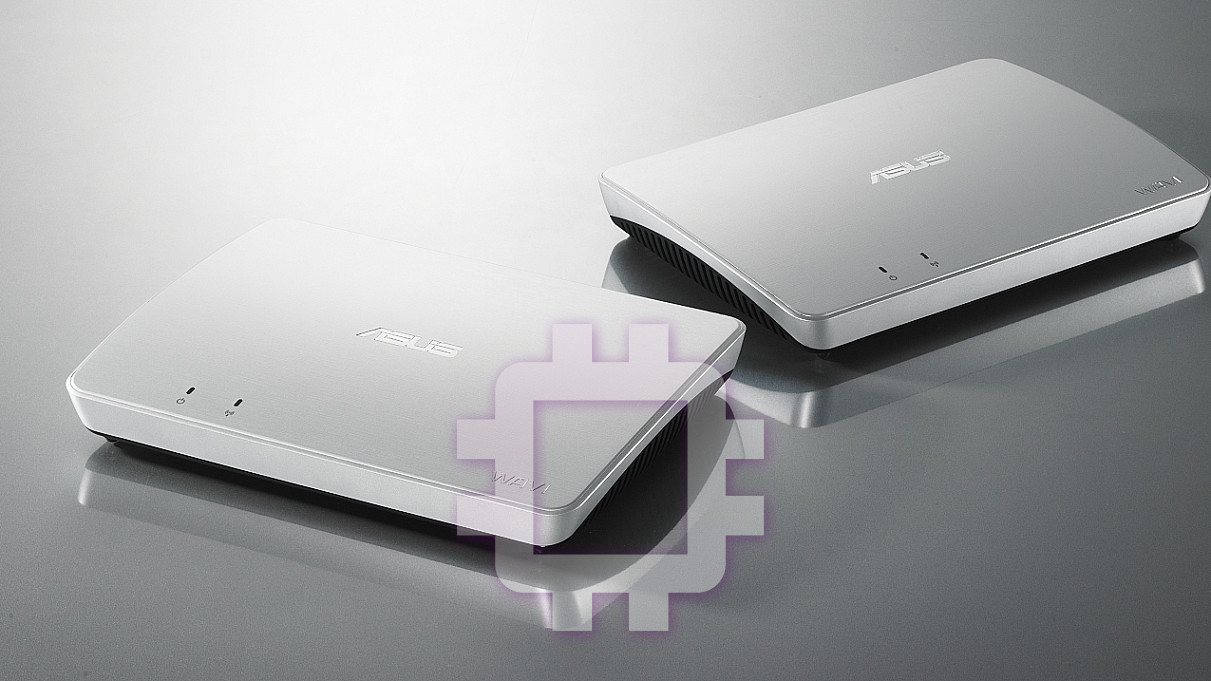
Manual for Asus WAVI
Table of contents
English
WAVI
(Wireless Audio Video Interface)
WAVI receiver WAVI transmitter
User Manual

E6186
English
First Edition
February 2011
Copyright © 2011 ASUSTeK Computer Inc. All Rights Reserved. No part of this manual,
including the products and software described in it, may be reproduced, transmitted,
transcribed, stored in a retrievalsystem, or translated into any language in any form or by
any means, except documentation kept by the purchaser for backup purposes, without
the express written permission of ASUSTeK Computer Inc. (“ASUS”).
Product warranty or service will not be extended if: (1) the product is repaired, modified
or altered, unless such repair, modification of alteration is authorized in writing by ASUS;
or (2) the serial number of the product is defaced or missing.
ASUS PROVIDES THIS MANUAL “AS IS” WITHOUT WARRANTY OF ANY KIND, EITHER
EXPRESS OR IMPLIED, INCLUDING BUT NOT LIMITED TO THE IMPLIED WARRANTIES
OR CONDITIONS OF MERCHANTABILITY OR FITNESS FOR A PARTICULAR PURPOSE.
IN NO EVENT SHALL ASUS, ITS DIRECTORS, OFFICERS, EMPLOYEES OR AGENTS BE
LIABLE FOR ANY INDIRECT, SPECIAL, INCIDENTAL, OR CONSEQUENTIAL DAMAGES
(INCLUDING DAMAGES FOR LOSS OF PROFITS, LOSS OF BUSINESS, LOSS OF USE OR DATA,
INTERRUPTION OF BUSINESS AND THE LIKE), EVEN IF ASUS HAS BEEN ADVISED OF THE
POSSIBILITY OF SUCH DAMAGES ARISING FROM ANY DEFECT OR ERROR IN THIS MANUAL
OR PRODUCT.
SPECIFICATIONS AND INFORMATION CONTAINED IN THIS MANUAL ARE FURNISHED
FOR INFORMATIONAL USE ONLY, AND ARE SUBJECT TO CHANGE AT ANY TIME WITHOUT
NOTICE, AND SHOULD NOT BE CONSTRUED AS A COMMITMENT BY ASUS. ASUS ASSUMES
NO RESPONSIBILITY OR LIABILITY FOR ANY ERRORS OR INACCURACIES THAT MAY APPEAR
IN THIS MANUAL, INCLUDING THE PRODUCTS AND SOFTWARE DESCRIBED IN IT.
Products and corporate names appearing in this manual may or may not be registered
trademarks or copyrights of their respective companies, and are used only for
identification or explanation and to the owners’ benefit, without intent to infringe.
2
ASUS WAVI

Table of Contents
Safety information .....................................................................................................4
English
ASUS WAVI Specifications summary ....................................................................5
Getting to know your ASUS WAVI .........................................................................6
Package contents ..........................................................................................6
WAVI features ...............................................................................................................7
Receiver ............................................................................................................7
Transmitter ......................................................................................................7
Using your ASUS WAVI ..............................................................................................8
Notices ......................................................................................................................... 10
ASUS Contact information ................................................................................... 13
ASUS WAVI
3
Safety information
English
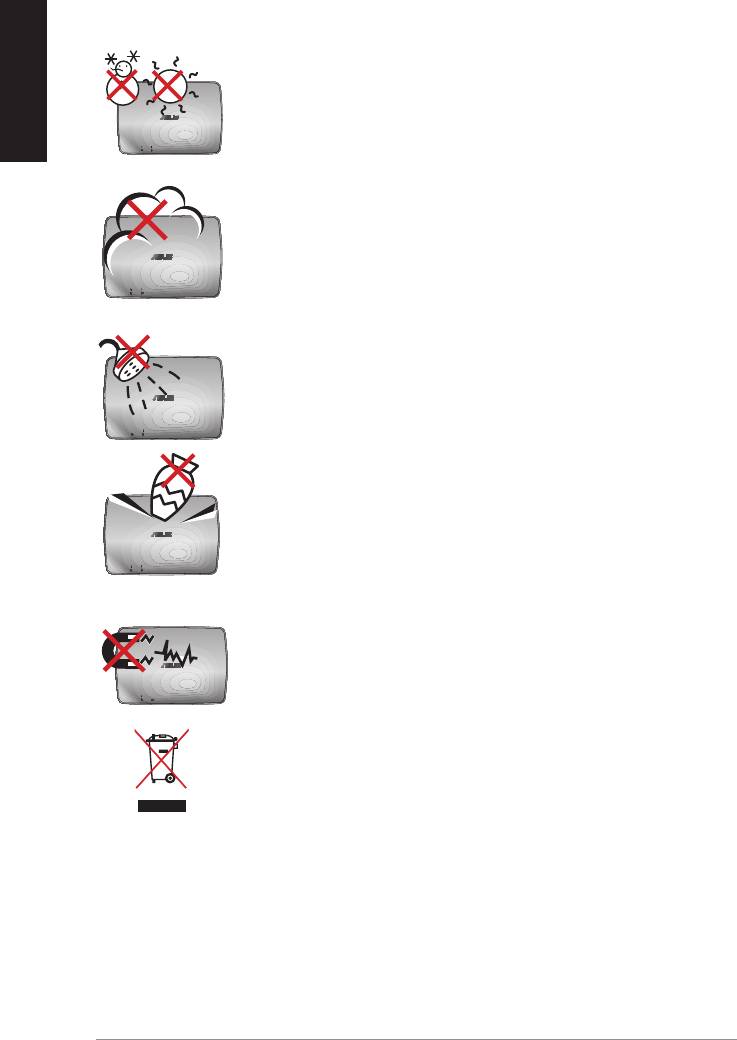
SAFE TEMP: The ASUS WAVI should only be used in
environments with ambient temperatures between
5°C (41°F) and 35°C (95°F).
DO NOT expose to dirty or dusty environments. DO NOT
operate during a gas leak.
DO NOT expose to or use near liquids, rain, or moisture.
DO NOT place or drop objects on top and do not shove
any foreign objects into the ASUS WAVI.
DO NOT expose to strong magnetic or electrical fields.
DO NOT throw the ASUS WAVI in municipal waste. Check
local regulations for disposal of electronic products.
4
ASUS WAVI

ASUS WAVI Specifications summary
Resolution TV: 1080p, 1080i, 720p, 576p, 480p
3D Video: 1080p @ 24Hz
Audio
7.1 channels 192 KHz 24-bit, AC-3 and DTS Dolby
English
Wireless HDMI technology
AMIMON WHDI 5GHz 4T5R (256-bit or 128-bit AES encryption)
Transmission distance
up to 25 meters (Line of sight)
Delay time
<1ms
Power supply
Transmitter and Receiver: 12V, 2A 24W adapters
Power consumption
Transmitter and Receiver: 24W
I/O ports
Transmitter:
- USB port x 1 (for connecting to a computer’s
USB port)
- HDMI port x 1
- DC-In port x 1
- Power LED x 1*
- Wireless LED x 1*
Receiver:
- LAN port x 1
- USB ports x 2
- HDMI port x 1
- DC-In port x 1
- Power LED x 1*
- Wireless LED x 1*
* The power LED / Wireless LED turns blue to indicate successful
connection and turns orange if the connection was failed. The
signal strength will be displayed on the screen.
NOTE: Specifications are subject to change without prior notice.
ASUS WAVI
5
Getting to know your ASUS WAVI
English
ASUS WAVI allows you to wirelessly extend or share your audio/video sources
from your computer to a high-definition external display up to 25 meters
(within line of sight) for a latency-free (<1ms) full high-definition 1080p video
and crsytal-clear audio transmissions. It allows you to enjoy video games and
movies from your computer to your high-definition external display.
NOTE: For a full 1080p wireless high-definition audio and video
transmissions up to 25 meters, ensure that the receiver is positioned
within a clear line of sight to the transmitter.
Package contents
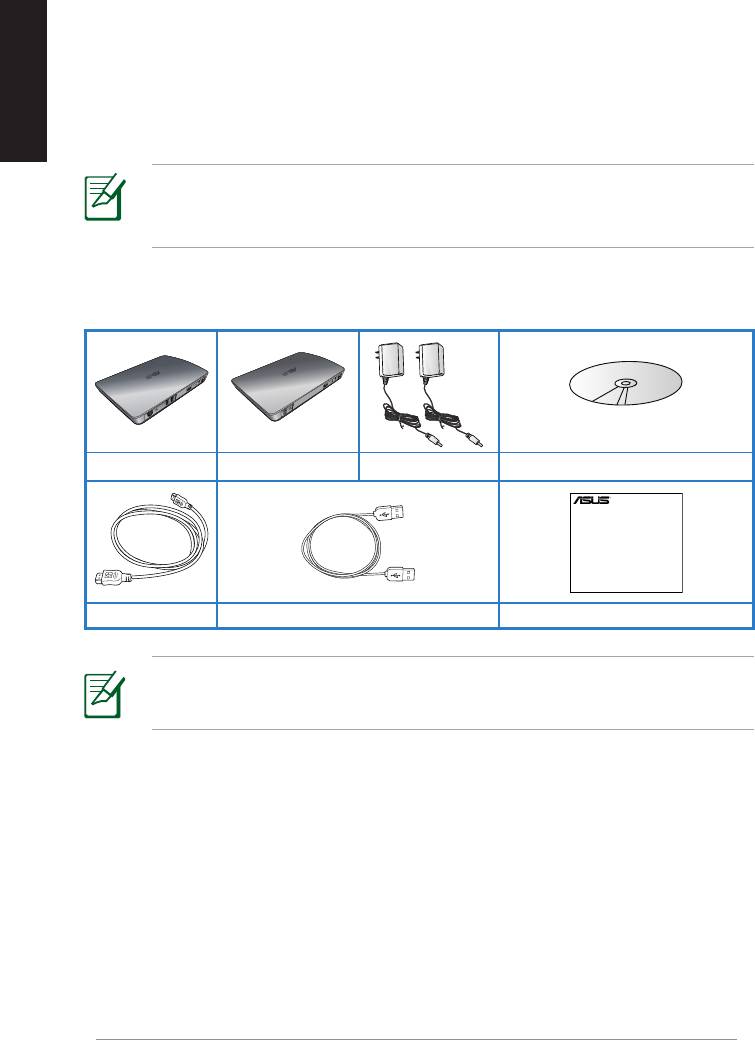
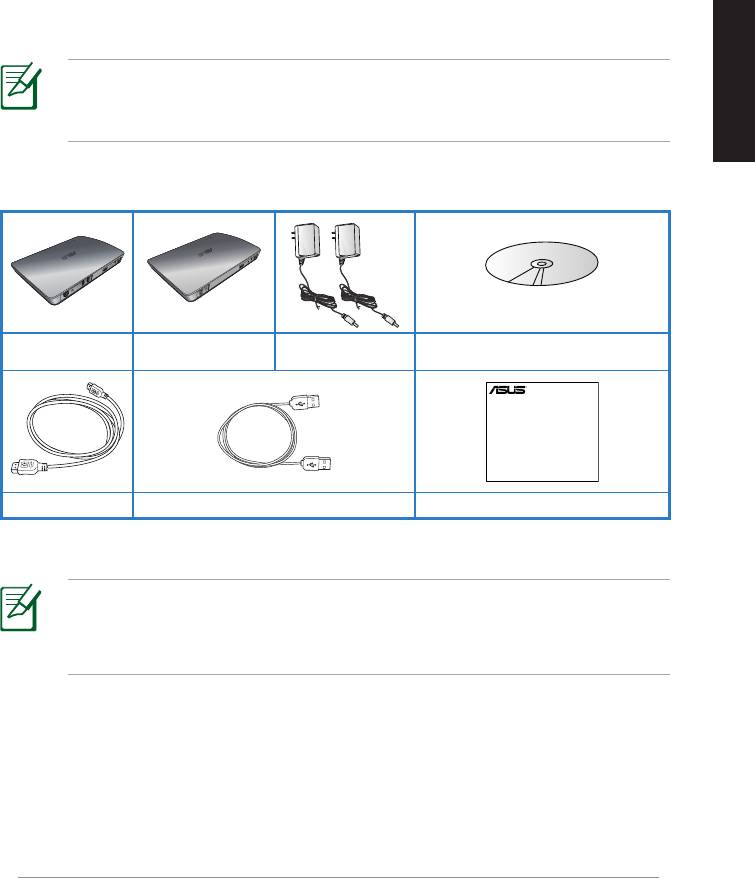
WAVI receiver WAVI transmitter AC adapter x 2 Support CD (User Manual & Driver)
NOTES:
• If any of the items is damaged or missing, contact your retailer.
6
ASUS WAVI
WAVI
3D Wireless PC-to-TV Kit
Quick Start Guide
HDMI cable x 2 USB cable Quick Start Guide
WAVI features
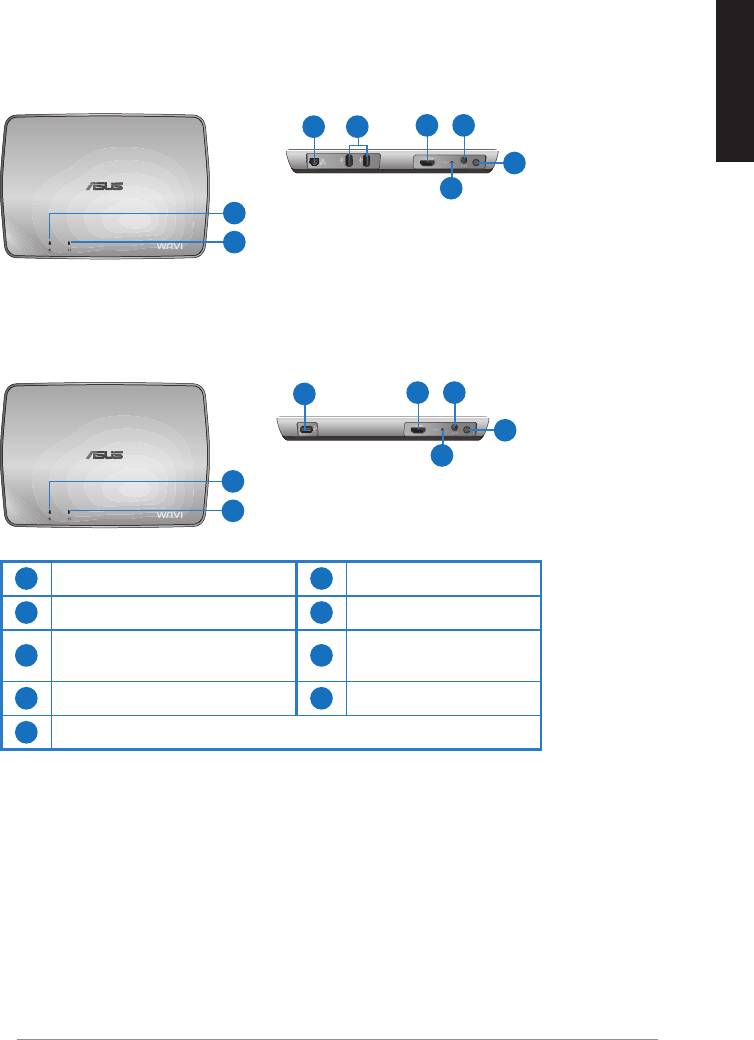
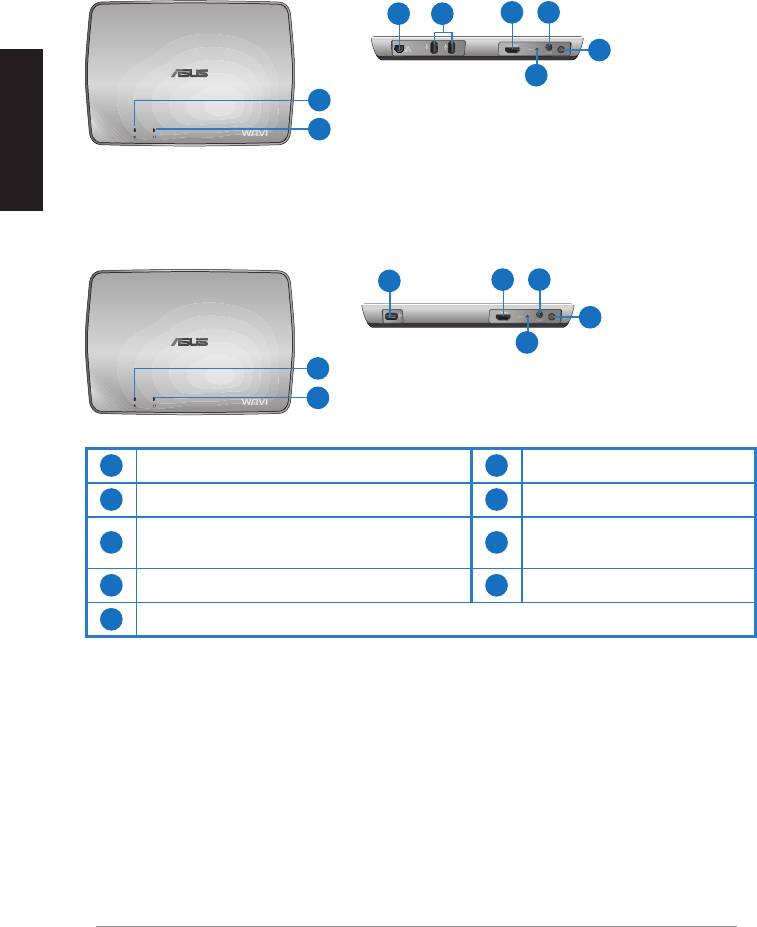
Receiver
Front view
Rear view
English
3 5
6 7
8
9
1
2
Transmitter
Front view
Rear view
4
6 7
8
9
1
2
1
6
Power LED
HDMI port
2
Wireless LED
7
DC-In port
LAN port
3
8
Power button
(for firmware update only)
4
9
USB port (connect to PC)
Reset button
5
USB ports (connect to other devices)
ASUS WAVI
7
English
8
ASUS WAVI
ON
OFF
Using your ASUS WAVI
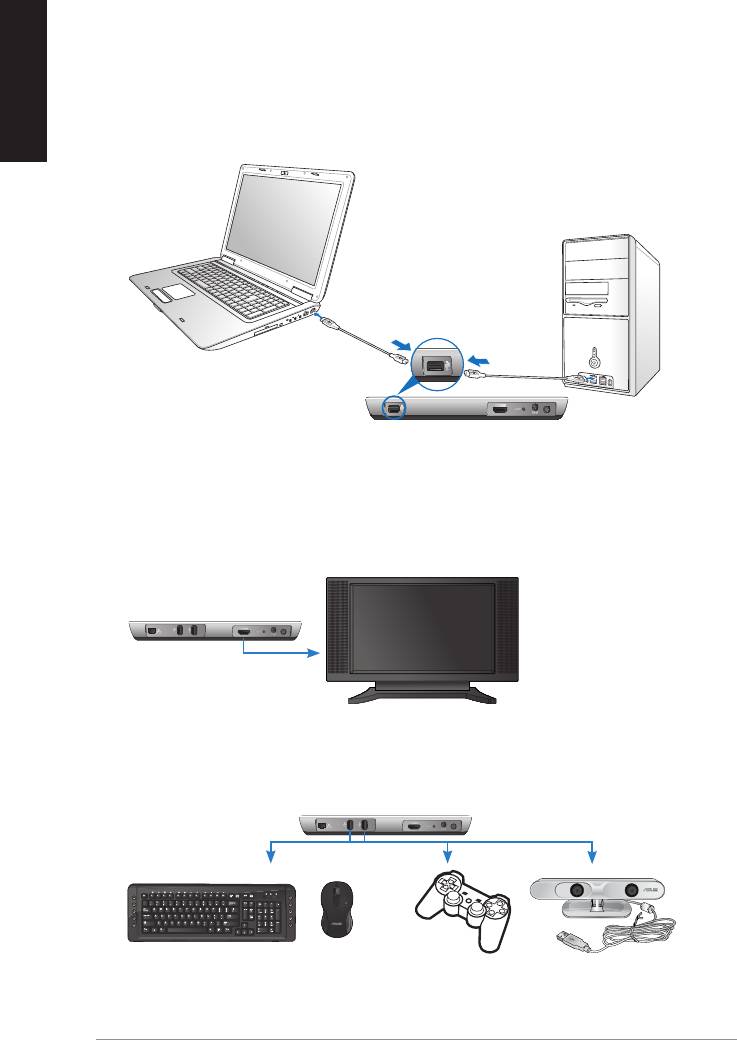
To use your ASUS WAVI:
1. Install the WAVI driver from the bundled support CD.
2. Using the bundled USB cable, connect your WAVI transmitter's USB port
to your notebook or desktop PC's USB port.
USB port
Transmitter
3. Using the bundled HDMI cable, connect your WAVI transmitter's HDMI
port to your notebook or desktop PC's HDMI port.
4. Connect your TV to your WAVI receiver using the bundled HDMI cable,
and then set your TV to HDMI mode.
WAVI receiver
HDTV
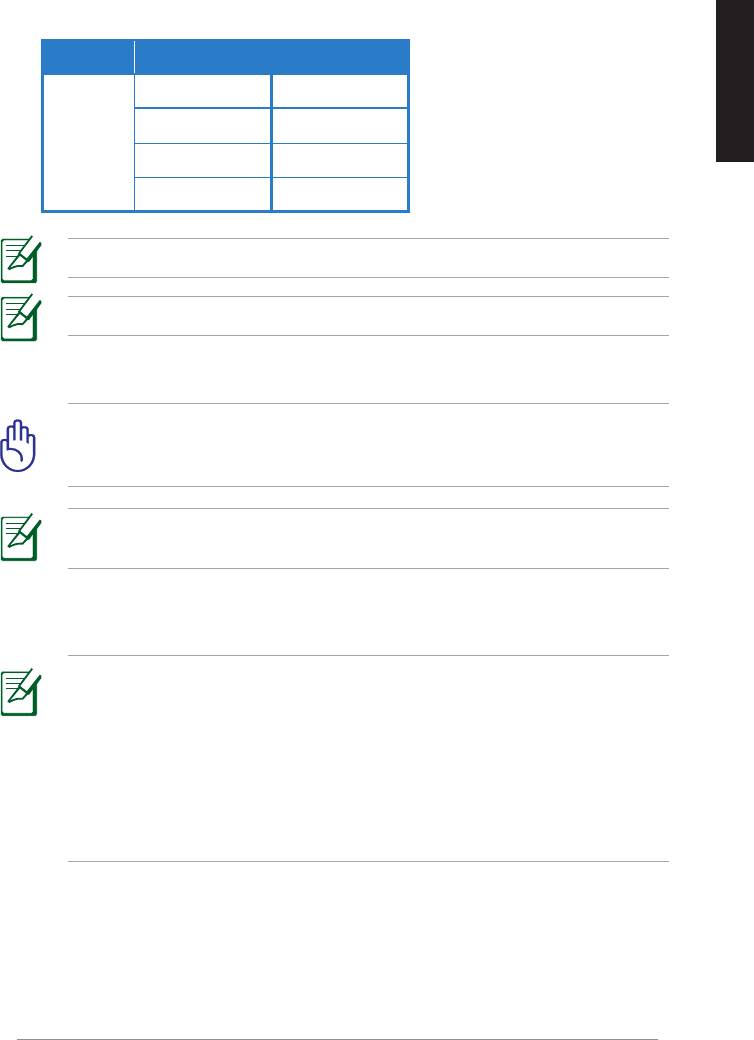
5. If you want to use other devices, connect them to your WAVI receiver as
shown below.
C
WAVI receiver
USB Keyboard / Mouse Gamepad ASUS Xtion
See the table below for the supported wireless keyboard and mouse models.
Brand Wireless keyboard and mouse models
WT400 WT410
English
WT45 WT450
ASUS
W4000 BX700
W4500 M-A65
NOTE: The above list is subject to change without prior notice.
NOTE: Do not connect a USB flash drive to your WAVI receiver.
6. Turn on your WAVI transmitter and receiver.
IMPORTANT! Ensure that you connect the bundled AC adapters to
the WAVI transmitter and receiver. Ensure that you plug the bundled
AC adapters to the correct power rating.
NOTE: The power LED / Wireless LED turns blue to indicate successful
connection and turns orange if the connection was failed.
7. Set your notebook or desktop PC's default sound playback device to
HDMI output.
NOTES:
To change the audio settings:
• For Windows 7 / Vista, click Control Panel > Hardware and Sound
> Sound. From the Playback tab, select HDMI output as the default
sound playback device.
• For Windows XP, click Control Panel > Sounds and Audio devices >
Audio. Select HDMI output under Sound Playback.
ASUS WAVI
9

Notices
English
REACH
Complying with the REACH (Registration, Evaluation, Authorisation, and
Restriction of Chemicals) regulatory framework, we published the chemical
substances in our products at ASUS REACH website at
http://csr.asus.com/english/REACH.htm.
Federal Communications Commission Interference Statement
This device complies with FCC Rules Part 15. Operation is subject to the
following two conditions:
• This device may not cause harmful interference.
• This device must accept any interference received, including
interference that may cause undesired operation.
This equipment has been tested and found to comply with the limits for a class
B digital device, pursuant to Part 15 of the Federal Communications Commission
(FCC) rules. These limits are designed to provide reasonable protection against
harmful interference in a residential installation. This equipment generates,
uses, and can radiate radio frequency energy and, if not installed and used
in accordance with the instructions, may cause harmful interference to radio
communications. However, there is no guarantee that interference will not occur
in a particular installation. If this equipment does cause harmful interference
to radio or television reception, which can be determined by turning the
equipment off and on, the user is encouraged to try to correct the interference
by one or more of the following measures:
• Reorient or relocate the receiving antenna.
• Increase the separation between the equipment and receiver.
• Connect the equipment into an outlet on a circuit different from that to
which the receiver is connected.
• Consult the dealer or an experienced radio/TV technician for help.
CAUTION: Any changes or modifications not expressly approved
by the party responsible for compliance could void the user’s
authority to operate the equipment.
10
ASUS WAVI

FCC Radiation Exposure Statement
This equipment complies with FCC radiation exposure limits set forth for an
uncontrolled environment. This equipment should be installed and operated
with minimum distance 20cm between the radiator & your body.
English
This transmitter must not be co-located or operating in conjunction with any
other antenna or transmitter. If the device is going to be operated in 5.15 ~
5.25GHz frequency range, then it is restricted to an indoor environment only.
RF Exposure warning
• The equipment complies with FCC RF exposure limits set forth for an
uncontrolled environment.
• The equipment must be co-located or operated in conjunction with any
other antenna or transmitter.
IC Radiation Exposure Statement for Canada
This equipment complies with IC radiation exposure limits set forth for an
uncontrolled environment. To maintain compliance with IC RF exposure
compliance requirements, please avoid direct contact to the transmitting
antenna during transmitting. End users must follow the specific operating
instructions for satisfying RF exposure compliance.
Operation is subject to the following two conditions:
• This device may not cause interference.
• This device must accept any interference, including interference that
may cause undesired operation of the device.
This device should be used only as specified within this manual to meet RF
exposure requirements. Using this device in a manner inconsistent with this
manual could lead to excessive RF exposure conditions.
This device and its antenna(s) must not be co-located or operating in
conjunction with any other antenna or transmitter.
Country Code selection feature to be disabled for products marketed to the
US/CANADA.
If the device is going to be operated in 5.15 ~ 5.25GHz frequency range, then
it is restricted to an indoor environment only.
This Class [B] digital apparatus complies with Canadian ICES-003.
Cet appareil numérique de la classe [B] est conforme à la norme NMB-003 du
Canada
ASUS WAVI
11

NCC警語
English
Declaration of Conformity for R&TTE directive 1999/5/EC
Hereby, ASUS declares that this product is in compliance with the essential
requirements and other relevant provisions of Directive 1995/5/EC.
This device will be sold in the following EEA (European Economic Area)
countries: Austria, Italy, Belgium, Liechtenstein, Denmark, Luxembourg,
Finland, Netherlands, France, Norway, Germany, Portugal, Greece, Spain,
Iceland, Sweden, Ireland, United Kingdom, Cyprus, Czech Republic,
Estonia, Hungary, Latvia, Lithuania, Malta, Slovakia, Poland, and Slovenia.
CE Mark Warning
This is a Class B product, in a domestic environment, this product may cause
radio interference, in which case the user may be required to take adequate
measures.
CAUTION: The device for the band 5150-5350 MHz is only for indoor
use.
12
ASUS WAVI

ASUS Contact information
ASUSTeK COMPUTER INC. (Asia Pacific)
Address 15 Li-Te Road, Peitou, Taipei, Taiwan 11259
Telephone +886-2-2894-3447
Fax +886-2-2890-7798
English
Website www.asus.com.tw
Technical Support
Telephone +86-21-3842-9911
Online support support.asus.com
ASUS COMPUTER INTERNATIONAL (America)
Address 800 Corporate Way, Fremont, CA 94539, USA
Telephone +1-510-739-3777
Fax +1-510-608-4555
Website usa.asus.com
Technical Support
Telephone +1-812-282-2787
Support fax +1-812-284-0883
Online support support.asus.com
ASUS COMPUTER GmbH (Germany and Austria)
Address Harkort Str. 21-23, D-40880 Ratingen, Germany
Fax +49-2102-9599-11
Online contact www.asus.com.de/sales
Technical Support
Telephone (Component) +49-1805-010923*
Telephone (System/
Notebook/Eee/LCD) +49-1805-010920*
Support fax +49-2102-959911
Online support www.asus.com.de/support
Website www.asus.com.de/news
* EUR 0.14/minute from a German fixed landline; EUR 0.42/minute from a mobile phone.
Manufacturer:
ASUSTeK Computer Inc.
Tel: +886-2-2894-3447
Address: No. 150, LI-TE RD., PEITOU, TAIPEI 112, TAIWAN
Authorised
ASUS Computer GmbH
representative
Address: HARKORT STR. 21-23, 40880 RATINGEN,
in Europe:
GERMANY
ASUS WAVI
13
Français
WAVI
(Wireless Audio Video Interface)
Récepteur WAVI Émetteur WAVI
Manuel de l’utilisateur

F6186
Première édition
Février 2011
Français
Copyright © 2011 ASUSTeK COMPUTER INC. Tous droits réservés.
Aucun extrait de ce manuel, incluant les produits et logiciels qui y sont décrits, ne peut
être reproduit, transmis, transcrit, stocké dans un système de restitution, ou traduit dans
quelque langue que ce soit sous quelque forme ou quelque moyen que ce soit, à l’
exception de la documentation conservée par l’acheteur dans un but de sauvegarde, sans
la permission écrite expresse de ASUSTeK COMPUTER INC. (“ASUS”).
La garantie sur le produit ou le service ne sera pas prolongée si (1) le produit est réparé,
modifié ou altéré, à moins que cette réparation, modification ou altération ne soit
autorisée par écrit par ASUS; ou (2) si le numéro de série du produit est dégradé ou
manquant.
ASUS FOURNIT CE MANUEL “TEL QUE” SANS GARANTIE D’AUCUNE SORTE, QU’ELLE SOIT
EXPRESSE OU IMPLICITE, COMPRENANT MAIS SANS Y ETRE LIMITE LES GARANTIES OU
CONDITIONS DE COMMERCIALISATION OU D’APTITUDE POUR UN USAGE PARTICULIER. EN
AUCUN CAS ASUS, SES DIRECTEURS, CADRES, EMPLOYES OU AGENTS NE POURRONT ÊTRE
TENUS POUR RESPONSABLES POUR TOUT DOMMAGE INDIRECT, SPECIAL, SECONDAIRE OU
CONSECUTIF (INCLUANT LES DOMMAGES POUR PERTE DE PROFIT, PERTE DE COMMERCE,
PERTE D‘UTILISATION DE DONNEES, INTERRUPTION DE COMMERCE ET EVENEMENTS
SEMBLABLES), MEME SI ASUS A ETE INFORME DE LA POSSIBILITE DE TELS DOMMAGES
PROVENANT DE TOUT DEFAUT OU ERREUR DANS CE MANUEL OU DU PRODUIT.
LES SPECIFICATIONS ET INFORMATIONS CONTENUES DANS CE MANUEL SONT FOURNIES
A TITRE INFORMATIF SEULEMENT, ET SONT SUJETTES A CHANGEMENT A TOUT MOMENT
SANS AVERTISSEMENT ET NE DOIVENT PAS ETRE INTERPRETEES COMME UN ENGAGEMENT
DE LA PART D’ASUS. ASUS N‘ASSUME AUCUNE RESPONSABILITE POUR TOUTE ERREUR OU
INEXACTITUDE QUI POURRAIT APPARAITRE DANS CE MANUEL, INCLUANT LES PRODUITS
ET LOGICIELS QUI Y SONT DECRITS.
Les produits et noms de sociétés qui apparaissent dans ce manuel ne sont utilisés que
dans un but d’identification ou d’explication dans l’intérêt du propriétaire, sans intention
de contrefaçon.
ASUS WAVI
15

Table des matières
Informations relatives à la sécurité ................................................................... 17
Résumé des spécifications du ASUS WAVI ...................................................... 18
Faire connaisance avec votre ASUS WAVI ....................................................... 19
Français
Contenu de la boîte ...................................................................................19
Caractéristiques physiques du ASUS WAVI .................................................... 20
Récepteur.......................................................................................................20
Émetteur ........................................................................................................20
Utiliser votre ASUS WAVI ....................................................................................... 21
Notices ......................................................................................................................... 23
Informations de contact ASUS ............................................................................ 26
16
ASUS WAVI
Informations relatives à la sécurité
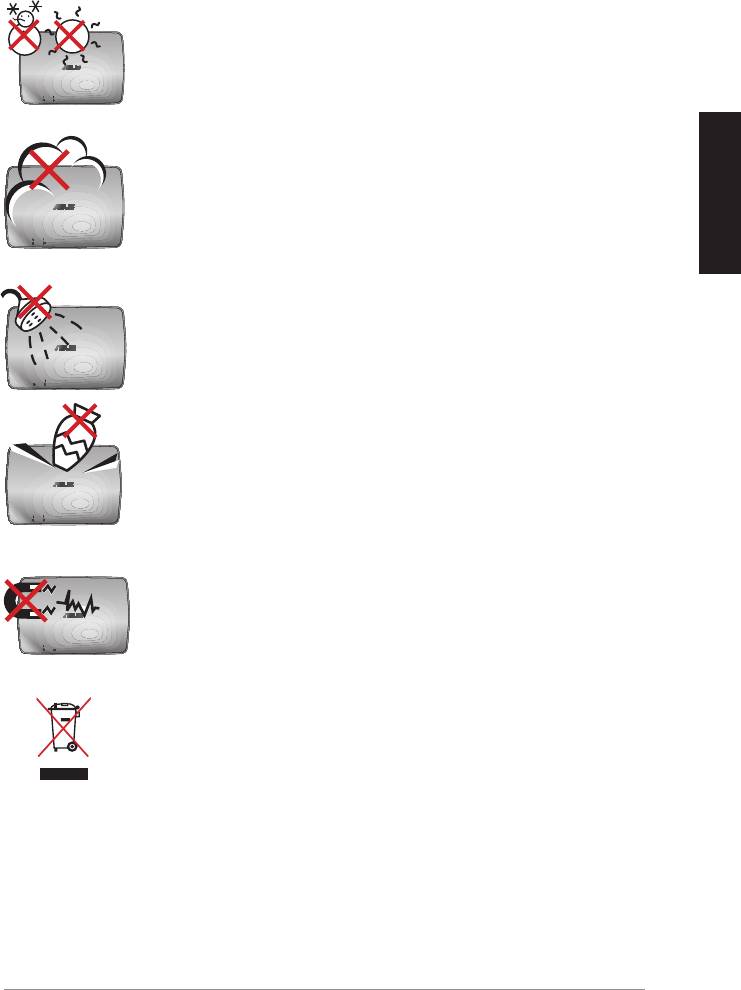
SAFE TEMP: Le ASUS WAVI ne doit être utilisé que dans
des environnements dont la température ambiante est
comprise entre 5°C (41°F) et 35°C (95°F).
NE PAS exposer à des environnements sales ou
poussiéreux. NE PAS utiliser l’appareil lors d'une fuite de
gaz
Français
NE PAS exposer l'appareil à des liquides, à la pluie ou à
l'humidité.
NE PAS placer ou faire tomber d'objets au-dessus et
n'insérez pas de corps étranger dans le ASUS WAVI.
NE PAS exposer à un aimant ou à des champs magnétiques
forts.
NE PAS mettre ce produit au rebut avec les déchets
municipaux. Consultez les réglementations locales pour la
mise au rebut des produits électroniques.
ASUS WAVI
17

Résumé des spécifications du ASUS WAVI
Résolution TV / moniteur : 1080p, 1080i, 720p, 576p, 480p
Vidéo 3D : 1080p @ 24Hz
Audio
7.1 canaux, 192 KHz 24-bits, AC-3 et DTS Dolby
Technologie HDMI sans fil
AMIMON WHDI 5GHz 4T5R (Chiffrement AES 256-bits ou 128-bits)
Français
Distance de transmission
Jusqu’à 25 mètres (en visibilité directe)
Temps de réponse
<1ms
Adaptateur secteur
Émetteur et récepteur : adaptateurs 12V, 2A 24W
Consommation électrique
Émetteur et récepteur : 24W
Ports d’E/S
Émetteur :
- Port USB x 1 (pour la connexion au port USB d’un ordinateur)
- Port HDMI x 1
- Prise d’alimentation CC x 1
- Voyant lumineux d’alimentation x 1*
- Voyant lumineux de connexion réseau sans fil x 1*
Récepteur:
- Port LAN x 1
- Ports USB x 2
- Port HDMI x 1
- Prise d’alimentation CC x 1
- Voyant lumineux d’alimentation x 1*
- Voyant lumineux de connexion réseau sans fil x 1*
* Les voyants d'alimentation et de connexion réseau sans fil
s'allument de couleur bleue pour indiquer qu'une connexion a
été établie et de couleur orange si celle-ci a échouée. La qualité
du signal sans fil apparaît à l’écran.
REMARQUE : Les spécifications sont sujettes à changement sans avis
préalable.
18
ASUS WAVI
Faire connaisance avec votre ASUS WAVI
Le ASUS WAVI vous permet de transmettre du contenu audio/vidéo sans fil
entre votre ordinateur et un périphérique d’affichage externe HD avec une
portée maximale de 25 mètres (en visibilité directe) et un temps de latence
quasi-inexistant (<1ms) pour profiter de contenu vidéo en Full HD 1080p et
des transmissions audio épurées. Vous pouvez désormais profitez de vos
jeux vidéo et de vos films sur un périphérique d’affichage externe en haute
définition à partir de votre ordinateur.
REMARQUE : Pour garantir une bonne qualité de transmission
audio/vidéo HD 1080p (jusqu'à 25 mètres), assurez-vous de placer le
récepteur en visibilité directe de l'émetteur.
Français
Contenu de la boîte
Adaptateurs
CD de support (incluant manuel
Récepteur WAVI Émetteur WAVI
secteur x 2
d’utilisation et pilotes)
REMARQUES
:
• Contactez votre revendeur si l’un des éléments ci-dessus est
endommagé ou manquant.
ASUS WAVI
19
WAVI
3D Wireless PC-to-TV Kit
Quick Start Guide
Câbles HDMI x 2 Câble USB Guide de démarrage rapide
Caractéristiques physiques du ASUS WAVI
Récepteur
Vue avant
Vue arrière
3 5
6 7
8
Français
9
1
2
Émetteur
Vue avant
Vue arrière
4
6 7
8
9
1
2
1
6
Voyant d’alimentation
Port HDMI
2
Voyant de connexion réseau sans fil
7
Prise d’alimentation
Port réseau
3
8
Bouton Marche/Arrêt
(réservé à la mise à jour du firmware)
4
9
Port USB (connexion à l'ordinateur)
Bouton de réinitialisation
5
Ports USB (connexion à d'autres périphériques)
20
ASUS WAVI


