
Asus WL-169gE: Cong - Basic
Cong - Basic: Asus WL-169gE
Table of contents
- Installation Procedures Installing the WLAN utilities and driver Reading the WLAN status indicators
- One Touch Wizard
- Conguring with the WLAN utility (Infrastructure)
- Conguring with the WLAN utility (Ad Hoc)
- ASUS WLAN Control Center
- Quick Start Guide
- ASUS Wireless Settings Utility Status - Status
- Quick Start Guide
- Quick Start Guide Status - Connection
- Status - IP Cong Status - Ping
- Cong - Basic
- Cong - Advanced
- Quick Start Guide
- Cong - Encryption
- Quick Start Guide Data encryption
- Cong - Authentication
- Survey - Site Survey
- Link State
- Windows XP Wireless Options
- Quick Start Guide
Quick Start Guide
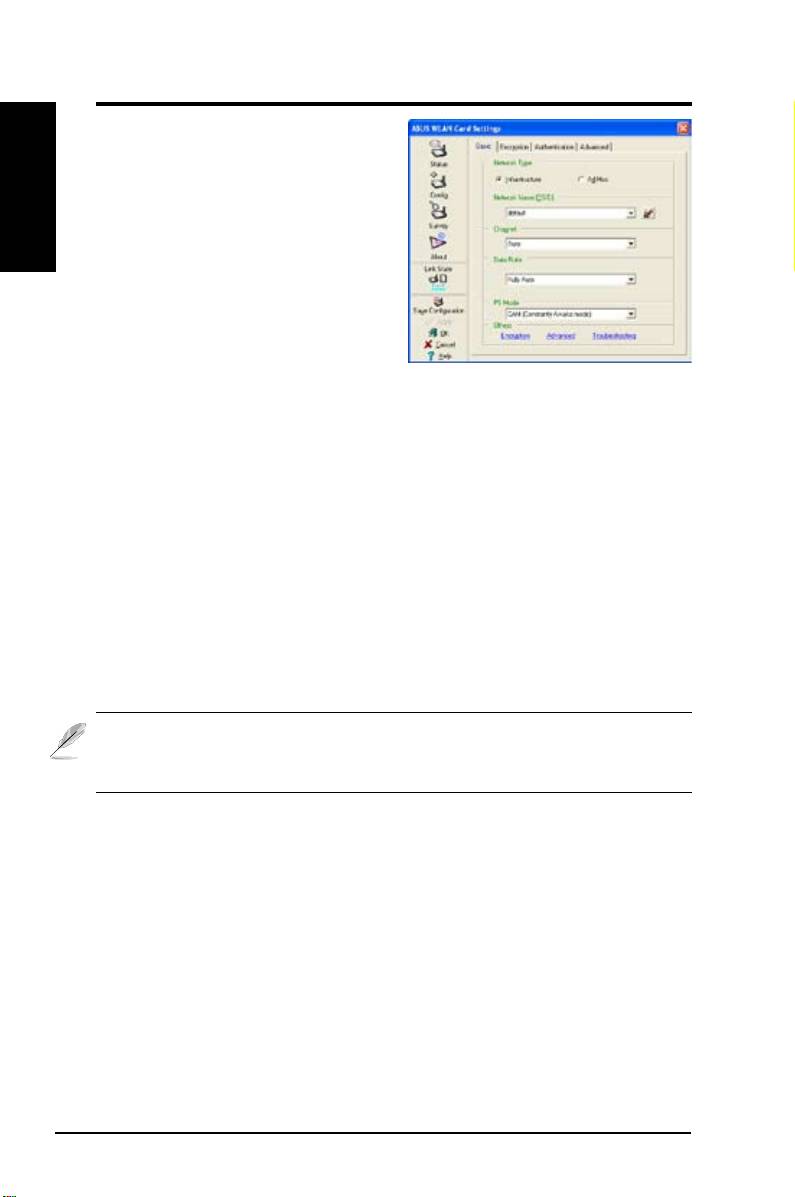
Cong - Basic
English
This page enables you to change the
WLAN Card congurations.
Network Type
Infrastructure
– Infrastructure means
to establish a connection with an access
point. Once connected, the access
point allows you to access wireless
LAN and wired LAN (Ethernet). The
Channel eld turns to
Auto
when
Infrastructure
is selected.
Ad Hoc
– Ad Hoc means to communicate directly with other wireless clients
without using an access point. An “Ad Hoc” network is typically formed quickly
and easily without pre-planning. For example, share meeting notes between
attendants in a meeting room.
Network Name (SSID)
SSID stands for “Service Set Identifier”, which is a string used to identify a
wireless LAN. Use the SSID to connect with a known access point. You can
enter a new SSID or select one from the drop-down list box. If you get connected
by designating the SSID, you are only to connect the AP with the SSID you
assigned. If the AP is removed from the network, your WLAN Card does not
roam automatically to other APs. SSIDs must all be printable characters and
having a maximum of 32 case sensitive characters, such as “ Wireless”.
NOTE: Set the SSID to a null string, if you wish to allow your station to
connect to any access point it can nd. But you cannot use null string in
Ad Hoc mode.
Channel
Use the Channel field to select the radio channel for WLAN Card. In an
"infrastructure" network, your WLAN Card will automatically select the correct
channel to communicate with an access point, this parameter will be xed in
"Auto" and cannot be changed. In an "Ad Hoc" network, you can decide which
channel to use for the WLAN Card. With the same channel setting, all WLAN
Cards can communicate with each other in the Ad-Hoc network.
The radio channels you can use depend on the regulations in your country.
For United States (FCC) and Canada (IC), channels 1 to 11 are supported. For
Europe (ETSI), channels 1 to 13 are supported. For operation in Japan (MKK),
channels 1 to 14 are supported.
12 ASUS WLAN Card
