
Asus WL-160W: Cong - Advanced
Cong - Advanced: Asus WL-160W
Table of contents
- Installation Procedures Installing the WLAN utilities and driver Reading the WLAN status indicators
- One Touch Wizard
- Conguring with the WLAN utility (Infrastructure)
- Conguring with the WLAN utility (Ad Hoc)
- ASUS WLAN Control Center
- Taskbar icon - Right-click menu Taskbar icon - Left-click menu Taskbar Icon - Launch Wireless Settings
- ASUS Wireless Settings Utility Starting Wireless Settings Status - Status
- Buttons
- Save Conguration Activate Conguration Status - Connection
- Status - IP Cong Status - Ping
- Cong - Basic
- Cong - Advanced
- Cong - Encryption
- Quick Start Guide Data encryption
- Quick Start Guide
Quick Start Guide
Others
Encryption –
Click this link to show the "Encryption" tab.
Advanced –
Click this link to show the "Advanced" tab. In most cases, the
default values do not have to be changed.
English
Troubleshooting
–
Click on this to show the Troubleshooting utility.
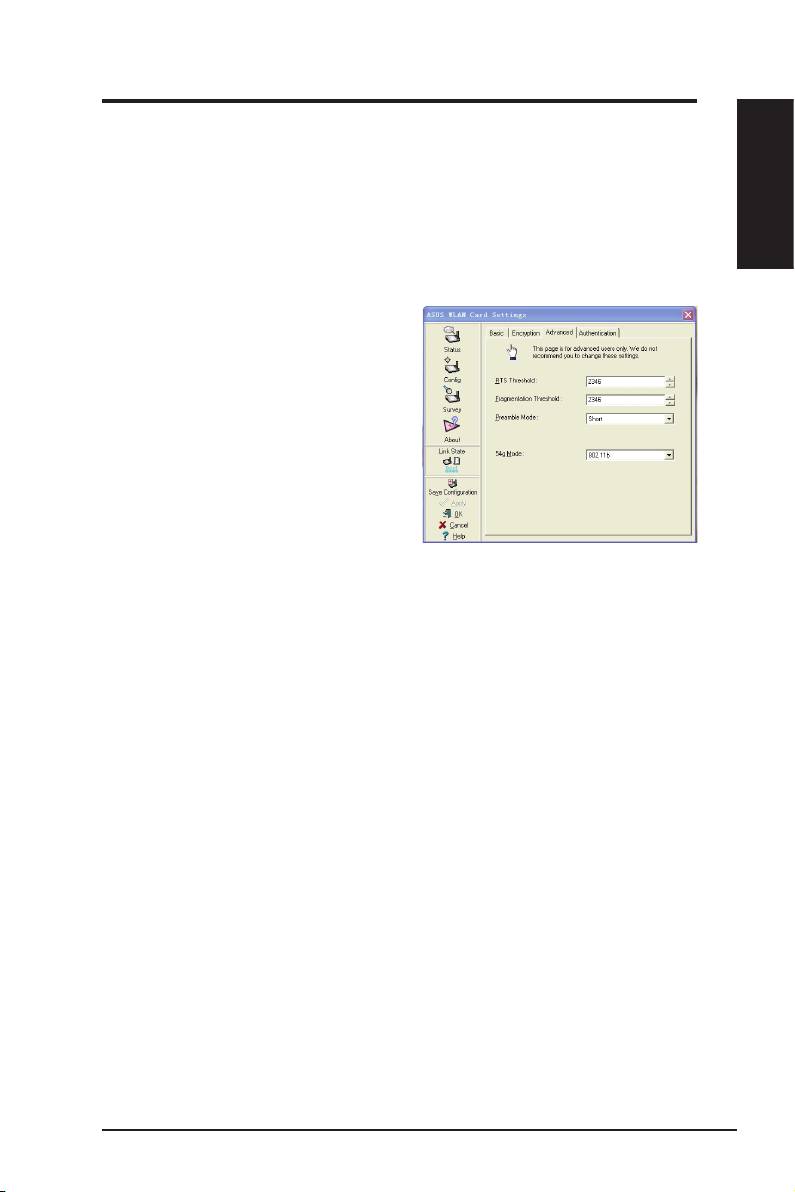
Cong - Advanced
Click
Advanced
link on Config-Basic
page to show this tab. This tab allows
you to set up additional parameters for
the wireless adapter. We recommend
using the default values for all items in
this window.
RTS Threshold (0-2347)
The RTS/CTS (Request to Send/Clear
to Send) function is used to minimize collisions among wireless stations.
When RTS/CTS is enabled, the router refrains from sending a data frame until
another RTS/CTS handshake is completed. Enable RTS/CTS by setting a
specic packet size threshold. The default value (2347) is recommended.
Fragmentation Threshold (256-2346)
Fragmentation is used to divide 802.11 frames into smaller pieces (fragments)
that are sent separately to the destination. Enable fragmentation by setting
a specic packet size threshold. If there is an excessive number of collisions
on the WLAN, experiment with different fragmentation values to increase the
reliability of frame transmissions. The default value (2000) is recommended for
normal use.
ASUS WLAN Adapter 13
