
Asus MK221H: Troubleshooting (FAQ)
Troubleshooting (FAQ): Asus MK221H
Table of contents
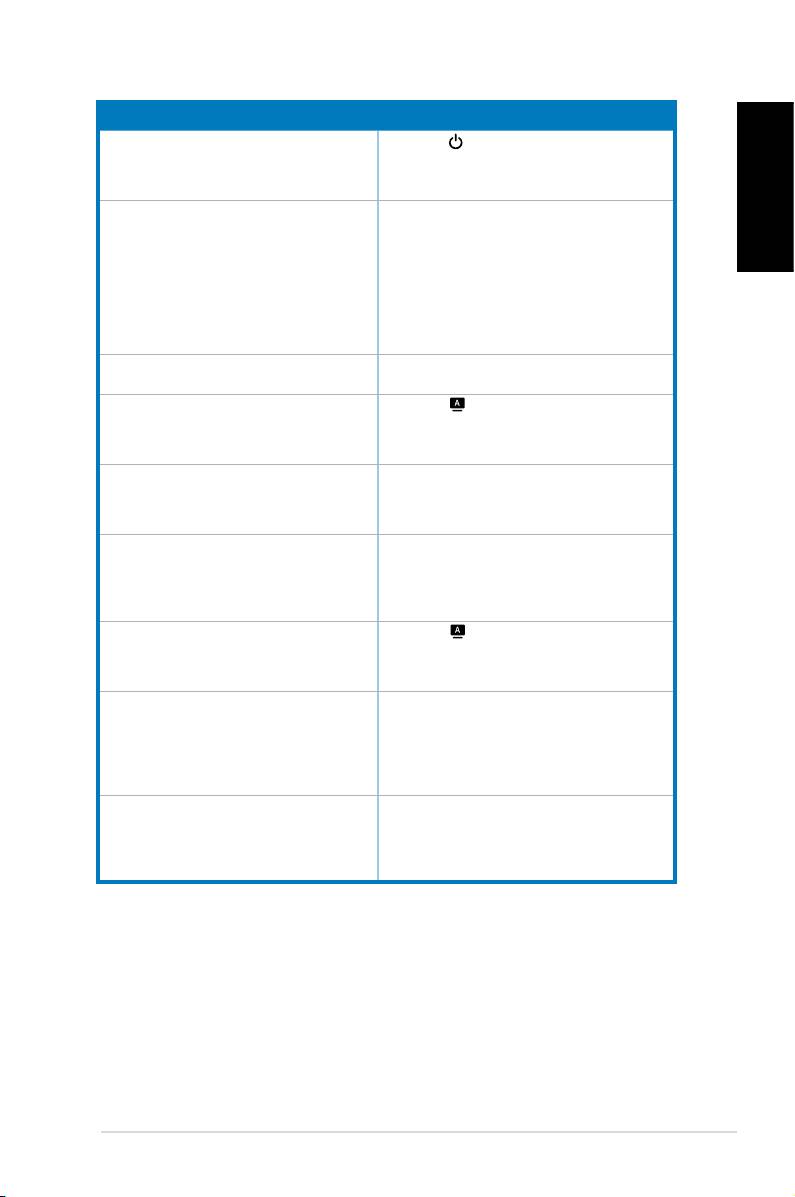
Troubleshooting (FAQ)
Problem Possible Solution
PowerLEDisnotON
•Pressthe button to check if the monitor is in
theONmode.
•Checkifthepowercordisproperlyconnectedto
the monitor and the power outlet.
ThepowerLEDlightsamberandthereisno
•Checkifthemonitorandthecomputerareinthe
English
screen image
ONmode.
•Makesurethesignalcableisproperlyconnected
the monitor and the computer.
• Inspect the signal cable and make sure none of
the pins are bent.
•Connectthecomputerwithanotheravailable
monitor to check if the computer is
properly working.
Screen image is too light or dark •AdjusttheContrastandBrightnesssettingsvia
OSD.
Screenimageisnotcenteredorsizedproperly •Pressthe buttonfor2–3secondsto
automaticallyadjusttheimage(VGAinputonly).
•AdjusttheH-PositionorV-Positionsettingsvia
OSD(VGAinputonly).
Screen image bounces or a wave pattern is
•Makesurethesignalcableisproperly
present in the image
connected to the monitor and the computer.
•Moveawayelectricaldevicesthatmaycause
electrical interference.
Screen image has color defects (white does not
• Inspect the signal cable and make sure that
lookwhite)
none of the pins are bent.
•Perform
All Reset
viaOSD.
•AdjusttheR/G/Bcolorsettingsorselectthe
ColorTemperatureviaOSD.
Screenimageisblurryorfuzzy •Pressthe buttonfor2–3secondsto
automaticallyadjusttheimage(VGAinputonly).
•AdjustthePhaseandClocksettingsviaOSD
(VGAinputonly).
Nosoundorsoundislow •Ensurethatthseaudiocableisproperly
connected to the monitor and the computer
•Adjustthevolumesettingsofbothyour
monitor and computer.
•Ensurethatthecomputersoundcarddriver
is properly installed and activated.
Webcam or array microphone is not working •MakesurethatyouhaveconnectedtheUSB2.0
cablesecurelytoboththeLCDmonitorandyour
computer.
®
®
•MakesurethatyouusetheMicrosoft
Windows
Vista/XPServicePack2operatingsystems.
5 Quick Start Guide
