
Asus MK221H: Built-in webcam with Mic Array support LifeFrame 2 software
Built-in webcam with Mic Array support LifeFrame 2 software: Asus MK221H
Table of contents
- Safety information Monitor introduction
- Connecting the cables
- Built-in webcam with Mic Array support LifeFrame 2 software
- Troubleshooting (FAQ)
- Supported operating modes
Built-in webcam with Mic Array support
Thebuilt-in1.3megapixelwebcamwitharraymicrophones(MicArraysupport)
allowsyoutotakepictures,haveavideoconference,orrecordaudio-videoclips.
English
WhilechattingwithfriendsviaInternet-basedcommunicationtools,youcandirectly
show your vivid image and clear voice with this device.
System requirements
®
• ApersonalcomputerwithPentium
III800MHzorhigherprocessor
®
®
• Microsoft
Windows
Vista/XPServicePack2operatingsystems
• Minimum200MBfreeharddiskspacetoruntheprogram
• 128MBofRAMorabove
• Adisplaycardsupporting16-bithighcolormode
• MakesurethatthebundledUSB2.0cableisconnectedtoboththeLCD
monitorandyourPC.Otherwise,thewebcamwillnotbeactivated.
®
• MakesurethatyouhaveinstalledtheWindows
Vista/XPServicePack2
or later versions before using the device.
Using the device
• ThedevicetransmitsimagesandsoundtoyourPCthroughtheUSB2.0port.
Therefore,makesurethatthebundledUSB2.0cableisconnectedtoboththe
LCDmonitorandyourPCbeforeyouusethedevice.
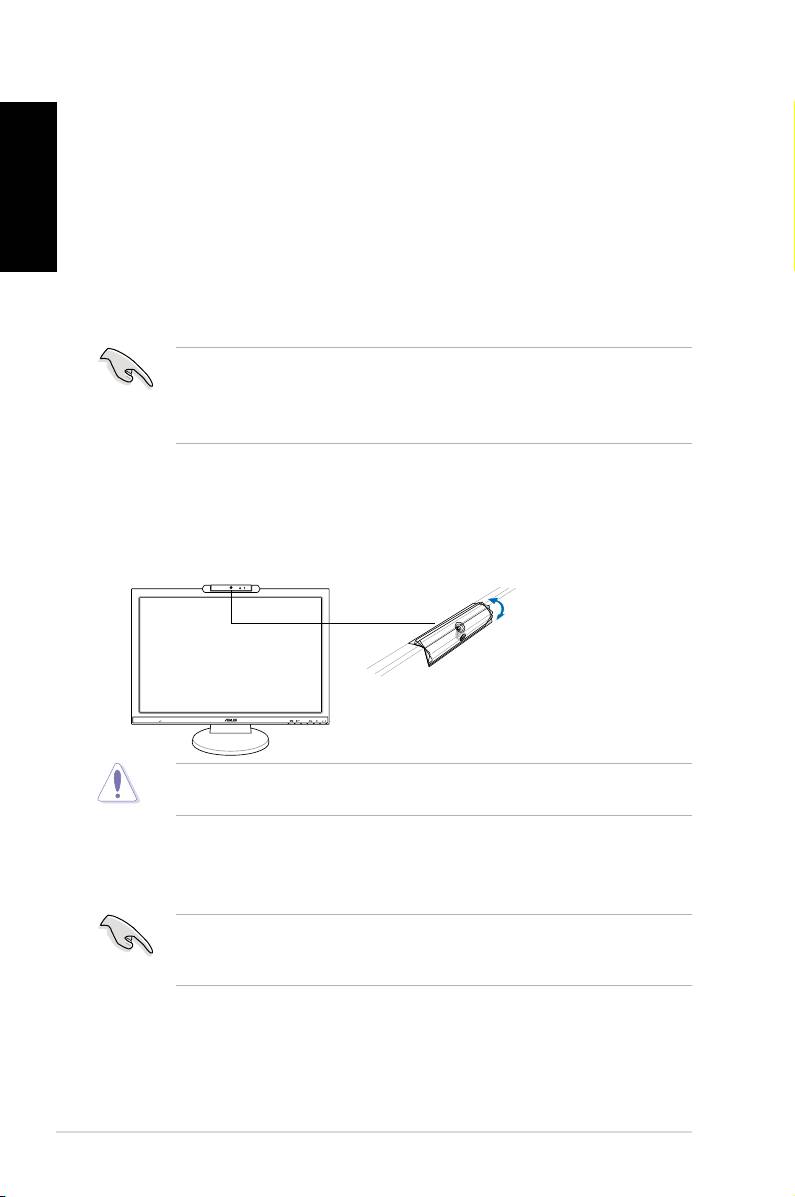
• Thewebcamisadjustableupwardanddownwardasshown.
Donotturnthewebcamupwardordownwardover30
˚
; doing so might damage
the webcam.
4 Quick Start Guide
MIC ARRAY
MENU
-30˚–30˚
LifeFrame 2 software
ASUSMK221providestheeasy-to-useLifeFrame2softwarethatcanworkwith
the webcam, allowing users to create their own photos or video clips.
®
®
• LifeFrame2onlysupportsMicrosoft
Windows
Vista/XPServicePack2
operating systems.
• TheLifeFrame2softwareisbundledinthesupportCD.
Installation instructions
1. Closeallotherapplications.
2. InsertthesupportCDintotheopticaldriveandruntheLifeFrame2
program.
3. Followtheon-screeninstructionstocompletetheinstallation
