
Pioneer KRL-46V: Watching TV Daily operation
Watching TV Daily operation: Pioneer KRL-46V
Table of contents
- Contents
- Important Safety Precautions
- Remote control unit
- Controlling other equipment using the supplied remote control unit Presetting manufacture codes Manufacture codes STB DVD
- DVR VCR BD VCR
- Using with other equipment (STB) Using with other equipment (VCR)
- Using with other equipment (DVD/DVR)
- Trademarks
- TV (Front view) TV (Rear view)
- Preparation Supplied accessories Attaching the stand unit
- Preparation Inserting the batteries Using the remote control unit
- Installation precautions
- Quick guide Initial installation overview
- Before turning on the power
- Initial auto installation
- Watching TV Daily operation
- EPG (Electronic Programme Guide) EPG Overview Useful settings for using EPG
- Selecting a programme using EPG
- Timer recording using EPG Cancelling the timer recording
- Teletext Using the MHEG-5 application (UK only)
- Connecting external devices Introduction to connections
- HDMI connection Component connection S-VIDEO/VIDEO connection
- SCART connection Controlling devices with SCART using i/o link.A
- Speaker/amplifier connection
- Inserting a smart card
- HDMI CONTROL Controlling HDMI devices using HDMI CONTROL
- HDMI CONTROL connection HDMI CONTROL Setup
- Operating an HDMI CONTROL device
- Menu operation What is the HOME MENU?
- Basic adjustment Picture Settings
- Sound Settings Power Save Settings
- Channel Settings
- Analogue channel settings
- Password/Parental lock settings Language Settings (language, subtitle, multi audio)
- Useful Viewing functions Selecting the picture size
- Other picture and audio settings
- Display Settings
- Other useful features Setting when using external devices Additional features
- Connecting a PC Connecting a PC Displaying a PC image on the screen
- Selecting input resolution
- RS-232C port specifications
- PC compatibility chart RS-232C command list
- Appendix Troubleshooting
- Updating your TV via DVB-T Reset Identification
- Specifications
- End of life disposal
Watching TV
Selecting a sound mode
DTV mode:
If multi sound modes are received, each time you
press t the mode switches as follows.
Audio (ENG) : STEREO
L/R L R LR
Audio (ENG) : CH A
CH A CH B CH AB
Audio (ENG) : MONO
Press c/d to select L or R sound when the STEREO
or DUAL MONO screen is displayed.
Audio (ENG) : STEREO
L/R L R LR
E
NOTE
•
The sound mode screen disappears in six seconds.
•
Selectable items vary depending on the received broadcasts.
E
ATV mode:
Each time you press t, the mode switches as
shown in the following tables.
NICAM TV broadcasts selection
Signal Selectable items
Stereo
NICAM STEREO, MONO
Bilingual
NICAM CH A, NICAM CH B, NICAM CH AB, MONO
Monaural
NICAM MONO, MONO
A2 TV broadcasts selection
Signal Selectable items
Stereo
STEREO, MONO
Bilingual
CH A, CH B, CH AB
M
onaural
MONO
E
EWatching digital
Watching analogue
NOTE
broadcasts
broadcasts
•
When no signal is input, the sound mode will display “MONO”.
TV DTV
RADIO
TV DTV
RADIO
P
TV
INPUT
1 2 3 4
5 6 7 8
TV DTV
RADIO
1 2 3
4 5 6
7 8 9
INFO
0
P.INFO
MENU
CM SKIP
SOURCE
HOME
MENU
EXIT
CTRL
HDMI REC STOP
P
TV
TOOLS
CH RETURN
STB DVR VCR
ENTER
DVD
SCREEN
DVD
SIZE
DVD TOPMENU/
SELEC TION
RETURN
SELECT
GUIDE
HDD
EPG
AV
Daily operation
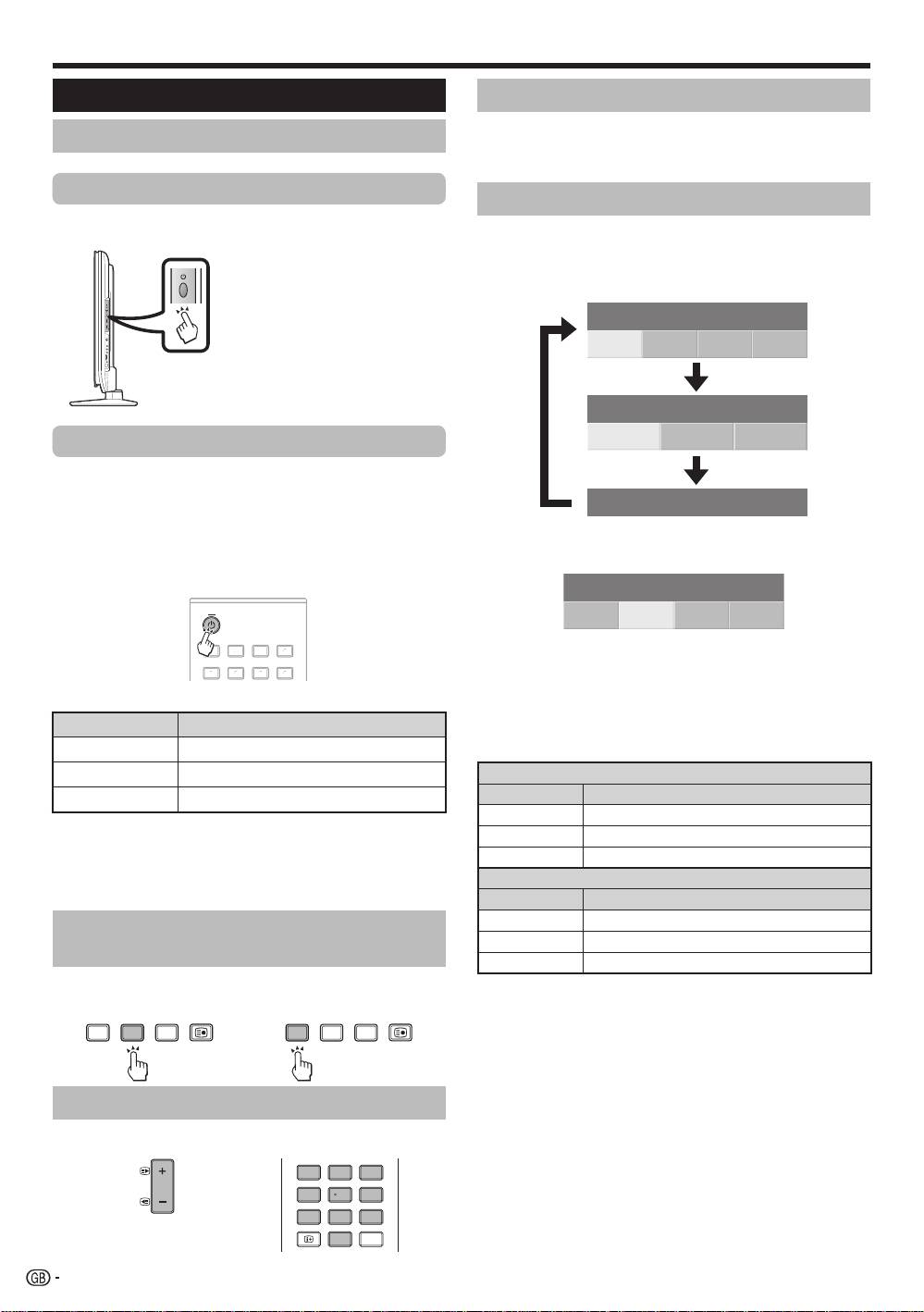
Switching on/off
Turning on/off the power
Press a on the TV.
Switch it off by pressing a on the TV.
Standby mode
To standby mode
If the TV is switched on, you can switch it to standby
by pressing a (TV)
on the remote control unit.
Switching on from standby
From standby, press a (TV) on the remote control unit.
TV
INPUT
1 2 3 4
5 6 7 8
MENU
CM SKIP
SOURCE
HOME
MENU
EXIT
HDMI REC STOP
CTRL
TV DTV
INFO
4 5 6
7 8 9
1 2 3
P
TV
TOOLS
CH RETURN
STB DVR VCR
ENTER
0
DVD
SCREEN
RADIO
DVD
SIZE
DVD TOPMENU/
P.INFO
SELEC TION
SELECT
GUIDE
RETURN
EPG
HDD
AV
TV
D
TV
RADI
O
1
2
3
4
5
6
7
8
I
N
PU
T
4
5
6
7
8
9
1
2
3
0
P.INF
O
INF
O
P
C
H RETUR
N
EXIT
DVD T
O
PMENU
/
G
UID
E
EP
G
ENTER
H
O
M
E
M
EN
U
MENU
R
ET
URN
C
TRL
HD
M
I
RE
C
S
T
OP
HDD
AV
S
ELE
C
TI
ON
C
M SKIP
D
V
D
T
OO
L
S
S
CREE
N
S
IZE
SOU
R
C
E
TV
STB
D
V
R
V
CR
D
V
D
S
ELE
CT
Selecting an external video source
Once the connection is made, press INPUT1–8 on the
remote control unit or b on the TV to switch over to
the appropriate external source.
NOTE
•
When turning off the power using
a on the TV, EPG data (Electronic
programme guide) will be lost, and
programmed timer recordings will
not be performed by the TV.
E
E
TV indicator status
TV indicator Status
ON (Blue)
Power on
STAN
DBY (Red)
Standby
SLEEP (Orange)
Sleep timer is on
NOTE
•
If you are not going to use this TV for a long period of time, be sure
to remove the AC cord from the AC outlet.
•
A small amount of electric power is still consumed even when a is
turned off.
Switching between analogue and
digital broadcasts
Changing channels
With Pk/l:
With 0–9:
16
KRL46V_GB.indd 16 2008/07/09 14:08:46
