
Pioneer KRL-46V: RS-232C port specifications
RS-232C port specifications: Pioneer KRL-46V
Table of contents
- Contents
- Important Safety Precautions
- Remote control unit
- Controlling other equipment using the supplied remote control unit Presetting manufacture codes Manufacture codes STB DVD
- DVR VCR BD VCR
- Using with other equipment (STB) Using with other equipment (VCR)
- Using with other equipment (DVD/DVR)
- Trademarks
- TV (Front view) TV (Rear view)
- Preparation Supplied accessories Attaching the stand unit
- Preparation Inserting the batteries Using the remote control unit
- Installation precautions
- Quick guide Initial installation overview
- Before turning on the power
- Initial auto installation
- Watching TV Daily operation
- EPG (Electronic Programme Guide) EPG Overview Useful settings for using EPG
- Selecting a programme using EPG
- Timer recording using EPG Cancelling the timer recording
- Teletext Using the MHEG-5 application (UK only)
- Connecting external devices Introduction to connections
- HDMI connection Component connection S-VIDEO/VIDEO connection
- SCART connection Controlling devices with SCART using i/o link.A
- Speaker/amplifier connection
- Inserting a smart card
- HDMI CONTROL Controlling HDMI devices using HDMI CONTROL
- HDMI CONTROL connection HDMI CONTROL Setup
- Operating an HDMI CONTROL device
- Menu operation What is the HOME MENU?
- Basic adjustment Picture Settings
- Sound Settings Power Save Settings
- Channel Settings
- Analogue channel settings
- Password/Parental lock settings Language Settings (language, subtitle, multi audio)
- Useful Viewing functions Selecting the picture size
- Other picture and audio settings
- Display Settings
- Other useful features Setting when using external devices Additional features
- Connecting a PC Connecting a PC Displaying a PC image on the screen
- Selecting input resolution
- RS-232C port specifications
- PC compatibility chart RS-232C command list
- Appendix Troubleshooting
- Updating your TV via DVB-T Reset Identification
- Specifications
- End of life disposal
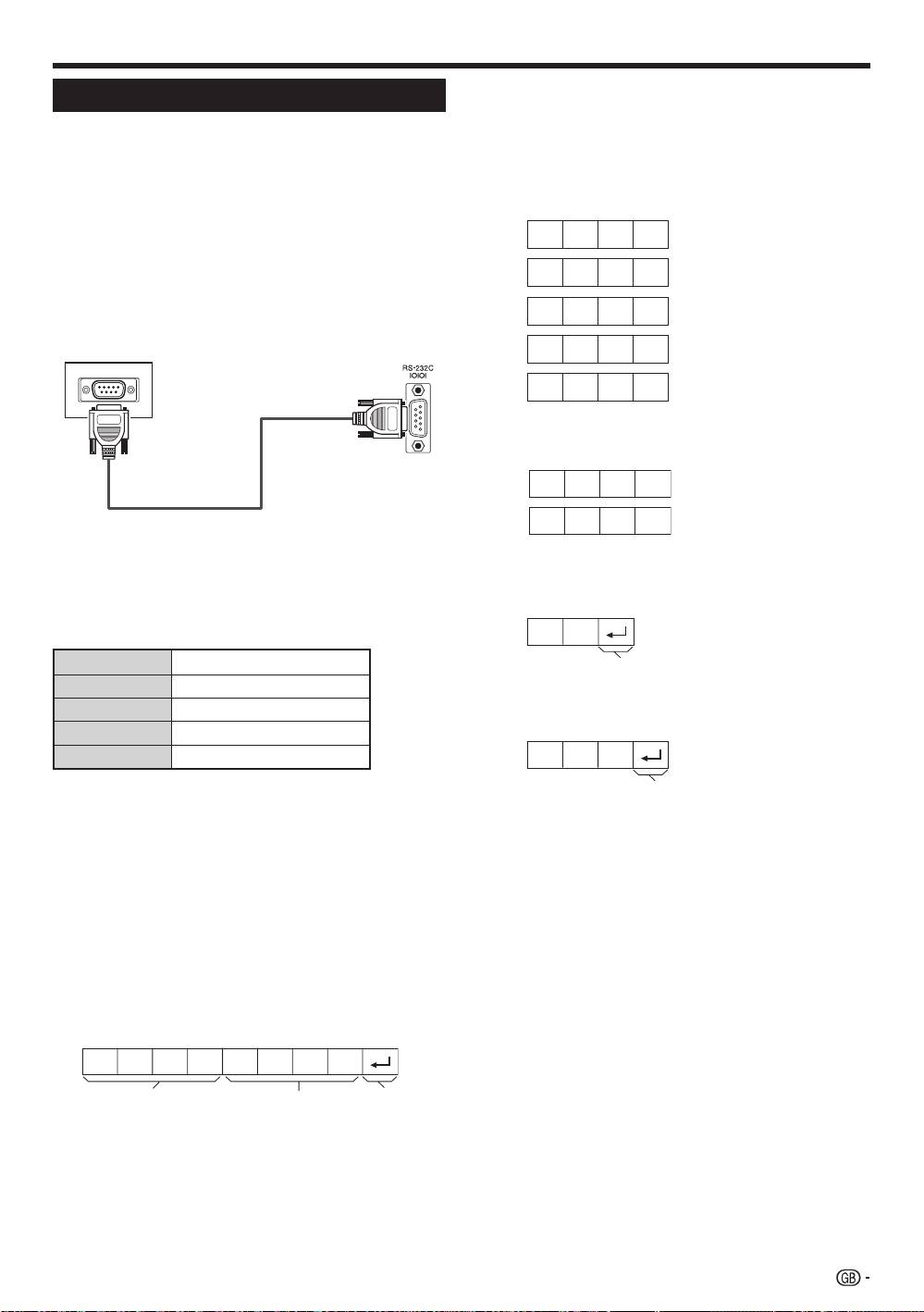
Connecting a PC
C1 C2 C3 C4 P1 P2 P3 P4
Communication conditions
Set the RS-232C communications settings on the PC
to match the TV’s communications conditions. The
TV’s communications settings are as follows:
Baud rate:
9,600 bps
Data length:
8 bits
Parity bit:
None
Stop bit:
1 bit
Flow control:
None
Communication procedure
Send the control commands from the PC via the RS-
232C connector.
The TV operates according to the received command
and sends a response message to the PC.
Do not send multiple commands at the same time.
Wait until the PC receives the OK response before
sending the next command.
Make sure to send “A” with the carriage return and
confirm that “ERR” returns before operating.
Command format
0
0 0 0 9
– 3 0
1 0 0
0 0 5 5
?
? ? ? ?
O K
E R R
Parameter
RS-232C port specifications
Input the parameter values, aligning left, and fill with
blank(s) for the remainder (Be sure that four values are
PC Control of the TV
input for the parameter).
•
When a programme is set, the TV can be controlled
When the input parameter is not within an adjustable
from the PC using the RS-232C terminal. The input
range, “ERR” returns (Refer to “Response code
signal (PC/video) can be selected, the volume
format”).
can be adjusted and various other adjustments
and settings can be made, enabling automatic
programmed playing.
•
Use an RS-232C serial control cable (cross type)
(commercially available) for the connections.
NOTE
•
This operation system should be used by a person who is
accustomed to using PCs.
When “?” is input for some commands, the present
setting value responds.
RS-232C serial control cable
(cross type)
Response code format
Normal response
Return code (0DH)
Problem response (communication error or incorrect
command)
Return code (0DH)
After sending the return code (0DH), make sure to
send the line feed (0AH) as well.
Eight ASCII codes eCR
Command four-digits Parameter four-digits Return code
Command four-digits: Command. The text of four
characters.
Parameter four-digits: Parameter 0–9, blank, ?
41
KRL46V_GB.indd 41 2008/07/09 14:09:08
