
Pioneer KRL-46V: Basic adjustment Picture Settings
Basic adjustment Picture Settings: Pioneer KRL-46V
Table of contents
- Contents
- Important Safety Precautions
- Remote control unit
- Controlling other equipment using the supplied remote control unit Presetting manufacture codes Manufacture codes STB DVD
- DVR VCR BD VCR
- Using with other equipment (STB) Using with other equipment (VCR)
- Using with other equipment (DVD/DVR)
- Trademarks
- TV (Front view) TV (Rear view)
- Preparation Supplied accessories Attaching the stand unit
- Preparation Inserting the batteries Using the remote control unit
- Installation precautions
- Quick guide Initial installation overview
- Before turning on the power
- Initial auto installation
- Watching TV Daily operation
- EPG (Electronic Programme Guide) EPG Overview Useful settings for using EPG
- Selecting a programme using EPG
- Timer recording using EPG Cancelling the timer recording
- Teletext Using the MHEG-5 application (UK only)
- Connecting external devices Introduction to connections
- HDMI connection Component connection S-VIDEO/VIDEO connection
- SCART connection Controlling devices with SCART using i/o link.A
- Speaker/amplifier connection
- Inserting a smart card
- HDMI CONTROL Controlling HDMI devices using HDMI CONTROL
- HDMI CONTROL connection HDMI CONTROL Setup
- Operating an HDMI CONTROL device
- Menu operation What is the HOME MENU?
- Basic adjustment Picture Settings
- Sound Settings Power Save Settings
- Channel Settings
- Analogue channel settings
- Password/Parental lock settings Language Settings (language, subtitle, multi audio)
- Useful Viewing functions Selecting the picture size
- Other picture and audio settings
- Display Settings
- Other useful features Setting when using external devices Additional features
- Connecting a PC Connecting a PC Displaying a PC image on the screen
- Selecting input resolution
- RS-232C port specifications
- PC compatibility chart RS-232C command list
- Appendix Troubleshooting
- Updating your TV via DVB-T Reset Identification
- Specifications
- End of life disposal
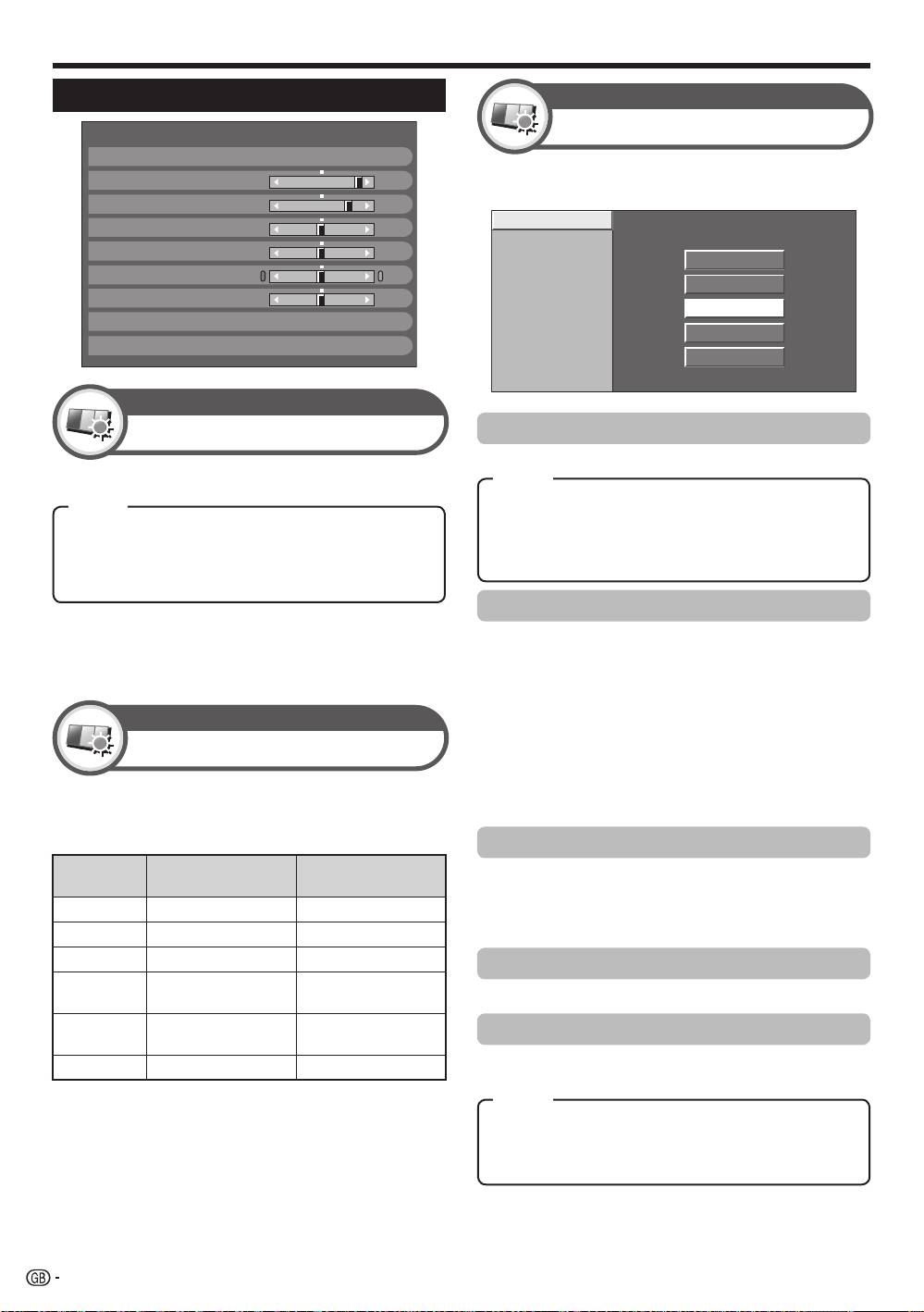
Basic adjustment
This TV provides various advanced functions for
optimising the picture quality.
NOTE
•
When set to “On”, the TV senses the surrounding light and
automatically adjusts the backlight brightness. Make sure no
object obstructs the RLS, which could affect its ability to sense
surrounding light.
Colour Temp.
100Hz
PureCinema
High
Active Contrast
Mid-High
3D-Y/C
Middle
Monochrome
Mid-Low
Range of RLS
Low
Picture Settings
Colour Temp.
Adjusts the colour temperature to give the best white image.
NOTE
•
“3D-Y/C” may not operate depending on the input signal type or
when the input signal is noisy.
•
“3D-Y/C” has even more effect on composite video signals (CVBS).
DYNAMIC
RLS [Off]
Backlight [+14] –16
+16
Contrast
[+30]
0
+40
Brightness
[0]
–30
+30
Colour
[0]
–30
+30
Tint
[0]
–30
+30
Sharpness
[0]
–10
+10
Pro Adjust
Reset
Picture
Pro Adjust
Picture
RLS
Automatically adjusts the brightness of the screen.
Item
High: White with bluish tone.
Item
Mid-High:
Intermediate tone between “High” and “Middle”.
Off: The brightness is fixed at the value set in “Backlight”.
Middle: Natural tone.
On: Automatically adjusts.
Mid-Low:
Intermediate tone between “Middle” and “Low”.
On:Display: Displays the RLS effect on the screen while
Low: White with reddish tone.
adjusting the brightness of the screen.
100Hz
“100Hz” technology provides superior solutions for
digital display picture quality removing motion blur.
NOTE
•
Press and hold both g and 6 on the remote control unit to show
Picture
“100Hz” demonstration in a dual screen format.
•
This effect is greater on fast moving images.
•
“100Hz” will have no effect in the following cases;
Picture adjustments
1) The type of signal received is a PC signal.
2) An OSD is being displayed.
Adjusts the picture to your preference with the
3) Teletext is activated.
•
If images appear blurred, set the “PureCinema” to “Off”.
following picture settings.
Adjustment items
PureCinema
Selectable
Automatically detects a film-based source (originally
c button d button
items
encoded at 24 or 25 frames per second, depending on
Backlight
The screen dims The screen brightens
the vertical frequency), analyses it and then recreates
each still film frame for high-definition picture quality.
Contrast
For less contrast For more contrast
Brightness
For less brightness For more brightness
Active Contrast
For less colour
For more colour
Colour
Automatically adjusts the contrast of an image according to the scene.
intensity
intensity
Skin tones become
Skin tones become
3D-Y/C
T
int
purplish
greenish
Provides high quality images with minimal dot crawl and
Sharpness
For less sharpness
For more sharpness
cross colour noise by detecting changes in the image.
Item
Standard: Normal adjustment.
Fast:
Sets the optimum image quality for fast-moving images.
Slow:
Sets the optimum image quality for slow-moving images.
Off: No detecting.
30
KRL46V_GB.indd 30 2008/07/09 14:08:59
