
Asus P5W – page 34
Manual for Asus P5W
Table of contents
- Chapter 1: Quick Start 1.1 Installing the CPU
- 1.1.2 AMD AM2 Socket
- 1.2 Installing the heatsink and fan
- For Intel-certied heatsink:
- For AMD-certied heatsink:
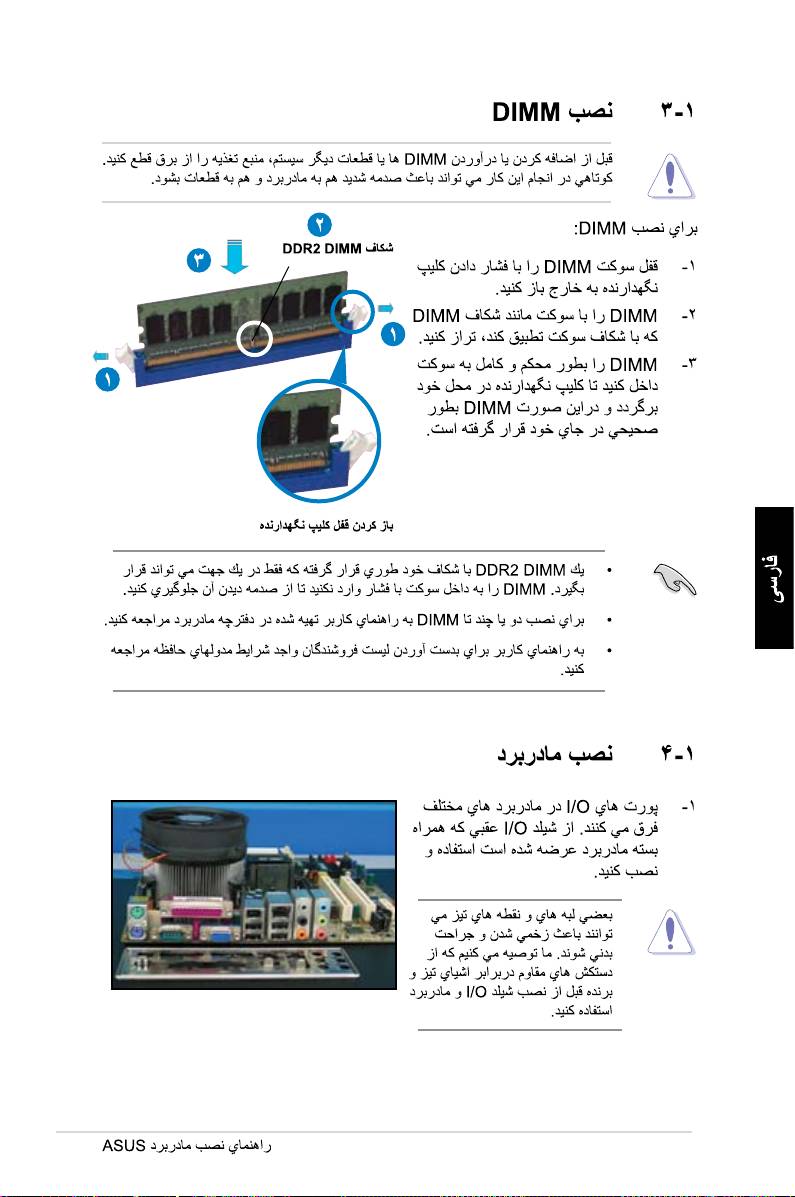
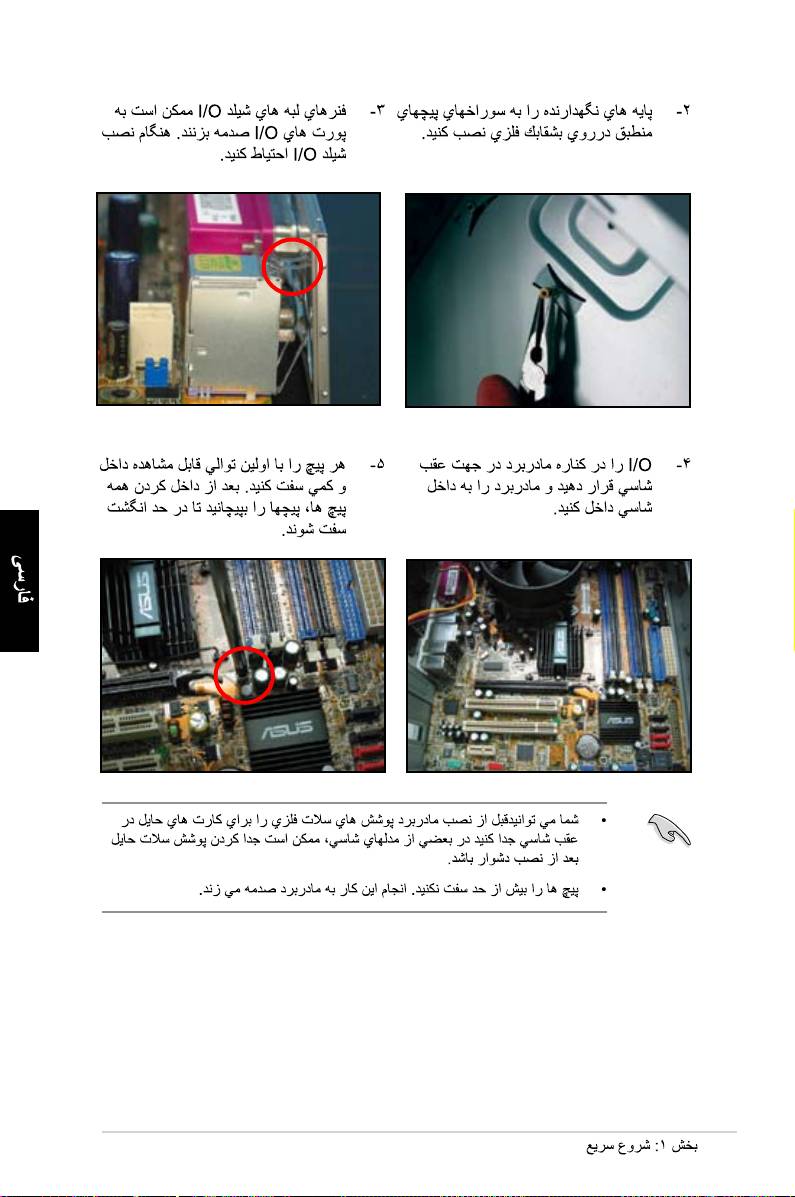
- 1.3 Installing a DIMM 1.4 Installing the motherboard
- Chapter1: QuickStart
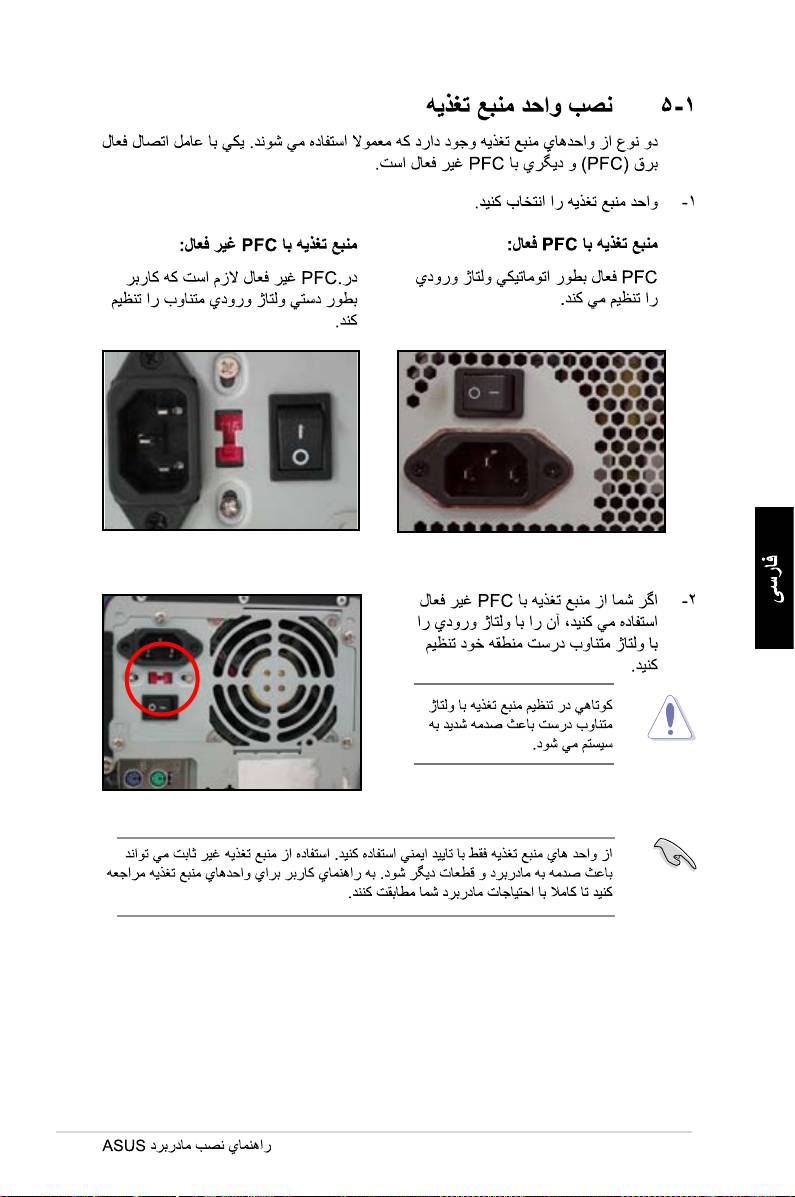
- 1.5 Installing the power supply unit
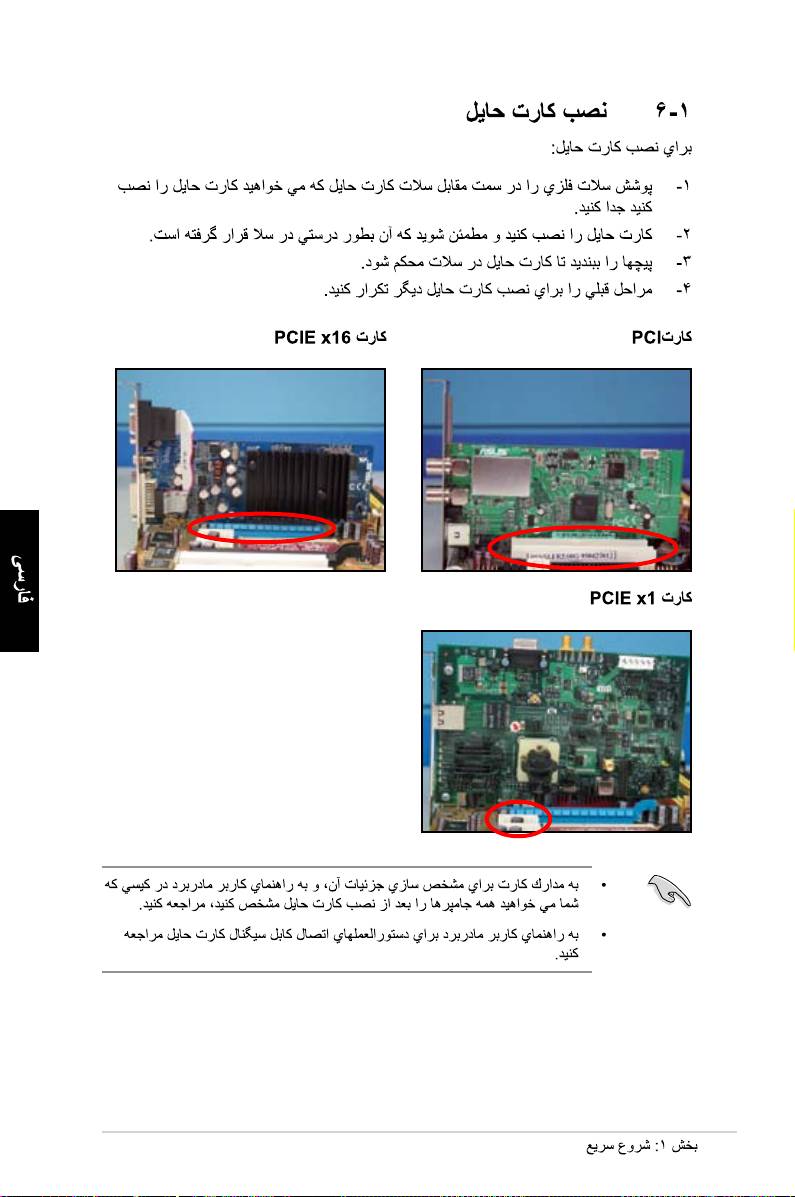
- 1.6 Installing an expansion card
- 1.7 Installing disk drives
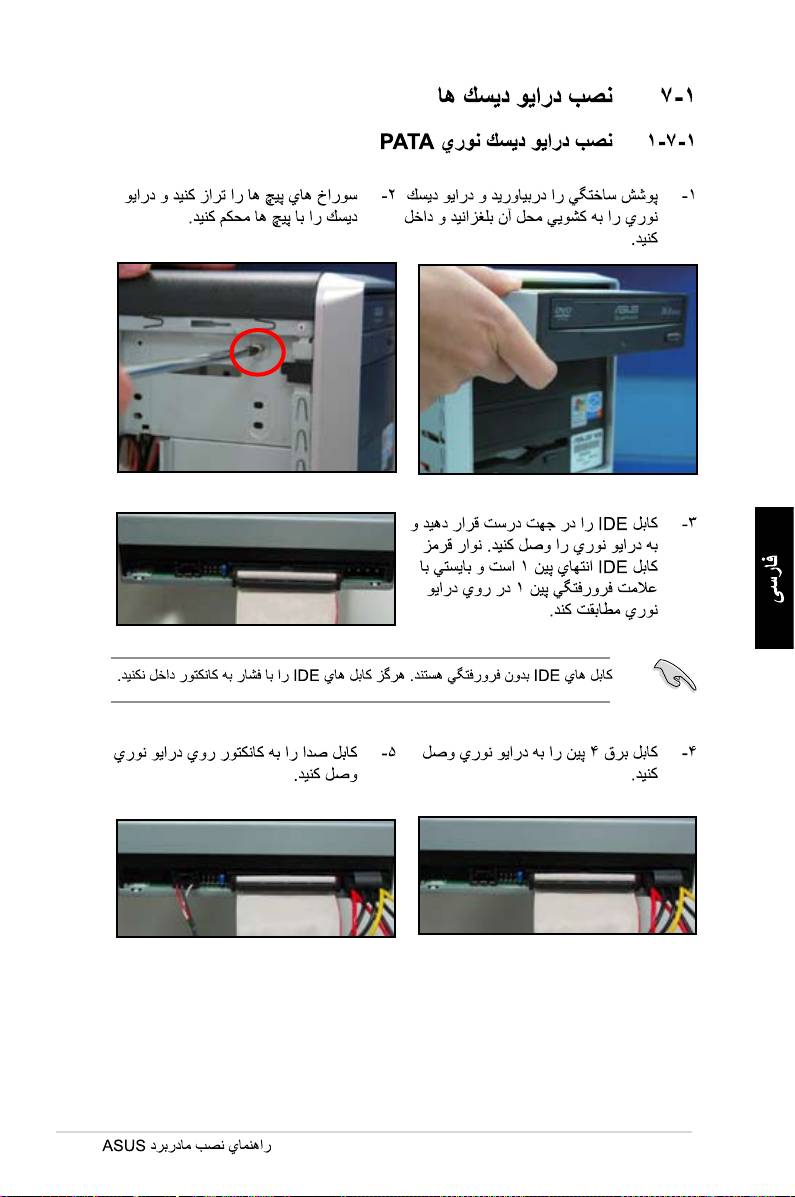
- 1.7.2 SATA optical disk drive
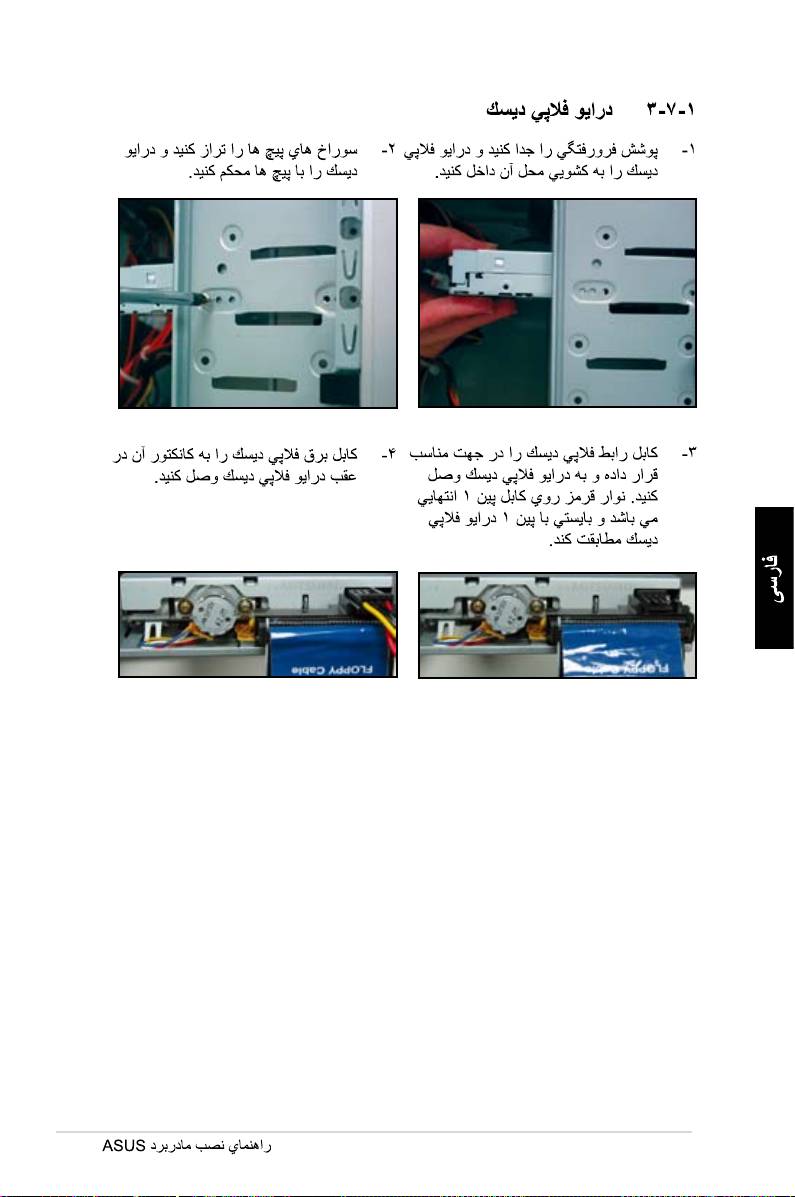
- 1.7.3 Floppy disk drive
- 1.7.4 PATA hard disk drive
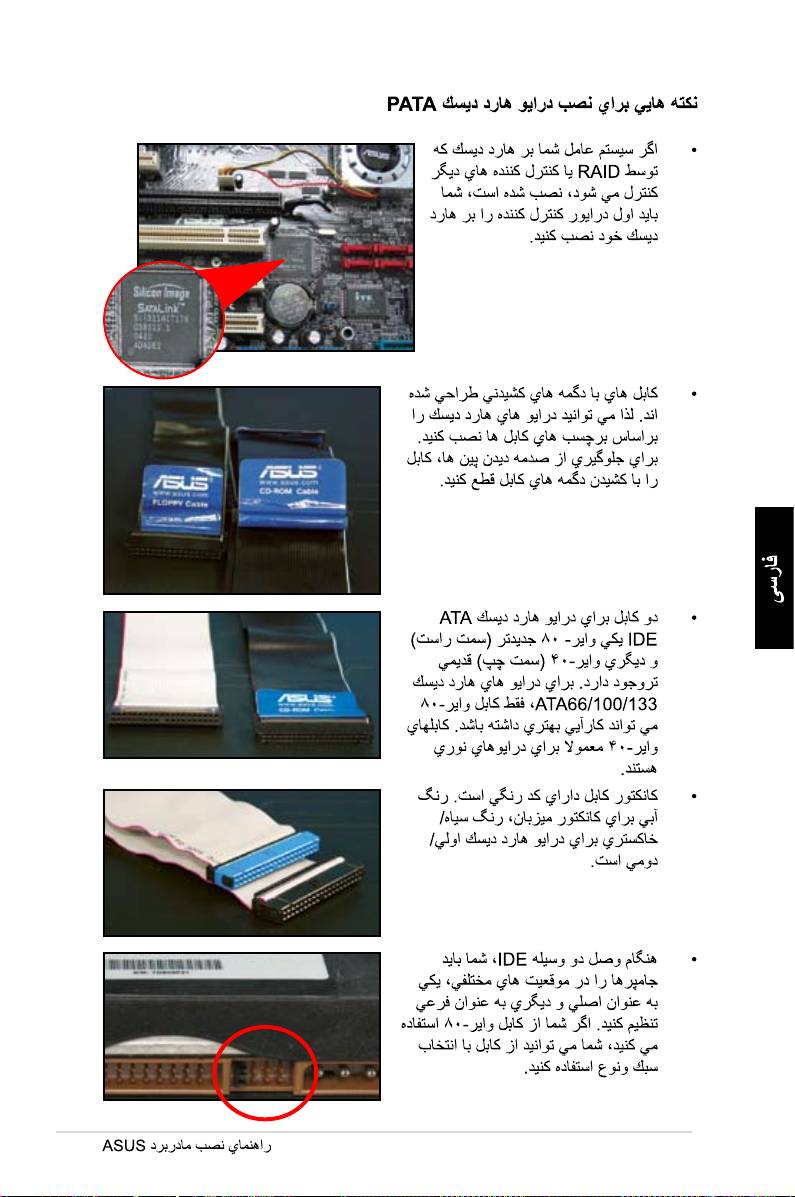
- Notes for installing PATA hard disk drive
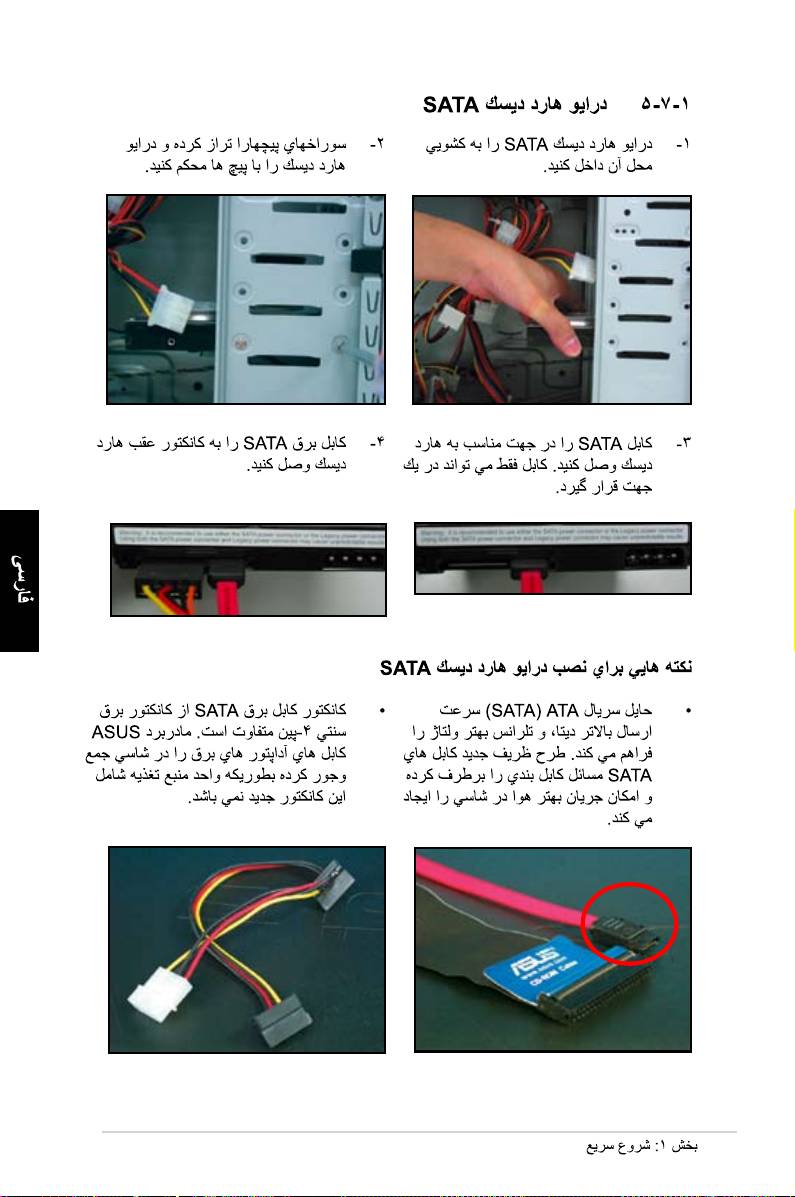
- 1.7.5 SATA hard disk drive
- 1.8 Front panel cables
- ASUS Q-Connector 1.9 Connecting the ATX power
- Power connectors
- 1.10 Peripheral devices and accessories
- 1.11 Startingupforthersttime Troubleshooting
- Chapter 2: Manage/update BIOS 2.1 AFUDOS utility
- ASUS Motherboard installation guide
- 2.2 Award BIOS Flash Utility
- ASUS Motherboard installation guide
- Saving the current BIOS le
- 2.3 ASUS Update utility Installing ASUS Update
- Updating the BIOS through the Internet
- Updating the BIOS through a BIOS le
- Chapter 3: Troubleshooting 3.1 Troubleshooting for Motherboard DIY 3.1.1 Basic troubleshooting
- B. CPU overheated
- 3.2 Other common troubles
- 3.2.1 No power
- 3.2.2 Failure to boot-up; No screen display 3.2.3 Failure to enter the operating system
- 3.2.4 FAQs
- Chapter 4: Computer care tips

660
661
662
663
664
665

666
667

668
669
670
671
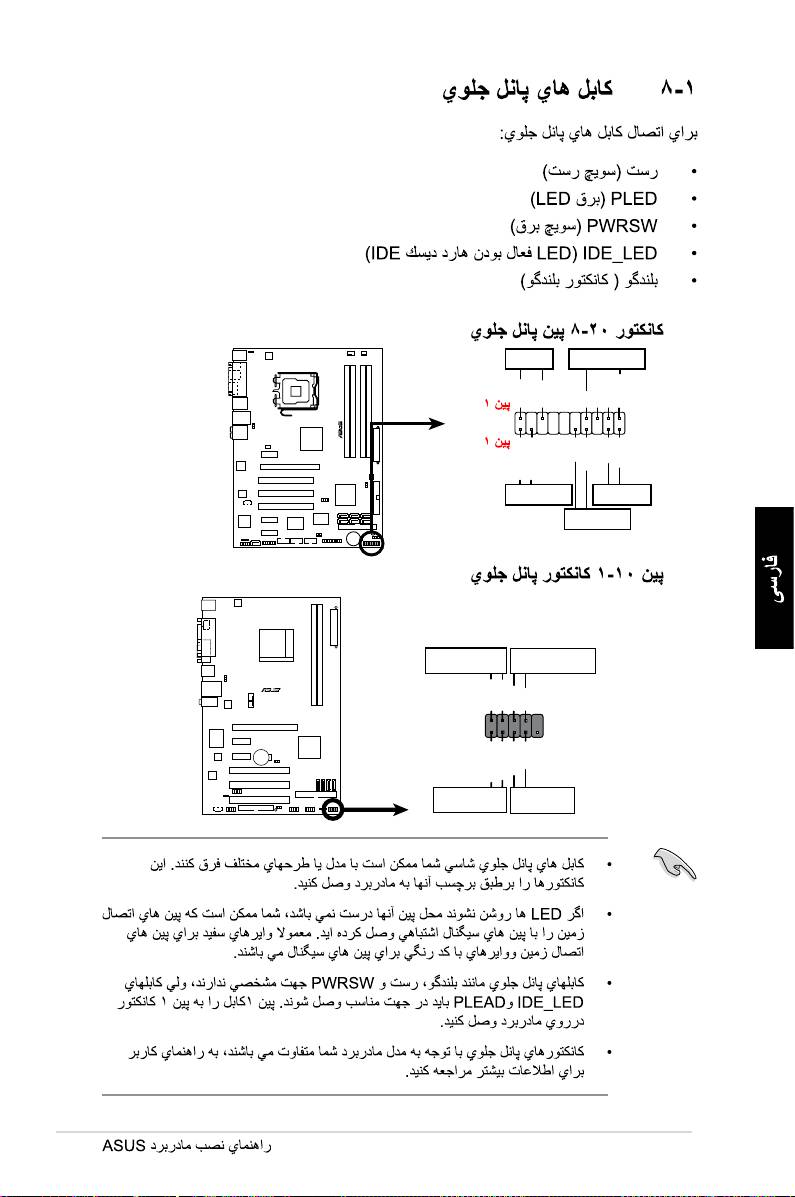
PLED SPEAKER
P5B-E
PLED+
PLED-
+5V
Ground
Ground
Speaker
®
PANEL
PWR
Reset
Ground
Ground
IDE_LED+
IDE_LED-
IDE_LED
RESET
PWRSW
*
Requires an ATX power supply.
PWR LED PWR BTN
M2N-X
PLED+
PLED-
PWR
GNDReset
F_PANEL
Ground
IDELED+
IDELED-
HD LED RESET
672
673

674
675

A:\>afudos /oOLDBIOS1.rom
A:\>afudos /oOLDBIOS1.rom
AMI Firmware Update Utility - Version 1.19(ASUS V2.07(03.11.24BB))
Copyright (C) 2002 American Megatrends, Inc. All rights reserved.
Readingash.....done
Writetole......ok
A:\>
676
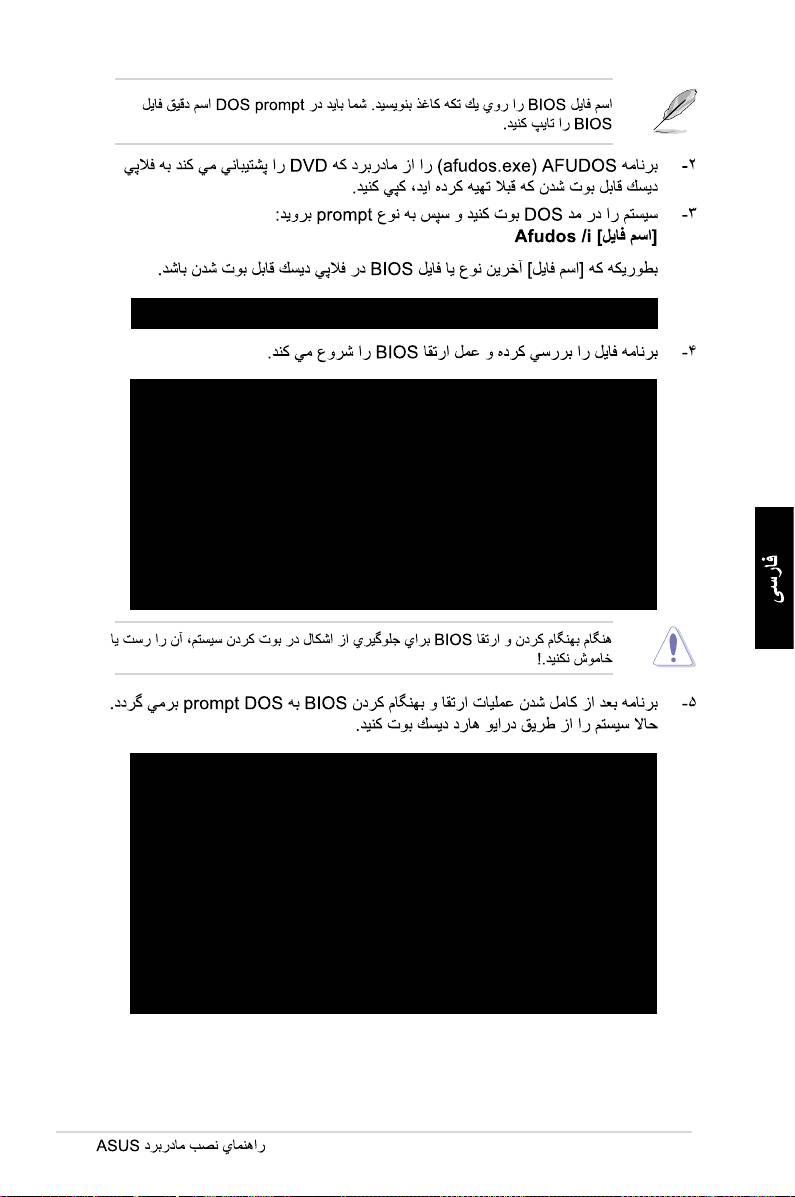
A:\>afudos /iP5K3D.ROM
A:\>afudos /iP5K3D.ROM
AMI Firmware Update Utility - Version 1.19(ASUS V2.07(03.11.24BB))
Copyright (C) 2002 American Megatrends, Inc. All rights reserved.
WARNING!!DonotturnoffpowerduringashBIOS
Readingle.......done
Readingash......done
AdvanceCheck......
Erasingash......done
Writingash......0x0008CC00(9%)
A:\>afudos /iP5K3D.ROM
AMI Firmware Update Utility - Version 1.19(ASUS V2.07(03.11.24BB))
Copyright (C) 2002 American Megatrends, Inc. All rights reserved.
WARNING!!DonotturnoffpowerduringashBIOS
Readingle.......done
Readingash......done
AdvanceCheck......
Erasingash......done
Writingash......done
Verifyingash....done
Please restart your computer
A:\>
677

AwardBIOS Flash Utility for ASUS V1.14
(C)PhoenixTechnologiesLtd.AllRightsReserved
ForNF590-SLI-M2N32-SLI-DELUXEDATE:03/30/2006
FlashType-PMCPm49FL004TLPC/FWH
File Name to Program:
Message: Please input File Name!
678
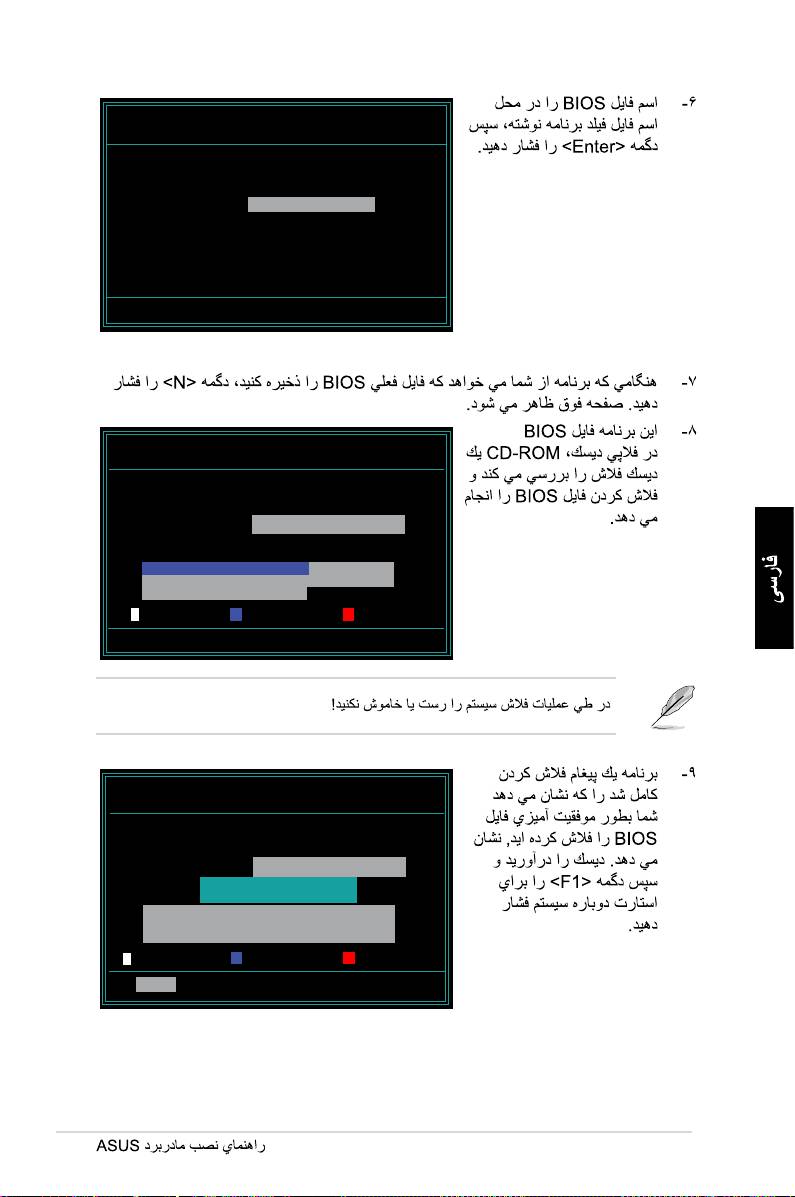
AwardBIOS Flash Utility for ASUS V1.14
(C)PhoenixTechnologiesLtd.AllRightsReserved
ForNF590-SLI-M2N32-SLI-DELUXEDATE:03/30/2006
FlashType-PMCPm49FL004TLPC/FWH
File Name to Program: M2N32SLI.bin
Message:DoYouWantToSaveBios(Y/N)
AwardBIOS Flash Utility for ASUS V1.14
(C)PhoenixTechnologiesLtd.AllRightsReserved
ForNF590-SLI-M2N32-SLI-DELUXEDATE:03/30/2006
FlashType-PMCPm49FL004TLPC/FWH
File Name to Program: M2N32SLI.bin
Programming Flash Memory - OFE00 OK
Write OK No Update Write Fail
Warning: Don’tTurnOffPowerOrResetSystem!
AwardBIOS Flash Utility for ASUS V1.14
(C)PhoenixTechnologiesLtd.AllRightsReserved
ForNF590-SLI-M2N32-SLI-DELUXEDATE:03/30/2006
FlashType-PMCPm49FL004TLPC/FWH
File Name to Program: M2N32SLI.bin
Flashing Complete
Press <F1> to Continue
Write OK No Update Write Fail
F1
Reset
679
