
Asus WL-320gE: 8) Operation Modes 1) Bridge Mode (WDS)
8) Operation Modes 1) Bridge Mode (WDS): Asus WL-320gE
Table of contents
- Content 1. English ............................................................................... 1
- Manufacturer Contact Information
- 1. Package contents 2. Getting to know the Wireless Access Point
- Operation Mode AP/Repeater/Bridge/Gateway Client
- 2) Back panel LABEL Description 3) Wall mount option
- 3. Conguring the Wireless Access Point 1) Wired connection 2) Wireless Connection 3) Setting IP address for wired or wireless client
- 4) ASUS WLAN Utilities
- Launching the ASUS WLAN Utilities
- ASUS WLAN Device Discovery 5) Accessing the web page
- User Name and Password Home Page
- 6) Quick Setup in Access Point mode
- 7) Quick Setup in Gateway mode System Setup -> Operation Mode -> Home Gateway. Cable User
- PPPoE User PPTP User Static IP User
- 8) Operation Modes 1) Bridge Mode (WDS)
- 2) Client Mode (Station) 3) Repeater Mode (URE) 9) Wireless 1) Site Survey(AP SCAN)
- 2) Access Control Adding a MAC Address
- 3) Multi-SSID and VLAN
- 10) System Setup 1) Global Settings 2) SNMP
WL-320gE Access Point Quick Start Guide
5. Setting upyour wireless interface. Tosetup your wirelessinterface, followthesame
instructionsfrom3 to5as above Configurating Wireless Interface inAccessPoint mode
on page10.You canchangetoAP orWDS(Bridge), Station(Client), orURE(Repeater)
English
accordingly.Click
Save&Restart
torestartthewirelessrouterandactivatethenewsettings.
8) Operation Modes
ThischaptergivesinformationontheoperationmodesoftheASUSWL-320gEAccessPoint.
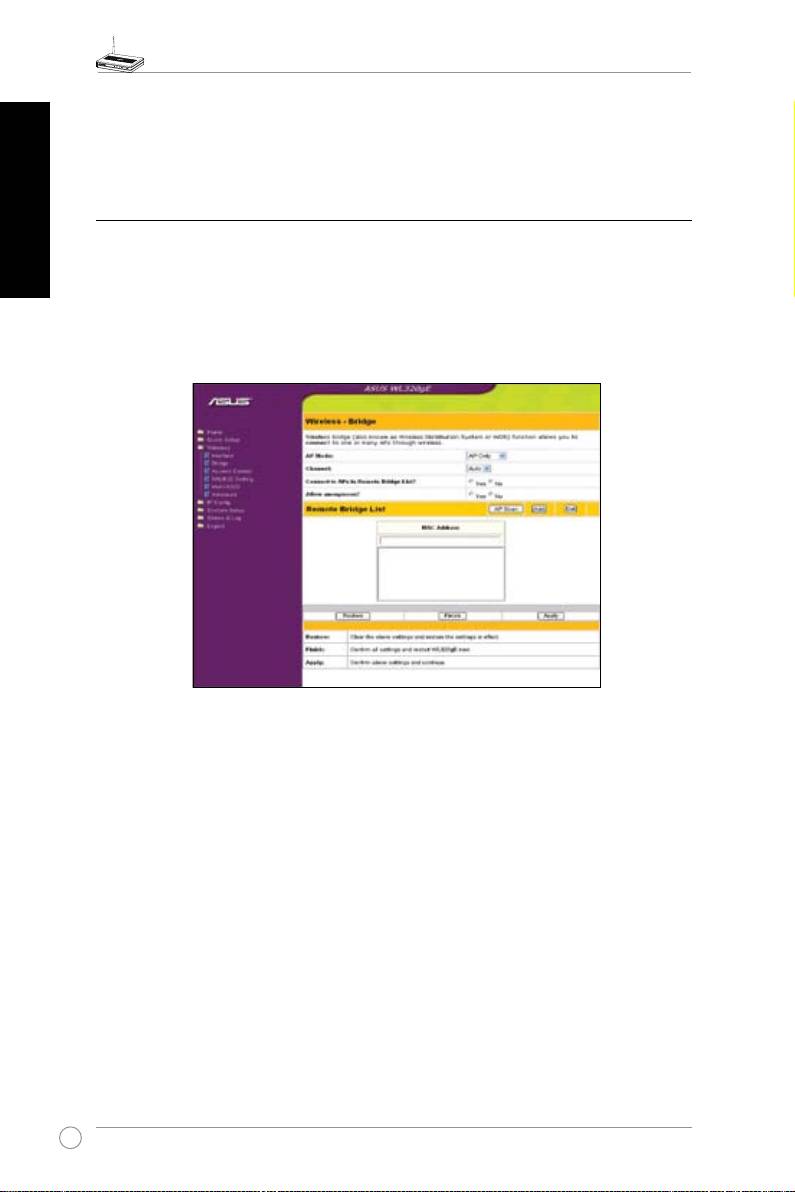
1) Bridge Mode (WDS)
Wirelessbridge,alsoknownasWirelessDistributionSystemorWDS,allowsyoutoconnect
toone ormanyAccessPoints. IfyousetthesameSSID amongallaccesspoints,wireless
securitylevelcouldbeuptoWPA-PSK.Otherwise,securitylevelisWEPonly.
Access Point
APModeconfigurestheASUS802.11gAPforaspecific purpose.By default,theASUS
802.11gAPissettoserveasan“AccessPoint”whereawirelessmobileclientcanconnect
wirelesslytoawiredEthernetnetwork.
WDS Only
WithWDS,theASUS802.11gAPcanonlycommunicatewithotherAccessPoints.
Hybrid
HybridallowsyoutousetheASUS802.11gAPbothasanaccesspointandasawireless
bridge.
Channel
BothAccessPointsinWirelessBridgemodemustbesettothesamechannel.
14
