
Asus WL-320gE: 4) ASUS WLAN Utilities
4) ASUS WLAN Utilities: Asus WL-320gE
Table of contents
- Content 1. English ............................................................................... 1
- Manufacturer Contact Information
- 1. Package contents 2. Getting to know the Wireless Access Point
- Operation Mode AP/Repeater/Bridge/Gateway Client
- 2) Back panel LABEL Description 3) Wall mount option
- 3. Conguring the Wireless Access Point 1) Wired connection 2) Wireless Connection 3) Setting IP address for wired or wireless client
- 4) ASUS WLAN Utilities
- Launching the ASUS WLAN Utilities
- ASUS WLAN Device Discovery 5) Accessing the web page
- User Name and Password Home Page
- 6) Quick Setup in Access Point mode
- 7) Quick Setup in Gateway mode System Setup -> Operation Mode -> Home Gateway. Cable User
- PPPoE User PPTP User Static IP User
- 8) Operation Modes 1) Bridge Mode (WDS)
- 2) Client Mode (Station) 3) Repeater Mode (URE) 9) Wireless 1) Site Survey(AP SCAN)
- 2) Access Control Adding a MAC Address
- 3) Multi-SSID and VLAN
- 10) System Setup 1) Global Settings 2) SNMP
WL-320gE Access Point Quick Start Guide
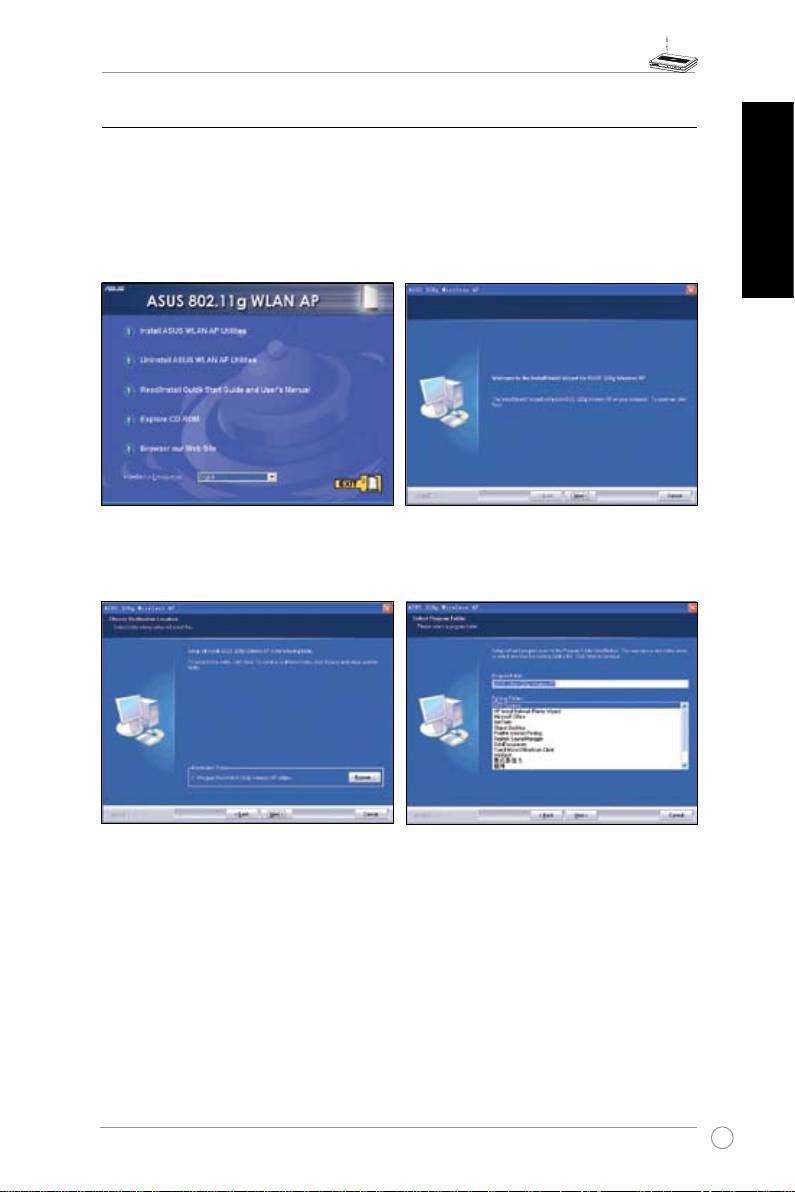
4) ASUS WLAN Utilities
Installing the Utility
®
Follow thesestepsto install theASUS WLANUtilities inMicrosoft
Windows. Insert the
supportCD.Double-clicksetup.exe(intherootofthesupportCD)ifyourautorunhasbeen
English
disabled.
(1) ClickInstall...Utilities.
(2) ClickNext afterreadingthewelcome
screen.
(3) Click
Next to accept the default
(4) Click Next to accept the default
destinationfolderorclickBrowseto
program folder or enter another
specifyanotherpath.
name.
7
Top 10 manuals
100.00
NZXT HALE90 1000W99.99
Samsung SM-R38099.97
AEG BSB 18C99.97
Dell 2700W99.97
Smeg KSEC70X99.96
Beurer HDE 4099.96
Pyramida KH 50 v.299.96
MSI CSM-H81M-P3299.96
AEG HR 562799.95
Melissa 640-048