
Asus WL-100W: Quick Start Guide Buttons About - Version Info
Quick Start Guide Buttons About - Version Info: Asus WL-100W
Table of contents
- 1. English ............................................................................1
- Quick Start Guide Installation Procedures Installing the WLAN utilities and driver Reading the WLAN status indicators
- One Touch Wizard
- Conguring with the WLAN utility (Infrastructure)
- Conguring with the WLAN utility (Ad Hoc)
- ASUS WLAN Control Center Starting the Control Center Using the Control Center Wireless Status Icons (on the taskbar)
- Taskbar icon - Right-click menu Taskbar icon - Left-click menu Taskbar Icon - Launch Wireless Settings
- ASUS Wireless Settings Utility Status - Status Association State
- Quick Start Guide
- Status - Connection
- Status - IP Cong Status - Ping
- Cong - Basic Channel
- Cong - Advanced
- Cong - Encryption
- Quick Start Guide Data encryption Wireless Network Key Wireless Network Key (WEP) Key Format Key Length
- Quick Start Guide Select one as your Default Key
- Cong - Authentication Authentication Type Survey - Site Survey
- Quick Start Guide Buttons About - Version Info
- Link State Exit Wireless Settings
- Windows XP Wireless Options
- Quick Start Guide
Quick Start Guide
English
•
RSSI:
The Received Signal Strength Indication (RSSI) transmitted by
each network. This information is helpful in determining which network to
associate to. The value is then normalized to a dBm value.
•
Encryption:
Wireless network encryption information. All devices in
the network should use the same encryption method to ensure the
communication.
•
BSSID:
The media access control (MAC) address of the access point or
the Basic Service Set ID of the Ad Hoc node.
NOTE: Some access points may disable SSID broadcast and hide
themselves from “Site Survey” or “Site Monitor”, however, you can
connect such AP if you know their SSID.
Buttons
Search
– To scan all available wireless networks and show the scan result in the
“Available Network” list.
Connect
– To associate with a network by selecting the network from the
“Available Network” list and clicking this button.
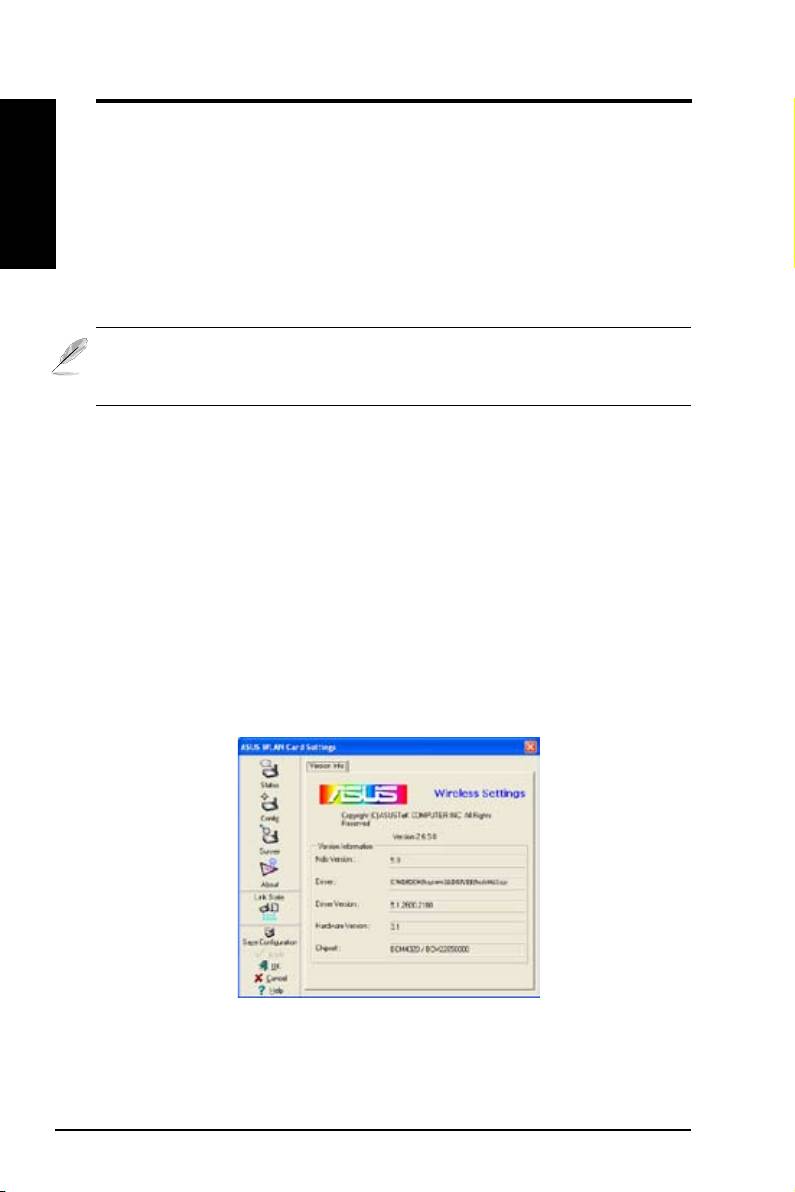
About - Version Info
Uses the Version Info tab to view program and WLAN Card version information.
The program version information eld includes the Copyright and utility version.
The version information includes the NDIS version, driver name, and driver
version.
This screen is an example only. Your version numbers
will be different from what are shown here.
18 ASUS WLAN Card
