
Asus WL-100W: Cong - Authentication Authentication Type Survey - Site Survey
Cong - Authentication Authentication Type Survey - Site Survey: Asus WL-100W
Table of contents
- 1. English ............................................................................1
- Quick Start Guide Installation Procedures Installing the WLAN utilities and driver Reading the WLAN status indicators
- One Touch Wizard
- Conguring with the WLAN utility (Infrastructure)
- Conguring with the WLAN utility (Ad Hoc)
- ASUS WLAN Control Center Starting the Control Center Using the Control Center Wireless Status Icons (on the taskbar)
- Taskbar icon - Right-click menu Taskbar icon - Left-click menu Taskbar Icon - Launch Wireless Settings
- ASUS Wireless Settings Utility Status - Status Association State
- Quick Start Guide
- Status - Connection
- Status - IP Cong Status - Ping
- Cong - Basic Channel
- Cong - Advanced
- Cong - Encryption
- Quick Start Guide Data encryption Wireless Network Key Wireless Network Key (WEP) Key Format Key Length
- Quick Start Guide Select one as your Default Key
- Cong - Authentication Authentication Type Survey - Site Survey
- Quick Start Guide Buttons About - Version Info
- Link State Exit Wireless Settings
- Windows XP Wireless Options
- Quick Start Guide
Quick Start Guide
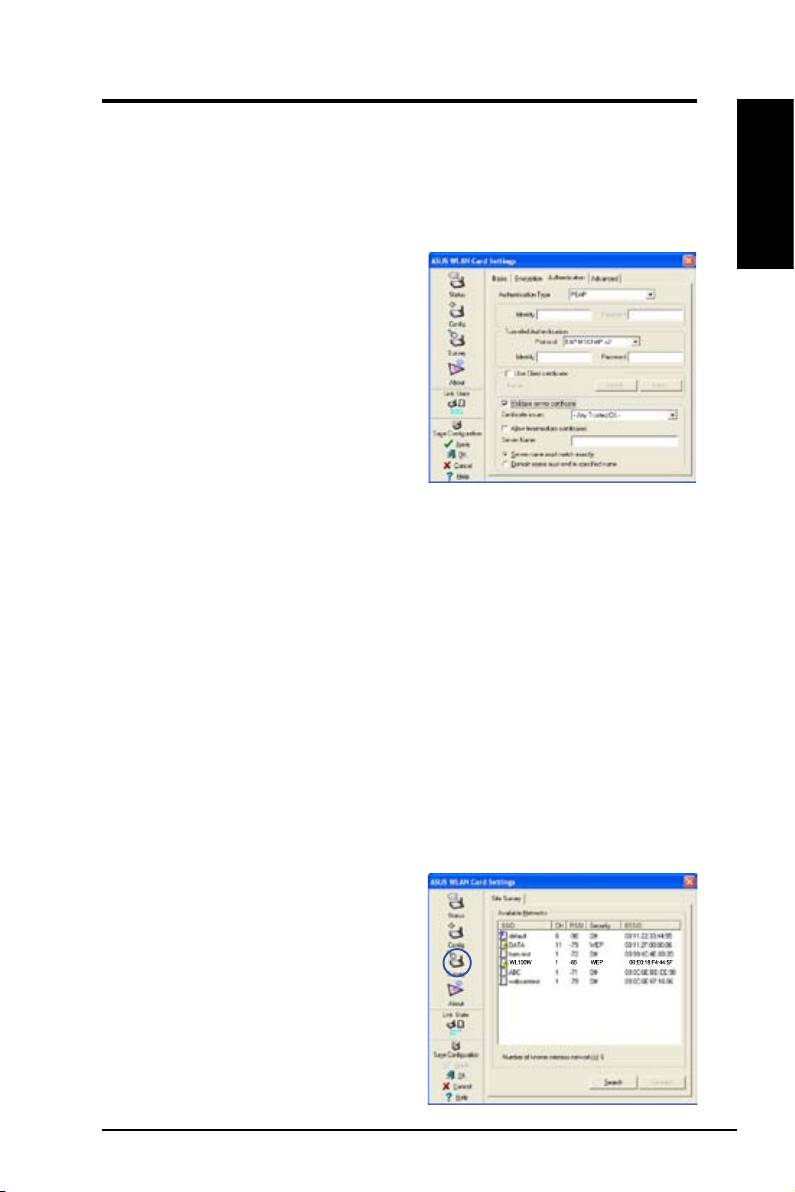
Cong - Authentication
This tab allows you to set the security settings to match those of your AP. It is
congurable only if you have set Network Authentication to WPA or WPA2 in
Cong-Encryption tab.
English
Authentication Type
The authentication type methods include:
PEAP:
PEAP (Protected Extensible
Authentication Protocol) authentication
is a version of Extensible Authentication
Protocol (EAP). EAP ensures mutual
authentication between a wireless client
and a server that resides at the network
operations center.
TLS/Smart Card:
TLS (Transport Layer
Security) authentication is used to create an encrypted tunnel and achieve
server-side authentication in a manner similar to Web server authentication
using Secure Sockets Layer (SSL) protocol. This method uses digital
certicates to verify the identity of a client and server.
TTLS:
TTLS authentication uses certicates to authenticate the server, while
maintaining similar security properties to TLS such as mutual authentication
and a shared condentiality for session WEP key.
LEAP:
LEAP (Light Extensible Authentication Protocol) authentication is a
version of Extensible Authentication Protocol (EAP). EAP ensures mutual
authentication between a wireless client and a server that resides at the
network operations center.
Md5-challenge:
Md5-challenge is a one-way encrypting algorithm that uses
usernames and passwords. This method does not support key management,
but require a preset key.
Survey - Site Survey
Use the Site Survey tab to view statistics
on the wireless networks available to the
WLAN Card and their parameters.
•
SSID:
The SSID of the available
networks.
•
Channel:
The channel used by each
network.
ASUS WLAN Card 17
