
Pioneer X-CM56: Information for users on collection and disposal of old equipment and used batteries
Information for users on collection and disposal of old equipment and used batteries: Pioneer X-CM56
Table of contents
- VENTILATION CAUTION POWER-CORD CAUTION
- Information for users on collection and disposal of old equipment and used batteries
- Contents
- Chapter 1: Before you start What’s in the box Loading the batteries in the remote control
- Chapter 2: Part names and functions Remote control
- Part names and functions 02
- Front panel
- Speaker system
- Chapter 3: Connections Speaker connection
- Connecting antennas
- Plugging in
- Chapter 4: Getting started To turn the power on General control Setting the clock
- Sound controls Setting the wake-up timer
- Using Headphones Using the sleep timer
- Chapter 5: Disc playback Playing discs or files
- Basic operations Advanced CD or MP3 disc playback
- Programmed play (CD) Switch the display contents About downloading MP3
- Chapter 6: USB playback Playing USB storage devices
- Chapter 7: Using the tuner Listening to FM (X-CM56D)/ Listening to FM or AM (X-CM56)
- Using the Radio Data System (RDS) (for European models only)
- Using the Auto Station program Memory (ASPM)
- Listening to the DAB+ (X-CM56D only)
- Changing the information display DAB Frequency table (BAND III) Memorising a station
- Chapter 8: Other connections Connecting auxiliary components
- Chapter 9: Bluetooth Audio playback Music playback using Bluetooth Remote control operation wireless technology Pairing with the unit (Initial registration)
- BT STANDBY Listen to music on the unit from a Bluetooth capable device
- Pairing and connection using NFC Radio wave caution
- Scope of operation Radio wave reflections Precautions regarding connections to products supported by this unit
- Chapter 10: Additional information Troubleshooting General problem Problem Check Remedy
- When a USB storage device is connected Problem Check Remedy
- When the Bluetooth wireless technology device is connected or operated Problem Remedy Playable discs and formats
- Cautions on use
- Handling discs Auto power off setting Restoring all the settings to the defaults
- Specifications
SN29402593_X-CM56&56D_En.book 3 ページ 2016年5月27日 金曜日 午後3時47分
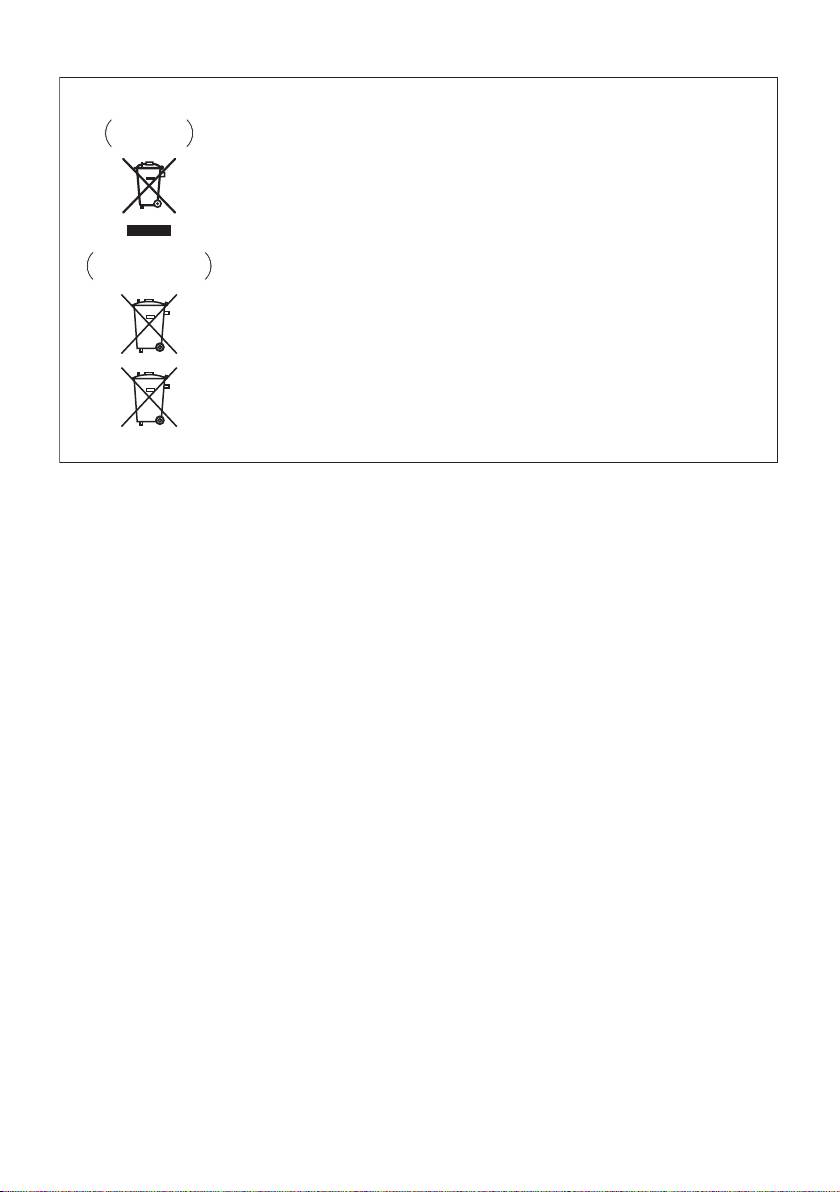
Information for users on collection and disposal of old equipment and used batteries
Symbol for
These symbols on the products, packaging, and/or accompanying documents mean
equipment
that used electrical and electronic products and batteries should not be mixed with
general household waste.
For proper treatment, recovery and recycling of old products and used batteries,
please take them to applicable collection points in accordance with your national
legislation.
By disposing of these products and batteries correctly, you will help to save valuable
Symbol examples
resources and prevent any potential negative effects on human health and the
for batteries
environment which could otherwise arise from inappropriate waste handling.
For more information about collection and recycling of old products and batteries,
please contact your local municipality, your waste disposal service or the point of sale
where you purchased the items.
These symbols are only valid in the European Union.
For countries outside the European Union:
If you wish to discard these items, please contact your local authorities or dealer and
ask for the correct method of disposal.
Pb
K058a_A1_En
Radio wave caution
WARNING
This unit uses a 2.4 GHz radio wave frequency, which
Store small parts out of the reach of children and
is a band used by other wireless systems (Microwave
infants. If accidentally swallowed, contact a doctor
ovens and Cordless phones, etc.). In this event noise
immediately.
appears in your television image, there is the
possibility this unit (including products supported by
this unit) is causing signal interference with the
antenna input connector of your television, video,
satellite tuner, etc. In this event, increase the distance
between the antenna input connector and this unit
(including products supported by this unit).
• We are not responsible for any malfunction of the
compatible product due to communication
error/malfunctions associated with your network
connection and/or your connected equipment.
Please contact your Internet service provider or
network device manufacturer.
• A separate contract with/payment to an Internet
service provider is required to use the Internet.
