
Pioneer X-CM56: Using the Radio Data System (RDS) (for European models only)
Using the Radio Data System (RDS) (for European models only): Pioneer X-CM56
Table of contents
- VENTILATION CAUTION POWER-CORD CAUTION
- Information for users on collection and disposal of old equipment and used batteries
- Contents
- Chapter 1: Before you start What’s in the box Loading the batteries in the remote control
- Chapter 2: Part names and functions Remote control
- Part names and functions 02
- Front panel
- Speaker system
- Chapter 3: Connections Speaker connection
- Connecting antennas
- Plugging in
- Chapter 4: Getting started To turn the power on General control Setting the clock
- Sound controls Setting the wake-up timer
- Using Headphones Using the sleep timer
- Chapter 5: Disc playback Playing discs or files
- Basic operations Advanced CD or MP3 disc playback
- Programmed play (CD) Switch the display contents About downloading MP3
- Chapter 6: USB playback Playing USB storage devices
- Chapter 7: Using the tuner Listening to FM (X-CM56D)/ Listening to FM or AM (X-CM56)
- Using the Radio Data System (RDS) (for European models only)
- Using the Auto Station program Memory (ASPM)
- Listening to the DAB+ (X-CM56D only)
- Changing the information display DAB Frequency table (BAND III) Memorising a station
- Chapter 8: Other connections Connecting auxiliary components
- Chapter 9: Bluetooth Audio playback Music playback using Bluetooth Remote control operation wireless technology Pairing with the unit (Initial registration)
- BT STANDBY Listen to music on the unit from a Bluetooth capable device
- Pairing and connection using NFC Radio wave caution
- Scope of operation Radio wave reflections Precautions regarding connections to products supported by this unit
- Chapter 10: Additional information Troubleshooting General problem Problem Check Remedy
- When a USB storage device is connected Problem Check Remedy
- When the Bluetooth wireless technology device is connected or operated Problem Remedy Playable discs and formats
- Cautions on use
- Handling discs Auto power off setting Restoring all the settings to the defaults
- Specifications
SN29402593_X-CM56&56D_En.book 21 ページ 2016年5月27日 金曜日 午後3時47分
Using the tuner 07
Search for stations by Program Type
Note
English
1Press TUNER until “FM” appears on the display.
• The backup function protects the memorised stations
2Press MENU and then press / until “FM RDS”
for a few hours should there be a power failure or the
appears on the display.
AC power cord become disconnected.
3Press ENTER and then press / until “PTY” appears
on the display.
To recall a memorised station
4Press ENTER.
Press PRESET +/– to select the desired station.
“SELECT” will appear for about 5 seconds.
Français Español
To scan the preset stations
5Press / to select the program type you want to hear.
Each time the button is pressed, the program type will
The stations saved in the memory can be scanned
appear. If the button is held down, the program type will
automatically. (Preset memory scan)
appear continuously.
1 Press and hold PRESET +/–.
6 Whilst the selected program type is displayed (within 5
The preset number will appear and the programmed stations
seconds), press ENTER.
will be tuned in sequentially, for 5 seconds each.
After the selected program type has been lit for 2 seconds,
2 Press PRESET +/– again when the desired station is
“SEARCH” will appear, and the search operation will start.
located.
The Program Types displayed are as follows:
To erase entire preset memory
News
– News
Social affairs
– Social affairs
1 Press TUNER on the remote control.
Current Affairs
– Current
Religion
– Programs
Affairs
concerning religion
2 Press until “MEMORY CLEAR” appears.
Information
– General
Phone In
– Public expressing
Information
their views by Phone
Note
Sport
– Sport
Travel & Touring
– Holiday-
• All stations will be erased.
Education
– Educational
type travel rather than traffic
Drama
– Radio plays, etc.
announcements
Cultures
– National or regional
Leisure & Hobby
– Leisure
Using the Radio Data System (RDS)
culture, theater, etc.
interests and hobbies
(for European models only)
Science
– Science and
Jazz Music
– Jazz
technology
Country Music
– Country
Radio Data System (RDS) is a system used by most FM
Varied Speech
– Usually talk-
music
radio stations to provide listeners with various kinds of
based material, such as quiz
National Music
– Popular
information—the name of the station and the kind of show
shows or interviews.
music in a language other than
they’re broadcasting, for example.
Pop Music
– Pop music
English
One feature of RDS is that you can search by type of
Rock Music
– Rock music
Oldies Music
– Popular music
program. For example, you can search for a station that’s
Easy Listening
– Easy listening
from the ‘50s and’ 60s
broadcasting a show with the program type, Jazz Music.
Light Classics M
– ‘Light’
Folk Music
– Folk music
classical music
Documentary
– Documentary
Information provided by RDS
Serious Classics
– ‘Serious’
Alarm Test
– Broadcasting
1 Press TUNER until “FM” appears on the display.
classical music
when testing emergency
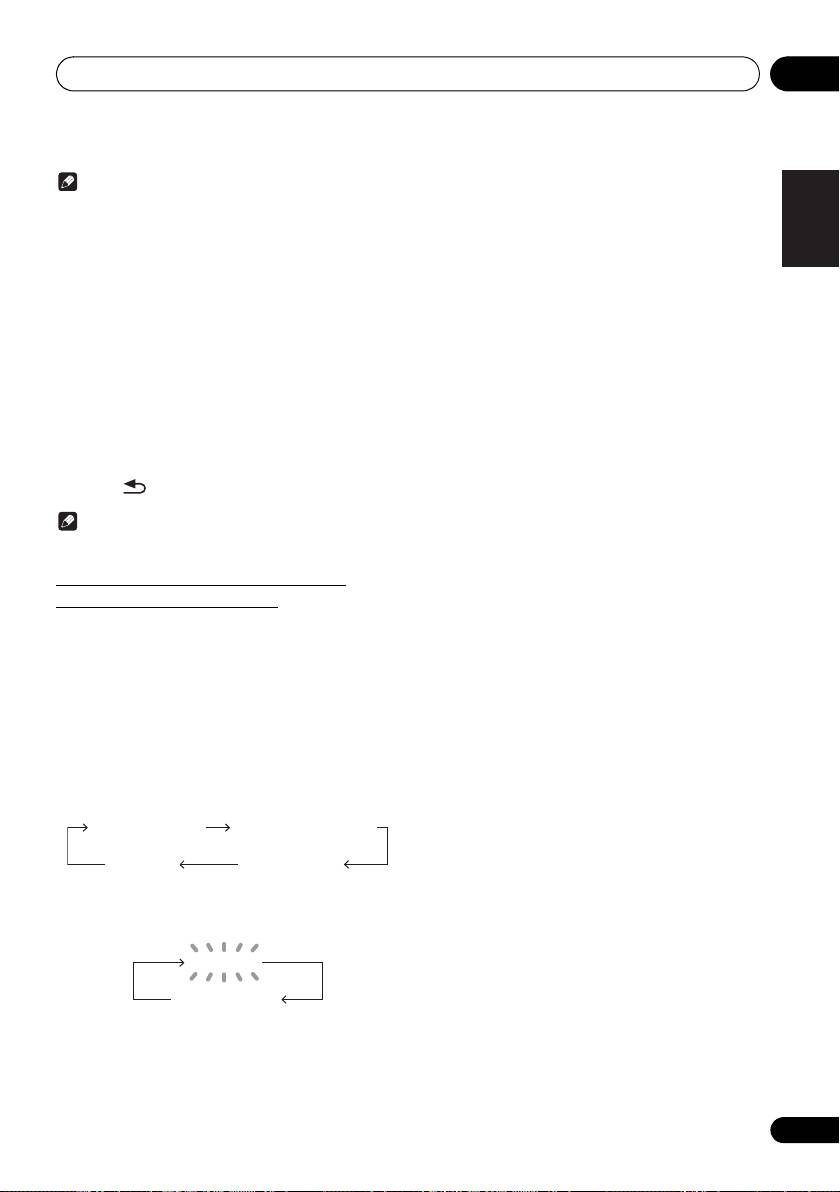
2 Press DISPLAY repeatedly.
Other Music
– Music not fitting
broadcast equipment or
Each time the DISPLAY is pressed, the display will switch as
above categories
receivers.
follows:
Weather & Metr
– Weather
Alarm - Alarm!
– Emergency
reports
announcement made under
Station name (PS) Programme type (PTY)
exceptional circumstances to
Finance
– Stock market reports,
give warning of events
commerce, trading, etc.
causing danger of a general
Frequency Radio text (RT)
Children’s Progs
– Programs
nature.
for children
• When tuning in to a station other than an RDS station or
to an RDS station which sends weak signal, the display
• If the display has stopped flashing, start again from step
will change in the following order:
2. If the unit finds a desired program type, the
corresponding channel number will lit for about 8
seconds, and then the station name will remain it.
NO RDS
• If you want to listen to the same program type of another
station, repeat steps 2 - 6. The unit will look for the next
FM 98.80 MHz
station.
• If no station can be found, “NOT FOUND” will appear for
4 seconds.
21
En
