
Pioneer SEP-C1: PARTS AND THEIR FUNCTIONS Display A/Display B
PARTS AND THEIR FUNCTIONS Display A/Display B: Pioneer SEP-C1
Table of contents
- IMPORTANT
- Operating Environment We Want You Listening For A Lifetime
- FEATURES
- FEATURES
- SPECIFICATIONS COMFIRM ACCESSORIES
- INSTALLATION GUIDELINES
- CONNECTIONS
- PARTS AND THEIR FUNCTIONS
- PARTS AND THEIR FUNCTIONS Center Display
- PARTS AND THEIR FUNCTIONS Display A/Display B
- ABOUT DJS SOFTWARE SOFTWARE END USER LICENSE AGREEMENT
- ABOUT DJS SOFTWARE SYSTEM REQUIREMENTS (Minimum Operating Environment) COPYRIGHT WARNING
- INSTALLING DJS SOFTWARE NOTES REGARDING TRIAL PERIOD AND USER REGISTRATION
- ABOUT DJS SOFTWARE REGARDING ONLINE SUPPORT DISCLAIMER
- ABOUT THE DRIVER PROGRAM SOFTWARE END USER LICENSE AGREEMENT DRIVER INSTALLATION
- ABOUT THE DRIVER PROGRAM
- ABOUT THE DRIVER PROGRAM
- USING DJ SOFTWARE
- PREPARING YOUR DJ SOFTWARE PROGRAM CONTROLLING YOUR COMPUTER USING THE DEDICATED COMMUNICATIONS PROTOCOL
- USING DJ SOFTWARE USING MIDI FOR COMPUTER CONTROL
- MIDI MESSAGE TABLE
- USING DJ SOFTWARE
- USING THE UTILITY
- USING THE UTILITY TO PERFORM A FACTORY RESET
- TROUBLESHOOTING ABOUT THE LCD SCREEN ABOUT OEL (ORGANIC EL) SCREENS
- DISCLAIMER
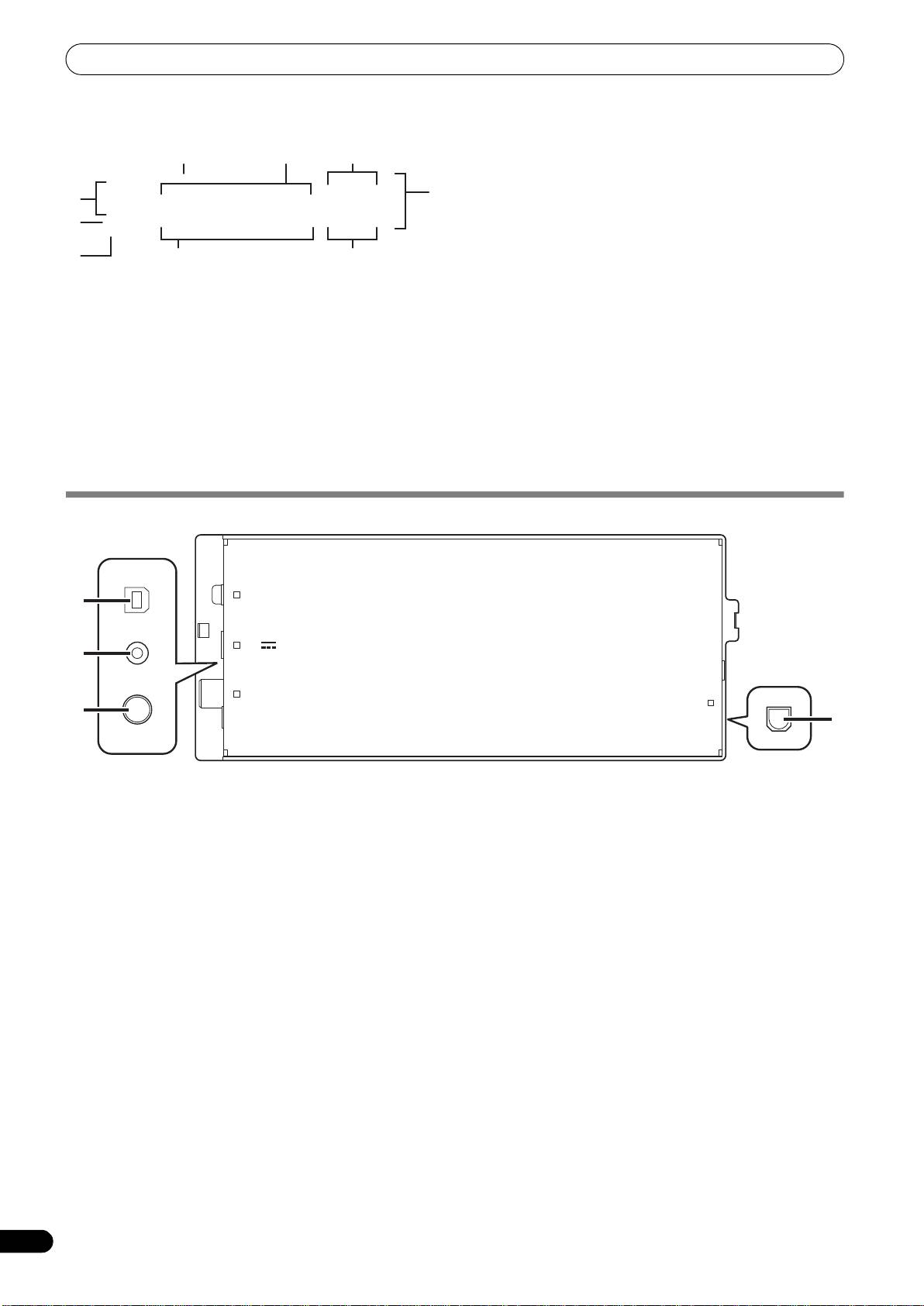
PARTS AND THEIR FUNCTIONS
Display A/Display B
5 Time display
Displays the current track’s elapsed time ([REMAIN] indicator
is off), or remaining time ([REMAIN] indicator is lighted), in
minutes [M], seconds [S], and frames [F].
6 Playing address display
To provide a quick intuitive grasp of the relative progress of a
track’s playback (either elapsed time or remaining time), a bar
graph is used to represent the full length of the track.
• Elapsed time display: Starts with all segments off, then
gradually lights from left to right.
• Remaining time display: Starts with all segments on, then
1 Track number display
gradually goes off from left to right.
“DJS” is displayed during DJS control.
• When 30 seconds of remaining playing time is reached, the
graph begins to flash slowly.
2 TEMPO control range display (±6, ±10, ±16, WIDE)
• When 15 seconds of remaining playing time is reached, the
Displays the selected variable range mode of the TEMPO
graph begins to flash quickly.
adjust slider.
7 BPM display
3 TEMPO change ratio display
Shows the currently playing track’s BPM (Beats Per Minute)
Displays the change in tempo produced by the operation of the
8 MEMO indicator
TEMPO adjust slider.
Not displayed during DJS control.
4 A.CUE indicator
9 REMAIN indicator
Lights when the Auto Cue function is ON.
Lights when the time display is set for remaining time.
REAR PANEL
1 PC connector: USB port (type B)
3 Video output connector (MONITOR OUT)
Use the accessory USB cable to connect this port to a
Use a video cable to connect to an external display.
computer.
4 Remote control connector (REMOTE CONTROL)
2 5 V connector
Not used with this unit.
Use the accessory USB auxiliary power cable to connect to a
computer.
12
En
9
5
3
2
1
8
4
6
7
PC
1
5V
2
MONITOR OUT
REMOTE
3
CONTROL
4
SEP-C1_EN.book 12 ページ 2008年3月24日 月曜日 午前10時52分
