
Pioneer CDJ-2000: About the liquid crystal display Error messages List of icons displayed on the main unit display section
About the liquid crystal display Error messages List of icons displayed on the main unit display section: Pioneer CDJ-2000
Table of contents
- Contents
- Before start
- Before you start What’s in the box Discs/ files playable on the CDJ-2000 About CD playback About SD memory cards
- About USB devices About AAC files About WAV files About MP3 files About AIFF files About rekordbox
- Part Names and Functions Control Panel
- Rear Panel Front Panel
- Main unit display Jog dial display section
- Connections Basic style Using in combination with rekordbox
- Using other brands of DJ software Connections for relay play
- Loading USB devices Playback Loading discs Using the PRO DJ LINK function Loading SD memory cards
- Playback
- Setting Cue Setting Loop
- Setting Hot Cue Storing cue and loop points
- Operating the jog dial Operating the [NEEDLE SEARCH] pad
- Using the [BROWSE] button Operating the CDJ-2000 in combination with other devices
- Checking the playing history (HISTORY) Using the [TAG LIST] button Adding tracks to the tag list Loading tracks from the tag list Removing tracks from the tag list
- Using the [INFO] button Checking the details of loaded tracks Displaying details of tracks loaded in other DJ players Using the information jump function
- Changing the settings Using the [MENU/UTILITY] button Setting the auto standby mode Setting [HISTORY NAME] Changing the settings Changing the language List of settings
- About the rekordbox software Software end user license agreement Cautions on copyrights Cautions on Installation
- Installing rekordbox Using the support site
- Connecting the CDJ-2000 and computer About the driver software Cautions on Installation Adjusting the buffer size (Windows) Installing the driver software
- Checking the version of the driver software Checking the latest information on the driver software Using other brands of DJ software Operating DJ software by MIDI interface
- Additional information Troubleshooting Problem Check Remedy
- About the liquid crystal display Error messages List of icons displayed on the main unit display section
- Cautions on use
- Disclaimer Specifications
English
En
27
DRB1475-B
Problem Check Remedy
PRO DJ LINK does not work well. Are the player numbers properly set? Set [PLAYER No.] to [AUTO] or to a number different from the number cur-
rently set. (page 21)
Is the LAN cable properly connected? Connect the LAN cable properly to the [LINK] terminal.
Is the switching hub’s power turned on? Turn the switching hub’s power on.
Is an unnecessary device connected to the switching hub? Disconnect the unnecessary device from the switching hub.
About the liquid crystal display
! Small black or shining points may appear on the liquid crystal display. This is a phenomenon inherent to liquid crystal displays; this is not a malfunction.
! When using in cold places, the liquid crystal display may be dark for a while after the CDJ-2000’s power is turned on. It will reach the normal brightness after a while.
! When the liquid crystal display is exposed to direct sunlight, the light will reflect off it, making it difficult to see. Block the direct sunlight.
Error messages
When the CDJ-2000 cannot operate normally, an error code appears on the display. Take the necessary measures, referring to the table below. If an error code not
indicated on the table below is displayed or if the same error code appears after the indicated action has been taken, contact your store of purchase or nearby Pioneer
service station.
Error code Error type Description of error Cause and action
E-7201 TOC READ ERROR TOC data cannot be read.
! Disc is cracked.dReplace the disc.
E-8301
! Disc is dirty.dClean the disc.
E-8302
PLAYER ERROR Disc that cannot be played normally is loaded.
! If operation is normal with other discs, the problem is with that disc.
E-8303
E-8304 DECODE ERROR
Music files that cannot be played normally are
Format is wrong.dReplace with music files in the proper format.
E-8305 DATA FORMAT ERROR
loaded.
Track recorded in the library, playlist, etc., has been
E-8306 NO FILE
deleted from the SD memory card/
USB device and
Do not delete that track from the SD memory card/
USB device.
cannot be played.
Mechanical error (time out) during loading or eject-
Displayed when mechanism operation is not completed within the specified
E-9101 MECHANICAL TIME OUT
ing of disc.
time.
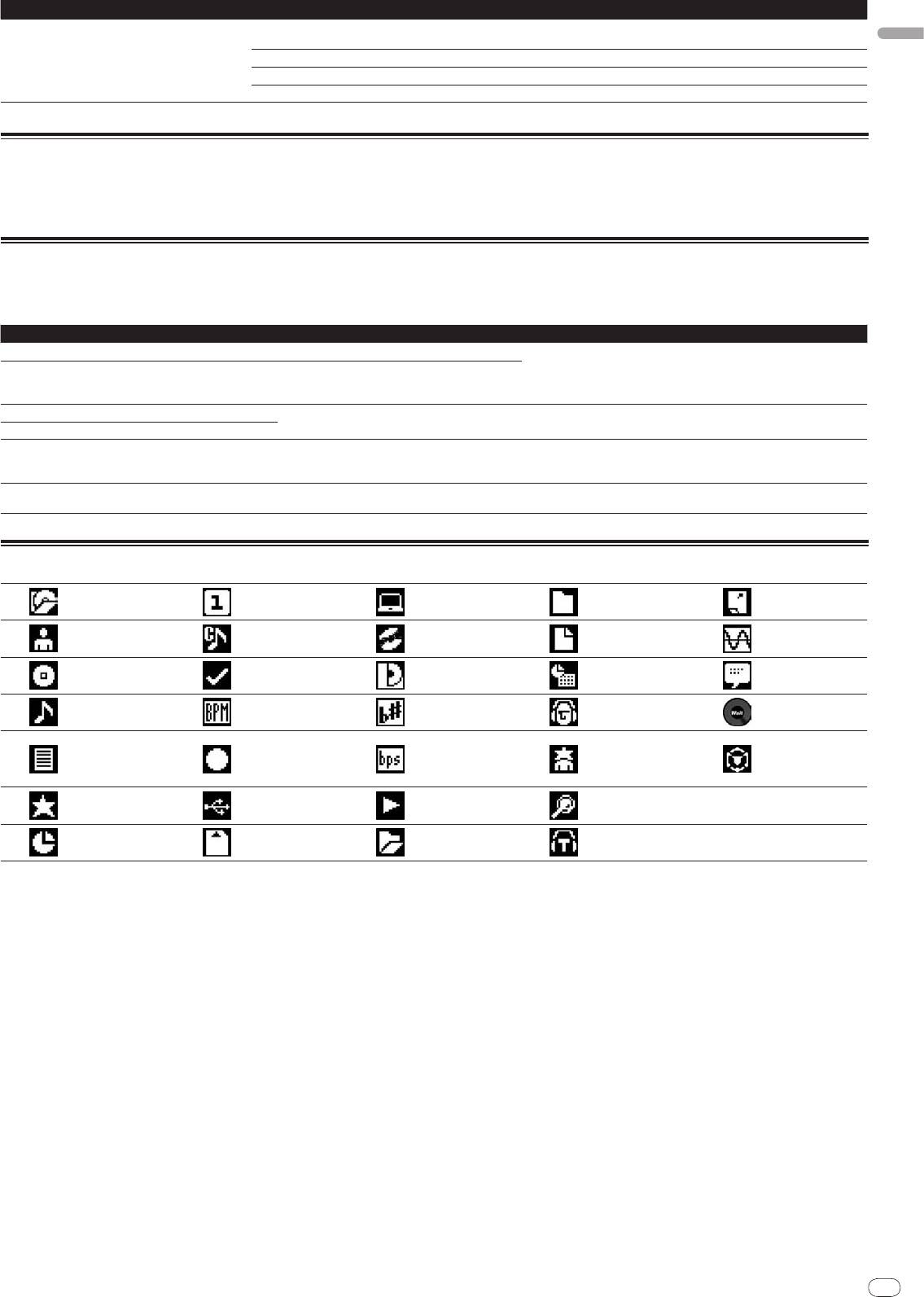
List of icons displayed on the main unit display section
Player number
Date library
Genre
Computer
Close folder
(1 – 4)
added
Cue point set in
Artist
Disc
File type
Sampling rate
memory
Registered in
Album
Label
Year
Comment
tag list
Track/
file name
Tempo (BPM)
Key
Remixer name
WAIT
Playlist
HISTORY
Color
Bit rate
Original artist
rekordbox
Hot Cue Bank
List
Rating
USB
Playing
Search
Time
SD
Open folder
DJ play count
27


