
Asus Vintage-PH1: Voltage selector Internal components
Voltage selector Internal components: Asus Vintage-PH1
Table of contents
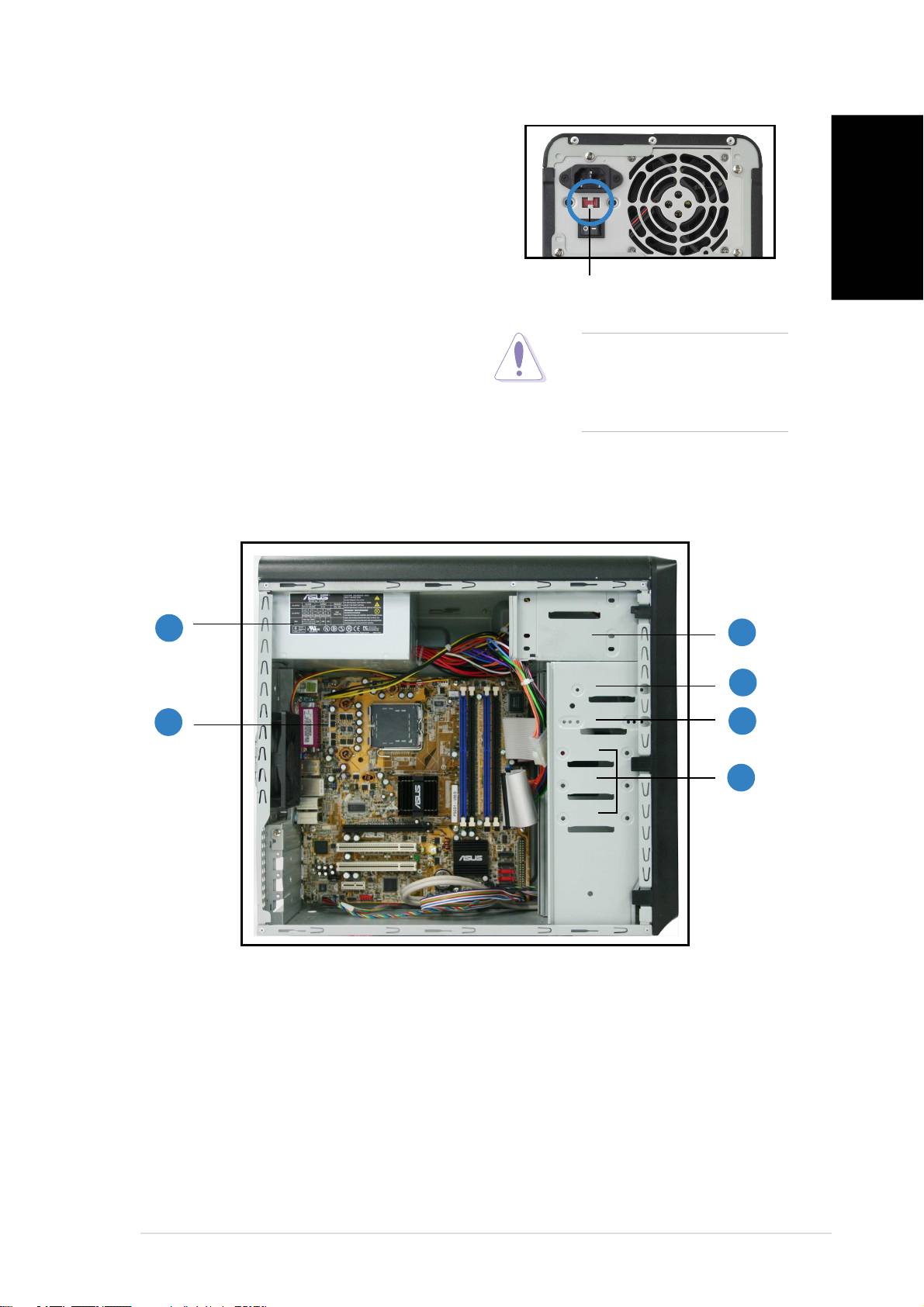
Voltage selector
The switching power supply that came
with the system has a voltage selector
switch below the power socket. Use this
switch to select the appropriate voltage
according to the voltage supply in your
English
area.
115V/230V115V/230V
115V/230V115V/230V
115V/230V
If the voltage supply in your area is
Voltage selectorVoltage selector
Voltage selectorVoltage selector
Voltage selector
100-127V, set the switch to 115V.
CAUTION. CAUTION.
CAUTION. CAUTION.
CAUTION. Setting the
If the voltage supply in your area is
switch to 115V in a 230V
200-240V, set the switch to 230V.
environment will seriously
damage the system!
Internal components
11
11
1
33
33
3
44
44
4
22
22
2
55
55
5
66
66
6
1. PFC power supply
4. 3.5” HDD drive bay
2. Motherboard
5. 3.5” Floppy drive bay
3. Two 5.25” optical drive bays
6. Hard disk drive bays
iiiiii
iiiiii
iii
