
Asus Vintage-PE2: Voltage selector Internal components
Voltage selector Internal components: Asus Vintage-PE2
Table of contents
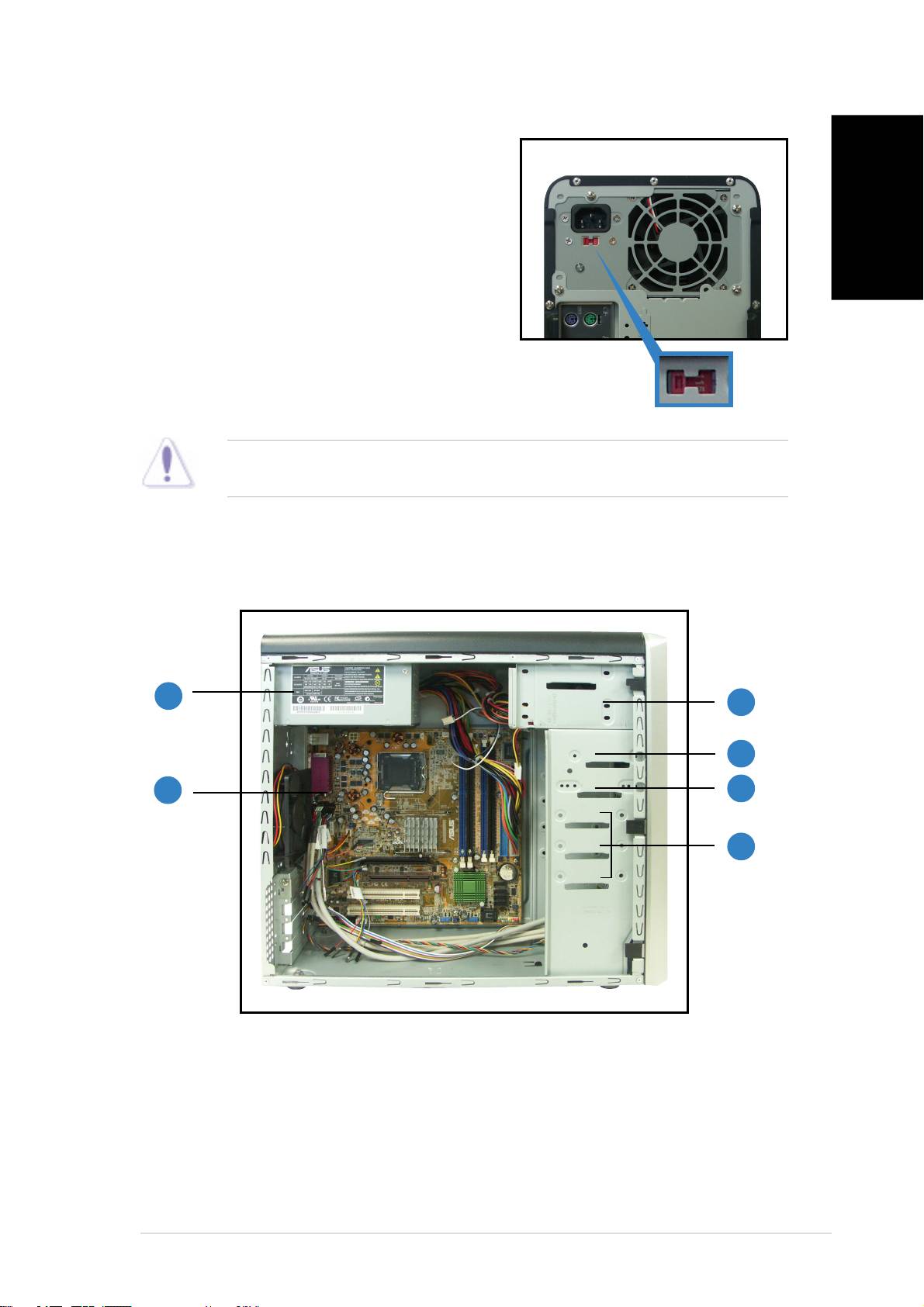
Voltage selector
The switching power supply that came
with the system has a voltage selector
switch below the power socket. Use this
switch to select the appropriate voltage
according to the voltage supply in your
English
area.
If the voltage supply in your area is
100-127 V, set the switch to 115 V.
If the voltage supply in your area is
115 V/230 V115 V/230 V
115 V/230 V115 V/230 V
115 V/230 V
200-240 V, set the switch to 230 V.
VoltageVoltage
VoltageVoltage
Voltage
selectorselector
selectorselector
selector
CAUTION. CAUTION.
CAUTION. CAUTION.
CAUTION. Setting the switch to 115 V in a 230 V environment will
seriously damage the system!
Internal components
11
11
1
33
33
3
44
44
4
22
22
2
55
55
5
66
66
6
1. PFC power supply
4. Hard disk drive bay
2. Motherboard
5. 3.5” Floppy drive bay
3. Two 5.25” optical drive bays
6. Hard disk drive bays
iiiiii
iiiiii
iii
