
Asus Vintage-PE2: Installing a CPU Installing system memory
Installing a CPU Installing system memory: Asus Vintage-PE2
Table of contents
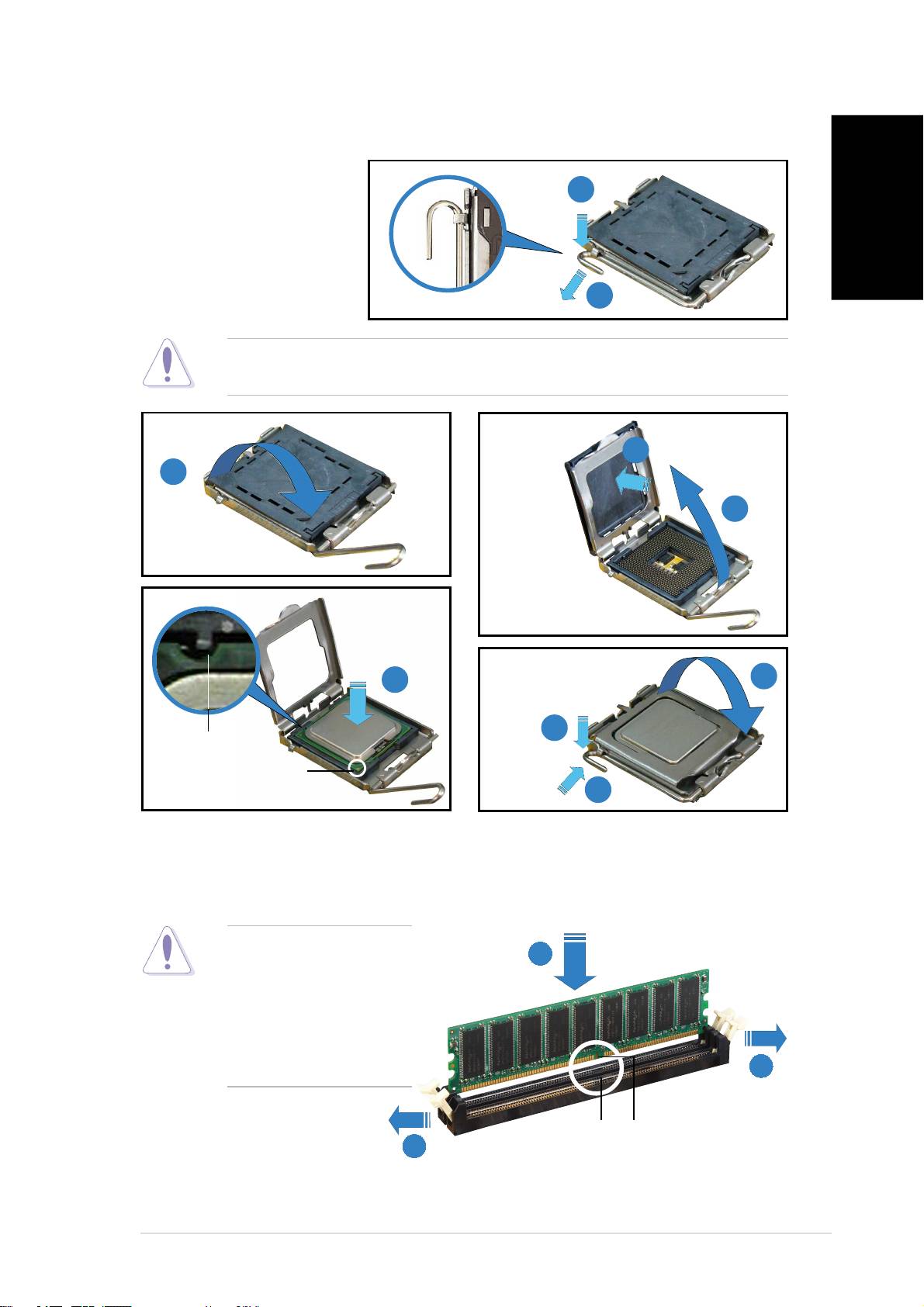
Installing a CPU
1. Press the load
1
lever with your
thumb.
2. Move it to the left
English
until it is released
from the retention
2
tab.
CAUTION. CAUTION.
CAUTION. CAUTION.
CAUTION. To prevent damage to the socket pins, do not remove the
PnP cap unless you are installing a CPU.
5
3
4
6
7
8
Alignment keyAlignment key
Alignment keyAlignment key
Alignment key
Gold triangleGold triangle
Gold triangleGold triangle
Gold triangle
markmark
markmark
mark
9
Installing system memory
CAUTION.CAUTION.
CAUTION.CAUTION.
CAUTION. A DDR
22
22
2
DIMM is keyed with a
notch so that it fits in
only one direction. DO
NOT force a DIMM into
a socket to avoid
damaging the DIMM.
11
11
1
Socket breakSocket break
Socket breakSocket break
Socket break
DIMM notchDIMM notch
DIMM notchDIMM notch
DIMM notch
11
11
1
vv
vv
v
Top 10 manuals
100.00
NZXT HALE90 1000W99.99
Samsung SM-R38099.97
AEG BSB 18C99.97
Dell 2700W99.97
Smeg KSEC70X99.96
Beurer HDE 4099.96
Pyramida KH 50 v.299.96
MSI CSM-H81M-P3299.96
AEG HR 562799.95
Melissa 640-048