
Asus Vintage-PE2: Installing an optical drive Installing a hard disk drive
Installing an optical drive Installing a hard disk drive: Asus Vintage-PE2
Table of contents
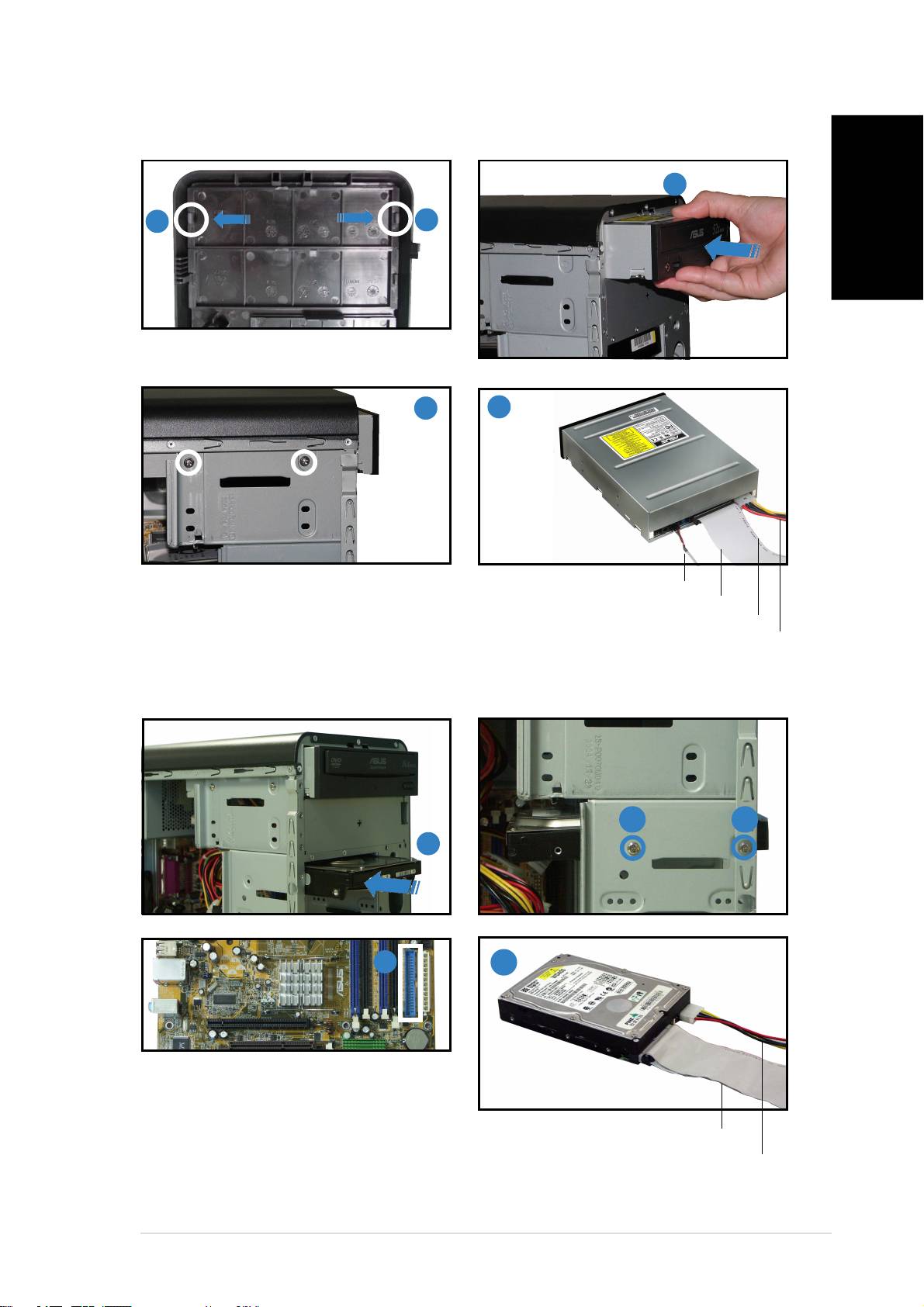
Installing an optical drive
22
22
2
11
11
1
11
11
1
English
Remove the drive bay plate cover.
33
33
3
44
44
4
Audio cableAudio cable
Audio cableAudio cable
Audio cable
IDE ribbon cable
IDE ribbon cableIDE ribbon cable
IDE ribbon cableIDE ribbon cable
Red stripe to Pin 1Red stripe to Pin 1
Red stripe to Pin 1Red stripe to Pin 1
Red stripe to Pin 1
Power cablePower cable
Power cablePower cable
Power cable
Installing a hard disk drive
2 2
11
11
1
33
33
3
4
Connect the blue interface of the
IDE ribbon cable to the primary IDE
connector (blue connector labeled
IDE ribbon cableIDE ribbon cable
IDE ribbon cableIDE ribbon cable
IDE ribbon cable
PRI_IDE1) on the motherboard.
Power cablePower cable
Power cablePower cable
Power cable
viivii
viivii
vii
Top 10 manuals
100.00
NZXT HALE90 1000W99.99
Samsung SM-R38099.97
AEG BSB 18C99.97
Dell 2700W99.97
Smeg KSEC70X99.96
Beurer HDE 4099.96
Pyramida KH 50 v.299.96
MSI CSM-H81M-P3299.96
AEG HR 562799.95
Melissa 640-048