
Asus VH192: Rear view Connecting the cables
Rear view Connecting the cables: Asus VH192
Table of contents
- Safety information Monitor introduction
- Rear view Connecting the cables
- Troubleshooting (FAQ)
- Supported operating modes
English
3 Quick Start Guide
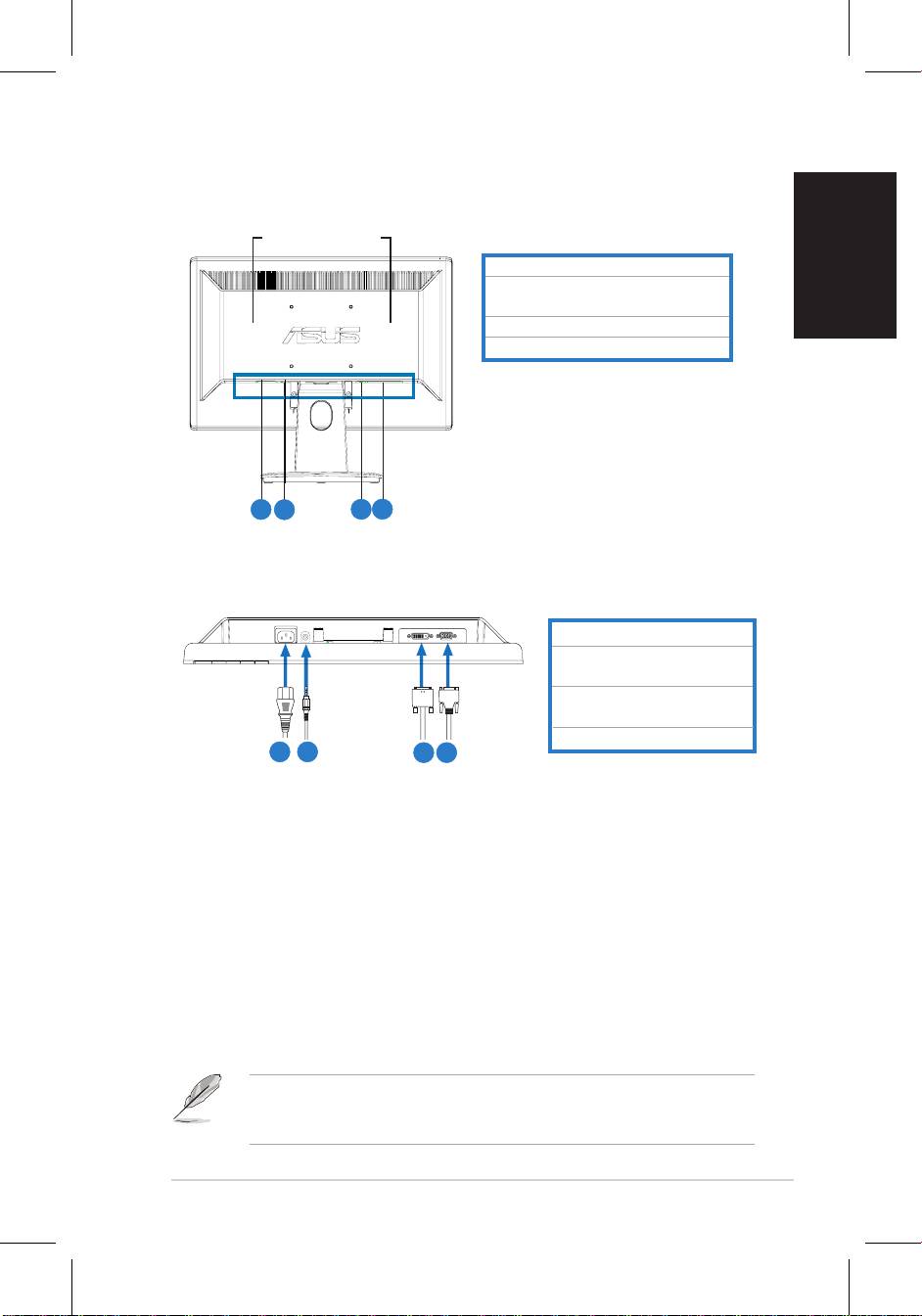
Rear view
Stereo speakers (for
some models)
5.
AC-inport
6.
Audio-inport(formodelswith
speakers)
7.
DVIport(forsomemodels)
8.
VGAport
5
6
7
8
Connecting the cables
Connectthecablesasshown:
1. Power cord
2.Audio-incable(formodels
with speakers)
3.
DVIsignalcable(forsome
models)
4.
VGAsignal
1
2
3 4
•
To connect the power cord
:connectoneendofthepowercordsecurelyto
themonitor’sACinputport,andtheotherendtoapoweroutlet.
•
To connect the VGA/DVI cable
:
a. PlugtheVGA/DVIconnectortotheLCDmonitor’sVGA/DVIport.
b. ConnecttheotherendoftheVGA/DVIcabletoyourcomputer’sVGA/
DVIport.
c. TightenthetwoscrewstosecuretheVGA/DVIconnector.
•
To connect the audio cable (For those models with speakers)
:connectone
endoftheaudiocabletothemonitor’sAudio-inport,andtheotherendtothe
computer'saudio-outport.
WhenboththeVGAandtheDVIcablesareconnected,youcanchooseeither
VGAmodeorDVImodefromtheInputSelectitemoftheOSDfunctions(for
some models).


