
Asus AIR: Troubleshooting .................................................. 15
Troubleshooting .................................................. 15: Asus AIR
Table of contents
- Contents Contents ................................................................. ii Notices ................................................................... iv Welcome ................................................................ vi Getting started ...................................................... 1 Listening to the radio ............................................ 7 Other settings ...................................................... 12
- Troubleshooting .................................................. 15

English
ASUS Internet Radio iii
Alarm ..............................................................................................12
Language ......................................................................................13
Backlight .......................................................................................13
Sleep Timer ...................................................................................13
Buffer ..............................................................................................14
Version Update ...........................................................................14
Reset ...............................................................................................14
Troubleshooting .................................................. 15

English
iv ASUS Internet Radio
Notices
Federal Communications Commission Interference
Statement
This equipment has been tested and found to comply with the
limits for a Class B digital device, pursuant to Part 15 of the FCC
Rules. These limits are designed to provide reasonable
protection against harmful interference in a residential
installation. This equipment generates, uses and can radiate radio
frequency energy and, if not installed and used in accordance
with manufacturer’s instructions, may cause harmful
interference to radio communications. However, there is no guar-
antee that interference will not occur in a particular
installation. If this equipment does cause harmful interference to
radio or television reception, which can be determined by
turning the equipment off and on, the user is encouraged to
try to correct the interference by one or more of the following
measures:
• Reorient or relocate the receiving antenna.
• Increase the separation between the equipment and receiver.
• Connect the equipment to an outlet on a circuit different from
that to which the receiver is connected.
• Consult the dealer or an experienced radio/TV technician for
help.
This device complies with Part 15 of the FCC Rules. Operation is
subject to the following two conditions:
• This device may not cause harmful interference, and
• This device must accept any interference received including
interference that may cause undesired operation.
FCC Caution:
Any changes or modifications not expressly approved by the
party responsible for compliance could void the user’s authority
to operate this equipment.

English
ASUS Internet Radio v
IMPORTANT NOTE:
FCC Radiation Exposure Statement
This equipment complies with FCC radiation exposure limits set
forth for an uncontrolled environment. This equipment should beThis equipment should be
installed and operated with a minimum distance of 20cm
between the radiator and your body. This transmitter must not
be co-located or operated in conjunction with any other antenna
or transmitter. IEEE 802.11b or 802.11g operation of this product
in the U.S.A. is firmware-limited to channels 1 through 11.
Industry Canada Statement
Operation is subject to the following two conditions:
• This device may not cause interference andThis device may not cause interference and
• This device must accept any interference, includingThis device must accept any interference, including
interference that may cause undesired operation of the
device.
IMPORTANT NOTE:
Radiation Exposure Statement
This equipment complies with IC radiation exposure limits set
forth for an uncontrolled environment. This equipment should beThis equipment should be
installed and operated with a minimum distance of 20cm
between the radiator and your body.
English
vi ASUS Internet Radio
Welcome
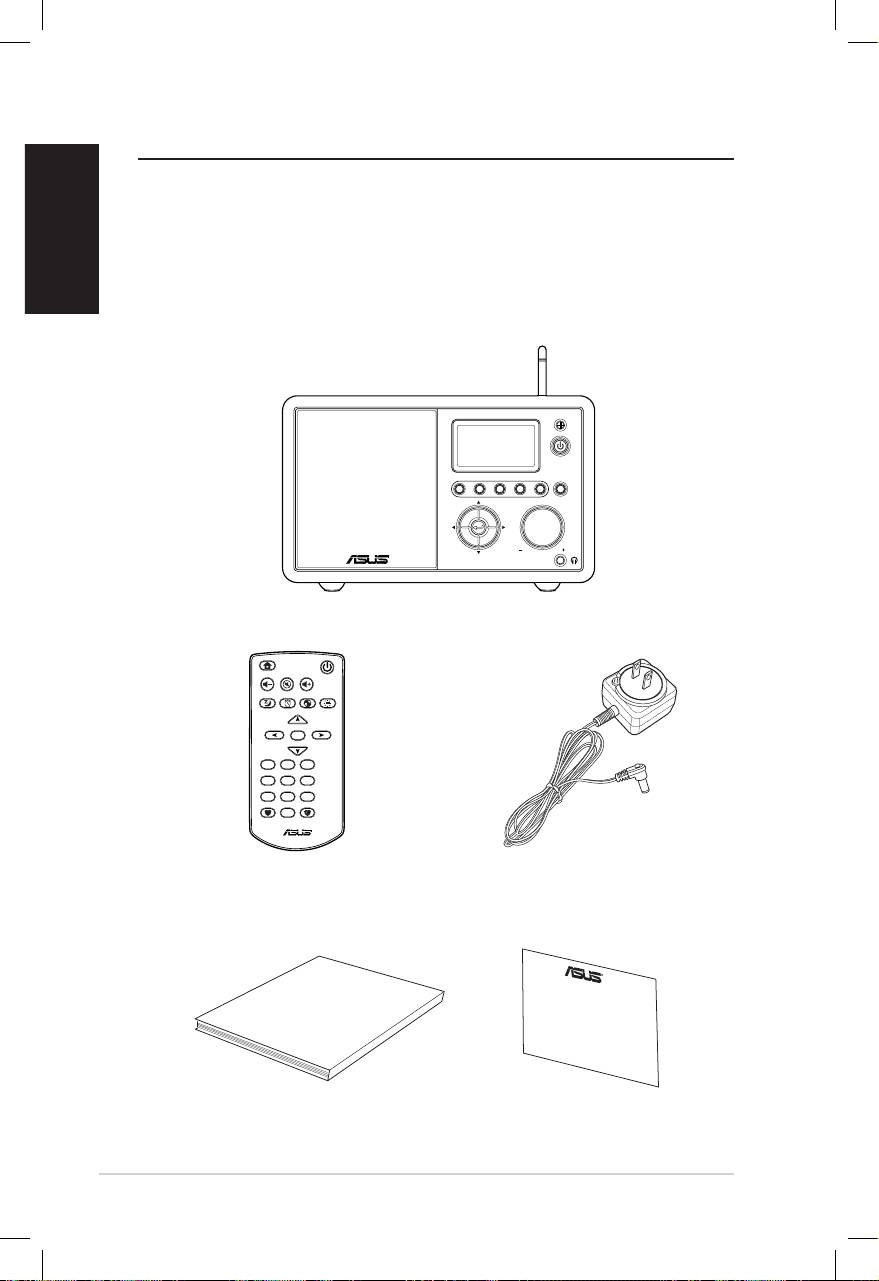
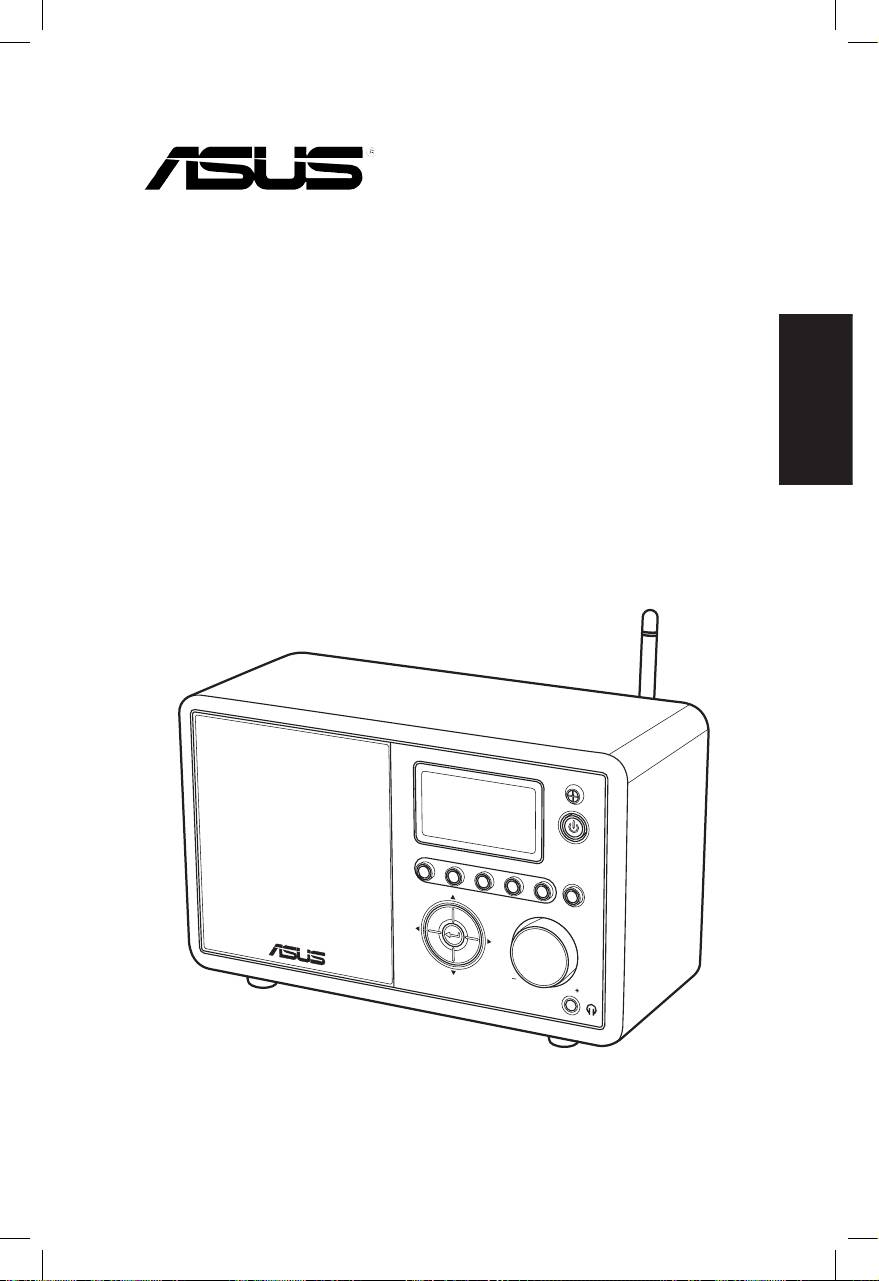
Congratulations on your purchase of the ASUS Internet Radio.
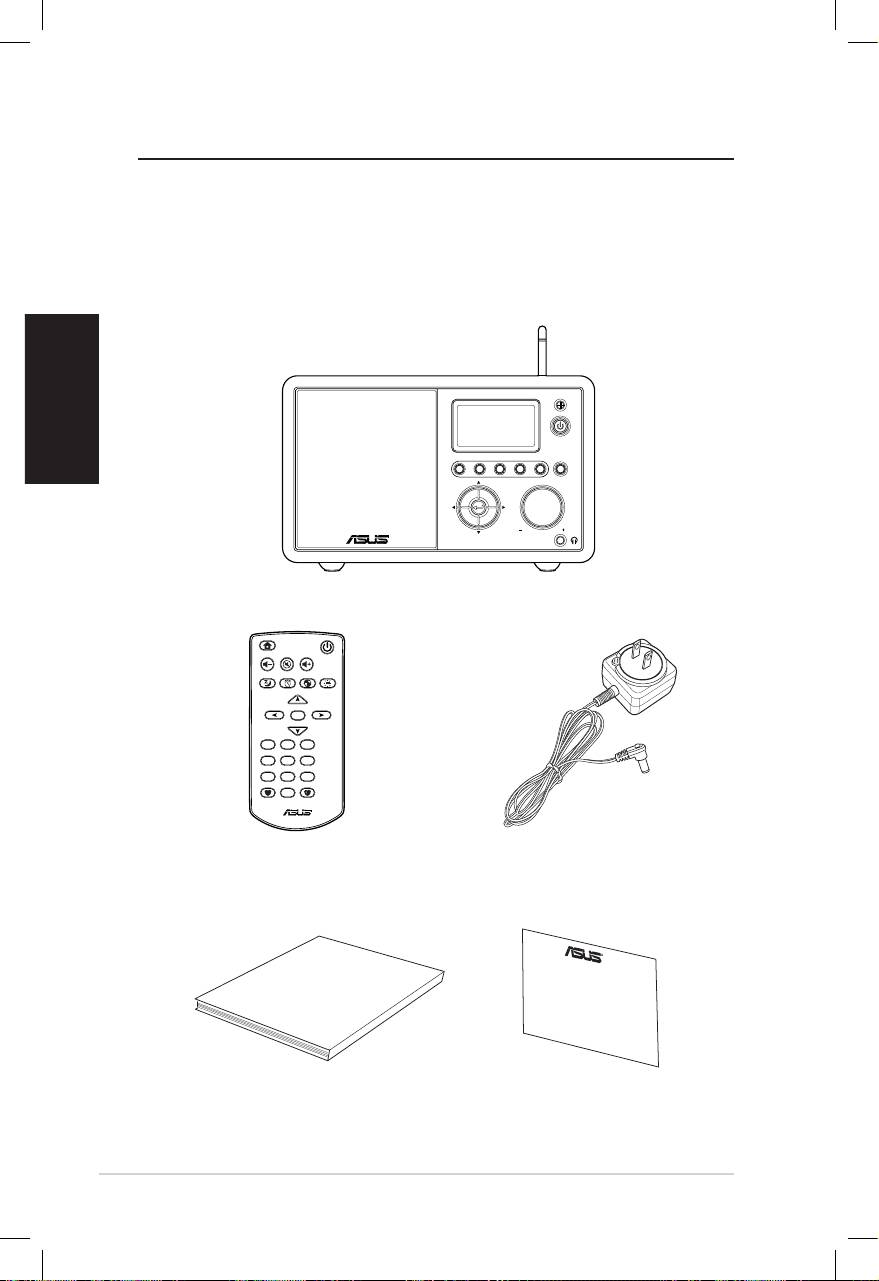
The following illustration displays the package contents of your
new ASUS Internet Radio.
Package contents
User Manual
Home
Standby/On
Volume-
Mute
Volume+
Sleep
Alarm
Language
Backlight
Enter
1 2 3
4 5 6
7 8 9
10
Favorite
+Favorite
Standby/On
1 2 3 4 5
HOME
Volume
ASUS Internet Radio
Remote control
AC power adapter
User manual
Warranty card

English
ASUS Internet Radio vii
Overview
The ASUS Internet Radio provides easy access to a wide selection
of radio stations on the Internet. Before enjoying your ASUS
Internet Radio, make sure that you have access to a wired/
wireless network.
Features
• Stand-alone device
• Wireless/cable connection
• Up-to-date list of more than 10,000 online stations
• 250 favorites
• Alarm clock
• Sleep timer
• Network Time Protocol (NTP)
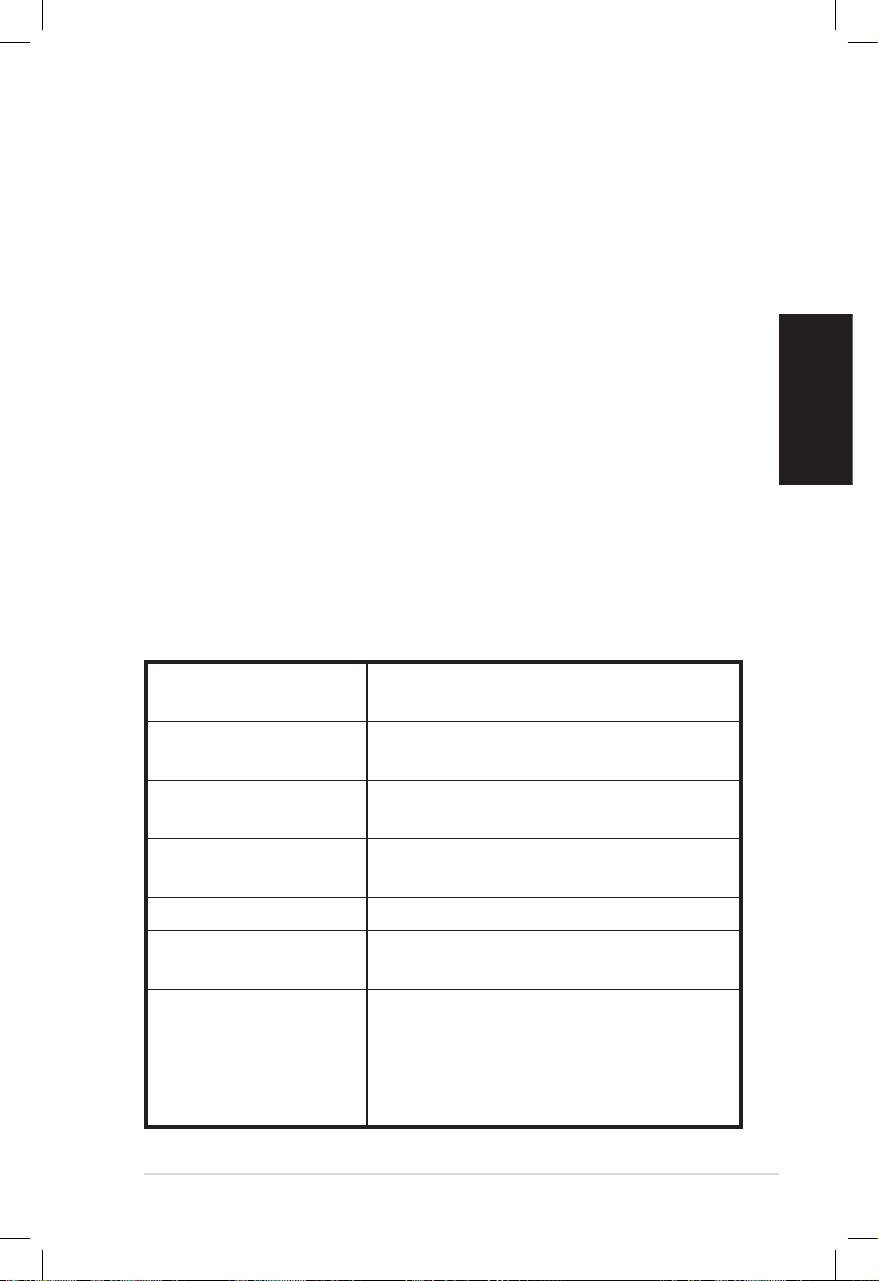
Specications
Connectivity Wireless LAN 802.11b/g
Wired 10/100M Ethernet
Data rates 54 Mbits (WLAN)
10/100 Mbits (Ethernet)
Wireless LAN security 64/128-bit WEP
WPA/WPA2
Audio format decoder MP3/WMA
16Kbps–320Kbps
SNR >90dB earphone
Display 128 x 64 FSTN graphics display
Blue color with white LED
I/O ports Headphone jack (Φ 3.5mm)
Line In (Φ 3.5mm)
Line Out (RCA jack)
Ethernet (RJ45)
DC power jack

English
Speaker 5 Watt/4 Ohm
AC power adapter Input: AC 100-240V (50-60Hz)
Output: DC 6V/2A
Remote control 26 keys
Dimension 250 (L) x 128 (W) x 190 (H) mm
Weight 2 Kg
ADSL/Cable Modem
1M bps at least
bandwidth
(recommended)
viii ASUS Internet Radio
Getting started
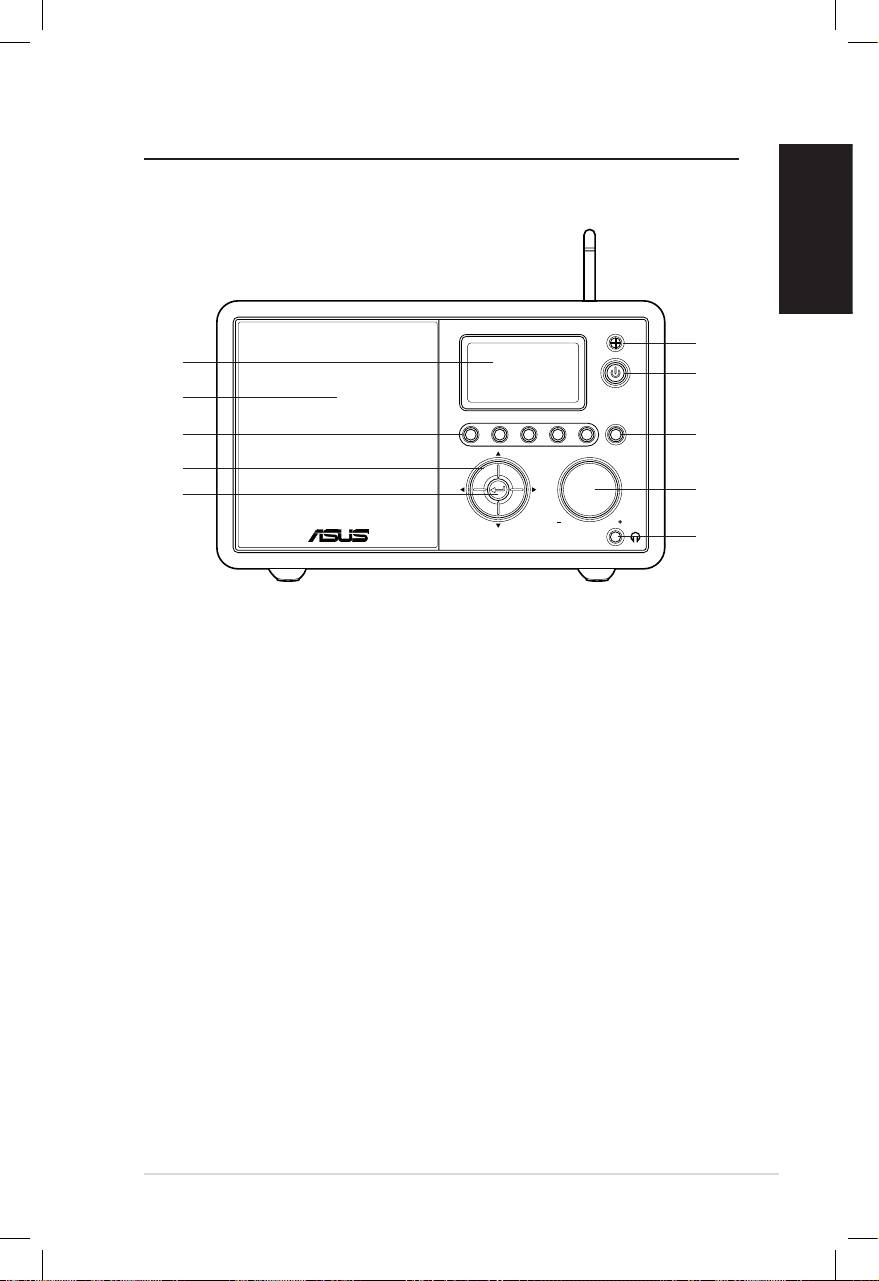
Front view
English
ASUS Internet Radio 1
Standby/On
1 2 3 4 5
HOME
Volume
1
10
2
9
8
3
7
4
6
5
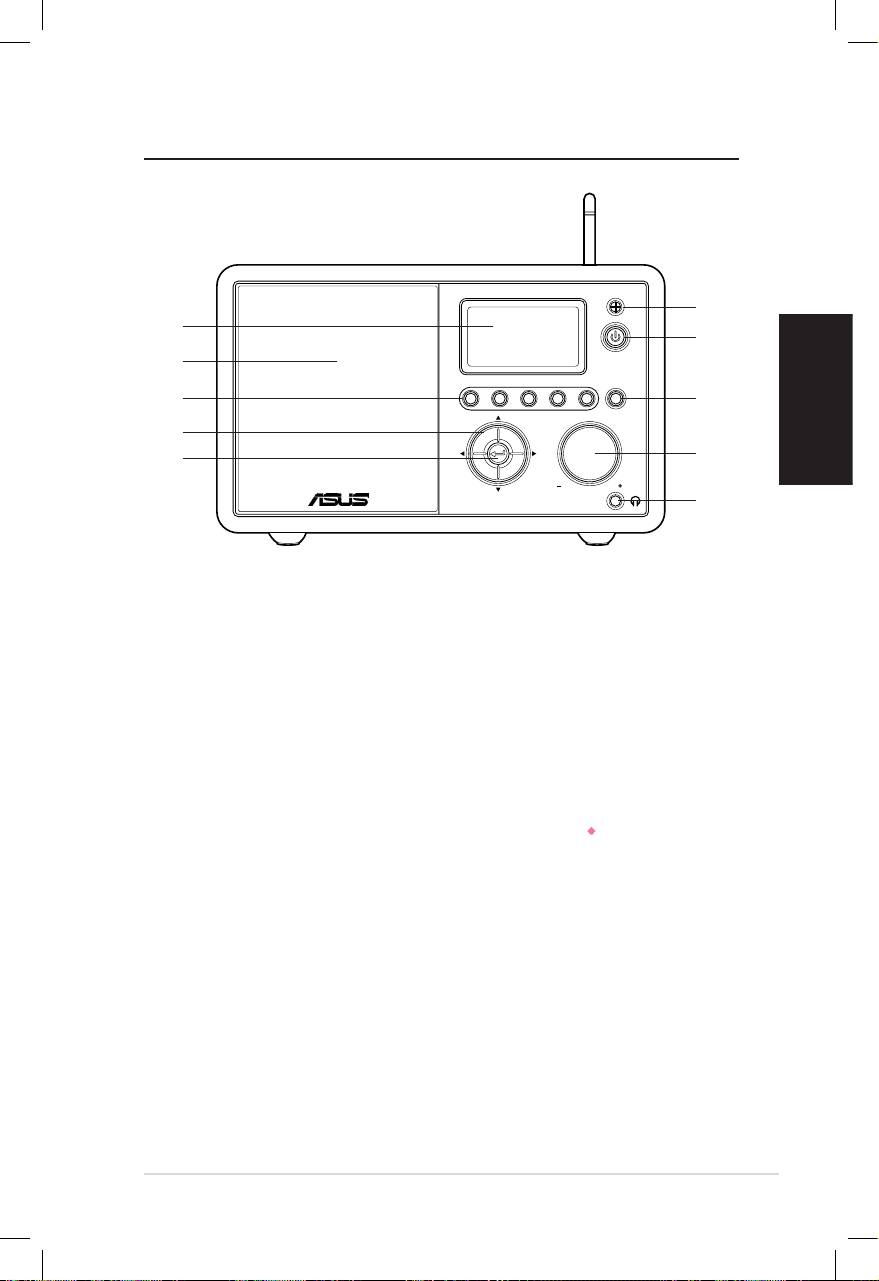
1. IR sensor:IR sensor: Receives commands from the remote control.
2. Standby/On button:Standby/On button: Press to switch the device between
standby and on mode.
3. Home button:Home button: Press to return to the main menu.
4. Volume knob:Volume knob: Rotate to the right to increase the volume or
to the left to decrease the volume. Rotate to enter text or to
scroll up/down through menu options. Press to confirm your
selection of a menu option.
5. Headphone jack:Headphone jack: Connect headphones to this jack for
private listening. You can also connect additional speaker(s)
to this jack using an audio cable.
6. Enter button: Press to confirm your selection of a menu
option.
7. Up/down/left/right navigation button: Press to scroll up/
down/left/right through menu items.
8. Preset button 1–5: Press to recall a preset radio station.
9. Speaker: The built-in speaker.
10. Display: The LCD display with backlight.
English
2 ASUS Internet Radio
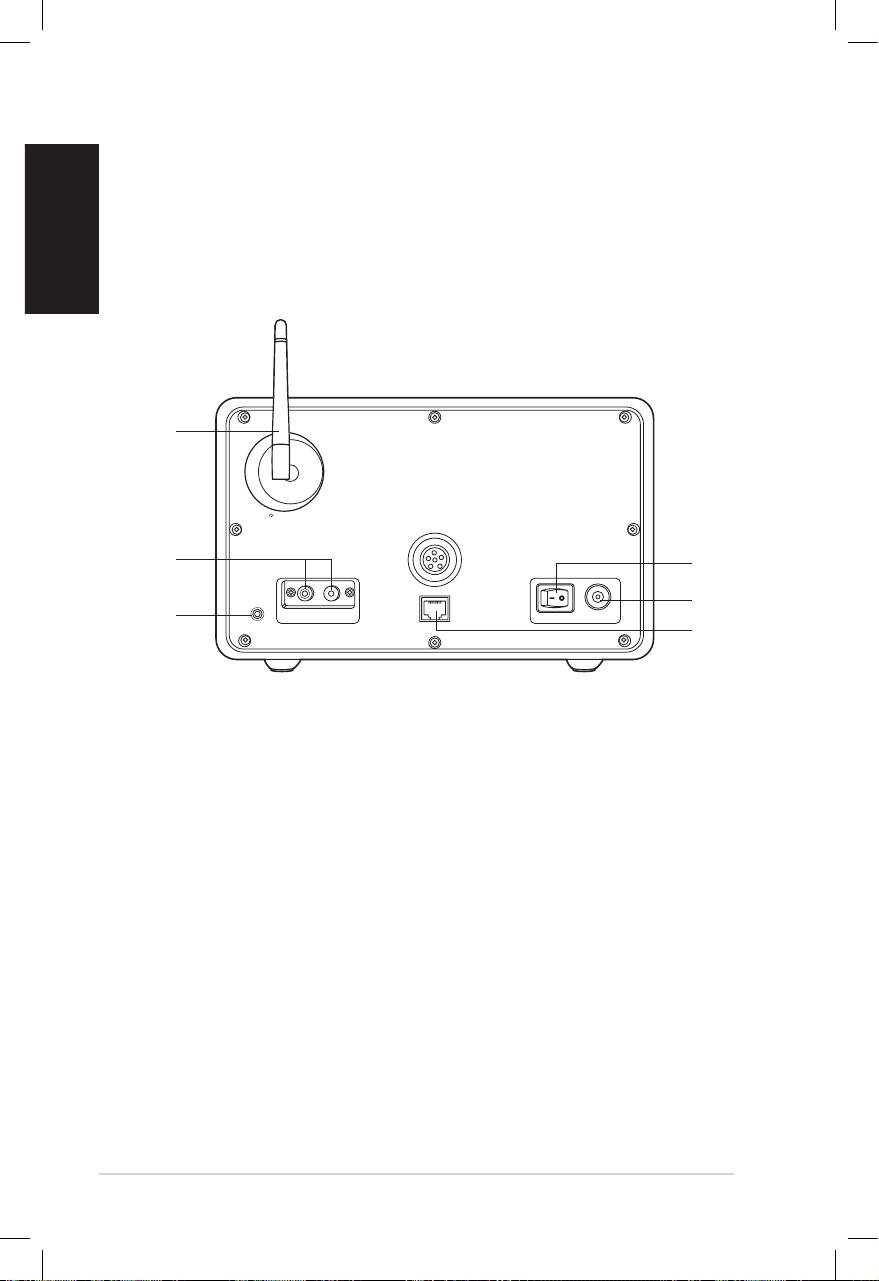
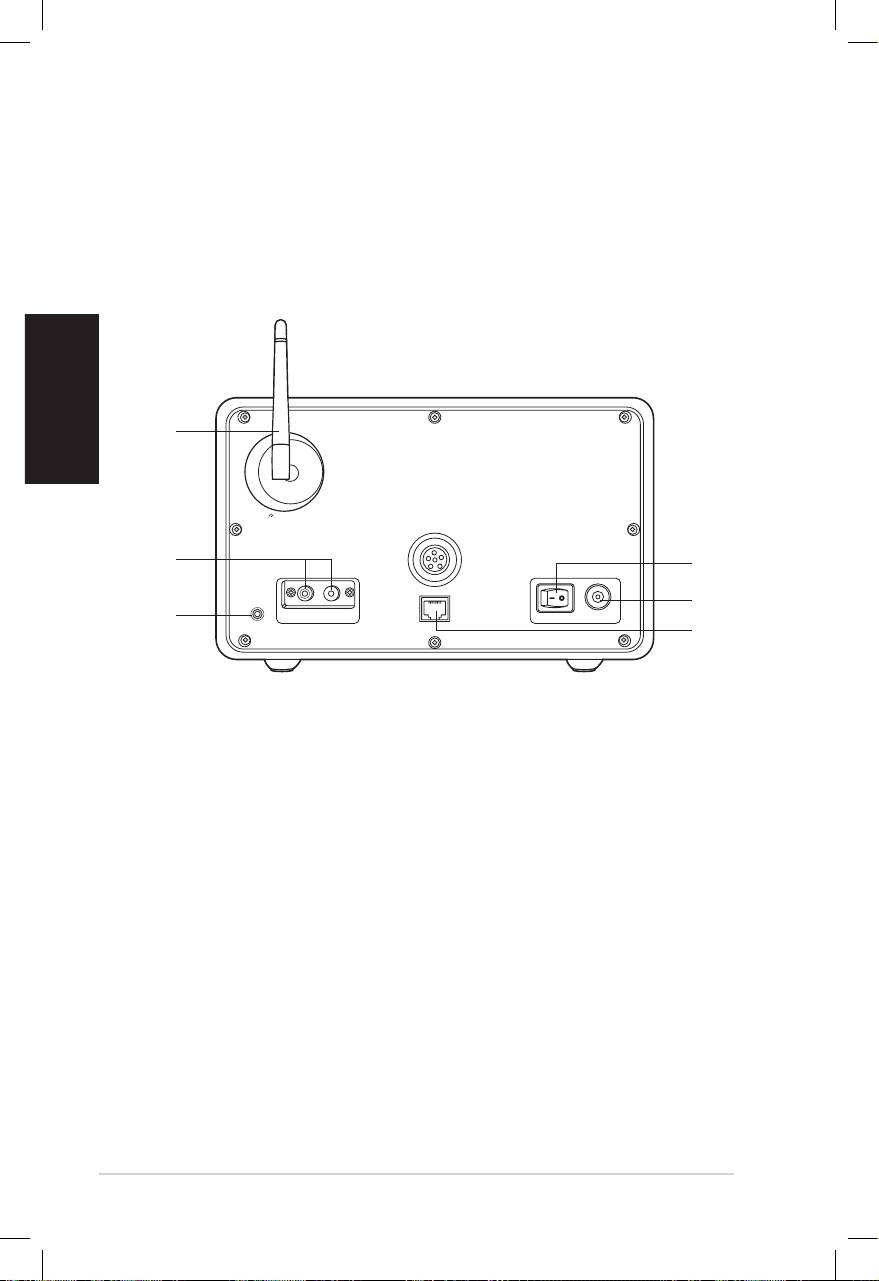
Rear view
1
2
3
Antenna
LAN
LINE IN
R L
LINE OUT
ON OFF DC
NOTE: The front panel functions are repeated on the remote control.
Refer to page 3 and 4 for more information.
6
5
4
1. Power switch: Turn on/off the device.
2. DC power jack: Connect the supplied power cord to this
jack.
3. LAN port: Connect a network cable to this port.
4 Line In jack: If you intend to use the device solely as a
speaker, connect an audio cable to this jack. The device will
automatically switch to AUX mode.
5. Left/right Line Out jack: Connect audio cables to these
jacks to use an additional stereo.
6. Antenna: Set the antenna to a vertical position to ensure
best reception of wireless signal.
English
ASUS Internet Radio 3
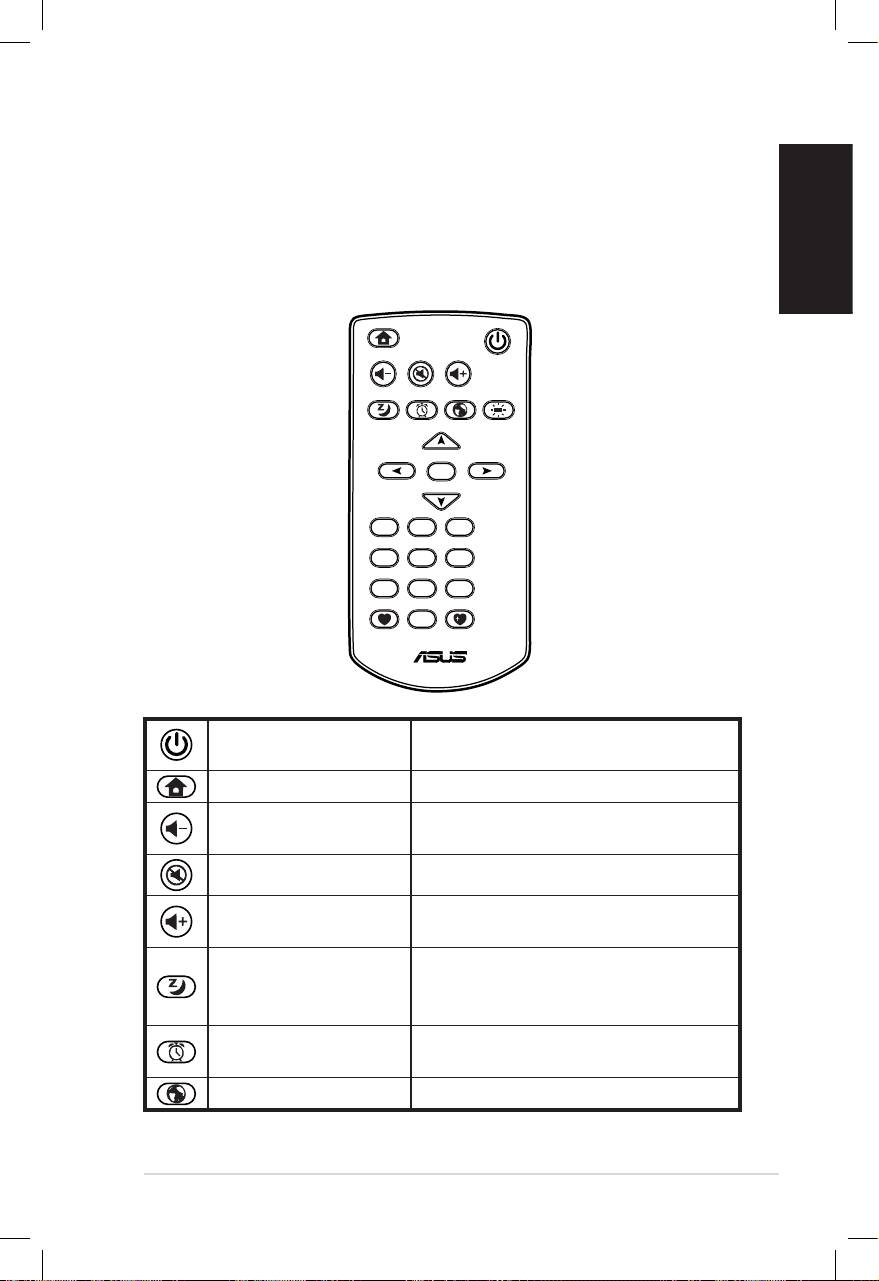
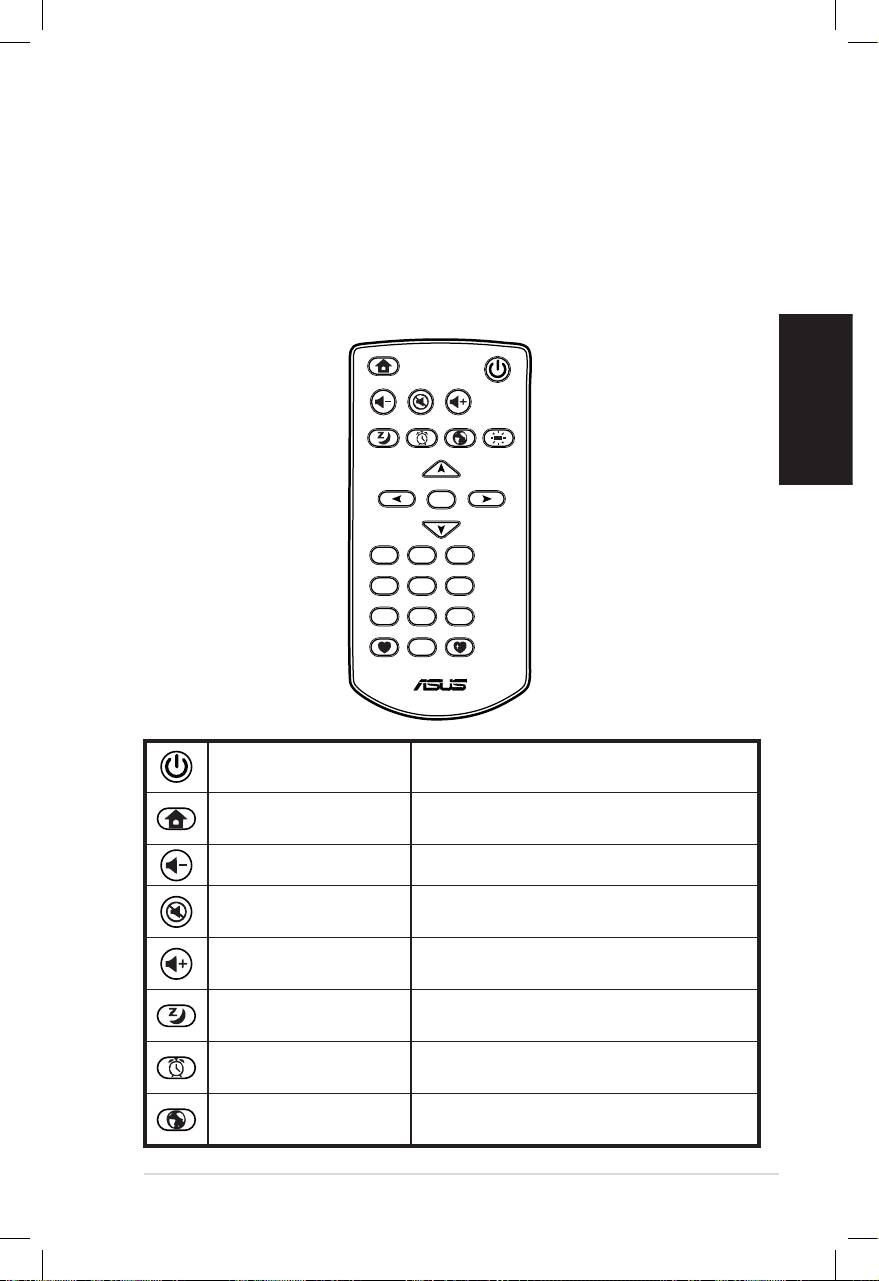
Using the remote control
Use the remote control to search for radio stations, make a list of
your favorite stations, and configure other settings.
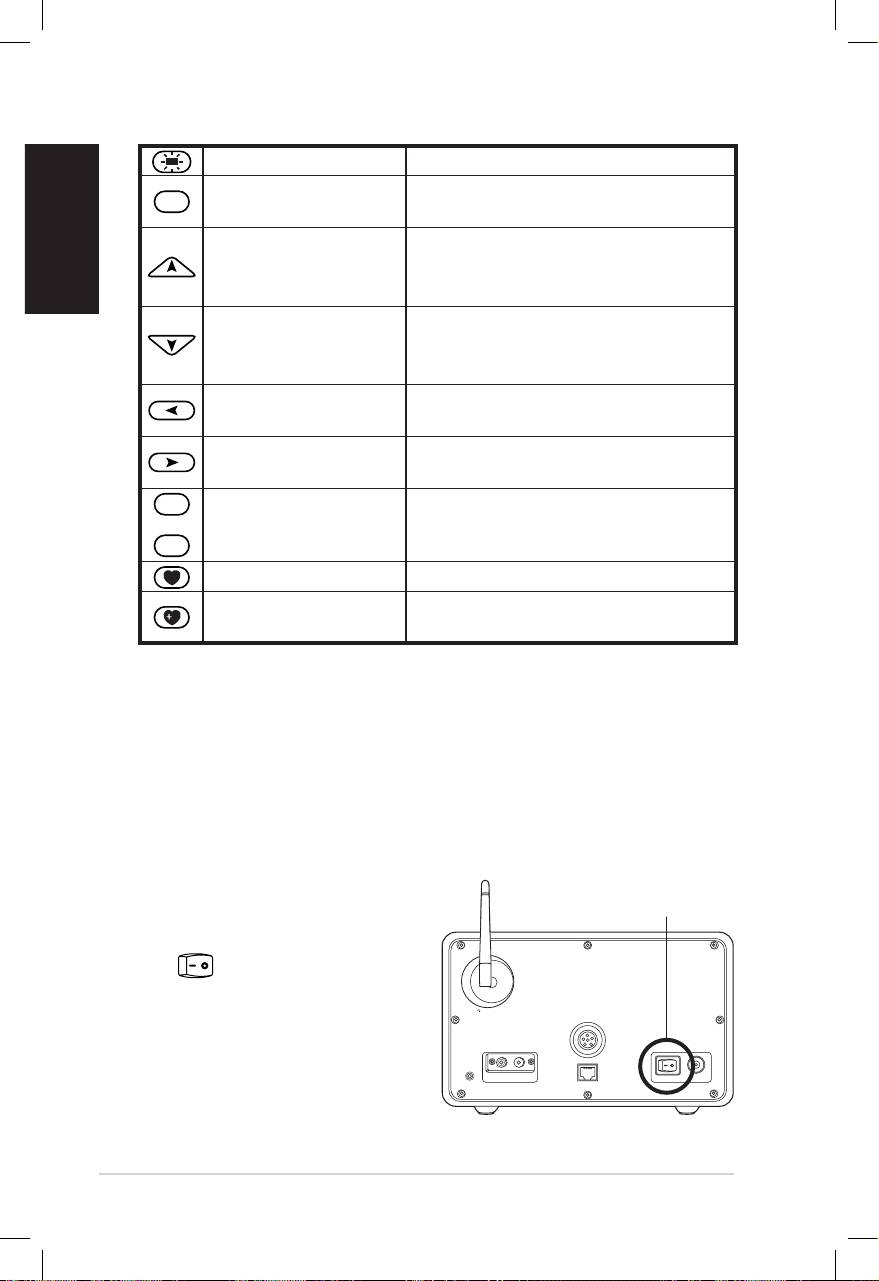
Refer to the table below for the remote control buttons and their
functions.
Home
Standby/On
Volume-
Mute
Volume+
Sleep
Alarm
Language
Backlight
Enter
1 2 3
4 5 6
7 8 9
10
Favorite
+Favorite
Press to switch the device
Standby/On button
between standby and on mode.
Home button Press to return to the main menu.
Press to decrease the output
Volume- button
volume.
Mute button Press to mute the audio output.
Press to increase the output
Volume+ button
volume.
Press to select a preset amount of
Sleep button
time after which the device shuts
off.
Press to turn on/off the alarm
Alarm button
clock.
Language button Press to select a menu language.
English
4 ASUS Internet Radio
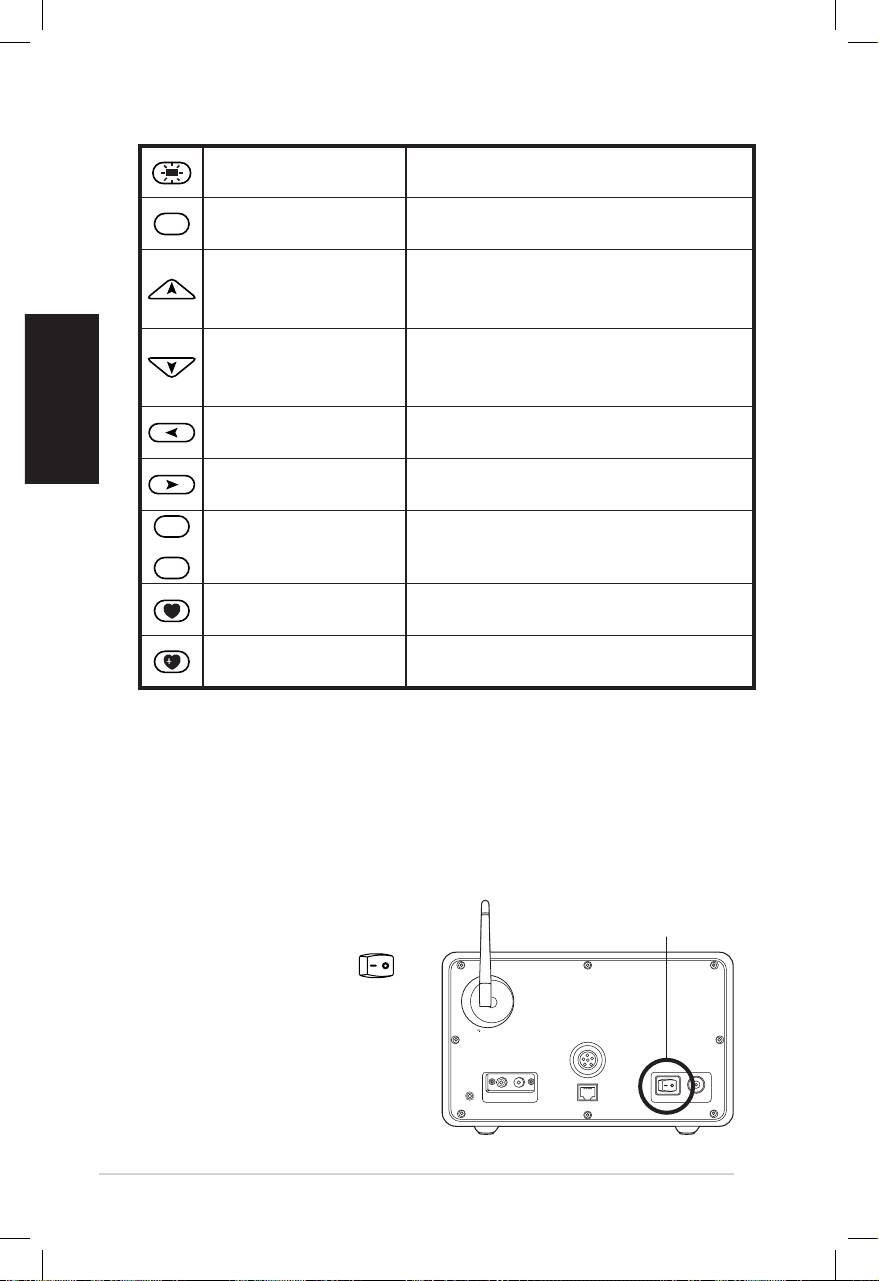
Backlight button Press to select a backlight mode.
Enter
Press to confirm your selection of
Enter button
a menu option.
Press to scroll up through menu
Up navigation
items.
button
Press to select text.
Press to scroll down through
Down navigation
menu items.
button
Press to select text.
Left navigation
Press to go back to the previous
button
menu.
Right navigation
Press to confirm your selection of
button
an option and go to the submenu.
1
~
10
Press to recall a preset radio
Preset button 1–10
station.
Favorite button Press to display your favorites list.
Press to store the currently played
+Favorite button
radio station to your favorites list.
Turning on the device
To turn on your ASUS Internet Radio for the first time:
1. Plug the supplied power adapter in a power outlet.
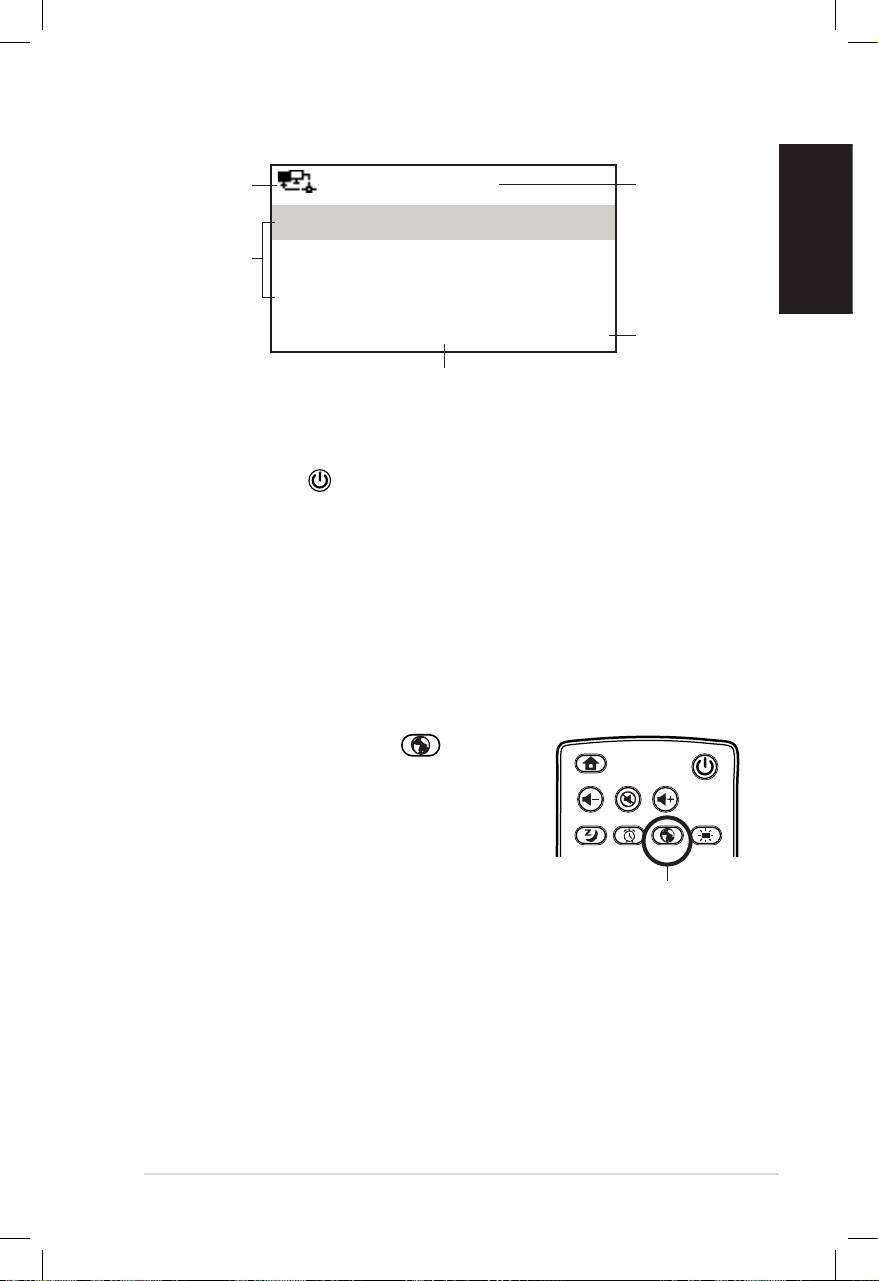
2. Connect the power adapter to the DC power jack on the rear
panel.
Antenna
LAN
LINE IN
R L
LINE OUT
ON OFF DC
Power ON/OFF
3. Press the power switch
on the rear panel to
turn on the device. The
display lights up to show
the ASUS logo, and then
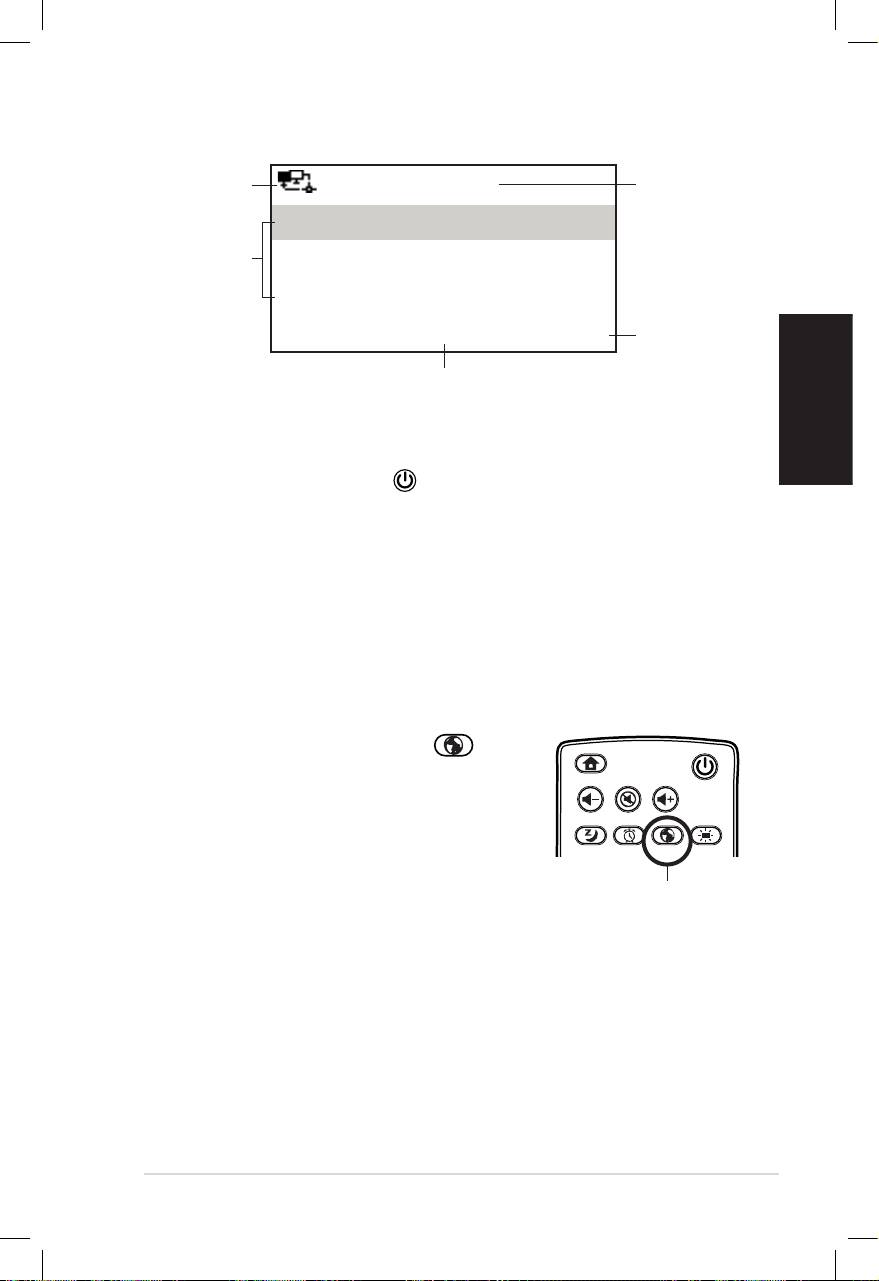
the following main menu
appears:
English
ASUS Internet Radio 5
Network
12:00PM
Time
status
My Favorite
Menu
Radio Station/Music
options
Press
Media Center
the right
navigation
1/6 >
button to
The main menu contains six
display the
options and the first option is
submenu.
highlighted.
NOTE: Pressing the button on the front panel or on the remote
control does not turn the device on.
Language selection
The ASUS Internet Radio supports multiple languages for the
menu options.
To change the language:
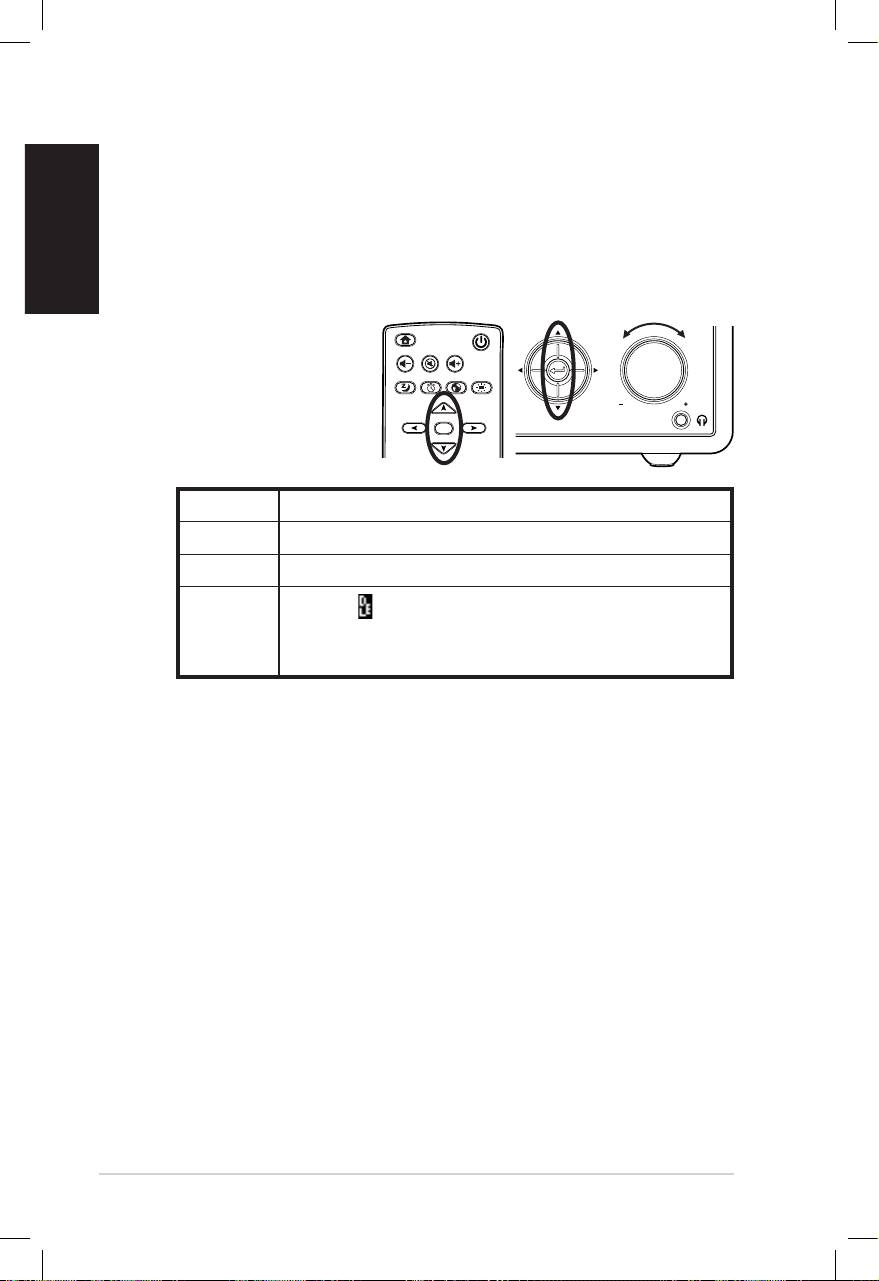
Press the Language button on the
remote control to select the language
you use (the fastest way).
OR:
1. From the main menu, select
Configuration > Language.
2. Press the up/down navigation button to scroll through the
language options and press Enter to apply the selected
language.
NOTE: The language selected applies to the device menus and system
messages only. The station names shown vary according to station
locations.
Home
Standby/On
Volume-
Mute
Volume+
Favorite
Sleep
1 2 3
4 5 6
7 8 9
Alarm
10
Enter
+Favorite
Language
Backlight
Language button
English
6 ASUS Internet Radio
Text entry
When you add the address of an online radio station or use a
WEP/WPA key for wireless network security, you need to enter
text.
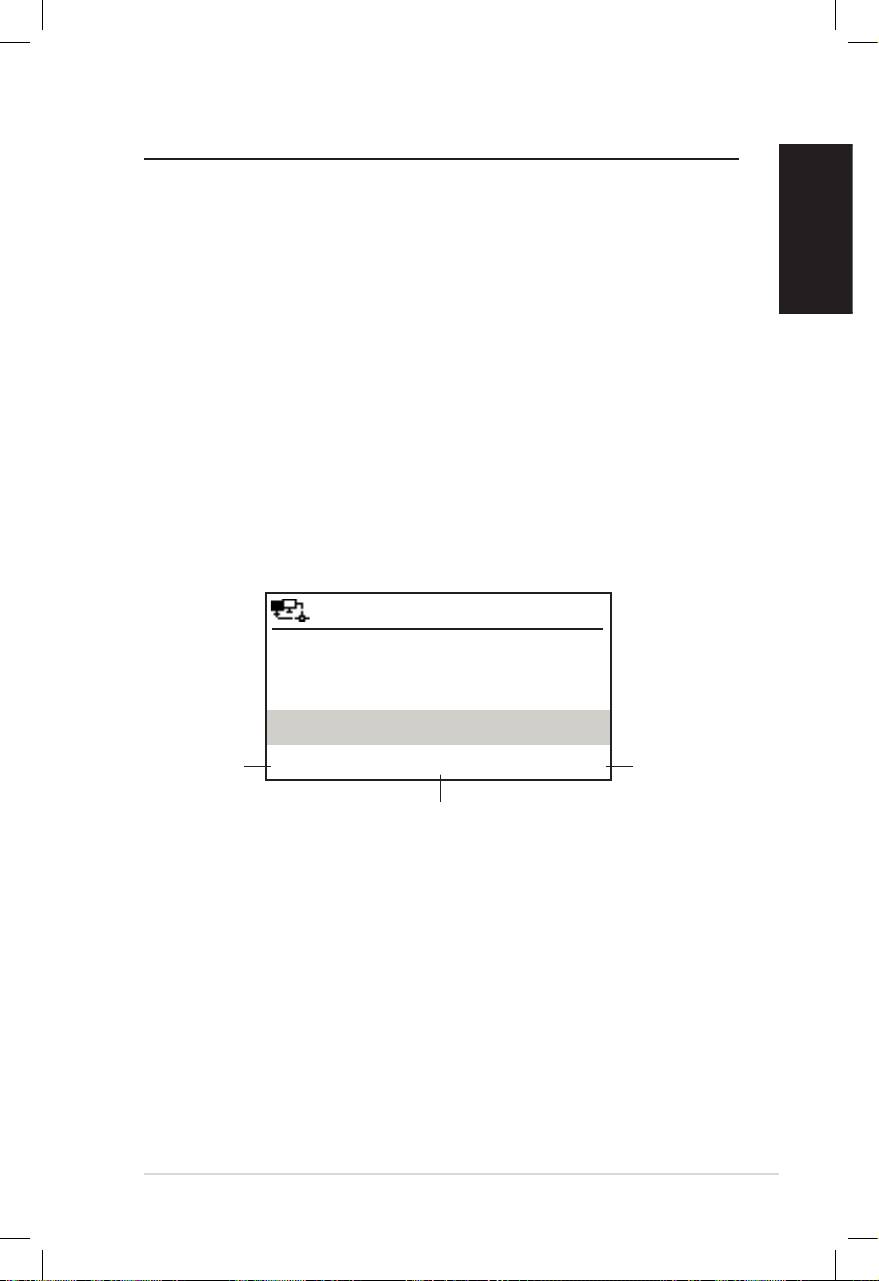
To enter upper/lower case letters, symbols, or numbers:
1. Press the up/down
navigation button
or rotate the volume
knob to select a
character from the
following:
NOTE: The characters appear in a circular order. What is next to “space”
is the uppercase A.
2. Press the right navigation button to proceed to the next.
Press Enter or the volume knob when done.
To enter your IP address and other IP parameters or set the time,
date and alarm, follow the steps described above.
Home
Standby/On
Volume-
Mute
Volume+
Sleep
Alarm
Language
Backlight
Enter
Favorite
1 2 3
4 5 6
7 8 9
10
+Favorite
Standby/On
1 2 3 4 5
HOME
Volume
Letters A a B b C c…Z z
Symbols $ % & # _ ^ ~ ` “ ‘, . : ; ? ! * - + @ < = > { ¦ } [ \ ] ( / )
Numbers 0 1 2 3 4 5 6 7 8 9
Delete ( ): Select and press the left/right
Other
navigation button to delete text on the left.
Space: Select to add a space.
English
ASUS Internet Radio 7
Listening to the radio
Searching for a radio station
The ASUS Internet Radio has an up-to-date, well-classified list of
online radio stations worldwide. Not every Internet radio
station has a corresponding traditional radio station. Some of
them broadcast via the Internet only. You can search for a station
by music genre or location. You can also go through the stations
categorized in alphabetical order.
Searching by genre
1. From the main menu, select Radio Station/Music > Genre,
and a list of music genres displays in alphabetical order.
2. Press the up/down navigation button to highlight a genre.
For example, if you want to listen to jazz music:
12:00PM
Press
Hard Rock
the left
Press
navigation
Hip Hop
the right
button to
navigation
Jazz
go back to
button to
the
< 23/53 >
display all
previous
of the jazz
rd
menu.
Jazz is the 23
of all 53 genres.
stations.
3. Press the right navigation button to display all jazz stations
available. Highlight a station and press Enter to connect to
the station.
Searching by country/location
1. From the main menu, select Radio Station/Music >
Country/Location, and a list of geographical regions
displays in alphabetical order.

English
8 ASUS Internet Radio
12:00PM
Africa
Asia
Europe
< 1/8 >
The list includes: Africa, Asia, Europe, Latin America, Middle
East, North America, Oceania/Pacific, and Internet Only.
2. Select a geographical region and then select a country in the
region. A list of stations located in the country displays.
3. Highlight a station and press Enter to connect to the station.
NOTE:
• For countries that have a huge number of radio stations, the stations
are sub-classified by name initial alphabetically.
• If you select a language other than English, you will see the name of
a country where that language is spoken in the Radio Station/
Music menu. Highlight the country name and press Enter to display
the stations located in this country.
Searching by station name
1. From the main menu, select Service > Search Radio
Station.
2. The stations are divided into 10 categories by their name
initial: 0-9, A-C, D-F, G-I, J-L, M-O, P-R, S-U, V-Z, and Other.
Select a category and a list of stations displays.
NOTE: Station names formed by characters other than Roman alphabet
are in the Other group.
3. Select any of the stations again to display more stations. The
stations are listed alphabetically according to the first two
letters of their names.
4. Highlight a station and press Enter to connect to the station.
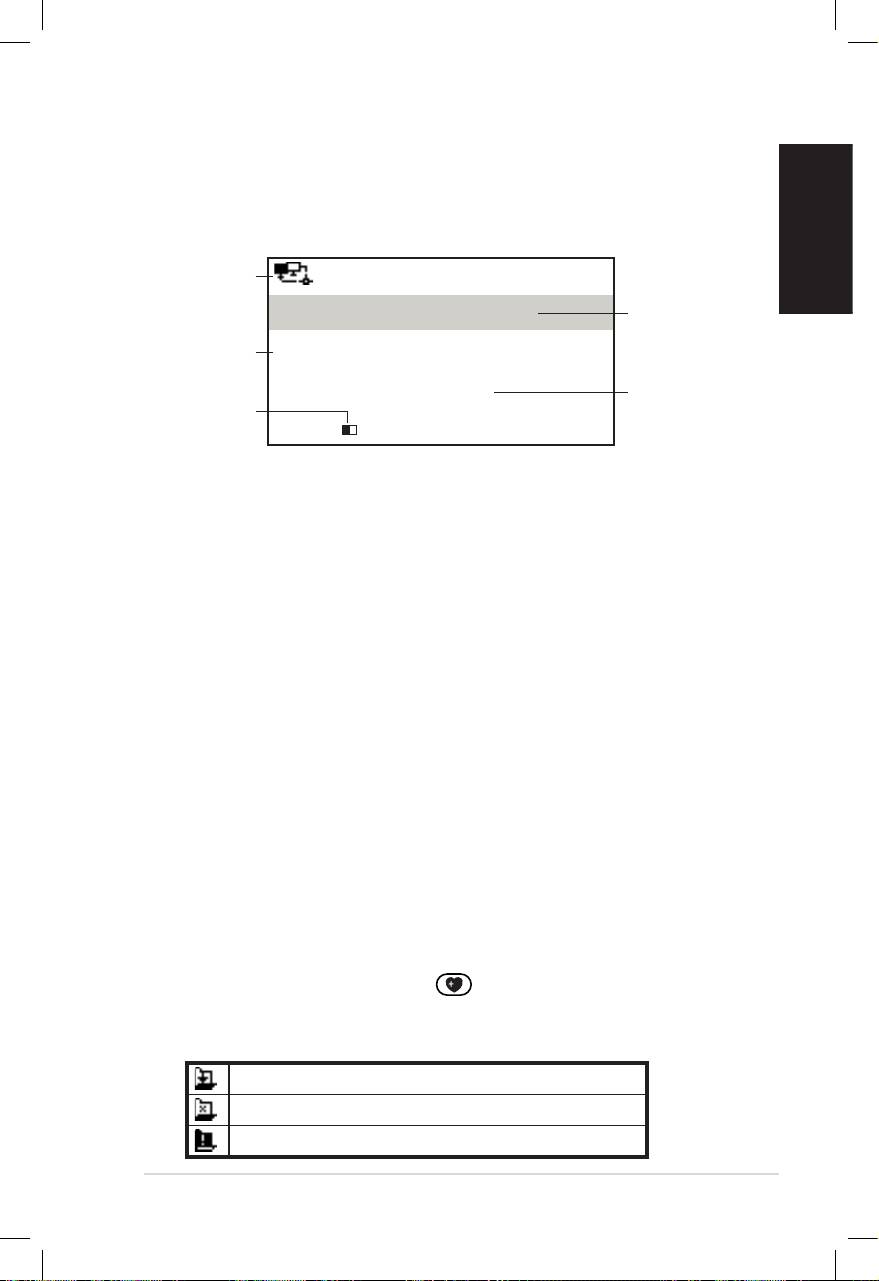
NOTE: When you highlight a station from the lists, vertical bars
appear at the bottom left corner of the display to indicate the
accessibility to the station. Three bars suggest the highest accessibility.
English
ASUS Internet Radio 9
Connecting to a station
If your ASUS Internet Radio is successfully connected to a station,
the display is as follows:
Network
12:00PM
status
Station
All That Jazz Radio
name
Data
WMA 32 kbps/Jazz
information
Connection
Playing…
Buffer
status*
length**
< 11/92
NOTE:
• *The connection status may change from “Connecting” to “Buffering”
to “Playing.” Press Enter to stop playing and go back to the previous
menu.
• **Refer to page 14 for details about setting the buffer.
• If you shift to the main menu while connecting to a station, a
countdown timer will appear at the bottom right corner of the
display. After a lapse of 10 seconds, the system automatically shifts
back to the station being played.
Adding a station to My Favorite
You can add a currently played radio station or one found on the
list to My Favorite. You can also manually enter the address of a
station and add it to your favorites list. The ASUS Internet Radio
has a memory of 250 stations.
Adding a currently played radio station
1. Press the +Favorite button on the remote control.
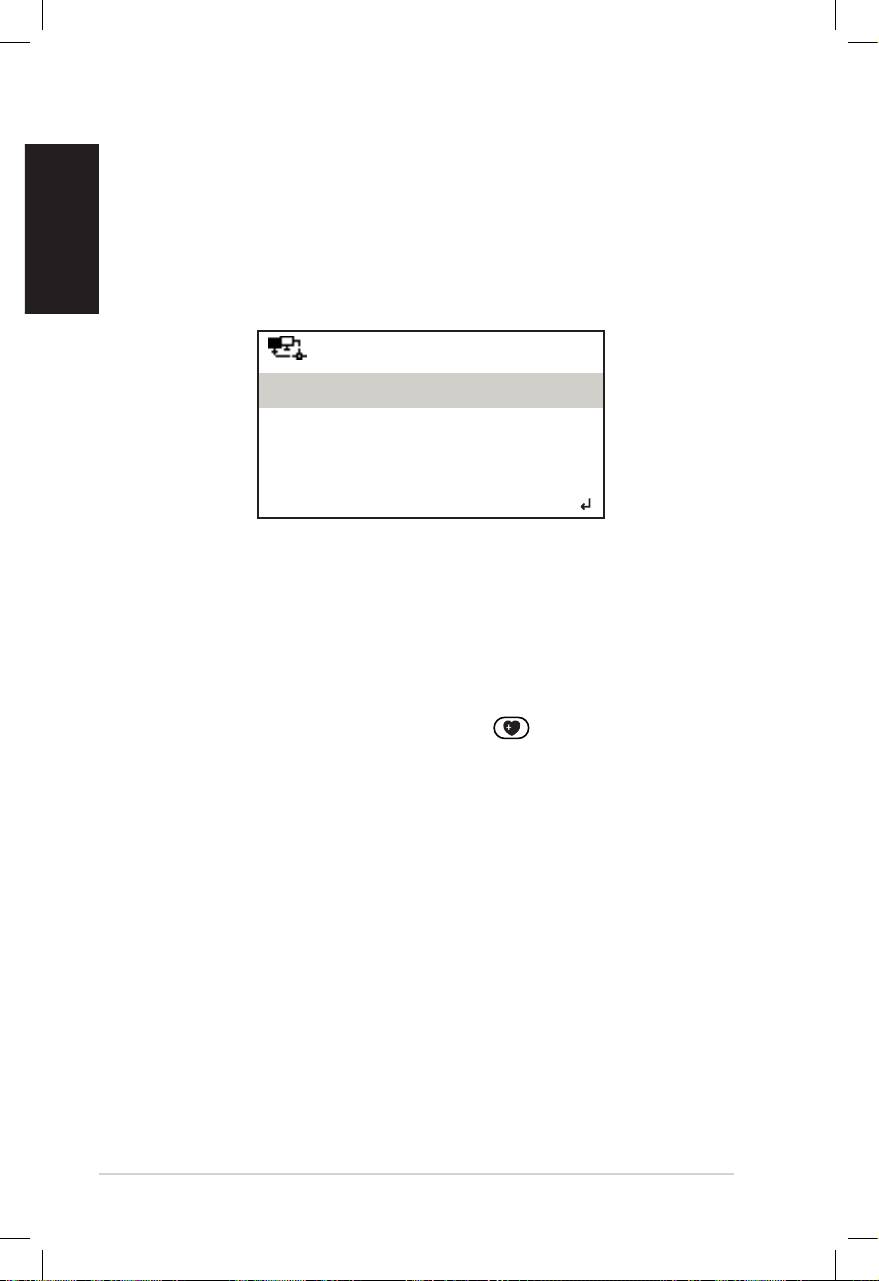
2. The following icons will appear next to the network status
icon to indicate favorites status:
The station is being added to My Favorite.
The station has already been in My Favorite.
Favorites exceeds the maximum of 250.
English
10 ASUS Internet Radio
Adding a radio station from the list
1. Search for a station using any of the methods mentioned in
the “Searching for a radio station” section.
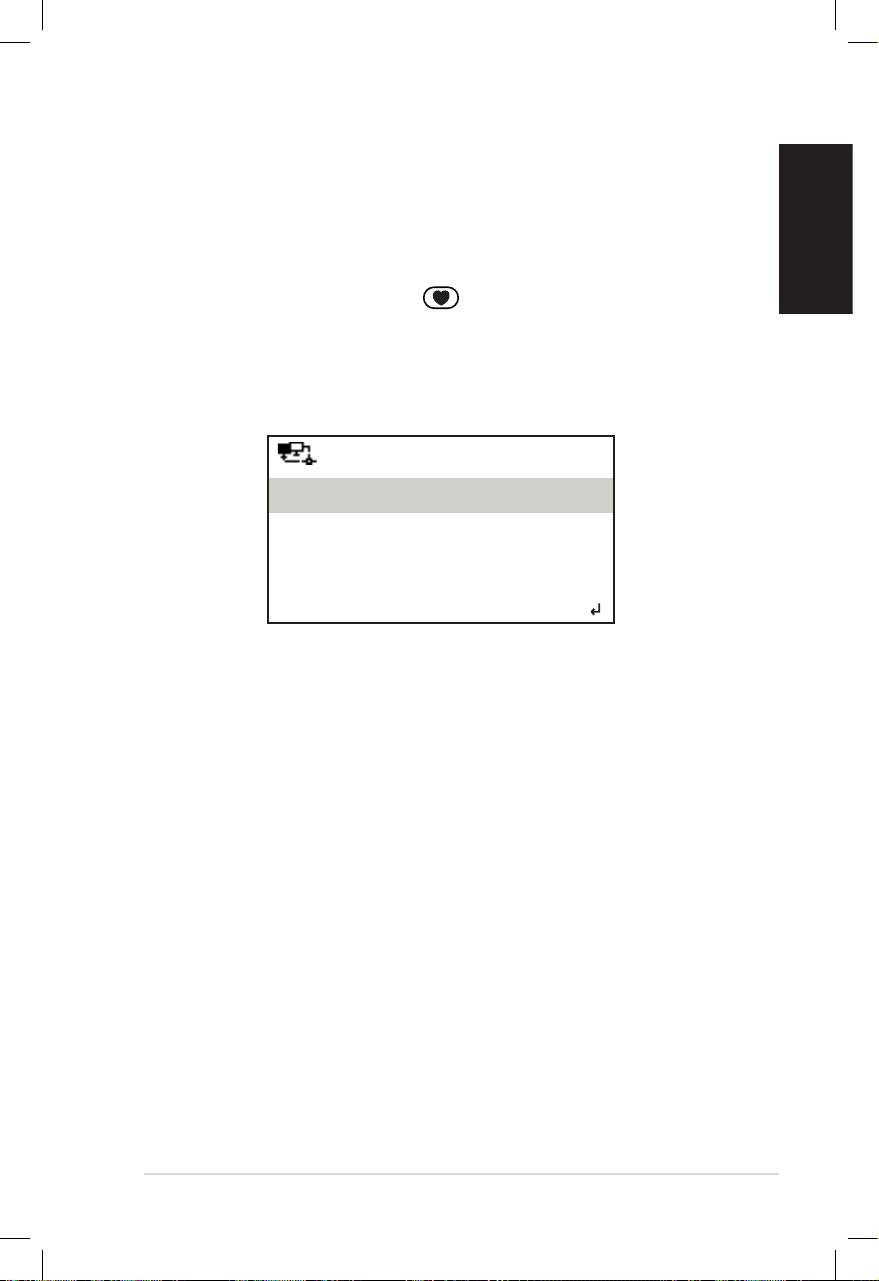
2. Highlight a station and press the right navigation button to
display the submenu as the following:
12:00PM
Add to My Favorite
Auto Scan (Down)
Auto Scan (Up)
< 1/4
3. • Add to My Favorite: Select to add the station to your
favorites list.
• Auto Scan (Down)/(Up): Select to connect to the
stations on the list consecutively up/down from the
highlighted station. Each station will be played for 30
seconds during which you can add it to My Favorite by
pressing the +Favorite button .
• Play: Select to connect to the station.
Refer to the table on page 9 for favorites status.
Adding a manually entered station
1. From the main menu, select Service > Add New Radio
Station.
2. Enter the address of a station. Refer to the “Text entry”
section on page 6 for details about entering text.
3. When finished, press Enter to add it to your favorites list.
Refer to the table on page 9 for favorites status.
English
ASUS Internet Radio 11
Managing My Favorite
The ASUS Internet Radio saves up to 250 stations to My Favorite
so that you can have quick access to preset stations.
To manage your favorites list:
1. Press the Favorite button on the remote control or
select My Favorite from the main menu. A list of preset
stations displays.
2. Highlight a station on the list and press the right navigation
button to display the submenu as the following:
12:00PM
Delete
Shift Up
Shift Down
< 1/5
3. • Delete: Select to delete the station.
• Shift Up/Down: Select to change the order of the preset
stations. Move the stations played the most frequently to
the top 5 or 10 so that you can press the preset buttons
to switch to them.
• Rename: Select to rename the station.
• Play: Select to connect to the station.
You can also connect to a preset station by doing the following:
• From your favorites list, highlight a station and press Enter
to connect.
• From any menus, press the preset button 1–5 on the front
panel or the remote control to connect to your top 5 preset
stations.
• From any menus, press the preset button 6–10 on the
remote control to connect to the sixth to the tenth preset
stations.

English
12 ASUS Internet Radio
Other settings
Conguration
Selecting Configuration from the main menu allows you to
configure the ASUS Internet Radio setups including network,
clock, alarm, language, backlight, sleep timer, buffer, version
update, and reset.
Network
Refer to the Network Setup Guide for details.
Clock
The Configuration > Clock option allows you to set the time/
date and a format for displaying time. The first time you turn
on the device and connect it to the network, the display shows
Greenwich Mean Time (GMT). Set the hour according to your
time zone, and through Network Time Protocol (NTP), a clock
synchronization solution on the Internet, the device will
synchronize its clock with accuracy as long as it is connected to
the network.
• Set Date and Time: Select to set the time and date. Refer to
the “Text entry” section on page 6 for details about entering
numbers.
• Set Time Format: Select between the 12Hour and 24Hour
format.
NOTE:
• You can check Greenwich Mean Time (GMT) under the
Information Center menu.
• Reset the hour for the device once you are in a different time zone.
Alarm
This option allows you to turn on/off the alarm and program an
alarm. Pressing the Alarm button on the remote control also
activates/deactivates a programmed alarm.

English
ASUS Internet Radio 13
To program an alarm:
1. Go to Configuration > Alarm > Turn On.
2. Select Set Alarm Time and enter values. Refer to the “Text
entry” section on page 6 for details about entering numbers.
3. Select Set Alarm Sound to choose a sound type from Beep,
Melody, and Radio (the station you last listen to).
4. The icon will appear at the upper right corner of the
display to indicate that the alarm function is activated.
Make sure that the device is not connecting to any stations at
the set time, or the alarm will not set off. When the alarm sets off,
press any button to stop it.
Language
Refer to page 5 for details about language selection.
Backlight
The Configuration > Backlight option allows you to adjust the
brightness of the backlight. You can also shift the backlight mode
by pressing the Backlight button on the remote control.
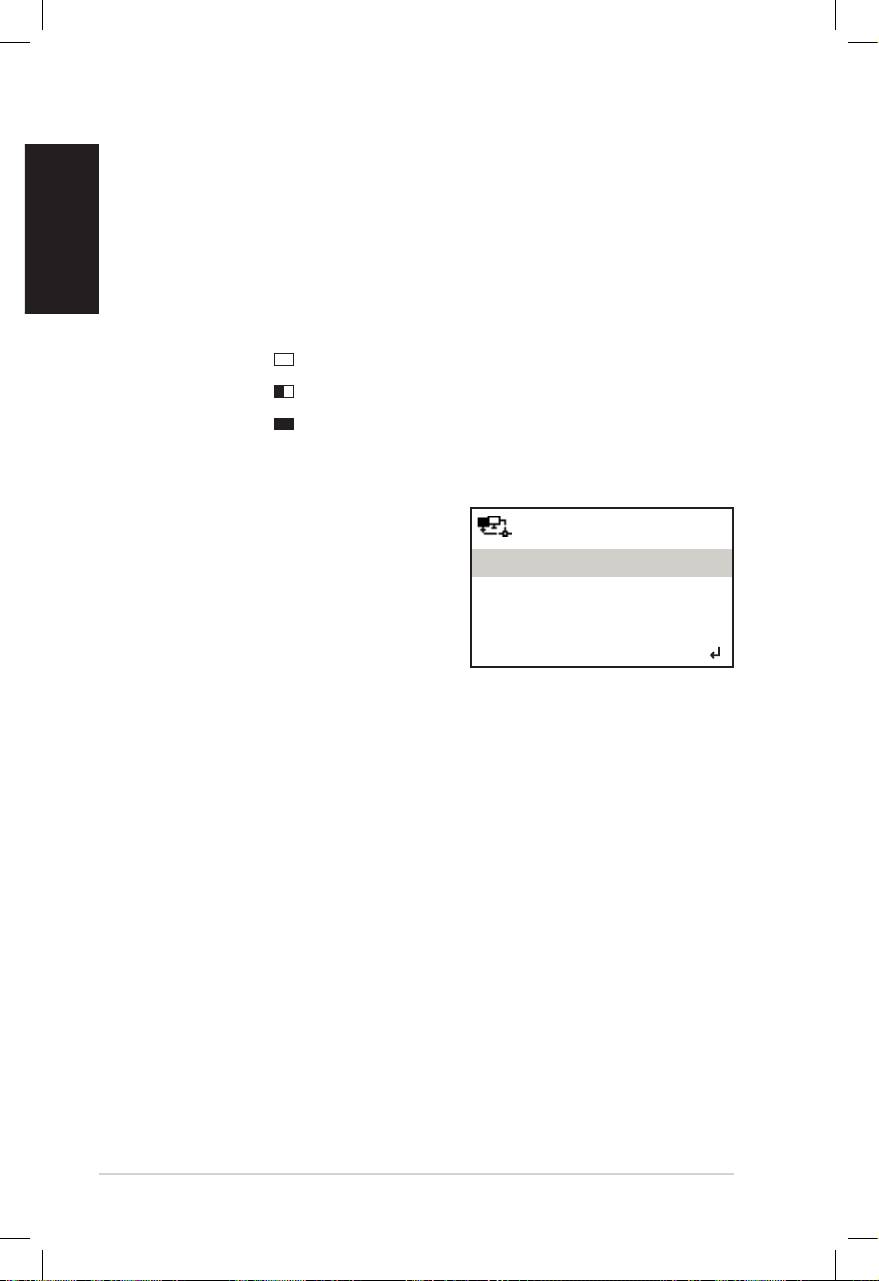
Three modes are available:
• Turn Off: Select to turn off the backlight.
• Power Saving: Select to turn down the backlight.
• Turn On: Select to turn on the backlight.
Sleep Timer
The Configuration > Sleep Timer option allows you to select a
preset amount of time after which the device shuts off. You can
also set the sleep timer by pressing the Sleep button on the
remote control. When this function is activated, the XXX icon
will appear at the upper right corner of the display, XXX
signifying the minutes left. Six options are available: Turn Off,
15 Minutes, 30 Minutes, 60 Minutes, 90 Minutes, and
120 Minutes.
English
14 ASUS Internet Radio
Buffer
The Configuration > Buffer option allows you to set the buffer
to hold data received for a certain amount of time. Setting a
longer buffer makes the data transfer more smoothly but takes
you longer to wait. If you are connecting to a station, there will be
an icon signifying the buffer length you set:
• 2 Seconds:
• 4 Seconds:
• 8 Seconds:
Version Update
If a new firmware version comes up,
12:00PM
you will see this pop-up screen.
Version Update (Yes)
Select Version Update (Yes) to
download the latest version.
Version Update (No)
If you select Version Update (No),
< 1/2
You can still download the latest
version later:
1. Go to Configuration > Version Update and select the item
you are allowed to download.
NOTE: If there is no item displayed, it means your current firmware
version is the latest.
2. Select Yes. A countdown timer displays to count from 60
seconds. Wait until the device reboots.
3. Go toGo to Configuration > Version Update to check if the
version name is different from the previous one.
NOTE: Do not turn off the device while the update is proceeding.
Reset
The Configuration > Reset option allows you to reset the device
to its factory default settings. Your favorites lists and network
settings will not be erased.

English
ASUS Internet Radio 15
Troubleshooting
Read the following Q&As for troubleshooting guide. If these do
not give you answers, you may contact us directly at the contact
information provided on this manual’s inside cover.
The display shows that a music station is being played, but I
cannot hear anything.
Some stations may not have 24-hour broadcasts. You cannot hear
anything If the stations do not send out any programs.
Why is it that I cannot hear anything from the speaker?
• Either your ASUS Internet Radio is muted or the volume is so
low that you cannot hear anything. Turn up the volume or
press the Mute button to cancel the muted mode. If you
are using additional speakers, make sure that the connected
speaker system is powered on.
• If the above steps make no difference, reboot the device.
What can I do if my ASUS Internet Radio crashes?
Press the power switch on the rear panel to turn off the device,
and then switch it on again.
I have set the alarm but it did not set off.
The alarm will not set off while you are connecting to a station.
The wireless connection is not stable.
• Establish a wired connection to test if your network is reliable.
• If the wired connection is more stable than the wireless one,
use the LAN connection instead.

Why does the list of online radio stations change?
English
The addresses of the Internet radio stations may vary, so ASUS
technicians update them regularly. Your ASUS Internet Radio will
obtain the latest list automatically as long as it is connected to
the network. Your device functions as usual while the update is
proceeding (1–2 minutes).
I cannot connect to certain radio stations.
The accessibility to online radio stations vary with the network
bandwidth in different countries. Failed connections may be due
to the following:
• The network bandwidth in the country you want to connect
to is narrow. We recommend an ADSL/Cable Modem
bandwidth of at least 1M bps.
• Internet congestion.
• The radio stations do not provide enough bandwidth.
• The radio stations are under repair or no longer exist.
If you still cannot connect to some radio stations, contact us at
http://vip.asus.com/eservice/techserv.aspx.
16 ASUS Internet Radio
ASUS Internet Radio
Français
Manuel de l’utilisateur
S
ta
nd
1 2 3 4
by/O
n
5
H
O
ME
V
olu
m
e
AIR

Français
ii ASUS Internet Radio
Table des matières
Table des matières ................................................. ii
Notes ..................................................................... iv
Bienvenue ............................................................. vi
Contenu de la boîte ...........................................................................vi
Vue d’ensemble ................................................................................ vii
Spécifications .................................................................................... vii
Pour démarrer ........................................................ 1
Vue avant ...............................................................................................1
Vue arrière ..............................................................................................2
Utiliser la télécommande .................................................................3
Allumer l’appareil ................................................................................4
Sélection de la langue .......................................................................5
Saisie de texte.......................................................................................6
Ecouter la radio ...................................................... 7
Rechercher une station radio..........................................................7
Recherche par genre ...................................................................7
Recherche par pays/emplacement géographique ...........7
Recherche par nom de station .................................................8
Se connecter à une station ..............................................................9
Ajouter une station à la liste des favoris .....................................9
Ajouter une station radio en cours de lecture ....................9
Ajouter une station radio depuis une liste .......................10
Recherche par saisie d’adresse .............................................10
Gérer Mes favoris ..............................................................................11
Autres paramètres ............................................... 12
Configuration .................................................................................... 12
Réseau ............................................................................................12
Horloge ..........................................................................................12

Français
ASUS Internet Radio iii
Alarme ............................................................................................12
Langue ...........................................................................................13
Rétro-éclairage ............................................................................13
Minuteur de veille ......................................................................13
Tampon..........................................................................................14
Mise à jour ....................................................................................14
Réinitialiser ...................................................................................14
Dépannage ........................................................... 15

Français
iv ASUS Internet Radio
Notes
Rapport de la Commission Fédérale des Communications
Cet équipement a été testé et s'est avéré être conforme aux
limites établies pour un dispositif numérique de classe B,
conformément à l'alinéa 15 des règles de la FCC. Ces limites
sont conçues pour assurer une protection raisonnable contre
l’interférence nuisible à une installation réseau. Cet équipement
génère, utilise et peut irradier de l'énergie à fréquence radio
et, si non installé et utilisé selon les instructions du fabricant,
peut causer une interférence nocive aux communications radio.
Cependant, il n'est pas exclu qu'une interférence se produise
lors d'une installation particulière. Si cet équipement cause
une interférence nuisible au signal radio ou télévisuel, ce qui
peut-être déterminé par l'arrêt puis le réamorçage de celui-ci,
l'utilisateur est encouragé à essayer de corriger l'interférence en
s'aidant d'une ou plusieurs des mesures suivantes:
• Réorientez ou replacez l'antenne de réception.
• Augmentez l'espace de séparation entre l'équipement et le
récepteur.
• Reliez l’équipement à une sortie sur un circuit différent de
celui auquel le récepteur est relié.
• Consultez le revendeur ou un technicien expérimenté radio/
TV pour de l’aide.
Ce dispositif est conforme à l`alinéa 15 des règles établies par la
FCC. L'opération est sujette aux 2 conditions suivantes:
• Ce dispositif ne peut causer d'interférence nuisible, et
• Ce dispositif se doit d'accepter toute interférence reçue, incluant
toute interférence pouvant causer des résultats indésirés.
Avertissement de la FCC:
Les changements ou les modifications apportés à cette unité
n'étant pas expressément approuvés par la partie responsable
de la conformité pourraient annuler l’autorité de l’utilisateur à
manipuler cet équipement.

Français
ASUS Internet Radio v
NOTE IMPORTANTE:
Rapport de la FCC concernant l’exposition aux fréquences radio
Cet équipement satisfait aux directives de la FCC concernant
les limites d’exposition aux radiations lors d’une utilisation en
environnement non contrôlé. Cet équipement doit être installé
et opéré à une distance minimum de [20cm] entre le radiateur
et votre corps. Cet appareil ne doit pas être colocalisé ou opéré
conjointement avec d’autres antennes ou émetteurs. Les
standards sans fil IEEE 802.11b ou 802.11g utilisés par ce produit
sont limités au niveau du firmware aux canaux 1 à 11 aux Etats-
Unis.
Rapport de l’Agence Fédérale Industrie Canada
L’utilisation de ce produit est sujette aux deux conditions suivantes:
• Cet appareil ne doit pas causer d’interférences et
• Cet appareil doit accepter toute interférence, incluant les
interférences pouvant causer un fonctionnement non désiré
dudit appareil.
NOTE IMPORTANTE:
Avertissement concernant l’exposition aux fréquences radio
Cet équipement satisfait aux directives IC concernant les
limites d’exposition aux radiations lors d’une utilisation en
environnement non contrôlé. Cet équipement doit être installé
et opéré à une distance minimum de [20cm] entre le radiateur et
votre corps.
Français
vi ASUS Internet Radio
Bienvenue
Merci pour votre achat de ASUS Internet Radio.Les illustrations ASUS Internet Radio. Les illustrationsLes illustrations
suivantes font état du contenu de la boîte de votre appareil.
Contenu de la boîte
User Manual
Home
Standby/On
Volume-
Mute
Volume+
Sleep
Alarm
Language
Backlight
Enter
1 2 3
4 5 6
7 8 9
10
Favorite
+Favorite
Standby/On
1 2 3 4 5
HOME
Volume
ASUS Internet Radio
Télécommande
Adaptateur secteur
Manuel de l’utilisateur
Carte de garantie
Français
ASUS Internet Radio vii
Vue d’ensemble
ASUS Internet Radio est une radio Internet stylisée fournissant unest une radio Internet stylisée fournissant un
accès à une grande variété de stations radio sur Internet. Avant
d’utiliser votre Radio Internet ASUS pour la première fois, assu-
rez-vous d’avoir accès à un réseau filaire/sans fil.
Caractéristiques
• Dispositif indépendantDispositif indépendant
• Support de connexion filaire et sans filSupport de connexion filaire et sans fil
• Liste de plus de 10,000 stations radio InternetListe de plus de 10,000 stations radio Internet
• Supporte jusqu’à 250 favorisSupporte jusqu’à 250 favoris
• AlarmeAlarme
• Minuteur de veilleMinuteur de veille
• Support du protocole NTP (Network Time Protocol)Support du protocole NTP (Network Time Protocol)
Spécications
Connectivité Réseau sans fil 802.11b/g
Réseau filaire Ethernet 10/100M
Débits 54 Mbits (WLAN)
10/100 Mbits (Ethernet)
Sécurité LAN sans fil WEP 64/128-bits
WPA/WPA2
Formats audio MP3/WMA
16Kbps–320Kbps
Rapport sur bruit >90dB
Ecran Ecran FSTN 128 x 64
De couleur bleue avec LED blanche
Connecteurs Prise casque (Φ 3.5mm)
Port d’entrée audio (Φ 3.5mm)
Port de sortie audio (connecteur RCA)
Port Ethernet (RJ45)
Port d’alimentation

Haut-parleur 5 Watt/4 Ohm
Adapateur secteur Entrée: Courant alternatif 100-240V
(50-60Hz)
Sortie: Courant continu 6V/2A
Télécommande 26 touches
Dimensions 250 (L) x 128 (Pr) x 190 (H) mm
Français
Poids 2 Kg
Bande passante
1Mbps minimum
modem ADSL/câble
(recommendée)
viii ASUS Internet Radio
Pour démarrer
Français
ASUS Internet Radio 1
Standby/On
1 2 3 4 5
HOME
Volume
Vue avant
1
10
2
9
8
3
7
4
6
5
1. Capteur infrarouge: Reçoit les commandes de la télécom-
mande.
2. Bouton Standby (Veille)/On (Marche): Permet de basculer
le dispositif en mode veille ou marche.
3. Bouton Home: Appuyez sur ce bouton pour retourner au
menu principal.
4. Contrôleur de volume: Tournez ce contrôleur à droite
pour augmenter le volume ou à gauche pour le diminuer.
Utilisez aussi ce contrôleur pour saisir du texte et faire défiler
les options d’un menu. Appuyez sur le contrôleur pour
confirmer la sélection de l’option d’un menu.
5. Prise casque: Connectez des écouteurs à ce connecteur pour
une écoute privée. Vous pouvez aussi connecter des haut-
parleurs additionnels à ce connecteur via un câble audio.
6. Bouton entrée: Appuyez sur ce bouton pour confirmer la
sélection de l’option d’un menu.
7. Bouton de navigation Haut/Bas/Gauche/Droite: Appuyez
sur ce bouton pour naviguer entre les différents éléments
d’un menu.
8. Bouton de pré sélection 1~5: Appuyez sur ce bouton pour
accéder à une station radio préréglée.
9. Haut-parleur: Haut-parleur embarqué du dispositif.
10. Affichage: Ecran LCD rétro-éclairé.
Français
2 ASUS Internet Radio
Vue arrière
1
2
3
Antenna
LAN
LINE IN
R L
LINE OUT
ON OFF DC
NOTE: Les fonctions en façade sont également disponibles sur la télé-
commande. Reportez-vous aux pages 3 et 4 pour plus d’informations.
6
5
4
1. Interrupteur d’alimentation: Permet de mettre le dispositif
sous/hors tension.
2. Connecteur d’alimentation: Connectez le cordon d’alimen-
tation à ce connecteur.
3. Port LAN: Connectez un câble réseau sur ce port.
4 Connecteur d’entrée audio: Si vous souhaitez utiliser
cet appareil comme simple haut-parleur, connectez
un câble audio à ce connecteur. L’appareil basculera
automatiquement en mode auxiliaire.
5. Connecteur de sortie audio Gauche/Droite: Connectez
un câble audio à ces connecteurs pour connecter un haut-
parleur externe.
6. Antenne: Réglez l’antenne dans une position verticale pour
garantir une qualité de signal sans fil optimale.
Français
ASUS Internet Radio 3
Utiliser la télécommande
Utilisez la télécommande pour la recherche de stations radio,
l’ajout de stations radio à la liste des favoris, et la configuration
d’autres paramètres.
Reportez-vous au tableau ci-dessous pour la liste des boutons et
des fonctions de la télécommande.
Home
Standby/On
Volume-
Mute
Volume+
Sleep
Alarm
Language
Backlight
Enter
1 2 3
4 5 6
7 8 9
10
Favorite
+Favorite
Bouton Standby
Permet de mettre l’appareil sous/
(Veille)/On (Marche)
hors tension.
Permet de retourner au menu
Bouton Home
principal.
Bouton Volume- Permet de baisser le volume audio.
Bouton Mute
Permet de couper le son.
(Muet))
Permet d’augmenter le volume
Bouton Volume+
audio.
Bouton Sleep
Permet de régler le minuteur de
(Veille)
mise en veille.
Bouton Alarm
Permet d’activer/désactiver l’alarme.
(Alarme)
Bout. Language
Permet de sélectionner une langue.
(Langue)
Français
4 ASUS Internet Radio
Bouton Backlight
Permet de sélectionner un mode de
(Rétro-éclairage
rétro-éclairage.
Enter
Bouton Enter
Permet de confirmer la sélection
(Entrée)
d’une option.
Permet de naviguer entre les
Bouton de
différents éléments d’un menu.
navigation (Haut)
Appuyer pour saisir du texte.
Permet de naviguer entre les
Bouton de
différents éléments d’un menu.
navigation (Bas)
Appuyer pour saisir du texte.
Bouton de
Permet de retourner au menu pré-
navigation (Gauche)
cédent.
Bouton de naviga-
Confirme la sélection d’une option
tion (Droite)
et d’accéder au sous-menu.
1
~
10
Bouton Preset (Pré
Permet d’accéder à une station
sélection) 1~10
radio préréglée.
Bouton Favorite
Permet d’afficher la liste des favoris.
(Favoris)
Bouton +Favorite
Ajoute la station radio en cours de
(Ajouter aux favoris)
lecture à la liste des favoris.
Allumer l’appareil
Pour allumer la Radio Internet ASUS pour la première fois:
1. Connectez une extrémité de l’adaptateur d’alimentation à
une prise électrique.
2. Connectez l’autre extrémité au connecteur d’alimentation
de l’appareil.
Antenna
LAN
LINE IN
R L
LINE OUT
ON OFF DC
Arrêt/Marche
3. Appuyez sur l’interrup-Appuyez sur l’interrup-
teur d’alimentation
pour allumer l’appareil.
Une fois la Radio Inter-
net ASUS sous tension,
l’écran affichera le menu
suivant:
Français
ASUS Internet Radio 5
Statut du
12:00PM
Heure
réseau
Mes favoris
Options
Station radio/Musique
du menu
Appuyez
Centre multimédia
sur le
bouton de
1/6 >
navigation
Le menu principal contient six
droit pour
options, la première option étant
afficher le
mise en surbrillance
sous-menu.
NOTE: Appuyer sur le boutonAppuyer sur le bouton en façade de l’appareil ou sur la télé-en façade de l’appareil ou sur la télé-
commande n’allumera pas la Radio Internet ASUS.
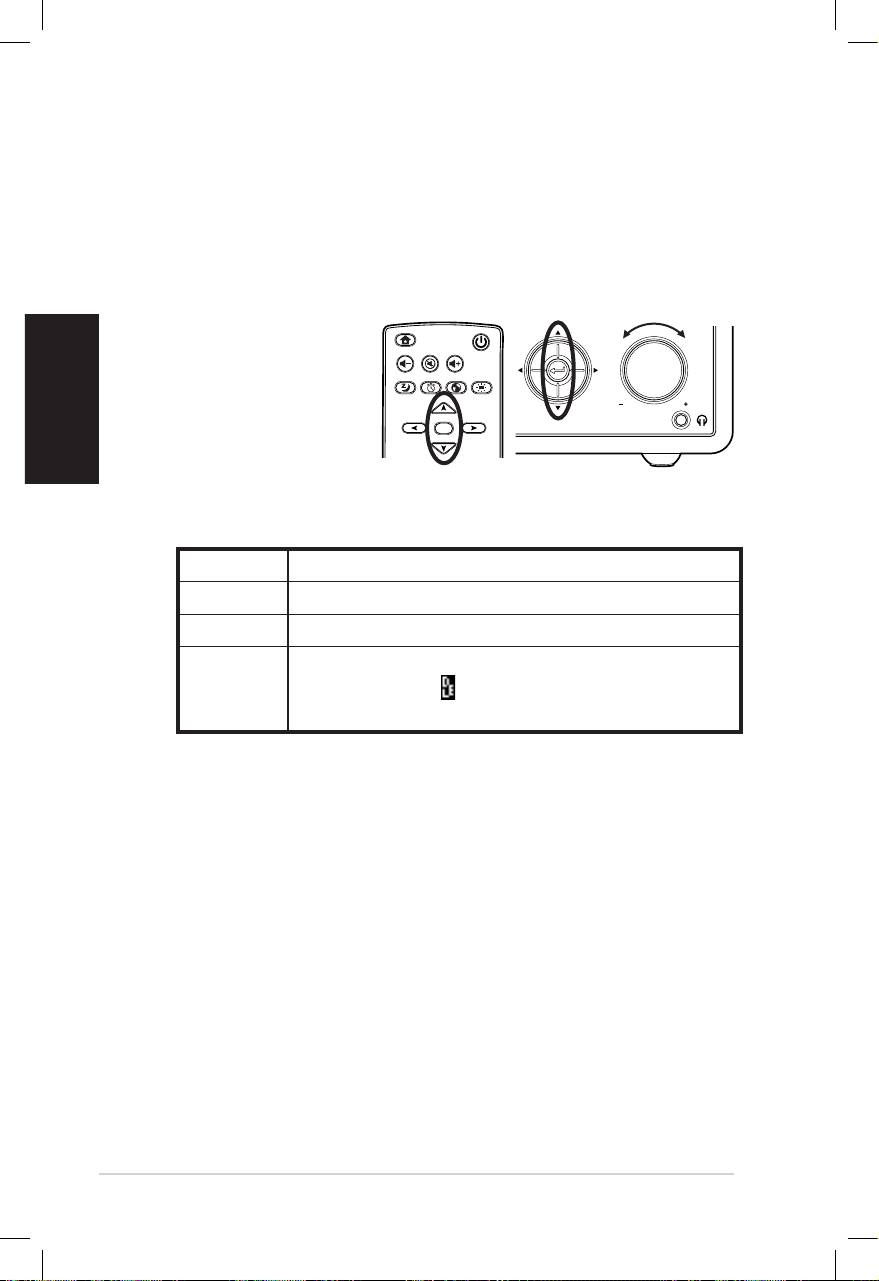
Sélection de la langue
L’interface de ASUS Internet Radio supporte de nombreuses
langues.
Pour changer la langue:
Appuyez sur le bouton Langue de lade la
télécommande pour sélectionner une lan-
gue (méthode la plus rapide).
OU:
1. Depuis le menu principal, sélectionnezDepuis le menu principal, sélectionnez
Configuration > Langue.
2. Appuyez sur le bouton de navigation gauche/droit pourAppuyez sur le bouton de navigation gauche/droit pour
parcourir les différentes options de langue et appuyez sur le
bouton entrée pour confirmer la langue sélectionnée.
NOTE: La langue sélectionnée ne s’applique qu’aux menus et aux mes-
sages système. Les noms de stations varient selon leur emplacement
géographique.
Home
Standby/On
Volume-
Mute
Volume+
Favorite
Sleep
1 2 3
4 5 6
7 8 9
Alarm
10
Enter
+Favorite
Language
Backlight
Language button
Français
6 ASUS Internet Radio
Saisie de texte
Lors de l’ajout de l’URL d’une station radio en ligne ou de la saisie
d’une clé de chiffrement WEP/WPA il est nécessaire de saisir du WEP/WPA il est nécessaire de saisir duil est nécessaire de saisir du
texte.
Pour saisir des lettres minuscules/majuscules, des symboles, ou
des chiffres:
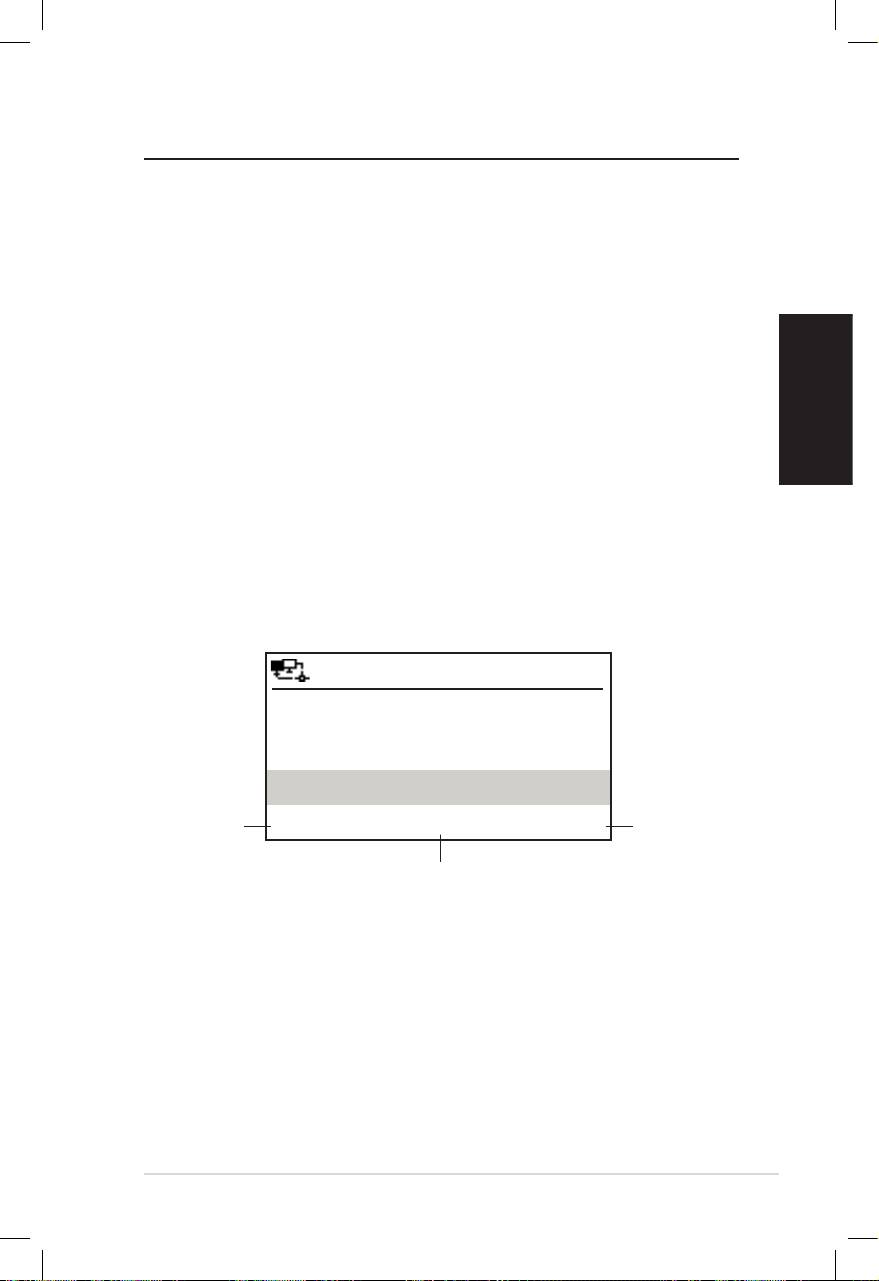
1. Appuyez sur le bou-Appuyez sur le bou-
ton de navigation
gauche/droite ou
tournez le contrôleur
de volume vers la
droite ou la gauche
pour sélectionner un des caractères suivants:
NOTE: Les caractères apparaissent dans un ordre circulaire. Ce qui est
précédé d’un espace est la majuscule A.
2. Appuyez sur le bouton de navigation droit pour continuer.Appuyez sur le bouton de navigation droit pour continuer.
Appuyez sur le bouton Entrée ou sur le contrôleur de vo-
lume pour terminer.
Pour configurer votre adresse IP, d’autres paramètres d’IP,
régler l’heure, la date et l’alarme, suivez les étapes précédentes
expliquant la saisie de chiffres.
Home
Standby/On
Volume-
Mute
Volume+
Sleep
Alarm
Language
Backlight
Enter
Favorite
1 2 3
4 5 6
7 8 9
10
+Favorite
Standby/On
1 2 3 4 5
HOME
Volume
Lettres A a B b C c…Z z
Symboles $ % & # _ ^ ~ ` “ ‘, . : ; ? ! * - + @ < = > { ¦ } [ \ ] ( / )
Chiffres 0 1 2 3 4 5 6 7 8 9
Pour effacer du texte, sélectionnez un caractère
Autre
et appuyez sur ( ): le caractère sera supprimé
que vous continuiez à droite ou à gauche.
Français
ASUS Internet Radio 7
Ecouter la radio
Rechercher une station radio
La Radio Internet ASUS intègre une liste de stations radio
Internet du monde entier, classifiée et à jour. Certaines stations
radio en ligne n’émettent pas sur les ondes radio traditionnelles.
Celles-ci ne sont diffusées que sur Internet. Vous pouvez chercher
une station radio par genre musical ou par emplacement
géographique. Vous pouvez aussi parcourir la liste des stations
classifiées par ordre alphabétique.
Recherche par genre
1. Depuis le menu principal, sélectionnez Station radio/
Musique > Genre, pour afficher une liste de genres musicaux
classée par ordre alphabétique.
2. Appuyez sur le bouton de navigation pour sélectionner
un genre. Par exemple, si vous souhaitez écouter du jazz,
sélectionnez l’option Jazz:
12:00PM
Appuyez sur
Appuyez sur
Hard Rock
le bouton de
le bouton de
navigation
navigation
Hip Hop
droit pour
gauche pour
Jazz
afficher
retourner
toutes les
au menu
< 23/53 >
stations de
précédent.
jazz.
ème
Jazz est le 23
genre sur une liste
de 53 genres disponibles.
3. Appuyez sur le bouton de navigation droit pour afficherAppuyez sur le bouton de navigation droit pour afficher
toutes les stations de jazz disponibles. Sélectionnez une
station et appuyez sur le bouton Entrée pour vous y
connecter.
Recherche par pays/emplacement géographique
1. Depuis le menu principal, sélectionnez Station radio/Musi-
que > Pays/Région, pour afficher une liste d‘emplacements
géographiques classés par ordre alphabétique.

Français
8 ASUS Internet Radio
12:00PM
Afrique
Asie
Europe
< 1/8 >
Soit: Afrique, Asie, Europe, Amérique Latine, Moyen-Orient,
Amérique du Nord, Océanie/Pacifique, Internet uniquement.
2. Sélectionnez un emplacement géographique et un pays.Sélectionnez un emplacement géographique et un pays.
Une liste de stations radio de cette région seront affichées.
3. Sélectionnez une station et appuyez sur Entrée pour vous y
connecter.
NOTE:
• Pour les pays ayant un nombre élevé de stations radio, les stations
sont sous-classifiées alphabétiquement par initiales.
• Si vous sélectionnez une langue autre que l’Anglais, vous verrez le
nom du pays ou cette langue est parlée dans le menu Station radio/
Musique. Sélectionnez le nom du pays et appuyez sur Entrée pour
afficher les stations de ce pays.
Recherche par nom de station
1. Depuis le menu principal, sélectionnezDepuis le menu principal, sélectionnez Service >
Rechercher une station radio.
2. Les stations sont divisées en 10 catégories et sont classées parLes stations sont divisées en 10 catégories et sont classées par
initiales: 0-9, A-C, D-F, G-I, J-L, M-O, P-R, S-U, V-Z, et Autre.
Sélectionnez une catégorie pour afficher une liste de stations.
NOTE: Les stations n’utilisant pas de caractères romains sont classées
dans le groupe Autre.
3. Sélectionnez une station quelconque pour en afficher d’autres.Sélectionnez une station quelconque pour en afficher d’autres.
Les stations sont classées alphabétiquement selon les deux
premières lettres de leur nom.
4. Sélectionnez une station et appuyez surSélectionnez une station et appuyez sur Entrée pour vous y
connecter.
NOTE: Lorsque vous sélectionnez une station, des barres verticalesLorsque vous sélectionnez une station, des barres verticales
apparaissent pour indiquer la qualité de réception de la station. La
qualité optimale étant de 3 barres.
Français
ASUS Internet Radio 9
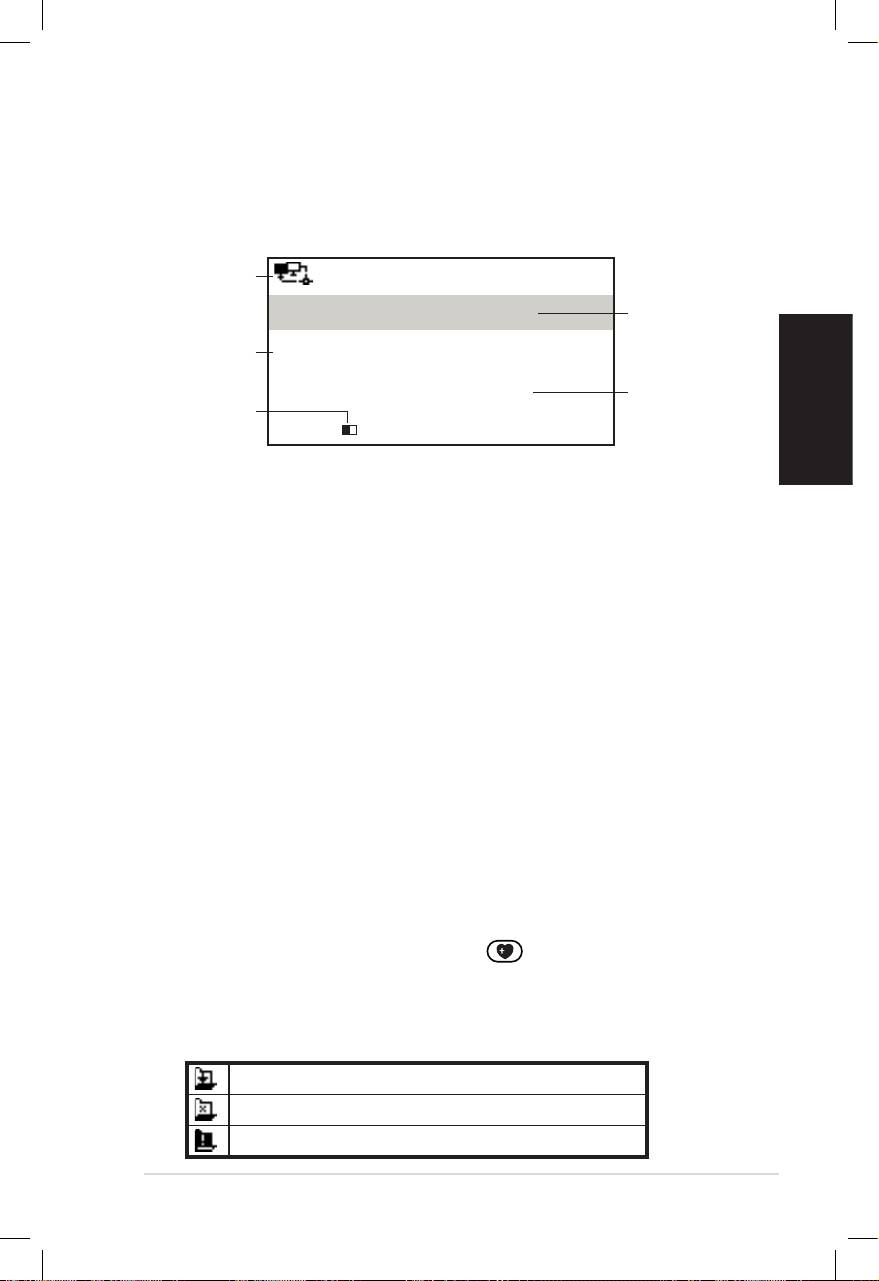
Se connecter à une station
Si ASUS Internet Radio est connectée à une station, l’écranest connectée à une station, l’écran
suivant apparaît:
Statut du
12:00PM
réseau
Nom de la
All That Jazz Radio
station
Informations
WMA 32 kbps/Jazz
Statut de la
Lecture en cours…
Longueur du
connexion*
tampon**
< 11/92
NOTE:
• *Le statut de connexion peut changer de“Connexion en cours”à*Le statut de connexion peut changer de “Connexion en cours” à
“Mise en mémoire tampon” à “Lecture”. Appuyez sur le bouton Entrée
pour arrêter la lecture et retourner au menu précédent.
• **Reportez-vous à la page 14 pour plus de détails sur les paramètres
du tampon.
• Si vous retournez au menu principal lors de la connexion à une station,
un minuteur apparaîtra en bas à droite de l’écran. Après un délai de
10 secondes, le système retournera automatiquement à la station à
laquelle vous étiez connecté.
Ajouter une station à la liste des favoris
Vous pouvez ajouter une station en cours de lecture à la liste de
vos stations favorites. Vous pouvez aussi ajouter une station à
vos favoris en entrant manuellement l’URL de la station. La Radio
Internet ASUS peut stocker un maximum de 250 stations.
Ajouter une station radio en cours de lecture
1. Appuyez sur le bouton +Favorite (Ajouter aux favoris) de(Ajouter aux favoris) de
la télécommande.
2. Les icônes suivantes apparaîtront à côté de l’icône de statutLes icônes suivantes apparaîtront à côté de l’icône de statut
du réseau pour indiquer le statut des favoris:
La station est en cours d’ajout à Mes favoris.
La station a déjà été ajoutée à Mes favoris.
La liste des favoris excède 250.
Français
10 ASUS Internet Radio
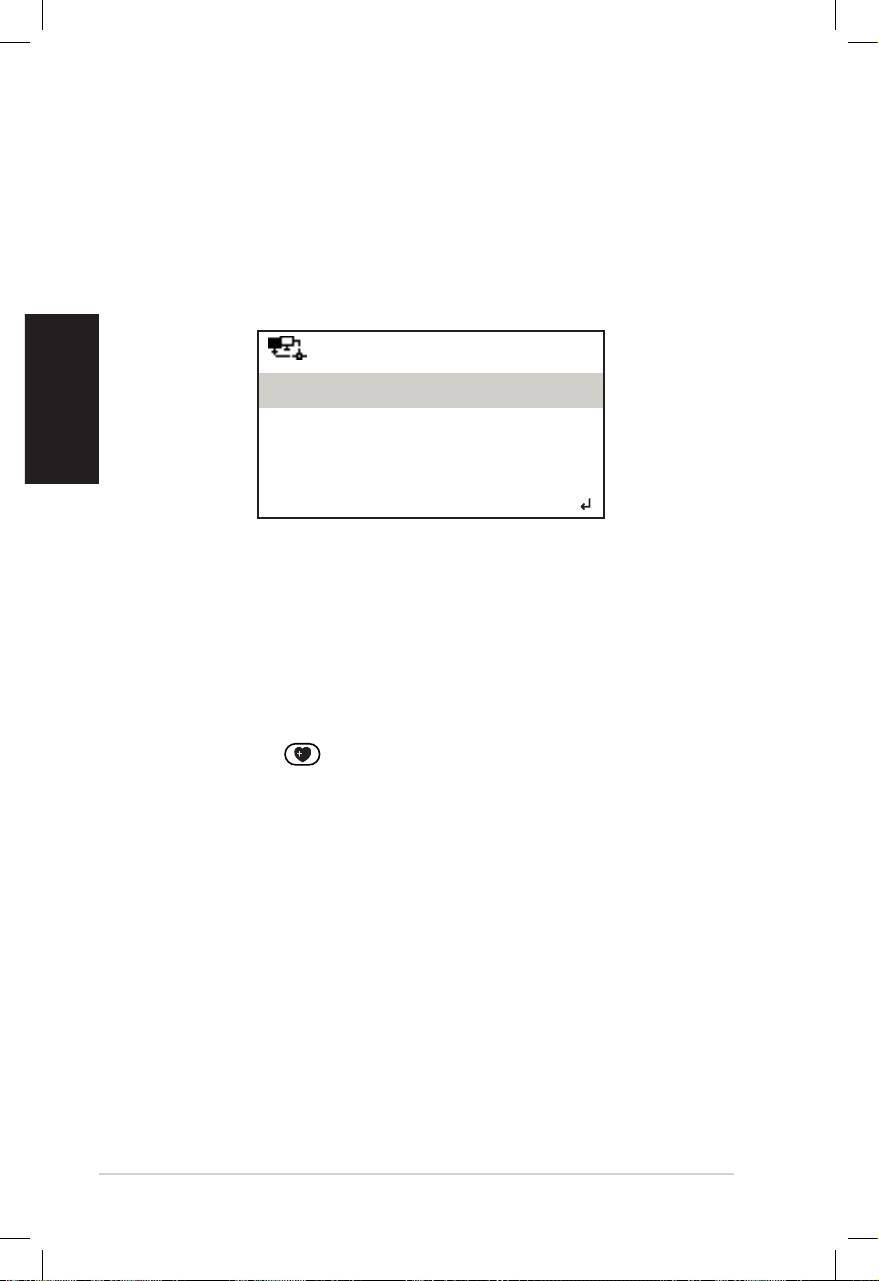
Ajouter une station radio depuis une liste
1. Recherchez une station radio en utilisant une des méthodesRecherchez une station radio en utilisant une des méthodes
mentionnées dans la section “Rechercher une station radio” .
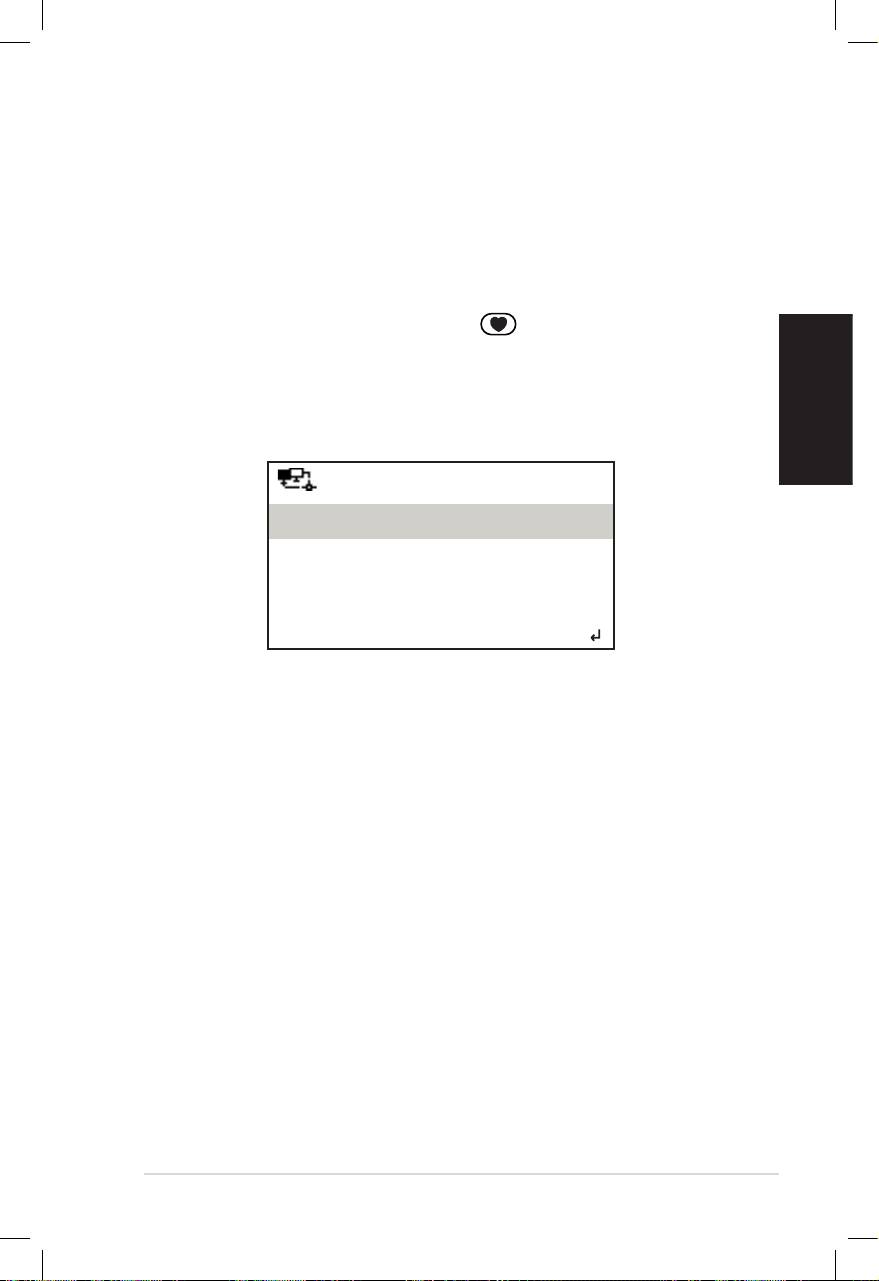
2. Sélectionnez une station et appuyez sur le bouton de navi-
gation droit pour afficher le sous-menu suivant:
12:00PM
Ajouter aux favoris
Scan automatique (Haut)
Scan automatique (Bas)
< 1/4
3. • Ajouter aux favoris: Permet d’ajouter une station à la
liste des favoris.
• Scan automatique (Haut)/(Bas): Permet de vous
connecter aux stations de la liste classées avant ou après
la station sélectionnée. Chaque station sera lue 30 secondes
durant lesquelles vous pourrez ajouter une station à la liste
de vos favoris via une pression du bouton +Favorite (Ajouter
aux favoris) de la télécommande..de la télécommande...
• Lecture: Permet de vous connecter à une station.
Reportez-vous au tableau de la page 9 pour le statut d’ajout
aux favoris.
Adding a manually entered station
1. Depuis le menu principal, sélectionnezDepuis le menu principal, sélectionnez Service > Ajouter
une nouvelle station radio.
2. Entrez l’URL d’une station. Reportez-vous à la section “Saisie
de texte” pour plus de détails sur la saisie de chiffres.
3. Une fois terminé, appuyez sur le bouton Entrée pour ajouter
la station à la liste des favoris. Reportez-vous au tableau page
9 pour le statut d’ajout aux favoris.
Français
ASUS Internet Radio 11
Gérer Mes favoris
ASUS Internet Radio peut sauvegarder jusqu’à 250 stations dans
la liste Mes favoris afin de vous permettre d’avoir un accès rapide
à vos stations préférées.
Pour gérer la liste de vos favoris:
1. Appuyez sur le bouton Favorite (Favoris) de la télécom-(Favoris) de la télécom-
mande ou sélectionnez Mes favoris depuis le menu princi-
pal. Une liste des stations préréglées apparaît.
2. Sélectionnez une station de la liste et appuyez sur le bouton de
navigation droit pour afficher le sous-menu ci-dessous:
12:00PM
Supprimer
Déplacer vers le haut
Déplacer vers le bas
< 1/5
3. • Supprimer: Permet de supprimer une station.
• Déplacer vers le haut/bas: Permet de changer l’ordre
des stations préréglées. Déplacez les stations les plus
écoutées dans le top 10 pour pouvoir les assigner
aux boutons de préréglage de la télécommande.
• Renommer: Permet de renommer une station.
• Lecture: Permet de vous connecter à une station.
Vous pouvez aussi vous connecter à une station préréglée via la
méthode suivante:
• Depuis la liste de vos favoris,sélectionnez une station etDepuis la liste de vos favoris, sélectionnez une station et
appuyez sur Entrée.
• Depuis n’importe quel menu, appuyez sur l’un des boutonsDepuis n’importe quel menu, appuyez sur l’un des boutons
numérotés 1–5 en façade de l’appareil ou sur la télécom- 1–5 en façade de l’appareil ou sur la télécom-de l’appareil ou sur la télécom- ou sur la télécom-sur la télécom-
mande) pour vous connecter à l’une des stations préréglées.
• Depuis n’importe quel menu, appuyez sur l’un des boutonsDepuis n’importe quel menu, appuyez sur l’un des boutons
numérotés 6–10 de la télécommande) pour vous connecter 6–10 de la télécommande) pour vous connecterla télécommande) pour vous connecter
à l’une des stations préréglées.

Français
12 ASUS Internet Radio
Autres paramètres
Conguration
La sélection de l’option Configuration depuis le menu principal
vous permet de configurer certains paramètres de ASUS Internet
Radio comme les paramètres réseau, d’horloge, d’alarme, de
langue, de rétro-éclairage, du minuteur de veille, du tampon, de
mise à jour du firmware, et de réinitialisation.
Réseau
Reportez-vous Guide de configuration réseau pour les détails.
Horloge
L’option Horloge vous permet de régler la date et l’heure ainsi
que le format d’affichage de l’heure. lors de la première uti-
lisation de l’appareil, l’écran affichera le fuseau horaire GMT
(Greenwich Mean Time). Réglez l’ heure selon votre fuseau ho-
raire, l’appareil synchronisera l’horloge via le protocole Network
Time Protocol (NTP), aussi longtemps qu’il est connecté à Inter-
net.
• Régler la date et l’heure: Permet de régler la date et l’heure
du système. Voir la section “Saisie de texte” page 6 pour plus
de détails sur la saisie de chiffres.
• Format de l’heure: Permet de sélectionner un format d’heure
de 12 Heures ou de 24 Heures.
NOTE:
• Vous pouvez vérifier le fuseau horaire GMT (Greenwich Mean Time)
dans le menu Centre d’informations.
• Réinitialisez l’heure de l’appareil lorsque vous changez de fuseau
horaire.
Alarme
Cette option vous permet d’activer/désactiver et configurer
l’alarme. Le bouton Alarm (Alarme) de la télécommande
permet aussi d’activer/désactiver l’alarme.

Français
ASUS Internet Radio 13
Pour programmer une alarme:
1. Allez à Configuration > Alarme > Activer.
2. Sélectionnez Régler l’heure de l’alarme et saisissez une
valeur. Voir la section “Saisie de texte” page 6 pour plus de
détails sur la saisie de chiffres.
3. Sélectionnez Régler la sonnerie de l’alarme pour choisir
un type de sonnerie; soit Bip, Mélodie, ou Radio (la dernière
station écoutée).
4. L’icône apparaîtra en haut à droite de l’écran pour indiquer
que l’alarme a été activée.
Assurez-vous que l’appareil n’est pas connecté à une station
radio lors de son heure d’activation, ou l’alarme ne s’enclenchera
pas. Lorsque l’alarme s’enclenche, appuyez sur n’importe quel
bouton pour l’arrêter.
Langue
Reportez-vous à la page 5 pour plus de détails.
Rétro-éclairage
L’option Rétro-éclairage vous permet d’ajuster la luminosité du
rétro-éclairage. Vous pouvez basculer d’un mode de rétro-éclai-
rage à l’autre via le bouton Backlight (Rétro-éclairage) de la
télécommande. Trois modes sont disponibles:
• Désactiver: Permet de désactiver le rétro-éclairage.
• Economie d’énergie: Permet de réduire le rétro-éclairage.
• Activer: Permet d’activer le rétro-éclairage.
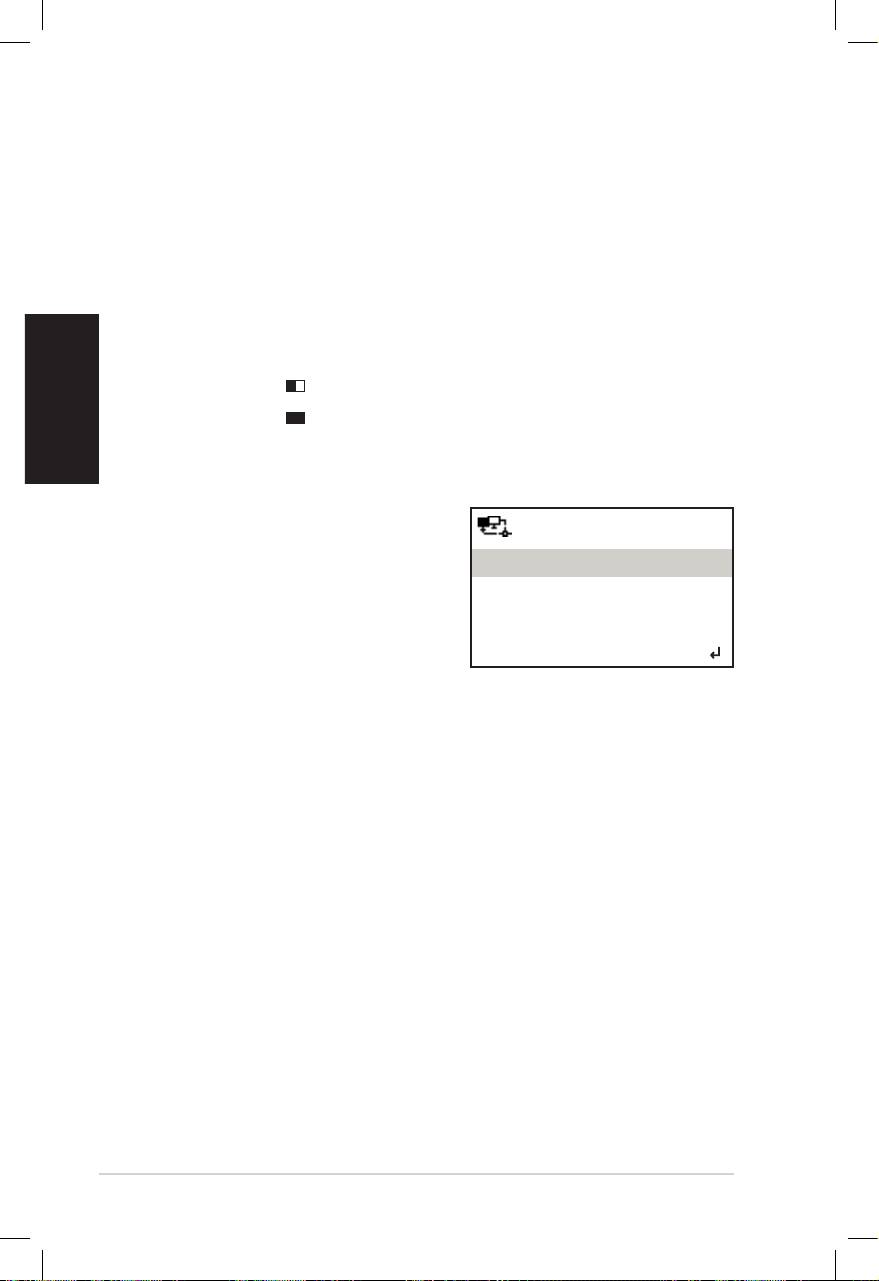
Minuteur de veille
L’option Minuteur de veille vous permet de sélectionner le délai
de mise en veille de l’appareil. Vous pouvez aussi mettre en veille
le système via le bouton Sleep (Veille) de la télécommande.
Lorsque cette fonction est activée, l’icône XXX apparaîtra en
haut à droite de l’écran, XXX indiquant le nombre de minutes
restantes avant la mise en veille. Six options sont disponibles:
Désactiver, 15 Minutes, 30 Minutes, 60 Minutes, 90 Minutes,
et 120 Minutes.
Français
14 ASUS Internet Radio
Tampon
L’option Tampon vous permet de configurer le tampon. Ce der-
nier servant à mettre en attente les données reçues pendant un
certain temps. Le réglage d’un tampon plus conséquent permet
des transferts de données plus fluides mais requiert un temps
d’attente plus long. Lors de la connexion à une station, une icône
à l’écran vous indiquera le niveau de tampon utilisé:
• 4 Secondes:
• 8 Secondes:
Mise à jour
Si une nouvelle version de firmware
12:00PM
est disponible, le message suivant
apparaîtra à l’écran.
Mise à jour (Oui)
Sélectionnez Mise à jour (Oui) pour
Mise à jour (Non)
télécharger le dernier firmware.
Si vous sélectionnez Mise à jour
< 1/2
(Non), vous pourrez tout de même
télécharger le nouveau firmware ultérieurement:
1. Sélectionnez Configuration > Mise à jour, puis choisissez
l’élément à télécharger.
NOTE: Si aucune option n’est disponible, cela signifie que le firmware
actuel est le dernier en date.
2. Sélectionnez Oui. Un compte à rebours de 60 secondes dé-
marre. Patientez jusqu’à ce que l’appareil redémarre.
3. Allez à Configuration > Mise à jour pour vérifier que la
version du firmware est bien différente de la précédente.
NOTE: N’éteignez pas votre appareil lors du processus de mise à jour.
Réinitialiser
L’option Réinitialiser vous permet de restaurer les paramètres
par défaut de l’appareil. La liste de vos favoris ainsi que vos para-
mètres réseau ne seront pas effacée lors de cette procédure .

Français
ASUS Internet Radio 15
Dépannage
Lisez attentivement les questions et réponses suivantes pour
résoudre les éventuels problèmes liés à l’utilisation de cet
appareil. Si la solution à votre problème ne se trouve pas sans
cette section, veuillez nous contacter directement. Pour cela,
reportez-vous aux informations de contact fournies en début de
manuel.
L’écran indique qu’une station radio est en cours de lecture,
pourtant aucun son n’est audible.
Certaines stations peuvent ne peut diffuser de contenu 24h sur 24.
Vous n’entendrez rien si la station ne diffuse aucun programme.
Pourquoi aucun son n’est diffusé depuis le haut-parleur ?
• Il se peut que le son soit coupé ou que le volume sonore soit
trop faible. Augmentez le volume ou appuyez sur le bouton
Mute (Muet) pour rétablir le son. Si vous utilisez des haut-
parleurs externes, assurez-vous que ces derniers soit allumés.
• Si les étapes ci-dessus ne résolvent pas le problème,
redémarrez l’appareil.
Que puis-je faire si ASUS Internet Radio plante ?
Appuyez sur l’interrupteur d’alimentation du panneau arrière
pour éteindre l’appareil, puis rallumez-le.
J’ai réglé l’alarme mais celle-ci ne s’est pas enclenchée.
L’alarme ne s’enclenche pas lorsque vous êtes connecté à une
station radio.
La connexion sans fil n’est pas stable.
• Etablissez une connexion filaire pour tester la fiabilité de votre
réseau.
• Utilisez une connexion filaire si celle-ci s’avère être plus stable
qu’une connexion sans fil.

Pourquoi la liste des stations radio en ligne change-t-elle ?
Les URL de stations radio sur Internet peuvent changer, pour
cela les techniciens ASUS les mettent à jour régulièrement. Votre
ASUS Internet Radio télécharge la dernière liste des stations
radio automatiquement aussi longtemps que l’appareil est
connecté au réseau. Votre appareil fonctionne normalement lors
du processus de mise à jour (1–2 minutes).
Français
Je ne parviens pas à me connecter à certaines stations radio.
L’accès à certaines stations radio peut varier selon la bande pas-
sante de chaque pays. Un échec de connexion peut être dû aux
raisons suivantes:
• La bande passante du réseau dans le pays auquel vous
essayez de vous connecter est limitée. Un modem ADSL/câble
avec une bande passante de 1Mbps est recommandé.
• Problème de congestion du réseau.
• Les stations ne fournissent pas assez de bande passante.
• Les stations n’existent plus ou sont en cours de maintenance.
Si vous ne parvenez toujours pas à vous connecter à certaines
stations radio, contactez-nous à partir du site Web suivant: http://
vip.asus.com/eservice/techserv.aspx.
16 ASUS Internet Radio
ASUS Internet Radio
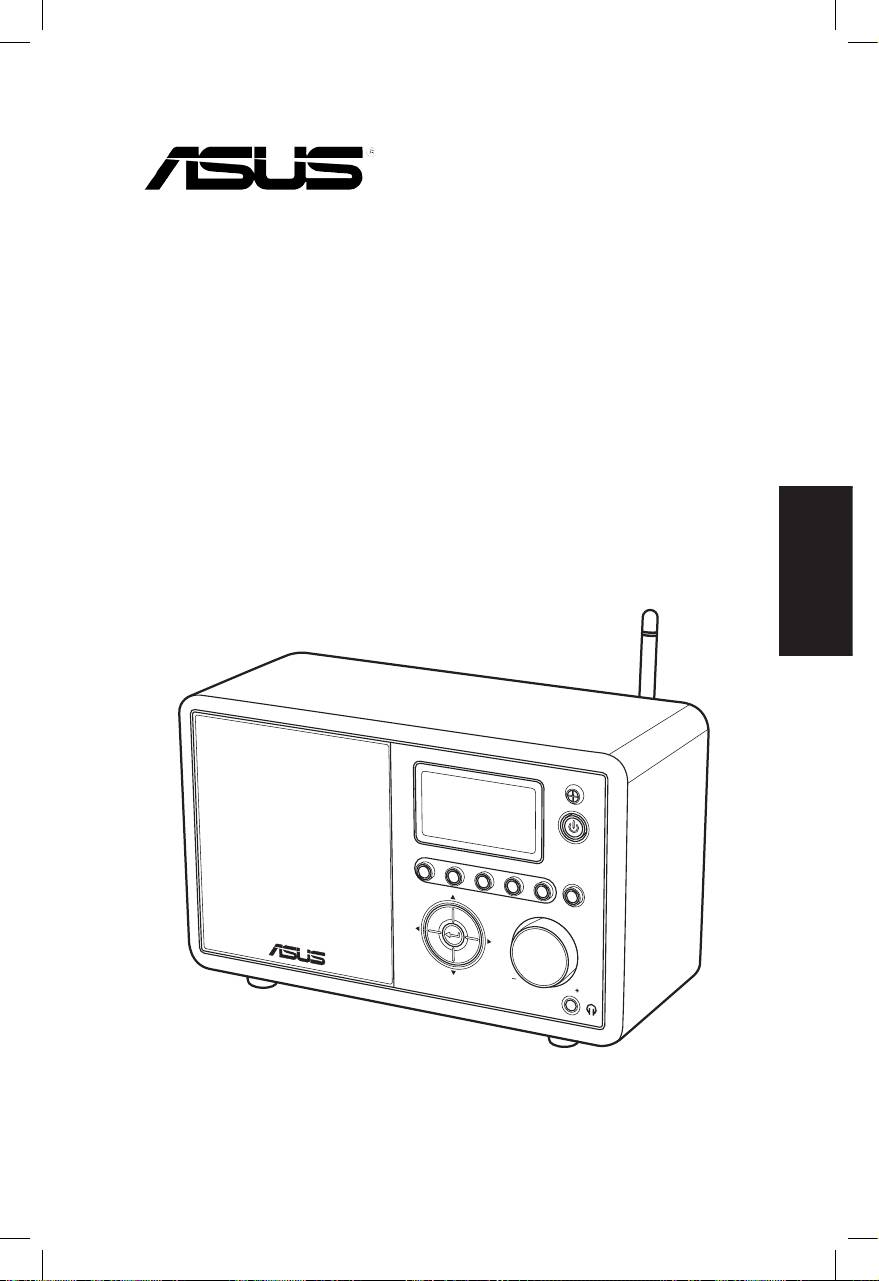
Benutzerhandbuch
Deutsch
S
ta
nd
1 2 3 4
by/O
n
5
H
O
ME
V
olu
m
e
AIR

Deutsch
ii ASUS Internet Radio
Inhaltsverzeichnis
Inhaltsverzeichnis ................................................. ii
Hinweise ................................................................ iv
Willkommen .......................................................... vi
Verpackungsinhalt .............................................................................vi
Übersicht ............................................................................................. vii
Technische Daten ............................................................................. vii
Erste Schritte .......................................................... 1
Frontseite ...............................................................................................1
Rückseite ................................................................................................2
Benutzen der Fernbedienung ........................................................3
Gerät einschalten ................................................................................4
Sprachauswahl .....................................................................................5
Texteingabe...........................................................................................6
Radiosender hören ................................................ 7
Suchen nach einem Radiosender .................................................7
Suchen nach Genre ......................................................................7
Suchen nach Land/Region ........................................................7
Suchen nach Sendernamen ......................................................8
Mit einem Sender verbinden ..........................................................9
Sender zu Favoriten hinzufügen ...................................................9
Hinzufügen eines zur Zeit abgespielten Senders .............9
Hinzufügen eines Senders von der Liste ...........................10
Hinzufügen eines manuell eingegebenen Senders ......10
Meine Favoriten verwalten ...........................................................11
Andere Einstellungen .......................................... 12
Konfiguration .....................................................................................12
Netzwerk .......................................................................................12
Uhr ...................................................................................................12

Deutsch
ASUS Internet Radio iii
Wecker ...........................................................................................12
Sprache ..........................................................................................13
Hintergrundbeleuchtung .......................................................13
Schlaftimer ...................................................................................13
Pufferung ......................................................................................14
Version Update ...........................................................................14
Reset ...............................................................................................14
Fehlerbehandlung ............................................... 15

Deutsch
iv ASUS Internet Radio
Hinweise
Federal Communications Commission-Erklärung
Dieses Gerät wurde geprüft und entspricht den Grenzwerten für
digitale Geräte der Klasse B gemäß Teil 15 der FCC-Vorschriften.
Diese Vorschriften wurden für ausreichenden Schutz gegen
Radiofrequenzenergie in Wohngegenden aufgestellt.
Dieses Gerät erzeugt und verwendet Radiofrequenzenergie
und kann diese ausstrahlen. Wenn es nicht entsprechend
der Bedienungsanleitung installiert und verwendet wird,
kann es Störungen von Funkübertragungen verursachen. Es
kann nicht für alle Installationen gewährleistet werden, dass
keine Störungen auftreten. Falls dieses Gerät Störungen des
Rundfunk- oder Fernsehempfangs verursacht, was durch Ein-
und Ausschalten des Geräts ermittelt werden kann, sollten Sie
folgende Maßnahmen ergreifen, um die Störungen zu beheben:
• Ändern Sie die Ausrichtung oder den Standort der
Empfangsantenne.
• Vergrößern Sie den Abstand zwischen dem Gerät und dem
Empfänger.
• Schließen Sie Gerät und Empfänger an unterschiedliche
Netzspannungskreise an.
• Wenden Sie sich an den Fachhändler oder einen erfahrenen
Radio-/Fernsehtechniker..
Dieses Gerät entspricht Teil 15 der FCC-Vorschriften. Im Betrieb
müssen die folgenden beiden Bedingungen erfüllt werden::
• Dieses Gerät darf keine schädliche Störstrahlung abgeben und
• Dieses Gerät muss für empfangene Störstrahlung
unempfindlich sein, auch für Störstrahlung, die unerwünschte
Funktionen hervorrufen kann..
FCC Caution:
Jede Änderung oder Modifikation, die nicht ausdrücklich von
verantwortlichen Parteien genehmigt wurde, können die
Betriebserlaubnis für das Gerät erlöschen lassen.

Deutsch
ASUS Internet Radio v
WICHTIGE HINWEISE:
FCC-Strahlenbelastungsverordnung
Diese Ausrüstung erfüllt die Grenzen der FCC-Bestimmungen
für unkontrollierte Umgebungen. Das Gerät sollte mindestens
in einen Abstand von 20cm zwischen Strahler und Ihrem Körper
installiert und betrieben werden. Dieser Sender darf nicht
zusammen oder in Nachbarschaft von anderen Antennen oder
Sendern betrieben werden. Der IEEE 802.11b- oder 802.11g-
Betrieb dieses Gerätes in den USA wird von der Firmware auf
Kanal 1 bis 11 beschränkt.
Industry Canada Statement
Der Betrieb ist von folgenden Faktoren abhängig:
• Das Gerät darf keine Interferenzen erzeugen und
• Das Gerät muss Interferenzen jeglicher Art akzeptieren,
eingeschlossen Interferenzen die einen ungewünschten
Betrieb des Gerätes verursachen.
IMPORTANT NOTE:
Radiation Exposure Statement
Dieses Gerät erfüllt die IC-Strahlenbelastungsgrenzen für nicht
kontrollierte Umgebungen. Das Gerät sollte mindestens in einen
Abstand von 20cm zwischen Strahler und Ihrem Körper installiert
und betrieben werden.
Deutsch
vi ASUS Internet Radio
Willkommen
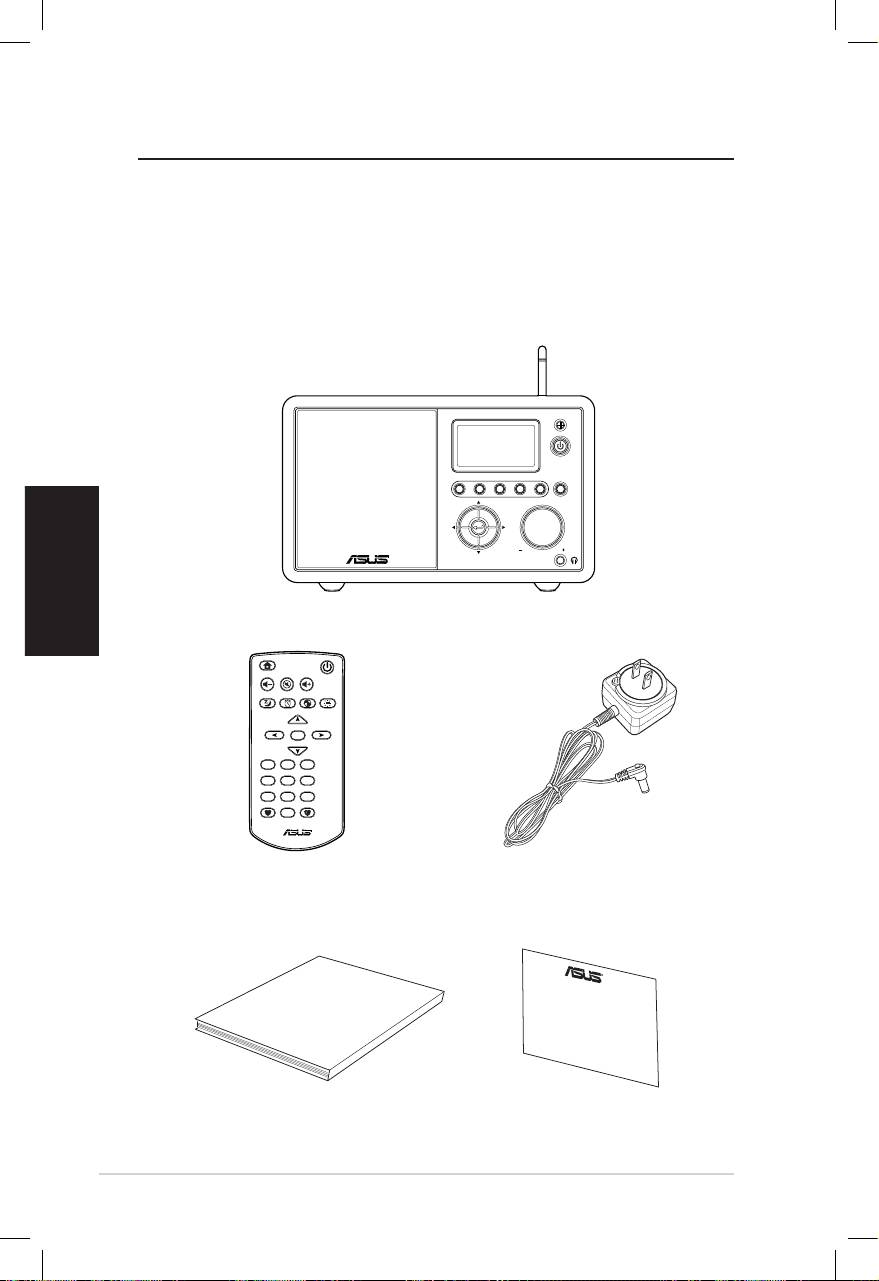
Wir gratulieren Ihnen zum Kauf des ASUS Internet-Radio. Die fol-
genden Abbildungen zeigen Ihnen den Verpackungsinhalt Ihres
neuen ASUS Internet-Radios.
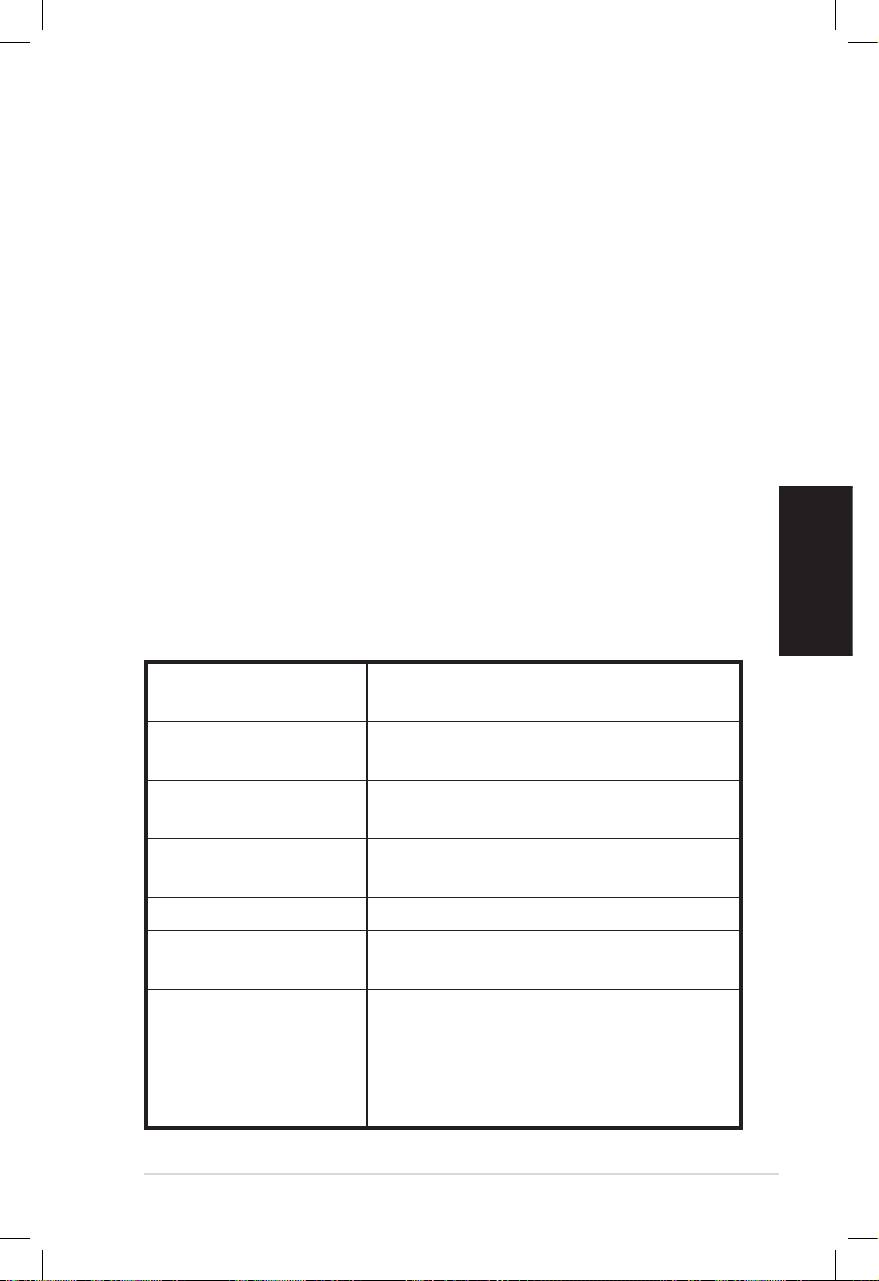
Verpackungsinhalt
User Manual
Home
Standby/On
Volume-
Mute
Volume+
Sleep
Alarm
Language
Backlight
Enter
1 2 3
4 5 6
7 8 9
10
Favorite
+Favorite
Standby/On
1 2 3 4 5
HOME
Volume
ASUS Internet Radio
Fernbedienung
Netzteil
Benutzerhandbuch
Garantiekarte
Deutsch
ASUS Internet Radio vii
Übersicht
Das ASUS Internet Radio bietet bequemen Zugriff auf eine große
Auswahl von Radiosendern im Internet. Bevor Sie Internet Radio
genießen können, vergewissern Sie sich, dass Sie Zugang zu
einem Kabel- oder Wireless-Netzwerk haben.
Funktionen
• Eigenständiges Gerät
• Kabellose oder Kabelverbindung
• Aktuelle Liste von mehr als 10.000 Online-Radiosendern
• 250 Favoriten
• Weckfunktion
• Schlaf-Timer
• Network Time Protocol (NTP)
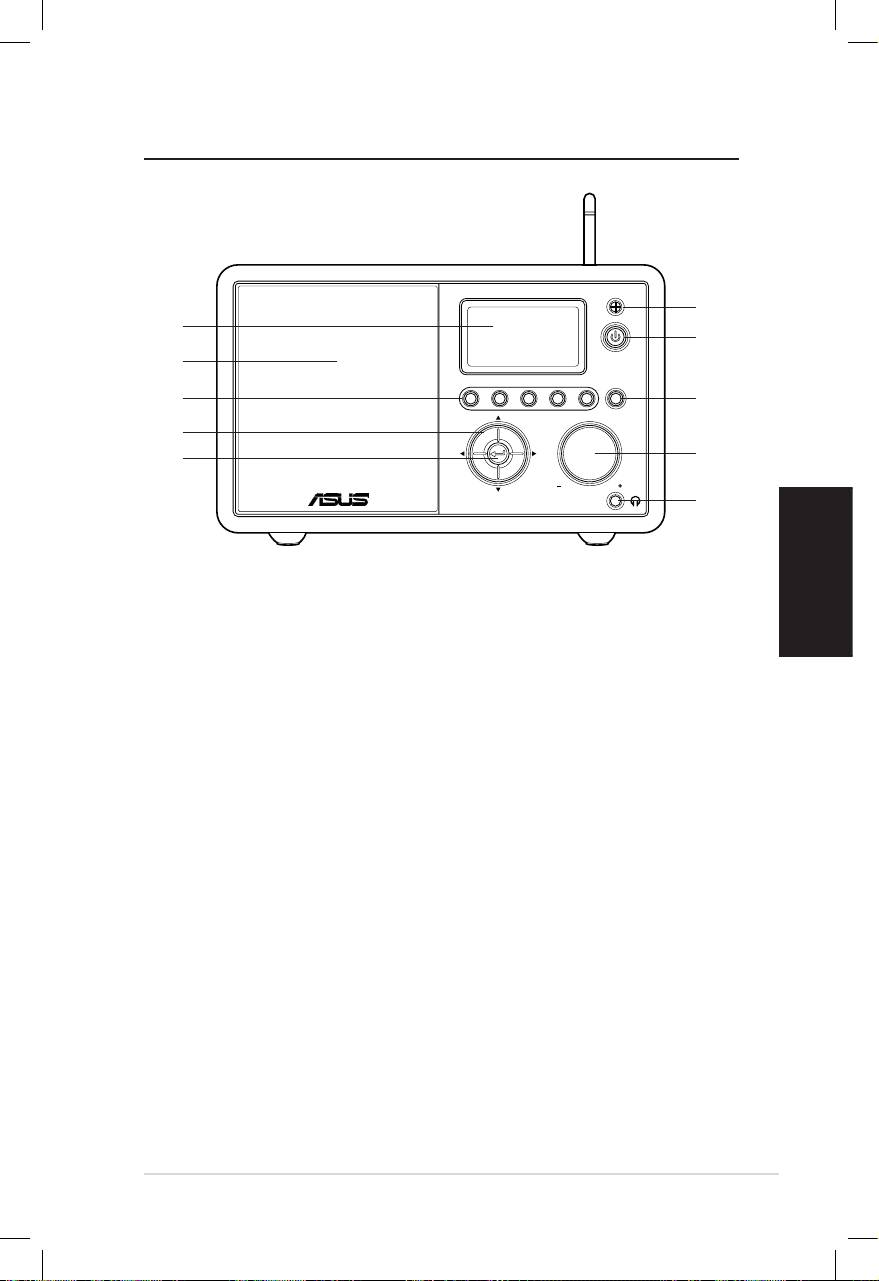
Technische Daten
Verbindung Wireless LAN 802.11b/g
Kabelnetzwerk 10/100M Ethernet
Datenrate 54 Mbits (WLAN)
10/100 Mbits (Ethernet)
Wireless LAN-
64/128-Bit WEP
Sicherheit
WPA/WPA2
Audio-Format-
MP3/WMA
Dekoder
16Kbps–320Kbps
SNR >90dB Kopfhörer
Anzeige 128 x 64 FSTN grafische Anzeige
Blau mit weißer LED
E/A-Anschlüsse
Kopfhörerbuchse (Φ 3.5mm)
Line In (Φ 3.5mm)
Line Out (RCA jack)
Ethernet (RJ45)
Gleichstromanschlussbuchse

Lautsprecher 5 Watt/4 Ohm
Netzteil Eingang: ~ 100-240V (50-60Hz)
Ausgang: 6V/2A Wechselstrom
Fernbedienung 26 Tasten
Abmessungen 250 (L) x 128 (B) x 190 (H) mm
Weight 2 kg
DSL-/Kabelmodem-
mindestens 1Mbps
bandbreite (emp-
fohlen)
Deutsch
viii ASUS Internet Radio
Erste Schritte
Deutsch
ASUS Internet Radio 1
Standby/On
1 2 3 4 5
HOME
Volume
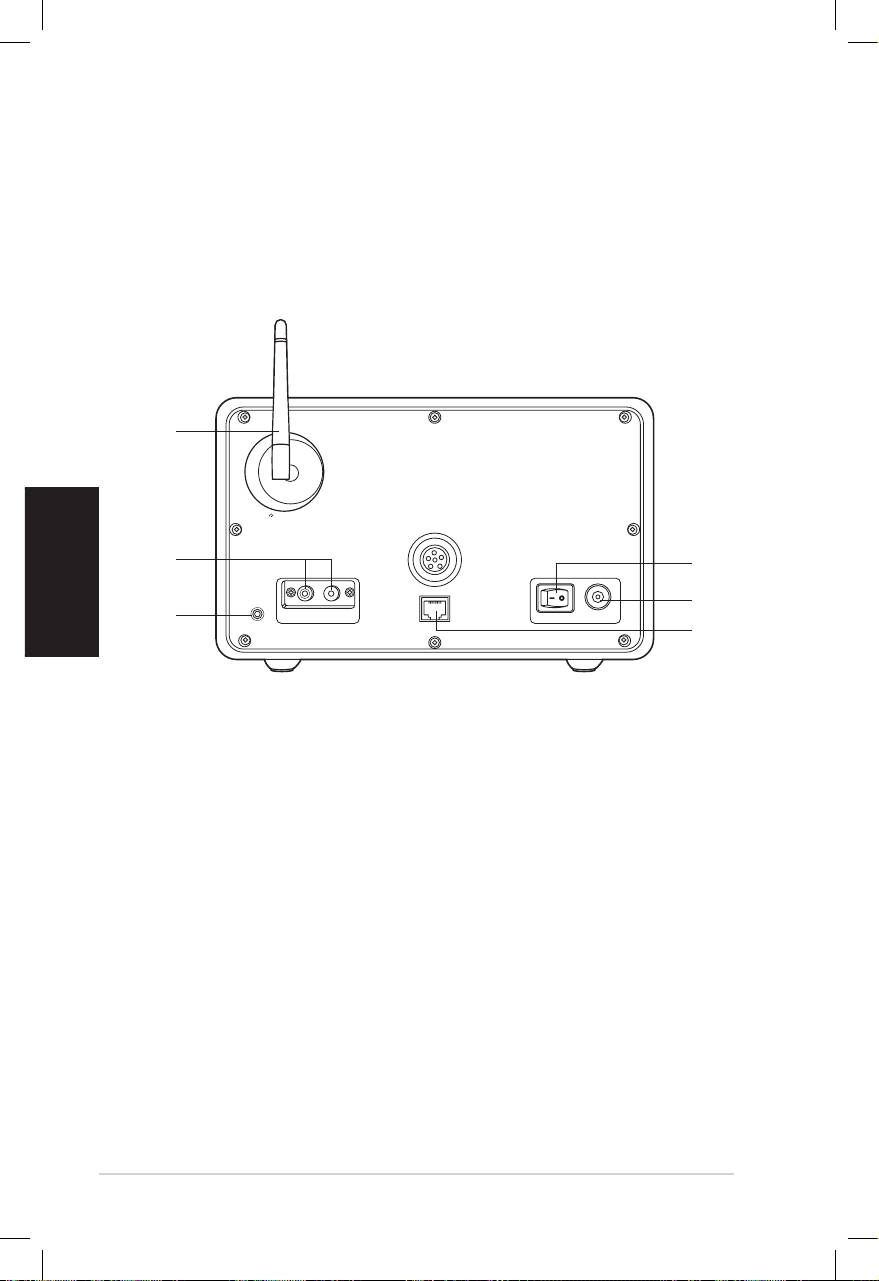
Frontseite
1
10
2
9
8
3
7
4
6
5
1. IR-Sensor:IR-Sensor: Empfängt die Signale der Fernbedienung.
2. Bereitschafts-/Ein-Schalter:Bereitschafts-/Ein-Schalter: Zum Umschalten des Gerätes
zwischen Bereitschafts- und Ein-Modus.
3. Home-Schalter:Home-Schalter: Damit gelangen Sie zurück zum Hauptmenü.
4. Lautstärkeregler:Lautstärkeregler: Drehen Sie den Knopf nach rechts, um die
Lautstärke zu erhöhen oder nach links, um sie zu verringern.
Drehen Sie den Knopf, um Text einzugeben oder durch die
Menüoptionen zu navigieren. Drücken Sie den Knopf, um Ihre
Auswahl einer Menüoption zu bestätigen.
5. Kopfhörerbuchse:Kopfhörerbuchse: Zum Anschluss eines Kopfhörers zum
störungsfreien Hören. Sie können an dieser Buchse auch
zusätzliche Lautsprecher anschließen.
6. Enter-Knopf: Durch das Drücken dieses Knopfes bestätigen
Sie die Auswahl einer Menüoption.
7. Auf-/Ab-/Links-/Rechts-Navigationsknopf: Drücken Sie
den Knopf, um in alle Richtungen durch die Menüelemente
zu navigieren.
8. Voreinstellungsknopf 1-5: Zum Aufrufen eines
voreingestellten Radiosenders.
9. Lautsprecher: Der eingebaute Lautsprecher.
10. Anzeige: Die LCD-Anzeige mit Hintergrundbeleuchtung.
Deutsch
2 ASUS Internet Radio
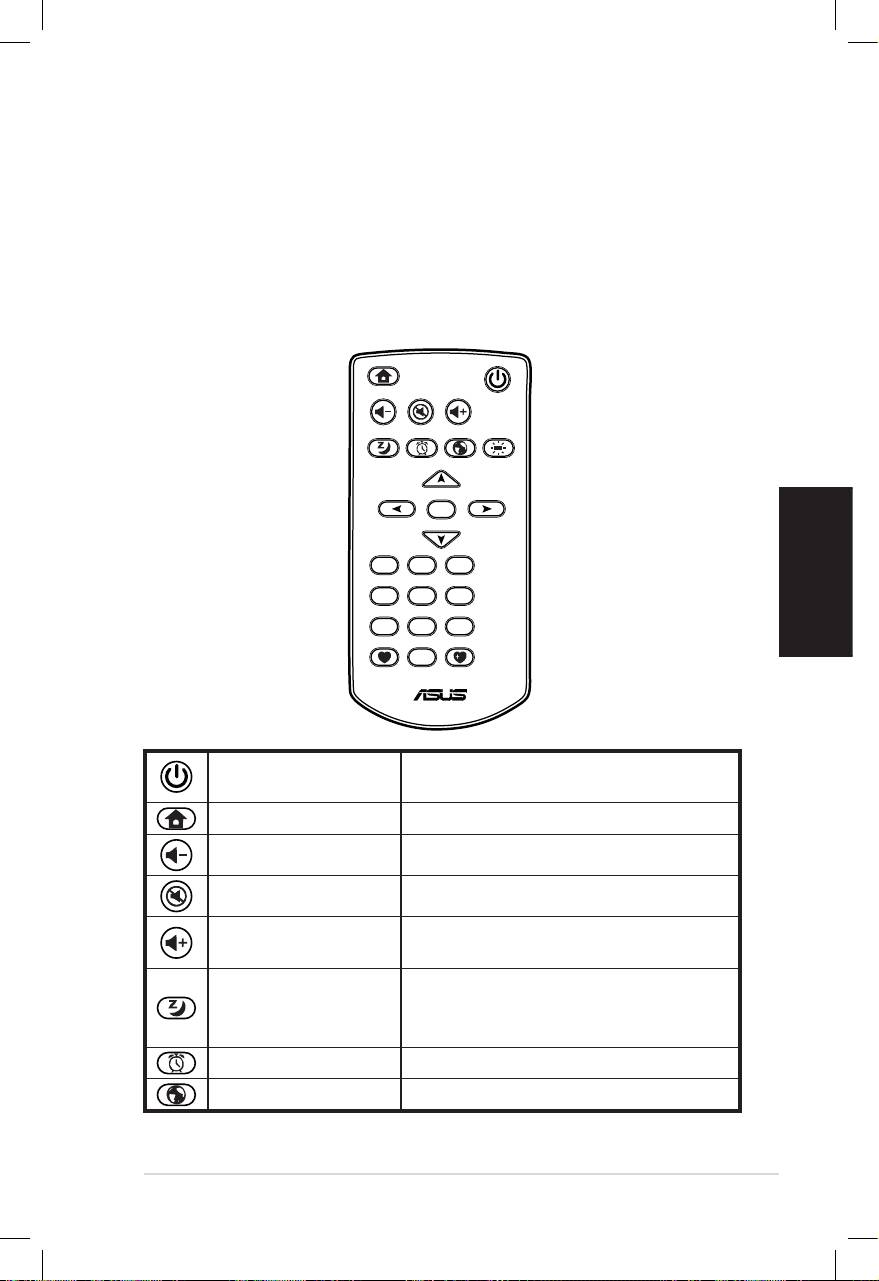
Rückseite
1
2
3
Antenna
LAN
LINE IN
R L
LINE OUT
ON OFF DC
HINWEIS: Die Funktionen an der Vorderseite werden bei der
Fernbedienung wiederholt. Siehe Seiten 3 und 4 für mehr
Informationen..
6
5
4
1. Stromschalter: Schaltet das Gerät ein und aus.
2. Gleichstrombuchse: Verbinden Sie das mitgelieferte
Netzteil mit dieser Buchse.
3. LAN-Anschluss: Verbinden Sie ein Netzwerkkabel mit dieser
Buchse.
4 Line-In-Buchse: Wenn Sie das Gerät lediglich als
Lautsprecher verwenden möchten, verbinden Sie das
Audiokabel mit dieser Buchse. Das Gerät schaltet sich dann
automatisch in den AUX-Modus.
5. Links/Rechts Line-Out-Buchse: Verbinden Sie die
Audiokabel mit diesen Buchsen, um eine zusätzliche
Stereoanlage zu benutzen.
6. Antenne: Richten Sie die Antenne senkrecht aus, um den
besten Empfang des Wireless-Signals zu gewährleisten.
Deutsch
ASUS Internet Radio 3
Benutzen der Fernbedienung
Benutzen Sie die Fernbedienung zum Suchen von Radiosendern,
zum Erstellen einer Liste Ihrer Lieblingssender und zur
Konfiguration anderer Einstellungen.
Siehe auch die folgende Tabelle mit den Funktionen der Tasten
auf der Fernbedienung.
Home
Standby/On
Volume-
Mute
Volume+
Sleep
Alarm
Language
Backlight
Enter
1 2 3
4 5 6
7 8 9
10
Favorite
+Favorite
Bereitschafts-/Ein-
Zum Umschalten zwischen
Schalter
Bereitschafts- und Ein-Modus
Home-Schalter Zurück zum Hauptmenü
Lautstärkeregler Lautstärke erhöhen
Stummschalter Ton ausschalten
Lautstärke
Lautstärke erhöhen
erhöhen
Voreinstellung der Zeit, nach
Schlafmodus
welcher das Gerät sich selbst
ausschalten soll
Alarmschalters Ein-/Ausschalten der Weckfunktion
Sprachenwahl Menüsprache wählen
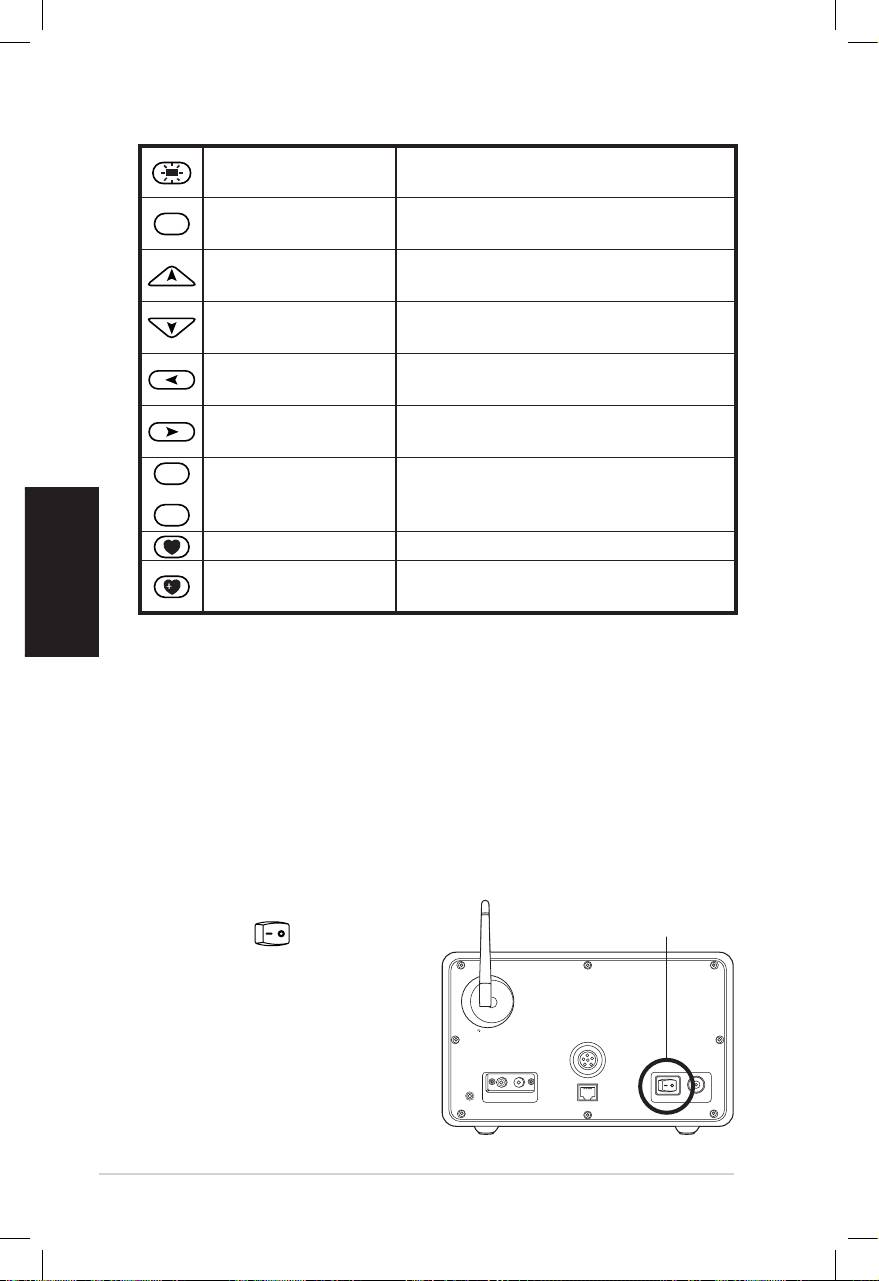
Deutsch
4 ASUS Internet Radio
Hintergrund-
Hintergrundbeleuchtungsmodus
beleuchtung
wählen
Enter
Auswahl einer Menüoption
Enter-Knopf
bestätigen
Auf-
Im Menü aufwärts bewegen
Navigationstaste
Enter drücken, um Text einzugeben
Ab-
Im Menü abwärts bewegen
Navigationstaste
Enter drücken, um Text einzugeben
Linke
Zurück zum vorherigen Menü
Navigationstaste
Rechte
Auswahl einer Option bestätigen
Navigationstaste
und zum Untermenü gehen
1
~
10
Voreingestellte
Voreingestellen Radiosender
Tasten 1-10
aufrufen
Favoritentaste Favoriten anzeigen
Zur Zeit gespielten Radiosender in
+Favoritentaste
den Favoriten speichern
Gerät einschalten
So schalten Sie das ASUS Internet-Radio das erste Mal ein:
1. Stecken Sie das mitgelieferte Netzteil in die Steckdose.
2. Verbinden Sie den Gleichstromausgang des Netzteils mit der
Buchse an der Rückseite des Gerätes..
Antenna
LAN
LINE IN
R L
LINE OUT
ON OFF DC
3. Drücken Sie den Strom-Drücken Sie den Strom-
EIN/AUS
schalter an deran der
Rückseite, um das Gerät
einzuschalten. Die Beleuch-
tung der Anzeige leuchtet
auf und das ASUS-Logo
wird angezeigt. Danach
erscheint das folgende
Menü::
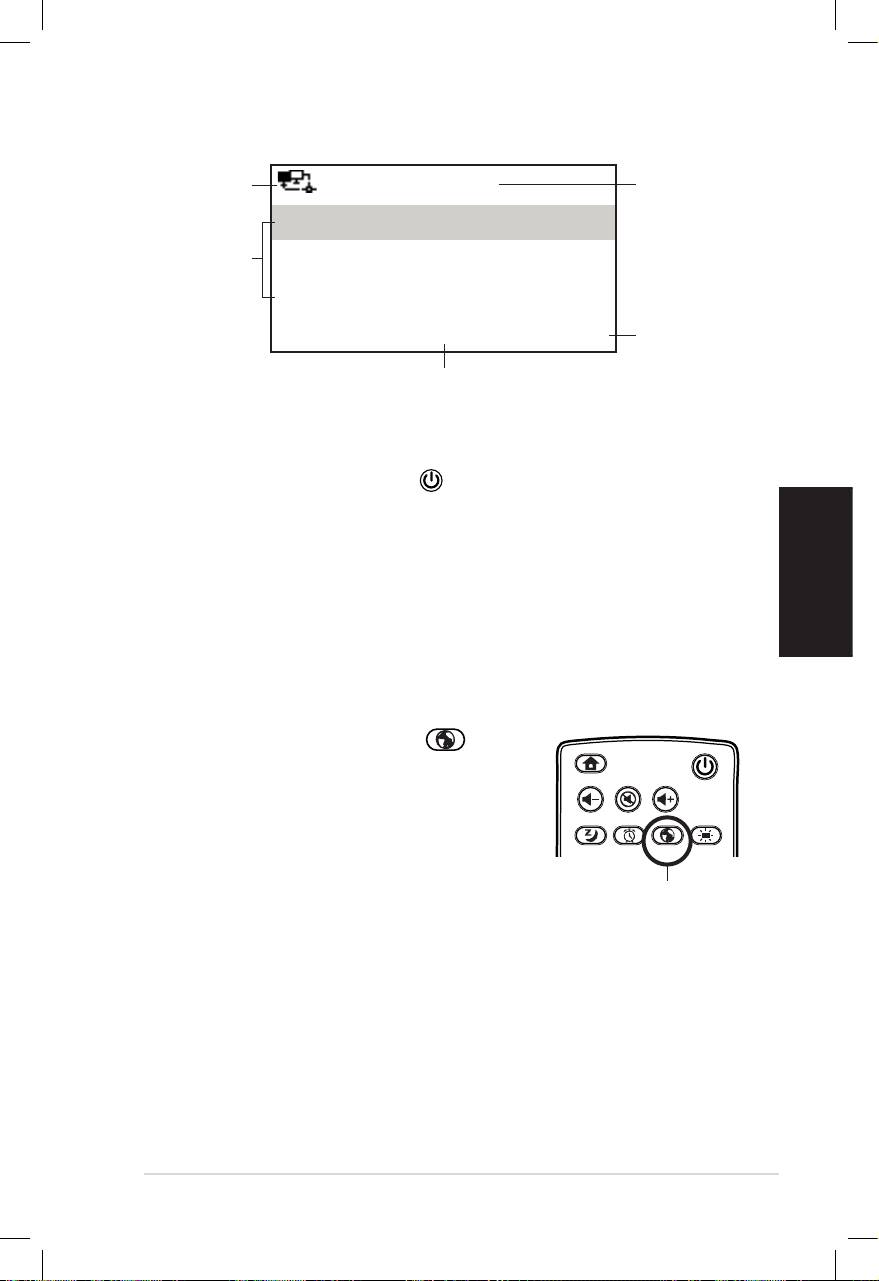
Deutsch
ASUS Internet Radio 5
Netzwerk-
12:00PM
Uhrzeit
status
Meine Favoriten
Menü-
Radiosender/Musik
optionen
Rechte
Media Center
Navigations-
taste drücken,
1/6 >
um zum
Das Hauptmenü enthält vier Optionen
Untermenü
und die erste Option ist markiert.
zu gelangen.
HINWEIS: Das Drücken der Taste an der Vorderseite oder der
Fernbedienung schaltet das Gerät nicht ein.
Sprachauswahl
Das ASUS Internet-Radio unterstützt für die Menüanzeige
mehrere Sprachen..
So ändern Sie die Sprache:
Drücken Sie die Taste Sprache an
der Fernbedienung, um die gewünschte
Sprache zu wählen (Schnellauswahl).
ODER:
1. Wählen Sie im HauptmenüWählen Sie im Hauptmenü
Configuration > Language.
2. Drücken Sie die Auf-/Ab-Taste, um sich durch die
Sprachoptionen zu bewegen und drücken Sie die Enter-
Taste, um die gewählte Sprache anzunehmen.
HINWEIS: Die Sprachauswahl tritt nur bei den ASUS Internet-Radio-
Menüs und Systemmeldungen in Kraft. Die Radiosendernamen können
entsprechend ihres Standortes in einer anderen Sprache dargestellt
werden.
Home
Standby/On
Volume-
Mute
Volume+
Favorite
Sleep
1 2 3
4 5 6
7 8 9
Alarm
10
Enter
+Favorite
Language
Backlight
Language button
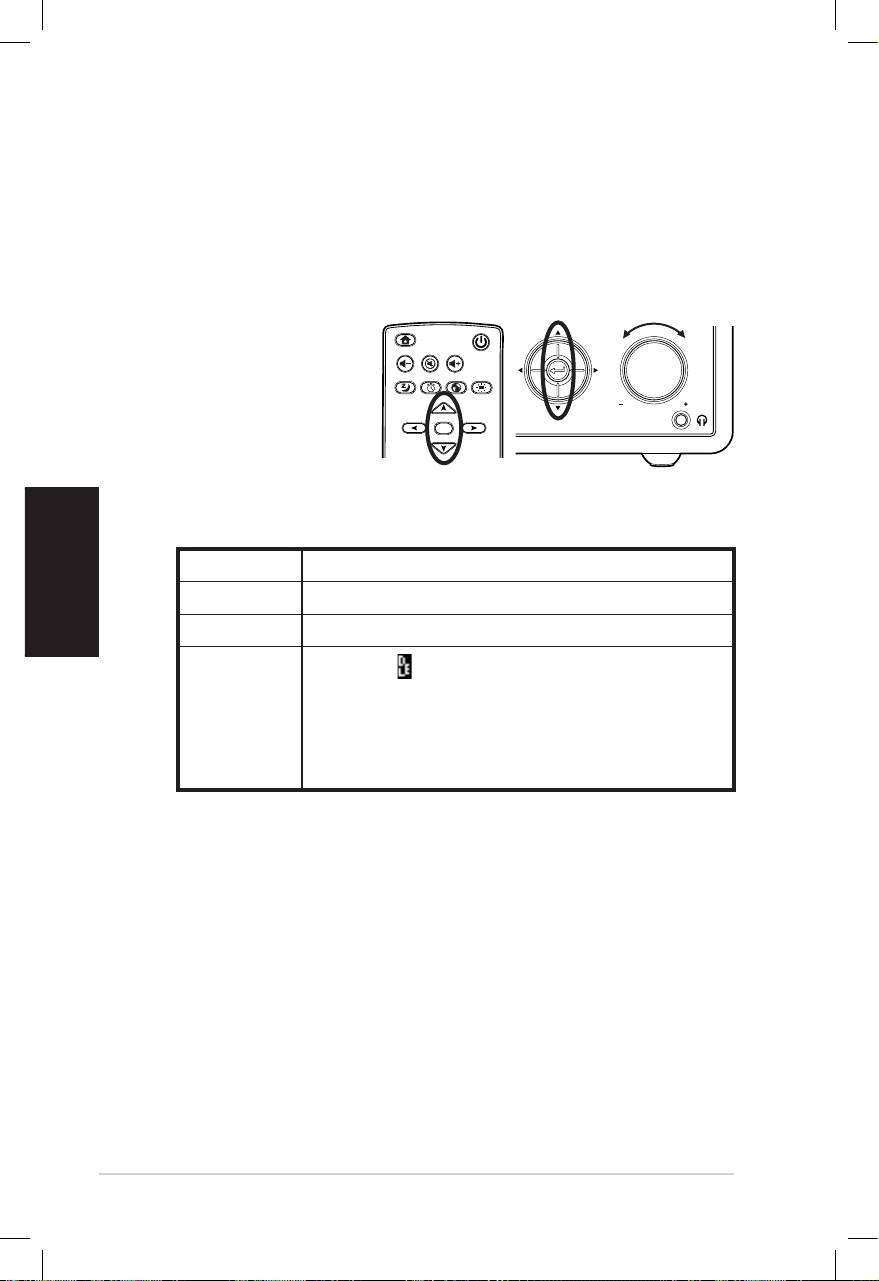
Deutsch
6 ASUS Internet Radio
Texteingabe
Wenn Sie eine URL eines Online-Senders hinzufügen oder einen
WEP-Schlüssel für eine drahtlose Netzwerkverbindung benutzen,
müssen Sie Text eingeben..
So geben Sie Klein- und Großbuchstaben, Symbole und Zahlen ein:
1. Drücken Sie die Auf-Drücken Sie die Auf-
/Ab-Navigationstaste
oder drehen Sie den
Lautstärkeregler
rechts oder links
herum, um eines der
folgenden Zeichen
auszuwählen::
HINWEIS: Die Zeichen erscheinen in Kreisreihenfolge. Nach
“Leerzeichen” folgt das große “A”.
2. Drücken Sie die rechte Navigationstaste, um fortzufahren.
Drücken Sie die Enter-Taste oder den Lautstärkeregler, wenn
Sie fertig sind.
Um Ihre IP-Adresse und andere IP-Parameter, die Uhrzeit, das
Datum und die Weckzeit einzustellen, folgen Sie der oberen
Beschreibung, um die Werte einzugeben.
Home
Standby/On
Volume-
Mute
Volume+
Sleep
Alarm
Language
Backlight
Enter
Favorite
1 2 3
4 5 6
7 8 9
10
+Favorite
Standby/On
1 2 3 4 5
HOME
Volume
Buchataben A a B b C c…Z z
Symbole $ % & # _ ^ ~ ` “ ‘, . : ; ? ! * - + @ < = > { ¦ } [ \ ] ( / )
Zahlen 0 1 2 3 4 5 6 7 8 9
Löschen ( ): Wählen Sie die rechte/linke Navi-
gationstaste, um den Text links vom Kursor zu
Andere
löschen.
Leertaste: Wählen Sie diese Taste, um ein
Leerzeichen einzugeben.
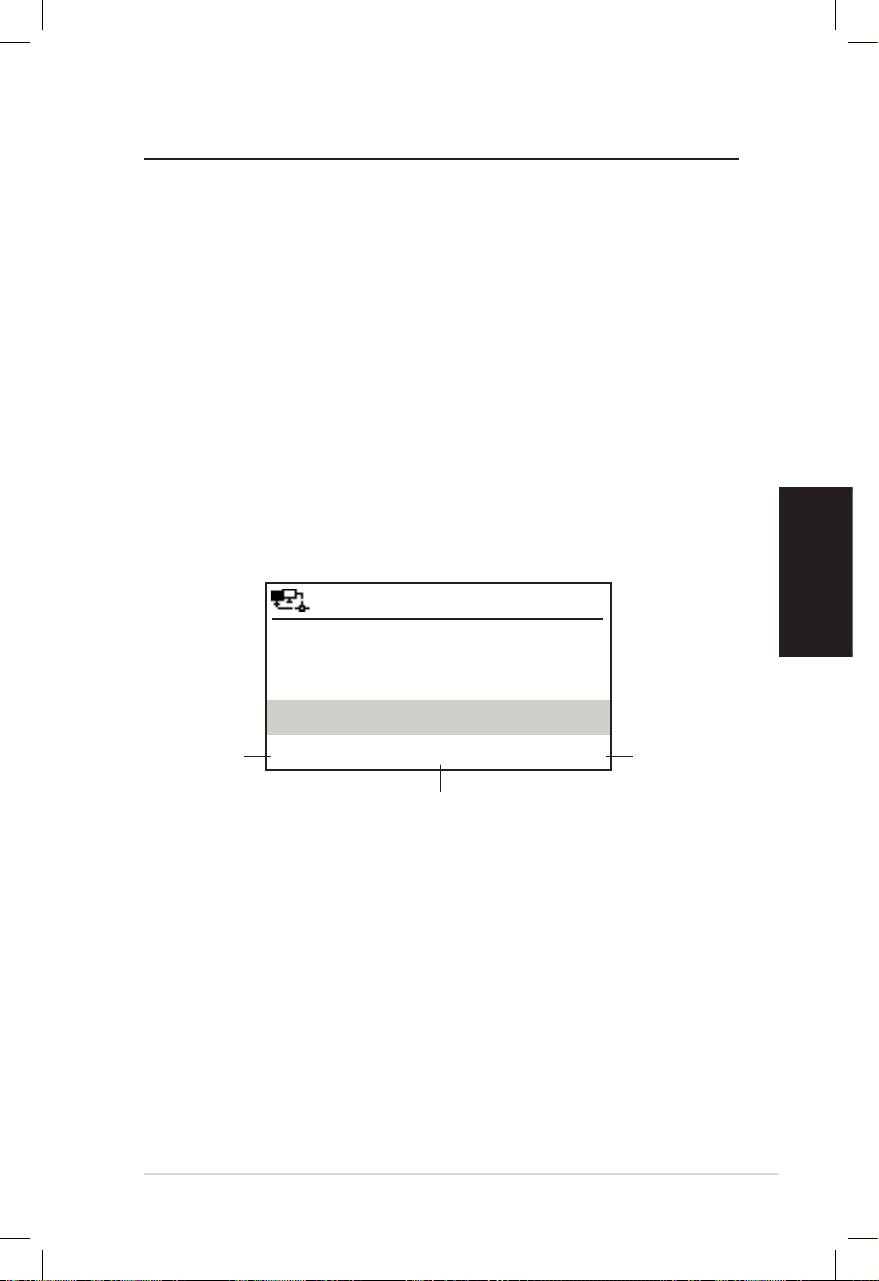
Deutsch
ASUS Internet Radio 7
Radiosender hören
Suchen nach einem Radiosender
Das ASUS Internet-Radio enthält eine aktuelle, gut ausgewählte
Liste mit weltweiten Online-Radiosendern. Nicht jeder Internet-
Radiosender betreibt auch einen konventionellen Radiosender.
Einige der Sender übertragen nur via Internet. Sie können über
Musik, Genre oder Land nach einem Sender suchen oder in al-
phabetischer Reihenfolge durch die Senderliste gehen.
Suchen nach Genre
1. Wählen Sie im Hauptmenü Radiosender/Musik > Genre
und es wird Ihnen eine alphabetisch sortierte Liste der
Musikgenres angezeigt.
2. Drücken Sie die Auf-/Ab-Taste, um eine Genre zu markieren,
z.B. wenn Sie Jazzmusik hören möchten:
12:00PM
Drücken Sie
Hard Rock
die linke
Drücken Sie
Navigations-
Hip Hop
die rechte
taste, um zum
Navigations-
vorherigen
Jazz
taste, um
Menü zurück-
alle Jazz-
< 23/53 >
zukehren.
Sender
anzuzeigen.
Jazz ist das 23. von 53 Genres
3. Drücken Sie die rechte Navigationstaste, um alle verfügbaren
Sender mit Jazzmusik anzuzeigen. Markieren Sie einen
Sender und drücken Sie die Enter-Taste, um sich mit dem
Radiosender zu verbinden.
Suchen nach Land/Region
1. Wählen Sie im Hauptmenü Radiosender/Musik > Land und
es wird Ihnen eine alphabetisch sortierte Liste der Länder
angezeigt.
Die Liste enthält: Afrika, Asien, Europa, Südamerika, mittlerer
Osten, Nordamerika, Ozeanien/Pazifik, nur Internet.

Deutsch
8 ASUS Internet Radio
12:00PM
Afrika
Asien
Europa
< 1/8 >
2. Wählen Sie eine geografische Region und dann ein Land
in dieser Region ein Land. Eine Liste der in diesem Land
verfügbaren Sender wird angezeigt.
3. Markieren Sie einen Sender und drücken Sie die Enter-Taste,
um sich mit diesem Sender zu verbinden.
HINWEIS:
• Für Länder die eine große Anzahl von Radiosendern haben, werden
die Sender nach Anfangsbuchstaben sortiert in Unterkategorien
eingeordnet.
• Wenn Sie eine andere Sprache als Englisch wählen, werden Sie im
Menü Radiosender/Musik den Namen des Landes sehen, wo diese
Sprache gesprochen wird. Markieren Sie den Ländernamen und
drücken Sie die Enter-Taste, um die Sender dieses Landes anzuzeigen.
Suchen nach Sendernamen
1. Wählen Sie im Hauptmenü Service > Radiosender suchen
2. Die Sender werden in 10 Kategorien folgendermaßen
aufgeteilt: 0-9, A-C, D-F, G-I, J-L, M-O, P-R, S-U, V-Z und Andere.
Wählen Sie eine Kategorie, um die Liste der Sender anzuzeigen.
HINWEIS: Sender mit Namen in Japanisch, Koreanisch, Chinesisch
traditionell und Chinesisch einfach finden Sie unter Andere.
3. Wählen Sie erneut einen Sender, um mehr Sender
anzuzeigen. Die Sender werden alphabetisch sortiert nach
den ersten beiden Buchstaben ihres Namens angezeigt.
4. Markieren Sie einen Sender und drücken Sie die Enter-Taste,
um sich mit diesem Sender zu verbinden.
HINWEIS: Wenn Sie einen Sender in der Liste markiert haben, wird
in der unteren linken Ecke eine Balkenanzeige erscheinen, um die
Erreichbarkeit des Senders anzuzeigen. Drei Balken zeigen die höchste
Erreichbarkeit an.
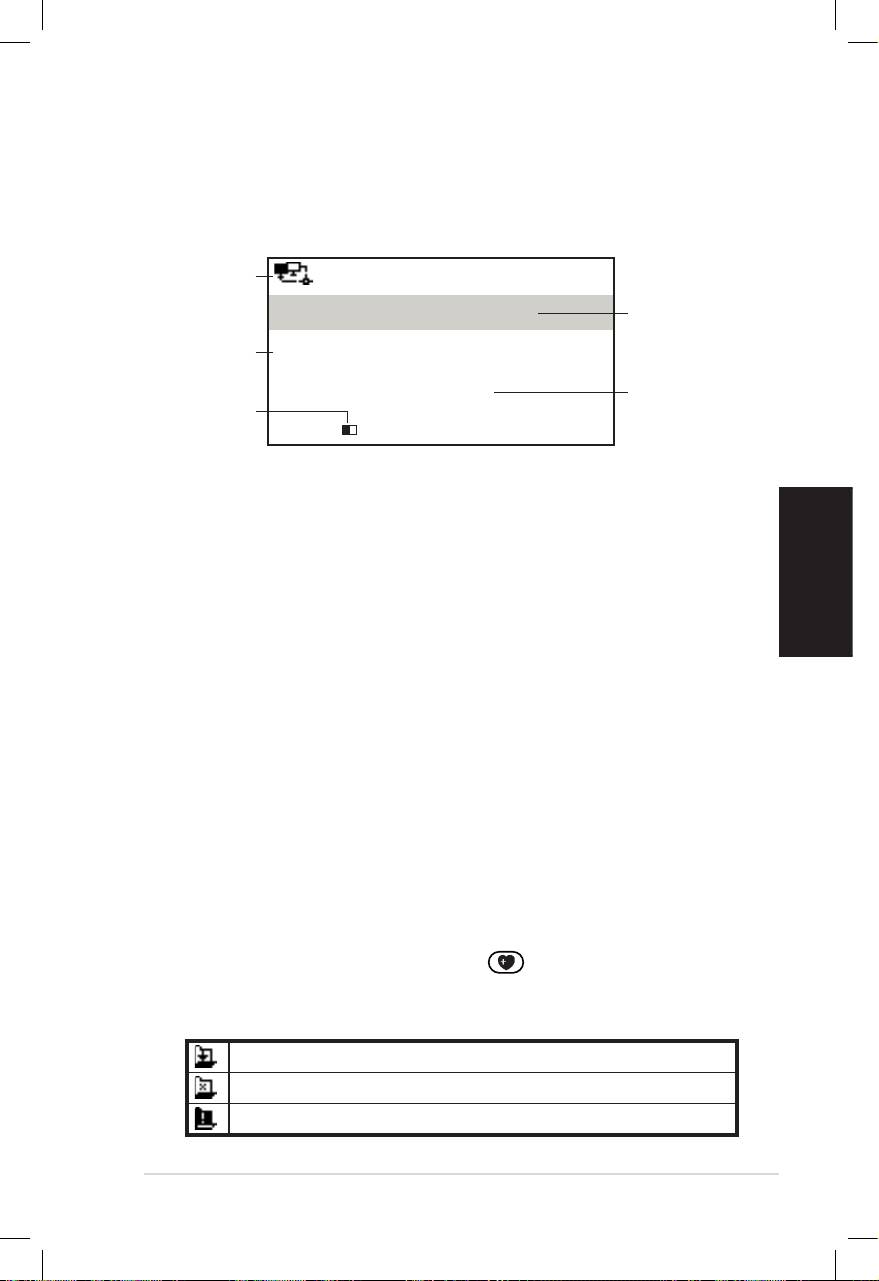
Deutsch
ASUS Internet Radio 9
Mit einem Sender verbinden
Wenn sich das ASUS Internet-Radio erfolgreich mit einem Sender
verbunden hat, wird folgendes angezeigt:
Netzwerk-
12:00PM
status
Sender-
All That Jazz Radio
name
Daten-
WMA 32 kbps/Jazz
information
Verbind-
Wiedergabe…
Puffer-
ungsstatus*
länge**
< 11/92
HINWEIS:
• * Der Verbindungsstatus kann sich von “Verbinden” zu “Puffern”
zu “Wiedergabe” ändern. Drücken Sie die Enter-Taste, um die
Wiedergabe zu stoppen und zum vorherigen Menü zurückzukehren.
• ** Sehen Sie auf Seite 14 nach, um mehr Details über die Einstellung
des Puffers zu erfahren.
• Wenn Sie während Sie mit einem Sender verbunden sind zum
Hauptmenü umschalten, wird in der rechten unteren Ecke der
Anzeige ein Countdown angezeigt. Nach Ablauf von 10 Sekunden
schaltet das System automatisch zum verbundenen Sender zurück.
Sender zu den Favoriten hinzufügen
Sie können den zur Zeit gespielten Sender oder einen
gefundenen Sender in die Liste Ihrer Favoriten aufnehmen. Sie
können außerdem die URL eines Senders manuell eingeben und
diese zu den Favoriten hinzufügen. Das ASUS Internet-Radio
kann bis zu 250 Sender in den Favoriten speichern.
Hinzufügen eines zur Zeit abgespielten Radiosenders
1. Drücken Sie die Taste +Favoriten auf der Fernbedienung.
2. Es erscheinen neben dem Netzwerkstatussymbol die folgen-
den Symbole, um den Status der Favoriten anzuzeigen:
Der Sender wurde den Favoriten hinzugefügt.
Der Sender ist schon in den Favoriten gespeichert.
Das Maximum von 250 Favoriten ist erreicht.
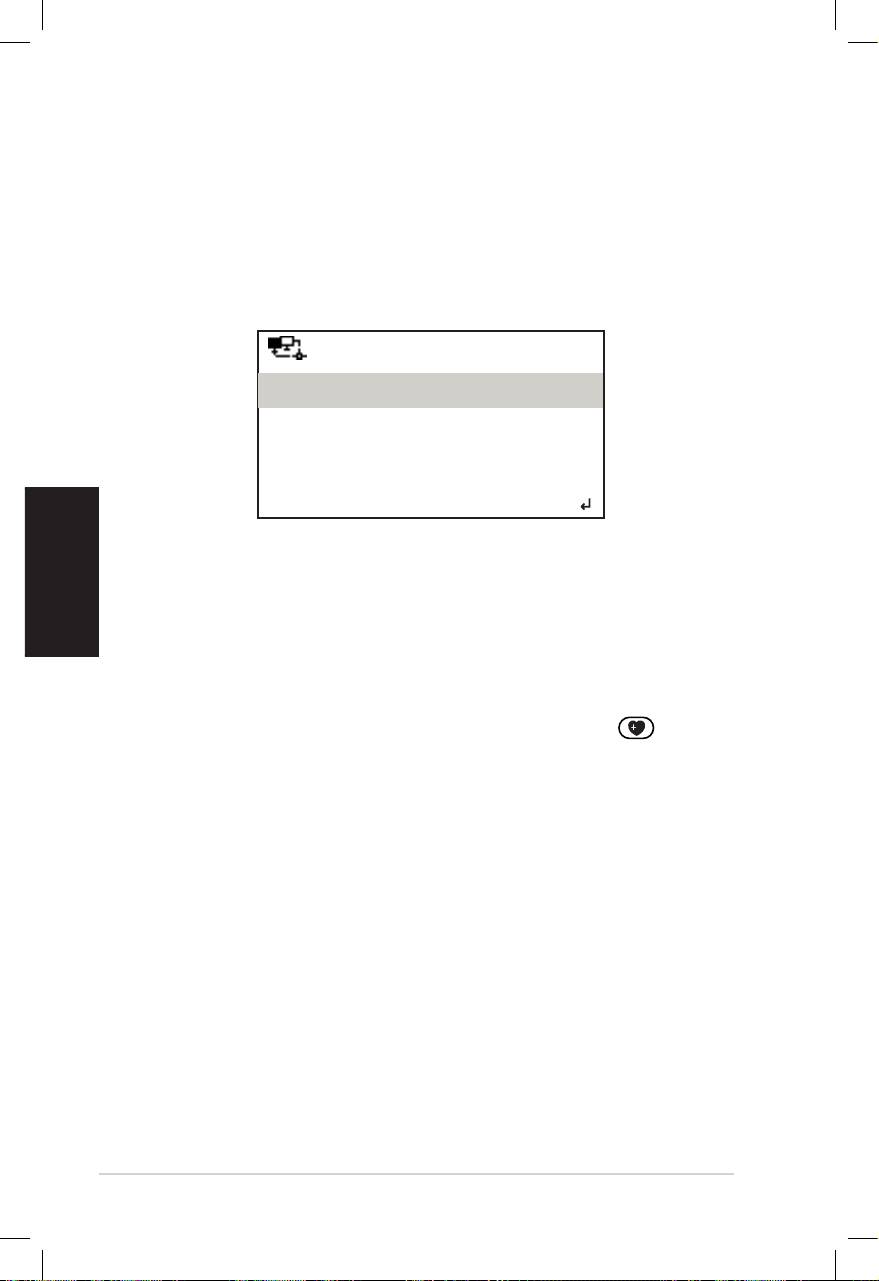
Deutsch
10 ASUS Internet Radio
Hinzufügen eines Senders von der Liste
1. Suchen Sie nach einem Sender, wie in “Suchen nach einem
Radiosender” beschrieben.
2. Markieren Sie einen Sender und drücken Sie die rechte
Navigationstaste, um das folgende Untermenü anzuzeigen:
12:00PM
Zu Meine Favoriten hinzufügen
Automatisch aufwärts suchen
Automatisch abwärts suchen
< 1/4
3. • Zu den Favoriten hinzufügen: Hier fügen Sie den Sender
der Liste hinzu.
• Abwärts/Aufwärts suchen: Hier können Sie sich mit den
Sendern nacheinander aufwärts/abwärts vom markierten
Eintrag verbinden. Jeder Sender wird für 30 Sekunden
abgespielt, in denen Sie den Sender zu Meine Favoriten
hinzufügen können, indem Sie die Taste +Favorite drücken.
• Wiedergabe: Hier können Sie sich mit dem Sender
verbinden.
Den Status der Favoriten können Sie mit Hilfe der oberen
Tabelle erfahren.
Hinzufügen eines manuell eingetragenen Senders
1. Wählen Sie im Hauptmenü Service > Neuen Sender
hinzufügen.
2. Geben Sie die URL des Senders ein. Details zur Texteingabe
finden Sie im “Texteingabe”.
3. Wenn Sie fertig sind, drücken Sie die Enter-Taste, um den
Sender zu Ihren Favoriten hinzuzufügen. Den Status der
Favoriten können Sie mit Hilfe der Tabelle auf Seite 9 erfahren.
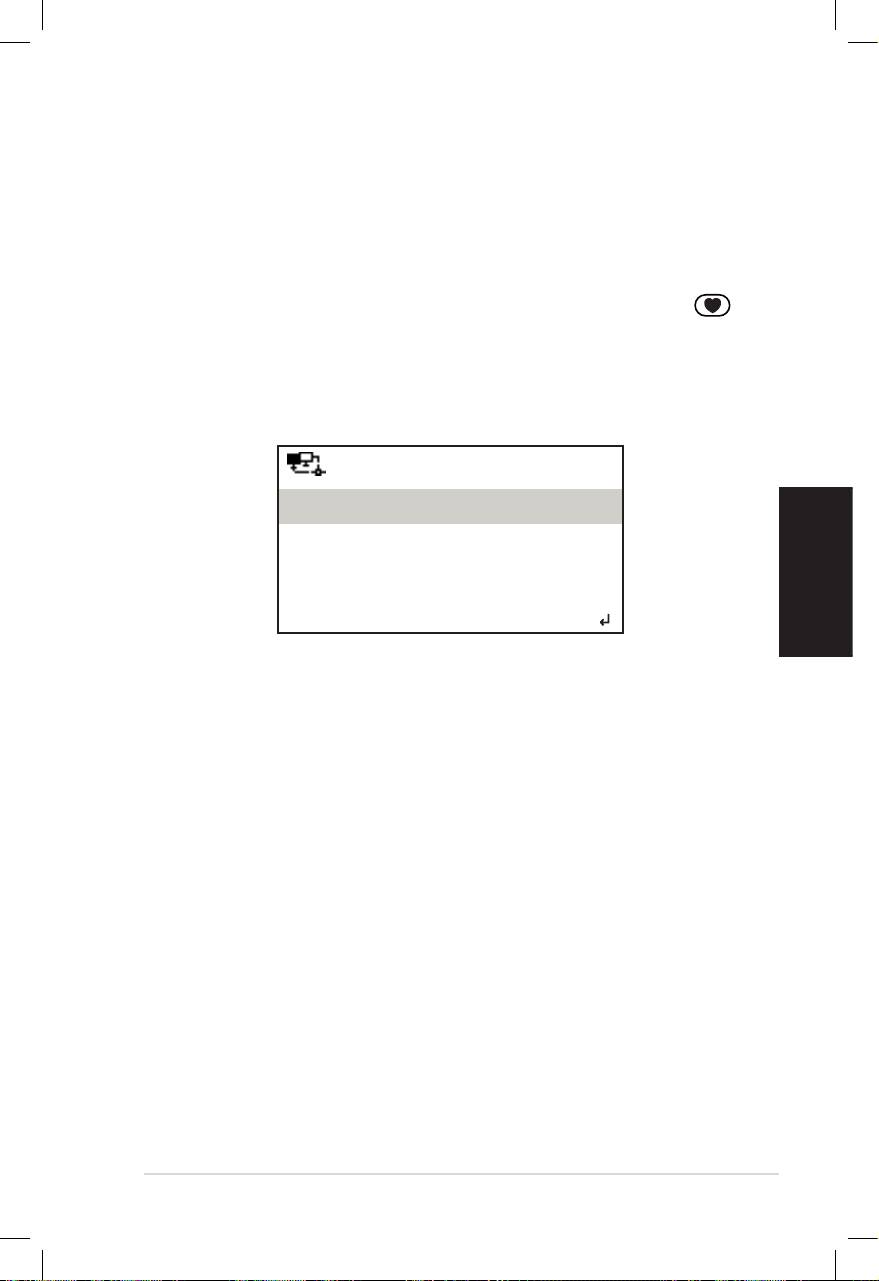
Deutsch
ASUS Internet Radio 11
Meine Favoriten verwalten
Das ASUS Internet-Radio kann in Meine Favoriten bis zu 250
Sender speichern, so dass Sie immer schnellen Zugriff auf dieimmer schnellen Zugriff auf die
voreingestellten Sender haben.
So verwalten Sie Ihre Favoriten:
1. Drücken Sie auf der Fernbedienung die Taste Favoriten
oder wählen Sie Meine Favoriten im Hauptmenü. Es wird
eine Liste der voreingestellten Sender angezeigt.
2. Markieren Sie einen Sender in der Liste und drücken Sie
die rechte Navigationstaste, um das folgende Untermenü
anzuzeigen:
12:00PM
Löschen
Auf
Ab
< 1/5
3. • Löschen: Löscht den Sendereintrag.
• Auf/Ab: Verschieben eines Senders, um die
voreingestellte Reihenfolge zu ändern. Verschieben Sie
die am häufigsten benutzten Sender in die oberen 5 oder
10 Positionen, so können Sie diese durch das Drücken
der Voreinstellungstaste auswählen.
• Umbenennen: Zum Ändern des Namen eines Senders.
• Wiedergabe: Zum Verbinden mit dem Sender.
Sie können auch einen voreingestellten Sender auswählen,
indem Sie die folgenden Schritte ausführen:
• Markieren Sie in Ihren Favoriten einen Sender und drücken
Sie die Enter-Taste.
• Drücken Sie in einem beliebigen Menü eine der Tasten 1-5
an der Vorderseite des Gerätes oder der Fernbedienung,
um sich mit einen der ersten 5 voreingestellten Sender zu
verbinden.
• Drücken Sie in einem beliebigen Menü eine der Tasten 6-10
an der Vorderseite des Gerätes oder der Fernbedienung, um
sich mit einen der von Platz 6 bis Platz 10 voreingestellten
Sender zu verbinden..

Deutsch
12 ASUS Internet Radio
Andere Einstellungen
Konguration
Wählen Sie im Hauptmenü Einstellung, um die ASUS Internet-
Radio-Einstellungen, eingeschlossen Netzwerk, Uhr, Weckzeit,
Sprache, Hintergrundbeleuchtung, Schlaf-Timer, Puffer, Version-
Update und Reset zu konfigurieren.
Netzwerk
Beziehen Sie sich für mehr Details über die
Netzwerkeinstellungen auf Seiten 5 und 6.
Uhr
Die Option Einstellung > Uhr ermöglicht Ihnen die Uhrzeit, das
Datum und das Format der Zeitanzeige einzustellen.Wenn Sie. Wenn Sie
das Gerät zum ersten Mal einschalten und mit dem Netzwerk
verbinden, zeigt die Anzeige die Greenwich Mean Time (GMT) an.
Stellen Sie hour (Stunden) entsprechend Ihrer Zeitzone ein und
das Network Time Protocol (NTP), eine Uhrensynchronisation im
Internet, wird die Uhr des Gerätes solange synchronisieren, wie
es mit dem Netzwerk verbunden ist.
• Datum und Uhrzeit einstellen: Hier stellen Sie die Uhrzeit
und das Datum ein. Details zur Eingabe von Zahlen finden Sie
im “Texteingabe”.
• Zeitformat einstellen: Wählen Sie zwischen 12-Stunden-
und 24-Stunden-Anzeige.
HINWEIS:
• Sie können die Greenwich Mean Time (GMT) unter dem Menü
Information Center überprüfen.
• Setzen Sie Die Stunden für das Gerät zurück, falls Sie sich in einer
anderen Zeitzone aufhalten.
Wecker
Diese Option ermöglicht Ihnen die Weckfunktion ein- und
auszuschalten bzw. eine Weckzeit einzustellen. Das Drücken der
Weckzeittaste auf der Fernbedienung aktiviert/deaktiviert
auch eine programmierte Weckzeit.

Deutsch
ASUS Internet Radio 13
So programmieren Sie eine Weckzeit:
1. Gehen Sie zu Einstellung > Wecker > Einschalten.
2. Wählen Sie Weckzeit einstellen und geben Sie die Werte
ein. Details zur Eingabe von Zahlen finden Sie im Abschnitt
“Texteingabe”.
3. Wählen Sie Weckklang einstellen, um den die Wecktonart
zwischen Ton, Melodie oder Radio (den zuletzt gehörten
Sender) auszuwählen.
4. In der oberen rechten Ecke der Anzeige erscheint das
-Symbol, um anzuzeigen, dass die Weckfunktion aktiv ist.
Vergewissern Sie sich, dass das Gerät zur eingestellten Zeit mit
keiner Station verbunden ist, sonst wird die Weckfunktion nicht
ausgeführt. Wenn die Weckfunktion ausgeführt wird, drücken Sie
eine beliebige Taste, um die zu stoppen.
Sprache
Auf den Seiten 4 und 5 finden Sie Details zur Auswahl der
Sprache.
Hintergrundbeleuchtung
Die Option Einstellung > Hintergrundbeleuchtung ermöglicht
Ihnen die Einstellung der Helligkeit der Hintergrundbeleuchtung.
Sie können auch durch das Drücken der Taste Hintergrund-
beleuchtung auf der Fernbedienung diese Einstellungen
vornehmen. Es sind drei Einstellungen verfügbar:
• Ausschalten: Schaltet die Hintergrundbeleuchtung aus.
• Strom sparen: Verdunkelt die Hintergrundbeleuchtung.
• Einschalten: Schaltet die Hintergrundbeleuchtung ein.
Schlaftimer
Die Option Einstellung > Schlaftimer ermöglicht Ihnen die Ein-
stellung der Zeit, nachdem Sich das Gerät selbst ausschalten soll.
Sie können den Schlaftimer auch einstellen, indem Sie auf der
Fernbedienung die Taste Schlaftimer drücken. Wenn diese
Funktion aktiviert ist erscheint das Symbol XXX in der oberen
rechten Ecke der Anzeige, wobei XXX die verbleibenden Minuten
anzeigt. Es sind sechs verschiedene Optionen verfügbar: Auss-
chalten, 15 Minuten, 30 Minuten, 60 Minuten, 90 Minuten und
120 Minuten.
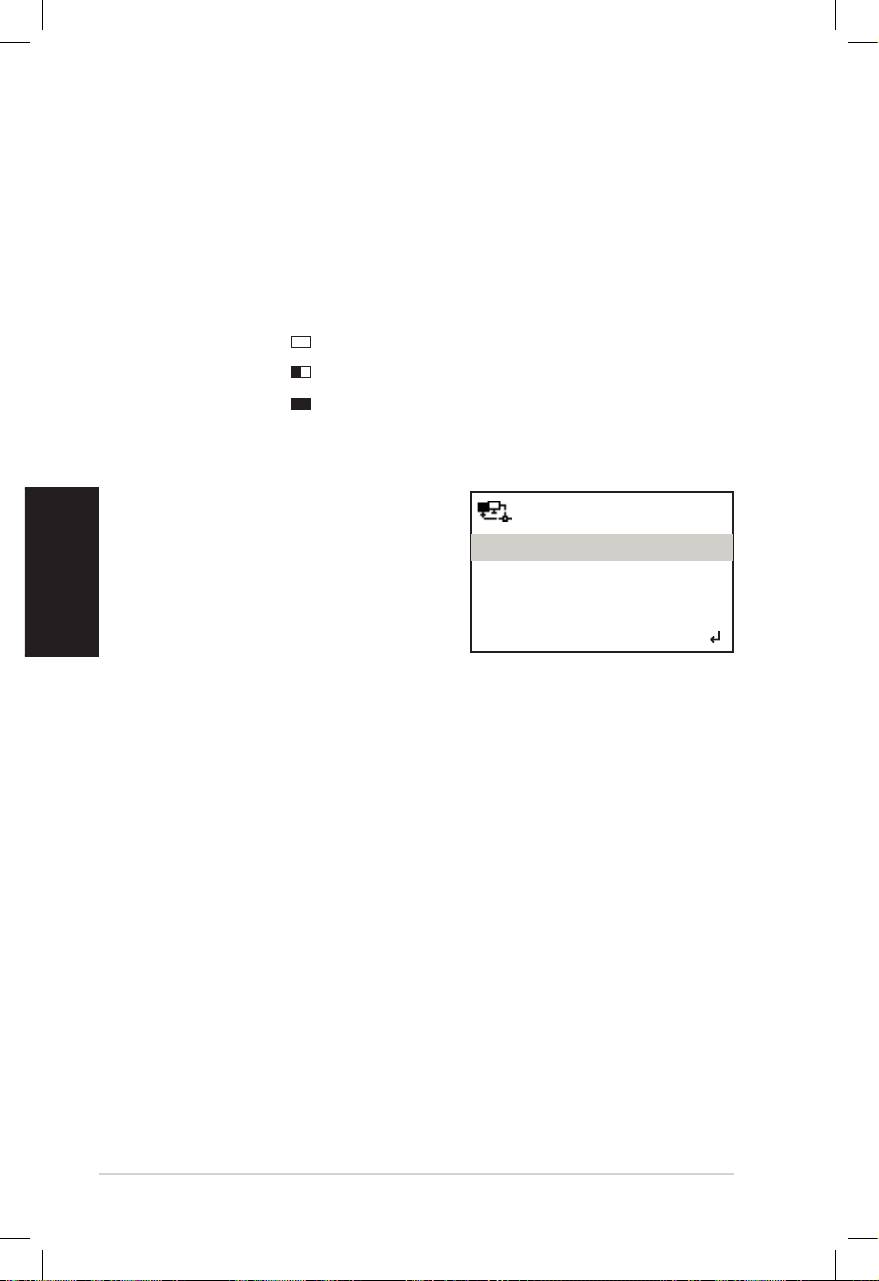
Deutsch
14 ASUS Internet Radio
Pufferung
Die Option Einstellungen > Pufferung ermöglicht Ihnen den
Puffer zum halten der für eine festgelegte Zeit empfangenen
Daten einzustellen. Die Einstellung eines längeren Puffers macht
den Datentransfer flüssiger, Sie müssen aber länger warten. Wenn
Sie mit einem Sender verbunden sind sehen Sie ein Symbol,
welches Ihnen die eingestellte Pufferlänge anzeigt:
• 2 Sekunden:
• 4 Sekunden:
• 8 Sekunden:
Version Update
Wenn eine neue Firmware-Ver-
sion verfügbar ist, werden Sie über
12:00PM
die Anzeige darauf aufmerksam
Version Update (Ja)
gemacht..
Version Update (Nein)
Wählen Sie Version Update (Ja),
um die neuste Version herunterzu-
laden.
< 1/2
Wenn Sie Version Update (Nein) auswählen, können Sie die
neuste Version auch später noch herunterladen:
1. Gehen Sie zu Einstellung > Version-Update und wählen Sie
das Element, welches Sie herunterladen möchten.
HINWEIIS: Wenn nichts angezeigt wird, dann bedeutet das, dass Ihre
derzeigige Firmware die Neuste ist.
2. Wählen Sie Ja, um mit dem Download zu beginnen. Warten
Sie einige Sekunden bis das Gerät neu gestartet wird.
3. Gehen Sie zuGehen Sie zu Konfiguration > Version-Update, um zu
überprüfen, ob sich der Versionsname vom vorherigen
Namen unterscheidet.
HINWEIS: Schalten Sie das Gerät während der Aktualisierung nicht aus.
Reset
Die Option Einstellung > Reset ermöglicht Ihnen das Gerät
auf die Werkseinstellungen zurückzusetzen. Dabei werden die
Favoritenliste und die Netzwerkeinstellungen NICHT gelöscht.

Deutsch
ASUS Internet Radio 15
Fehlerbehandlung
Lesen Sie die folgenden Fragen und Antworten zur
Fehlerbehandlung. Wenn diese Ihnen keine Antwort auf
Ihr Problem geben, dann kontaktieren Sie uns mit den auf
der Innenseite des Einbandes zur Verfügung gestellten
Kontaktinformationen bitte direkt.
Die Anzeige zeigt an, dass ein Musiksender gespielt wird. Ich
kann aber nichts hören.
Einige Sender haben keine 24-Stunden-Übertragung. Sie hören
dann deshalb nichts, weil der Sender gerade kein Programm
überträgt.
Warum kann ich über die Lautsprecher nichts hören?
• Entweder ist das ASUS Internet-Radio stumm geschaltet
oder die Lautstärke ist so leise eingestellt, dass Sie nichts
hören können. Erhöhen Sie die Lautstärke oder drücken Sie
den Stummschaltungsknopf , um die Stummschaltung
aufzuheben. Wenn Sie zusätzliche Lautsprecher benutzen,
vergewissern Sie sich, dass die angeschlossenen Lautsprecher
eingeschaltet sind.
• Wenn die oben genannten Schritte das Problem nicht
beheben können, starten Sie Ihr Gerät bitte neu.
Was kann ich tun, wenn mein ASUS Internet-Radio nicht mehr
reagiert?
Drücken Sie die Einschalttaste an der Rückseite des Gerätes, um
das Gerät auszuschalten und schalten Sie es dann wieder ein.
Ich habe die Weckzeit eingestellt, die Weckfunktion wurde aber
nicht ausgelöst.
Die Weckfunktion wird nicht ausgelöst, wenn Sie mit einem Sender
verbunden sind.
Die Wireless-Verbindung ist nicht stabil.
• Stellen Sie eine Kabelverbindung her, um die Zuverlässigkeit
des Netzwerkes zu überprüfen.
• Wenn die Kabelverbindung stabiler als die drahtlose
Verbindung ist, benutzen Sie stattdessen die
Kabelverbindung.

Warum muss ich ASUS Internet-Radio aktualisieren?
Die URLs der Radiosender im Internet können sich ändern,
deshalb werden diese von den ASUS-Technikern täglich
aktualisiert. Sie müssen deshalb die Aktualisierung durchführen,
um die neuste Senderliste für Ihr ASUS Internet-Radio zu
beziehen.Während der Aktualisierung der Senderliste. Während der Aktualisierung der Senderliste
funktioniert Ihr ASUS Internet-Radio nomal.
Ich kann mich mit einigen Sendern nicht verbinden.
Die Erreichbarkeit der Online-Radiosender ist abhängig von
den Netzwerkbandbreiten in den verschiedenen Ländern.
Fehlgeschlagene Verbindungen können folgende Gründe haben::
• Die Bandbreite des Netzwerkes in dem Land, zu dem Sie
Deutsch
sich verbinden möchten ist zu gering. Wir empfehlen eine
Bandbreite von mindestens 1Mbps.
• Überlastung (Stau) im Internet..
• Die Sender stellen nicht genügend Bandbreite zur Verfügung.
• Die Sender werden gerade gewartet oder existieren nicht
mehr..
Wenn Sie sich mit einigen Radiosendern immer noch nicht
verbinden können, kontaktieren Sie uns bitte unter:
http://vip.asus.com/eservice/techserv.aspx.
16 ASUS Internet Radio
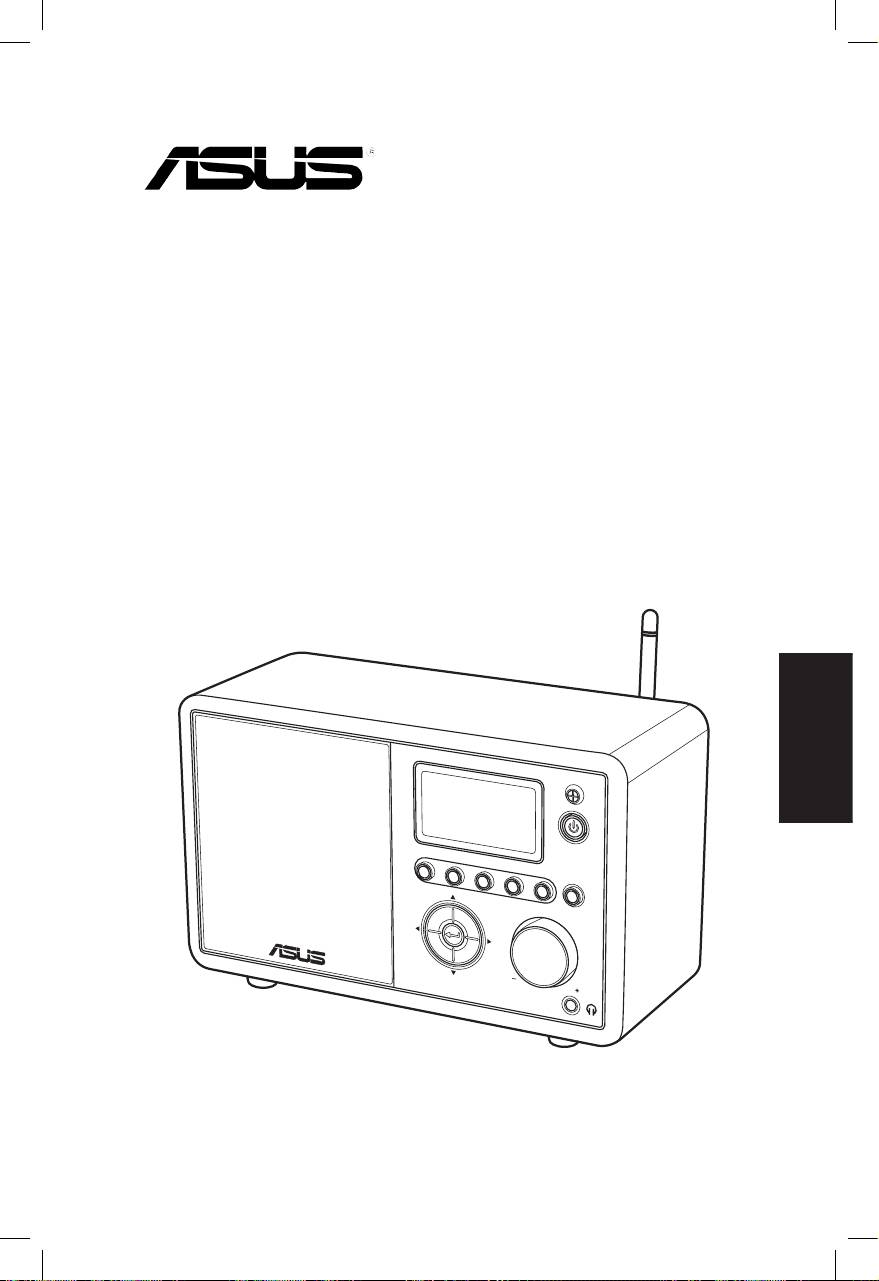
ASUS Internet Radio
Manuale Utente
Italiano
S
ta
nd
1 2 3 4
by/O
n
5
H
O
ME
V
olu
m
e
AIR

Italiano
ii ASUS Internet Radio
Sommario
Comunicazioni ...................................................... iv
Benvenuto ............................................................. vi
Contenuto della Confezione ..........................................................vi
Generalità ............................................................................................ vii
Specifiche Tecniche ......................................................................... vii
Informazioni Preliminari ....................................... 1
Lato Anteriore.......................................................................................1
Lato Posteriore .....................................................................................2
Telecomando ........................................................................................3
Accensione del Dispositivo..............................................................4
Selezione Lingua .................................................................................5
Inserimento di Testo ...........................................................................6
Ascolto della Radio ................................................ 7
Ricerca di una Stazione Radio .........................................................7
Ricerca per Genere .......................................................................7
Ricerca per Paese/Regione ........................................................7
Ricerca per Nome ..........................................................................8
Connessione ad una Stazione ........................................................9
Aggiunta di una Stazione a I Miei Preferiti .................................9
Aggiunta di una Stazione in Ascolto ......................................9
Aggiunta di una Stazione dall’ Elenco ................................10
Aggiunta di una Stazione Inserita Manualmente........... 10
Gestione de I Miei Preferiti ............................................................11
Altre Impostazioni ............................................... 12
Configurazione..................................................................................12
Rete .................................................................................................12
Orologio ........................................................................................12
Sveglia ............................................................................................12
Lingua ............................................................................................13

Italiano
ASUS Internet Radio iii
Retroilluminazione ....................................................................13
Temporizzatore di Sonno ........................................................13
Buffer ..............................................................................................14
Aggiornamento Versione ........................................................14
Ripristino .......................................................................................14
Analisi dei Problemi ............................................ 15

Italiano
iv ASUS Internet Radio
Comunicazioni
Federal Communications Commission Interference
Statement
This equipment has been tested and found to comply with
the limits for a Class B digital device, pursuant to Part 15 of the
FCC Rules. These limits are designed to provide reasonable
protection against harmful interference in a residential
installation. This equipment generates, uses and can radi-
ate radio frequency energy and, if not installed and used in ac-
cordance with manufacturer’s instructions, may cause harmful
interference to radio communications. However, there is no
guarantee that interference will not occur in a particular
installation. If this equipment does cause harmful interference
to radio or television reception, which can be determined by
turning the equipment off and on, the user is encouraged to try
to correct the interference by one or more of the following meas-
ures:
• Reorient or relocate the receiving antenna.
• Increase the separation between the equipment and receiver.
• Connect the equipment to an outlet on a circuit different from
that to which the receiver is connected.
• Consult the dealer or an experienced radio/TV technician for
help.
This device complies with Part 15 of the FCC Rules. Operation is
subject to the following two conditions:
• This device may not cause harmful interference, and
• This device must accept any interference received including
interference that may cause undesired operation.
FCC Caution:
Any changes or modifications not expressly approved by the par-
ty responsible for compliance could void the user’s authority to
operate this equipment.

Italiano
ASUS Internet Radio v
IMPORTANT NOTE:
FCC Radiation Exposure Statement
This equipment complies with FCC radiation exposure limits set
forth for an uncontrolled environment. This equipment shouldThis equipment should
be installed and operated with a minimum distance of 20cm
between the radiator and your body. This transmitter must not be
co-located or operated in conjunction with any other antenna or
transmitter. IEEE 802.11b or 802.11g operation of this product in
the U.S.A. is firmware-limited to channels 1 through 11.
Industry Canada Statement
Operation is subject to the following two conditions:
• This device may not cause interference andThis device may not cause interference and
• This device must accept any interference, includingThis device must accept any interference, including
interference that may cause undesired operation of the
device.
IMPORTANT NOTE:
Radiation Exposure Statement
This equipment complies with IC radiation exposure limits set
forth for an uncontrolled environment. This equipment shouldThis equipment should
be installed and operated with a minimum distance of 20cm
between the radiator and your body.
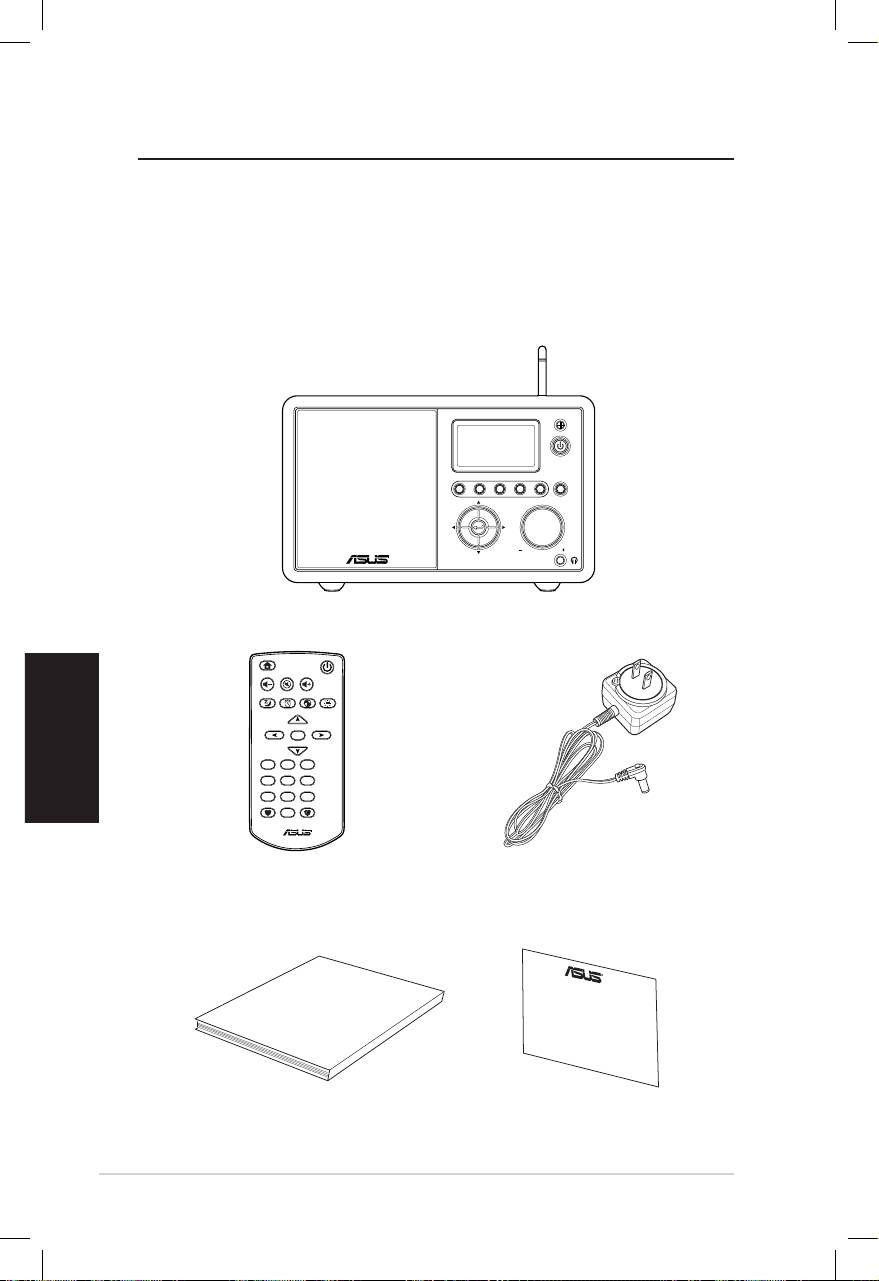
Italiano
vi ASUS Internet Radio
Benvenuto
Complimenti per l’ acquisto di ASUS Internet Radio. Le illustrazioni
di seguito mostrano il contenuto della confezione di ASUS Internet
Radio.
Contenuto della Confezione
User Manual
Home
Standby/On
Volume-
Mute
Volume+
Sleep
Alarm
Language
Backlight
Enter
1 2 3
4 5 6
7 8 9
10
Favorite
+Favorite
Standby/On
1 2 3 4 5
HOME
Volume
ASUS Internet Radio
Telecomando
Alimentatore AC
Manuale Utente
Garanzia
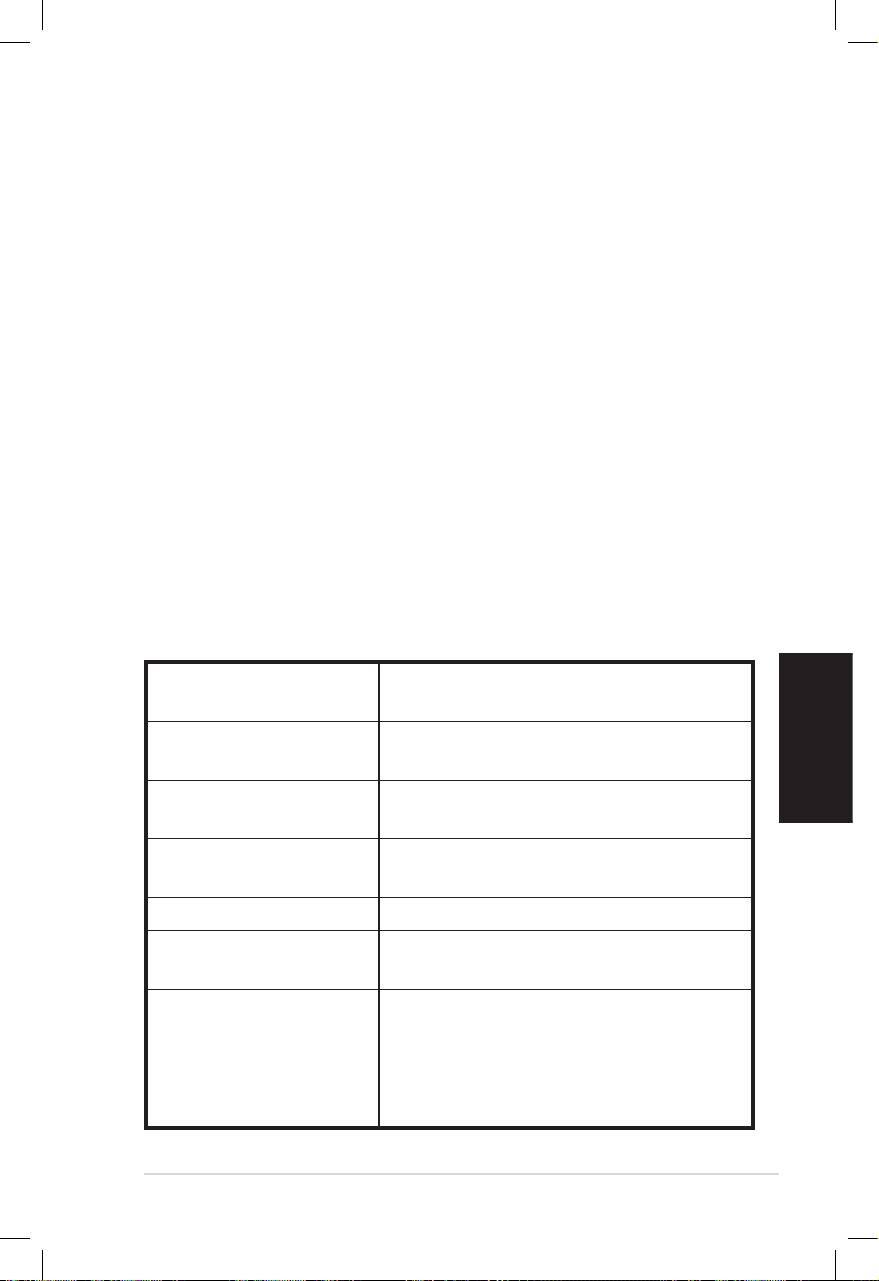
Italiano
ASUS Internet Radio vii
Generalità
ASUS Internet Radio offre la possibilità di accedere facilmente
ad un’ ampia selezione di stazioni radio su Internet. Prima di
sperimentare ASUS Internet Radio, assicurarsi di avere accesso ad
una rete wireless o via cavo.
Caratteristiche
• Dispositivo Indipendente
• Connessione wireless o via cavo
• Elenco aggiornato di oltre 10,000 stazioni online
• 250 preferiti
• Sveglia
• Temporizzatore di Sonno
• NTP (Network Time Protocol)
Speciche Tecniche
Connettività Wireless LAN 802.11b/g
Wired Ethernet 10/100M
Velocità Dati 54 Mbits (WLAN)
10/100 Mbits (Ethernet)
Sicurezza Wireless LAN 64/128-bit WEP
WPA/WPA2
Decodificatore formati
MP3/WMA
audio
16Kbps–320Kbps
SNR Auricolare >90dB
Schermo Display grafico FSTN 128 x 64
Colore blu con LED bianco
Porte I/O
Jack cuffie (Φ 3.5mm)
Line In (Φ 3.5mm)
Line Out (jack RCA)
Ethernet (RJ45)
Jack alimentazione DC

Altoparlante 5 Watt/4 Ohm
Alimentatore AC Ingresso: AC 100-240V (50-60Hz)
Uscita: DC 6V/2A
Telecomando 26 tasti
Dimensioni 250 (L) x 128 (W) x 190 (H) mm
Peso 2 Kg
Larghezza di banda
Minimo 1M bps
Modem via cavo/ ADSL
Italiano
viii ASUS Internet Radio
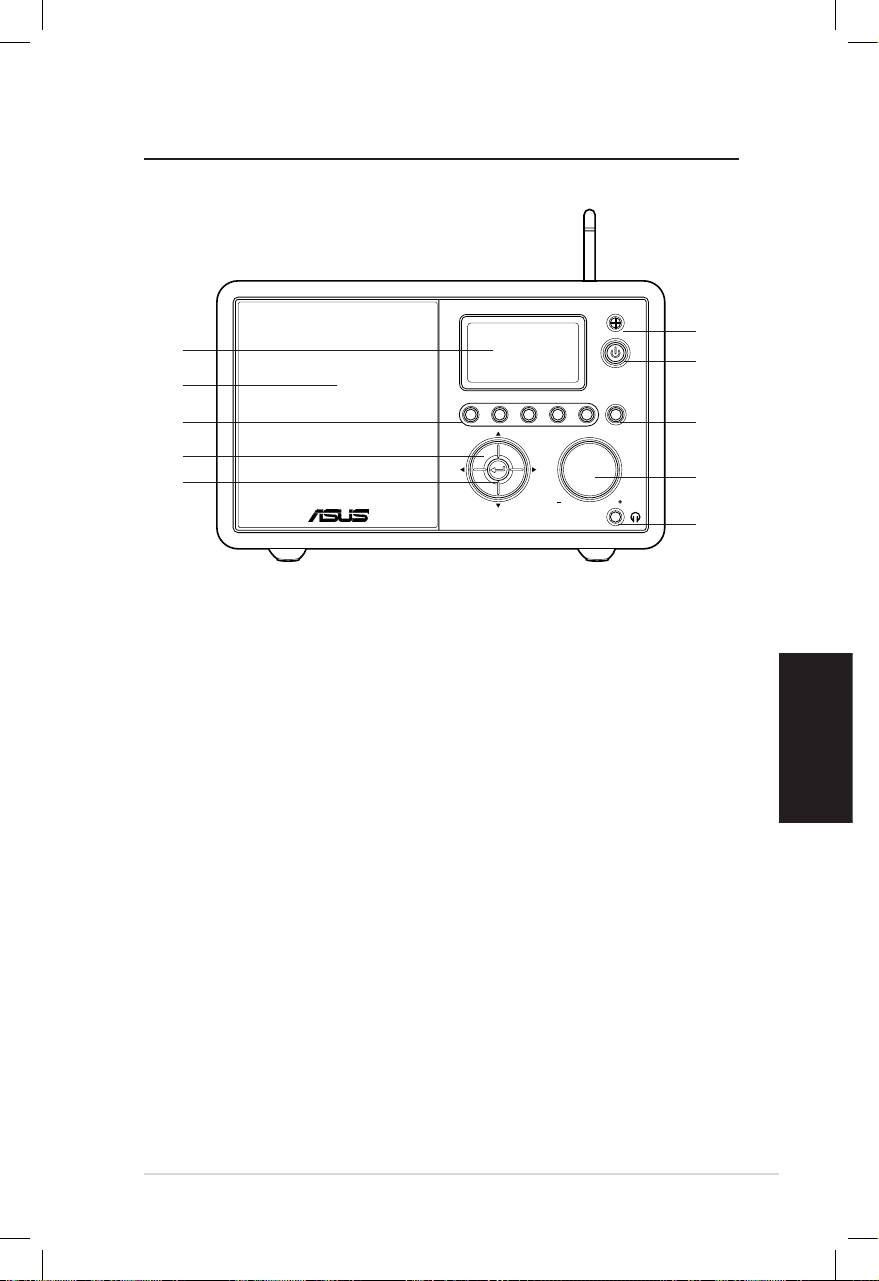
Informazioni Preliminari
Lato Anteriore
Italiano
ASUS Internet Radio 1
Standby/On
1 2 3 4 5
HOME
Volume
1
10
2
9
8
3
7
4
6
5
1. Sensore IR:ensore IR: Riceve i segnali sulle funzioni da eseguire dal
telecomando.
2. Pulsante Standby/On:Standby/On: Consente di passare tra la modalità
standby e la modalità accensione.
3. Pulsante Home:Home: da premere per tornare al menu principale.
4. Manopola Volume:Volume: Ruotare verso destra per aumentare
il volume o verso sinistra per ridurre il volume. Ruotare la
manopola per inserire un testo o per scorrere su/giù attraverso
le opzioni del menu. Da premere per confermare la selezione
di un’ opzione.
5. Jack Cuffie:Jack Cuffie: Collegare le cuffie a questo jack per un ascolto
in privato. E’ inoltre possibile collegare altoparlanti aggiuntivi
mediante un cavo audio.
6. Pulsante Invio:Pulsante Invio:Invio: Conferma la selezione di un‘ opzione.
7. Pulsante di navigazione su/giù/sinistro/destra:Pulsante di navigazione su/giù/sinistro/destra:di navigazione su/giù/sinistro/destra: Consente
di scorrere su/giù/a sinistra/a destra attraverso le voci di un
menu.
8. Pulsante Preset 1–5: Da premere per richiamare una stazione
radio preimpostata.
9. Altoparlante: Integrato.
10. Display: Schermo LCD con retroilluminazione.
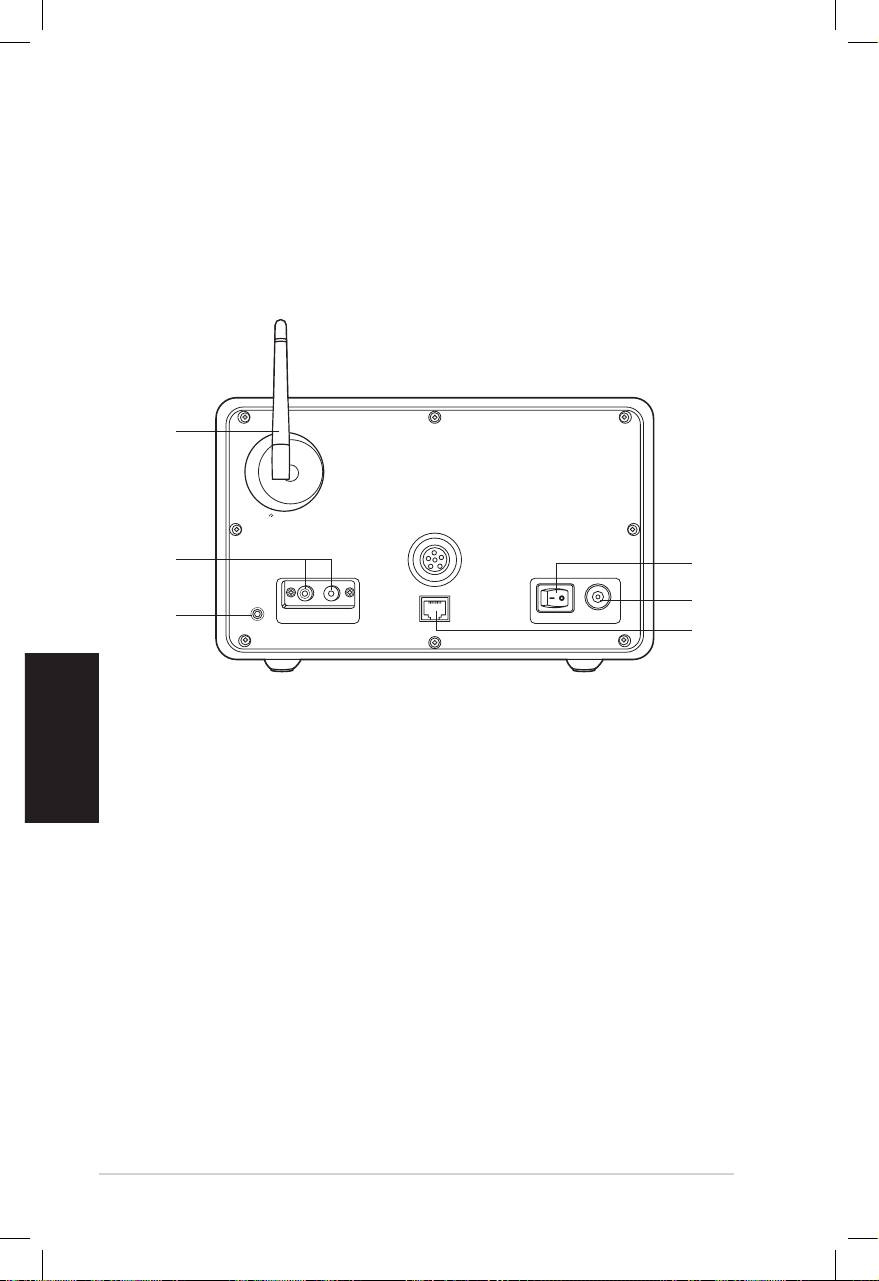
Italiano
2 ASUS Internet Radio
Lato Posteriore
1
2
3
Antenna
LAN
LINE IN
R L
LINE OUT
ON OFF DC
NOTA: Le funzioni del pannello frontale sono presenti anche sul
telecomando. Riferirsi alle pagine 3 e 4 per ulteriori informazioni.
6
5
4
1. Pulsante di Accensione: consente di accendere/spegnere il
dispositivo.
2. Jack Alimentazione DC: jack per la connessione del cavo di
alimentazione in dotazione.
3. Porta LAN: porta per la connessione di un cavo di rete.
4 Jack Line In: jack per la connessione di un cavo audio, in caso
di utilizzo del dispositivo come altoparlante. Il dispositivo
passerà automaticamente in modalità AUX.
5. Jack Line Out Sinistra/Destra: jack per la connessone di cavi
audio per utilizzare uno stereo aggiuntivo.
6. Antenna: porre l’ antenna in posizione verticale per assicurare
una migliore ricezione del segnale wireless.
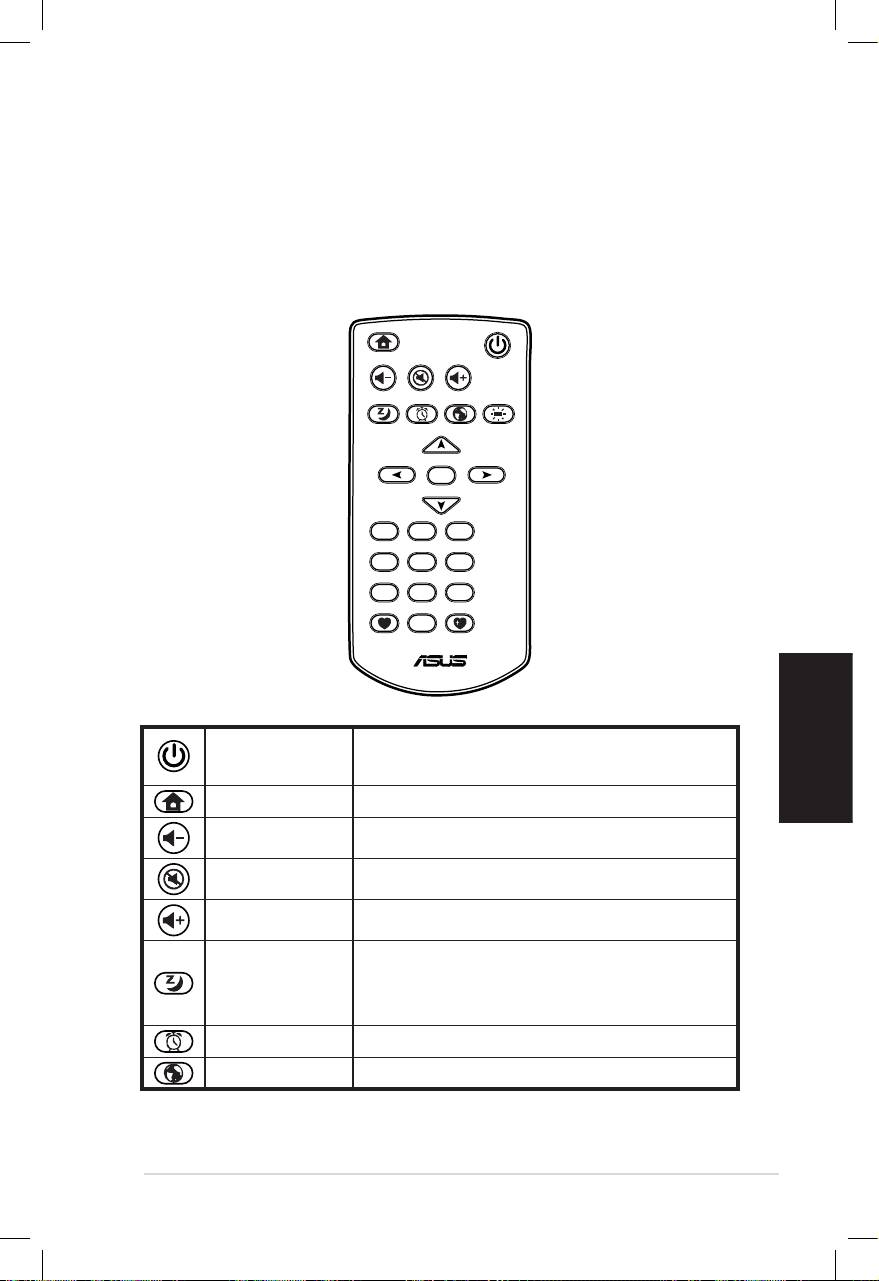
Italiano
ASUS Internet Radio 3
Telecomando
L’ uso del telecomando è indicato per la ricerca di stazioni radio, la
creazione di un elenco delle stazioni preferite e la configurazione
di altre impostazioni. Consultare la tabella sottostante per laConsultare la tabella sottostante per la
descrizione dei pulsanti sul telecomando e delle rispettive
funzioni.
Home
Standby/On
Volume-
Mute
Volume+
Sleep
Alarm
Language
Backlight
Enter
1 2 3
4 5 6
7 8 9
10
Favorite
+Favorite
Pulsante per il passaggio tra la modalità
Standby/On
standby e la modalità accensione.
Home Ritorno al menu principale.
Volume- Riduzione del volume
Mute Disattivazione audio.
Volume+ Aumento del volume.
Selezione di un intervallo di tempo pre-
Sleep
impostato, dopo il quale il dispositivo si
arresta.
Alarm Attivazione/disattivazione sveglia.
Language Selezione lingua.
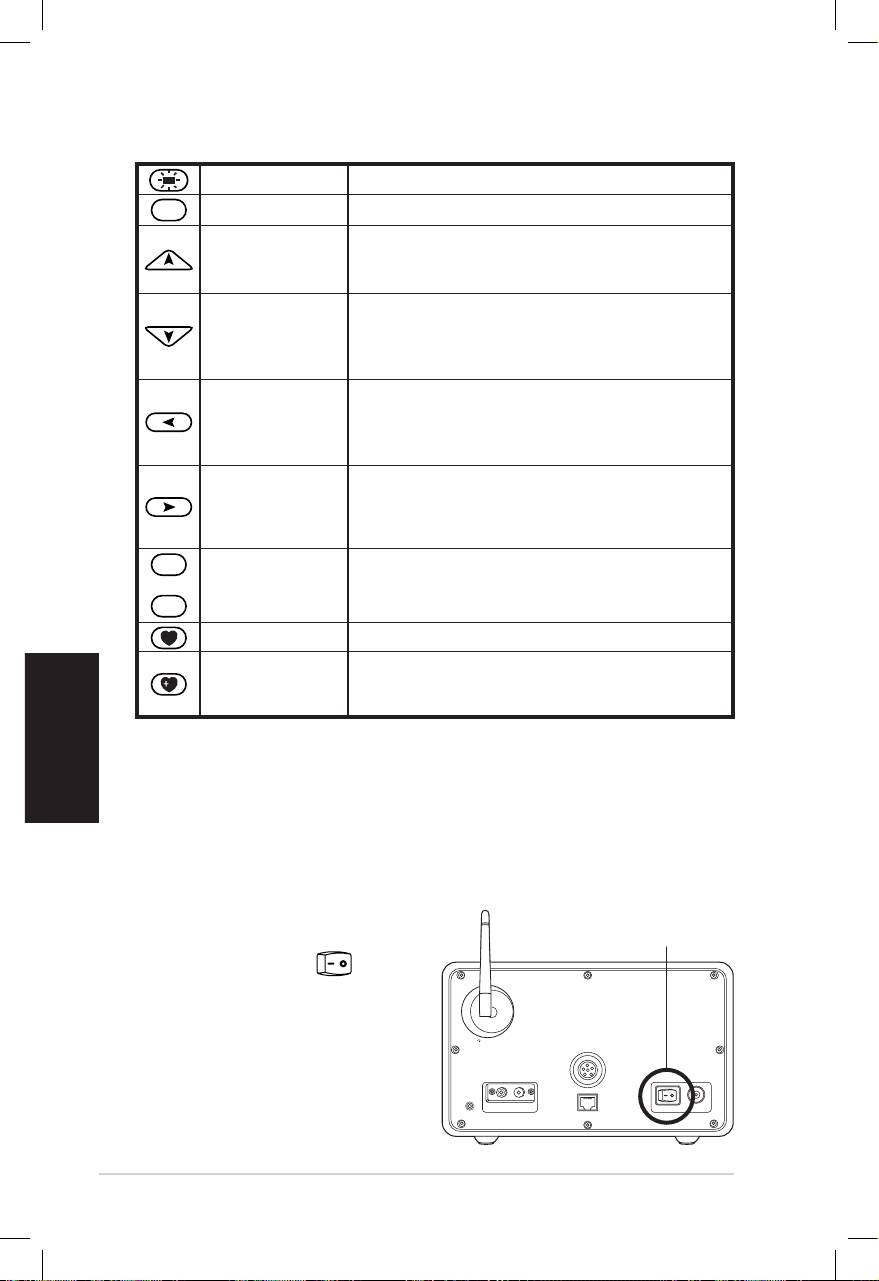
Italiano
4 ASUS Internet Radio
Retroillumin. Selezione modalità retroilluminazione
Enter
Enter Conferma di selezione opzione.
Pulsante
Pulsante di scorrimento fra le voci di un
navigazione Su
menu. Premere per selezionare testo.
Pulsante
Pulsante di scorrimento fra le voci di un
navigazione Giù
menu. Premere per selezionare testo.
Pulsante
navigazione
Ritorno al menu precedente.
sinistro
Pulsante
Conferma di selezione opzione menu ed
navigazione
accesso ad un menu secondario.
destro
1
~
10
Pulsanti
Richiamo di una stazione radio pre-
Preset 1–10
impostata.
Favorite Visualizzazione Preferiti.
Salvataggio della stazione radio in
+Favorite
ascolto nell’ elenco dei preferiti.
Accensione del Dispositivo
La prima volta in cui accendere ASUS Internet Radio:
1. Inserire l’ alimentatore in dotazione nella presa elettrica.
2. Collegare l’ alimentatore al jack alimentazione DC sul pannello
posteriore.
Antenna
LAN
LINE IN
R L
LINE OUT
ON OFF DC
3. Premere il pulsante
ON/OFF
di accensione sul
pannello posteriore
per accendere il
dispositivo. Il display si
illumina per mostrare
il logo ASUS, quindi
appare il seguente
menu principale:
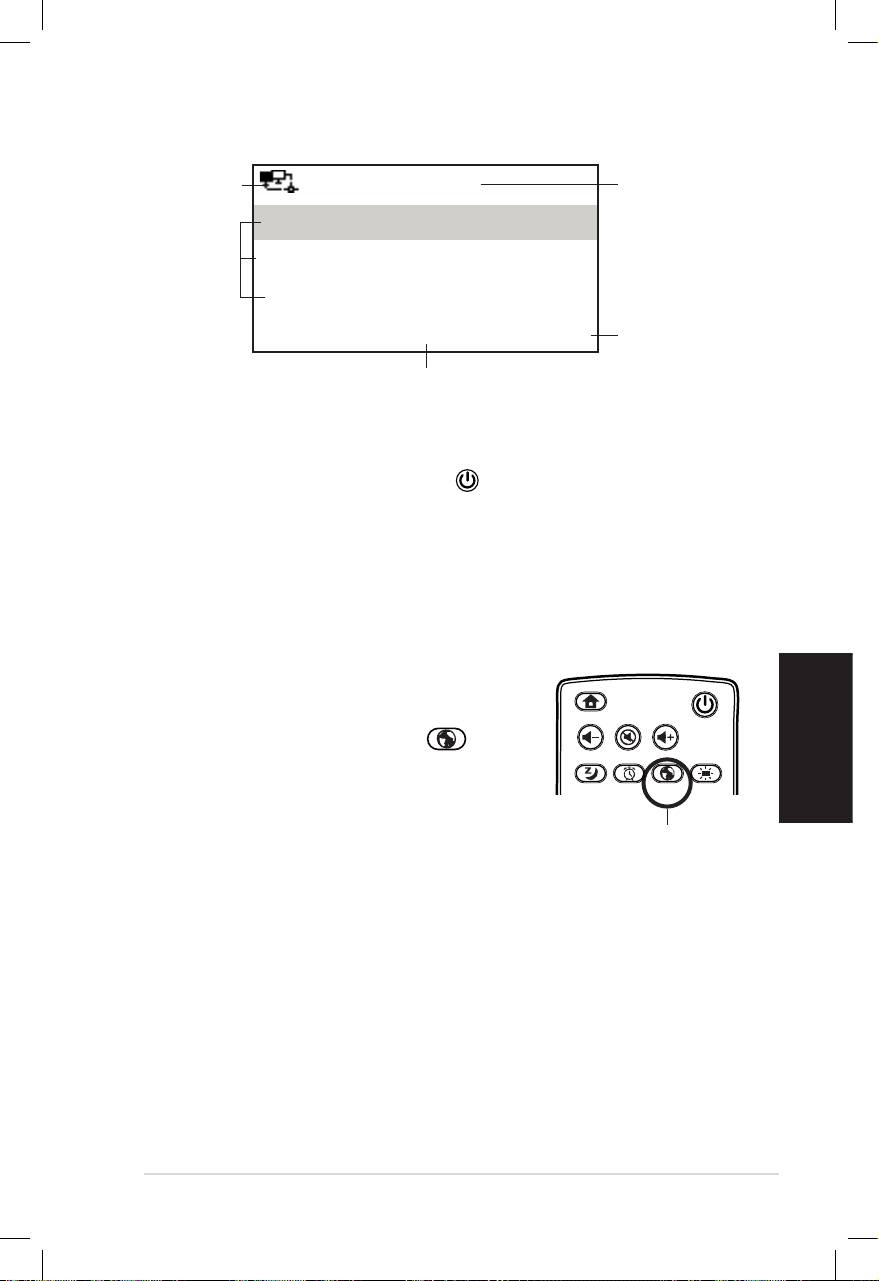
Italiano
ASUS Internet Radio 5
Stato Rete
12:00PM
Ora
I Miei Preferiti
Opzioni
Stazione Radio/Musica
Menu
Pulsante di
Centro Multimediale
navigazione
1/6 >
destro per
visualizzare
Visualizzazione della prima delle
il sotto-menu
sei opzioni del menu principale
NOTA: la pressione del pulsante sul pannello frontale o sul
telecomando non accende il dispositivo.
Selezione Lingua
ASUS Internet Radio fornisce il supporto multilingue per le opzioni
del menu.
Per modificare la lingua:
Premere il pulsante Language sul
telecomando per scegliere una lingua
(metodo più rapido).
OPPURE:
1. Dal menu principale, selezionare
Configurazione > Lingua.
2. Premere il pulsante di navigazione su/giù per scorrere
attraverso le opzioni lingua, quindi premere Enter per
applicare la lingua prescelta.
NOTA: La lingua selezionata si applica esclusivamente ai menu del
dispositivo e ai messaggi del sistema. I nomi delle stazioni variano in
funzione della zona in cui si trovano stazioni.
Home
Standby/On
Volume-
Mute
Volume+
Favorite
Sleep
1 2 3
4 5 6
7 8 9
Alarm
10
Enter
+Favorite
Language
Backlight
Pulsante Language
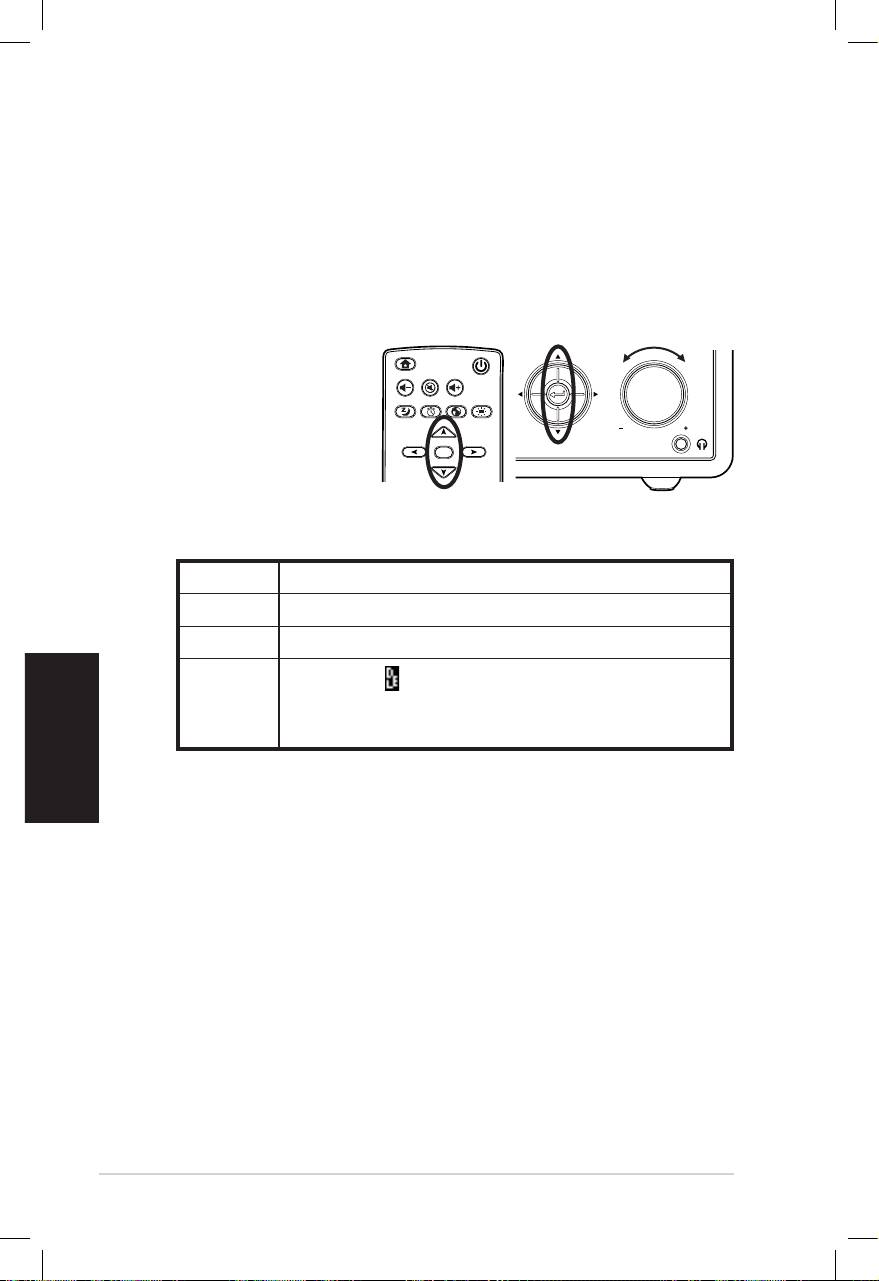
Italiano
6 ASUS Internet Radio
Inserimento di Testo
L’ aggiunta dell’ indirizzo di una stazione radio online o l’ impiego di
una chiave WEP/WPA per la protezione di reti wireless richiedono
l’ inserimento di testo.
Per inserire lettere maiuscole/minuscole, simboli o numeri:
1. Premere il pulsante
di navigazione
su/giù o ruotare
la manopola
del volume per
selezionare un
carattere dai
seguenti:
NOTA: I caratteri appaiono in ordine circolare. Vicino a “space” si trova la
lettera maiuscola A.
2. Premere il pulsante di navigazione destro per passare al
successivo. Al termine, premere Enter o la manopola del
volume.
Per inserire l’ indirizzo IP ed altri parametri IP oppure per impostare
l’ora, la data e la sveglia, attenersi alla procedura sopra descritta.
Home
Standby/On
Volume-
Mute
Volume+
Sleep
Alarm
Language
Backlight
Enter
Favorite
1 2 3
4 5 6
7 8 9
10
+Favorite
Standby/On
1 2 3 4 5
HOME
Volume
Lettere A a B b C c…Z z
Simboli $ % & # _ ^ ~ ` “ ‘, . : ; ? ! * - + @ < = > { ¦ } [ \ ] ( / )
Numeri 0 1 2 3 4 5 6 7 8 9
Del (Canc) ( ): Selezionare e premere il pulsante di
Altro
navigazione per eliminare del testo.
Space: da selezionare per aggiungere uno spazio.
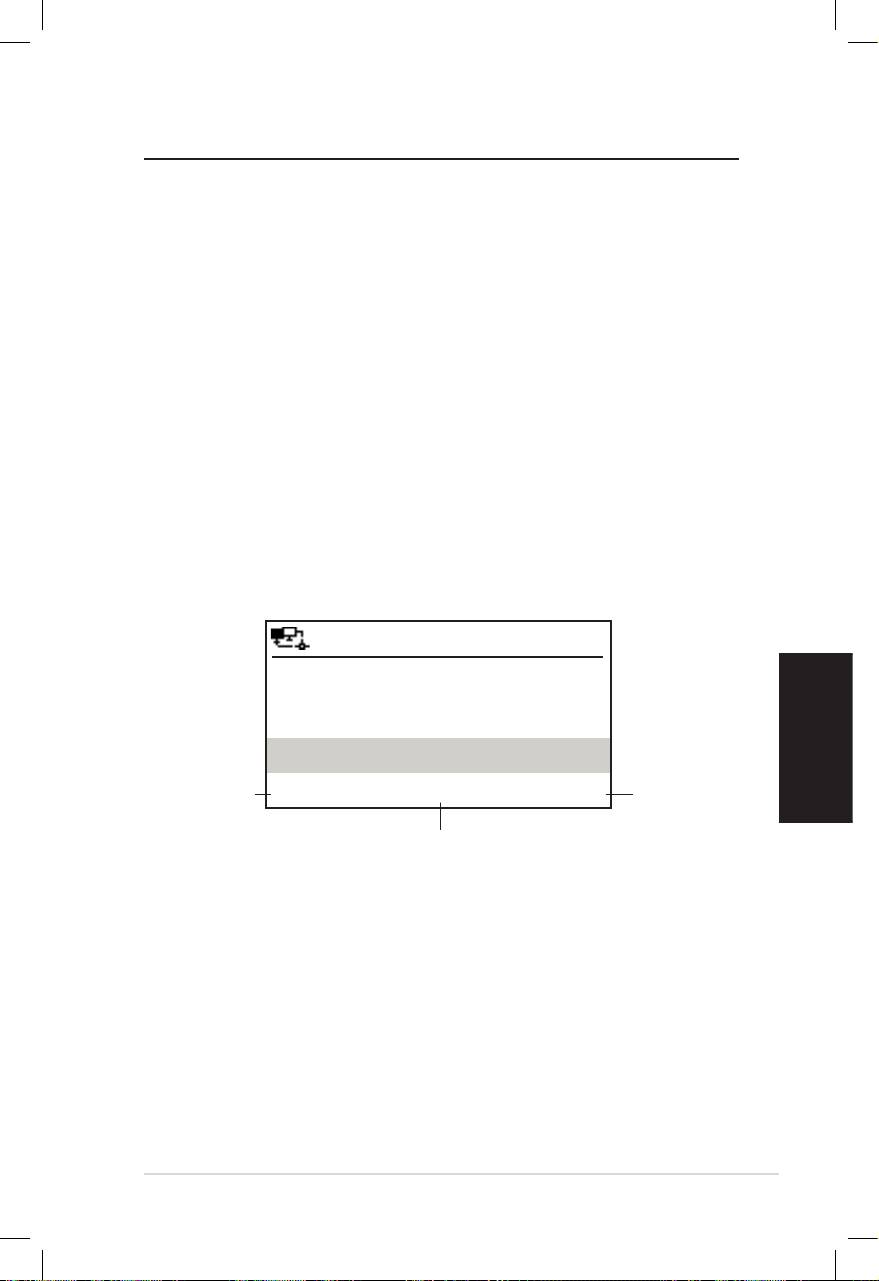
Italiano
ASUS Internet Radio 7
Ascolto della Radio
Ricerca di una Stazione Radio
ASUS Internet Radio è dotata di un elenco aggiornato e ben
organizzato delle stazioni radio online di tutto il mondo. Non
tutte le stazioni radio su Internet posseggono una corrispondente
stazione radio tradizionale. Alcune di esse trasmettono
esclusivamente via Internet. E’ possibile cercare una stazione in
base al genere musicale o alla regione e scorrere fra le stazioni
elencate in ordine alfabetico.
Ricerca per Genere
1. Dal menu principale, selezionare Stazione Radio/Musica >
Genere. Sarà visualizzato un elenco dei generi musicali in
ordine alfabetico.
2. Premere il pulsante di navigazione su/giù per selezionare un
genere. Per esempio, per ascoltare musica jazz:
12:00PM
Premere il
pulsante di
Hard Rock
Premere il
navigazione
pulsante di
Hip Hop
destro per
navigazione
visualizzare
Jazz
sinistro per
tutte le
ritornare
< 23/53 >
stazioni jazz
al menu
esimo
precedente.
Jazz è il 23
dei 53 generi.
3. Premere il pulsante di navigazione destro per visualizzare
tutte le stazioni jazz disponibili. Selezionare una stazione e
premere Enter per la connessione alla stazione.
Ricerca per Paese/ Regione
1. Dal menu principale, selezionare Stazione Radio/Musica >
Paese/Regione e sarà visualizzato un elenco delle regioni
geografiche, in ordine alfabetico.

Italiano
8 ASUS Internet Radio
12:00PM
Africa
Asia
Europa
< 1/8 >
L’ elenco comprende: Africa, Asia, Europa, America Latina, Medio
Oriente, Nord America, Oceania/Pacifico e Solo su Internet.
2. Selezionare una regione geografica e poi un paese nella regione.
Sarà visualizato l’ elenco delle stazioni di quel paese.
3. Scegliere una stazione e premere Enter per stabilire la
connessione.
NOTA:
• Per i paesi con molte stazioni radio, le stazioni sono ulteriormente
classificate per nome in ordine alfabetico.
• Nel caso di una lingua diversa dall’ inglese, è possibile leggere il nome
del paese, in cui la lingua è parlata, nel menu Stazione Radio/Musica.
Selezionare il nome del paese e premere Enter per visualizzare le
stazioni di tale paese.
Ricerca per Nome
1. Dal menu principale, selezionare Servizio > Ricerca Stazione
Radio.
2. Le stazioni si dividono in 10 categorie, in base alle iniziali del nome:
0-9, A-C, D-F, G-I, J-L, M-O, P-R, S-U, V-Z e Altro. Selezionare una
categoria e sarà visualizzato un elenco delle stazioni.
NOTA: I nomi delle stazioni, costituiti da caratteri diversi dall’ alfabeto
romano, sono raggruppati in Altro.
3. Selezionare di nuovo una delle stazioni per visualizzare più stazioni.
Le stazioni sono elencate in ordine alfabetico, in base alle prime due
lettere del nome.
4. Scegliere una stazione e premere Enter per stabilire la connessione.
NOTA: Con la selezione di una stazione, appare una barra verticale
nell’ angolo inferiore sinistro dello schermo per mostrare il livello di
accessibilità alla stazione. Tre barre indicano accessibilità massima.
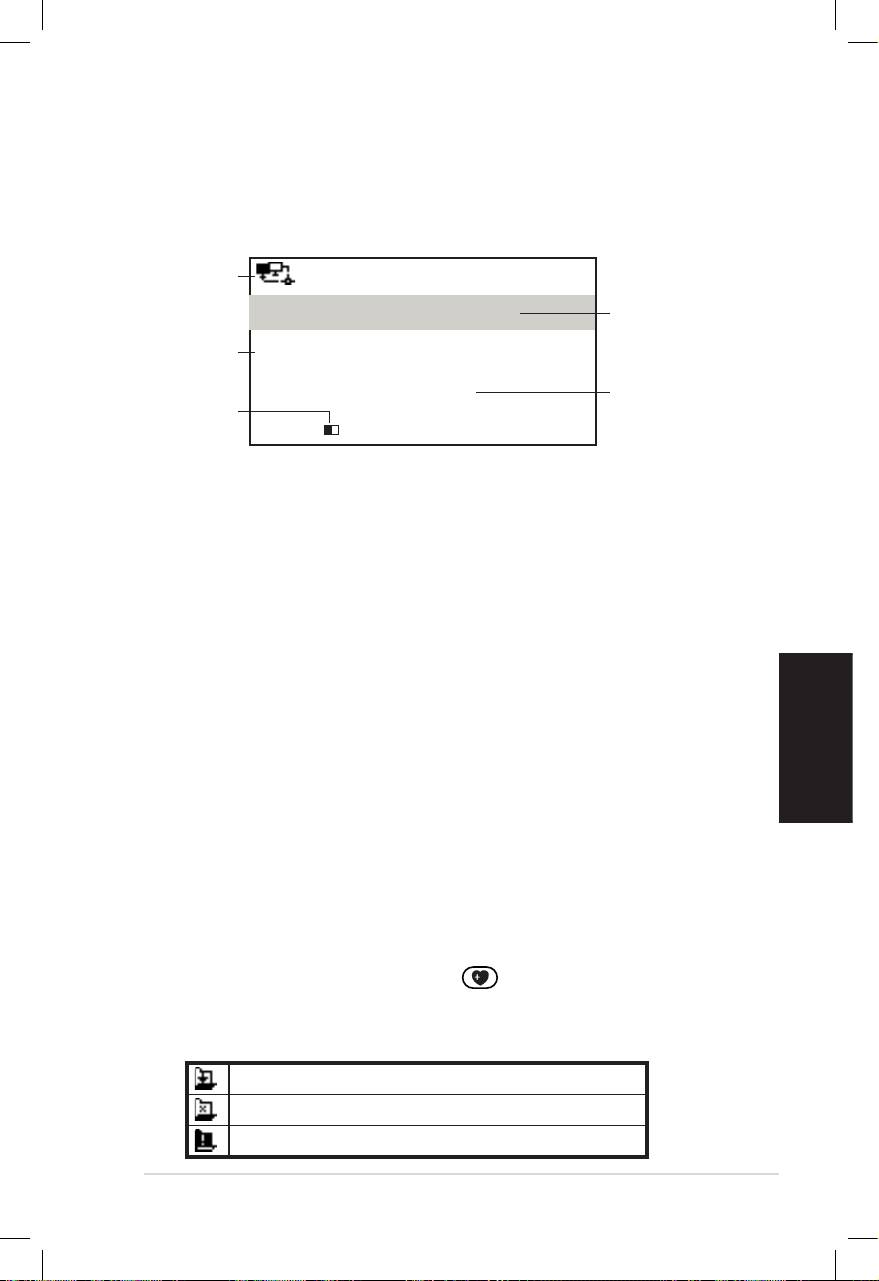
Italiano
ASUS Internet Radio 9
Connessione ad una Stazione
Se ASUS Internet Radio è correttamente connessa ad una stazione,
compare la seguente schermata:
Stato
12:00PM
Rete
All That Jazz Radio
Nome
Stazione
Dati
WMA 32 kbps/Jazz
Stato
Riproduzione…
Lungh.
Connessione*
Buffer**
< 11/92
NOTA:
• *Lo stato della connessione può cambiare da “Connessione...” a
“Buffering” e “Riproduzione...”. Premere Enter per interrompere la
riproduzione e tornare al menu precedente.
• **Consultare la pagina 14 per dettagli sulla configurazione del buffer.
• In caso di passaggio al menu principale, durante la connessione
ad una stazione, appare un timer, per il conteggio alla rovescia, sull’
angolo inferiore destro dello schermo. Dopo 10 secondi, il sistema
torna automaticamente alla stazione di cui si era in ascolto.
Aggiunta di una Stazione
a I Miei Preferiti
E’ possibile aggiungere una stazione radio di cui si è in ascolto
oppure una delle stazioni presenti dall’ elenco in I Miei Preferiti. E’
inoltre possibile inserire manualmente l’ indirizzo di una stazione
ed aggiungerlo a I Miei Preferiti. ASUS Internet Radio è in grado di
tenere in memoria 250 stazioni.
Aggiunta di una Stazione in Ascolto
1. Premere il pulsante +Favorite sul telecomando.
2. Le seguenti icone appaiono vicino all’ icona di stato della rete
per indicare lo stato delle stazioni preferite:
Aggiunta stazione a I Miei Preferiti....
La stazione è già in I Miei Preferiti.
I Miei Preferiti supera il numero max. di 250.
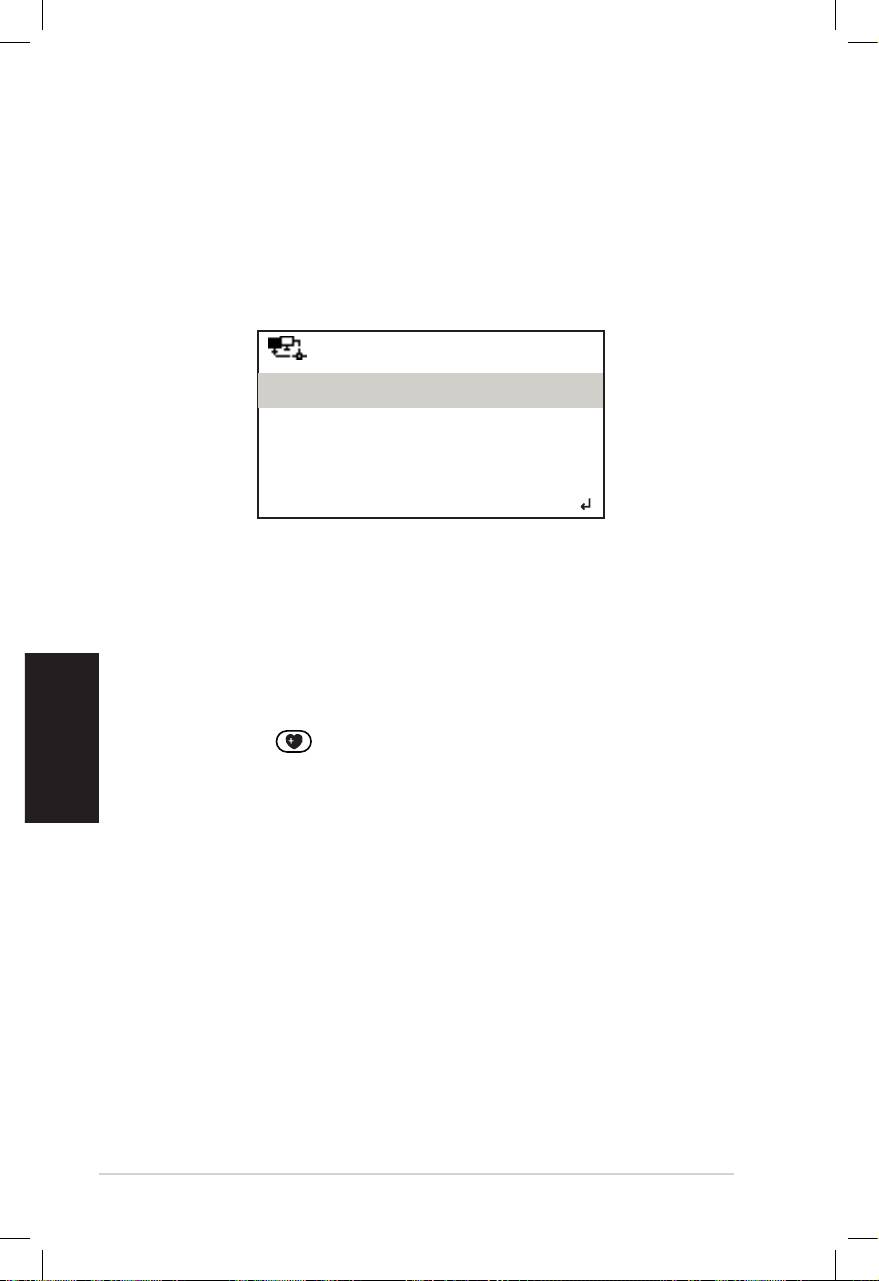
Italiano
10 ASUS Internet Radio
Aggiunta di una Stazione dall’ Elenco
1. Cercare una stazione con uno dei metodi citati nel paragrafo
“Ricerca di una Stazione Radio”.
2. Selezionare una stazione e premere il pulsante di navigazione
destro per visualizzare il seguente sotto-menu:
12:00PM
Aggiungi a I Miei Preferiti
Scansione Automatica (Giù)
Scansione Automatica (Su)
< 1/4
3. • Aggiungi a I Miei Preferiti: Selezionare di aggiungere la
stazione all’ elenco dei preferiti.
• Scansione Automatica (Giù)/(Su): da selezionare per
avviare la connessione consecutiva su/giù alle stazioni dell’
elenco, a partire dalla stazione prescelta. Ciascuna stazione
sarà ascoltata per 30 secondi, periodo in cui può essere
aggiunta a I Miei Preferiti, mediante la pressione del pulsante
+Favorite .
• Riproduci: da selezionare per avviare la connessione alla
stazione.
Consultare la tabella a pagina 9 per conoscere lo stato dei
preferiti.
Aggiunta di una Stazione Inserita Manualmente
1. Dal menu principale, selezionare Servizio > Aggiungi Nuova
Stazione Radio.
2. Inserire l’ indirizzo della stazione. Riferirsi al paragrafo
“Inserimento di Testo” a pagina 6 per dettagli in proposito.
3. Al termine, premere Enter per aggiungere la stazione all’
elenco I Miei Preferiti. Consultare la tabella a pagina 9 per
conoscere lo stato dei preferiti.
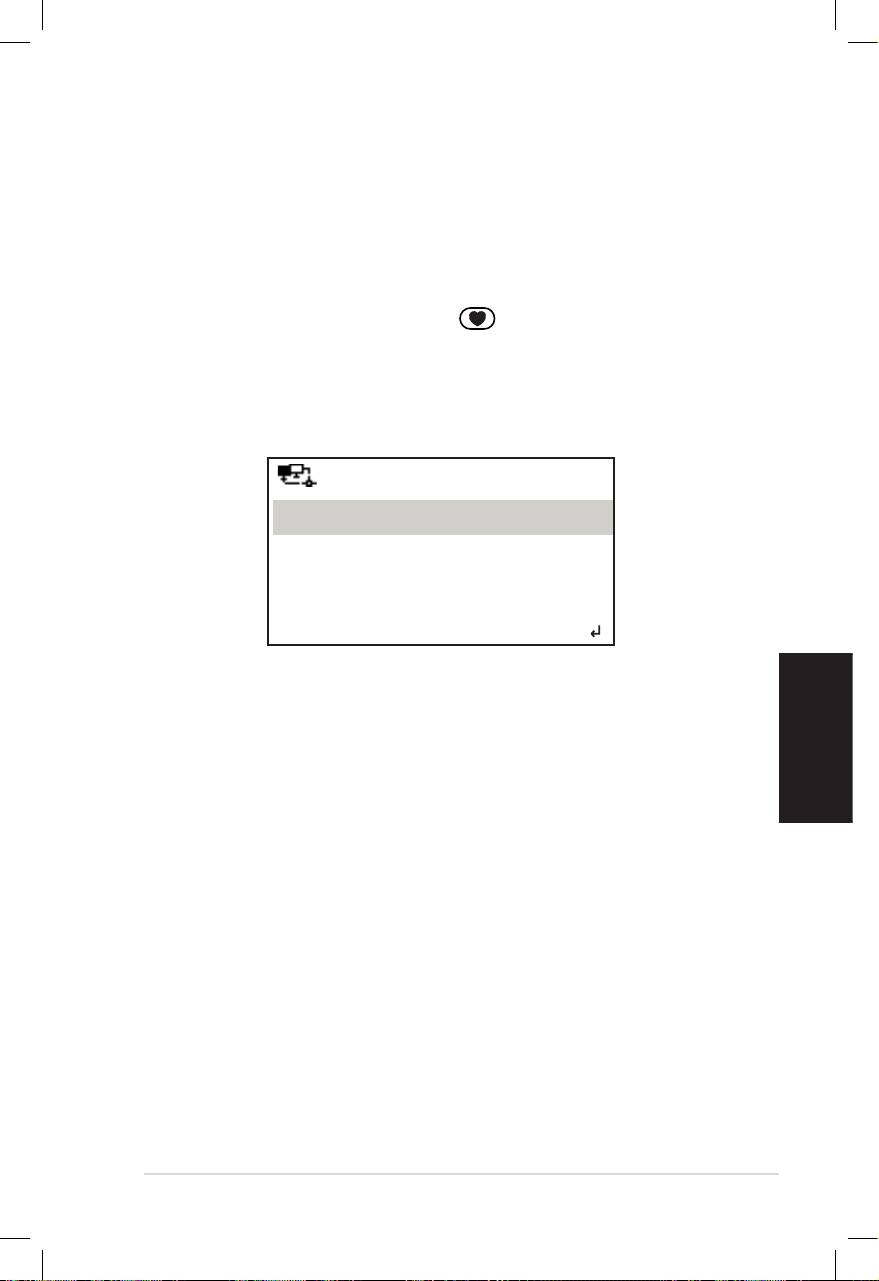
Italiano
ASUS Internet Radio 11
Gestione de I Miei Preferiti
In ASUS Internet Radio - I Miei Preferiti può essere salvato un
numero max. di 250 stazioni, in modo da avere facile accesso alle
stazioni pre-impostate.
Per gestire l’ elenco I Miei Preferiti:
1. Premere il pulsante Favorite ,sul telecomando, oppure
selezionare I Miei Preferiti dal menu principale. Sarà
visualizzato l’ elenco delle stazioni pre-impostate.
2. Evidenziare una stazione nell’ elenco e premere il pulsante di
navigazione destro per visualizzare il seguente sotto-menu:
12:00PM
Elimina
Sposta Su
Sposta Giù
< 1/5
3. • Elimina: da selezionare per eliminare la stazione.
• Sposta Su/Giù: consente di modificare l’ ordine delle
stazioni pre-impostate. Sposta le stazioni ascoltate più di
frequente fra le prime 5 o 10 posizioni, in modo da poter
premere i pulsanti pre-impostati per sintonizzarsi su di esse.
• Rinomina: da selezionare per rinominare una stazione.
• Riproduci: consente di connettersi ad una stazione.
E’ inoltre possibile connettersi ad una stazione pre-impostata,
operando nel seguente modo:
• Dall’ elenco I Miei Preferiti, evidenziare una stazione e premere
Enter per la connessione.
• Da un menu, premere il pulsante preset 1–5 sul pannello
frontale o sul telecomando per collegarsi alle prime 5 stazioni
pre-impostate.
• Da un menu, premere il pulsante preset 6–10 sul telecomando
per collegarsi alle stazioni pre-impostate, fra la sesta e la
decima posizione.

Italiano
12 ASUS Internet Radio
Altre Impostazioni
Congurazione
La selezione di Configurazione dal menu principale consente di
configurare le impostazioni di ASUS Internet Radio, fra cui: rete,
orologio, sveglia, lingua, retroilluminazione, temporizzatore di
sonno, buffer, aggiornamento versione e ripristino.
Rete
Consultare la Guida alla Configurazione di una Rete.
Orologio
L’ opzione Configurazione > Orologio consente di impostare
l’ ora e la data ed un formato per la visualizzazione dell’ ora. Alla
prima attivazione del dispositivo e relativa connessione di rete, lo
schermo mostra l’ ora GMT (Greenwich Mean Time). Impostare l’
Ora in funzione del fuso orario, e mediante NTP (Network Time
Protocol), una soluzione di sincronizzazione dell’ orologio in
Internet, che prevede una precisa sincronizzazione dell’ orologio
del dispositivo per il tempo in cui il dispositivo è connesso alla
rete.
• Imposta Data e Ora: da selezionare per impostare l’ ora e la
data. Consultare il paragrafo “Inserimento di Testo” , a pagina 6, per
dettagli sull’ inserimento dei numeri.
• Formato Ora: Consente di scegliere fra il formato 12 Ore e il
formato 24 Ore.
NOTA:
• E’ possibile verificare il GMT (Greenwich Mean Time) nel menu Centro
Informazioni.
• Ripristinare l’ ora del dispositivo, nel momento in cui ci si trova in
una zona con diverso fuso orario.
Sveglia
Questa opzione consente di attivare /disattivare e programmare
la sveglia. Inoltre, la pressione del pulsante Alarm sul
telecomando attiva/disattiva una sveglia programmata.

Italiano
ASUS Internet Radio 13
Per programmare una sveglia:
1. Aprire Configurazione > Sveglia > Attiva.
2. Selezionare Imposta Ora Sveglia ed inserire i valori.
Consultare il paragrafo “Inserimento di Testo”, a pagina 6, per
dettagli sull’ inserimento dei numeri.
3. Selezionare Imposta Suoneria Sveglia per scegliere
una suoneria fra Bip, Melodia e Radio (l’ ultima stazione
ascoltata).
4. L’ icona apparirà nell’ angolo superiore destro dello schermo
per indicare che la funzione sveglia è attivata.
Assicurarsi che il dispositivo non sia collegato ad alcuna
stazione, al momento della configurazione, altrimenti la
sveglia non potrà essere scattare. Quando suona, la sveglia
può essere interrotta premendo un tasto qualsiasi.
Lingua
Riferirsi alla pagina 5 per dettagli sulla selezione della lingua.
Retroilluminazione
L’ opzione Configurazione > Retroilluminazione consente di
regolare la luminosità della retroilluminazione. E’ inoltre possibile
spostarsi fra le modalità della retroilluminazione premendo il
pulsante Backlight sul telecomando. Le modalità disponibili
sono tre:
• Disattiva: disattiva la retroilluminazione.
• Risparmio di Energia: riduce la retroilluminazione.
• Attiva: attiva la retroilluminazione.
Temporizzatore di Sonno
L’ opzione Configurazione > Temporizzatore di Sonno permette
di selezionare l’ intervallo di tempo pre-impostato, dopo il quale il
dispositivo si arresta. E’ possibile impostare tale funzione anche
premendo il pulsante Sleep sul telecomando. All’ attivazione,
appare l’ icona XXX nell’ angolo superiore destro dello schermo,
XXX indica i minuti residui. Sono disponibili sei opzioni: Disattiva,
15 Minuti, 30 Minuti, 60 Minuti, 90 Minuti e
120 Minuti.
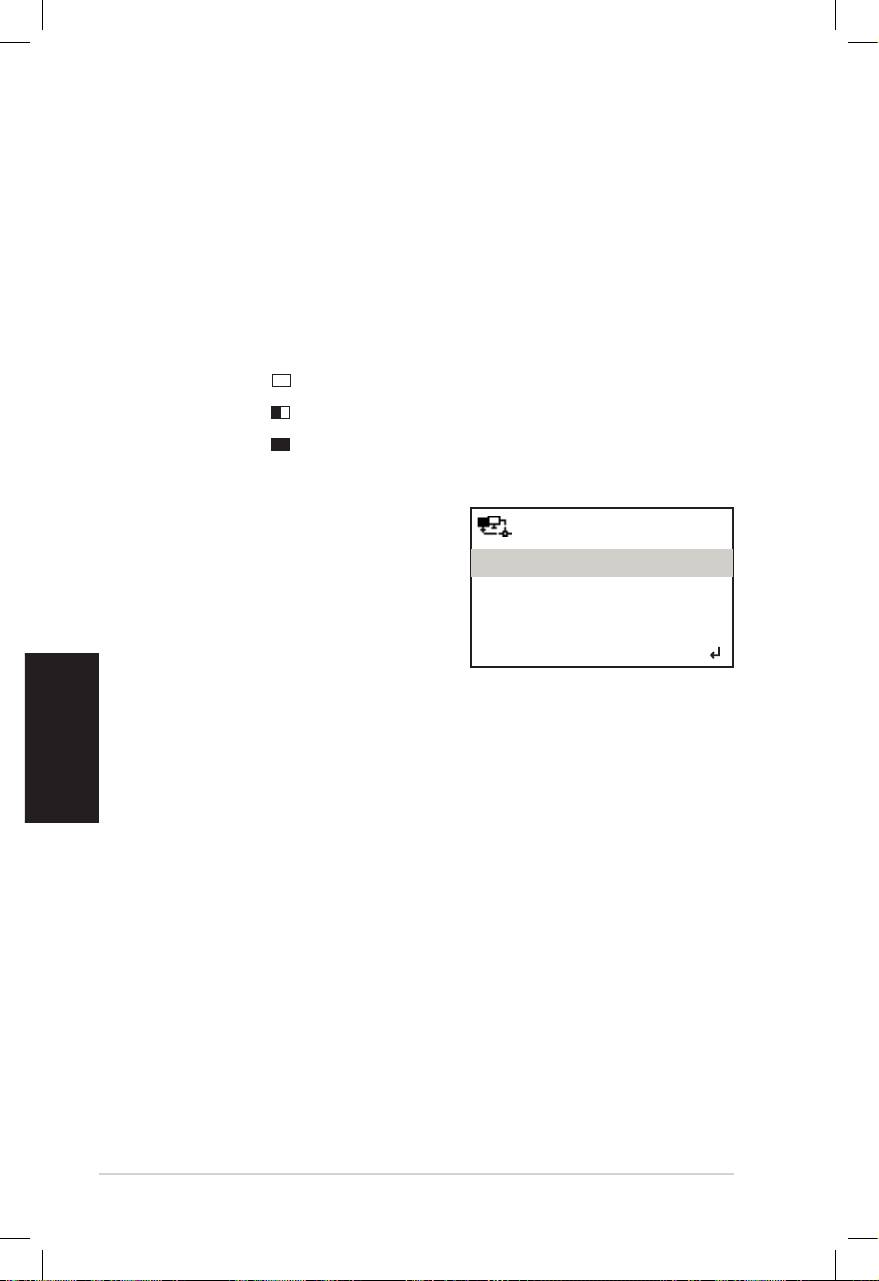
Italiano
14 ASUS Internet Radio
Buffer
L’ opzione Configurazione > Buffer consente di configurare il
buffer, in modo da trattenere i dati ricevuti per un certo tempo.
Impostare il buffer per un intervallo di tempo più lungo consente
di trasferire più facilmente i dati, ma richiede maggiore attesa.
Durante la connessione ad una stazione, appare un’ icona indicante
la lunghezza impostata per il buffer:
• 2 Secondi:
• 4 Secondi:
• 8 Secondi:
Aggiornamento Versione
Al rilascio di una nuova versione
12:00PM
firmware, sarà visualizzato
Aggiornamento Versione (Sì)
un messaggio a comparsa.
Aggiornamento Versione (No)
Selezionare Aggiornamento
Versione (Sì) per effettuare
< 1/2
il download della versione
aggiornata.
Con la selezione di Aggiornamento Versione (No), è possibile
scaricare la versione aggiornata in un momento successivo.
1. Selezionare Configurazione > Aggiornamento Versione e
scegliere l’ elemento di cui è concesso il download.
NOTA: L’ assenza di elementi visualizzati significa che la versione firmware
in uso al momento è già la più recente.
2. Scegliere Sì. Sarà visualizzato il conteggio alla rovescia, a partire
da 60 secondi. Attendere sino al riavvio del dispositivo.
3. SelezionareSelezionare Configurazione > Aggiornamento Versione
per controllare se il nome della versione differisce dal
precedente.
NOTE: Non spegnere il dispositivo in fase di aggiornamento.
Ripristino
L’ opzione Configurazione > Ripristino consente di ripristinare
sul dispositivo le impostazioni di fabbrica. Non saranno eliminati i
preferiti e le impostazioni di rete.

Italiano
ASUS Internet Radio 15
Analisi dei Problemi
Leggere le seguenti Q&A (Domande e Risposte), come guida alla
risoluzione dei problemi. Se le risposte fornite sono insufficienti,
contattare direttamente il riferimento indicato sul manuale.
Lo schermo mostra che si è sintonizzati su una stazione musicale,
ma non si sente niente.
E’ possibile che alcune stazioni non trasmettano 24 ore al giorno. Se
la stazione non trasmette alcun programma, non si sente niente.
Come mai non si sente niente dall’ altoparlante?
• L’ audio è stato disattivato oppure il volume è così basso da
essere impercettibile. Alzare il volume o premere il pulsante Mute
per ripristinare l’ audio. In presenza di altoparlanti aggiuntivi,
assicurarsi che il sistema audio collegato sia stato attivato.
• Se la suddetta procedura si rivela inutile, riavviare il dispositivo.
Cosa fare se ASUS Internet Radio si blocca?
Premere il pulsante di accensione sul pannello posteriore per
spegnere il dispositivo, e poi accenderlo di nuovo.
La sveglia impostata non suona.
La sveglia non scatta durante la connessione ad una stazione.
La connessione wireless non è stabile.
• Stabilire una connessione via cavo per controllare l’ affidabilità
della rete.
• Se la connessione via cavo si rivela più stabile di quella wireless,
utilizzare la connessione LAN.

Per quale motivo l’ elenco delle stationi radio online subisce
variazioni ?
Gli indirizzi delle stazioni radio su Internet possono cambiare,
pertanto i tecnici ASUS li aggiornano regolamente. ASUS Internet
Radio riceve automaticamente l’ elenco più aggiornato, per l’
intera durata della connessione alla rete. In fase di aggiornamento,
il dispositivo funziona normalmente (1–2 minuti).
Impossibile collegarsi a certe stazioni radio.
L’ accessibilità alle stazioni radio online varia con la larghezza di
banda della rete, nei diversi paesi. Mancate connessioni possono
essere dovute ai seguenti motivi:
• La banda della rete del paese, con cui si intende effettuare
la connessione,non è abbastanza larga. E’ consigliabile una
larghezza di banda Modem via cavo/ADSL di almeno 1M bps.
• Congestione Internet
• Le stazioni radio non offrono una banda sufficientemente
larga.
Italiano
• Le stazioni radio sono in riparazione oppure non esistono più.
Se resta impossibile collegarsi con alcune stazioni radio, contattare:
http://vip.asus.com/eservice/techserv.aspx.
16 ASUS Internet Radio
Radio a través de
Internet ASUS
Manual del usuario
Español
S
ta
nd
1 2 3 4
by/O
n
5
H
O
ME
V
olu
m
e
AIR

Español
ii Radio a través de Internet ASUS
Contenido
Contenido ............................................................... ii
Avisos..................................................................... iv
Bienvenido ............................................................ vi
Contenido del paquete ...................................................vi
Información general ...................................................... vii
Especificaciones ............................................................. vii
Procedimientos iniciales ....................................... 1
Vista frontal ......................................................................1
Vista posterior ..................................................................2
Usar el mando a distancia ................................................3
Encender el dispositivo ....................................................4
Seleccionar un idioma ......................................................5
Insertar texto ....................................................................6
Escuchar la radio .................................................... 7
Buscar una emisora de radio ...........................................7
Buscar por género ........................................................................7
Buscar por nombre de emisora ...............................................8
Buscar por país o ubicación ......................................................8
Conectarse a una emisora ................................................9
Agregar una emisora a Mis favoritas ..............................9
Agregar la emisora que se esté reproduciendo en ese
momento .........................................................................................9
Agregar una emisora de radio desde la lista ....................10
Agregar una emisora insertada manualmente ...............10
Administrar Mis favoritas.............................................. 11
Otras configuraciones ......................................... 12
Configuración ................................................................ 12
Red ..................................................................................................12
Reloj ................................................................................................12

Español
Radio a través de Internet ASUS iii
Alarma ............................................................................................12
Idioma ............................................................................................13
Luz de fondo ................................................................................13
Temporizador de apagado de automático .......................13
Búfer ...............................................................................................14
Actualizar la versión ..................................................................14
Restablecer ...................................................................................14
Guía para solucionar problemas ........................ 15

Español
iv Radio a través de Internet ASUS
Avisos
Declaración de la Comisión Federal de Comunicaciones
Este equipo ha sido puesto a prueba y encontrado en
consonancia con los límites establecidos para la clase B de
dispositivos digitales, según la Parte 15 de las reglas de la
Comisión Federal de Comunicaciones (FCC). Estos límites han
sido diseñados para proveer una protección razonable contra
interferencia dañina en una instalación residencial. Este equipo
genera, usa, y puede irradiar energía de radio frecuencia, y si no
está instalado según las instrucciones, puede causar interferencia
en las radio comunicaciones. Sin embargo, no hay garantía de
que no ocurrirán interferencias en una instalación en particular.
Si este equipo en efecto causa interferencias en la recepción de
radio o televisión, lo que puede ser determinado encendiendo
y apagando el equipo, se recomienda al usuario que intente
corregir la interferencia con una o varias de las siguientes
medidas:
• Reorientar o reposicionar la antena receptora.
• Aumentar la separación entre el equipo y el receptor.
• Conectar el equipo a un enchufe o circuito distinto del que
usa el receptor de la interferencia.
• Consultar con su punto de venta o a un técnico
experimentado en radio/TV.
Este dispositivo cumple el Apartado 15 de las normas FCC. El
funcionamiento está sujeto a las siguientes dos condiciones:
• Este dispositivo no puede causar interferencias perjudiciales, y
• Este dispositivo debe aceptar cualquier interferencia recibida,
incluida la interferencia que pueda causar un funcionamiento
no deseado.
Precaución FCC:FCC:
Cualquier cambio o modificación no aprobada expresamente
por la parte responsable de la conformidad podría anular la
autoridad del usuario para operar el equipo.

Español
Radio a través de Internet ASUS v
NOTA IMPORTANTE:
Declaración FCC sobre la exposición a la radicación
Este equipo cumple los límites FCC de exposición a la radicación
fijados para un entorno no controlado. Cuando instale y utilice este
equipo, hágalo de forma que haya una distancia mínima de 20 cm
entre el emisor de radiación y su cuerpo. Este transmisor no debe
ubicarse ni usarse junto a ninguna otra antena o transmisor. El uso
de IEEE 802.11b o 802.11g de este producto en Estados Unidos
tiene un firmware limitado de 1 a 11 canales.
Declaración de Industry Canada
El funcionamiento está sujeto a las siguientes dos condiciones:
• Este dispositivo no puede causar interferencias y
• Este dispositivo debe aceptar cualquier interferencia, incluida la
interferencia que pueda causar un funcionamiento no deseado
del dispositivo.
NOTA IMPORTANTE:
Declaración de exposición de la radiación
Este equipo cumple los límites IC de exposición a la radicación
fijados para un entorno no controlado. Cuando instale y utilice
este equipo, hágalo de forma que haya una distancia mínima de
20 cm entre el emisor de radiación y su cuerpo.
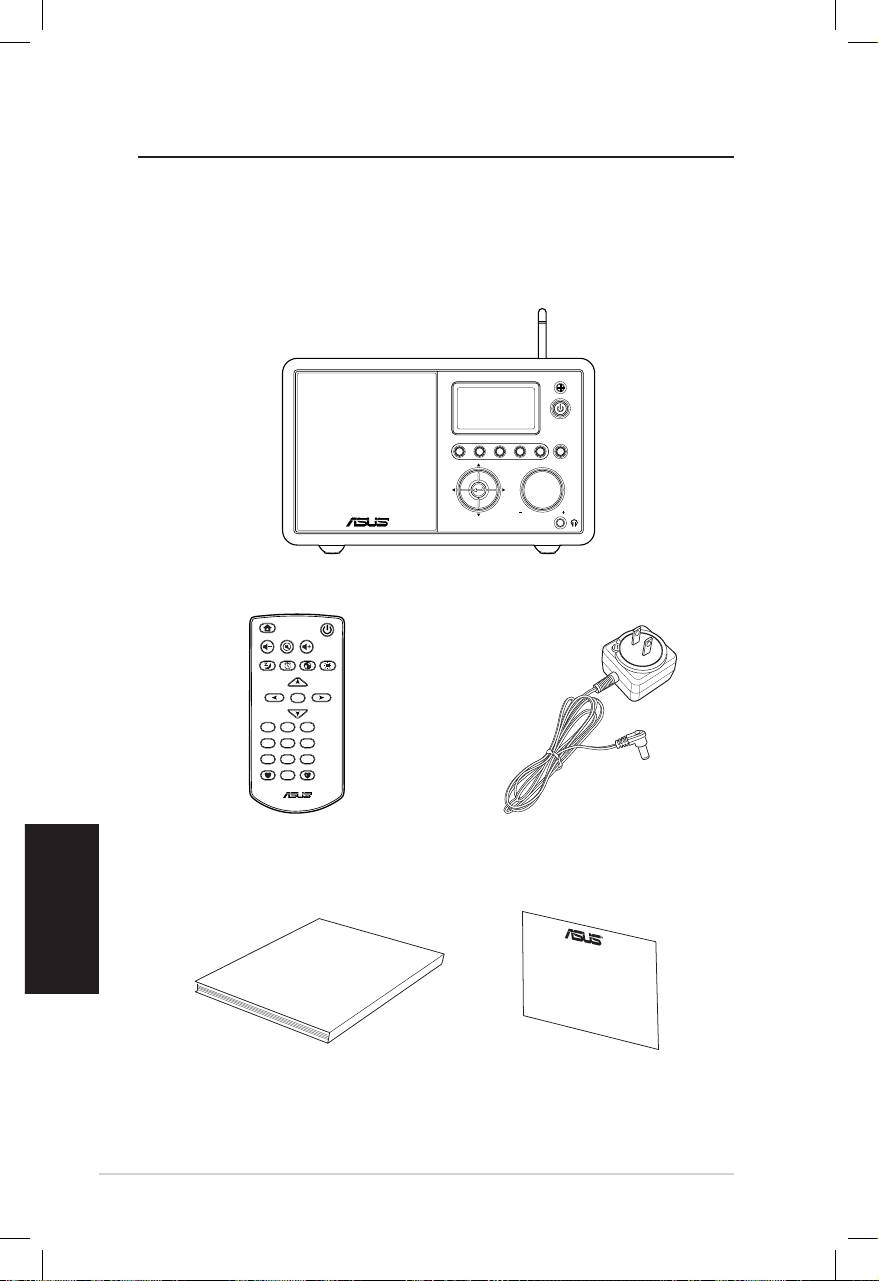
Español
vi Radio a través de Internet ASUS
Bienvenido
Enhorabuena por la compra del dispositivo Radio a través de
Internet ASUS. La siguiente ilustración muestra el contenido del
Contenido del paquete
User Manual
Home
Standby/On
Volume-
Mute
Volume+
Sleep
Alarm
Language
Backlight
Enter
1 2 3
4 5 6
7 8 9
10
Favorite
+Favorite
Standby/On
1 2 3 4 5
HOME
Volume
Radio a través de Internet ASUS
Mando a distancia
Adaptador de
alimentación de CA
Manual del usuario
Tarjeta de garantía
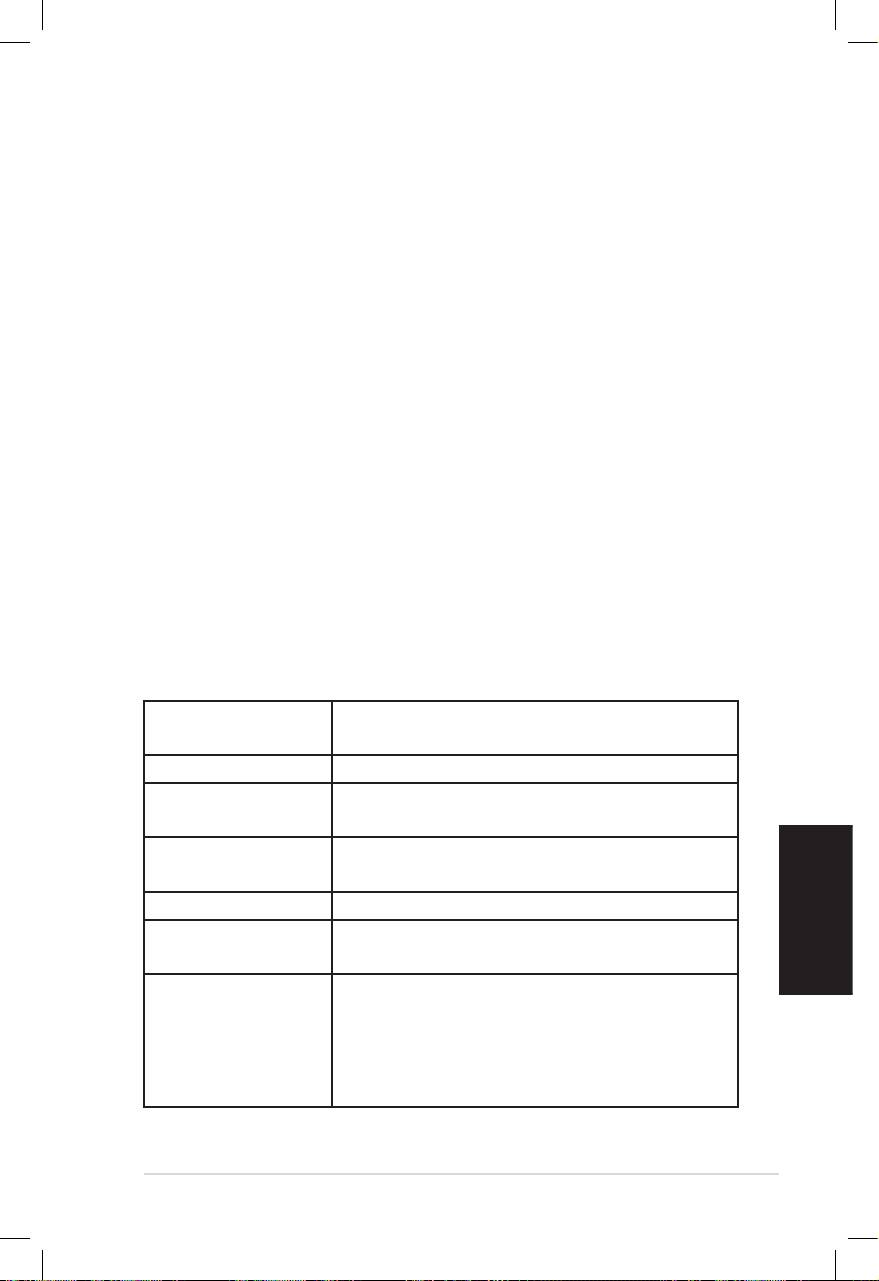
Español
Radio a través de Internet ASUS vii
Información general
El dispositivo Radio a través de Internet ASUS es una elegante
radio para Internet que proporciona acceso sencillo a una amplia
gama de emisoras de radio a través de Internet. Antes de utilizar
el dispositivo Radio a través de Internet, asegúrese de que tiene
acceso a una red cableada o inalámbrica.
Características
• Dispositivo independiente
• Conexión inalámbrica o por cable
• Lista actualizada de más de 10.000 emisoras en línea
• 250 emisoras favoritas
• Despertador
• Apagado automático
• Protocolo de tiempo de red (NTP, Network Time Protocol)
Especicaciones
Conectividad Punto de acceso inalámbrico Ethernet
10/100 (RJ45)
Tasas de datos 54 Mb (WLAN) y 10/100 Mb (Ethernet)
Seguridad de red
WEP de 64/128 bits
LAN inalámbrica
WPA/WPA2
Descodificador de
MP3/WMA
formato de audior
16 Kbps a 320 Kbps
RSR > 90 dB (auriculares)
Pantalla Pantalla de gráficos FSTN de 128 x 64
Color azul con LED blanco
Puerto de E/S Conector para auriculares (Φ 3,5 mm)
Entrada de línea (Φ 3,5 mm)
Salida de línea (conector RCA)
Ethernet (RJ45)
Conector de alimentación de CC
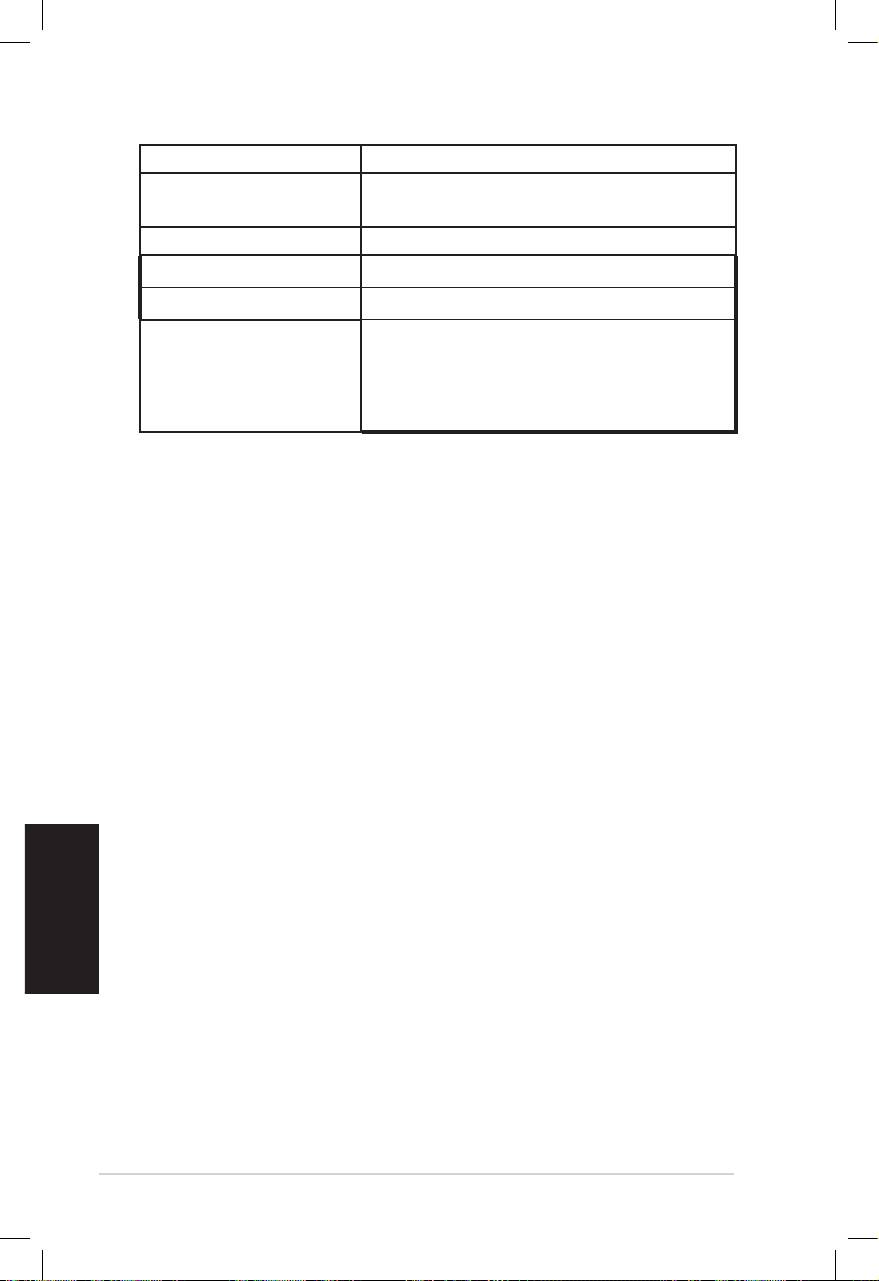
Altavoz 5 vatios/4 ohmios
Adaptador de alimen-
Entrada: CA 110-240 V (50-60 Hz)
tación de CA
Salida: CC 6 V/2A
Mando a distancia 26 botones
Dimensiones 250 (L) x 128(A) x 190 (F) mm
Peso 2 Kg
Ancho de banda de
Al menos 1 Mbps
ADSL o de módem de
cable
(recomendado)
Español
viii Radio a través de Internet ASUS
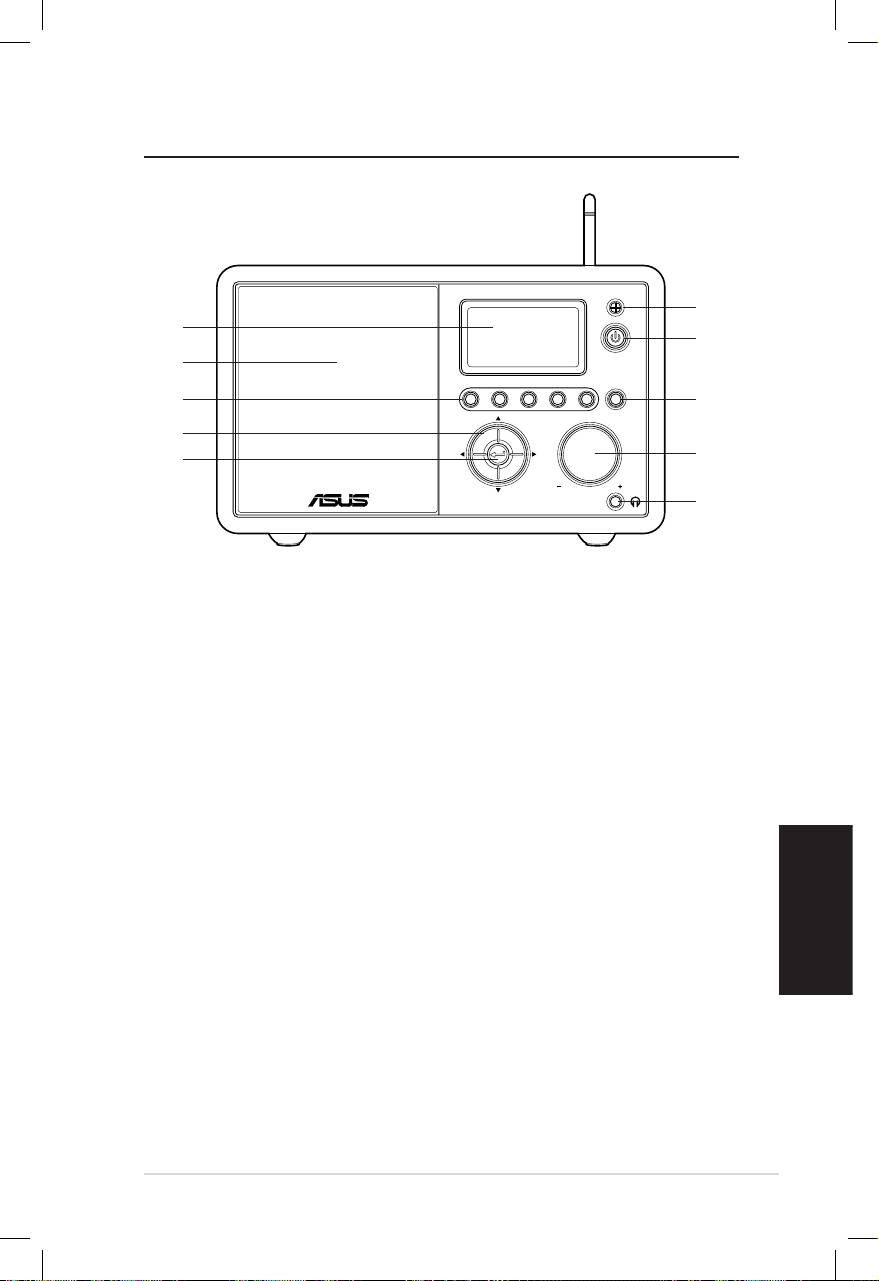
Español
Radio a través de Internet ASUS 1
Standby/On
1 2 3 4 5
HOME
Volume
Procedimientos iniciales
Vista frontal
1
10
2
9
8
3
7
4
6
5
1. Sensor de infrarrojos (IR): recibe las órdenes del mando a
distancia.
2. Botón de espera y encendido: presione este botón para
cambiar entre el modo de espera y de encendido.
3. Botón Inicio: presione este botón para ir al menú principal.
4. Control de volumen: gire hacia la derecha para subir el
volumen o hacia la izquierda para bajarlo. Gírelo para inser-
tar texto o para desplazarse por las opciones de menú hacia
arriba y hacia abajo. Presione este botón para confirmar la
selección de una opción de menú.
5. Conector para auriculares: enchufe los auriculares a este
conector para escuchar en privado. También puede conectar
altavoces adicionales a este conector mediante un cable de
audio.
6. Botón Aceptar: presione este botón para confirmar la selec-
ción de una opción de menú.
7. Botón de desplazamiento Arriba/Abajo/Izquierda/Dere-
cha: presione este botón para desplazarse por los elemen-
tos de menú hacia arriba, hacia abajo, hacia la izquierda y
hacia la derecha.
8. Botón Preestablecer 1~5: presione este botón para recupe-
rar una emisora de radio preestablecida.
9. Altavoz: altavoz integrado.
10. Pantalla: pantalla LCD con luz de fondo.
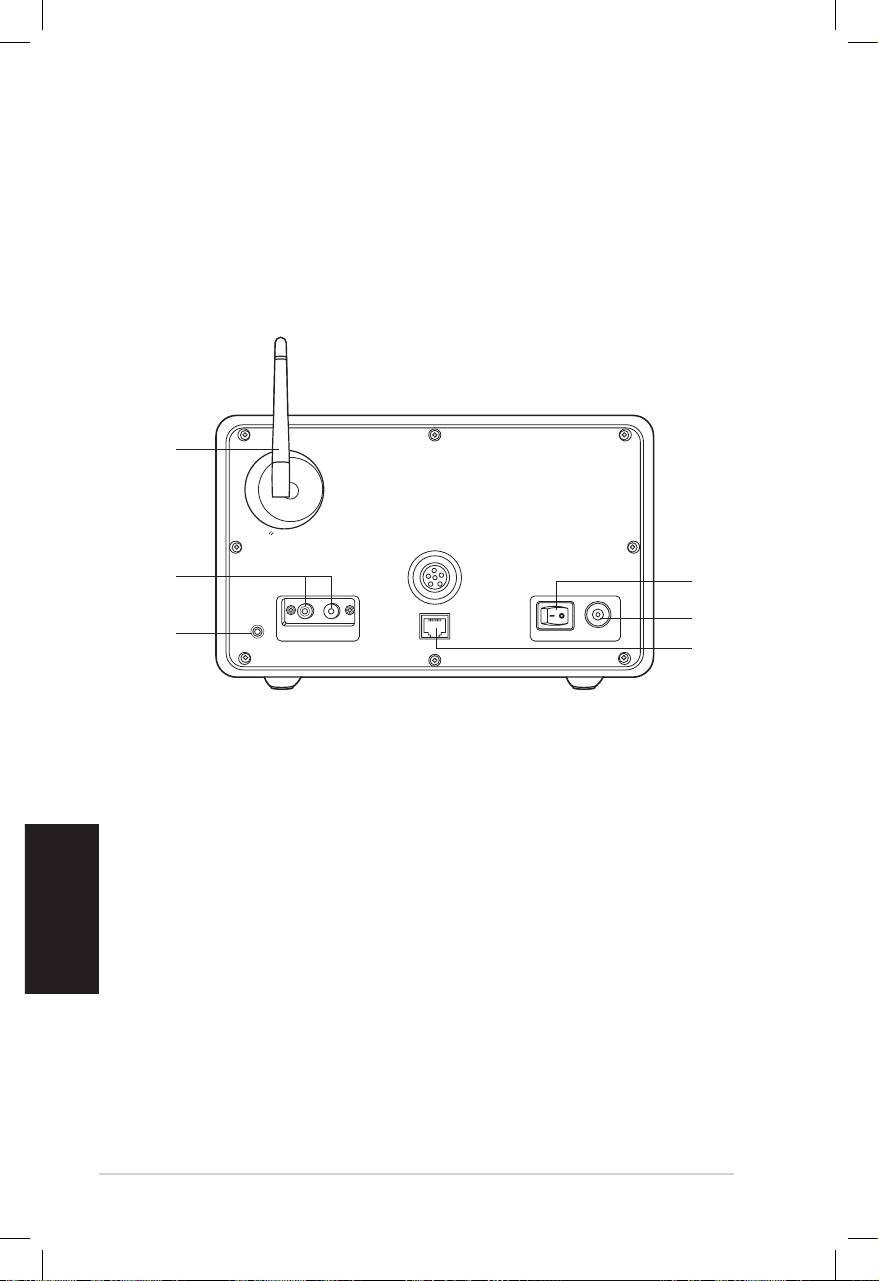
Español
2 Radio a través de Internet ASUS
NOTA: l
as funciones del panel frontal también se encuentran en el mando
a distancia. Consulte las páginas 3 y 4 para obtener más información.
Vista posterior
1
2
3
1. Conmutador de encendido: permite encender y apagar el
dispositivo.
2. Conector de alimentación de CC: enchufe el cable de
alimentación proporcionado a este conector.
3. Puerto LAN: conecte un cable de red a este puerto.
4 Conector de entrada de línea: si intenta utilizar el
dispositivo únicamente como altavoz, enchufe un
cable de audio a este conector. El dispositivo cambiaráEl dispositivo cambiará
automáticamente al modo AUX.
5. Conector de salida de línea izquierda y derecha: enchufe
cables de audio a estos conectores para utilizar un equipo
estéreo adicional.
6. Antena: establezca la antena en posición vertical para
garantizar la mejor recepción de la señal inalámbrica.
Antenna
LAN
LINE IN
R L
LINE OUT
ON OFF DC
6
5
4
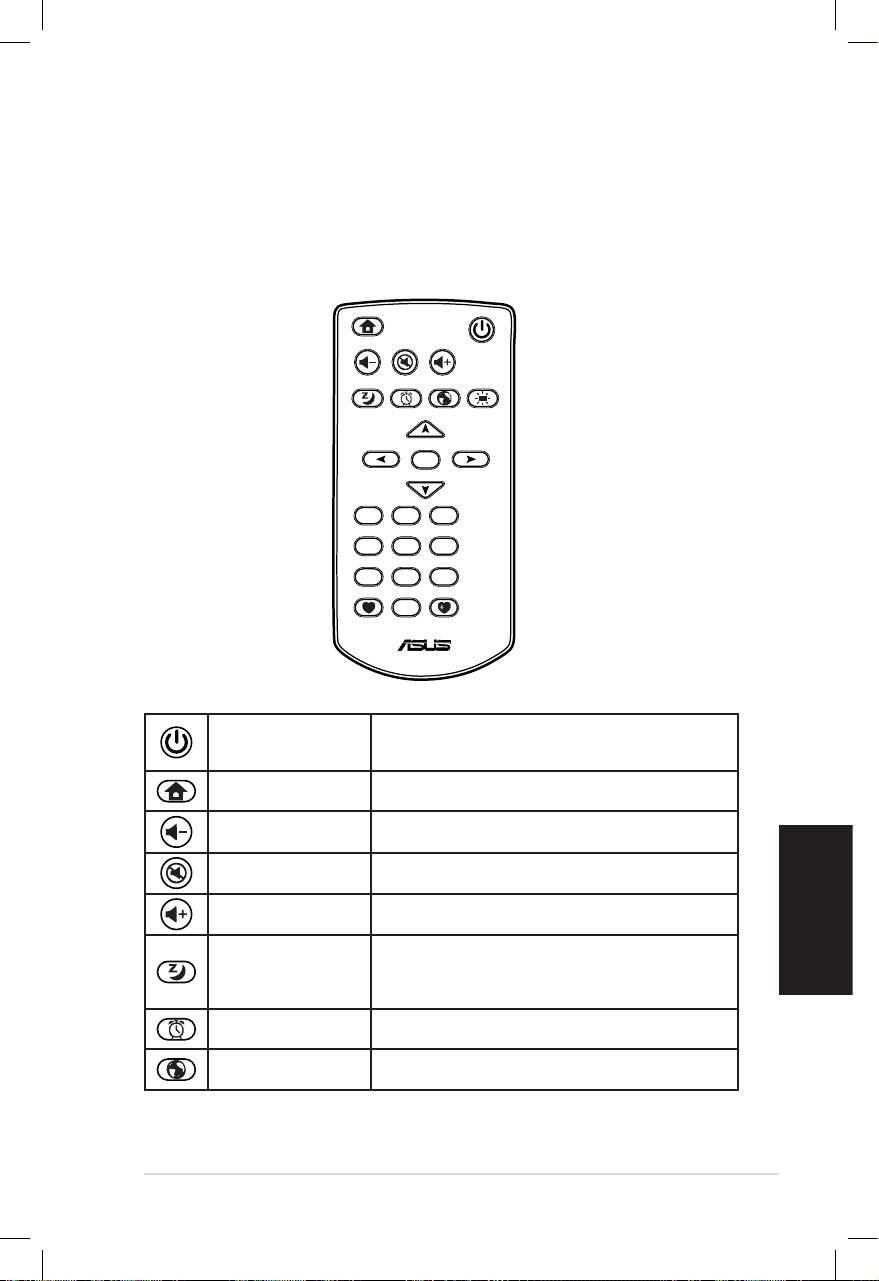
Español
Radio a través de Internet ASUS 3
Usar el mando a distancia
Utilice el mando a distancia para buscar emisoras de radio, crear
una lista de emisoras favoritas y definir otras configuraciones.
Consulte la tabla que aparece a continuación para obtener
información sobre el mando a distancia y sus funciones.
Home
Standby/On
Volume-
Mute
Volume+
Sleep
Alarm
Language
Backlight
Enter
1 2 3
4 5 6
7 8 9
10
Favorite
+Favorite
Botón de
Presione este botón para cambiar
espera y
entre el modo de espera y de
encendido
encendido.
Presione este botón para ir al menú
Botón Inicio
principal.
Presione este botón para bajar el
Volumen+
volumen de salida.
Presione este botón para desactivar la
Botón Silencio
salida de audio.
Presione este botón para subir el
Volumen-
volumen de salida.
Presione este botón para
Botón
seleccionar una cantidad de tiempo
Suspender
preestablecida después de la cual el
dispositivo se apagará.
Presione este botón para activar o
Botón Alarma
desactivar el despertador.
Presione este botón para seleccionar
Botón Idioma
un idioma para los menús.
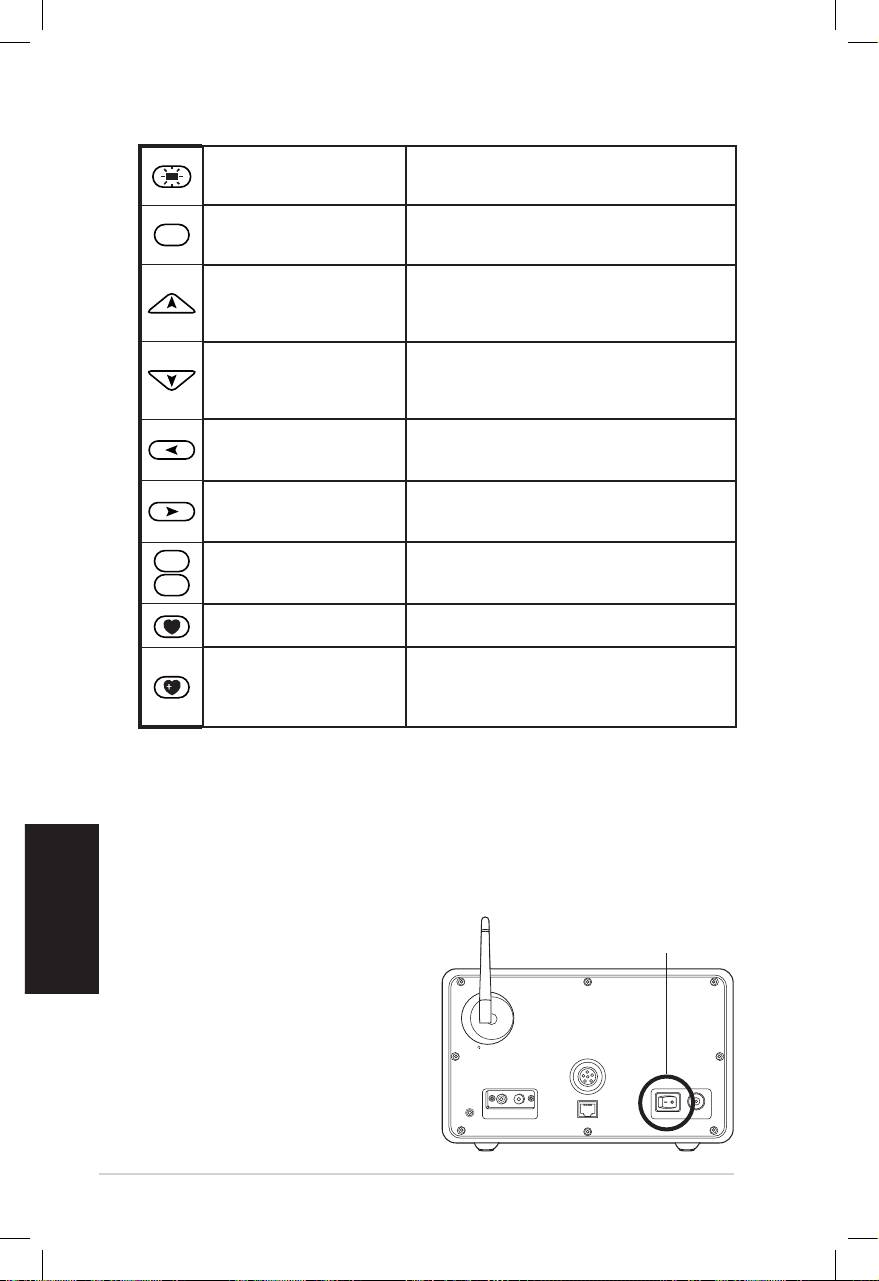
Español
4 Radio a través de Internet ASUS
Presione este botón para
Botón Luz de fondo
seleccionar un modo de luz de
fondo.
Encender el dispositivo
Para encender el dispositivo por primera vez realice el siguiente
procedimiento:
1. Enchufe el adaptador de alimentación suministrado a una toma
de corriente.
2. Enchufe el adaptador de alimentación al conector de
alimentación de CC situado en el panel posterior.
Enter
Presione este botón para
Botón Aceptar
confirmar la selección de una
opción de menú.
Presione este botón para
Botón de
desplazarse hacia arriba por los
desplazamiento
elementos de un menú.
Arriba
Presiónelo para insertar texto. .
Presione este botón para
Botón de
desplazarse hacia abajo por los
desplazamiento
elementos de un menú.
Abajo
Presiónelo para insertar texto.
Botón de
Presione este botón para volver al
desplazamiento
menú anterior.
Izquierda
Botón de
Presione este botón para
desplazamiento
confirmar la selección de una
Derecha
opción e ir a un submenú. .
1
~
10
Presione este botón para
Botón Preestablecer
recuperar una emisora de radio
1 ~ 10
preestablecida.
Presione este botón para mostrar
Botón Favoritas
su lista de emisoras favoritas.
Presione este botón para
almacenar la emisora de radio que
+Botón Favoritas
está escuchando actualmente en
su lista de favoritas.
3. Presione el conmutador
de alimentación situado
en el panel posterior para
encender el dispositivo.
La pantalla se iluminará
para mostrar el logotipo
de ASUS y, a continuación,
aparecerá el siguiente
menú principal:
Antenna
LAN
LINE IN
R L
LINE OUT
ON OFF DC
ENCENDIDO Y APAGADO
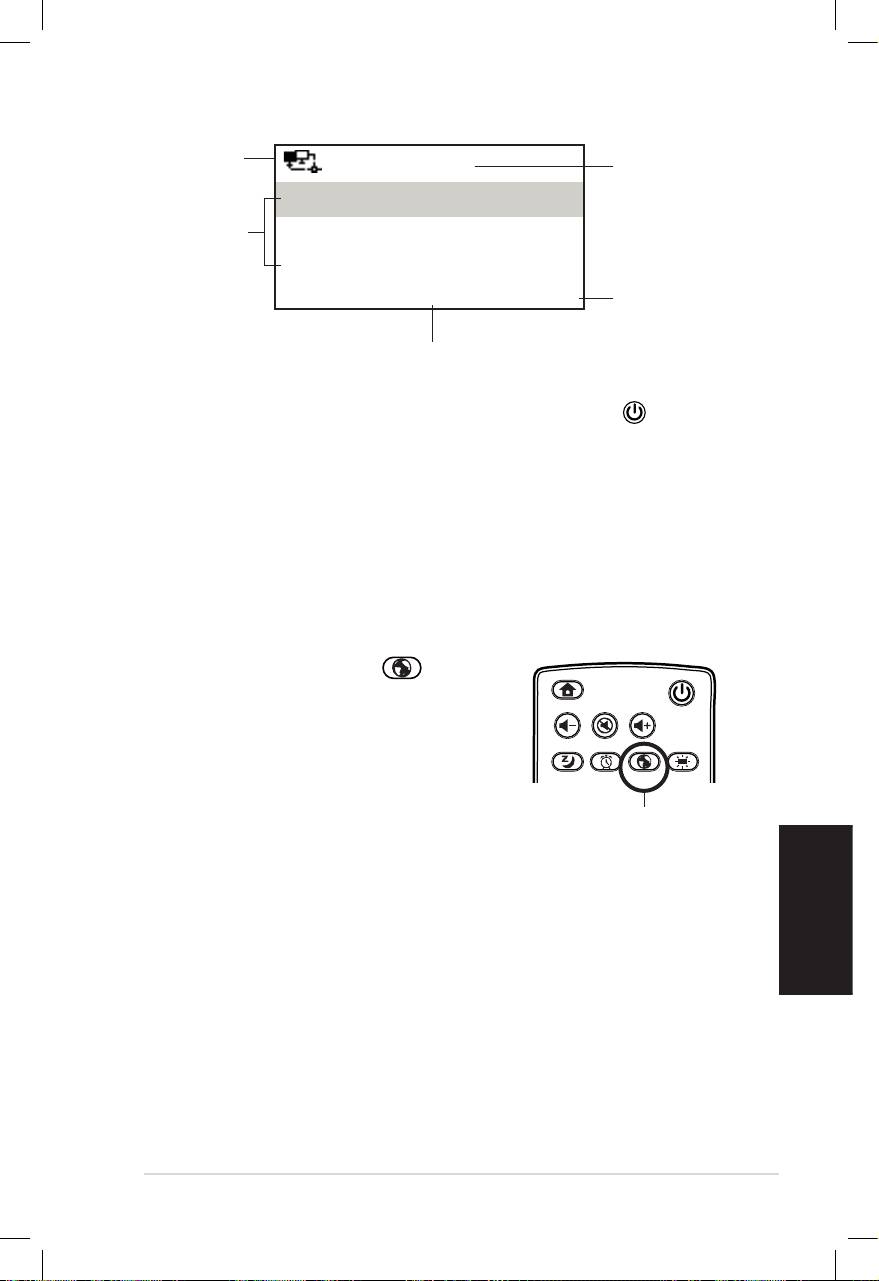
Español
Radio a través de Internet ASUS 5
Estado de
12:00PM
Hora
la red
Mis favoritas
Opciones de
Emisora de radio/Música
menú
Presione el
Servicio
botón de
1/4 >
desplazamiento
hacia la derecha
El menú principal contiene cuatro
para mostrar el
opciones; la primera de ellas se resaltará.
submenú.
NOTA: el dispositivo no se enciende al presionar el botón situado en
el panel frontal o en el mando a distancia.
Seleccionar un idioma
El dispositivo admite hasta ocho idiomas para las opciones de
menú.
Para seleccionar el idioma realice el siguiente procedimiento:
Presione el botón Idioma del mando
a distancia para seleccionar el idioma que
use (la forma más rápida).
O
1. En el menú principal, seleccione
Configuración > Idioma.
2. Presione el botón de desplazamiento hacia arriba o hacia
abajo para recorrer las opciones de menú y presione el botón
Aceptar para aplicar el idioma seleccionado.
NOTA: el idioma seleccionado solamente se aplica a los menús y a
los mensajes del sistema del dispositivo. Los nombres de las emisoras
mostrados varían en función de las ubicaciones de las mismas.
Home
Standby/On
Volume-
Mute
Volume+
Favorite
Sleep
1 2 3
4 5 6
7 8 9
Alarm
10
Enter
+Favorite
Language
Backlight
Botón Idioma
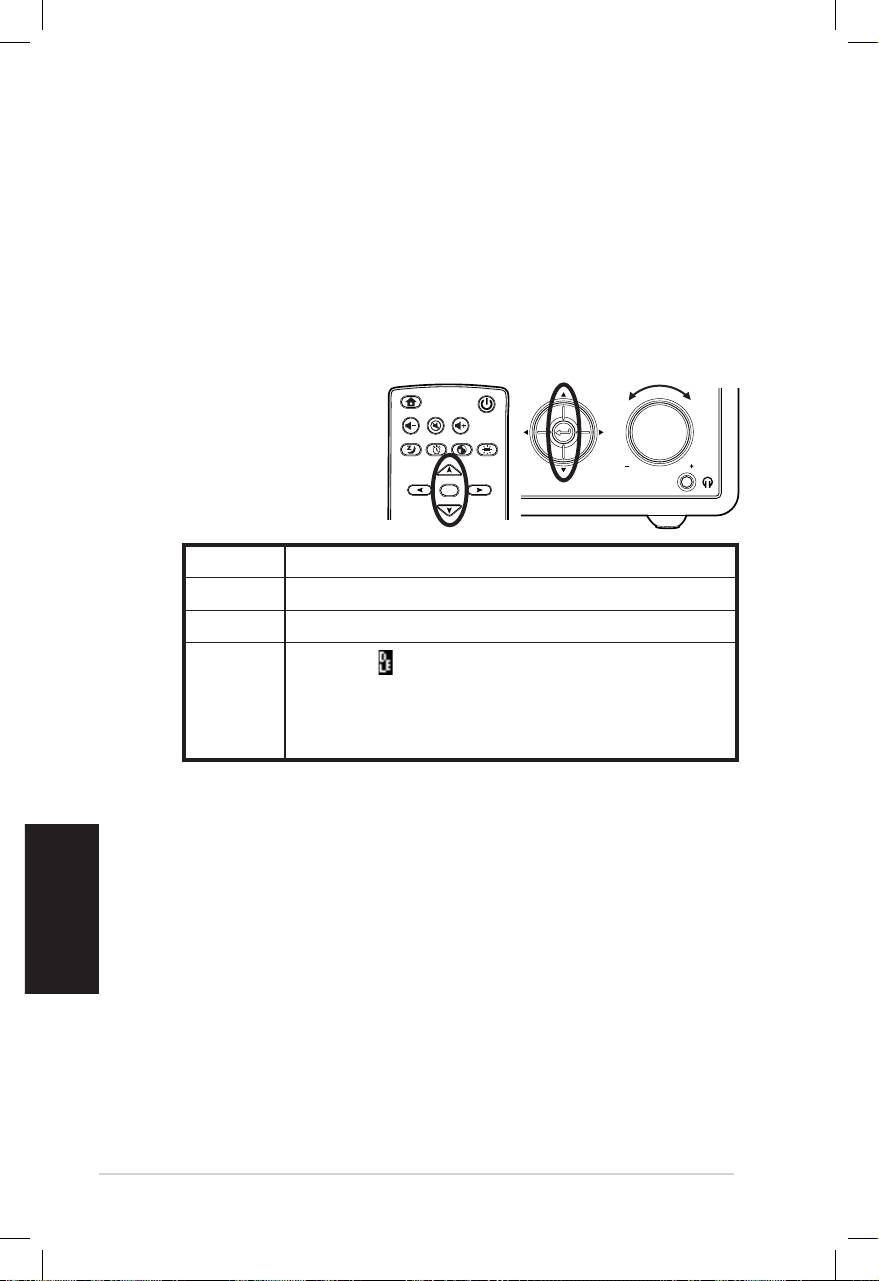
Español
6 Radio a través de Internet ASUS
Insertar texto
Cuando agregue la dirección URL de una emisora de radio en
línea o utilice una clave WEP para la seguridad de red inalámbrica,
necesitará insertar texto.
Para insertar letras mayúsculas y minúsculas, símbolos o números
realice el siguiente procedimiento:
1. Presione el botón de desplazamiento hacia arriba y hacia
abajo o gire el control de volumen en sentido horario o
antihorario para seleccionar uno de los caracteres siguientes:
NOTA: Los caracteres
aparecen en orden circular. La
A mayúsculas va después del
“espacio”.
2. Presione el botón de desplazamiento hacia la derecha para
continuar con el texto. Presione el botón Aceptar o el control
de volumen cuando haya terminado.
Para establecer la dirección IP y otros parámetros IP, o establecer
la hora, la fecha y la alarma, siga los pasos descritos anteriormente
para insertar números.
Home
Standby/On
Volume-
Mute
Volume+
Sleep
Alarm
Language
Backlight
Enter
Favorite
1 2 3
4 5 6
7 8 9
10
+Favorite
Standby/On
1 2 3 4 5
HOME
Volume
Letras A a B b C c…Z z
Símbolos $ % & # _ ^ ~ ` “ ‘, . : ; ? ! * - + @ < = > { ¦ } [ \ ] ( / )
Números 0 1 2 3 4 5 6 7 8 9
Eliminar ( ): seleccione y presione el botón
de desplazamiento izquierda/derecha para
Otros
eliminar texto de la izquierda. Espacio: permite
agregar un espacio..
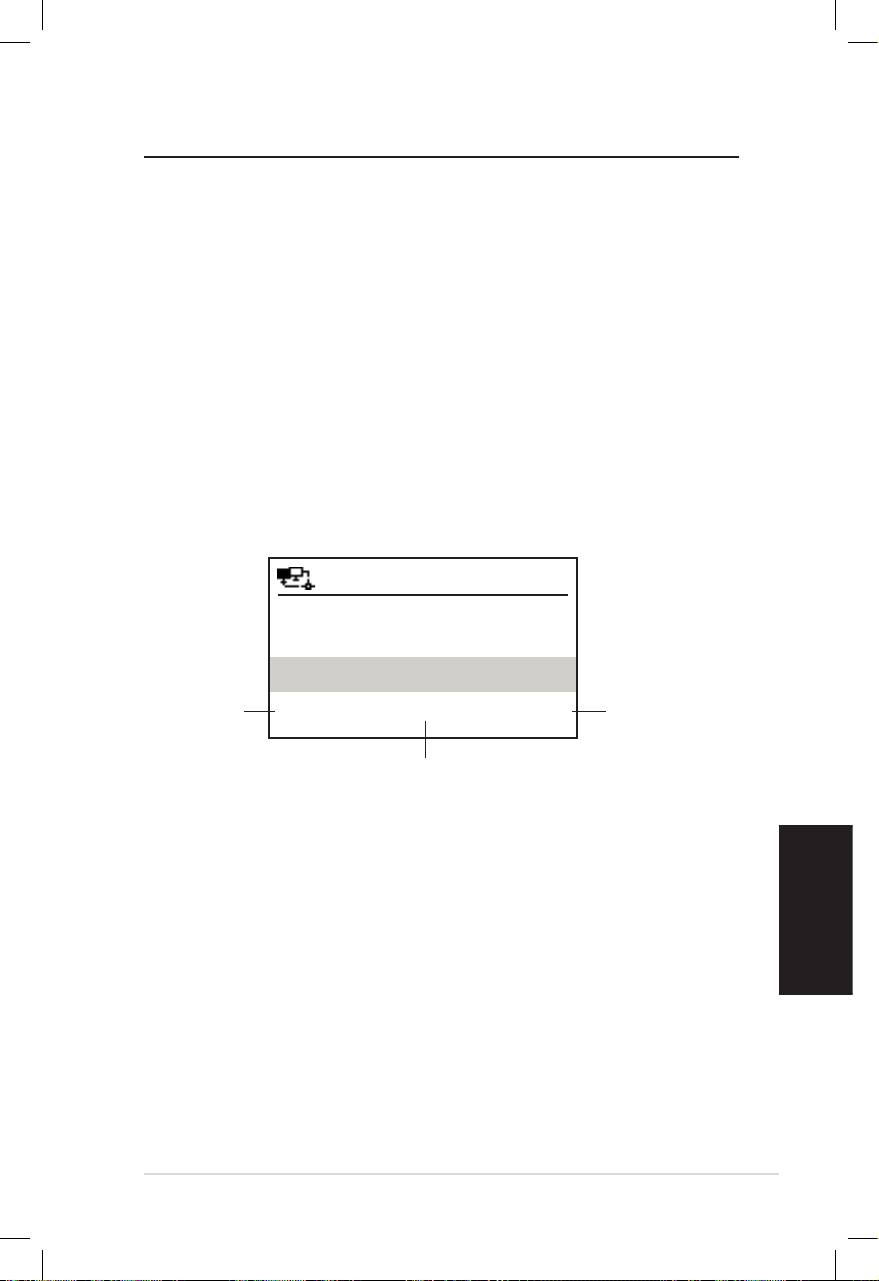
Español
Radio a través de Internet ASUS 7
Escuchar la radio
Buscar una emisora de radio
El dispositivo tiene una lista actualizada y perfectamente
clasificada de emisoras de radio en línea de todo el mundo. No
todas las emisoras de radio de Internet tienen su correspondiente
emisora de radio tradicional. Algunas de ellas solamente
transmiten a través de Internet. Puede buscar una emisora por
género musical o por ubicación. También puede recorrer las
emisoras organizadas en categorías en orden alfabético.
Buscar por género
1. En el menú principal, seleccione Emisora de radio/Música >
Categoría. Aparecerá una lista de géneros musicales en orden
alfabético.
12:00PM
Hard Rock
Presione el
Presione el
Hip Hop
botón de
botón de
desplazamiento
Jazz
desplazamiento
hacia la
hacia la derecha
< 23/53 >
izquierda para
para mostrar
volver al menú
Jazz es el género número 23
todas las emisoras
anterior.
de los 53 géneros.
de jazz.
2. Presione el botón de desplazamiento arriba y abajo para
resaltar un género. Por ejemplo, si desea escuchar música
jazz:
3. Presione el botón de desplazamiento hacia la derecha para
mostrar todas las emisoras de jazz disponibles. Resalte una
emisora y presione el botón Aceptar para conectarse a la
misma.
Buscar por país o ubicación
1. En el menú principal, seleccione Emisora de radio/Música >
País/Regción. Aparecerá una lista de regiones geográficas en
orden alfabético.
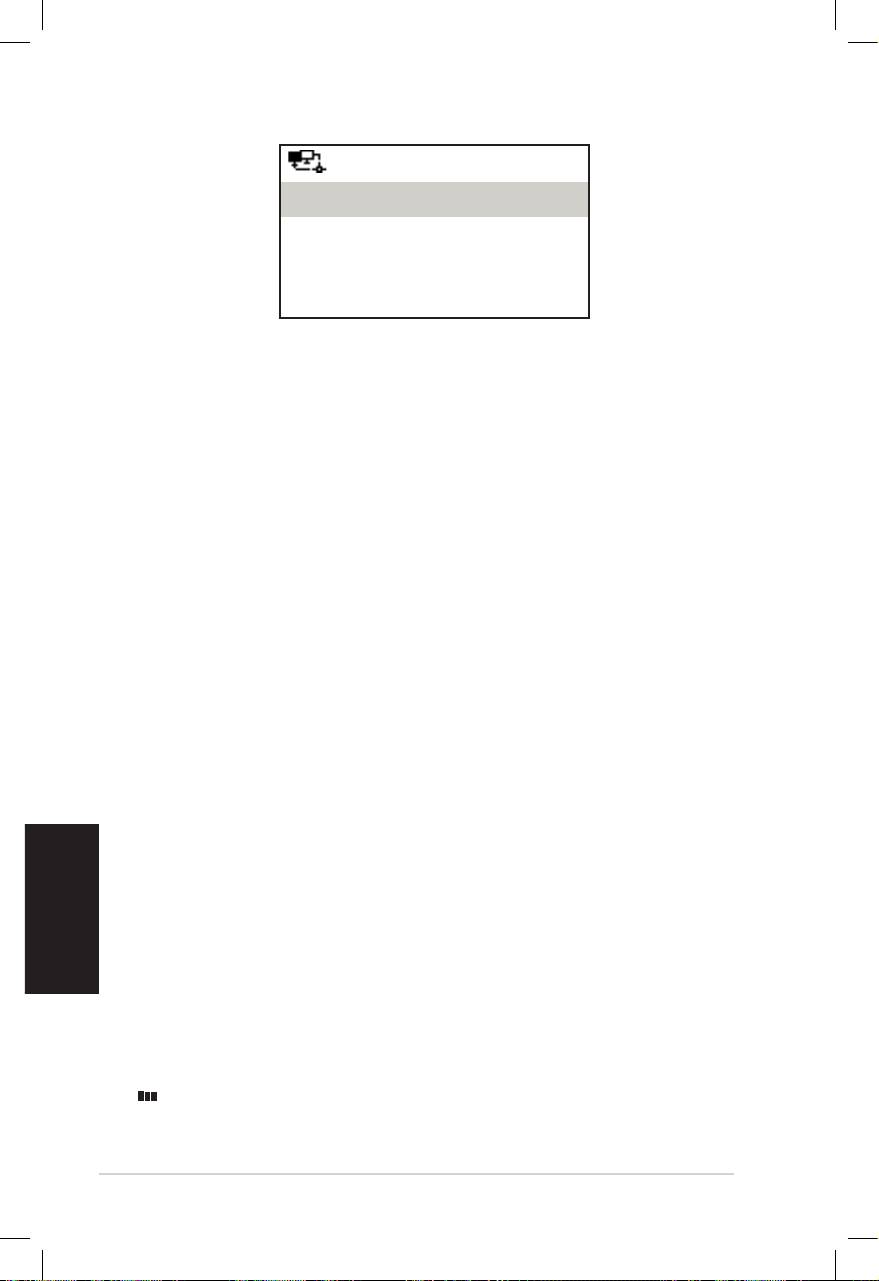
Español
8 Radio a través de Internet ASUS
12:00PM
África
Asia
Europa
< 1/8 >
La lista incluye las regiones siguientes: África, Asia, Europa,
Latinoamérica, Oriente Medio, Norteamérica, Oceanía/
Pacífico, y Sólo Internet.
2. Seleccione una región geográfica y, a continuación, elija un
país en la región correspondiente. Se mostrará una lista de las
emisoras de dicho país.
3. Resalte una emisora y presione el botón Aceptar para
conectarse la misma.
NOTA:
• Para los países que tienen un gran número de emisoras de radio,
éstas se clasifican alfabéticamente en un segundo nivel por la inicial
del nombre.
• Si selecciona un idioma diferente al inglés, aparecerá el nombre de
un país en el que se hable dicho idioma en el menú Emisora de
radio/Música. Resalte el nombre del país y presione Aceptar para
mostrar las emisoras ubicadas en dicho país.
Buscar por nombre de emisora
1. En el menú principal, seleccione Servicio > Buscar emisora
de radio.
2. Las emisoras se dividen en 10 categorías por la inicial de su
nombre: 0-9, A-C, D-F, G-I, J-L, M-O, P-R, S-U, V-Z y Otros. Al
seleccionar una categoría se mostrará una lista de emisoras.
NOTA: Los nombres de emisoras formados por caracteres distintos al
alfabeto romano se encuentran en el grupo Otros.
3. Seleccione cualquiera de las emisoras de nuevo para mostrar
más emisoras. Las emisoras se muestran alfabéticamente
conforme a las dos primeras letras de sus nombres.
4. Resalte una emisora y presione el botón Aceptar para
conectarse la misma.
NOTA: al resaltar una emisora de las listas, aparecen barras verticales
en la esquina inferior izquierda de la pantalla que indican el grado
de accesibilidad a dicha emisora. Tres barras indican la mayor de las
accesibilidades.
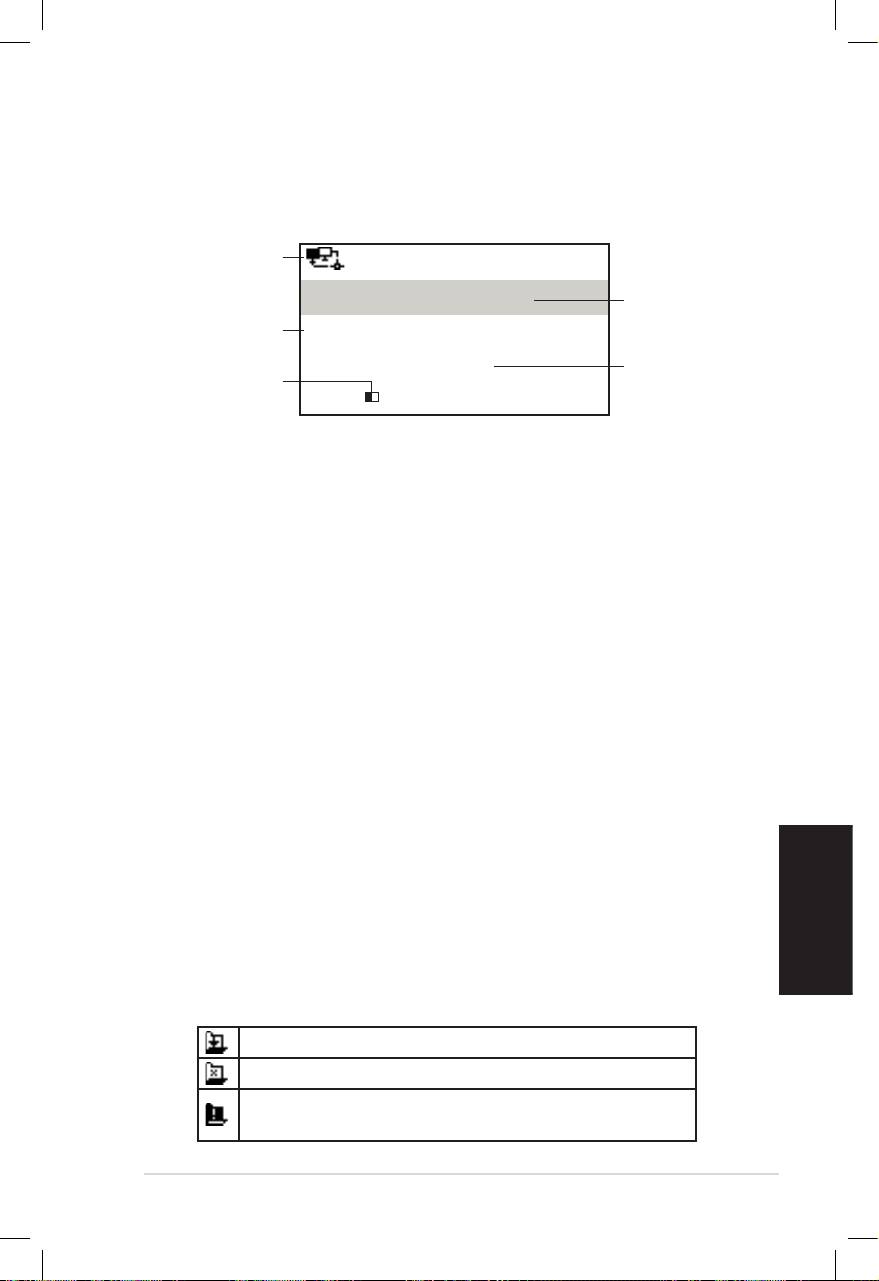
Español
Radio a través de Internet ASUS 9
Conectarse a una emisora
Si el dispositivo se conecta correctamente a una emisora, se
mostrará la siguiente información:
Estado de la red
12:00PM
Nombre de
All That Jazz Radio
la emisora
Información de
WMA 32 kbps/Jazz
los datos
Estado de la
Reproducciónónn
Longitud del
conexión**
búfer**
< 11/92
NOTA:
• *El estado de la conexión puede cambiar entre "Conectando", "Al-
macenando en búfer" y "Reproduciendo". Presione el botón Aceptar
para detener la reproducción y volver al menú anterior.
• **Consulte la página 14 para obtener detalles sobre el
establecimiento del búfer.
• Si cambia al menú principal mientras se conecta a una emisora,
aparecerá un temporizador de cuenta atrás en la esquina inferior
derecha de la pantalla. Cuando transcurran 10 segundos, el sistema
volverá a cambiar a la emisora conectada.
Agregar una emisora a Mis favoritas
Puede agregar la emisora de radio que se esté reproduciendo
en ese momento o una que encuentre en la lista a Mis favoritas.
También puede insertar manualmente la dirección URL de una
emisora y agregarla a la lista de emisoras favoritas. El dispositivo
puede memorizar 250 emisoras.
Agregar la emisora que se esté reproduciendo en ese
momento
1. Presione el botón Favoritas del mando a distancia.
2. Los siguientes iconos aparecerán junto al icono de estado de
la red para indicar el estado de las emisoras favoritas:
La emisora se agrega a Mis favoritas.
La emisora ya se ha agregado a Mis favoritas.
Las emisoras favoritas superan el número máxi-
mo de 250.
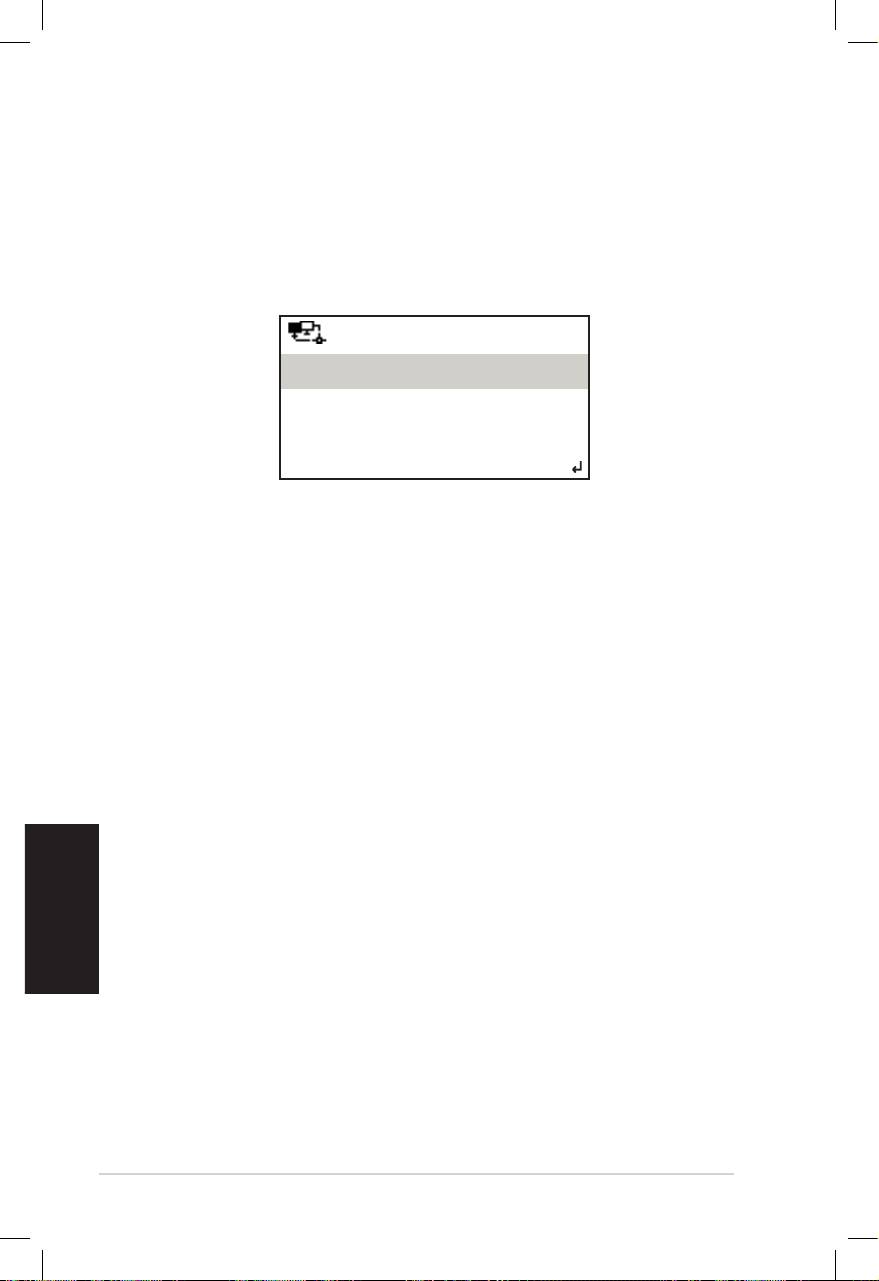
Español
10 Radio a través de Internet ASUS
Agregar una emisora de radio desde la lista
1. Busque una emisora utilizando cualquiera de los métodos
mencionados en la sección "Buscar una emisora de radio".
2. Resalte una emisora y presione el botón de desplazamiento
hacia la derecha para mostrar el submenú, tal y como se
12:00PM
Agregar a Mis Favoritas
Búsqueda Automática hacia Abajo
Búsqueda Automática hacia Arriba
< 1/4
indica a continuación:
3. • Agregar a Mis Favoritas: permite agregar la emisora a la
lista de favoritas.
• Búsqueda automática (abajo/arriba): permite
conectarse a las emisoras de la lista que se encuentran
inmediatamente encima o debajo de la emisora
resaltada. Cada emisora se reproducirá durante 30
segundos. Puede agregarla a la lista Mis favoritas
presionando el botón Favoritas antes de que transcurran
esos 30 segundos.
• Reprodución: permite conectarse a la emisora.
Consulte la tabla de la página 9 para obtener informaciónConsulte la tabla de la página 9 para obtener información
sobre el estado de las emisoras favoritas.
Agregar una emisora insertada manualmente
1. En el menú principal, seleccione Servicio > Nueva emisora
de radio.
2. Especifique la dirección de una emisora. Consulte la sección
“Insertar texto” en la página 6 para obtener detalles sobre la
forma de insertar texto.
3. Cuando termine, presione el botón Aceptar para agregarla
a la lista de favoritas. Consulte la tabla de la página 9 para
obtener información sobre el estado de las emisoras
favoritas.
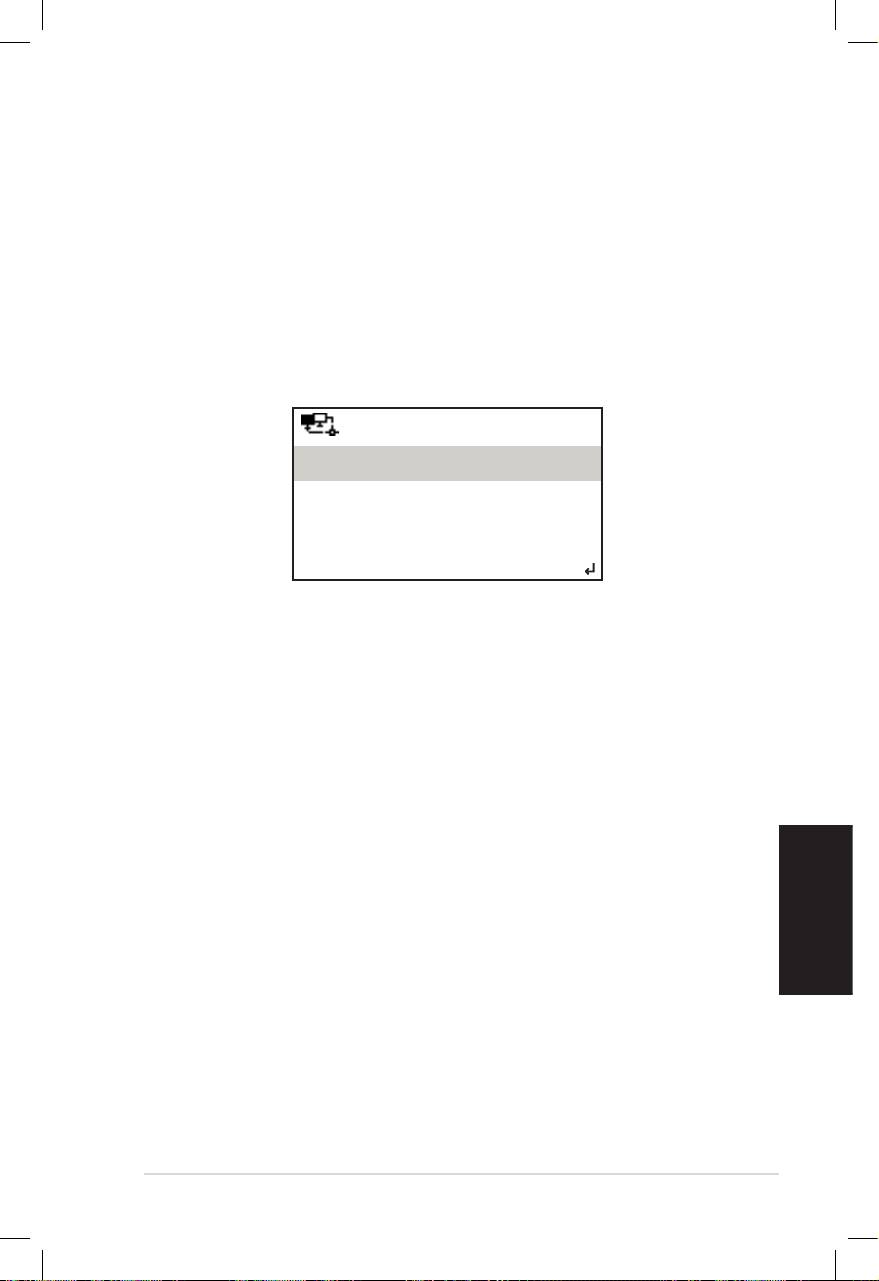
Español
Radio a través de Internet ASUS 11
Administrar Mis favoritas
El dispositivo guarda hasta 250 emisoras en la lista Mis favoritas
de forma que puede obtener acceso rápidamente a emisoras
preestablecidas.
Para administrar la lista de emisoras favoritas::
1. Presione el botón Favorita del mando a distancia o
seleccione seleccione Mis Favoritas en el menú de inicio
principal. Se mostrará una lista de emisoras preestablecidas.
2. Resalte una emisora en la lista y presione el botón de
desplazamiento hacia la derecha para mostrar el submenú tal
y como se indica a continuación:
12:00PM
Eliminar
Subir
Bajar
< 1/5
3. • Eliminar: permite eliminar la emisora.
• Subir/Bajar: permite cambiar el orden de las emisoras
preestablecidas. Mueva las emisoras que reproduzca con
más frecuencia a las primeras 5 ó 10 posiciones. De esta
forma puede cambiar a dichas emisoras presionando los
botones de emisoras preestablecidas.
• Renombrar: permite cambiar el nombre de la emisora.
• Reproducir: permite conectarse a la emisora.
También puede conectarse a una emisora preestablecida reali-
zando el siguiente procedimiento:
• En la lista de emisoras favoritas, resalte una emisora y presio-
ne Aceptar para conectarse a ella.
• En cualquiera de los menús, presione los botones de emisora
preestablecida 1 ~ 5 situados en el panel frontal o en el man-
do a distancia para conectarse a las cinco primeras emisoras
preestablecidas.
• En cualquiera de los menús, presione los botones de emisora
preestablecida 6 ~ 10 situados en el mando a distancia para
conectarse a las segundas 5 emisoras preestablecidas (de la
sexta a la décima).

Español
12 Radio a través de Internet ASUS
Otras conguraciones
Conguración
Seleccione Configuración en el menú principal para definir dis-
tintas configuraciones del dispositivo u- Nedio, como por ejem-
plo, la red, el reloj, la alarma, el idioma, la luz de fondo, el apagado
automático, el búfer, la actualización de versión y el restableci-
miento.
Red
Consulte la Guía de configuración de la red para obtener más
detalles.
Reloj
La opción Configuración > Reloj permite establecer la hora y
la fecha, así como el formato para mostrar aquella. La primera
vez que encienda el dispositivo y lo conecte a la red, la pantalla
mostrará la hora del meridiano de Greenwich. Establezca la hora
conforme a su zona horaria y, a través del protocolo de hora de
red que consiste en una solución de sincronización de hora en
Internet, el dispositivo sincronizará su reloj con precisión siempre
que esté conectado a la red.
• Establecer fecha y hora: permite definir la hora y la fecha.
Consulte la sección “Insertar texto” en la página 6 para obtener
detalles sobre la forma de insertar números.
• Establecer formato de hora: permite seleccionar entre el
formato 12 horas y 24 horas.
NOTA:
• Puede comprobar el hora del meridiano de Greenwich (GMT) en el
menú del Centro de información.
• Restablezca la hora del dispositivo cuando se encuentre en una zona
horaria diferente.
Alarma
Esta opción permite activar y desactivar la alarma, así como
programar una. Presione el botón Alarma del mando a distancia
para activar o desactivar una alarma programada.

Español
Radio a través de Internet ASUS 13
Para programar una alarma:
1. Vaya a Configuración > Alarma > Activar.
2. Seleccione Establecer hora para la alarma y especifique
los valores. Consulte la sección "Insertar texto" para obtener
detalles sobre la forma de insertar números.
3. Seleccione Establecer sonido de alarma para elegir uno de
los siguientes tipos de sonido: Pitido, Melodía y Radio (la
emisora que escucha).
4. El icono aparecerá en la esquina superior derecha de la
pantalla para indicar que la función de alarma está activada.
Asegúrese de que el dispositivo no está conectado a ninguna
emisora en la hora establecida, o la alarma no se desactivará.
Cuando la alarma se desactive, presione cualquier botón para
detenerla.
Idioma
Consulte las páginas 4 y 5 para obtener detalles sobre la
selección del idioma.
Luz de fondo
La opción Configuración > Luz de fondo permite ajustar el
brillo de la luz de fondo. También puede activar el modo de
luz de fondo presionando el botón Luz de fondo del mando a
distancia. Hay tres modos disponibles:
• Desactivar: permite desactivar la luz de fondo.
• Ahorro de energía: permite disminuir la luz de fondo.
• Activar: permite activar la luz de fondo.
Temporizador de apagado de automático
La opción Configuración > Temporizador de apagado
automático permite seleccionar una cantidad preestablecida
de tiempo después de la cual el dispositivo se apagará. También
puede establecer el temporizador de apagado automático
presionando el botón Suspender del mando a distancia. Cuando
esta función esté activada, el icono XXX aparecerá en la
esquina superior derecha de la pantalla, donde XXX representa
los minutos que quedan para que el dispositivo se apague
automáticamente. Hay seis opciones disponibles: Desactivar, 15
minutos, 30 minutos, 60 minutos, 90 minutos y 120 minutos.
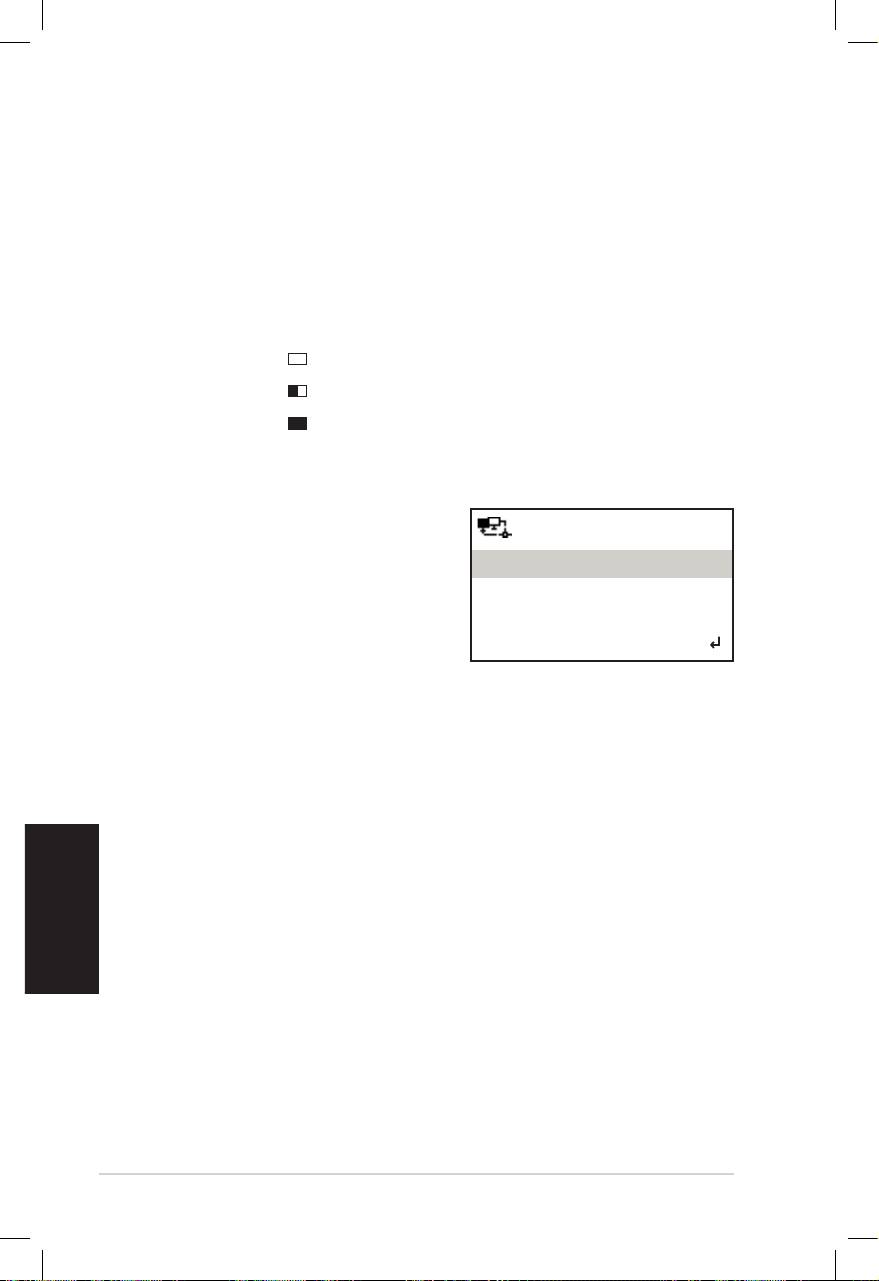
Español
14 Radio a través de Internet ASUS
Buffer
La opción Configuración > Buffer permite establecer el búfer
para conservar los datos recibidos durante una determinada
cantidad de tiempo. Si establece un búfer más grande, la
transferencia de datos se producirá con mayor fluidez pero tendrá
que esperar más. Si está conectándose a una emisora, aparecerá
un icono que indicará la longitud del búfer establecida:
• 2 segundos:
• 4 segundos:
• 8 segundos:
Actualizar la versión
Si hay una nueva versión de
12:00PM
firmware, verá esta pantalla
emergente. Seleccione Actualizar
Actualizar versión (Sí))
versión (Sí) para descargar la
Actualizar versión (No)
versión más reciente.
< 1/2
Si selecciona Actualizar versión
(No), podrá descargar la versión
más reciente posteriormente:
1. Vaya aVaya a Configuración > Actualizar versiónversión y seleccione la
opción que desea descargar.
NOTA: Si no se muestra ningún elemento, significa que la versión de
firmware actual es la más reciente.
2. SeleccioneSeleccione Sí para descargarla. Espere unos instantes hasta
que el dispositivo se reinicie.
3. Vaya aVaya a Configuración > Actualizar versión para comprobar
si el nombre de la versión es diferente al de la anterior.
NOTA: no apague el dispositivo mientras la actualización está en curso.
Restablecer
La opción Configuración > Restablecer permite restablecer
la configuración predeterminada de fábrica del dispositivo. LasLas

Español
Radio a través de Internet ASUS 15
Guía para solucionar problemas
Las siguientes preguntas y respuestas constituyen una guía
para solucionar problemas. Si sigue sin encontrar respuesta a
sus problemas, puede ponerse en contacto directamente con
nosotros mediante la información proporcionada en la portada
interior de este manual.
La pantalla indica que la emisora musical se está
reproduciendo, pero no se escucha nada.
Algunas emisoras no transmiten las 24 horas del día. No puede
escuchar nada si las emisoras no envían ningún programa.
¿Por qué no suena el altavoz?
• El sonido del dispositivo está desactivado o el volumen es
tan bajo que no puede escuchar nada. Suba el volumen o
presione el botón Silencio para reactivar el sonido. Sipara reactivar el sonido. Si
utiliza altavoces adicionales, asegúrese de que el sistema de
altavoces conectado está encendido.
• Si los pasos anteriores no proporcionan ningún resultado
positivo, reinicie el dispositivo.
¿Qué puedo hacer si el dispositivo se bloquea?
Presione el conmutador de encendido situado en el panel
posterior para apagar el dispositivo y, a continuación, vuelva a
encenderlo.
He establecido la alarma pero no se desactiva.
La alarma no se desactivará mientras esté conectado a una
emisora.
La conexión no es estable.
• Establezca una conexión cableada para comprobar si la red es
fiable.
• Si la conexión cableada es más estable que la inalámbrica,
utilice la conexión LAN.

¿Por qué cambia la lista de emisoras de radio en línea?
Las direcciones de las emisoras de radio de Internet pueden variar,
por lo que los técnicos de ASUS las actualizan con frecuencia. La
Radio a través de Internet ASUS obtendrá la lista más reciente
automáticamente mientras esté conectada a la red. El dispositivo
funcionará normalmente mientras la actualización esté en curso
(entre 1 y 2 minutos).
No puedo conectarme a ciertas emisoras.
La accesibilidad a emisoras de radio en línea depende del ancho
de banda de la red existente en los diferentes países. Los errores
de conexión se pueden deber a una de las siguientes razones:
• El ancho de banda de la red del país al que desea conectarse
es pequeño. We recommend an ADSL/Cable ModemWe recommend an ADSL/Cable Modem
bandwidth of at least 1M bps.
• Congestión de Internet.
• Las emisoras no proporcionan suficiente ancho de banda.
• Se están realizando tareas de mantenimiento en las emisoras
o éstas ya no existen.
Si sigue sin poder conectarse a las emisoras, póngase en
contacto con nosotros mediante el sitio http://vip.asus.com/
eServicio/techserv.aspx.
Español
16 Radio a través de Internet ASUS
Rádio pela Internet
da ASUS
Manual do utilizador
Português
S
ta
nd
1 2 3 4
by/O
n
5
H
O
ME
V
olu
m
e
AIR

Português
ii Rádio pela Internet da ASUS
Índice
Índice ..................................................................... ii
Avisos..................................................................... iv
Bem-vindo ............................................................. vi
Conteúdo da embalagem ...............................................................vi
Resumo ................................................................................................ vii
Especificações ................................................................................... vii
Introdução .............................................................. 1
Parte da frente ......................................................................................1
Parte de trás ..........................................................................................2
Utilização do controlo remoto .......................................................3
Ligar o dispositivo ...............................................................................4
Selecção do idioma ............................................................................5
Introdução de texto ...........................................................................6
Ouvir rádio ............................................................. 7
Procurar uma estação de rádio ......................................................7
Procurar estações de rádio por género .................................7
Procurar por país/local ................................................................7
Procurar por nome da estação .................................................8
Aceder a uma estação de rádio ......................................................9
Adicionar uma estação à lista Os meus favoritos ....................9
Adicionar a estação de rádio que está a ouvir ....................9
Adicionar uma estação de rádio da lista............................10
Adicionar uma estação manualmente ...............................10
Gerir a lista de favoritos .................................................................11
Outras definições ................................................. 12
Configuração .....................................................................................12
Rede ................................................................................................12
Relógio ...........................................................................................12

Português
Rádio pela Internet da ASUS iii
Alarme ............................................................................................12
Idioma ............................................................................................13
Luz de fundo ................................................................................13
Temporizador para desligar ...................................................13
Memória ........................................................................................14
Actualização da versão ............................................................14
Repor ..............................................................................................14
Resolução de problemas ..................................... 15

Português
iv Rádio pela Internet da ASUS
Avisos
Declaração da Federal Communications Commision
Este equipamento foi testado e chegou-se à conclusão que está
em conformidade com os limites para o dispositivo digital de
classe B, de acordo com a secção 15 das normas da “Federal Com-
munications Commission” (FCC). Estes limites foram concebidos
para disponibilizar uma protecção razoável contra interferências
perigosas em instalações residenciais. Este equipamento gera,
utiliza e pode irradiar energia de frequência de rádio e, se não for
instalado e utilizado de acordo com as instruções, pode provocar
interferências perigosas nas comunicações de rádio. Contudo,
não há qualquer garantia de que as interferências possam ocor-
rer numa instalação particular. Se este equipamento não provo-
car interferências perigosas na recepção de rádio ou de televisão,
o que pode ser determinado desligando e voltando a ligar o
equipamento, o utilizador é encorajado a tentar corrigir a inter-
ferência através de uma ou mais das seguintes medidas:
• Reorientação ou recolocação da antena receptora.
• Aumentar a separação existente entre o equipamento e o
receptor.
• Ligue o equipamento a uma tomada num circuito diferente
daquele ao qual o receptor está ligado.
• Procure um fornecedor ou um técnico de televisão/rádio com
experiência.
Este dispositivo está em conformidade com as normas da FCC,
secção 15. O funcionamento está sujeito às seguintes duas
condições:
• Este dispositivo não pode provocar interferência perigosas e
• Este dispositivo tem de aceitar qualquer interferência rece-
bida, incluindo interferências que possam dar origem a um
funcionamento indesejado.
Chamada de atenção da FCC:
Quaisquer alterações não expressamente aprovadas pela enti-
dade responsável pela compatibilidade do aparelho invalidam a
autoridade do utilizador em operar o mesmo.

Português
Rádio pela Internet da ASUS v
NOTA IMPORTANTE:
Aviso da FCC relativo à exposição à radiação
Este equipamento é compatível com os limites de exposição
à radiação definidos pela FCC e relativamente a um ambiente
não controlado. Este equipamento deve ser instalado e utilizado
com uma distância mínima de 20 cm entre o transmissor e o
seu corpo. Este transmissor não deve ser colocado próximo de
ou utilizado em conjunto com outras antenas ou transmissores.
Nos E.U.A., a utilização deste produto através das especificações
IEEE 802.11b ou 802.11g está limitada aos canais 1 a 11 devido a
limitações do firmware.
Declaração da indústria Canadiana
O seu funcionamento está sujeito às duas condições seguintes:
• Este dispositivo não pode causar interferências e
•
Este dispositivo deve aceitar quaisquer interferências, incluindo
interferências que possam causar um funcionamento indesejado.
NOTA IMPORTANTE:
Declaração relativa à exposição à radiação
Este equipamento é compatível com os limites de exposição à
radiação definidos pelo IC e relativamente a um ambiente não
controlado. Este equipamento deve ser instalado e utilizado
com uma distância mínima de 20 cm entre o transmissor e o seu
corpo.
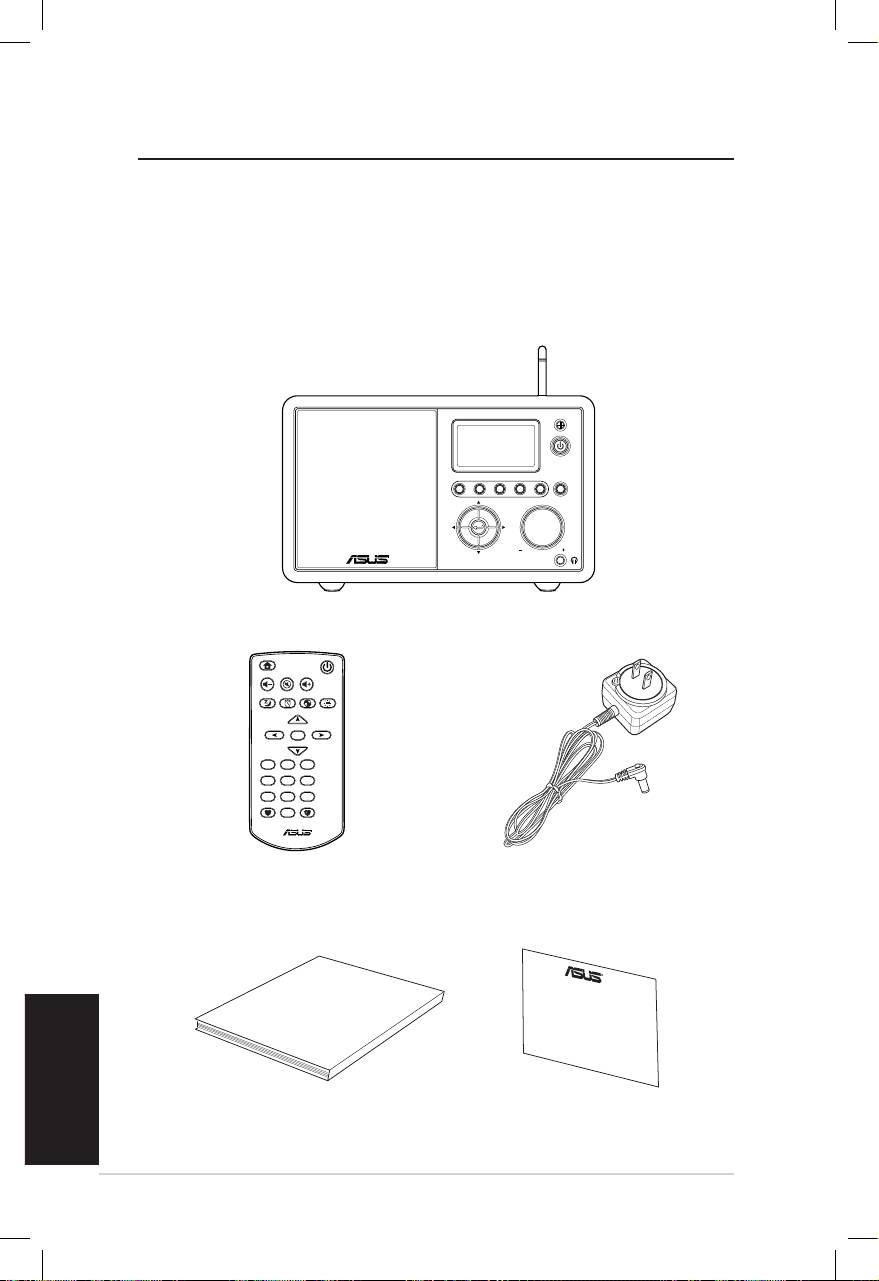
Português
vi Rádio pela Internet da ASUS
Bem-vindo
Parabéns por ter comprado este rádio pela Internet da ASUS. A
imagem seguinte ilustra o conteúdo da embalagem do seu novo
dispositivo de rádio pela Internet da ASUS.
Conteúdo da embalagem
User Manual
Home
Standby/On
Volume-
Mute
Volume+
Sleep
Alarm
Language
Backlight
Enter
1 2 3
4 5 6
7 8 9
10
Favorite
+Favorite
Standby/On
1 2 3 4 5
HOME
Volume
Rádio pela Internet da ASUS
Controlo remoto
Transformador a.c.
Manual do utilizador
Certificado de garantia
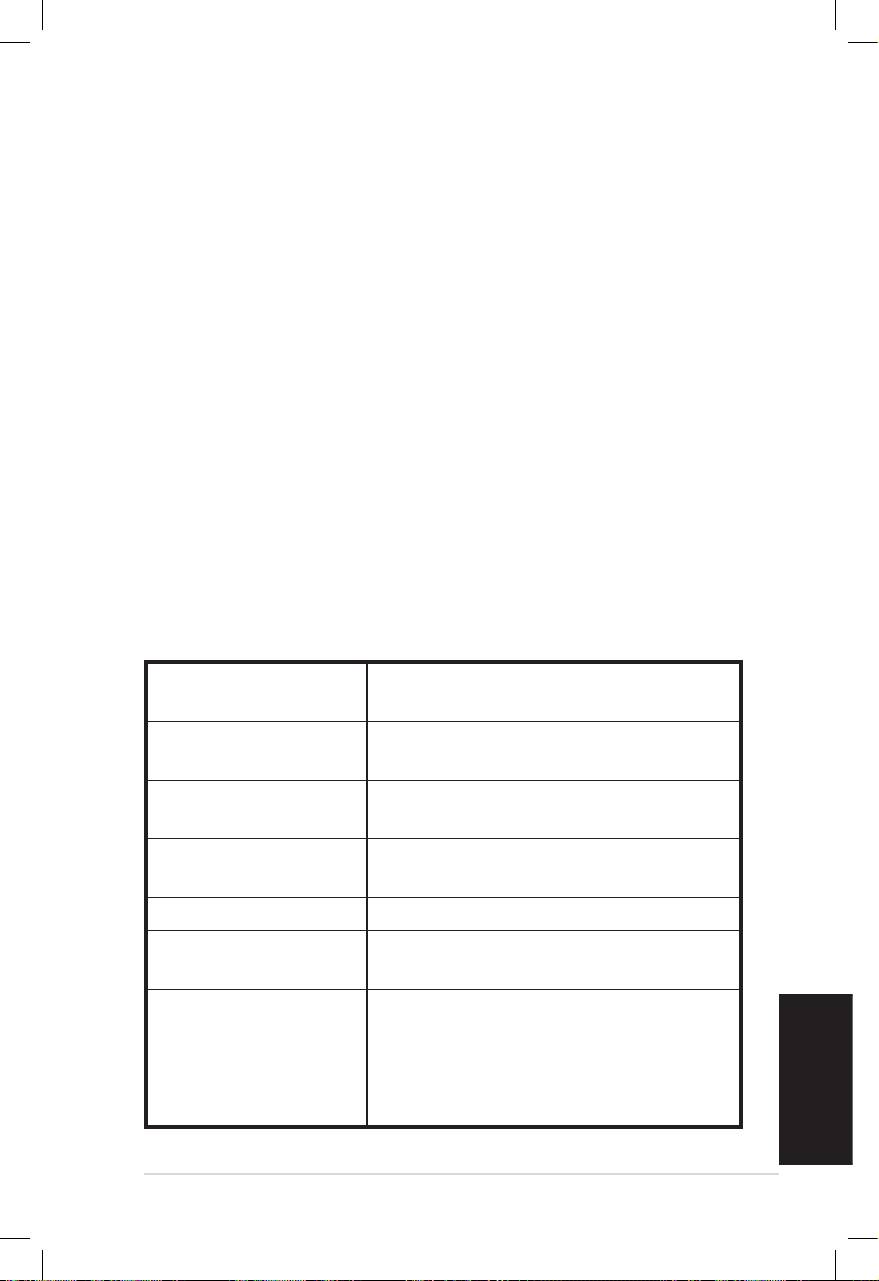
Português
Rádio pela Internet da ASUS vii
Resumo
Este rádio pela Internet da ASUS permite-lhe um fácil acesso a
uma vasta gama de estações de rádio através da Internet. Antes
de começar a utilizar o seu rádio pela Internet da ASUS,
certifique-se de que tem acesso a uma rede com / ou sem fios.
Características
• Dispositivo independente
• Ligação com e sem fios
• Lista actualizada de mais de 10.000 estações de rádio online
• 250 favoritos
• Relógio com despertador
• Temporizador para desligar
• NTP (Network Time Protocol)
Especicações
Ligações LAN sem fios 802.11b/g
Ethernet com fios de 10/100M
Velocidades de
54 Mbits (WLAN)
transferência
10/100 Mbits (Ethernet)
Segurança da LAN
Encriptação WEP de 64/128 bits
sem fios
WPA/WPA2
Descodificador do
MP3/ WMA
formato de áudio
16 Kbps–320 Kbps
Relação sinal/ruído >90 dB (auriculares)
Ecrã Ecrã FSTN de 128 x 64
Cor azul com LED branco
Portas de entrada/
Tomada dos auriculares (Φ 3,5 mm)
saída
Entrada de linha (Φ 3,5 mm)
Saída de linha (RCA)
Ethernet (RJ45)
Tomada de alimentação d.c.
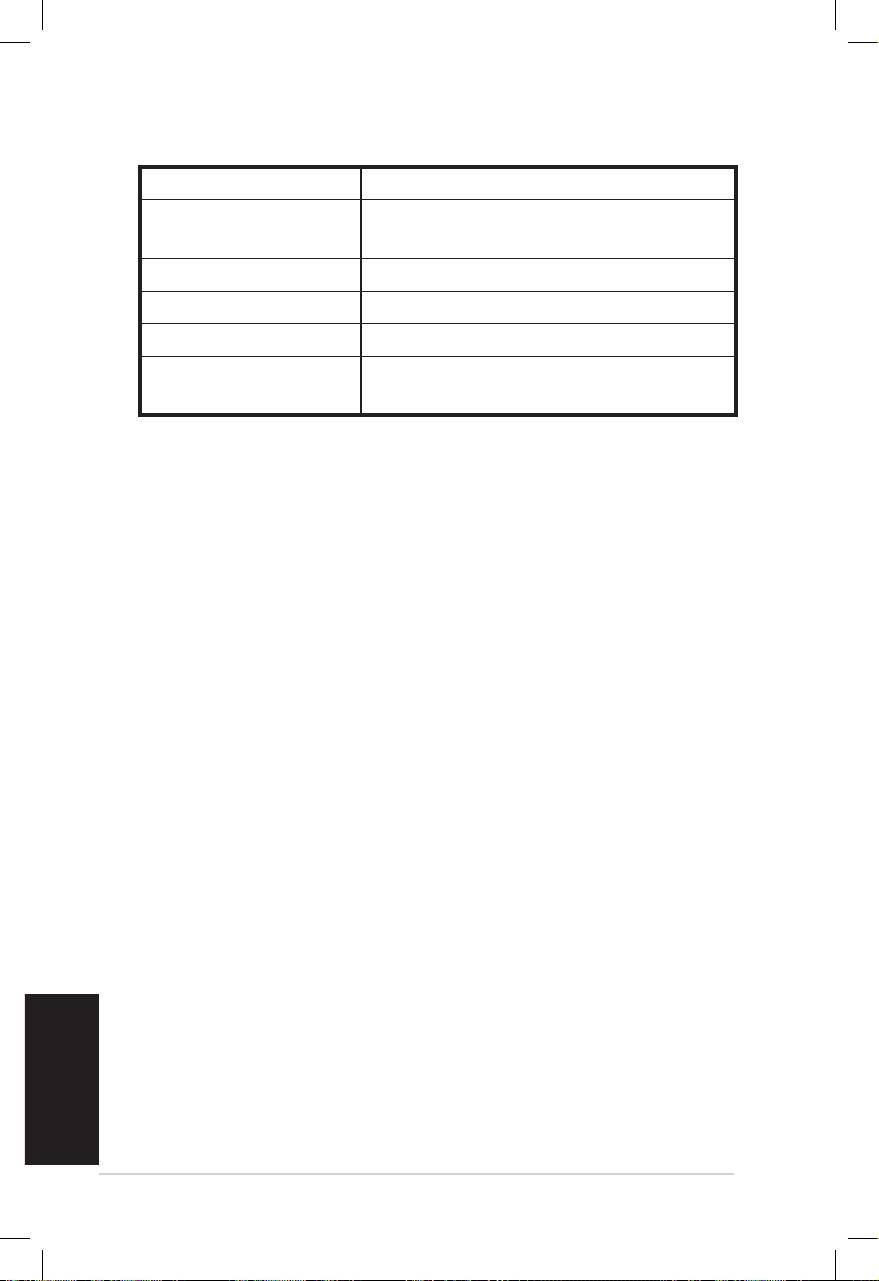
Altifalante 5 Watt/ 4 Ohm
Transformador a.c. Entrada: a.c. 100-240 V, (50-60 Hz)
Saída: d.c. 6 V/2 A
Controlo remoto 26 botões
Dimensões 250 (C) x 128 (L) x 190 (A) mm
Peso 2 Kg
Modem ADSL/cabo
1Mbps no mínimo
(recomendado)
Português
viii Rádio pela Internet da ASUS
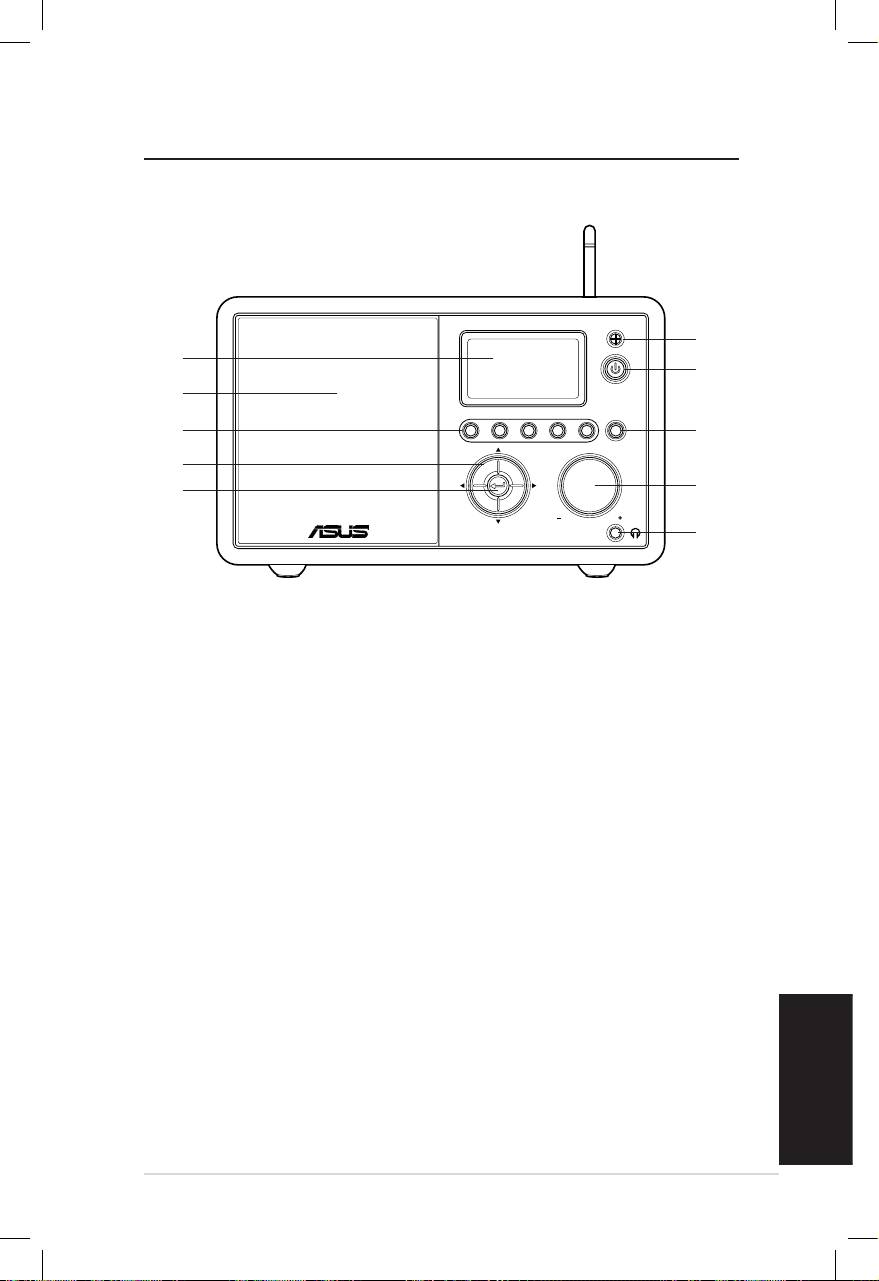
Introdução
Parte da frente
Português
Rádio pela Internet da ASUS 1
Standby/On
1 2 3 4 5
HOME
Volume
1
10
2
9
8
3
7
4
6
5
1. Sensor IV: Para recepção dos comandos provenientes do
controlo remoto.
2. Botão de alimentação: Prima este botão para ligar ou
desligar o dispositivo.
3. Botão Home: Prima este botão para voltar ao menu principal.
4. Botão de ajuste do volume: Rode este botão para a direita
para aumentar o volume e para a esquerda para o diminuir.
Rode para introduzir texto ou para se deslocar para cima/
para baixo no menu. Prima para confirmar a selecção de uma
opção num menu.
5. Tomada dos auriculares: Permite a ligação de auriculares
para uma audição em privado. Pode também ligar altifalantes
adicionais a esta tomada usando um cabo de áudio.
6. Botão Enter: Prima para confirmar a selecção de uma opção
num menu.
7. Botão de navegação Para cima/Para baixo/Para a
esquerda/Para a direita: Prima este botão para se deslocar
para cima/para baixo/para a esquerda/para a direita através
dos vários itens dos menus.
8. Botão de estações predefinidas 1-5: Prima para aceder
directamente a uma estação de rádio predefinida.
9. Altifalante: Altifalante incorporado.
10. Ecrã: Ecrã LCD com luz de fundo.
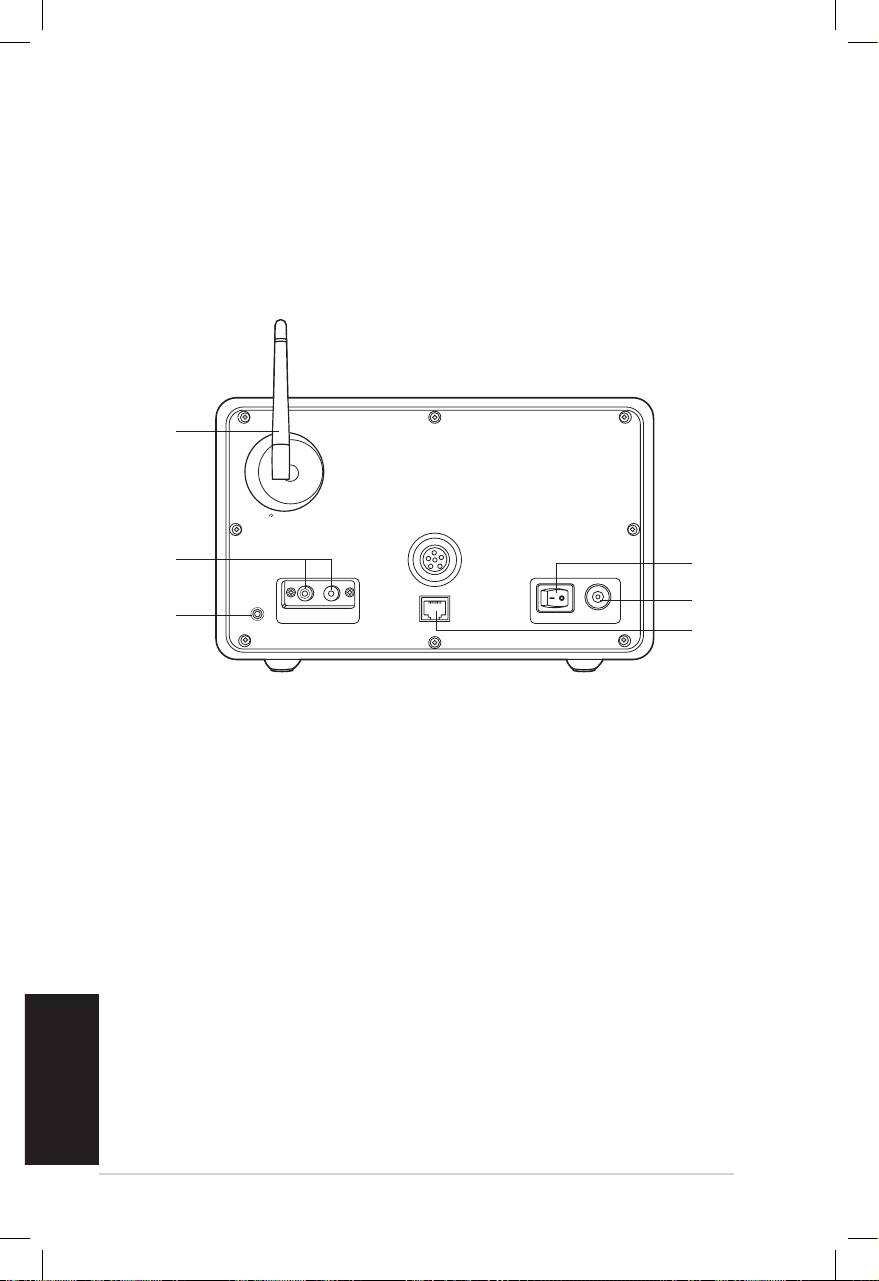
Português
2 Rádio pela Internet da ASUS
Parte de trás
1
2
3
Antenna
LAN
LINE IN
R L
LINE OUT
ON OFF DC
NOTA: As funções disponíveis no painel frontal do dispositivo estão
também presentes no controlo remoto. Consulte as páginas 3 e 4 para
mais informações.
6
5
4
1. Comutador de alimentação: Para ligar/desligar a
alimentação do dispositivo.
2. Tomada de alimentação d.c.: Ligue o cabo de alimentação
fornecido a esta tomada.
3. Porta LAN: Utilize esta porta para ligar um cabo de rede.
4. Entrada de linha: Se quiser utilizar este dispositivo apenas
como altifalante, ligue um cabo de áudio a esta tomada. O
dispositivo passa automaticamente para o modo AUX.
5. Saída de linha esquerda/direita: Para utilizar dispositivos
estéreo adicionais ligue os respectivos cabos de áudio a
estas tomadas.
6. Antena: Ponha a antena na vertical para garantir uma
melhor recepção do sinal sem fios.
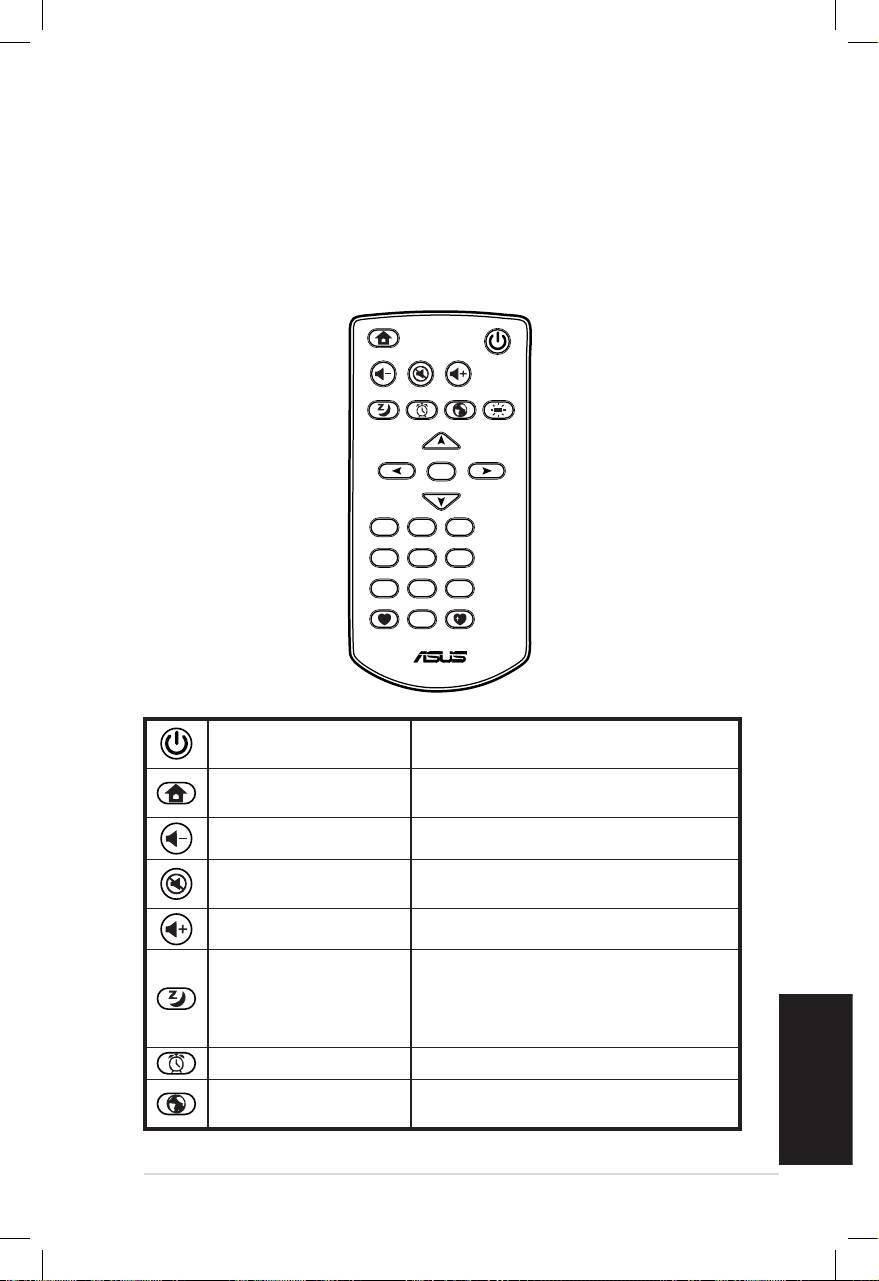
Português
Rádio pela Internet da ASUS 3
Utilização do controlo remoto
Use o controlo remoto para procurar estações de rádio, fazer uma
lista das estações favoritas e configurar outras definições.
Consulte a tabela seguinte para informação mais detalhada
sobre os botões do controlo remoto e respectivas funções.
Home
Standby/On
Volume-
Mute
Volume+
Sleep
Alarm
Language
Backlight
Enter
1 2 3
4 5 6
7 8 9
10
Favorite
+Favorite
Botão de
Prima este botão para ligar ou
alimentação
desligar o dispositivo.
Prima este botão para voltar ao
Botão Home
menu principal.
Botão Volume - Prima para diminuir o volume.
Botão de corte do
Prima para cortar o som.
som
Botão Volume + Prima para aumentar o volume.
Prima este botão para seleccionar
um intervalo de tempo predefinido
Botão de suspensão
após o qual o dispositivo se desliga
automaticamente.
Botão do alarme Prima para ligar/desligar o alarme.
Botão de selecção
Prima para seleccionar o idioma
do idioma
pretendido.
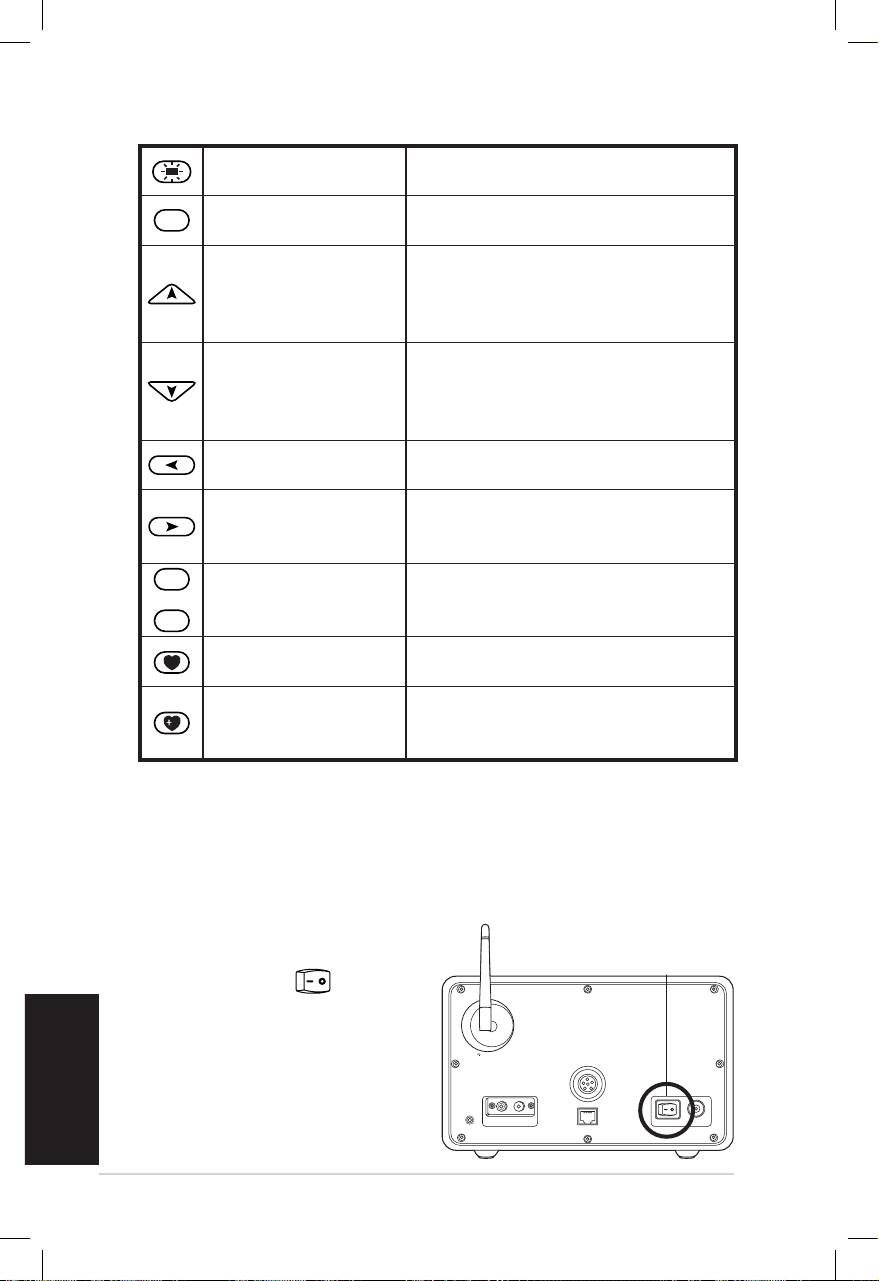
Português
4 Rádio pela Internet da ASUS
Botão da luz de
Prima para seleccionar o modo de
fundo
luz de fundo.
Enter
Prima para confirmar a selecção
Botão Enter
de uma opção num menu.
Prima este botão para se deslocar
Botão de navegação
para cima através dos vários itens
para cima
dos menus.
Prima para seleccionar texto.
Prima este botão para se deslocar
Botão de navegação
para baixo através dos vários itens
para baixo
dos menus.
Prima para seleccionar texto.
Botão de navegação
Prima para voltar ao menu
para a esquerda
anterior.
Prima para confirmar a selecção
Botão de navegação
de uma opção e para aceder ao
para a direita
sub menu.
1
~
10
Botão de estações
Prima para aceder directamente a
predefinidas 1-10
uma estação de rádio predefinida.
Botão da lista de
Prima para ver a sua lista de
favoritos
favoritos.
Botão para arma-
Prima este botão para guardar a
zenamento de
estação que está a ouvir na sua
favoritos
lista de favoritos.
Ligar o dispositivo
Para ligar o seu rádio pela Internet da ASUS pela primeira vez:
1. Ligue o transformador a.c. fornecido à tomada eléctrica.
2. Ligue o transformador à porta de alimentação d.c. existente
no painel traseiro.
Antenna
LAN
LINE IN
R L
LINE OUT
ON OFF DC
LIGAR/DESLIGAR
3. Prima o comutador de
alimentação no
painel traseiro para ligar
o dispositivo. O ecrã
do dispositivo acende
mostrando o logótipo
da ASUS e apresentando
depois o seguinte menu
principal:
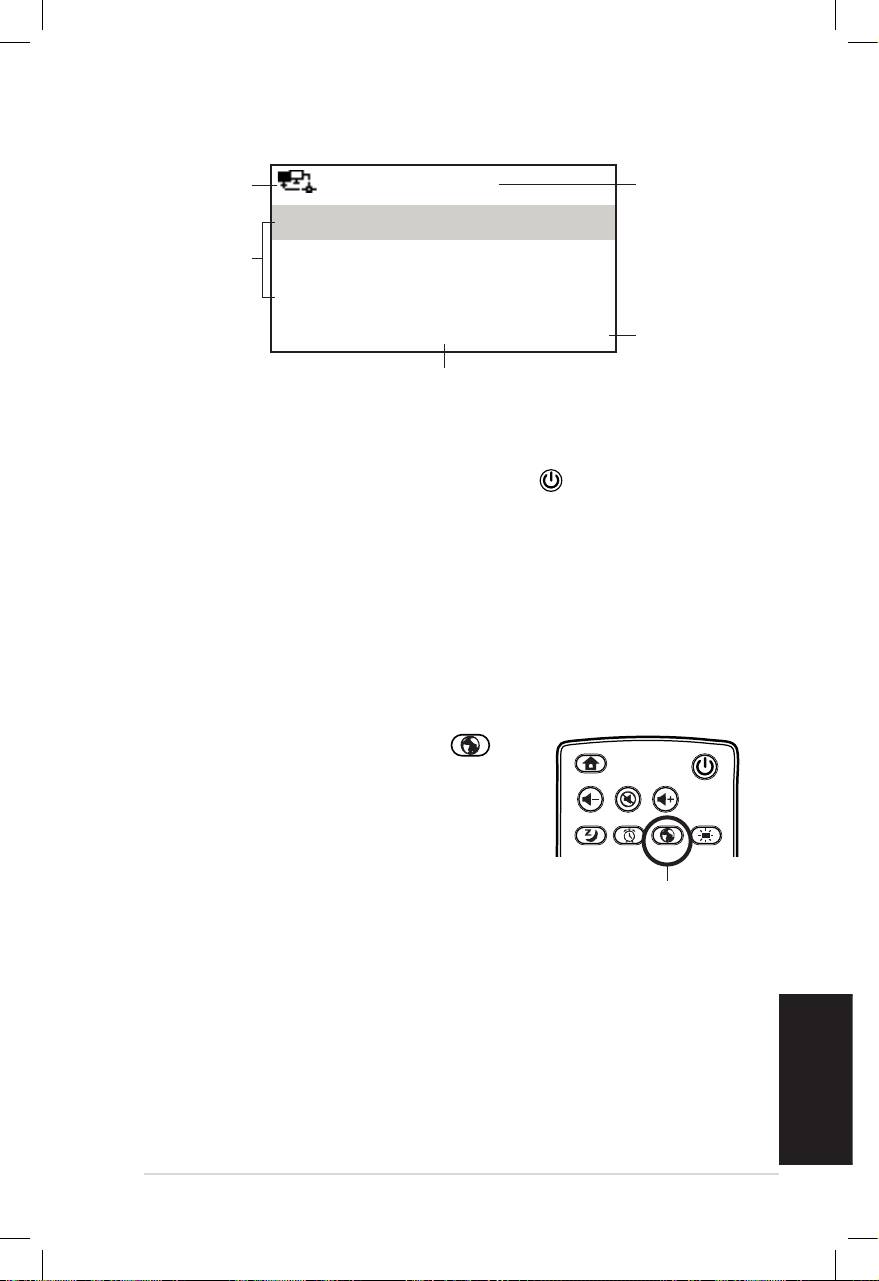
Português
Rádio pela Internet da ASUS 5
Estado da
12:00PM
Hora
rede
Favoritos
Opções
Estação de rádio/música
do menu
Prima o
botão de
Centro multimédia
navegação
1/6 >
para a
direita
O menu principal inclui seis
para
opções sendo a primeira
aceder ao
realçada.
sub menu.
NOTA: O dispositivo não liga ao premir o botão existente no painel
frontal ou no controlo remoto.
Selecção do idioma
O dispositivo de rádio pela Internet da ASUS suporta uma série
de idiomas em termos dos seus menus.
Para alterar o idioma:
Prima o respectivo botão Idioma no
controlo remoto para seleccionar o idioma
que quer usar (esta é a forma mais rápida).
OU:
1. No menu principal seleccione
Configuração > Idioma.
2. Prima o botão para cima/para baixo para seleccionar o
idioma pretendido, de seguida prima o botão Enter para
aplicar o idioma escolhido.
NOTA: O idioma seleccionado é aplicado apenas em termos dos menus
do dispositivo e das mensagens do sistema. Os nomes das estações
mostrados variam conforme os locais das mesmas.
Home
Standby/On
Volume-
Mute
Volume+
Favorite
Sleep
1 2 3
4 5 6
7 8 9
Alarm
10
Enter
+Favorite
Language
Backlight
Botão de selecção
do idioma
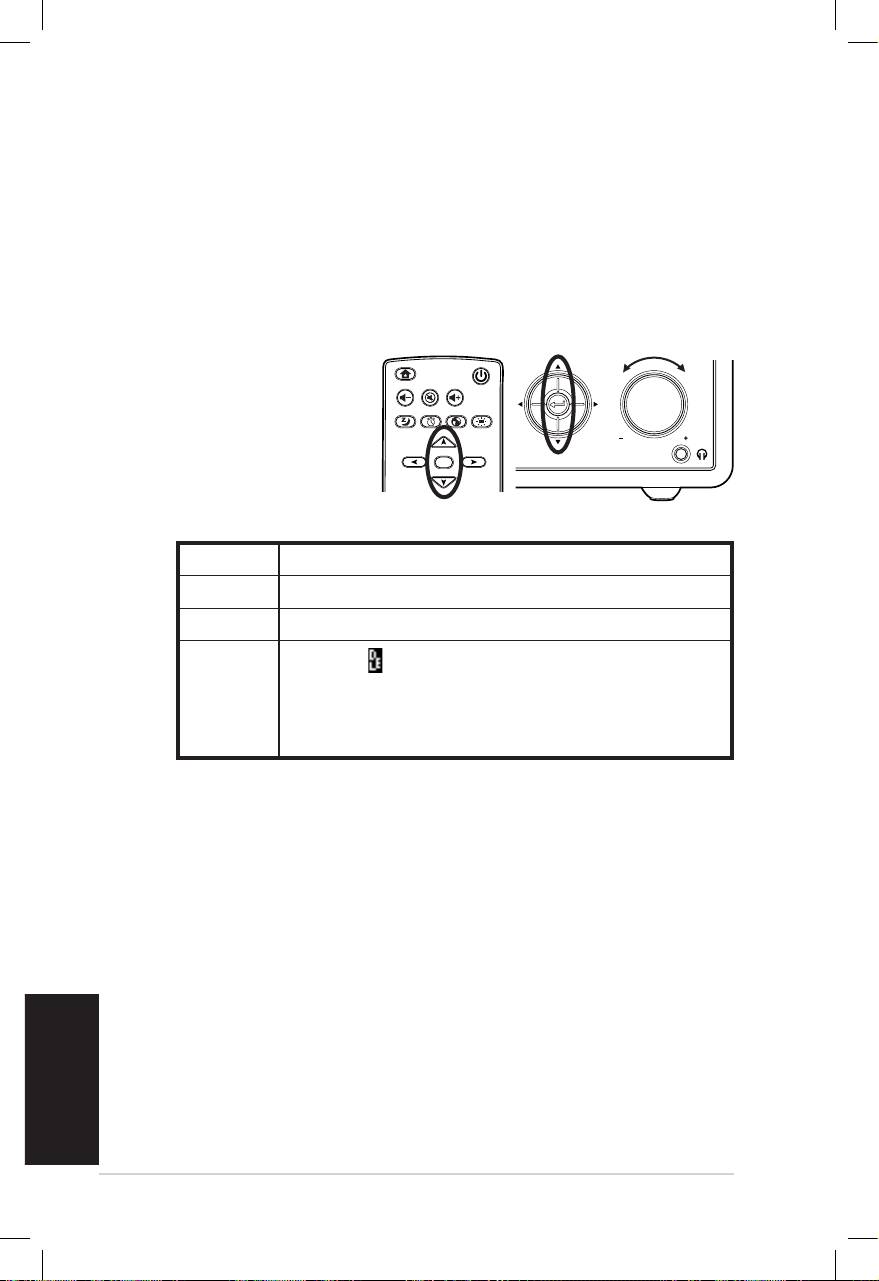
Português
6 Rádio pela Internet da ASUS
Introdução de texto
É necessário introduzir texto para adicionar o endereço de uma
estação de rádio online ou utilizar uma chave de segurança WEP/
WPA para a rede sem fios.
Para introduzir letras maiúsculas/minúsculas, símbolos ou
números:
1. Prima o botão para
cima/para baixo
ou rode o botão de
ajuste do volume
para seleccionar um
dos seguintes tipos
de caracteres:
NOTA: Os caracteres aparecem de forma sequencial. A seguir ao “
espaço” vem o A.
2. Prima o botão para a direita para passar para o carácter
seguinte. Prima o botão Enter ou use o botão de ajuste do
volume quando terminar.
Para introduzir o seu endereço IP ou outros parâmetros IP ou
para definir a hora, a data e o alarme siga as etapas descritas
acima.
Home
Standby/On
Volume-
Mute
Volume+
Sleep
Alarm
Language
Backlight
Enter
Favorite
1 2 3
4 5 6
7 8 9
10
+Favorite
Standby/On
1 2 3 4 5
HOME
Volume
Letras A a B b C c…Z z
Símbolos $ % & # _ ^ ~ ` “ ‘, . : ; ? ! * - + @ < = > { ¦ } [ \ ] ( / )
Números 0 1 2 3 4 5 6 7 8 9
Eliminar( ): Seleccione e prima o botão para a
esquerda/para a direita para eliminar o texto à
Outros
esquerda. Espaço: Seleccione para acrescentar
um espaço..
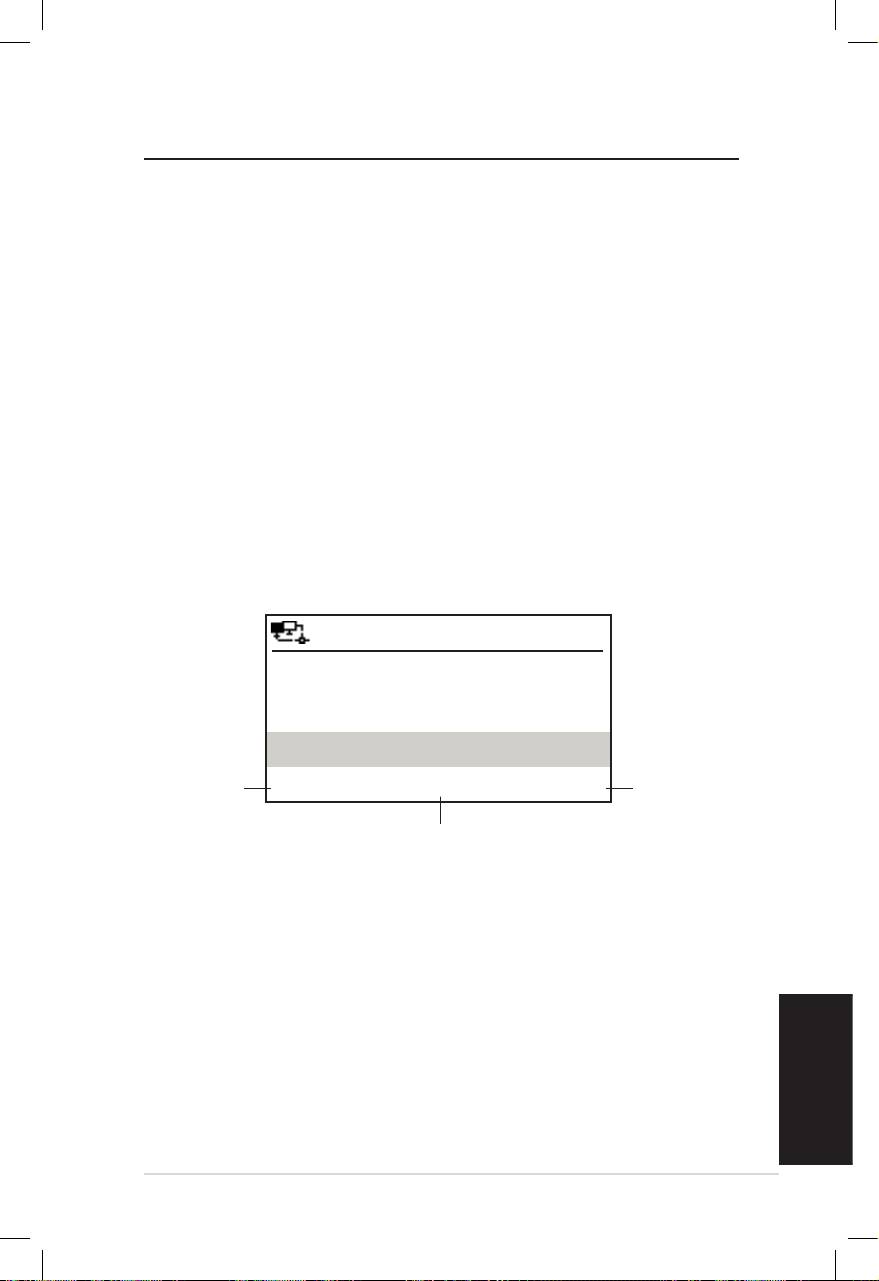
Português
Rádio pela Internet da ASUS 7
Ouvir rádio
Procurar uma estação de rádio
O dispositivo de rádio pela Internet da ASUS inclui uma lista
actualizada e devidamente organizada de estações de rádio online
internacionais. Nem todas as estações de rádio pela Internet
correspondem a uma estação de rádio tradicional. Algumas estações
de rádio apenas transmitem através da Internet. Pode procurar uma
estação de rádio por género de música ou local. Pode também
percorrer a lista de estações organizada por ordem alfabética.
Procurar estações de rádio por género
1. No menu principal, seleccione Estação de rádio/música >
Género para ver a lista de géneros de música ordenados por
ordem alfabética.
2. Prima o botão para cima/para baixo para seleccionar o
género pretendido. Por exemplo, se quiser ouvir jazz:
12:00PM
Prima o
Hard Rock
Prima o
botão
botão para
para a
Hip Hop
a direita
esquerda
para ver
Jazz
para
a lista de
voltar
< 23/53 >
todas as
ao menu
estações
rd
anterior.
A opção Jazz vem em 23
lugar na lista
de jazz.
composta por 53 géneros de música.
3. Prima o botão para a direita para ver a lista de todas as
estações de jazz disponíveis. Seleccione a estação e prima o
botão Enter para aceder à mesma.
Procurar por país/local
1. No menu principal, seleccione Estação de rádio/música >
País/Local para ver a lista de regiões ordenadas por ordem
alfabética.
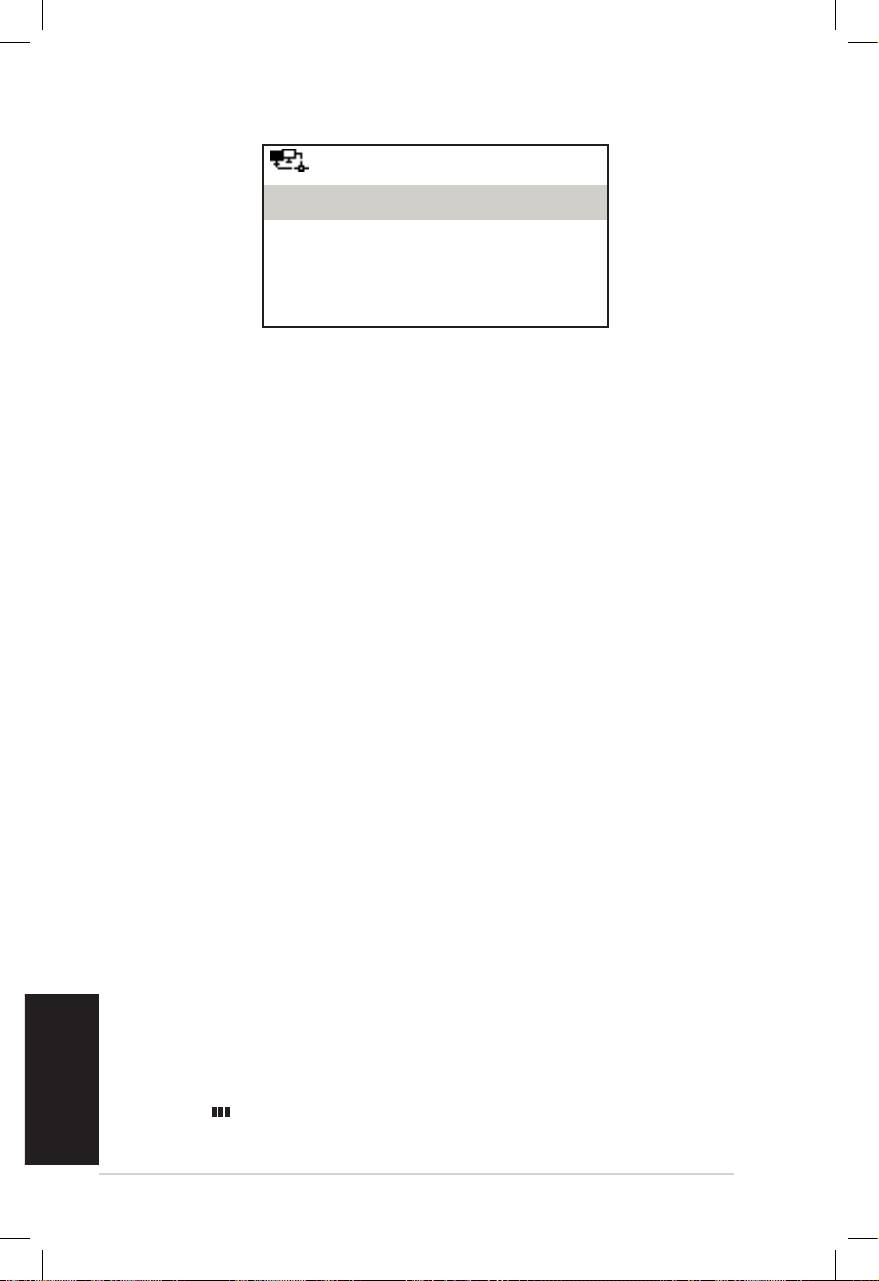
Português
8 Rádio pela Internet da ASUS
12:00PM
Áfricafrica
Ásiasia
Europa
< 1/8 >
A lista inclui: África, Ásia, Europa, América Latina, Médio Oriente,
América do Norte, Oceânia/Pacífico e Internet Só Internet.
2. Seleccione uma região e depois seleccione um país dessa
região. É mostrada uma lista de estações disponíveis nesse país.
3. Seleccione a estação e prima o botão Enter para aceder à
mesma.
NOTA:
• No caso dos países com um grande número de estações de rádio,
estas são depois sub ordenadas alfabeticamente pela inicial do nome.
• Se seleccionar um idioma que não o Inglês, verá o nome de um país
onde esse idioma é falado no menu Estação de rádio/Música.
Seleccione o nome do país e prima o botão Enter para ver as
estações disponíveis no mesmo.
Procurar por nome da estação
1. No menu principal, seleccione Serviço > Procurar estação
de rádio.
2. As estações estão divididas em 10 categorias e pela inicial
do nome: 0-9, A-C, D-F, G-I, J-L, M-O, P-R, S-U, V-Z e Outras.
Seleccione uma categoria para ver a lista de estações
correspondente.
NOTA: Os nomes de estações compostos por outros caracteres que não
os que fazem parte do alfabeto Romano encontram-se no grupo Outras.
3. Seleccione novamente qualquer uma das estações para ver
mais estações listadas. Estas são listadas por ordem alfabética
e tendo em conta as duas primeiras letras do nome.
4. Seleccione a estação e prima o botão Enter para aceder à
mesma.
NOTA: Ao seleccionar uma estação na lista, são mostradas umas barras
verticais no canto superior esquerdo do ecrã. Estas indicam a
acessibilidade dessa estação. Se vir três barras é sinal de que a estação é
acessível.
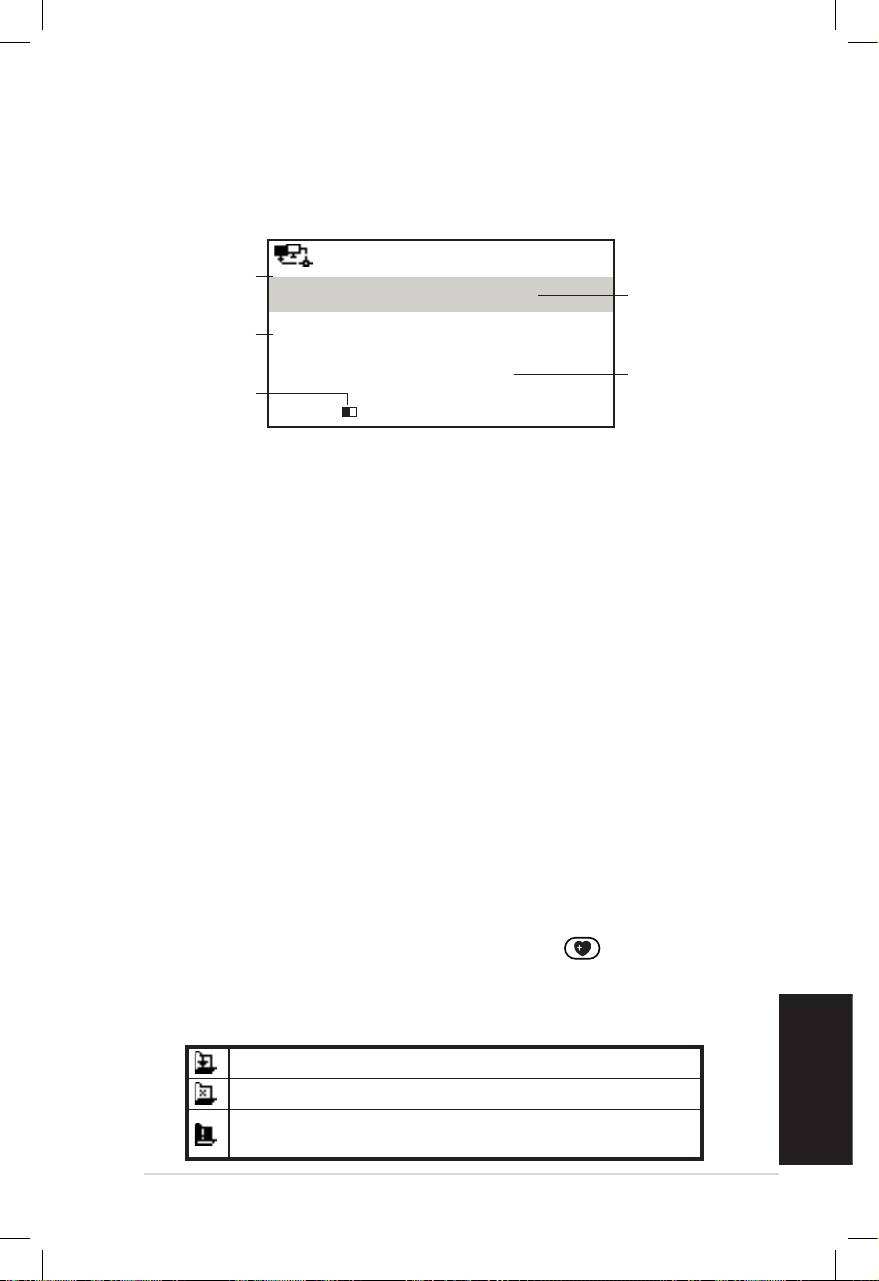
Português
Rádio pela Internet da ASUS 9
Aceder a uma estação de rádio
Se o seu dispositivo de rádio pela Internet da ASUS conseguir
aceder a uma estação, o ecrã mostra a informação seguinte:
Estado da
12:00PM
rede
Nome da
All That Jazz Radio
estação
Informação
relativa aos
WMA 32 kbps/Jazz
dados
Estado da
A reproduzir…
Capacidade
ligação*
da
< 11/92
memória**
NOTA:
• *O estado da ligação pode variar entre “A ligar”, “A guardar” e “A
reproduzir” Prima o botão Enter para parar a reprodução e voltar ao
menu anterior.
• **Consulte a página 14 para mais informações sobre a definição da
memória.
• Se aceder ao menu principal durante a ligação a uma estação, um
temporizador aparece no canto inferior direito do ecrã. Após um
período de 10 segundos, o sistema volta automaticamente à estação
que estava a ouvir.
Adicionar uma estação à lista Os
meus favoritos
É possível adicionar a estação de rádio que está a ouvir ou uma
estação que tenha encontrado à lista Os meus favoritos. Pode
também adicionar manualmente o endereço da estação para a
adicionar à sua lista de favoritos. O dispositivo de rádio pela
Internet da ASUS tem capacidade para memorizar 250 estações.
Adicionar a estação de rádio que está a ouvir
1. Prima o botão para adição de +Favoritos no controlo
remoto.
2. Os ícones seguintes são mostrados junto do ícone do estado
de rede como sinal de que se trata de uma estação favorita.
Estação a ser adicionada à lista Os meus favoritos.
A estação já constou da lista Os meus favoritos.
A lista de favoritos excede já o número máximo
de 250 estações de rádio.
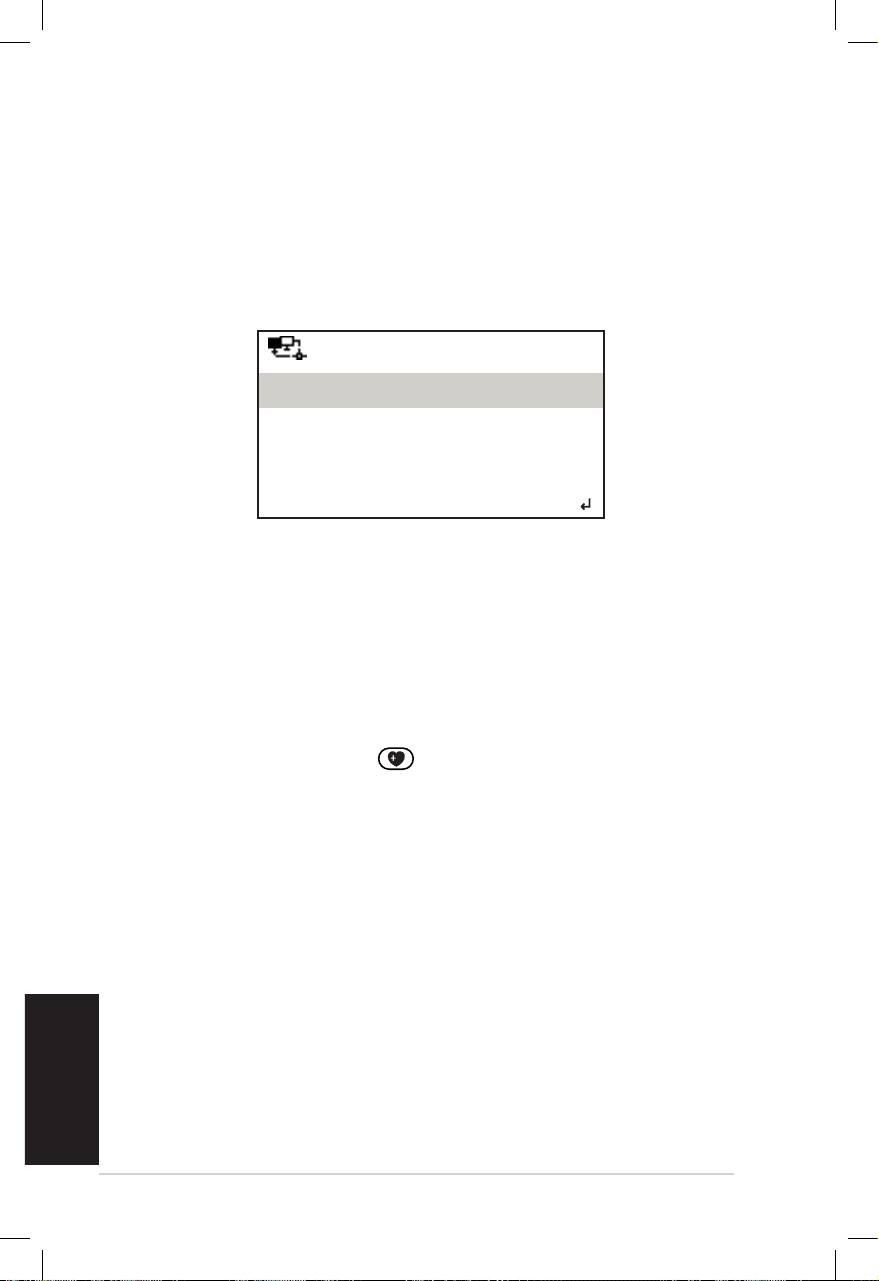
Português
10 Rádio pela Internet da ASUS
Adicionar uma estação de rádio da lista
1. Procure uma estação seguindo um dos métodos
mencionados na secção “Procurar uma estação de rádio”.
2. Seleccione uma estação e prima o botão para a direita para
aceder ao sub menu seguinte:
12:00PM
Adicionar a Favoritos
Pesquisa automática (para baixo)
Pesquisa automática (para cima)
< 1/4
3. • Adicionar a Os meus favoritos: Seleccione esta opção
para adicionar a estação à sua lista de favoritos.
• Pesquisa automática (para baixo): Seleccione esta
opção para aceder de forma consecutiva para cima/para
baixo às estações de rádio mencionadas na lista a partir
da estação realçada. Poderá ouvir cada estação por um
período de 30 segundos. Durante este período pode
adicionar a estação à lista Os meus favoritos premindo o
botão +Favoritos .
• Reproduzir: Seleccione esta opção para aceder à estação.
Consulte a tabela na página 9 para mais informações sobre
os favoritos.
Adicionar uma estação manualmente
1. No menu principal, seleccione Serviço > Adicionar nova
estação de rádio.
2. Introduza o endereço da estação de rádio pretendida. Con-
sulte a secção “Introdução de texto” para mais informação
sobre a introdução de texto.
3. Quando terminar, prima o botão Enter para adicionar a
estação à sua lista de favoritos. Consulte a tabela na página 9
para mais informações sobre os favoritos.
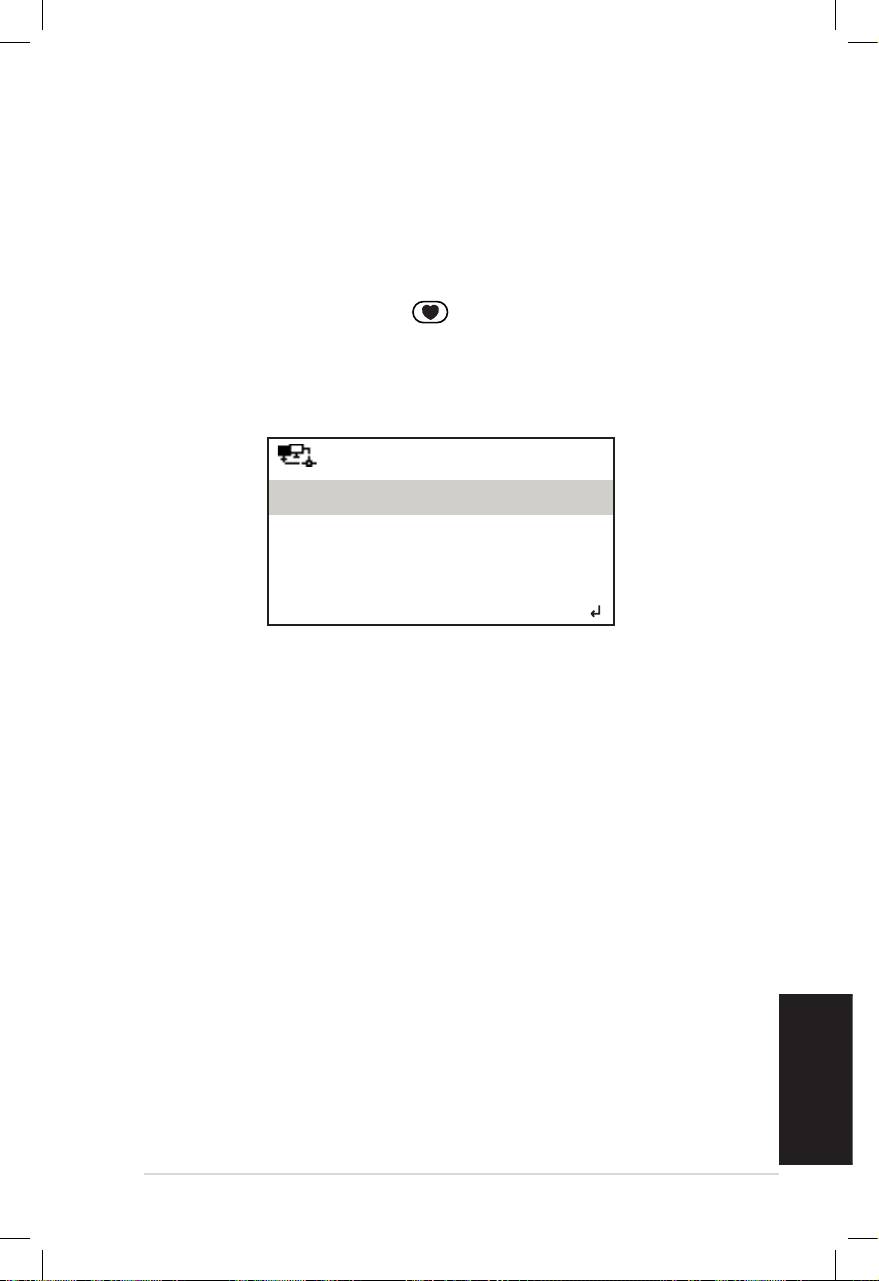
Português
Rádio pela Internet da ASUS 11
Gerir a lista de favoritos
O dispositivo de rádio pela Internet da ASUS memoriza um
máximo de 250 estações de rádio na lista Os meus favoritos para
que possa aceder mais rapidamente às estações predefinidas.
Para gerir a sua lista de favoritos:
1. Prima o botão Favoritos no controlo remoto ou
seleccione a opção Os meus favoritos no menu principal. É
exibida uma lista de estações predefinidas.
2. Seleccione uma estação na lista e prima o botão para a
direita para aceder ao sub menu seguinte:
12:00PM
Eliminar
Deslocar para cima
Deslocar para baixo
< 1/5
3. • Eliminar: Seleccione esta opção para eliminar a estação.
• Deslocar para cima/para baixo: Seleccione uma destas
opções para alterar a ordem das estações de rádio
predefinidas. Mova as estações de rádio que ouve com
maior frequência para as primeiras 5 ou 10 posições.
Depois, é só premir os botões predefinidos para alternar
entre as mesmas.
• Mudar o nome: Seleccione esta opção para mudar o
nome da estação.
• Reproduzir: Seleccione esta opção para aceder à estação.
Pode também aceder a uma estação predefinida seguindo o
procedimento seguinte:
• A partir da sua lista de favoritos, seleccione uma estação e
prima o botão Enter.
• A partir de qualquer um dos menus, prima um dos botões
predefinidos 1 – 5 no painel frontal ou no controlo remoto
para aceder às 5 principais estações predefinidas.
• A partir de qualquer um dos menus, prima um dos botões
predefinidos 6 -10 no painel frontal ou no controlo remoto
para aceder às outras estações predefinidas.

Português
12 Rádio pela Internet da ASUS
Outras denições
Conguração
Seleccione a opção Configuração no menu principal para
configurar as várias opções do dispositivo de rádio pela Internet da
ASUS incluindo as opções relativas à rede, ao relógio, ao alarme, ao
idioma, à luz de fundo, ao temporizador para desligar, à memória, à
actualização da versão e à opção de reposição.
Rede
Consulte o Guia de configuração da rede para mais informações.
Relógio
A opção Configuração > Relógio permite-lhe definir a hora/a
data e o formato para visualização da hora. Ao ligar o dispositivo
pela primeira vez e ao ligá-lo à rede, a hora mostrada é a hora
GMT (Greenwich Mean Time). Defina a hora segundo o seu fuso
horário e usando o protocolo NTP (Network Time Protocol). Se
proceder ao acerto do relógio através da Internet, o relógio do
dispositivo mostra a hora certa desde que esteja ligado à rede.
• Data e hora: Seleccione esta opção para definir a hora e a
data. Consulte a secção “Introdução de texto” na página 6 para
mais informação sobre a introdução de números.
• Formato da hora: Seleccione o formato 12 horas e 24 horas.
NOTA:
• A opção GMT (Greenwich Mean Time) pode ser assinalada no menu
Centro de informação.
• Reponha a hora do dispositivo quando mudar para uma zona com
um fuso horário diferente.
Alarme
Esta opção permite-lhe ligar/desligar o alarme e também
programar um alarme. Prima o botão Alarme no controlo
remoto para activar/desactivar um alarme programado.
Português
Rádio pela Internet da ASUS 13
Para programar um alarme:
1. Vá até Configuração > Alarme > Ligar.
2. Seleccione a opção Definir hora do alarme e introduza os
valores pretendidos. Consulte a secção “Introdução de texto”
na página 6 para mais informação sobre a introdução de
números.
3. Seleccione a opção Definir som do alarme para escolher
o tipo de som de entre as opções Aviso sonoro, Música e
Rádio (a estação de rádio que costuma ouvir).
4. O ícone aparece no canto superior direito do ecrã como
sinal de que a função de alarme está activada.
Certifique-se de que o dispositivo não está a aceder a qualquer
estação na hora que predefiniu ou não será possível activar o alarme.
Quando o alarme for activado, prima qualquer botão para o desligar.
Idioma
Consulte a página 5 para mais informações sobre a selecção do
idioma.
Luz de fundo
A opção Configuração > Luz de fundo permite-lhe ajustar o
brilho da luz de fundo. Pode também fazê-lo usando o botão Luz
de fundo no controlo remoto. Estão disponíveis três opções:
• Desactivar: Seleccione esta opção para desactivar a luz de
fundo.
• Poupança de energia: Seleccione esta opção para tornar a
luz de fundo menos brilhante.
• Activar: Seleccione esta opção para activar a luz de fundo.
Temporizador para desligar
A opção Configuração > Temporizador para desligar permite-
lhe seleccionar um período de tempo predefinido e após o qual
o dispositivo se desliga. Pode também definir o temporizador
premindo o botão desligar no controlo remoto. Quando
esta função está activada, o ícone XXX aparece no canto
superior direito do ecrã. XXX representa o número de minutos
restantes. Estão disponíveis seis opções: Desactivar, 15 minutos,
30 minutos, 60 minutos, 90 minutos e 120 minutos.
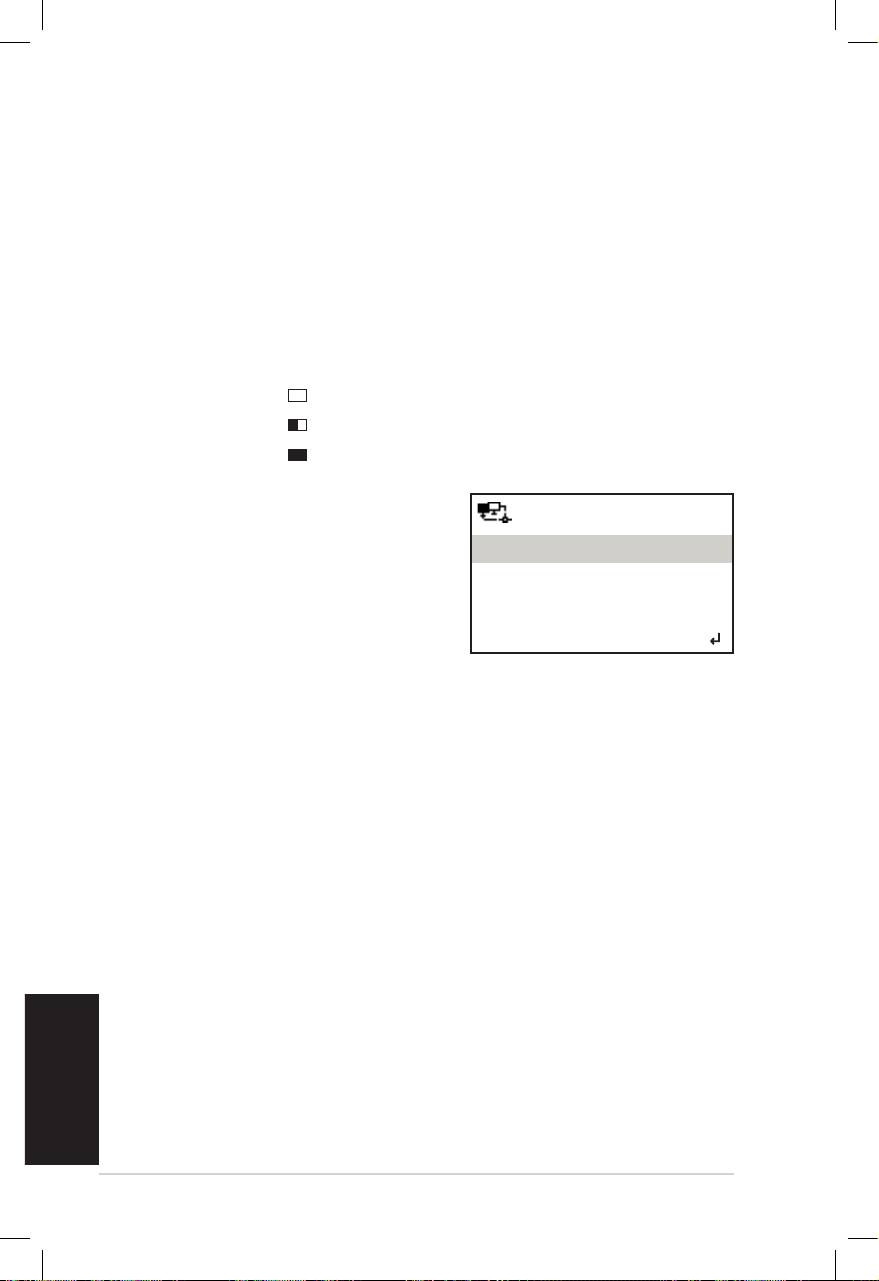
Português
14 Rádio pela Internet da ASUS
Memória
A opção Configuração > Memória permite-lhe definir a
memória para armazenamento dos dados recebidos durante um
determinado período de tempo. A definição de uma capacidade
de memória maior permite uma transferência de dados mais
fácil mas tem de esperar mais tempo. Se estiver a aceder a uma
estação, será mostrado um ícone que representa a capacidade de
memória definida:
• 2 segundos:
• 4 segundos:
• 8 segundos:
Actualização da versão
12:00PM
Se for lançada uma nova versão do
Actualização da versão (Sim)
firmware, verá este ecrã. Seleccione
Actualização da versão (Não)
a opção Actualização da versão
(Sim) para transferir a versão mais
recente.
< 1/2
Se escolher Actualização da versão (Não), poderá transferir a
versão mais recente mais tarde:
1. Vá até Configuração > Actualização da versão e seleccione
o item a transferir.
NOTA: Se não for mostrado nenhum item, isto significa que a sua
versão do firmware é a mais recente.
2. Seleccione Sim. Um temporizador inicia a contagem
decrescente a partir dos 60 segundos. Aguarde até o
dispositivo reiniciar.
3. Vá até Configuração > Actualização da versão para
verificar se o nome da versão é diferente do anterior.
NOTE: Do not turn off the device while the update is proceeding.
Repor
A opção Configuração > Repor permite-lhe repor o dispositivo
para as predefinições de fábrica. As suas listas de favoritos e as
definições de rede não serão eliminadas.

Português
Rádio pela Internet da ASUS 15
Resolução de problemas
Leia as seguintes Perguntas e Respostas para resolução de
problemas. Se não encontrar aqui a resposta que procura,
contacte-nos directamente usando a lista de contactos que
encontra na capa deste manual.
O ecrã assinala a reprodução de uma estação de rádio mas não
consigo ouvir nada.
Algumas estações podem não transmitir 24 horas por dia. Não é
possível ouvir a estação se esta não estiver a transmitir.
Porque é que não consigo ouvir qualquer som através do
altifalante?
• O som do seu dispositivo de rádio pela Internet da ASUS foi
cortado ou o volume está muito baixo não lhe permitindo
ouvir nada. Aumente o volume ou prima o botão Cortar o
som para repor o som. Se estiver a usar altifalantes
adicionais, certifique-se de que os mesmos estão ligados.
• Se as etapas acima não resolverem o problema, proceda à
reposição do dispositivo.
O que posso fazer se o meu dispositivo de rádio pela Internet
da ASUS falhar?
Prima o comutador de alimentação existente no painel traseiro
para desligar o dispositivo e depois volte a ligá-lo.
Defini o alarme mas este não ligou.
O alarme não liga se estiver a ouvir uma estação de rádio.
A ligação sem fios não é estável.
• Estabeleça a ligação com fios para testar a fiabilidade da rede.
• Se a ligação com fios for mais estável que a ligação sem fios,
use a ligação pela LAN.

Porque é que a lista de rádios online se altera?
Os endereços das estações de rádio online podem variar, por isso
os técnicos da ASUS actualizam a lista regularmente. O seu dis-
positivo de rádio pela Internet da ASUS obtém automaticamente
a lista mais recente desde que esteja ligado à rede. O dispositivo
continua a funcionar normalmente durante a actualização (1-2
minutos).
Não consigo ouvir determinadas estações de rádio.
O acesso às estações de rádio online varia conforme a largura
de banda da rede nos diferentes países. A falha na ligação pode
dever-se ao seguinte:
• A largura de banda da rede no país pretendido é muito estreita.
Recomendamos a utilização de um modem ADSL/cabo com
uma largura de banda de pelo menos 1Mbps.
• Congestão da Internet.
• As estações de rádio não fornecem largura de banda suficiente.
• As estações de rádio estão em manutenção ou já não existem.
Se continua a não conseguir aceder a algumas estações de rádio,
contacte-nos através do site
http://vip.asus.com/eservice/techserv.aspx.
Português
16 Rádio pela Internet da ASUS
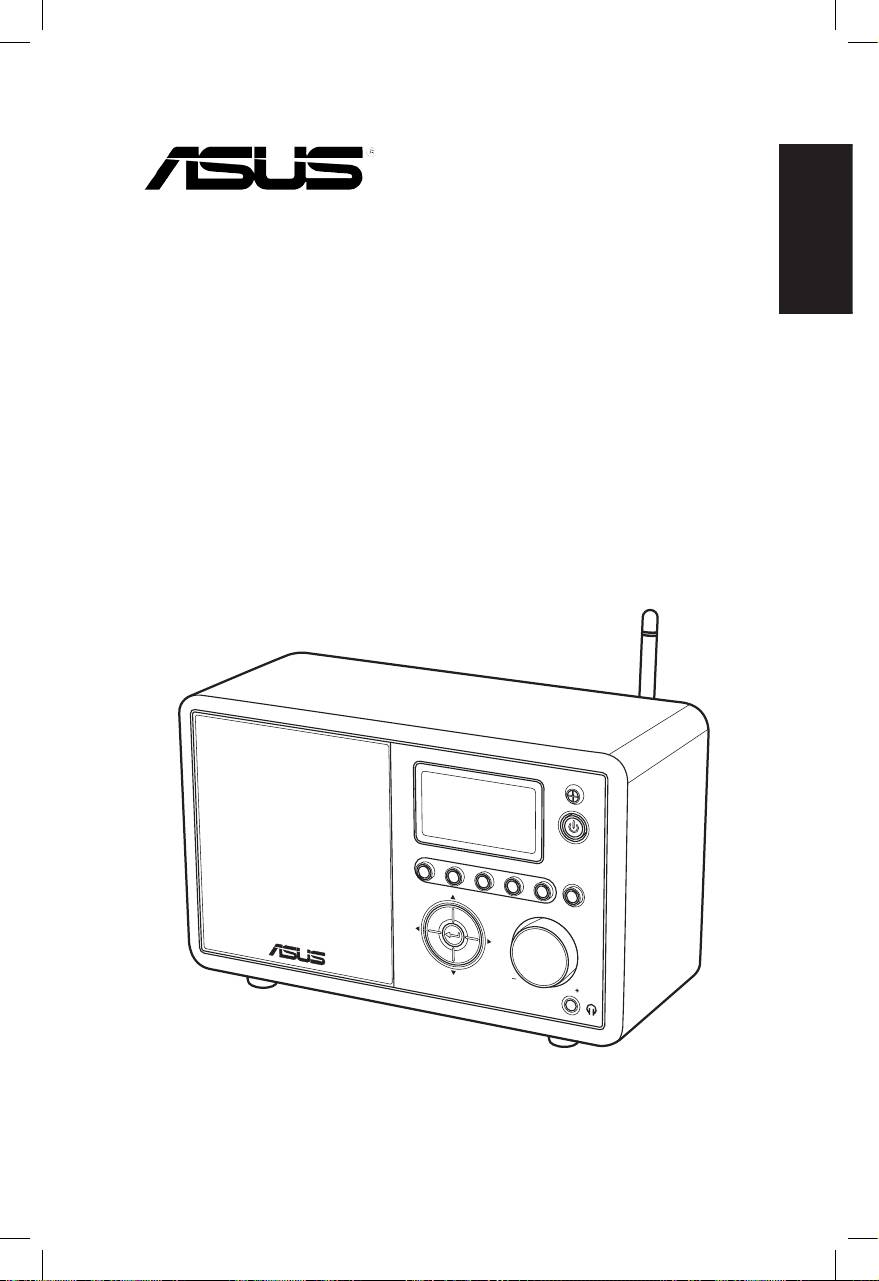
Русский
ASUS интернет-радио
Руководство пользователя
S
ta
nd
1 2 3 4
by/O
n
5
H
O
ME
V
olu
m
e
AIR

Русский
ii ASUSИнтернет-радио
Содержание
Содержание ..............................................................ii
Замечания ................................................................iv
Приветствие ............................................................vi
Комплектпоставки............................................................ vi
Введение............................................................................. vii
Спецификация................................................................... vii
Изучение устройства...............................................1
Видспереди...........................................................................1
Видсзади...............................................................................2
ИспользованиепультаДУ...................................................3
Включениеустройства........................................................4
Выборязыка.........................................................................5
Вводтекста...........................................................................6
Прослушивание радио ............................................7
Поискрадиостанций.............................................................7
Поискпожанру...............................................................7
Поискпостране/расположению....................................7
Поискпоназваниюстанции...........................................8
Подключениекстанции.......................................................9
Добавлениестанциивсписоклюбимых............................9
Добавлениетекущейрадиостанции...............................9
Добавлениерадиостанцииизсписка...........................10
Добавлениестанции,введеннойвручную...................10
Управлениелюбимымистанциями...................................11
Другие параметры .................................................12
Конфигурация....................................................................12
Сеть................................................................................12
Часы...............................................................................12

Русский
ASUSИнтернет-радиоiii
Будильник......................................................................12
Язык...............................................................................13
Подсветка.......................................................................13
Таймеротключения......................................................13
Буфер.............................................................................14
Обновленнаяверсия......................................................14
Сброс..............................................................................14
Устранение неисправностей ................................15

Русский
iv ASUSИнтернет-радио
Замечания
Удостоверение Федеральной комиссии по средствам
связи
Данное оборудование было протестировано и сочтено
соответствующим ограничениям по цифровым устройствам
класса В в соответствии с частью 15 Правил FCC. Эти
ограничения рассчитаны на обеспечение защиты в разумных
пределах от вредоносных воздействий при установке вжилом
помещении.Данноеоборудованиесоздает,используетиможет
излучать энергию в радиодиапазоне, которая, при установке
или использовании данного оборудования не в соответствии
с инструкциями производителя, может создавать помехи
в радиосвязи. Тем не менее, невозможно гарантировать
отсутствиепомехвкаждомконкретномслучае.Вслучае,если
данное оборудование действительно вызывает помехи в радио
или телевизионном приеме, что можно проверить, включив и
выключив данное оборудование, пользователю рекомендуется
попытатьсяудалитьпомехиследующимисредствами:
• Переориентировать или переместить принимающуюПереориентироватьилипереместитьпринимающую
антенну.
• Увеличитьрасстояниемеждуданнымприбороми
приемником.
• Подключить данное оборудование к розетке другой
электроцепи,нежелита,ккоторойподключенприемник.
• Проконсультироватьсяспродавцомиликвалифицированным
радио/ТВтехником.
Данное устройство соответствует части 15 Правил FCC. Его
использованиевозможноприследующихдвухусловиях:
• Данноеустройствоневызываетвредоносныхвоздействий.
• Данноеустройствопринимаетлюбоевнешнеевоздействие,
включаявоздействия,вызывающиенежелательные
результаты.
Предостережение FCC:
Изменения или модификация устройства без разрешения
производителяможетаннулироватьразрешениянаэксплуатацию
оборудования.

Русский
ASUSИнтернет-радиоv
Федеральная комиссия по связи требования к воздействию
радиочастоты
Это оборудование совместимо с ограничениями FCC по
радиоизлучению, установленными для неконтролируемого
окружения. Это оборудование должно быть установлено и Это оборудование должно быть установлено иЭто оборудование должно быть установлено и
работать на расстоянии не менее 20 см от вашего тела. Это
устройство не должно быть расположено вблизи других
работающихантеннилипередатчиков.IEEE802.11bor802.11g
работаэтогопродуктавСШАограниченаканаламис1по11.
Индустриальные требования Канады
Работаустройствасоответствуетследующимусловиям:
• Это устройство не вызывает помехЭтоустройствоневызываетпомех
• Данное устройство принимает любое внешнее воздействие,Данное устройство принимает любое внешнее воздействие,
включая воздействия, вызывающие нежелательные
результаты.
Требования к воздействию радиочастоты
Это оборудование совместимо с ограничениями IC по IC попо
радиоизлучению, установленными для неконтролируемого
окружения.Это оборудование должно быть установлено и
работатьнарасстояниинеменее20смотвашеготела.
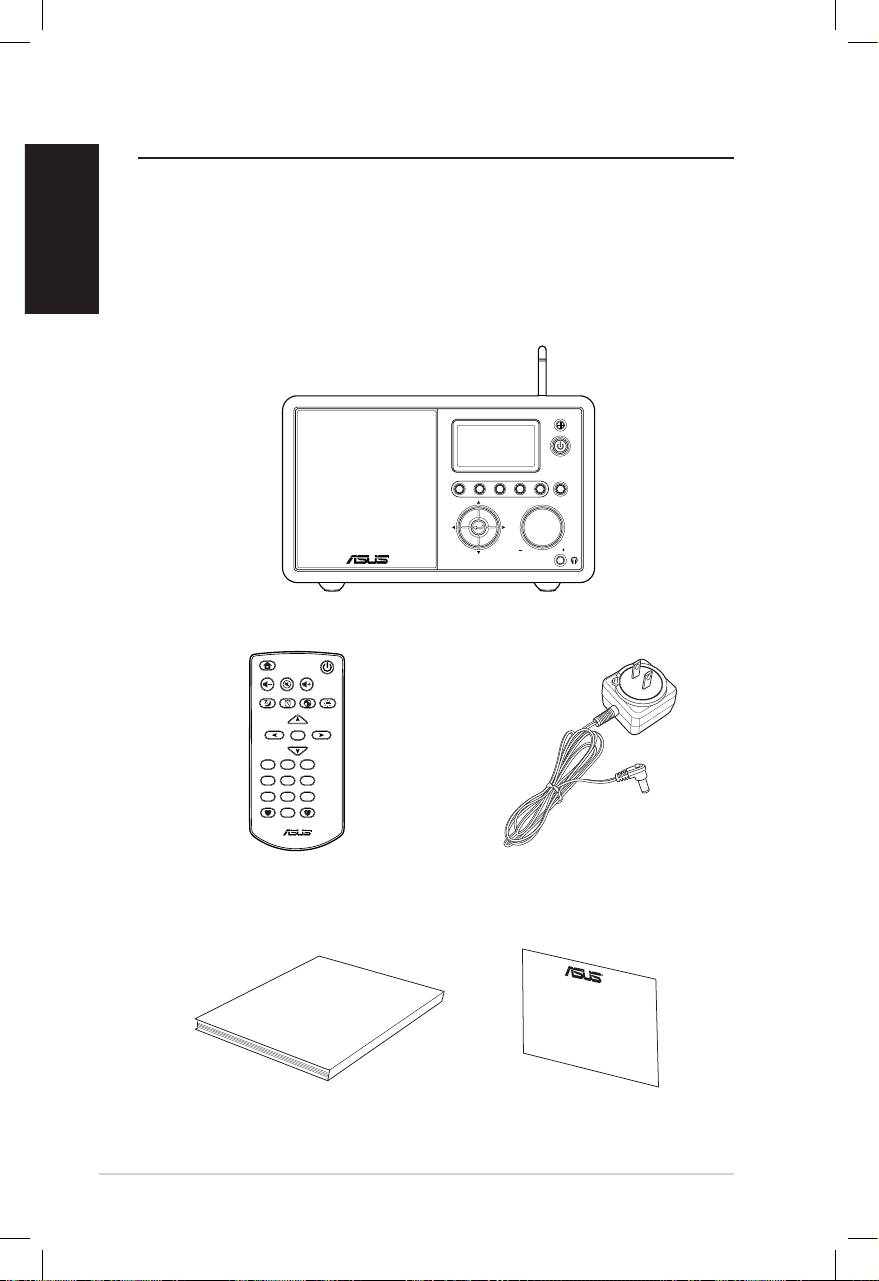
Русский
vi ASUSИнтернет-радио
Приветствие
Поздравляем вас с приобретением ASUS Интернет-радио. На
иллюстрациинижепоказанкомплектпоставкиASUSИнтернет-
радио.
Комплект поставки
User Manual
Home
Standby/On
Volume-
Mute
Volume+
Sleep
Alarm
Language
Backlight
Enter
1 2 3
4 5 6
7 8 9
10
Favorite
+Favorite
Standby/On
1 2 3 4 5
HOME
Volume
ASUS Интернет-радио
Пульт управления
Блок питания
Руководство пользователя
Гарантийный талон

Русский
ASUSИнтернет-радиоvii
Введение
ASUS Интернет-радио предоставляет удобный доступ к
широкому диапазону радиостанций в Интернет. Перед
использованиемустройстваубедитесь,чтоувасестьпроводной
/беспроводнойдоступкИнтернет.
Возможности
• Одиночноеустройство
• Беспроводное/кабельноесоединение
• Обновляемыйсписокболеечем10,000онлайнстанций
• 250любимых
• Будильник
• Таймерсна
• Протоколсетевоговремени(NTP)
Спецификация
Связь WirelessLAN802.11b/g
Wired10/100MEthernet
Скоростьпередачи
54Mбит/с(WLAN)
данных
10/100Mбит/с(Ethernet)
Безопасность
64/128-битWEP
беспроводнойсети
WPA/WPA2
Аудиодекодер MP3/WMA
16Kbps–320Kbps
SNR >90dBнаушники
Дисплей 128x64FSTNграфическийдисплей
синегоцвета
I/Oports
Разъемнаушников(Φ 3.5мм)
Линейныйвход(Φ 3.5мм)
Линейныйвыход(RCAразъем)
Ethernet(RJ45)
Разъемпитания

Русский
Колонки 5Вт4OМ
Блокпитания Вход:100-240В(50-60Гц)
Выход:6В/2Aпост.ток
Пультуправления 26клавиш
Размеры 250(Д)x128(Ш)x190(В)мм
Вес 2кг
ADSL/
неменее1Mбит/с
кабельныймодем
viii ASUSИнтернет-радио
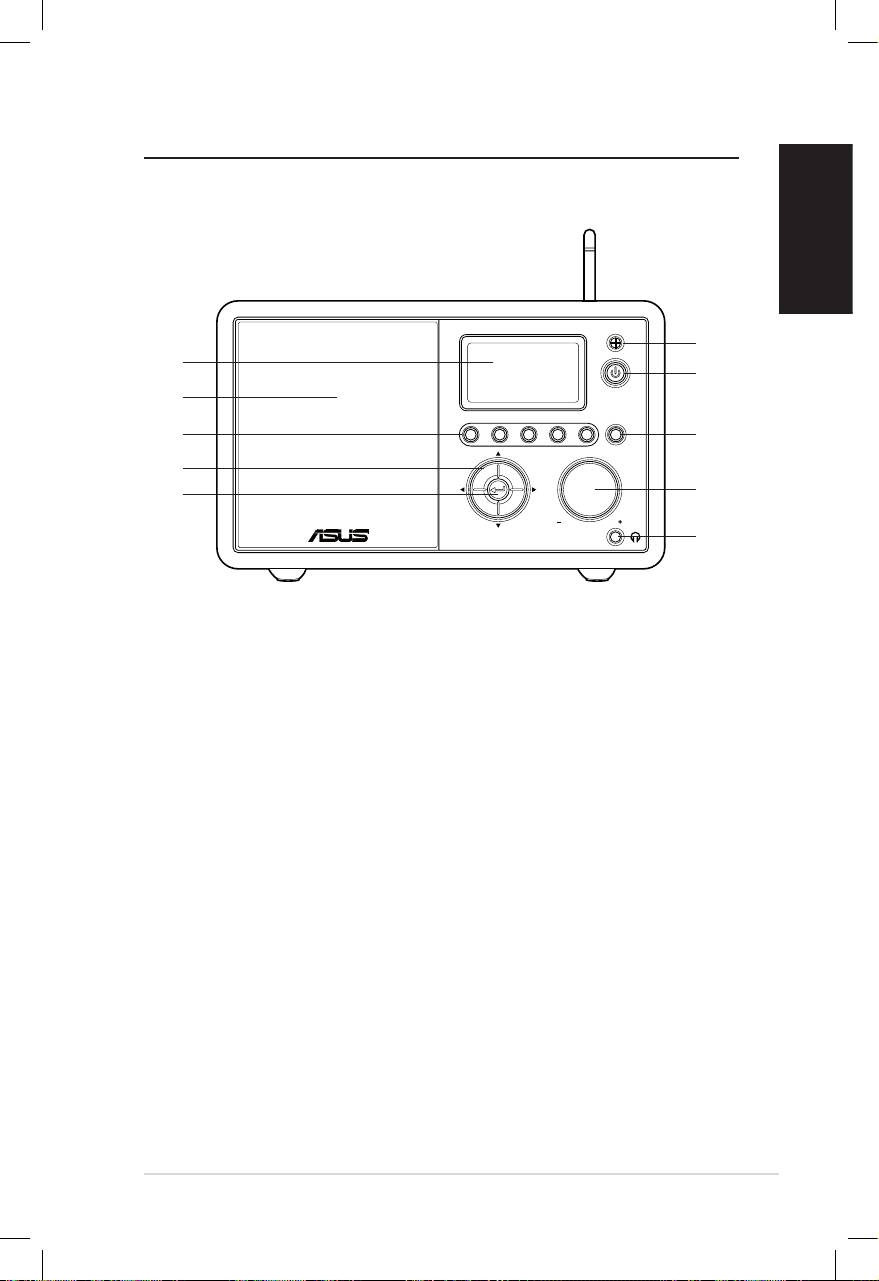
Изучение устройства
Вид спереди
Русский
ASUSинтернет-радио1
Standby/On
1 2 3 4 5
HOME
Volume
1
10
2
9
8
3
7
4
6
5
1. ИК датчик:принимаеткомандыспультауправления.
2. Вкл/ждущий режим:кнопкавключения/переходавждущий
режим.
3. Домой:возвратвглавноеменю.
4. Громкость: поверните ручку вправо для увеличения
громкостииливлеводляуменьшения.Повернитедляввода
текста или прокрутки вверх/вниз в меню. Нажмите для
подтверждениявыборавменю.
5. Разъем наушников: сюда можно подключить наушники.
Такжевыможетеподключитьдополнительныеколонки.
6. Ввод: нажмитедляподтверждениявыборавменю.
7. Кнопки навигации:нажмитедляпрокруткипунктовменю
вверх/вниз/вправо/влево.
8. Любимые станции 1–5: нажмитедляпереходаналюбимую
радиостанцию.
9. Колонки:встроенныеколонки.
10. Дисплей:LCDдисплейсподсветкой.
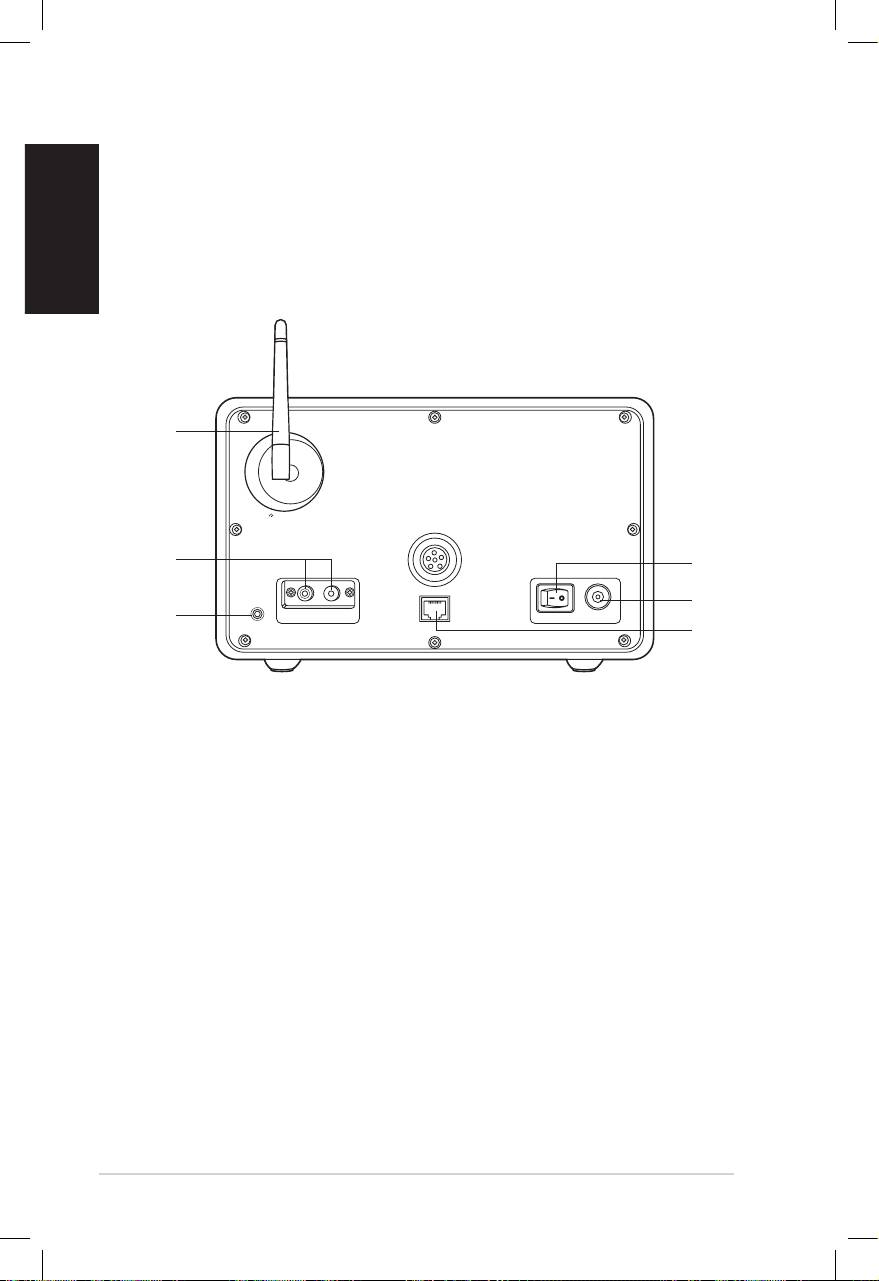
Русский
2 ASUSинтернет-радио
Вид сзади
1
2
3
Antenna
LAN
LINE IN
R L
LINE OUT
ON OFF DC
Примечание: Функции передней панели повторяются на пульте
управления.Длядополнительнойинформациисмотритестраницы3и
4.
6
5
4
1. Тумблер питания:включение/отключениеуcтройства.
2. Разъем питания:подключениешнурапитания.
3. LAN порт:подключениесетевогокабеля.
4 Линейный вход: При использовании устройства какПри использовании устройства как
колонок, подключите сюда аудиоисточник. Устройство
автоматическипереключитсяврежимAUX.
5. Линейный выход(стерео): Подключение внешних
колонок.
6. Антенна:Установитеантеннуввертикальноеположение
длялучшегоприемасигнала.
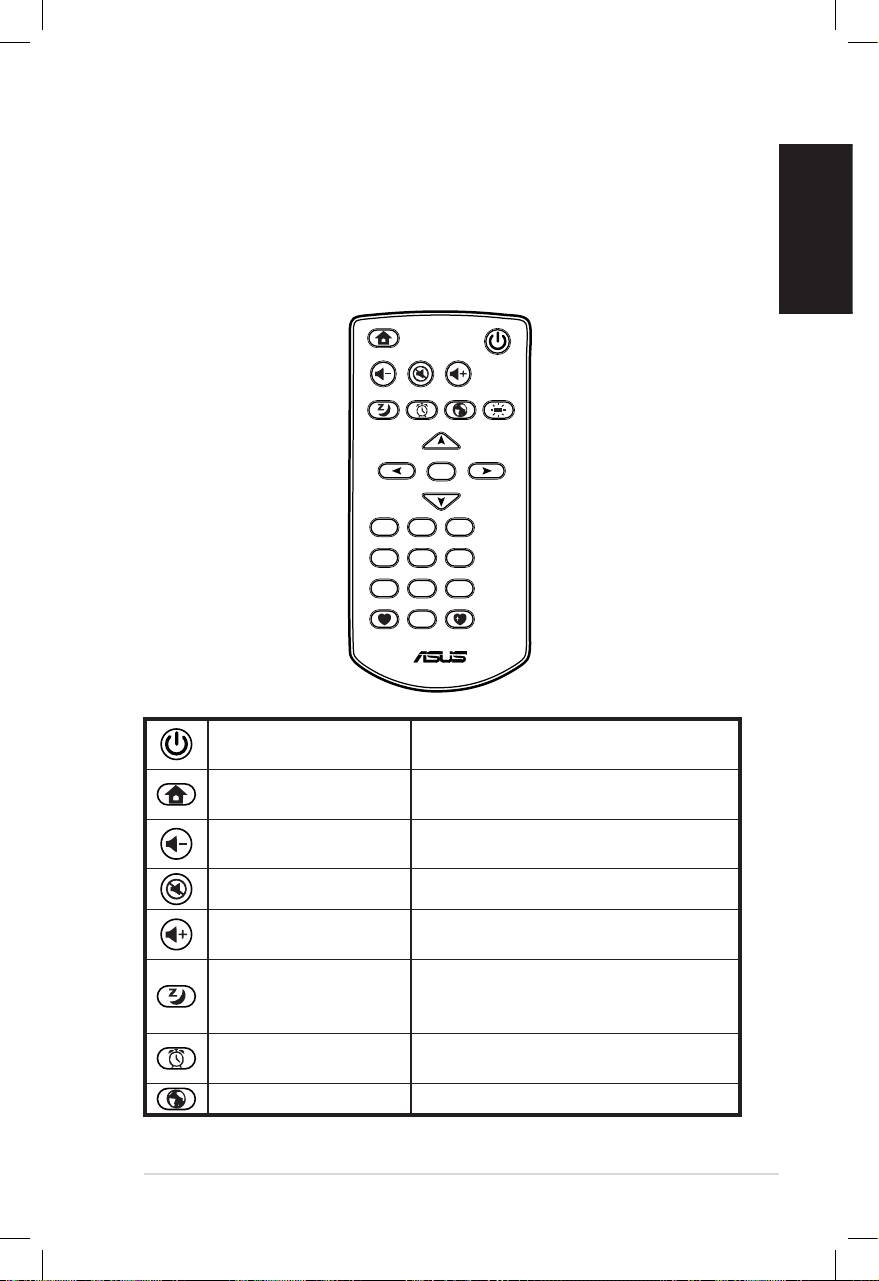
Русский
ASUSинтернет-радио3
Использование пульта ДУ
Пультможноиспользоватьдляпоискарадиостанций,создания
спискалюбимыхстанцийинастройкидругихпараметров.
Названиякнопокиихфункцииприведенывтаблицениже.
Home
Standby/On
Volume-
Mute
Volume+
Sleep
Alarm
Language
Backlight
Enter
1 2 3
4 5 6
7 8 9
10
Favorite
+Favorite
Нажмитедлявключения/
Вкл/ждущийрежим
переходавждущийрежим.
Нажмитедлявозвратавглавное
Домой
меню.
Нажмитедляуменьшения
Громкость-
громкости.
Откл.звук Нажмитедляотключениязвука.
Нажмитедляувеличения
Громкость+
громкости.
Нажмитедлявыбораколичества
Сон
времени,черезкоторое
устройствоотключится.
Нажмитедлявключения/
Будильник
отключениябудильника.
Язык Нажмитедлявыбораязыкаменю.
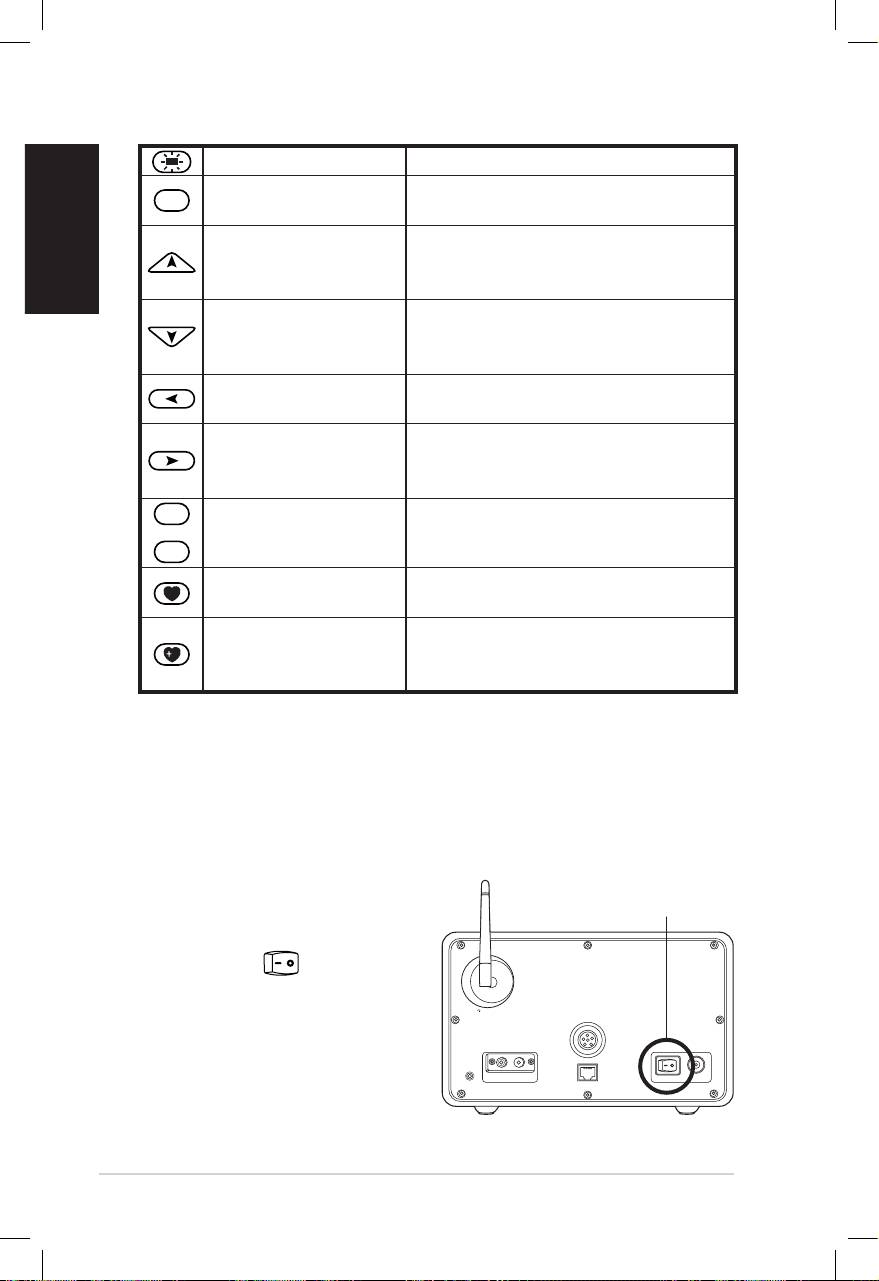
Русский
4 ASUSинтернет-радио
Яркость Нажмитедлянастройкияркости.
Enter
Нажмитедляподтверждения
Ввод
выборавменю.
Нажмитедляпрокруткипунктов
Вверх
вменю.
Нажмитедлявыборатекста.
Нажмитедляпрокруткипунктов
Вниз
вменю.
Нажмитедлявыборатекста.
Нажмитедлявозвратав
Влево
предыдущееменю.
Нажмитедляподтверждения
Вправо
выбраннойопцииилипереходав
подменю.
1
~
10
Любимыестанции
Нажмитедляпереходана
1–10
любимуюрадиостанцию.
Нажмитедляотображения
Любимые
спискалюбимыхстанций.
Нажмитедлясохранения
Добавитьв
текущейстанциивсписке
любимые
любимыхстанций.
Включение устройства
ДлявключенияASUSинтернет-радиовпервыйразвыполните:
1. Подключитеблокпитаниякрозетке.
2. Подключите блок питания к разъему питания на задней
сторонеустройства.
Antenna
LAN
LINE IN
R L
LINE OUT
ON OFF DC
Тумблер
питания
3. Нажмитетумблер
питания назадней
сторонеустройства.
Включитсядисплей,
показываялоготип
ASUS,затемпоявится
главноеменю:
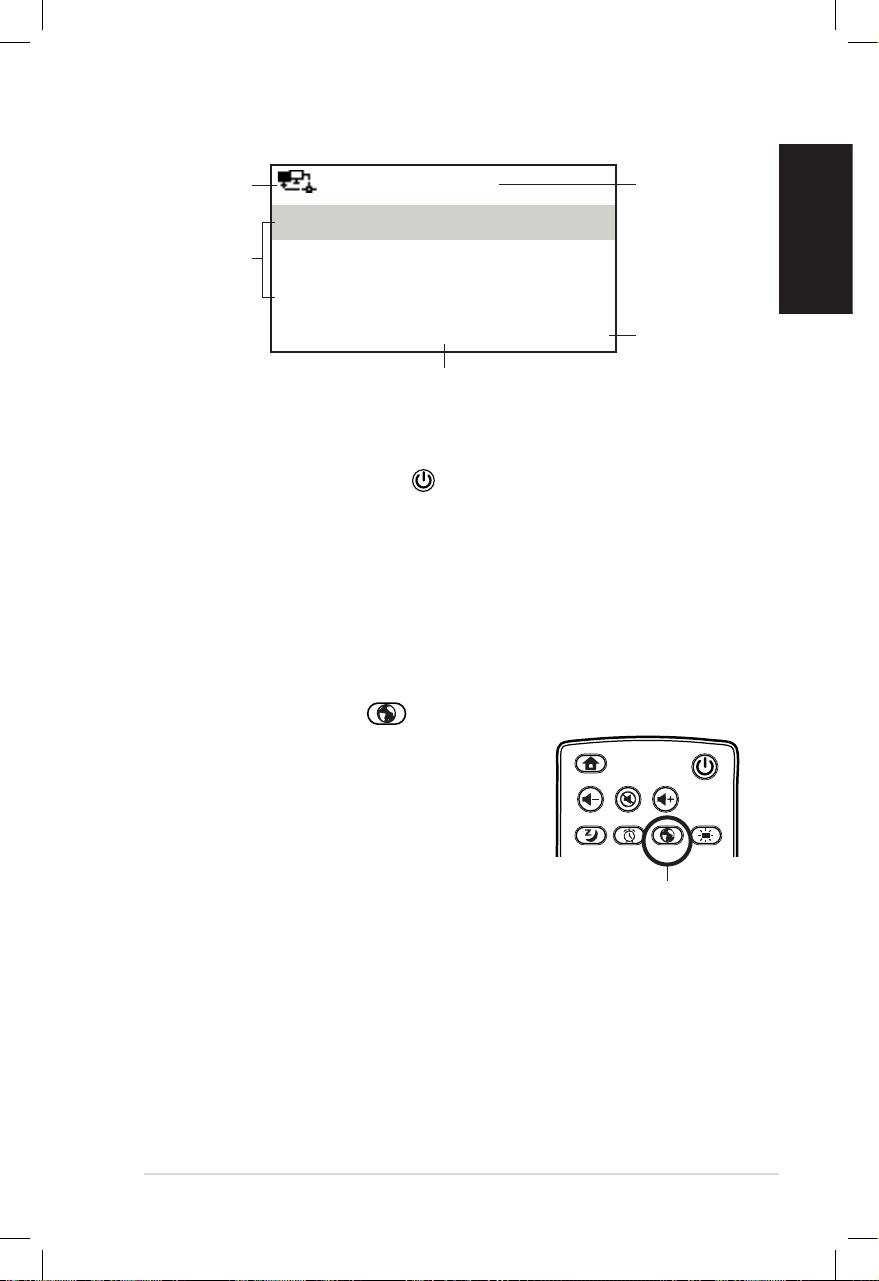
Русский
ASUSинтернет-радио5
Состояние
сети
Время
12:00PM
Любимые
Опции
меню
Радиостанция/музыка
Медиацентр
Нажмите
кнопку вправо
1/6>
для появления
подменю.
В главном меню имеется шесть
опций и первая опция выделена.
Примечание:Нажатиекнопки напереднейпанелиилипультене
включаетустройство.
Выбор языка
ASUSинтернет-радиоподдерживаетнесколькоязыков.
Дляизмененияязыкавыполнитеследующее:
НажмитекнопкуЯзык напульте(быстрыйспособ).
Или:
1. Вглавномменювыберите
Конфигурация>Язык.
2. Используякнопкивверх/вниз
выберитежелаемыйязыкинажмите
ввод.
Примечание: Выбранный язык применяется только для меню
устройстваисистемныхсообщений.Названиястанцийзависятотих
расположения.
Home
Standby/On
Volume-
Mute
Volume+
Favorite
Sleep
1 2 3
4 5 6
7 8 9
Alarm
10
Enter
+Favorite
Language
Backlight
Кнопка язык
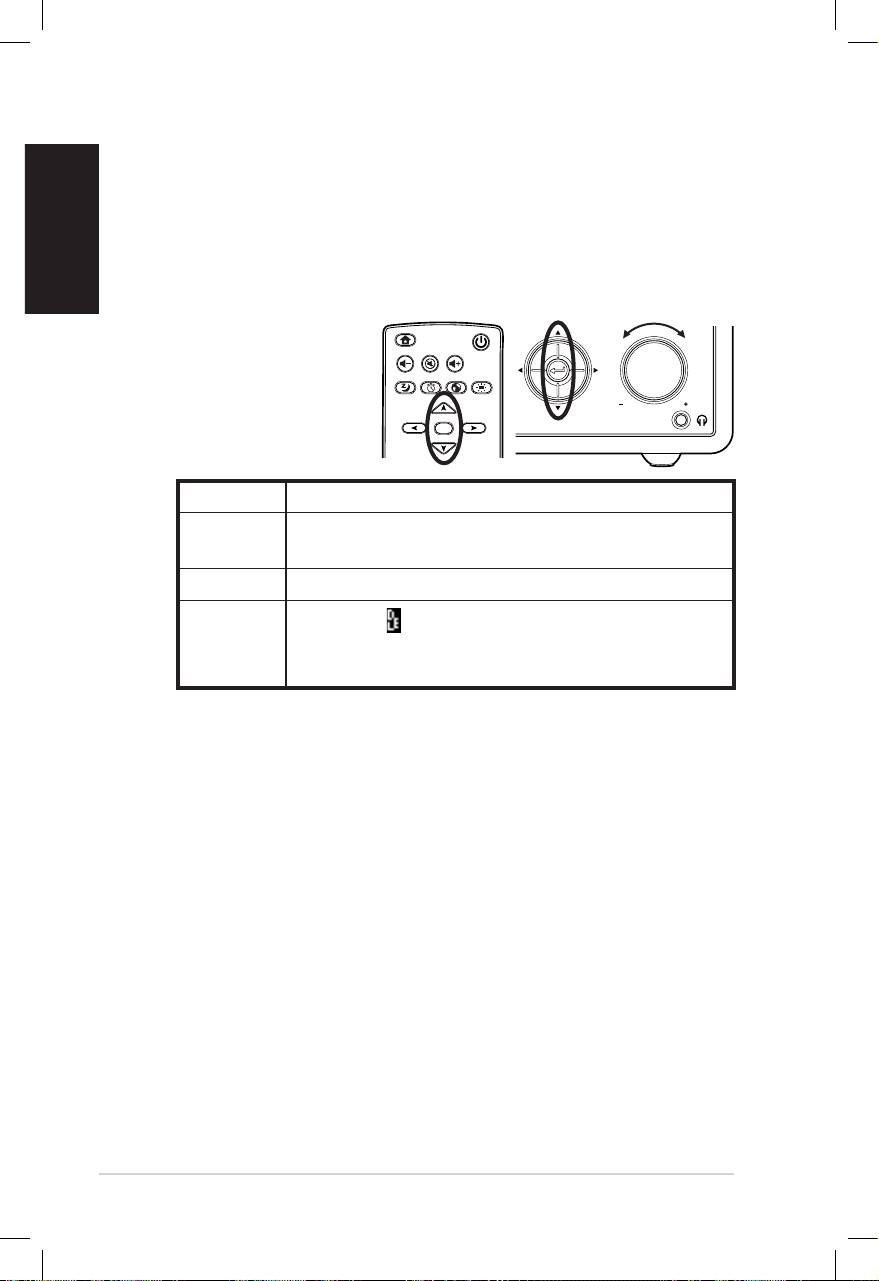
Русский
6 ASUSинтернет-радио
Ввод текста
ПридобавлениирадиостанцийилииспользованииWEP/WPA
ключадлябеспроводнойсетивамнужновводитьтекст.
Длявводабуквнижнего/верхнегорегистра,символовилицифр
выполнитеследующее:
1. Нажмитекнопки
вверх/внизили
повернитеручку
громкостидля
выборасимвола:
Примечание: Символы появляются в циклическом порядке. После
“пробела”будетбольшаяA.
2. Для перехода дальше нажмите кнопку вправо. Когда
закончитенажмитевводилиручкугромкости.
Для ввода IP адреса или других сетевых параметров или
установкидаты,времени,будильникаследуйтевышеуказанным
инструкциям.
Home
Standby/On
Volume-
Mute
Volume+
Sleep
Alarm
Language
Backlight
Enter
Favorite
1 2 3
4 5 6
7 8 9
10
+Favorite
Standby/On
1 2 3 4 5
HOME
Volume
Буквы AaBbCc…Zz
$%&#_^~`“‘,.:;?!*-+@<=>{¦}[
Символы
\](/)
Цифры 0123456789
Удалить( ):Выберитеинажмитекнопки
Другое
вправо/влеводляудалениятекстаслева.
Пробел:Выберитедлядобавленияпробела.
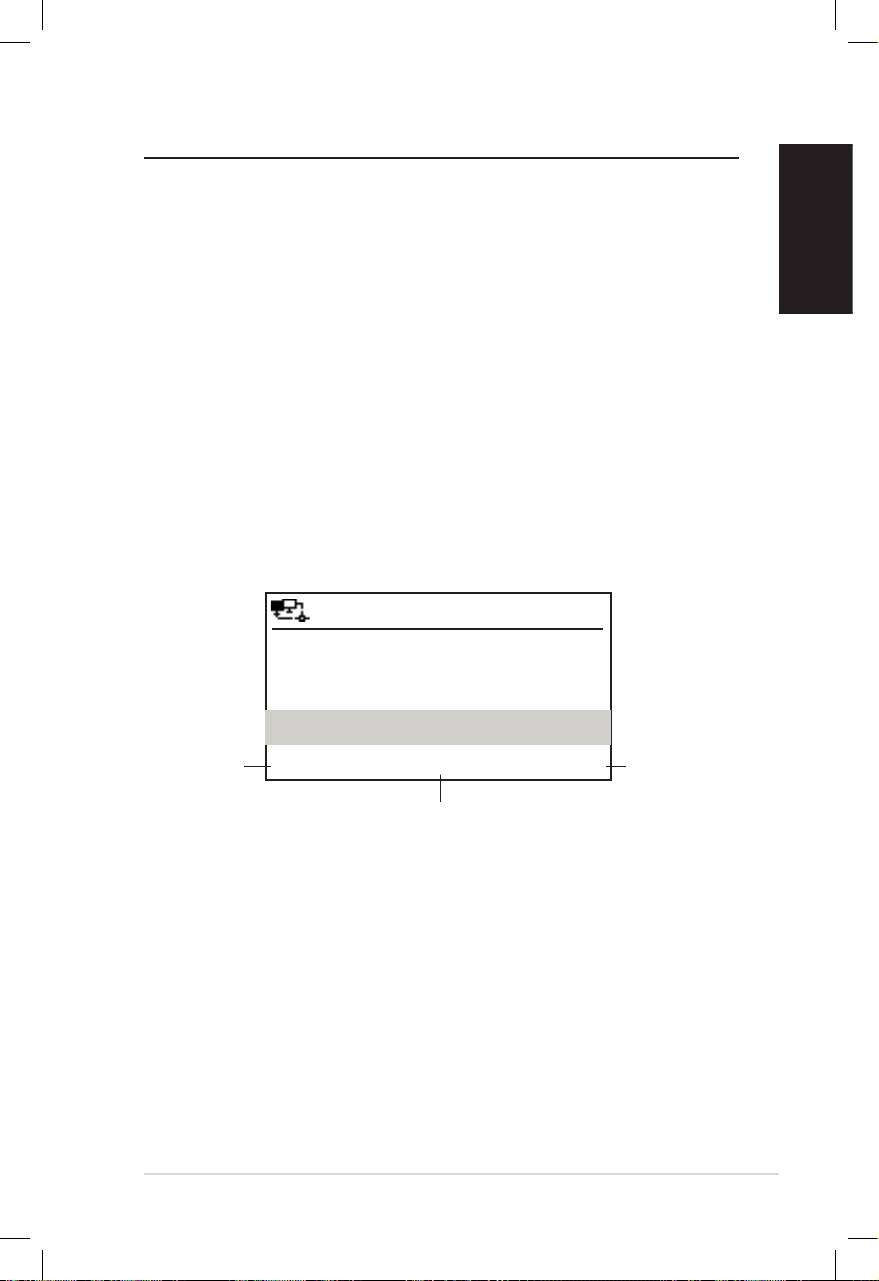
Русский
ASUSинтернет-радио7
Прослушивание радио
Поиск радиостанций
ASUS интернет-радио имеет обновляемый, хорошо
классифицированныйсписоконлайн-радиостанций.Некаждая
интернет-радиостанция имеет соответствующую обычную
радиостанцию.Некоторыеизнихведуттрансляциютолькочерез
Интернет.Выможетенайтистанциюпомузыкальномужанру
или расположению. Также вы можете просмотреть станции в
алфавитномпорядке.
Поиск по жанру
1. В главном меню выберите Радиостанция/музыка > Жанр,
появитсясписокжанроввалфавитномпорядке.
2. Используя кнопки вверх/вниз выберите жанр. Например,
есливыхотитепослушатьджаз:
12:00PM
Тяжелыйрок
Нажмите
Нажмите
Хип-хоп
кнопку
кнопку
вправо для
влево для
Джаз
отображения
возврата в
всех
предыдущее
радиостанций
<23/53>
меню.
этого жанра.
rd
Джаз является 23
в списке всех 53 жанров.
3. Нажмитекнопкувправовсехдоступныхрадиостанцийэтого
жанра.Выберитестанциюинажмитевводдляподключения
кней.
Поиск по стране/расположению
1. В главном меню выберите Радиостанция/музыка >
Страна/расположение, появится список регионов в
алфавитномпорядке..

Русский
8 ASUSинтернет-радио
12:00PM
Африка
Азия
Европа
<1/8>
В списке имеются: Африка, Азия, Европа, Латинская
Америка, Средний восток, Северная Америка, Океания и
толькоИнтернет.
2. Выберитегеографическийрегион,затемвыберитестрану.
Появитсясписокстанций,расположенныхвэтойстране.
3. Выберитестанциюинажмитевводдляподключениякней.
Примечание:
• Длястран,имеющихбольшоеколичестворадиостанций,станции
классифицированыпоалфавиту.
• Привыбореязыка,отличногоотанглийского,выувидитеназвание
наязыкестраны.Выделитестрануинажмитевводдляотображения
станций,расположенныхвэтойстране.
Поиск по названию станции
1. ВглавномменювыберитеСервис>SearchRadio
Station.
2. Станцииразделенына10категорийпоихназванию:0-9,
A-C,D-F,G-I,J-L,M-O,P-R,S-U,V-Zидругие.Выберите
категориюипоявитсясписокстанций.
Примечание:Станциисназваниямиотличнымиотримского
алфавитанаходятсявгруппеOther.
3. Сновавыберителюбуюстанциюдляотображения
большегоколичествастанций.Станцииотсортированыв
алфавитномпорядке.
4. Выберитестанциюинажмитевводдляподключениякней.
Примечание: При выборе станции в левом верхнем углу дисплея
появятся вертикальные полоски ,показывая доступность станции.
Триполоскиозначаютотличнуюдоступность.
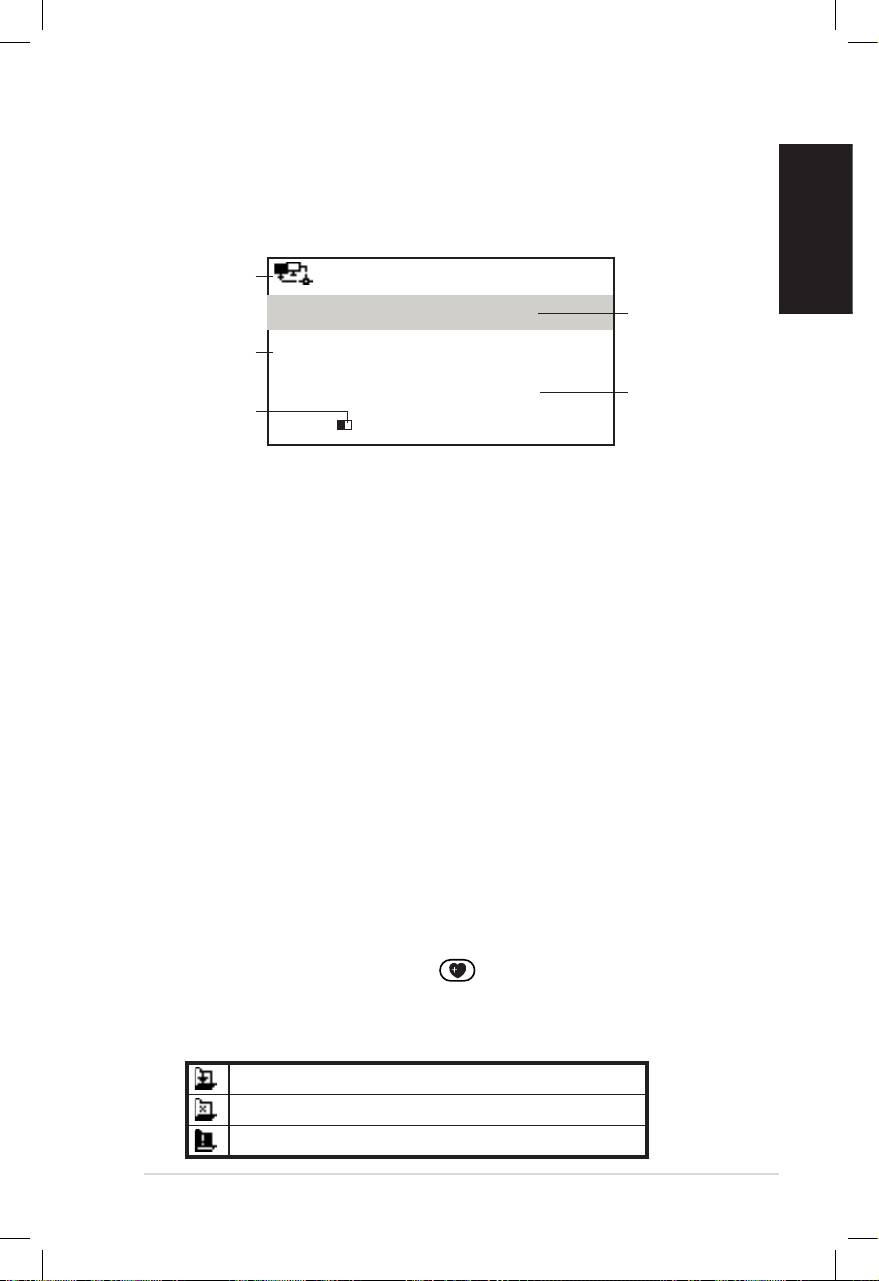
Русский
ASUSинтернет-радио9
Подключение к станции
ЕслиASUSинтернет-радиоуспешноподключенокстанции,на
дисплеепоявитсяследующее:
Состояние
сети
12:00PM
Название
AllThatJazzRadio
станции
Информация
о данных
WMA32kbps/Jazz
Состояние
Воспроизведение…
Буфер
соединения*
length**
< 11/92
Примечание:
• *Состояние соединения может изменяться с “Подключение”
на “Буферизация” и “Воспроизведение”. Для остановки
воспроизведенияивозвратавпредыдущееменюнажмитеввод.
• **Дополнительнуюинформациюпонастройкебуферасмотритена
странице14.
• Есливы перешли в главное меню приподключении к станции, в
верхнемправомуглудисплеяпоявитсятаймеробратногоотсчета.
Через10секундсистемаавтоматическивозвратитсякпредыдущей
станции.
Добавление станции в список любимых
Вы можете добавить текущую радиостанцию или найденную
всписке в любимые.Такжевыможете вручнуюввестиадрес
станции и добавить ее в список любимых станций. ASUS
интернет-радиоимеетпамятьна250станций.
Добавление текущей радиостанции
1. Нажмитекнопку+Favorite напульте.
2. Следующие иконки появятся рядом с иконкой сетевого
состоянияпоказываясостояние
Станциябыладобавленавлюбимые.
Станцияужебылавлюбимых.
Количестволюбимыхпревышает250.

Русский
10 ASUSинтернет-радио
Добавление радиостанции из списка
1. Найдитестанция,используялюбойспособизраздела
“Поискрадиостанций”.
2. Выберитестанциюинажмитеправуюкнопкунавигации
дляотображенияподменю:
12:00PM
Добавитьвлюбимые
Автопоиск(вниз)
Автопоиск(вверх)
<1/4
3. • Добавитьвлюбимые:Добавлениестанциивсписок
любимыхстанций.
• Автопоиск(вверх)/(вниз): Подключение к станциям,
находящимся вверху/внизу от выбранной станции.
Каждая станция будет воспроизводиться 30 секунд, в
это время вы можете добавить ее в любимые, нажав
кнопку+Favorite .
• Воспроизвести:Подключениекстанции.
Состояние любимых станций смотрите в таблице на
странице9.
Добавление станции, введенной вручную
1. ВглавномменювыберитеСервис>Добавитьновую
радиостанцию.
2. Введитеадресстанции.Подробнуюинформациюповводу
текстасмотритевразделе“Textentry”настранице6.
3. Когдазакончитенажмитевводдлядобавленияеевсписок
любимыхстанций.Состояниелюбимыхстанцийсмотрите
втаблиценастранице9.
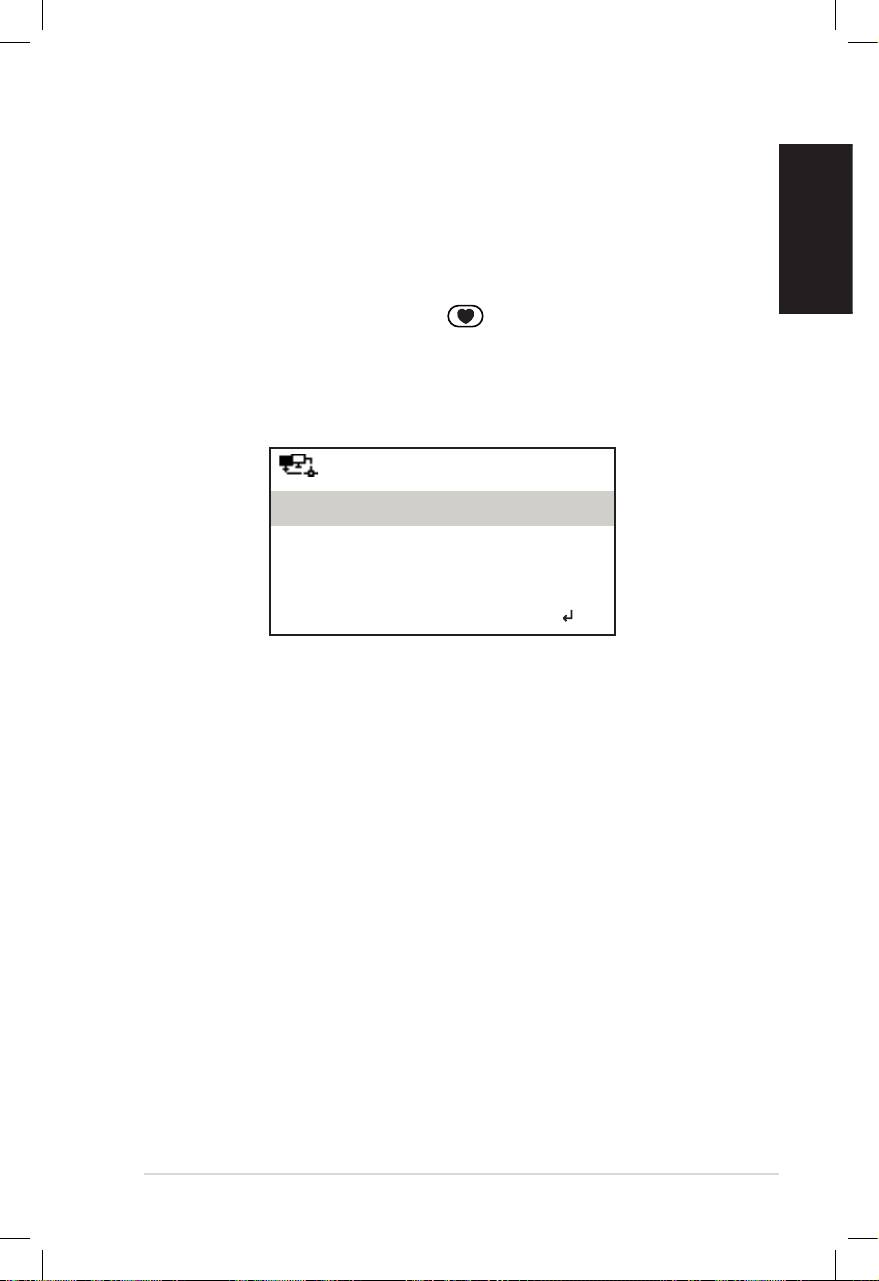
Русский
ASUSинтернет-радио11
Управление любимыми станциями
ASUSинтернет-радиоможетхранитьвспискелюбимыхдо250
станций,такимобразомвыможетеполучитьбыстрыйдоступк
ним.
Управлениеспискомлюбимыхстанций:
1. Нажмите кнопку Favorite на пульте или выберите
Любимые в главном меню. Появится список любимых
станций.
2. Выберитестанциювспискеинажмитекнопкувправодля
появленияподменю:
12:00PM
Удалить
Переместитьвверх
Переместитьвниз
<1/5
3. • Удалить:Удалениестанции.
• Переместитьвверх/вниз:Изменениепорядкастанцийв
списке. Переместите часто используемые станции
на первые 5 или 10 мест, таким образом вы можете
выбиратьихкнопками.
• Переименовать:Переименованиестанции.
• Воспроизвести:Подключениекстанции.
Такжеможноподключитьсяклюбимымстанциямследующим
образом:
• Выберите станциювспискелюбимыхстанций инажмите
ввод.
• Для подключения к первым 5 станциям в любом меню
нажмитекнопки1–5напереднейпанелиилипульте.
• Дляподключениякстанциям6-10влюбомменюнажмите
кнопки6–10напульте.

Русский
12 ASUSинтернет-радио
Другие параметры
Конфигурация
Выбрав Конфигурация в главном меню вы можете
сконфигурироватьASUSинтернет-радио,включаясеть,часы,
будильник, язык, подсветку, таймер отключения, буфер и
прочее.
Сеть
ПодробнуюинформациюсмотритевразделеРуководство по
настройке сети.
Часы
ВопцииКонфигурация > Часы выможетеустановитьвремя//
дату и формат времени. При первом включении устройства
оно подключится к сети и покажет время по Гринвичу
(GMT). Установите часы в соответствии с вашим часовым
поясом, затем используя NTP протокол, устройство будет
синхронизироватьвремячерезИнтернет.
• Установить дату и время: установите время и дату.
Подробнуюинформациюповводутекстасмотритевразделе
“Вводтекста”настранице6.
• Установить формат времени:Выберитеформат:12 часов
или24 часа.
Примечание:
• Вы можете проверить время по Гринвичу (GMT) в меню
Информационный центр.
• Выполнитесбросчасовприизменениичасовогопояса.
Будильник
Здесь вы можете включить/отключить будильник. Нажатие
кнопки Alarm на пульте также включает/отключает
будильник.
Дляустановкибудильникавыполнитеследующее:
1. ПерейдитевКонфигурация>Будильник>Включить.

Русский
ASUSинтернет-радио13
2. Выберите Установить будильник и введите значения.
Подробнуюинформациюповводутекстасмотритевразделе
“Вводтекста”настранице6.
3. ВыберитеЗвук будильникаивыберитетипзвукаизБипер,
МелодияиРадио(последняяпрослушиваемаястанция).
4. Иконка появится в правом верхнем углу дисплея,
показывая,чтобудильниквключен.
Убедитесь, что в это время устройство не подключается к
какой-либостанцииибудильникневыключен.Дляотключения
сигналанажмителюбуюклавишу.
Язык
Подробнуюинформациюпоустановкеязыкасмотритена
странице5.
Подсветка
В опции Конфигурация > Подсветка вы можете настроить
яркостьподсветки.Такжевыможетеизменитьрежимподсветки
нажавкнопкуBacklight напульте.Доступнытрирежима:
• Выключить:Выберитедлявыключенияподсветки.
• Энергосбережение: Выберитедляуменьшенияподсветки.
• Включить: Выберитедлявключенияподсветки.
Таймер отключения
В опции Конфигурация > Таймер отключения вы можете
выбрать промежуток времени, через который устройство
выключится. Вы также можете установить таймер нажав
кнопкуSleep напульте.Когдафункциявключена,иконка
XXX появитсявправомверхнемуглудисплея,XXXозначает
количество оставшегося времени. Доступно шесть опций:
Выключить, 15 минут, 30 минут, 60 минут, 90 минут и
120 минут.
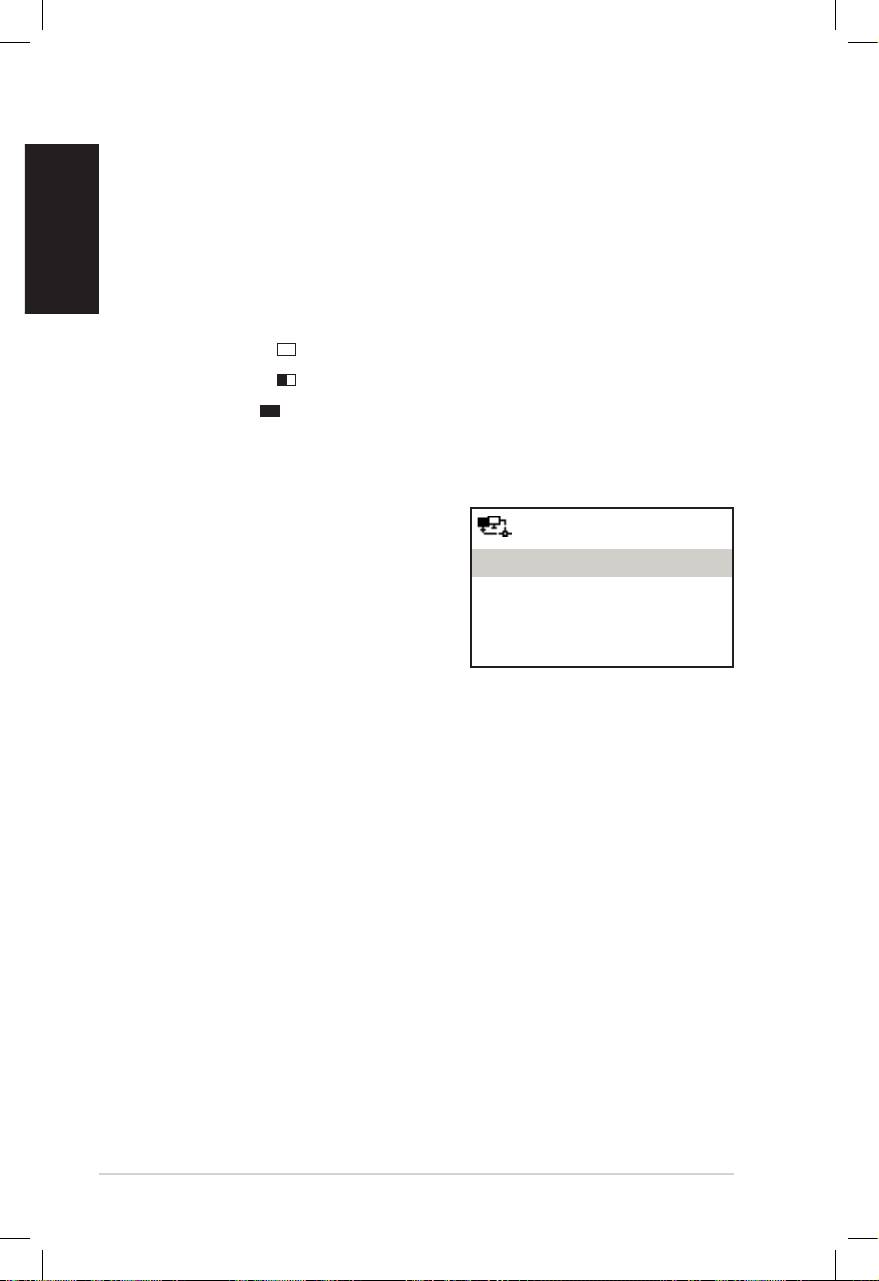
Русский
14 ASUSинтернет-радио
Буфер
В опции Конфигурация > Буфер вы можете установить
размер буфера. Установка большого буфера улучшает
качествопередачиданных,ноувеличиваетвремяожидания.При
подключении к станции появится иконка, означающая длину
установленногобуфера:
• 2 секунды:
• 4 секунды:
• 8 секунд:
Обновленная версия
Припоявленииновойверсиипоявитсявсплывающееокно.
ВыберитеОбновленная версия
12:00PM
(да)длязагрузкипоследней
версии.
Обновленнаяверсия(Yes)
ПривыбореОбновленная версия
Обновленнаяверсия(No)
(нет), выможетезагрузитьее
позже:
1. Перейдите Конфигурация > Обновленная версия и
выберитепункт,разрешающийзагрузку.
Примечание:Еслитамничегонет,значитуваспоследняяверсия.
2. Выберите Да. Появится таймер обратного отсчета с 60
секунд.Ждитедоперезагрузкиустройства.
3. ПерейдитеПерейдите Конфигурация > Обновленная версия для
проверкичтоназваниеверсииотличаетсяотпредыдущей
Примечание: Не выключайте устройство во время процесса
обновления.
Сброс
ВопцииКонфигурация > Сбросвыможетевыполнитьсброс
устройствакзаводскимпараметрам.Списоклюбимыхстанций
исетевыепараметрыбудутудалены.

Русский
ASUSинтернет-радио15
Устранение неисправностей
Прочитайтеответыначастозадаваемые вопросы. Если вы не
получили ответа, вы можете непосредственно обратиться к
разработчику,руководствуяськонтактнойинформациейвэтом
руководстве.
На дисплее показано, что станция работает, но ничего не
слышу.
Некоторые станции не имеют 24-часовой трансляции. Если
станция не в это время ничего транслирует, вы ничего не
слышите.
Почемуяничегонеслышуизколонок?
• Проверьте, что звук не отключен или громкость не
установленавминимальноезначение.Прибавьтегромкость
или нажмите кнопку Mute для включения звука. При
использовании дополнительных колонок убедитесь, что
поключенныеколонкивключены.
• Есливышеприведенныеинструкциинепомогли,попробуйте
перезагрузитьустройство.
ЧтоделатькогдаASUSинтернет-радионеработает?
Нажмите тумблер питания на задней стороне устройства для
выключенияустройства,затемвключитеегоснова.
Яустанавливаюбудильник,нооннеустанавливается.
Будильникнеустанавливаетсяприподключениикстанции.
Нестабильнобеспроводноесоединение.
• Установитепроводноесоединениедляпроверкидоступности
сети.
• Еслипроводноесоединениестабильно,используйтеего.

Почемусписоконлайн-радиостанцийменяется?
Русский
Адресаинтернет-радиостанциймогутизменяться,такимобразом
устройствообновляетих.ASUSинтернет-радиоавтоматически
обновляет список радиостанций при подключении к сети. Во
время процесса обновления (1–2 минуты) ваше устройство
функционируеткакобычно.
Янемогуподключитьсякопределеннымрадиостанциям.
Доступность онлайн-радиостанций может зависеть от
пропускной способности сети в различных странах. Ошибка
подключениявозможнаиз-заследующихпричин:
• Страна, к которой вы хотите подключиться имеет узкий
канал.РекомендуетсяиспользоватьADSL/кабельныймодем
спропускнойспособностьюнеменее1Mбит/с.
• Интернет-перегрузка.
• Радиостанциянеобеспечиваетдостаточнуюширинуканала.
• Радиостанциявремонтеилинесуществует.
Есливынеможетеподключитьсякнекоторымрадиостанциям,
обратитеськнамнаhttp://vip.asus.com/eservice/techserv.aspx.
16 ASUSинтернет-радио
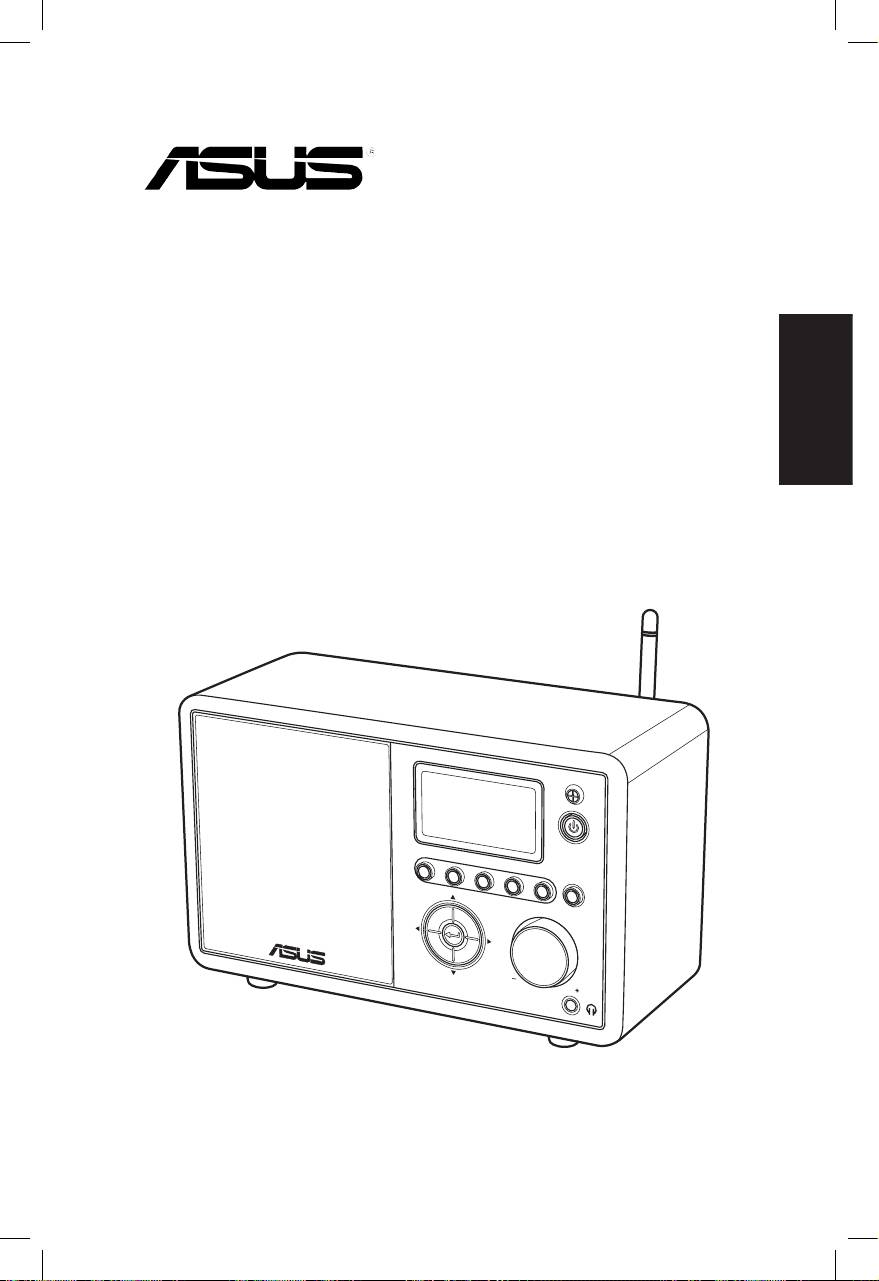
ASUS Internet Radio
Nederlands
Gebruikershandleiding
S
ta
nd
1 2 3 4
by/O
n
5
H
O
ME
V
olu
m
e
AIR

Nederlands
ii ASUS Internet Radio
Inhoudsopgave
Inhoudsopgave ...................................................... ii
Mededelingen ....................................................... iv
Welkom .................................................................. vi
Inhoud verpakking ............................................................................vi
Overzicht ............................................................................................. vii
Specificaties ....................................................................................... vii
Aan de slag ............................................................. 1
Vooraanzicht .........................................................................................1
Achteraanzicht .....................................................................................2
De afstandsbediening gebruiken .................................................3
Het apparaat inschakelen ................................................................4
Taalselectie ............................................................................................5
Tekstinvoer ............................................................................................6
Luisteren naar de radio ......................................... 7
Een radiostation zoeken ...................................................................7
Zoeken op genre ...........................................................................7
Zoeken op land/locatie ...............................................................7
Zoeken op stationsnaam ...........................................................8
Een verbinding maken met een station .....................................9
Een station toevoegen aan Mijn favorieten ..............................9
Een radiostation dat momenteel wordt afgespeeld,
toevoegen .......................................................................................9
Een radiostation uit de lijst toevoegen ..............................10
Een handmatig ingevoerd station toevoegen ................10
Mijn favorieten beheren ................................................................11
Overige instellingen ............................................ 12
Configuratie .......................................................................................12
Netwerk .........................................................................................12
Klok .................................................................................................12

Nederlands
ASUS Internet Radio iii
Wekker ...........................................................................................12
Taal ..................................................................................................13
Achtergrondverlichting ...........................................................13
Slaaptimer ....................................................................................13
Buffer ..............................................................................................14
Versie-update ..............................................................................14
Reset ...............................................................................................14
Problemen oplossen............................................ 15

Nederlands
iv ASUS Internet Radio
Mededelingen
FCC-verklaring (Federal Communications
Commission)
Dit apparaat werd getest en voldoet aan de beperkingen voor
een klasse B digitaal apparaat, in naleving van deel 15 van
de FCC-voorschriften. Deze limieten zijn vastgesteld om een
redelijke beveiliging te bieden tegen schadelijke storingen in
een residentiële installatie. Dit apparaat genereert, gebruikt
en kan radiofrequentie-energie uitstralen en kan, indien niet
geïnstalleerd en gebruikt in overeenstemming met de instructies,
schadelijke storing veroorzaken in radiocommunicatie. Er is
echter geen garantie dat er geen storing zal optreden in een
particuliere installatie. Indien dit apparaat toch schadelijke
storingen veroorzaakt aan radio- of televisieontvangst, wat kan
vastgesteld worden door het apparaat in en uit te schakelen,
moet de gebruiker deze storing proberen te corrigeren door een
of meer van de volgende maatregelen te nemen:
• Wijzig de richting van de ontvangstantenne of verplaats de
antenne.
• Vergroot de afstand tussen de apparatuur en de ontvanger.
• Sluit het apparaat aan op een stopcontact op een ander
circuit dan dat waarop de ontvanger is aangesloten.
• Raadpleeg de leverancier of een ervaren radio/Tv-technicus
voor hulp.
Dit apparaat voldoet aan Deel 15 van de FCC-voorschriften. Het
gebruik is onderhevig aan de volgende twee voorwaarden:
• Dit apparaat mag geen schadelijke storing veroorzaken en
• Dit apparaat moet elke ontvangen storing aanvaarden,
met inbegrip van storing die ongewenste werking kan
veroorzaken.
FCC-waarschuwing:
Aanpassingen en wijzigingen die niet uitdrukkelijk zijn
goedgekeurd door de partij die verantwoordelijk is voor de
naleving kunnen de bevoegdheid van de gebruiker om dit
apparaat te gebruiken, vernietigen.

Nederlands
ASUS Internet Radio v
BELANGRIJKE OPMERKING:
FCC-verklaring inzake blootstelling aan stralen
Dit apparaat voldoet aan de FCC-beperkingen betreffende
blootstelling aan stralen, die werden opgesteld voor een
niet-gecontroleerde omgeving. Dit apparaat moet worden
geïnstalleerd en gebruikt met een minimumafstand van 20 cm
tussen de zender en uw lichaam. Deze zender mag niet worden
geplaatst of gebruikt in combinatie met een andere antenne
of zender. Het gebruik van dit product in de V.S. volgens IEEE
802.11b or 802.11g is beperkt tot de firmware voor kanalen 1 tot
en met 11.
Verklaring voor Canadese bedrijven
Het gebruik is onderhevig aan de volgende twee voorwaarden:
• Dit apparaat mag geen storing veroorzaken en
• Dit apparaat moet elke storing aanvaarden, met inbegrip van
storing die ongewenste werking van het apparaat kan
veroorzaken.
BELANGRIJKE OPMERKING:
Verklaring met betrekking tot stralingsblootstelling
Dit apparaat voldoet aan de IC-beperkingen betreffende
blootstelling aan stralen, die werden opgesteld voor een
niet-gecontroleerde omgeving. Dit apparaat moet worden
geïnstalleerd en gebruikt met een minimumafstand van 20 cm
tussen de zender en uw lichaam.
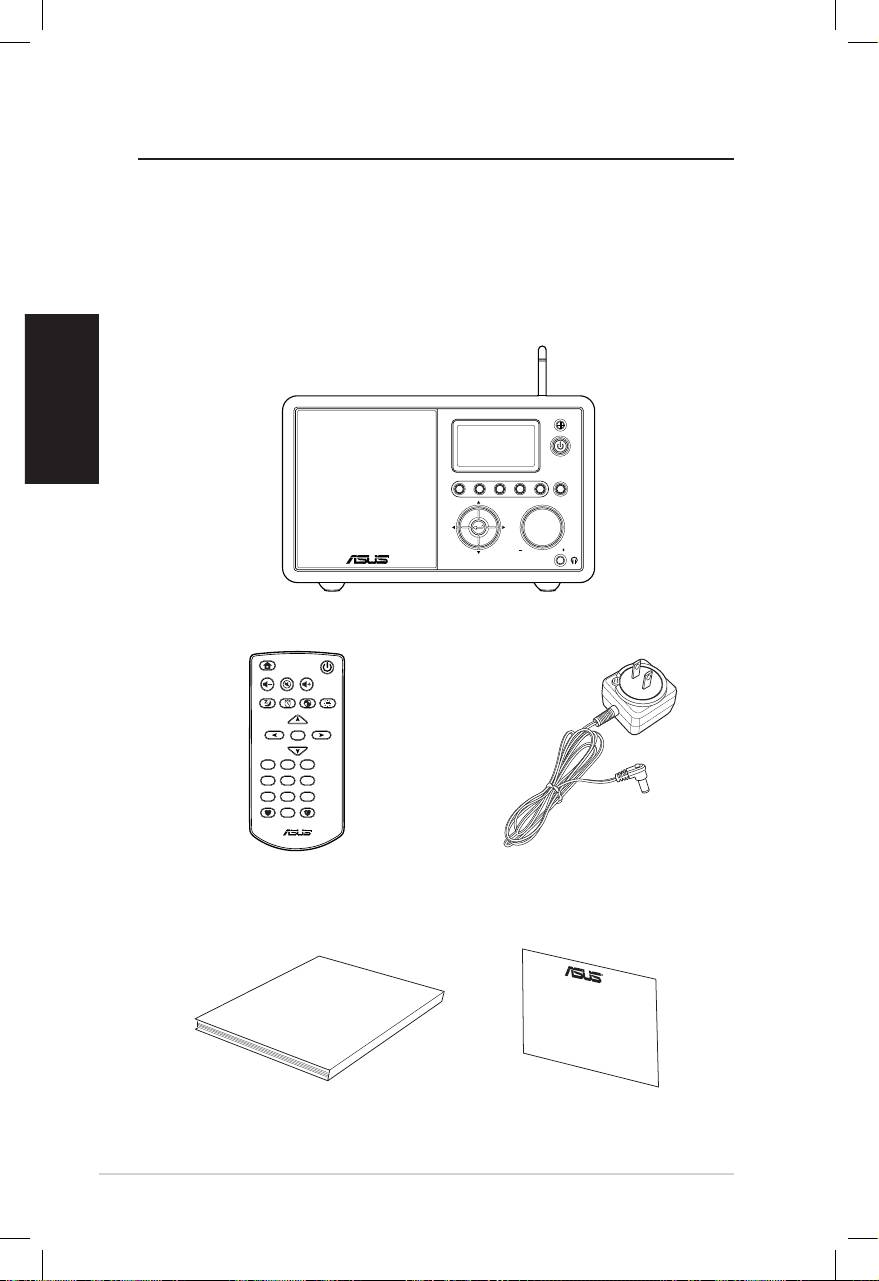
Nederlands
vi ASUS Internet Radio
Welkom
Gefeliciteerd met uw aankoop van de ASUS Internet Radio. De
volgende afbeelding toont de inhoud van de verpakking van uw
nieuwe ASUS Internet Radio.
Inhoud verpakking
User Manual
Home
Standby/On
Volume-
Mute
Volume+
Sleep
Alarm
Language
Backlight
Enter
1 2 3
4 5 6
7 8 9
10
Favorite
+Favorite
Standby/On
1 2 3 4 5
HOME
Volume
ASUS Internet Radio
Afstandsbediening
Wisselstroomadapter
Gebruikershandleiding
Garantiekaart
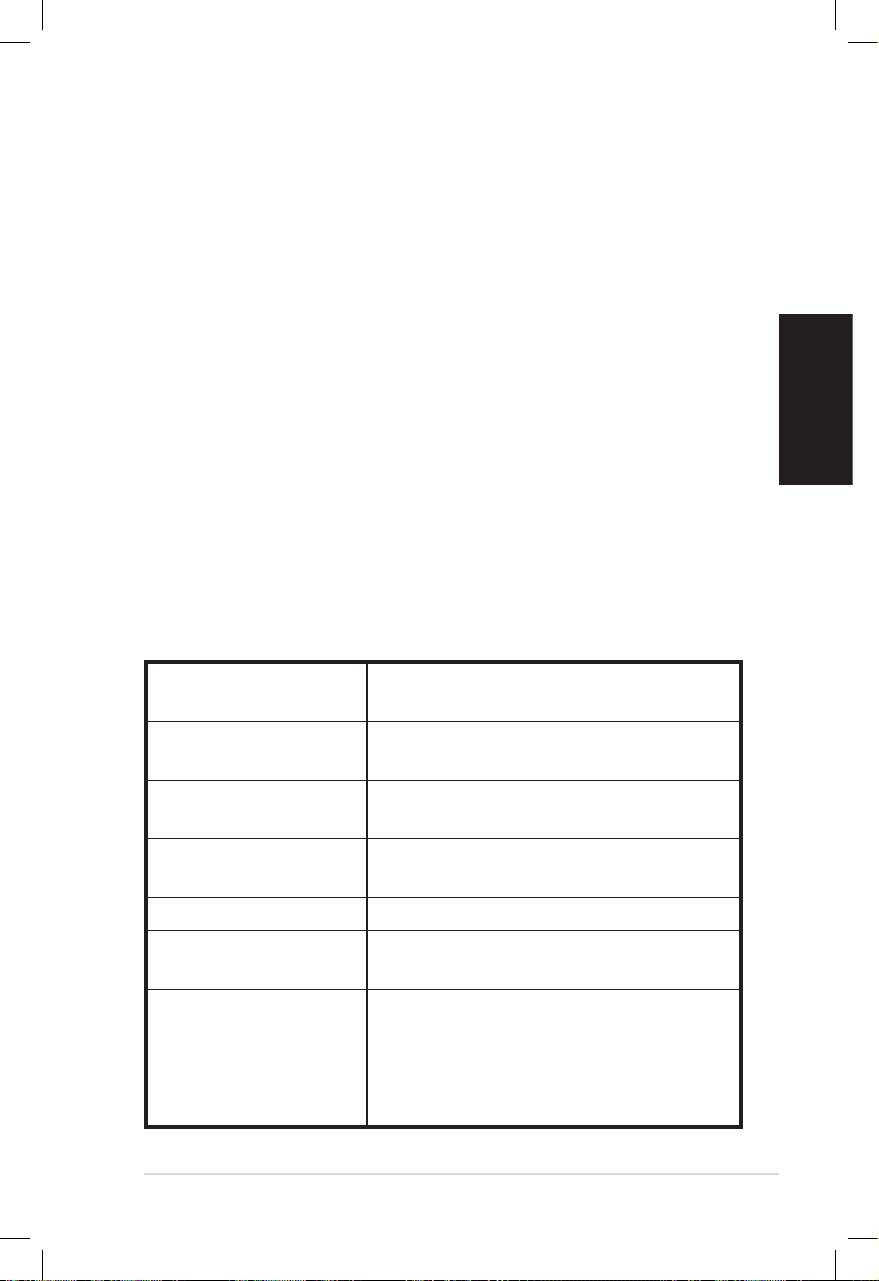
Nederlands
ASUS Internet Radio vii
Overzicht
De ASUS Internet Radio biedt gemakkelijk toegang tot een groot
aanbod radiozenders op het internet. Voordat u kunt genieten
van uw ASUS Internet Radio, moet u zorgen dat u toegang hebt
tot een bekabeld/draadloos netwerk.
Eigenschappen
• Onafhankelijk apparaat
• Draadloze/kabelverbinding
• Bijgewerkte lijst van meer dan 10.000 zender online
• 250 favorieten
• Wekker
• Slaaptimer
• Netwerktijdprotocol (NTP)
Specicaties
Connectiviteit Draadloos LAN 802.11b/g
Bekabeld 10/100M Ethernet
Gegevenssnelheden 54 Mbits (WLAN)
10/100 Mbits (Ethernet)
Draadloze
64/128-bits WEP
LAN-beveiliging
WPA/WPA2
Audioformaatdecoder MP3/WMA
16Kbps–320Kbps
SNR >90dB oortelefoon
Scherm 128 x 64 FSTN grafische weergave
Blauwe kleur met witte LED
I/O-poorten Hoofdtelefoonaansluiting (Φ 3,5 mm)
Lijningang (Φ 3,5 mm)
Lijnuitgang (RCA-aansluiting)
Ethernet (RJ45)
Stekker gelijkstroomvoeding

Luidspreker 5 watt/4 ohm
Wisselstroomadapter Ingang: AC 100-240V (50-60Hz)
Uitgang: DC 6V/2A
Afstandsbediening 26 knoppen
Afmetingen 250 (L) X 128 (B) X 190 (H) (in mm)
Nederlands
Gewicht 2 kg
Bandbreedte
Min. 1 Mbps
ADSL/kabelmodem
(aanbevolen)
viii ASUS Internet Radio
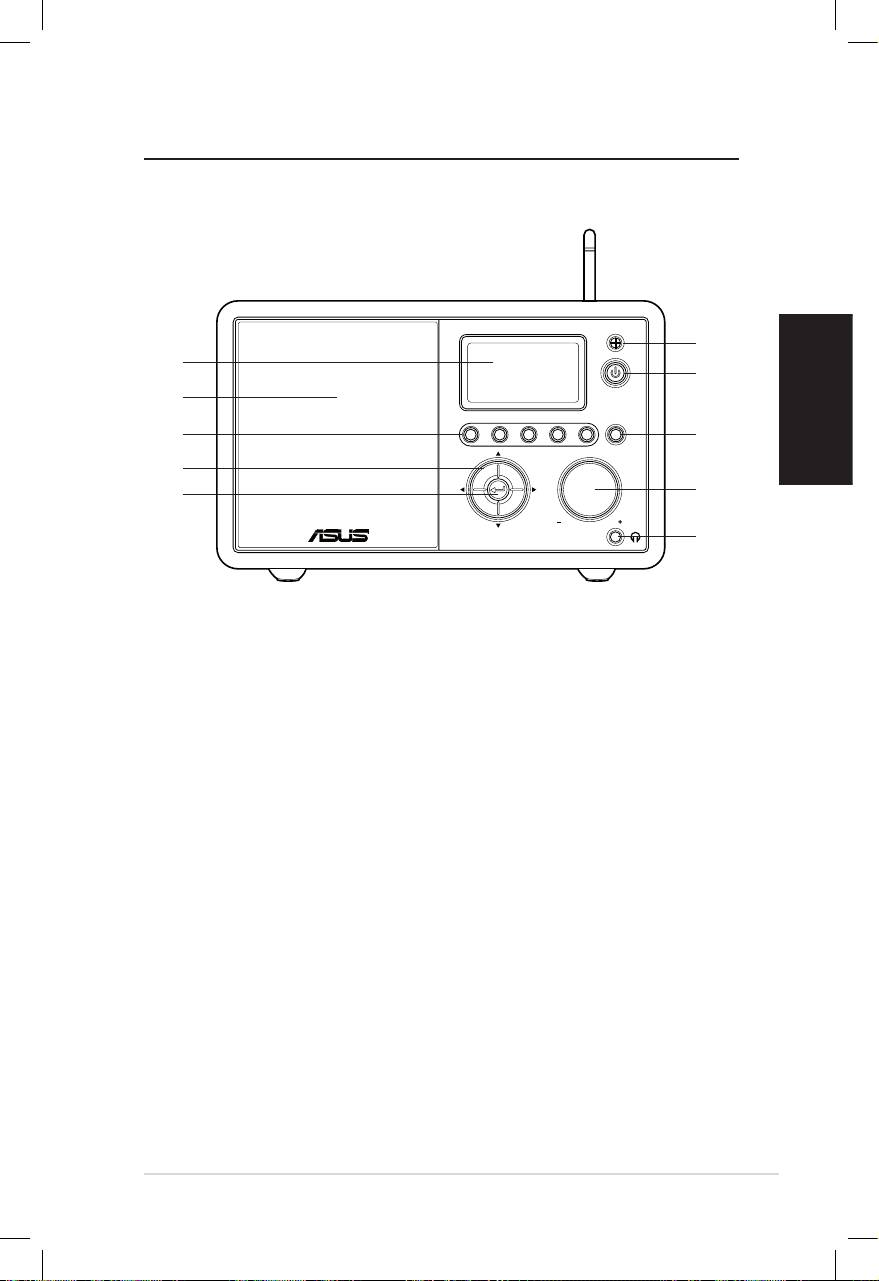
Aan de slag
Vooraanzicht
Nederlands
ASUS Internet Radio 1
Standby/On
1 2 3 4 5
HOME
Volume
1
10
2
9
8
3
7
4
6
5
1. IR-sensor: ontvangt opdrachten van de afstandsbediening.
2. Knop Stand-by/AAN: indrukken om het apparaat te
schakelen tussen stand-by en ingeschakeld.
3. Knop Startscherm: indrukken om terug te keren naar het
hoofdmenu.
4. Volumeknop: naar rechts draaien om het volume te
verhogen of naar links draaien om het volume te verlagen.
Draaien om tekst in te voeren of om omhoog/omlaag te
schuiven door de menuopties. Indrukken om uw selectie van
een menuoptie te bevestigen.
5. Aansluiting hoofdtelefoon: sluit de hoofdtelefoon aan
op deze aansluiting zodat u discreet kunt luisteren. U kunt
ook extra luidsprekers op deze aansluiting aansluiten met
behulp van een audiokabel.
6. Enter-knop: Indrukken om uw selectie van een menuoptie
te bevestigen.
7. Navigatieknop omhoog/omlaag/links/rechts: drukken om
omhoog/omlaag/naar links/naar rechts te navigeren door de
menu-items.
8. Voorinstellingsknoppen 1-5: indrukken om een vooraf
ingesteld radiostation op te roepen.
9. Luidspreker: de ingebouwde luidspreker.
10. Display: het LCD-scherm met achtergrondverlichting.
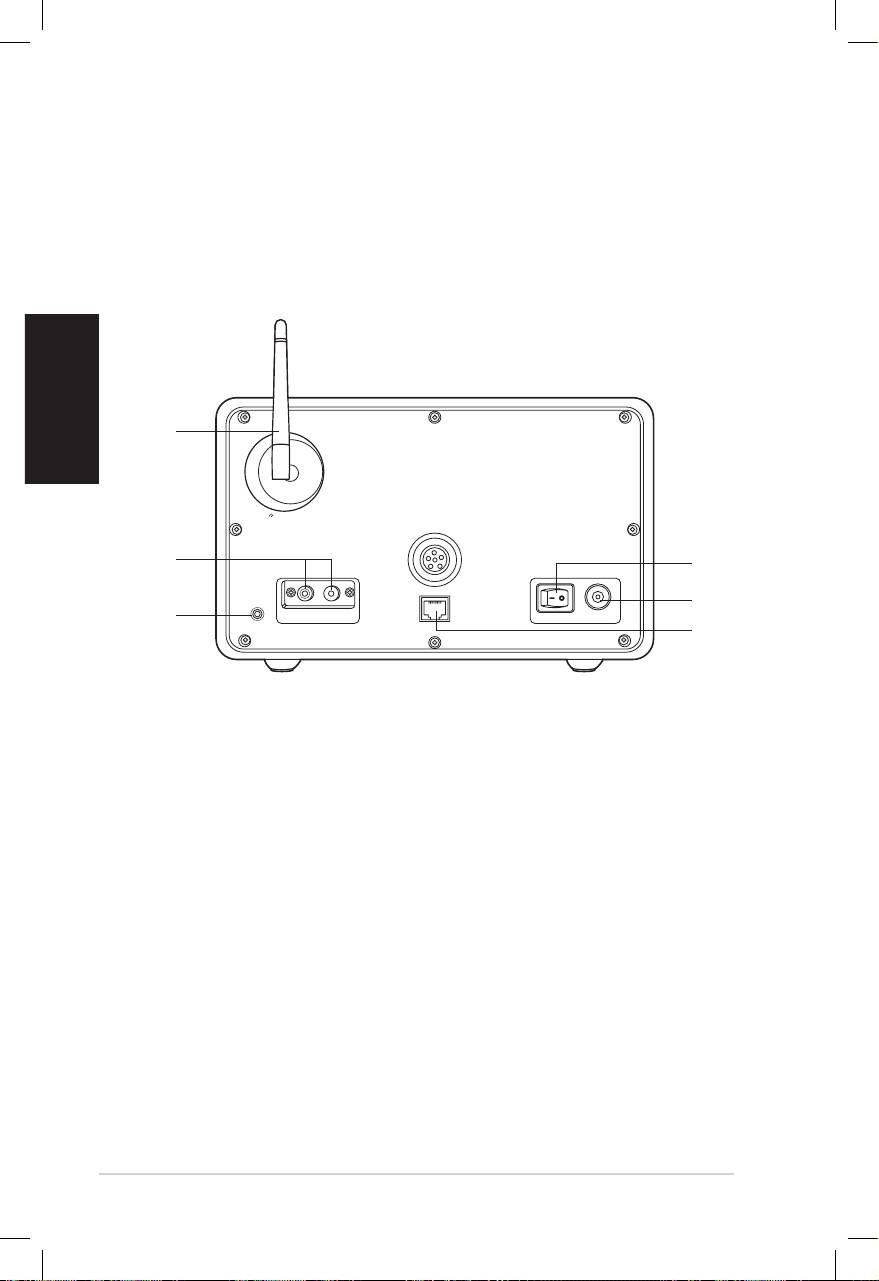
Nederlands
2 ASUS Internet Radio
Achteraanzicht
1
2
3
Antenna
LAN
LINE IN
R L
LINE OUT
ON OFF DC
OPMERKING: De functies op het voorpaneel zijn ook te vinden op de
afstandsbediening. Zie pagina’s 3 en 4 voor meer informatie.
6
5
4
1. Voedingsschakelaar: het apparaat in/uitschakelen.
2. Gelijkstroomaansluiting: sluit de bijgeleverde
voedingskabel aan op deze aansluiting.
3. LAN-poort: sluit een netwerkkabel aan op deze poort.
4. Lijningang: als u het apparaat alleen als luidspreker zult
gebruiken, sluit u een audiokabel aan op deze aansluiting.
Het apparaat zal automatisch overschakelen naar de
AUX-modus.
5. Lijnuitgang links/rechts: sluit audiokabels aan op deze
aansluitingen om extra stereo te gebruiken.
6. Antenne: plaats de antenne verticaal voor de beste
ontvangst van het draadloze signaal.
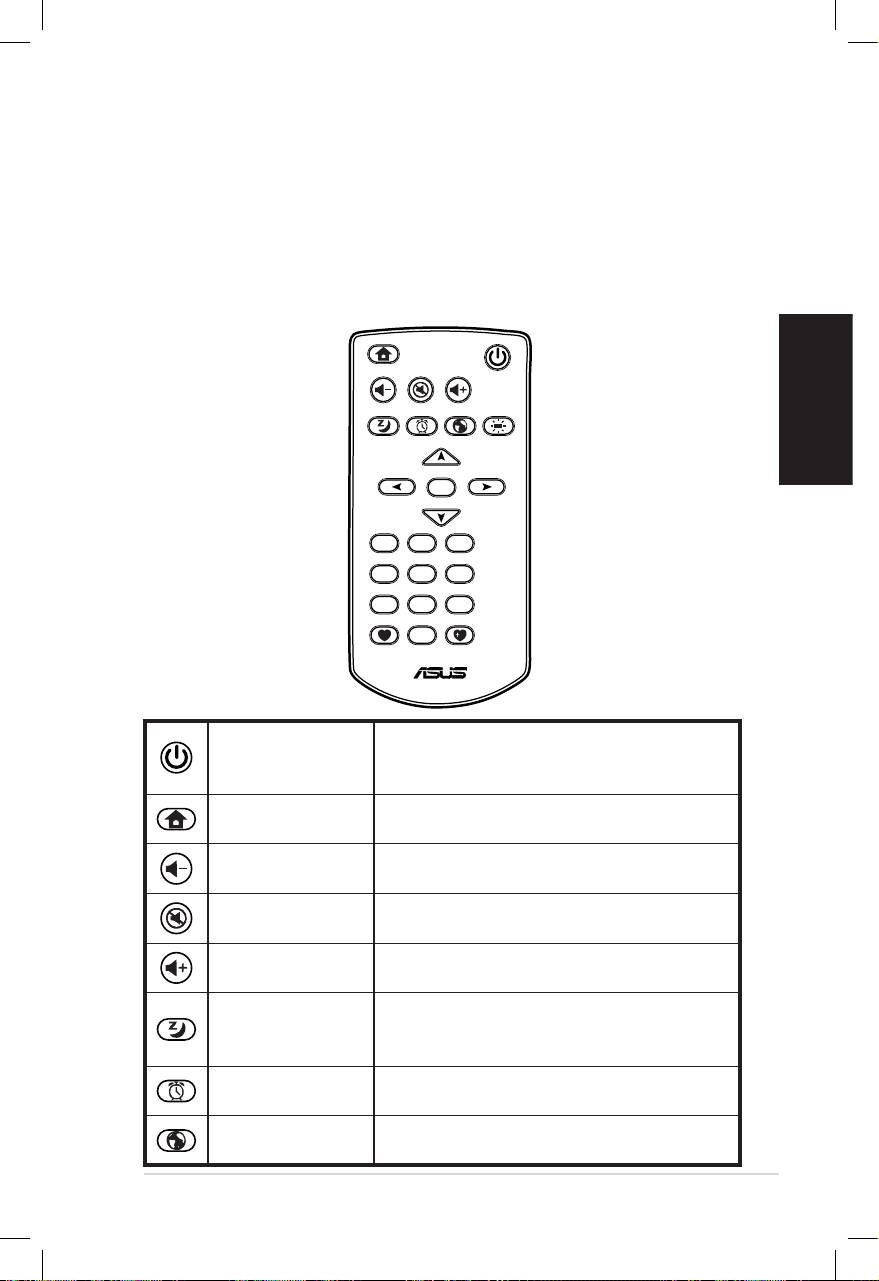
Nederlands
ASUS Internet Radio 3
De afstandsbediening gebruiken
Gebruik de afstandsbediening om radiostations te zoeken, een
lijst van uw favoriete zenders te maken en andere instellingen te
configureren.
Raadpleeg de onderstaande tabel voor informatie over de
knoppen van de afstandsbediening en hun functies.
Home
Standby/On
Volume-
Mute
Volume+
Sleep
Alarm
Language
Backlight
Enter
1 2 3
4 5 6
7 8 9
10
Favorite
+Favorite
Indrukken om het apparaat te
Knop Stand-by/
schakelen tussen stand-by en
AAN
ingeschakeld.
Knop
Indrukken om terug te keren naar het
Startscherm
hoofdmenu.
Indrukken om het uitvoervolume te
Knop Volume -
verlagen.
Indrukken om de audio-uitvoer te
Knop Dempen
dempen.
Indrukken om het uitvoervolume te
Knop Volume +
verhogen.
Indrukken om een vooraf ingestelde
Knop
duur te selecteren waarna het appa-
Slaapstand
raat wordt uitgeschakeld.
Indrukken om de wekker in/uit te
Knop Alarm
schakelen.
Indrukken om een menutaal te
Knop Taal
selecteren.
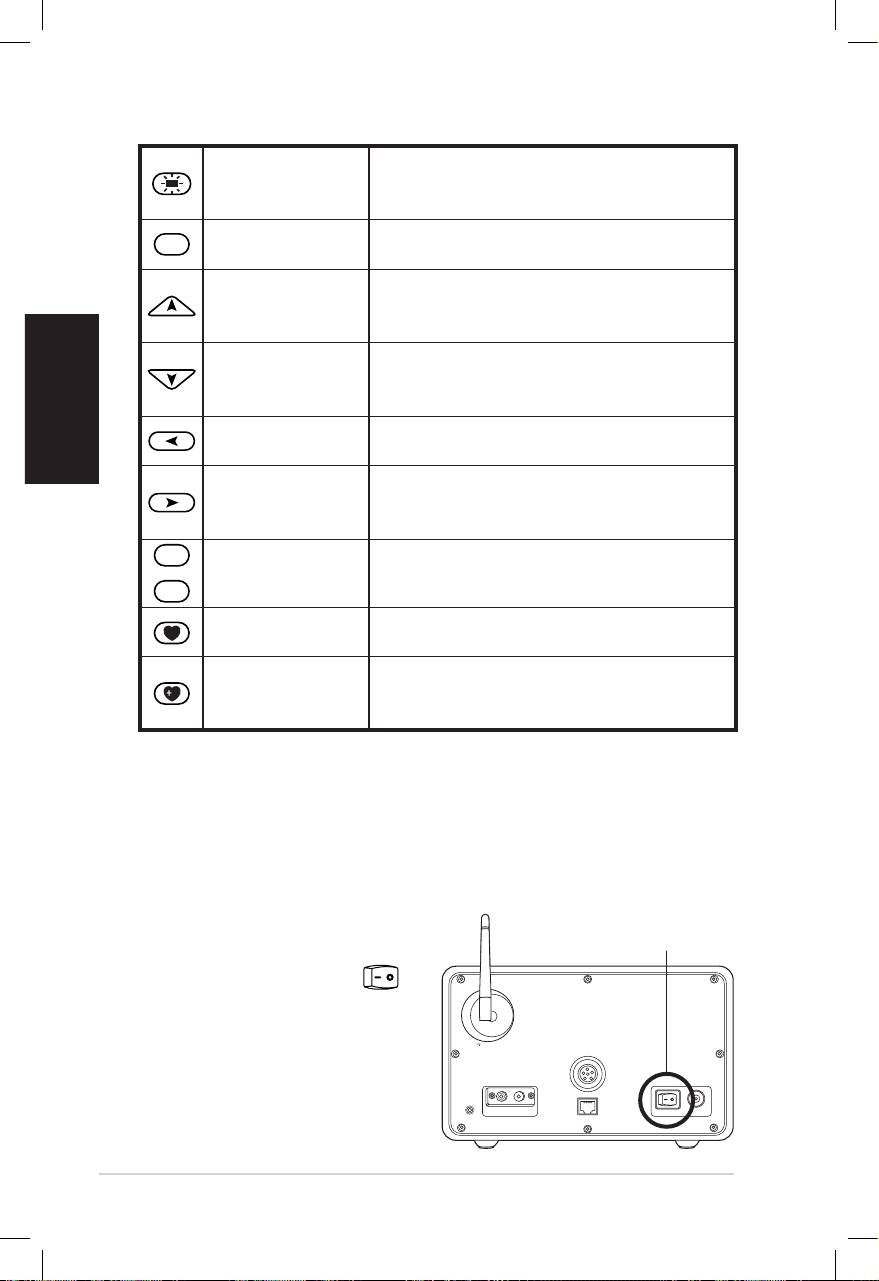
Nederlands
4 ASUS Internet Radio
Knop
Indrukken om een modus voor de
Achtergrond-
achtergrondverlichting te selecteren.
verlichting
Enter
Indrukken om uw selectie van een
Enter-knop
menuoptie te bevestigen.
Indrukken om omhoog door
Navigatieknop
menu-items te schuiven.
Omhoog
Indrukken om tekst te selecteren.
Indrukken om omlaag door
Navigatieknop
menu-items te schuiven.
Omlaag
Indrukken om tekst te selecteren.
Navigatieknop
Indrukken om naar het vorige menu
Links
terug te keren.
Indrukken om uw selectie van een
Navigatieknop
optie te bevestigen en naar het
Rechts
submenu te gaan.
1
~
10
Voorinstelling-
Indrukken om een vooraf ingesteld
sknoppen 1-10
radiostation op te roepen.
Indrukken om uw lijst met favorieten
Knop Favoriet
weer te geven.
Indrukken om het radiostation dat
Knop +Favoriet
momenteel wordt afgespeeld, op te
slaan in uw favorietenlijst.
Het apparaat inschakelen
1. De ASUS Internet Radio voor de eerste keer inschakelen:
Stop de bijgeleverde voedingsadapter in een stopcontact.
2. Sluit de voedingsadapter aan op de gelijkstroomaansluiting
op het achterpaneel.
Antenna
LAN
LINE IN
R L
LINE OUT
ON OFF DC
IN/UITSCHAKELEN
3. Druk op de
voedingsschakelaar
op het achterpaneel
om het apparaat in te
schakelen. Het scherm
licht op om het
ASUS-logo te tonen.
Daarna verschijnt het
volgende hoofdmenu:
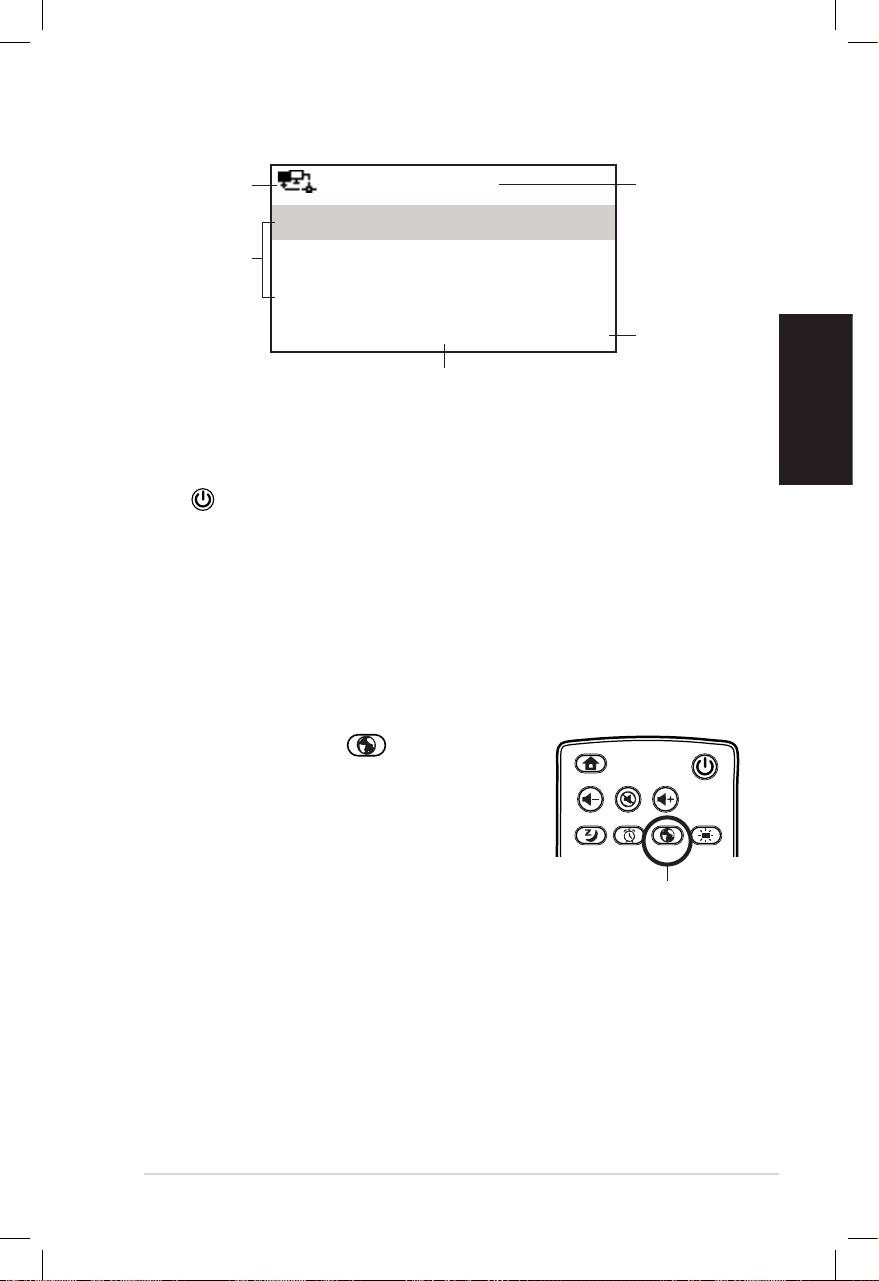
Nederlands
ASUS Internet Radio 5
Netwerk-
12:00PM
Tijd
status
Mijn favorieten
Menuopties
Radiostation/muziek
Druk op de
Mediacentrum
rechternav-
igatieknop
1/6 >
om het
Het hoofdmenu bevat zes opties
submenu
en de eerste optie is gemarkeerd.
weer te
geven.
OPMERKING: Het apparaat wordt niet ingeschakeld wanneer u op de
knop op het voorpaneel of op de afstandsbediening drukt.
Taalselectie
De ASUS Internet Radio ondersteunt meerdere talen voor de
menuopties.
De taal wijzigen:
Druk op de knop Taal op de
afstandsbediening om de taal die u
gebruikt te selecteren (de snelste manier).
OF:
1. Selecteer in het hoofdmenu
Configuratie > Taal.
2. Druk op de navigatieknop omhoog/omlaag om door de
taalopties te schuiven en druk op Enter om de
geselecteerde taal toe te passen.
OPMERKING: De geselecteerde taal wordt alleen toegepast op de
menu’s en systeemberichten van het apparaat. De weergegeven
zendernamen kunnen verschillen afhankelijk van de locatie van de
stations.
Home
Standby/On
Volume-
Mute
Volume+
Favorite
Sleep
1 2 3
4 5 6
7 8 9
Alarm
10
Enter
+Favorite
Language
Backlight
Knop Taal
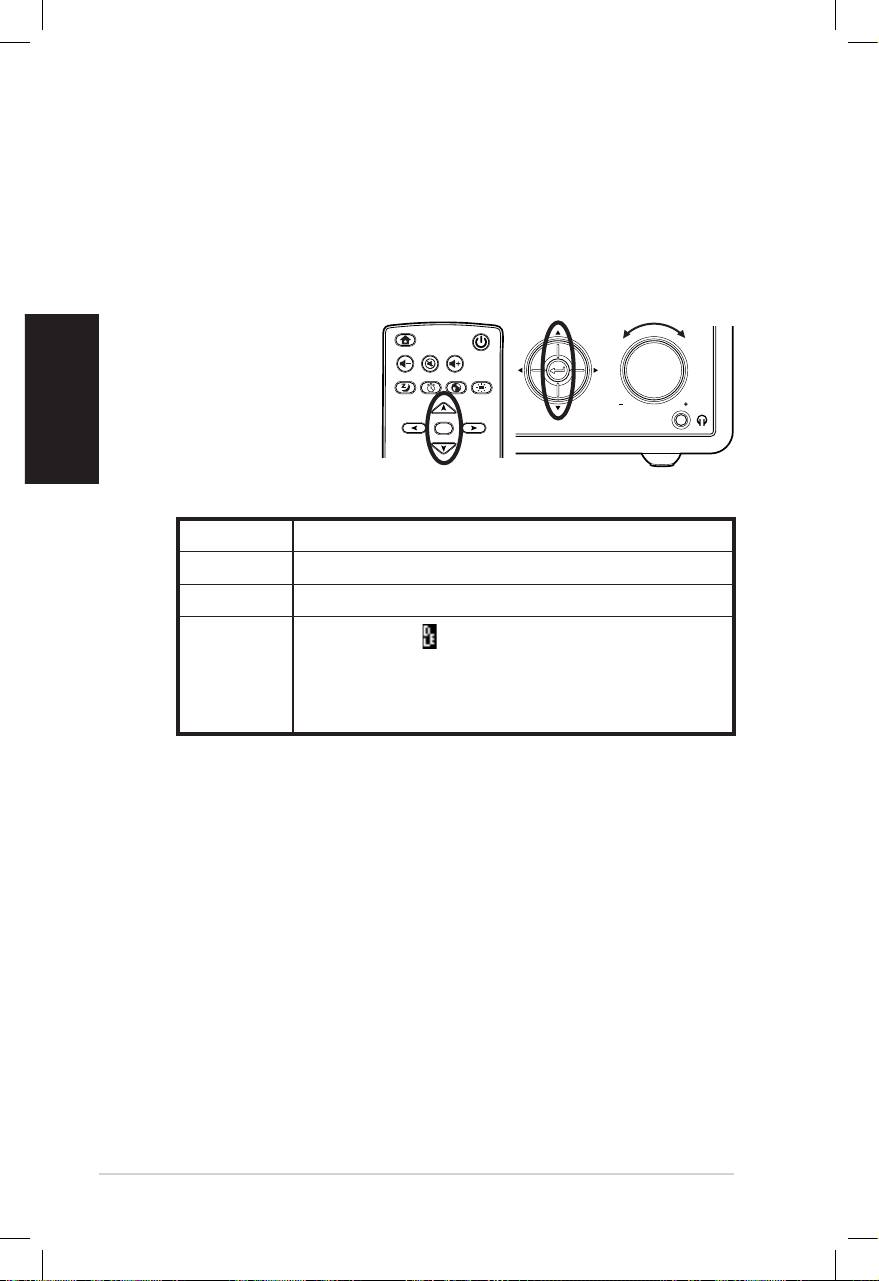
Nederlands
6 ASUS Internet Radio
Tekstinvoer
Wanneer u het adres van een online radiozender toevoegt of een
WEP/WPA-sleutel gebruikt voor de draadloze netwerkbeveiliging,
moet u tekst invoeren.
Hoofdletters/kleine letters, symbolen of cijfers invoeren:
1. Druk op de
navigatieknop
omhoog/omlaag of
draai de
volumeknop om een
van de volgende
tekens te selecteren:
OPMERKING: De tekens verschijnen in een cyclus. Naast de “spatie”
bevindt zich de hoofdletter A.
2. Druk op de navigatieknop rechts om door te gaan naar de
volgende invoer. Druk op Enter op de volumeknop wanneer
u klaar bent.
Volg de bovenstaande stappen om uw IP-adres en andere IP-
parameters in te voeren of om de tijd, de datum en het alarm in
te stellen.
Home
Standby/On
Volume-
Mute
Volume+
Sleep
Alarm
Language
Backlight
Enter
Favorite
1 2 3
4 5 6
7 8 9
10
+Favorite
Standby/On
1 2 3 4 5
HOME
Volume
Letters A a B b C c…Z z
Symbolen $ % & # _ ^ ~ ` “ ‘, . : ; ? ! * - + @ < = > { ¦ } [ \ ] ( / )
Cijfers 0 1 2 3 4 5 6 7 8 9
Verwijderen ( ): selecteer en druk op de
navigatieknop links/rechts om de tekst aan de
Overig
linkerzijde te verwijderen. Spatie: selecteren
om een spatie toe te voegen.
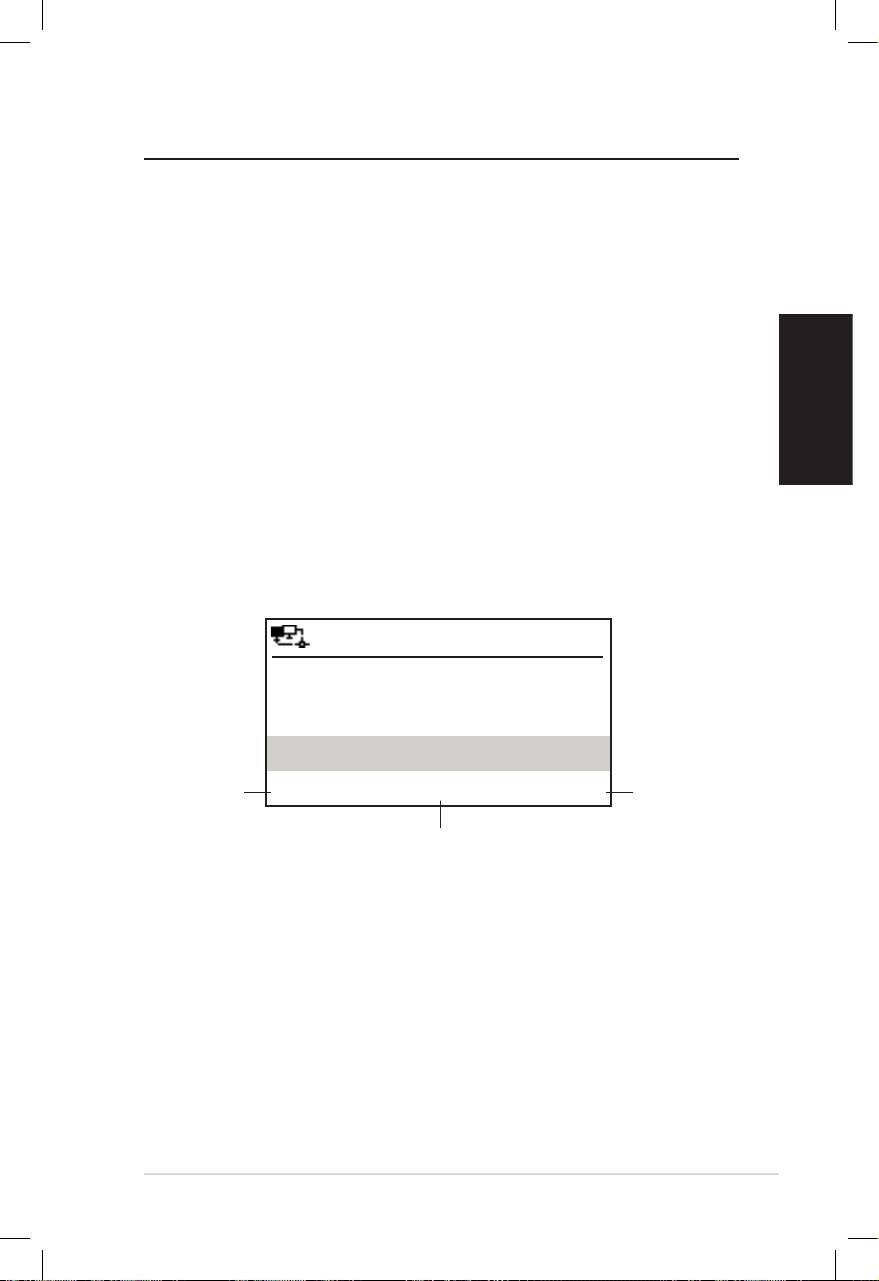
Nederlands
ASUS Internet Radio 7
Luisteren naar de radio
Een radiostation zoeken
De ASUS Internet Radio heeft een bijgewerkte, goed geklasseerde
lijst van online radiostations uit de hele wereld. Niet elk
internetradiostation heeft een overeenkomend traditioneel
radiostation. Sommige van deze stations zenden alleen uit via het
internet. U kunt een station zoeken op muziekgenre of locatie. U
kunt ook in een alfabetische lijst door de stations zoeken.
Zoeken op genre
1. Selecteer Radiostation/muziek > Genre in het hoofdmenu.
Een lijst met muziekgenres wordt in alfabetische volgorde
weergegeven.
2. Druk op de navigatieknop omhoog/omlaag om een genre te
markeren. Als u bijvoorbeeld naar jazzmuziek wilt luisteren:
12:00PM
Druk op
Druk op
Hard Rock
de navi-
de navi-
gatieknop
Hip Hop
gatieknop
links om
rechts om
Jazz
naar het
alle jazz-
vorige
< 23/53 >
stations
menu
weer te
terug te
Jazz is de 23ste van de 53 genres.
geven.
keren.
3. Druk op de navigatieknop rechts om alle beschikbare
jazzstations weer te geven. Markeer een station en druk op
Enter om een verbinding te maken met het station.
Zoeken op land/locatie
1. Selecteer Radiostation/muziek > Landlocatie in het
hoofdmenu. Een lijst met geografische regio’s wordt in
alfabetische volgorde weergegeven.

Nederlands
8 ASUS Internet Radio
12:00PM
Afrika
Aziëë
Europa
< 1/8 >
De lijst omvat: Afrika, Azië, Europa, Latijns-Amerika, Midden-
Oosten, Noord-Amerika, Oceanië/Stille Zuidzee en Alleen
Internet.
2. Selecteer een geografische regio en selecteer vervolgens
een land in die regio. Een lijst met de stations die zich in dit
land bevinden, wordt weergegeven.
3. Markeer een station en druk op Enter om een verbinding te
maken met het station.
OPMERKING:
• Voor landen die een gigantisch aantal radiostations hebben, worden
de stations alfabetisch volgens hun initialen onderverdeeld.
• Als u een andere taal dan Engels selecteert, ziet u de naam van een
land waar die taal wordt gesproken in het menu Radiostation/
muziek. Markeer de landsnaam en druk op Enter om de stations die
zich in dit land bevinden, weer te geven.
Zoeken op stationsnaam
1. Selecteer Service > Radiostation zoeken in het hoofdmenu.
2. De stations worden in 10 categorieën opgesplitst en volgens
de initiaal van hun naam gerangschikt. 0-9, A-C, D-F, G-I, J-L,
M-O, P-R, S-U, V-Z en Overige. Selecteer een categorie. Een
lijst met stations wordt weergegeven.
OPMERKING: Stationsnamen die andere tekens dan het Romeinse
alfabet bevatten, bevinden zich in de groep Overige.
3. Selecteer een van de stations opnieuw om meer stations
weer te geven. De stations worden alfabetisch weergegeven
volgens de eerste twee letters van hun namen.
4. Markeer een station en druk op Enter om een verbinding te
maken met het station.
OPMERKING: Wanneer u een station in de lijsten markeert, verschijnen
verticale balken onderaan links op het scherm om de toegankelijk-
heid van het station aan te geven. Drie balken staan voor de hoogste
toegankelijkheid.
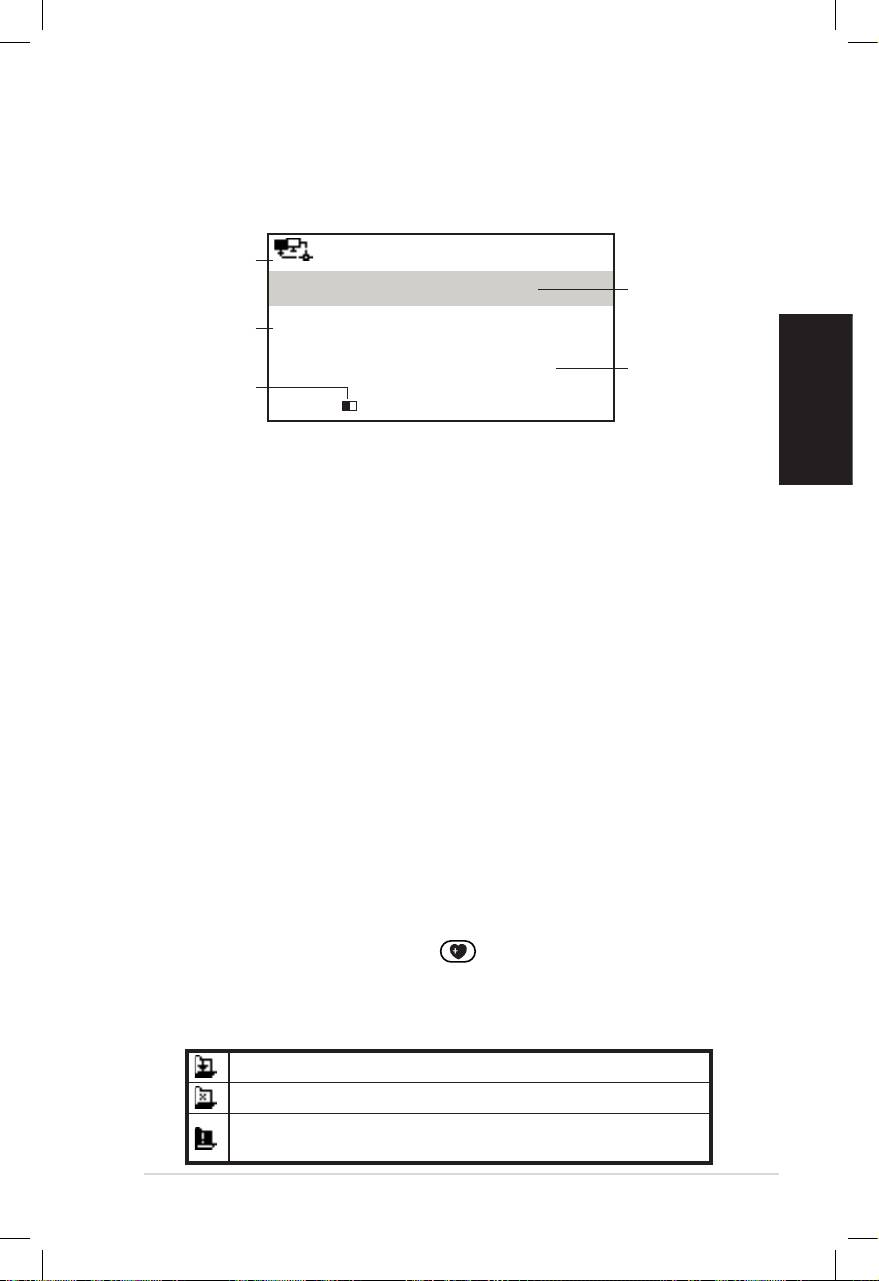
Nederlands
ASUS Internet Radio 9
Een verbinding maken met een station
Als uw ASUS Internet Radio een verbinding heeft gemaakt met
een station, verschijnt het volgende scherm:
Netwerk-
12:00PM
status
Station-
All That Jazz Radio
snaam
Gegeven-
WMA 32 kbps/Jazz
sinformatie
Verbind-
Bezig met afspelen…
Buffer-
ingsstatus*
lengte**
< 11/92
OPMERKING:
• *De verbindingsstatus kan wijzigen van “bezig met verbinden” naar
“bezig met opslaan in buffer” naar “bezig met afspelen”. Druk op
Enter om het afspelen te stoppen en terug te keren naar het vorige
menu.
• **Zie pagina 14 voor informatie over het instellen van de buffer.
• Als u schakelt naar het hoofdmenu terwijl u een verbinding maakt
met een station, verschijnt een afteltimer onderaan rechts op het
scherm. Na een pauze van 10 seconden keert het systeem automa-
tisch terug naar het station dat wordt afgespeeld.
Een station toevoegen aan Mijn
favorieten
U kunt het radiostation dat wordt afgespeeld of een station dat u
in de lijst hebt gevonden, toevoegen aan Mijn favorieten. U kunt
het adres van een station ook handmatig invoeren en toevoegen
aan uw lijst met favorieten. De ASUS Internet Radio heeft een
geheugen van 250 stations.
Een radiostation dat momenteel wordt afgespeeld,
toevoegen
1. Druk op de knop +Favoriet op de afstandsbediening.
2. De volgende pictogrammen verschijnen naast het
pictogram van de netwerkstatus om de status van de favori-
eten aan te geven:
Het station wordt toegevoegd aan Mijn favorieten.
Het station bevindt zich al in Mijn favorieten.
De favorieten hebben de maximale limiet van 250
stations bereikt.

Nederlands
10 ASUS Internet Radio
Een radiostation uit de lijst toevoegen
1. Zoek een station met een van de methoden die zijn
beschreven in het hoofdstuk “Een radiostation zoeken”.
2. Markeer een station en druk op de navigatieknop rechts om
het volgende submenu weer te geven:
12:00PM
Toevoegen aan Mijn favorieten
Auto scannen (omlaag)
Auto scannen (omhoog)
< 1/4
3. • Toevoegen aan Mijn favorieten: selecteer deze optie
om het station toe te voegen aan uw favorietenlijst.
• Auto scannen (omlaag)/(omhoog): selecteer deze optie
om de opeenvolgende stations in de lijst omhoog/om-
laag te verbinden vanaf het gemarkeerde station. Elk sta-
tion wordt 30 seconden afgespeeld. In die tijd kunt u het
station toevoegen aan Mijn favorieten door op de knop
+Favoriet te drukken.
• Afspelen: Selecteer deze optie om een verbinding te
maken met het station.
Raadpleeg de tabel op pagina 9 voor de status van de
favorieten.
Een handmatig ingevoerd station toevoegen
1. Selecteer Service > Nieuw radiostation toevoegen in het
hoofdmenu.
2. Voer het adres van een station in. Raadpleeg het hoofdstuk
“Tekstinvoer” op pagina voor details over het invoeren van
tekst.
3. Druk op Enter wanneer u klaar bent om het station toe te
voegen aan uw favorietenlijst. Raadpleeg de tabel op pagina
9 voor de status van de favorieten:
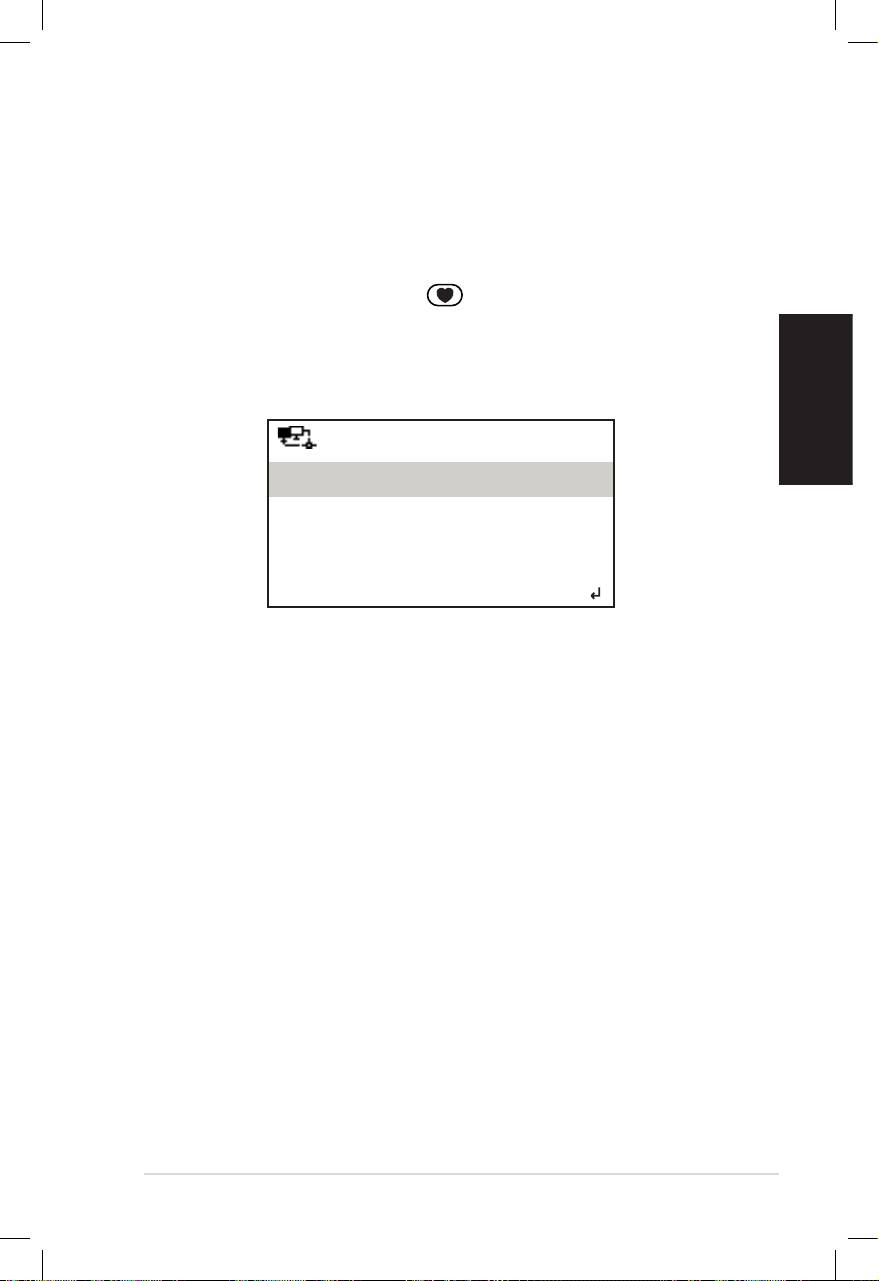
Nederlands
ASUS Internet Radio 11
Mijn favorieten beheren
De ASUS Internet Radio kan tot 250 stations opslaan in Mijn
favorieten zodat u snel toegang krijgt tot de vooraf ingesteld
stations.
Uw favorietenlijst beheren:
1. Druk op de knop Favoriet op de afstandsbediening of
selecteer Mijn favorieten in het hoofdmenu. Een lijst met
vooraf ingestelde stations wordt weergegeven.
2. Markeer een station in de lijst en druk op de navigatieknop
rechts om het volgende submenu weer te geven:
12:00PM
Verwijderen
Omhoog verschuiven
Omlaag verschuiven
< 1/5
3. • Verwijderen: selecteer deze optie om het station te
verwijderen.
• Omhoog/omlaag verschuiven: selecteer deze optie om
de volgorde van de vooraf ingestelde stations te wijzigen.
Verplaats de stations die het vaakst worden afgespeeld
naar de top 5 of 10 zodat u de voorinstellingsknoppen
kunt gebruiken om tussen deze stations te schakelen.
• Naam wijzigen: selecteer deze optie om de naam van
het station te wijzigen.
• Afspelen: selecteer deze optie om een verbinding te
maken met het station.
U kunt ook op de volgende manier een verbinding maken met
een vooraf ingesteld station:
• Markeer een station in uw favorietenlijst en druk op Enter
om de verbinding te maken.
•
Druk vanaf een willekeurig menu op de voorinstellingsknop 1-5
op het voorpaneel of de afstandsbediening om een verbinding
te maken met uw top 5 van vooraf ingestelde stations.
• Druk vanaf een willekeurig menu op de voorinstellingsknop
6-10 op de afstandsbediening om een verbinding te maken
met het zesde tot tiende vooraf ingestelde station.

Nederlands
12 ASUS Internet Radio
Overige instellingen
Conguratie
Wanneer u Configuratie selecteert in het hoofdmenu, kunt u de
instellingen van de ASUS Internet Radio definiëren voor network,
klok, wekker, taal, achtergrondverlichting, slaaptimer, buffer, ver-
sie-update en reset.
Netwerk
Raadpleeg de Netwerkinstallatiegids voor details.
Klok
Met de optie Configuratie > Klok kunt u de tijd/datum en een
notatie voor de tijdsweergave instellen. Wanneer u het
apparaat de eerste keer inschakelt en een verbinding maakt met
het netwerk, wordt de GMT-tijd (Greenwich Mean Time)
weergegeven op het scherm. Stel het uur in volgens uw
tijdzone. Via het netwerktijdprotocol (NTP), een programma voor
de kloksynchronisatie op het internet, synchroniseert het
apparaat zijn klok bijzonder nauwkeurig zolang het met het
netwerk is verbonden.
• Datum en tijd instellen: selecteer deze optie om de tijd en
datum in te stellen. Raadpleeg het hoofdstuk “Tekstinvoer” op
pagina 6 voor details over het invoeren van cijfers.
• Tijdnotatie instellen: selecteer 12-uur en 24-uur-notatie.
OPMERKING:
• U kunt de GMT (Greenwich Mean Time) controleren in het menu
Informatiecentrum.
• Stel de tijd voor het apparaat opnieuw in wanneer u zich in een
andere tijdzone bevindt.
Wekker
Met deze optie kunt u de wekker in/uitschakelen en een wekker
programmeren. Met de knop Wekker op de
afstandsbediening kunt u een geprogrammeerde wekker ook
activeren/deactiveren.

Nederlands
ASUS Internet Radio 13
Een wekkertijd programmeren:
1. Ga naar Configuratie > Wekker > Inschakelen.
2. Selecteer Wekkertijd instellen en voer de waarden in. Raad-
pleeg het hoofdstuk “Tekstinvoer” op pagina 6 voor details
over het invoeren van cijfers.
3. Selecteer Wekkertijd instellen om een geluidstype te
kiezen. U hebt de keuze tussen Pieptoon, Melodie en Radio
(het station dat u het laatst hebt beluisterd).
4. Het pictogram verschijnt bovenaan rechts op het scherm
om aan te geven dat de wekkerfunctie is geactiveerd.
Zorg dat het apparaat geen verbinding maakt met stations op
de ingestelde tijd, anders zal de wekker niet weken. Wanneer
de wekker afgaat kunt u op elke knop drukken om deze uit te
schakelen.
Taal
Zie pagina 5 voor details over de taalselectie.
Achtergrondverlichting
Met de optie Configuratie > Achtergrondverlichting kunt u de
helderheid van de achtergrondverlichting aanpassen. U kunt de
modus voor de achtergrondverlichting ook wijzigen door op de
afstandsbediening op de knop Achtergrondverlichting te
drukken. Er zijn drie modi beschikbaar:
• Uitschakelen: selecteer deze optie om de achtergrondverli-
chting uit te schakelen.
• Energiebesparing: selecteer deze optie om de achtergrond-
verlichting te dimmen.
• Inschakelen: selecteer deze optie om de achtergrondverlicht-
ing in te schakelen.
Slaaptimer
Met de optie Configuratie > Slaaptimer kunt u een vooraf
ingestelde duur selecteren waarna het apparaat moet
uitschakelen. U kunt de slaaptimer ook instellen door op de
afstandsbediening op de knop Slaapstand te drukken.
Wanneer deze functie is geactiveerd, verschijnt het pictogram
XXX bovenaan rechts op het scherm. XXX staat voor het aantal
resterende minuten. Er zijn zes opties beschikbaar. Uitschakelen,
15 min, 30 min, 60 min, 90 min en 120 min.
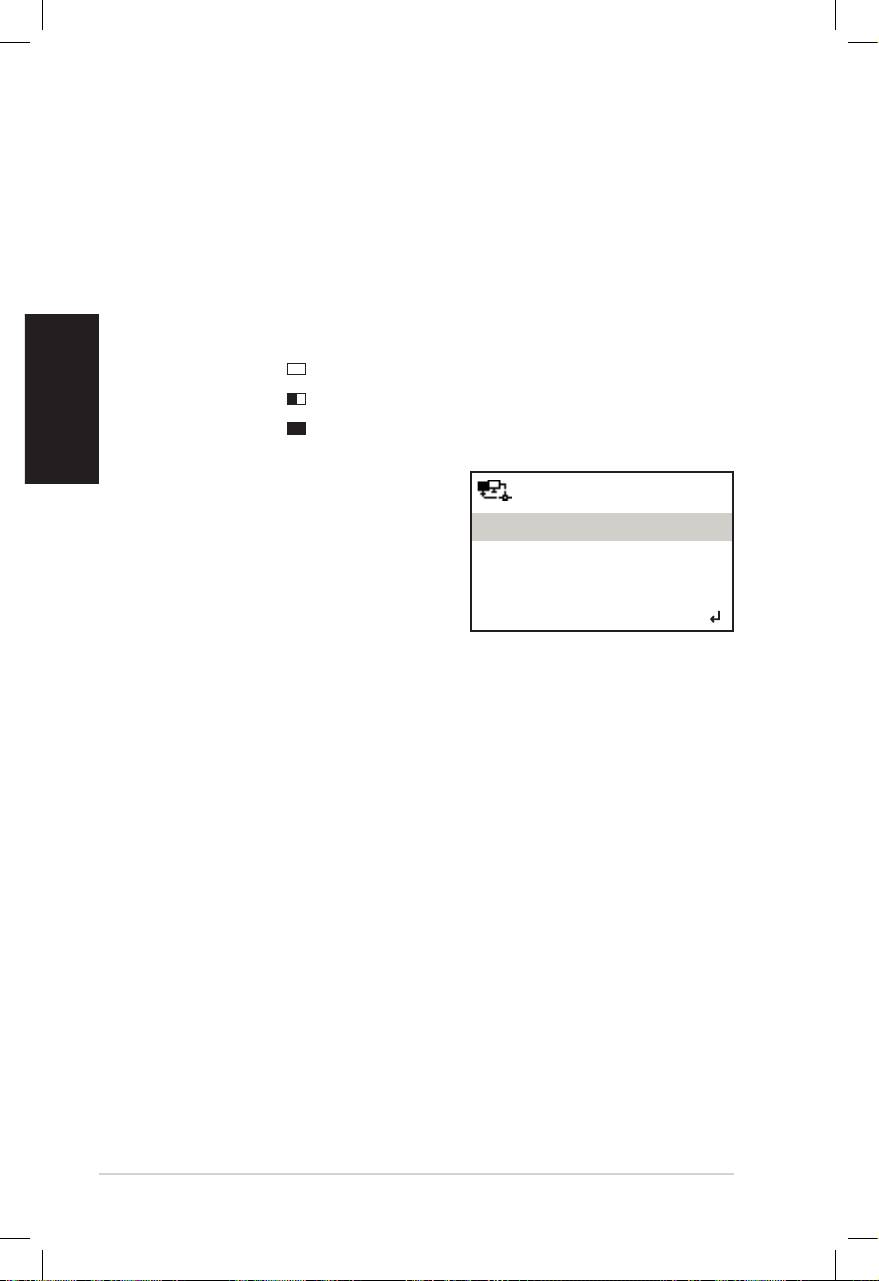
Nederlands
14 ASUS Internet Radio
Buffer
Met de optie Configuratie > Buffer kunt u de buffer instellen
om de ontvangen gegevens een bepaalde periode te bewaren.
Als u een langere buffer instelt, verloopt de gegevensoverdracht
vloeiender, maar duurt deze langer. Als u een verbinding maakt
met een station, wordt een pictogram weergegeven dat de in-
gestelde bufferlengte aangeeft:
• 2 seconden:
• 4 seconden:
• 8 seconden:
Versie-update
12:00PM
Als een nieuwe firmwareversie
Versie-update (ja)
beschikbaar is, ziet u dit pop-
Versie-update (nee)
upscherm. Selecteer Version
Versie-update (Ja) om de
nieuwste versie te downloaden.
< 1/2
Als u Version Versie-update (Nee) selecteert, kunt u de nieuwste
versie nog steeds op een later tijdstip worden gedownload:
1. Ga naar Configuratie > Versie-update en selecteer het item
dat u mag downloaden.
OPMERKING: als er geen item wordt weergegeven, betekent dit dat u
over de recentste firmwareversie beschikt.
2. Selecteer Ja. Een afteltimer wordt weergegeven en telt af
vanaf 60 seconden. Wacht tot het apparaat opnieuw wordt
opgestart.
3. Ga naar Configuratie > Versie-update om te controleren of
de versienaam verschilt van de vorige.
OPMERKING: schakel het apparaat niet uit terwijl de update bezig is.
Reset
Met de optie Configuratie > Opnieuw instellen kunt u het
apparaat opnieuw instellen naar zijn standaard
fabrieksinstellingen. Uw favorietenlijst en netwerkinstellingen
worden niet gewist.

Nederlands
ASUS Internet Radio 15
Problemen oplossen
Lees de volgende vragen en antwoorden voor het oplossen van
uw problemen. Als u hier geen antwoord op uw vraag vindt, kunt
u rechtstreeks met ons contact opnemen via de
contactgegevens die op binnenzijde van de omslag van deze
handleiding zijn vermeld.
Het scherm geeft aan dat een muziekstation wordt afgespeeld,
maar ik hoor niets.
Sommige stations zenden mogelijk niet gedurende 24 uur uit.
Als deze stations geen programma’s uitzenden, hoort u niets.
Waarom hoor ik geen geluid uit de luidsprekers?
• Uw ASUS Internet Radio is gedempt of het volume is zo laag
dat u niets kunt horen. Verhoog het volume of druk op de
knop Dempen om de gedempte modus te annuleren.
Als u extra luidsprekers gebruikt, moet u controleren of het
aangesloten luidsprekersysteem is ingeschakeld.
• Als de bovenstaande stappen het probleem niet oplossen,
moet u het apparaat opnieuw opstarten.
Wat kan ik doen als mijn ASUS Internet Radio crasht?
Druk op de voedingsschakelaar op het achterpaneel om het
apparaat uit te schakelen en schakel het vervolgens opnieuw in.
Ik heb de wekker ingesteld, maar deze werkt niet.
De wekker zal niet werken terwijl u een verbinding maakt met
een station.
De draadloze verbinding is niet stabiel.
• Breng een bekabelde verbinding tot stand om te controleren
of uw netwerk betrouwbaar is.
•
Als de bekabelde verbinding stabieler is dan de draadloze
verbinding, is het aanbevolen de LAN-verbinding te gebruiken.

Waarom verandert de lijst van online radiostations?
De adressen van de internetradiostations kunnen verschillen.
De technici van ASUS werken deze adressen regelmatig bij. Uw
ASUS Internet Radio zal automatisch de nieuwste lijst ontvangen,
zolang de radio met het netwerk is verbonden. Tijdens de update
(1-2 minuten) blijft uw apparaat gewoon verder werken.
Nederlands
Ik kan geen verbinding maken met bepaalde radiostations.
De toegankelijkheid tot online radiostations kan verschillen
afhankelijk van de netwerkbandbreedte in de verschillende
landen. Mislukte verbindingen kunnen veroorzaakt zijn door het
volgende:
• Het land waarmee u een verbinding wilt maken heeft een
smalle netwerkbandbreedte. Wij raden een bandbreedte van
minstens 1 Mbps aan voor de ADSL/kabelmodem.
• Oververzadiging internet.
• De radiostations bieden onvoldoende bandbreedte.
• De radiostations worden bewerkt of bestaan niet meer.
Als u nog steeds geen verbinding kunt maken met bepaalde
radiostations, kunt u contact met ons opnemen via
http://vip.asus.com/eservice/techserv.aspx.
16 ASUS Internet Radio
