
Asus rp-n14: Setting up the Range Extender Turning the Range Extender on Connecting to a network Option A: Connecting through GUI
Setting up the Range Extender Turning the Range Extender on Connecting to a network Option A: Connecting through GUI: Asus rp-n14
Table of contents
- English ................................................................................................................................ 3
- Package contents A quick look 1) Ethernet port 6) Night light
- 7) Touch controller 8) LED indicators
- Setting up the Range Extender Turning the Range Extender on Connecting to a network Option A: Connecting through GUI
- Option B: Using WPS (Wi-Fi Protected Setup)
- Move the Range Extender Signal Indicators Wireless Media Playback
- Frequently Asked Questions Windows 7
- Mac 10.5.8
- Manufacturer ASUSTeK Computer Inc.
- Комплект поставки
English
Setting up the Range Extender
Turning the Range Extender on
1. Place the Range Extender near your Router.
2. Plug the Range Extender into a power outlet, wait one
minute for the system indicator to ash twice and turn into solid blue.
Connecting to a network
Select one of the following ways to connect the Range Extender to a network.
Option A: Connecting through GUI
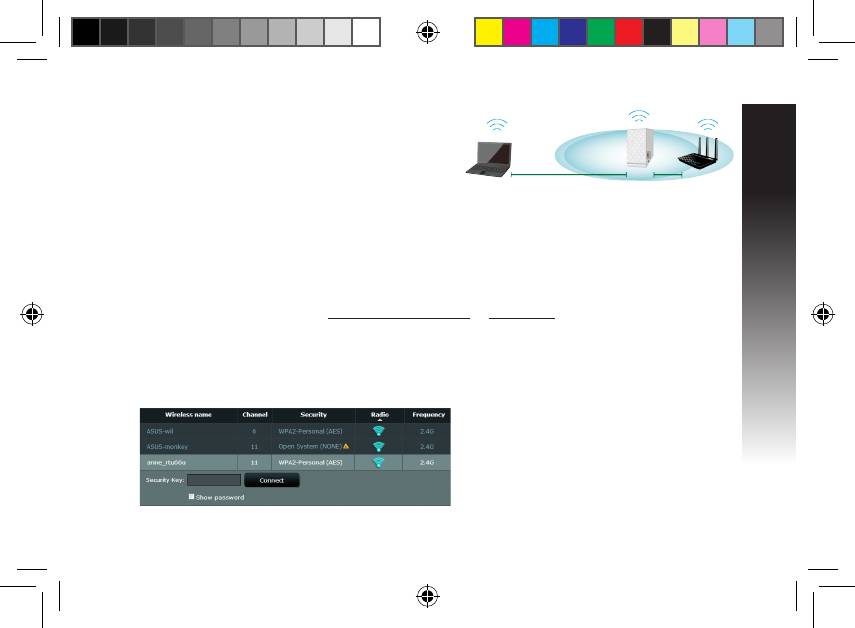
1. Use a computer/notebook/tablet PC to nd and connect to ASUS_RPN14 wireless network.
2. Launch a web browser and enter http://repeater.asus.com or 192.168.1.1 in the address bar to access
the Range Extende0r.
3. Enter the default login name and password, which are admin/admin.
4. Follow the Quick Install Setup steps below to set up the Range Extender:
• Select the Wi-Fi network that you want to extend and enter its security password.
EEU8662_RP-N14_QSG.indb 5 29/09/13 16:20:08



