
Asus rp-n14: Option B: Using WPS (Wi-Fi Protected Setup)
Option B: Using WPS (Wi-Fi Protected Setup): Asus rp-n14
Table of contents
- English ................................................................................................................................ 3
- Package contents A quick look 1) Ethernet port 6) Night light
- 7) Touch controller 8) LED indicators
- Setting up the Range Extender Turning the Range Extender on Connecting to a network Option A: Connecting through GUI
- Option B: Using WPS (Wi-Fi Protected Setup)
- Move the Range Extender Signal Indicators Wireless Media Playback
- Frequently Asked Questions Windows 7
- Mac 10.5.8
- Manufacturer ASUSTeK Computer Inc.
- Комплект поставки
English
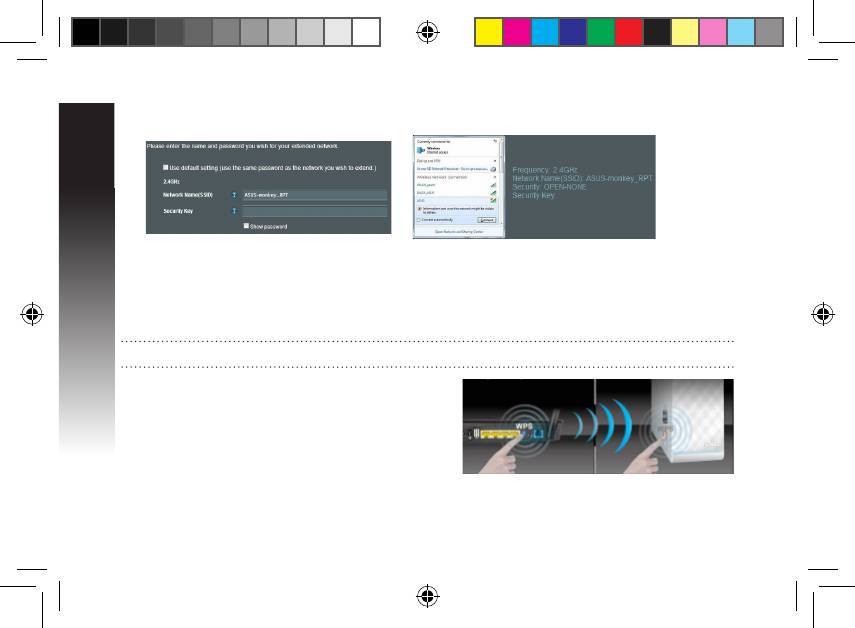
• Enter a name for the new Extender
• Connect your wireless devices to the new Extender
network.
network.
Option B: Using WPS (Wi-Fi Protected Setup)
1. Press the WPS button on the side of the Range Extender for more than two seconds, until the system
indicator ashes.
2. Press the WPS button on the router within two minutes.
NOTE: Refer to the router’s manual for the location of the WPS button.
3. Check if the Range Extender’s system indicator turns
into solid blue, which indicates that the Range Extender
has connected to the wireless network successfully. The
Range Extender’s wireless network name (SSID) changes
to your existing Wi-Fi network name, ending with _RPT.
For example:
Existing network name: existing NetworkName
New network name: existing NetworkName_RPT
EEU8662_RP-N14_QSG.indb 6 29/09/13 16:20:09



