
Asus WL-530g: Quick Setup (Cont.)
Quick Setup (Cont.): Asus WL-530g
Table of contents
- Installation Procedure
- Software Configuration Connecting to the ASUS Wireless Router
- Setting IP address for Wired or Wireless Connection Get IP Automatically Setting IP Manually
- Installing the ASUS Wireless Router Utilities Using the Wireless Router for the First Time 1. ASUS Wireless Router Utilities 2. Connect to the ASUS WLAN Web Manager
- Quick Setup
- 3. Set your own password 4. Use Quick Install Quick Setup
- Quick Setup (Cont.)
- Authentication and Security
Quick Setup
Quick Setup (Cont.)
English
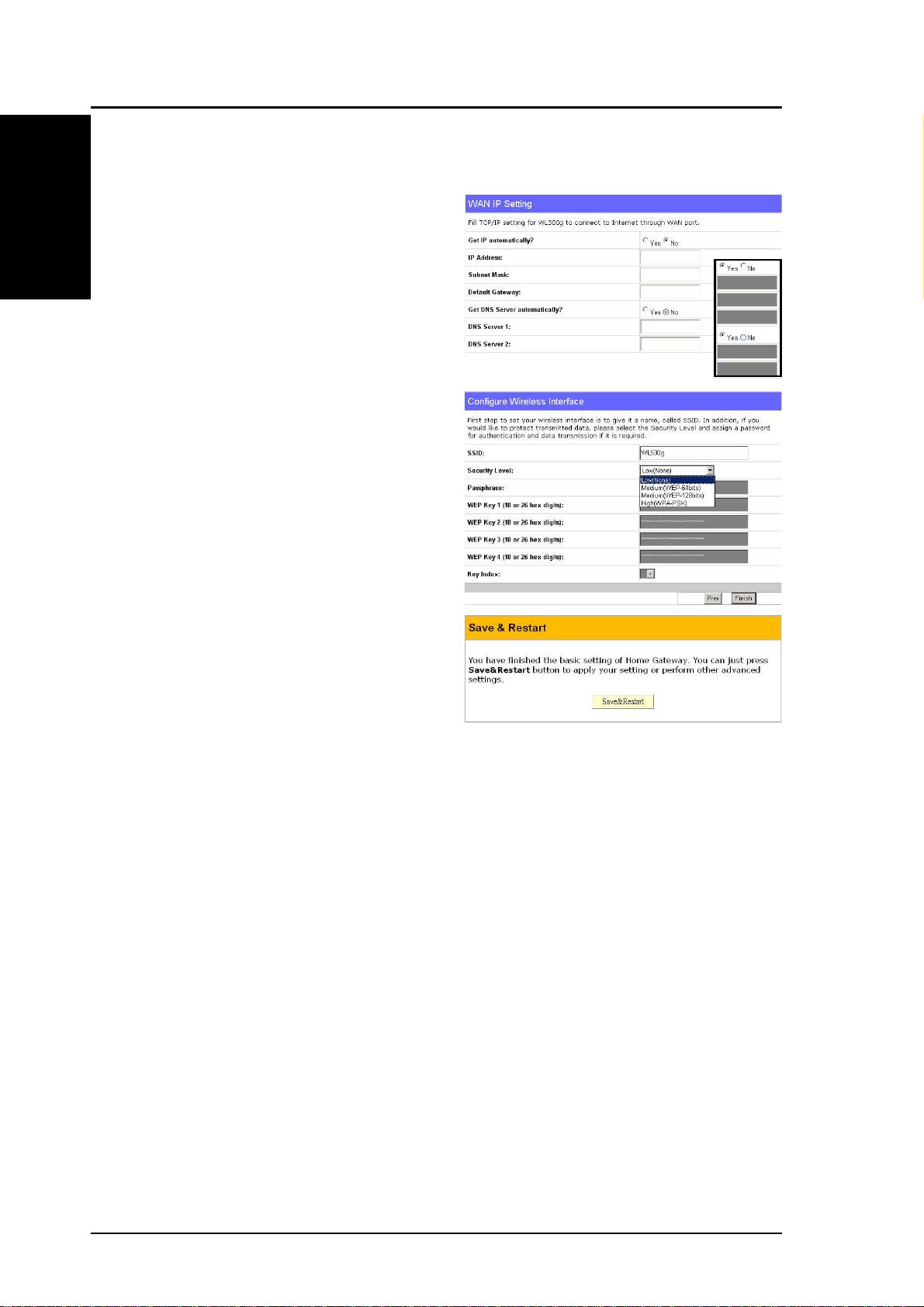
Select “No” to enter the information
manually. “Yes” will disable the field.
Click Next to continue.
To set up your wireless interface, you
must first give it an SSID (Service
Set Identifier). The SSID is a unique
identifier attached to packets sent
over WLANs. This identifier
emulates a password when a wireless
device attempts communication on
the WLAN. Because an SSID
distinguishes WLANs from each
other, access points and wireless
devices trying to connect to a WLAN
must use the same SSID.
Also, if you want to protect
transmitted data, select a middle or high Security Level.
Medium : allows only those users with the same WEP key to connect to
this access point and to transmit data using 64bits or 128bits WEP key
encryption.
High: allows only those users with the same WPA pre-shared key to connect
to this access point and to transmit data using TKIP encryption.
Click Finish to continue. You are prompted to save the settings. Click
Save&Restart to save the settings to the ASUS Wireless Router and enable
the new settings.
8 ASUS Pocket Wireless Router
