
Asus WL-530g: 3. Set your own password 4. Use Quick Install Quick Setup
3. Set your own password 4. Use Quick Install Quick Setup: Asus WL-530g
Table of contents
- Installation Procedure
- Software Configuration Connecting to the ASUS Wireless Router
- Setting IP address for Wired or Wireless Connection Get IP Automatically Setting IP Manually
- Installing the ASUS Wireless Router Utilities Using the Wireless Router for the First Time 1. ASUS Wireless Router Utilities 2. Connect to the ASUS WLAN Web Manager
- Quick Setup
- 3. Set your own password 4. Use Quick Install Quick Setup
- Quick Setup (Cont.)
- Authentication and Security
Quick Setup
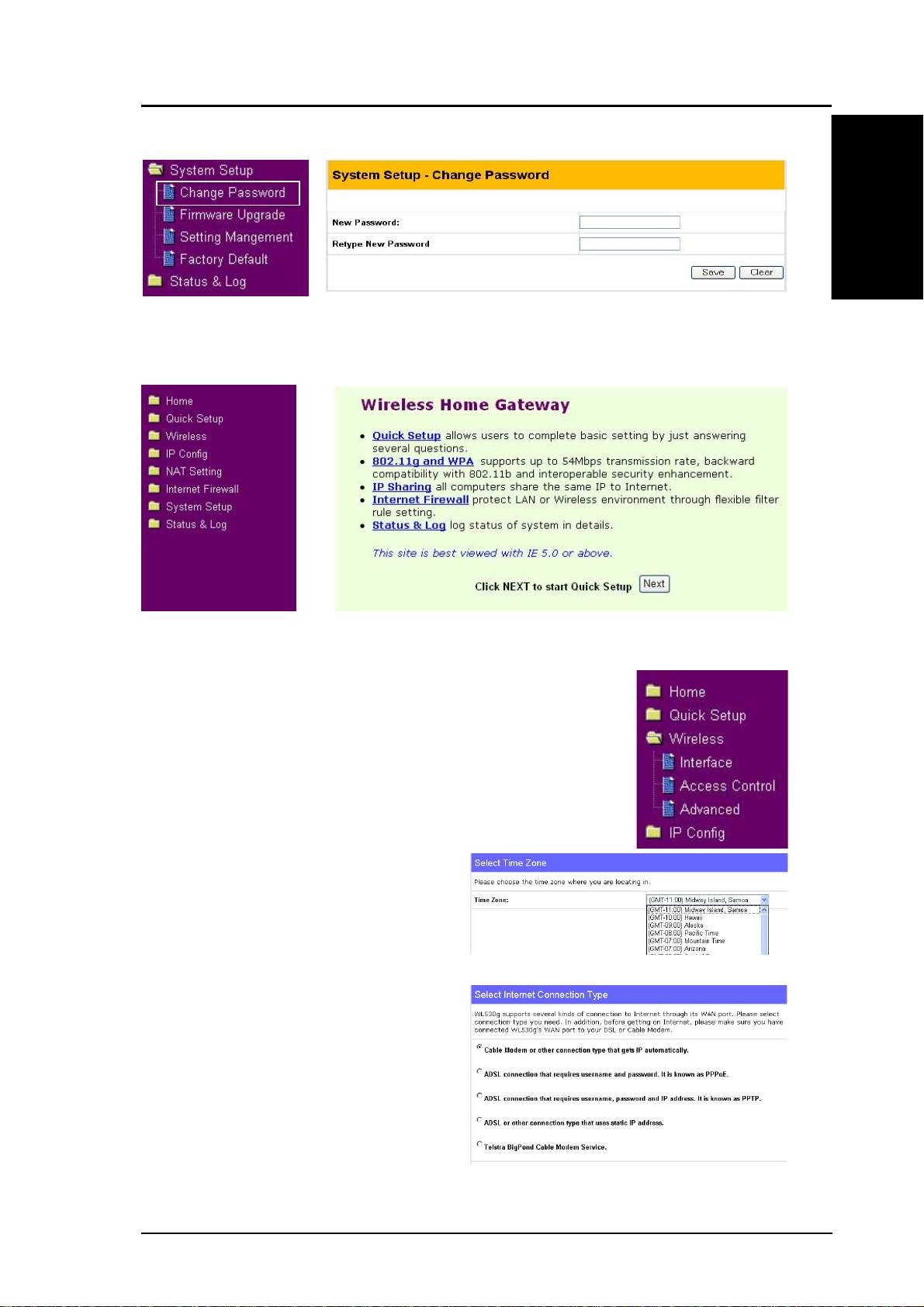
3. Set your own password
English
4. Use Quick Install
Quick Setup
To start quick setup, click Next to enter the “Quick
Setup” page. Follow the instructions to setup the ASUS
Wireless Router.
Select your time zone or the closest
region. Click Next to continue.
Select the connection type. Click
Next to continue.
ASUS Pocket Wireless Router 7
Top 10 manuals
100.00
NZXT HALE90 1000W99.99
Samsung SM-R38099.97
AEG BSB 18C99.97
Dell 2700W99.97
Smeg KSEC70X99.96
Beurer HDE 4099.96
Pyramida KH 50 v.299.96
MSI CSM-H81M-P3299.96
AEG HR 562799.95
Melissa 640-048