
Asus P1-AH1: Removing the front panel cover Removing the storage drive assembly Removing the CPU fan and heatsink
Removing the front panel cover Removing the storage drive assembly Removing the CPU fan and heatsink: Asus P1-AH1
Table of contents
- Front panel features Rear panel features
- Internal components Removing the cover
- Removing the front panel cover Removing the storage drive assembly Removing the CPU fan and heatsink
- Installing the CPU Installing a DIMM
- Installing an expansion card Installing optical and storage drives
- Reinstalling the storage drive assembly Installing the foot stand
- Reinstalling the front panel cover Reinstalling the cover
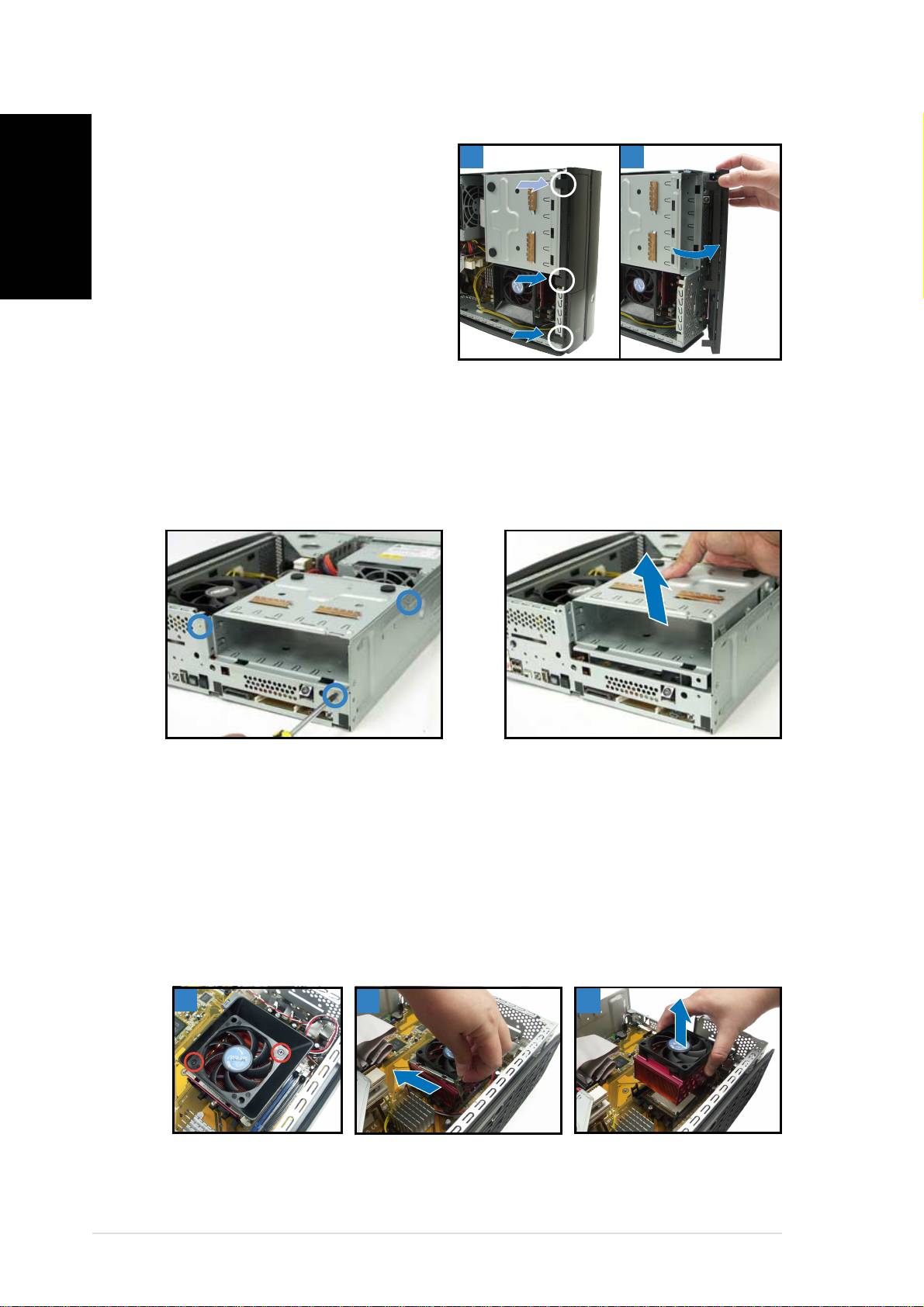
Removing the front panel cover
1. Lift the front panel cover
English
11
11
1
22
22
2
hooks outward.
2. Carefully remove the front
panel cover, then set it aside.
Removing the storage drive assembly
1. Lay the system on its side,
2. Lift the storage drive
then locate and remove three
assembly, then set aside.
storage drive assembly screws.
Removing the CPU fan and heatsink
1. Disconnect the CPU fan cable.
3. Unhook and slide out the
metal clips that secure the fan
2. Remove two screws securing
and heatsink assembly to the
the blower to the CPU fan. Set
retention module.
the blower aside.
4. Lift the CPU fan and heatsink
assembly, then set aside.
22
22
2
33
33
3
44
44
4
44
44
4
Quick installation guideQuick installation guide
Quick installation guideQuick installation guide
Quick installation guide
