
Asus FX-D1161: Placement options Desktop placement Wall mounting
Placement options Desktop placement Wall mounting: Asus FX-D1161
Table of contents
- Package contents Features Technical specications
- Hardware Front panel LED indicators Rear panel
- Placement options Desktop placement Wall mounting
- Connecting network devices Troubleshooting
English
4 QuickStartGuide
Placement options
•
DO NOT
placeanydeviceontopoftheswitch.
• Leaveenoughspacearoundtheswitchforadequateventilation.Ensure
thattheswitchisplacedinalocationthatmeetstheenvironmental
specications.Seepage2fordetails.
Desktop placement
Puttheswitchonaatandstablesurface.
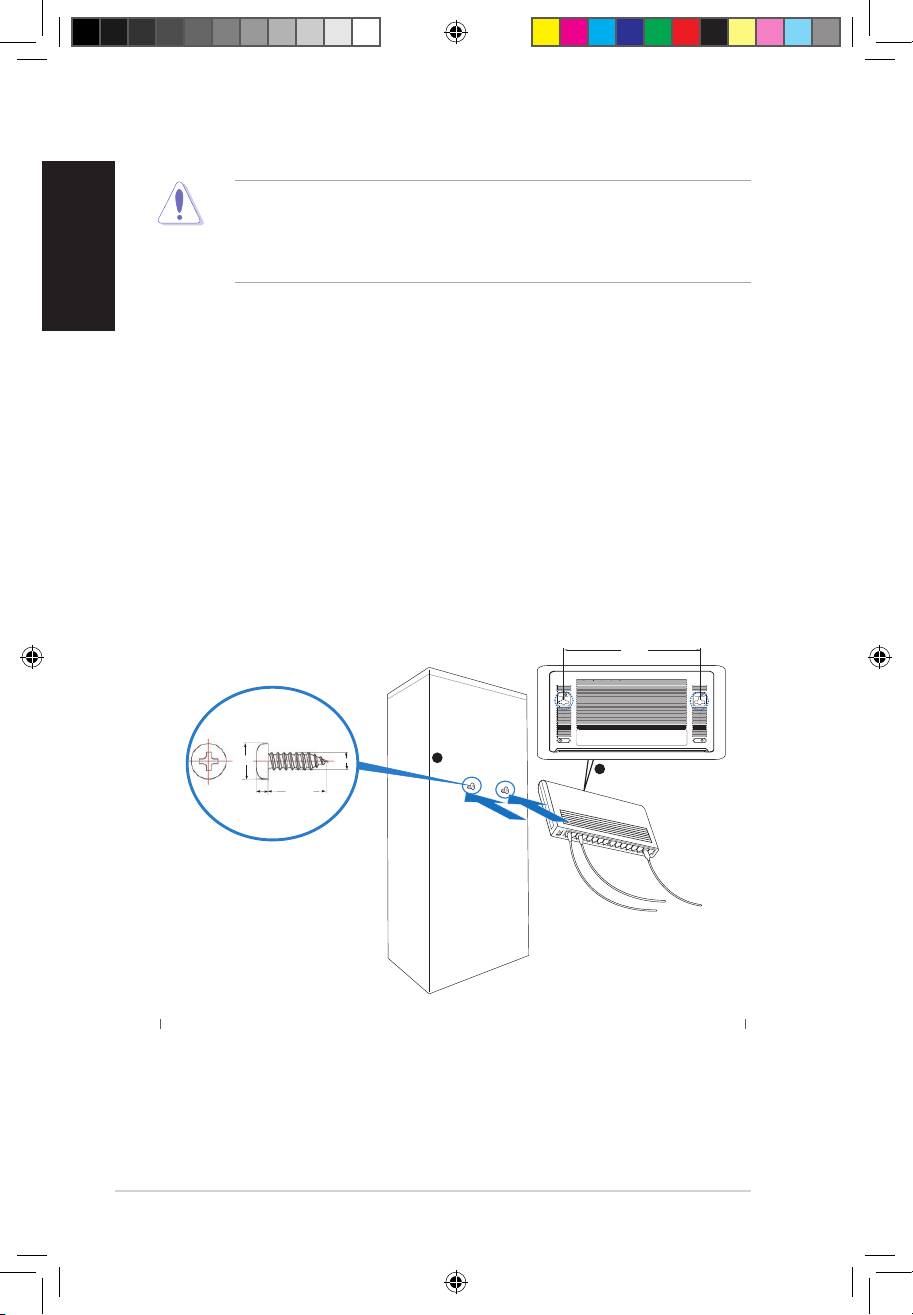
Wall mounting
Mounttheswitchonawallwiththesuppliedmountingscrews.
Tomounttheswitchonawall:
1. Securethetwosuppliedscrewsintothewall.
2. Latchthehooksoftheswitchontothescrews.
BottomSide
117.0mm
5.3mm
2.95mm
1
Securetwoscrewsonthewall
Latchtheswitch
2
ontothescrews.
18.75mm
2mm
Q4151_FX-D1161.indb4 9/26/08 12:31:35 PM
Top 10 manuals
100.00
NZXT HALE90 1000W99.99
Samsung SM-R38099.97
AEG BSB 18C99.97
Dell 2700W99.97
Smeg KSEC70X99.96
Beurer HDE 4099.96
Pyramida KH 50 v.299.96
MSI CSM-H81M-P3299.96
AEG HR 562799.95
Melissa 640-048