
Asus Pundit-PH3: Removing the cover Removing the front panel assembly
Removing the cover Removing the front panel assembly: Asus Pundit-PH3
Table of contents
- Front panel features Rear panel features
- Internal components Selecting the voltage
- Removing the cover Removing the front panel assembly
- Installing a CPU Installing the CPU
- Reinstalling the CPU fan and heatsink assembly Installing a DIMM
- Installing an expansion card Installing an optical drive Installing a SATA hard disk drive
- Replacing the covers
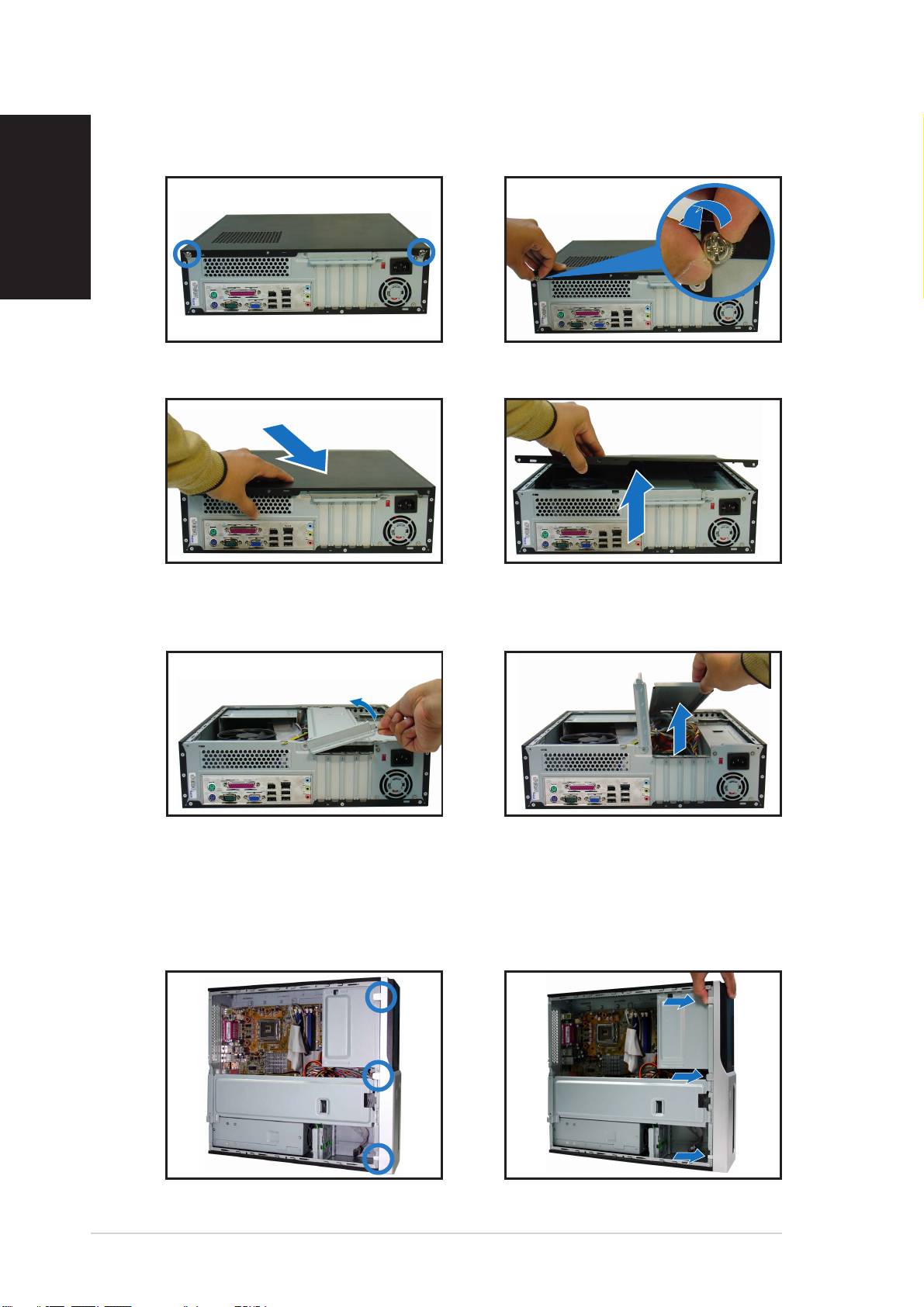
Removing the cover
1. Locate two cover screws.
2. Remove the cover screws.
English
3. Pull the cover.
4. Lift the cover, then set aside.
5. Lift the expansion card lock to
6. Lift the chassis support
a 90º-100º angle.
bracket, then remove.
Removing the front panel assembly
1. Locate the front panel
2. Pull the hooks outward to
assembly hooks.
remove.
44
44
4
Quick Installation GuideQuick Installation Guide
Quick Installation GuideQuick Installation Guide
Quick Installation Guide
Top 10 manuals
100.00
NZXT HALE90 1000W99.99
Samsung SM-R38099.97
AEG BSB 18C99.97
Dell 2700W99.97
Smeg KSEC70X99.96
Beurer HDE 4099.96
Pyramida KH 50 v.299.96
MSI CSM-H81M-P3299.96
AEG HR 562799.95
Melissa 640-048