
Asus Pundit-PH3: Internal components Selecting the voltage
Internal components Selecting the voltage: Asus Pundit-PH3
Table of contents
- Front panel features Rear panel features
- Internal components Selecting the voltage
- Removing the cover Removing the front panel assembly
- Installing a CPU Installing the CPU
- Reinstalling the CPU fan and heatsink assembly Installing a DIMM
- Installing an expansion card Installing an optical drive Installing a SATA hard disk drive
- Replacing the covers
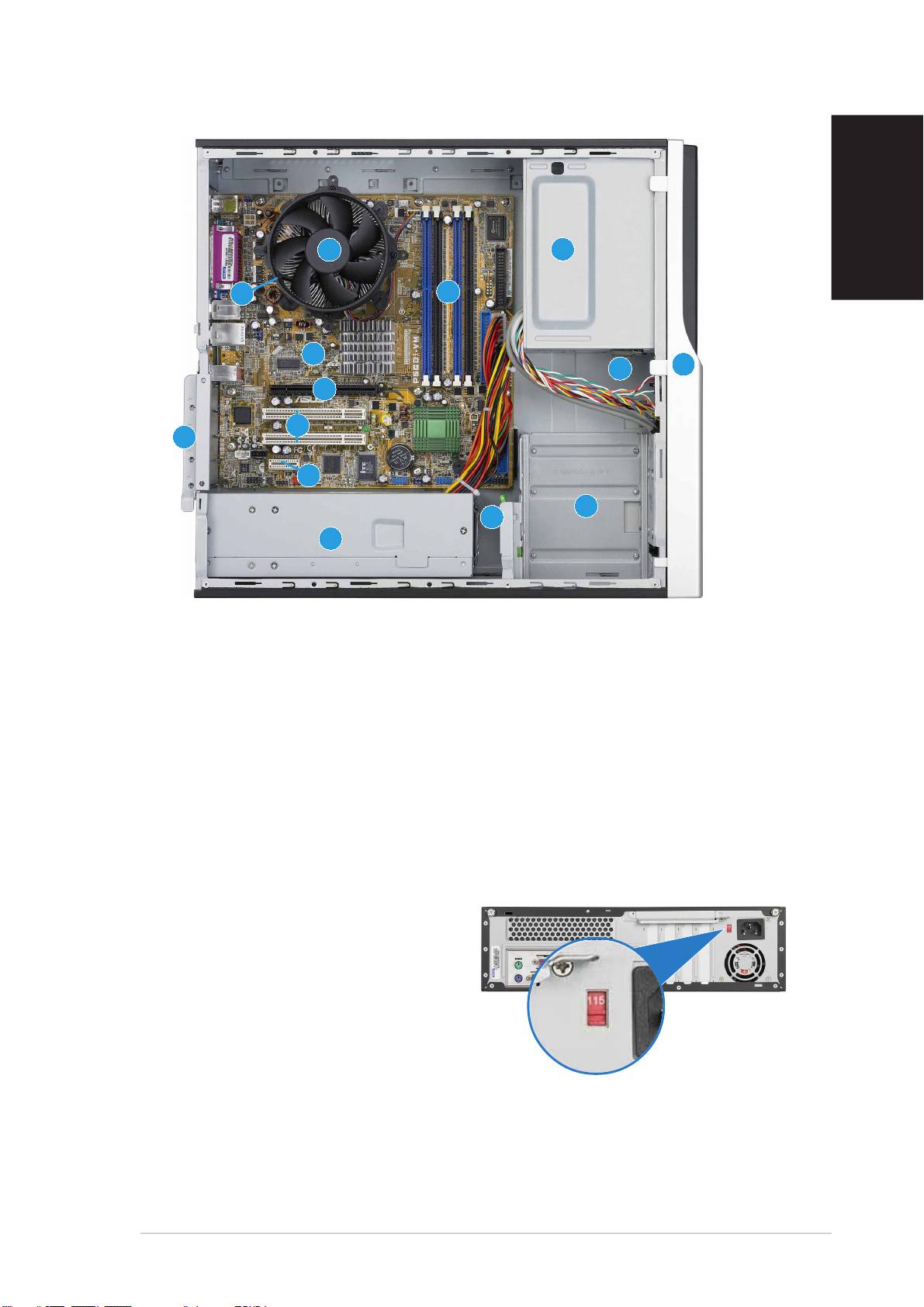
Internal components
English
11
11
1
33
33
3
11
11
1
11
11
1
22
22
2
1414
1414
14
1010
1010
10
2
3
22
22
33
33
99
99
9
88
88
8
11
11
1
11
11
1
77
77
7
44
44
4
55
55
5
66
66
6
1. 5.25-inch empty optical drive bay
9. PCI Express x16 slot
2. Front panel cover
(on Pundit-PH3 model only)
3. Optical drive lock
10. ASUS motherboard
4. Hard disk drive bays
11. Metal bracket lock
5. Hard disk drive lock
12. LGA775 socket
(under the CPU
fan and heatsink assembly)
6. Power supply unit
13. CPU fan and heatsink assembly
7. PCI Express x1 slot
14. DIMM sockets
8. PCI slots
Selecting the voltage
The system’s power supply unit has
a 115 V/230 V voltage selector
switch located beside the power
connector. Use this switch to select
the appropriate system input voltage
according to the voltage supply in
your area.
If the voltage supply in your area is
100-127 V, set the switch to 115 V.
If the voltage supply in your area is
200-240 V, set the switch to 230 V.
Quick Installation GuideQuick Installation Guide
Quick Installation GuideQuick Installation Guide
Quick Installation Guide
33
33
3
