
Asus Pundit-PH3: Installing an expansion card Installing an optical drive Installing a SATA hard disk drive
Installing an expansion card Installing an optical drive Installing a SATA hard disk drive: Asus Pundit-PH3
Table of contents
- Front panel features Rear panel features
- Internal components Selecting the voltage
- Removing the cover Removing the front panel assembly
- Installing a CPU Installing the CPU
- Reinstalling the CPU fan and heatsink assembly Installing a DIMM
- Installing an expansion card Installing an optical drive Installing a SATA hard disk drive
- Replacing the covers
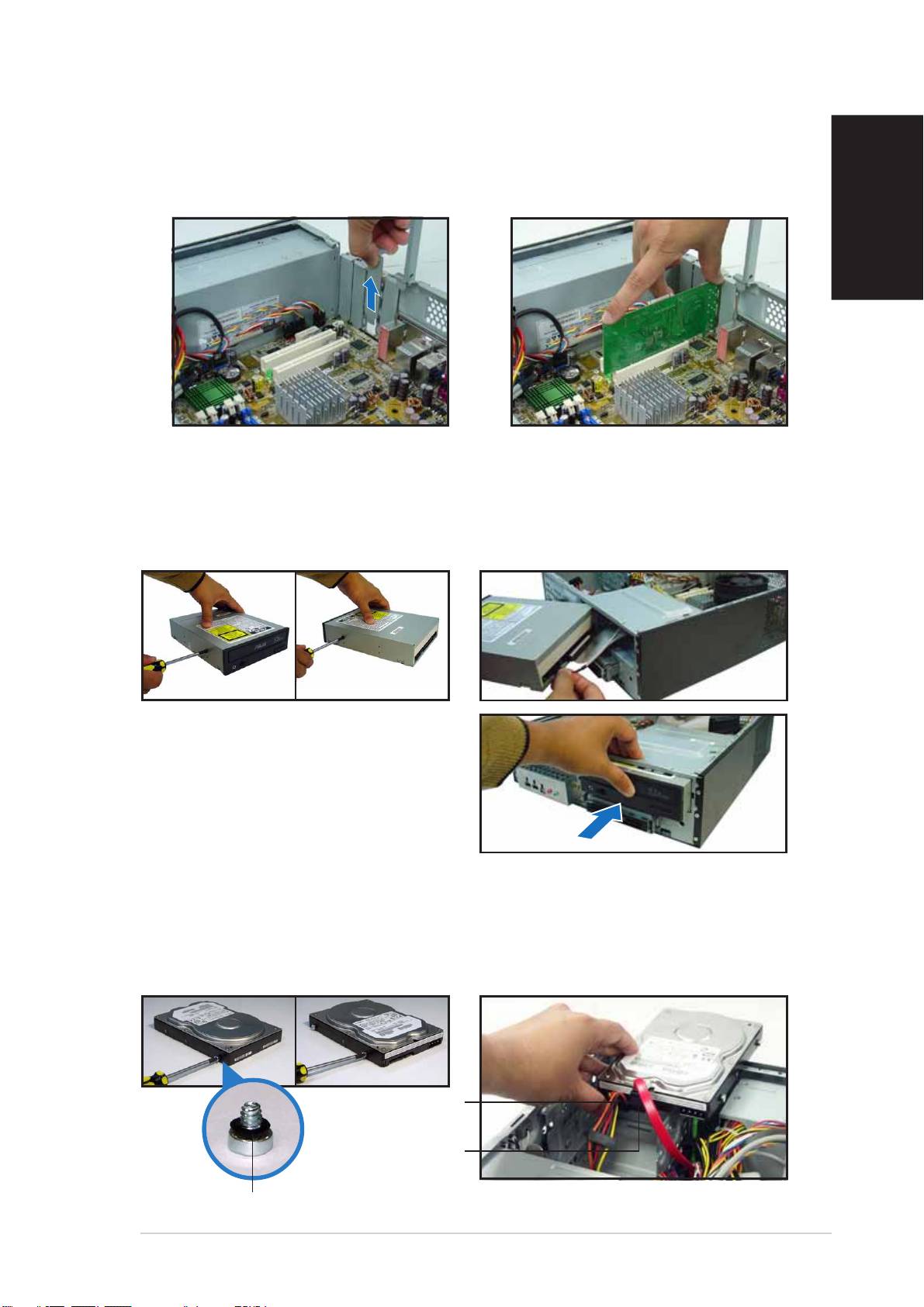
Installing an expansion card
1. Remove the metal cover
2. Insert the card connector to
opposite the slot that you
the slot, then press the card
intend to use.
firmly until it fits in place.
English
Installing an optical drive
1. Drive a screw on the top right
2. Connect the IDE and audio
screw hole on both sides of
cable at the back of the drive.
the drive.
3. Push the drive all the way into
the bay until the drive lock clicks.
4. Connect a 4-pin power plug
from the power supply unit to
the power connector at the
back of the drive.
Installing a SATA hard disk drive
1. Drive two screws with rubber
2. Connect the SATA signal and
washers on both sides of the
power plug at the back of the
drive.
drive.
Power cablePower cable
Power cablePower cable
Power cable
and plugand plug
and plugand plug
and plug
Signal cableSignal cable
Signal cableSignal cable
Signal cable
and plugand plug
and plugand plug
and plug
Rubber washerRubber washer
Rubber washerRubber washer
Rubber washer
Quick Installation GuideQuick Installation Guide
Quick Installation GuideQuick Installation Guide
Quick Installation Guide
77
77
7
