
Asus GX1026: Connecting network devices
Connecting network devices: Asus GX1026
Table of contents
Connecting network devices
English
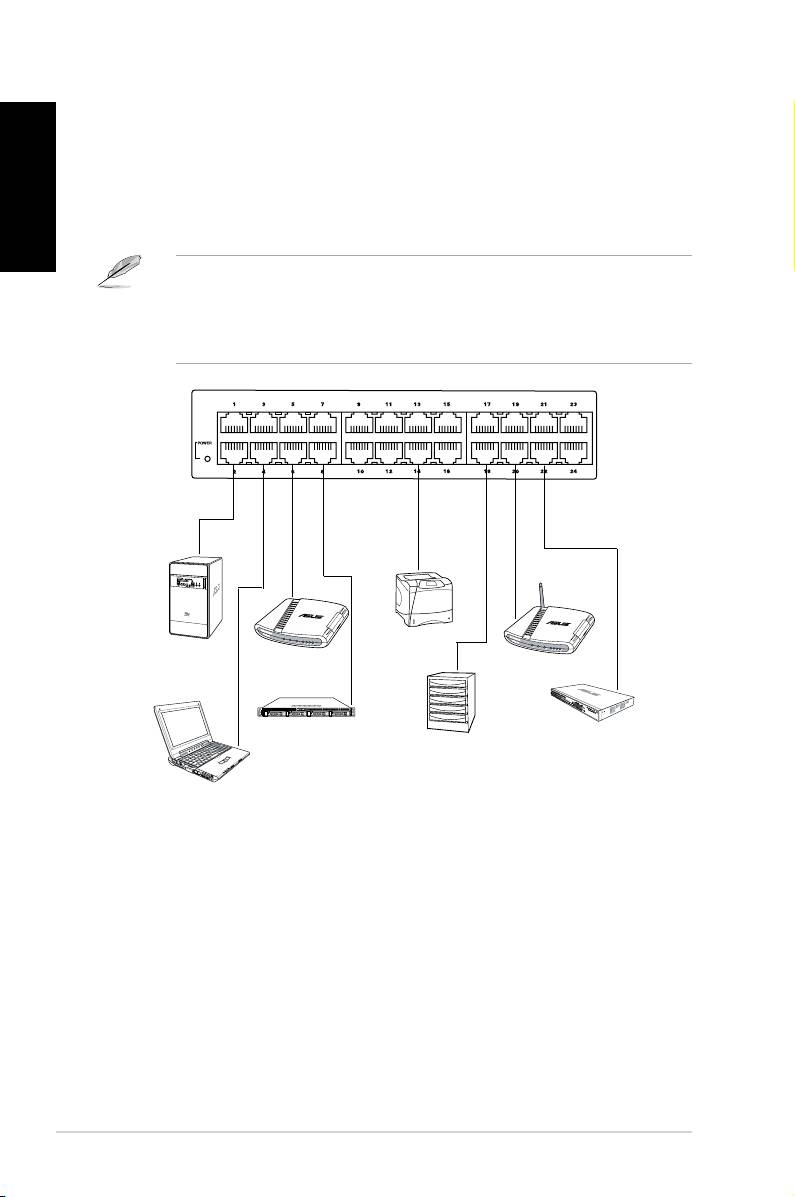
To connect network devices to the GX1026 switch:
1. Connect one end of the Ethernet cable to an Ethernet port on the switch
front panel. Connect the other end to the Ethernet port of the network device.
Repeat this step to connect additional network devices.
• We recommend the use of Category 5 Ethernet straight-through cables to
ensure proper connections between the switch and other network devices.
• You can use either cross-over or straight-through cables to connect other
network devices such as bridges, switches, hubs, and repeaters.
2. Plug one end of the power cable to the power connector on the switch rear
panel, then plug the other end to a power outlet.
3. The Power LED and LAN LED indicators for active Ethernet ports light up
when the switch is powered on and active nodes are connected to the LAN
ports. Refer to the front panel illustration and LED table in page 4 for details.
6 Quick Start Guide
1 2
Printer
Desktop
Router
Server
Wireless AP
Server
Switch / Hub
NAS
Notebook
