
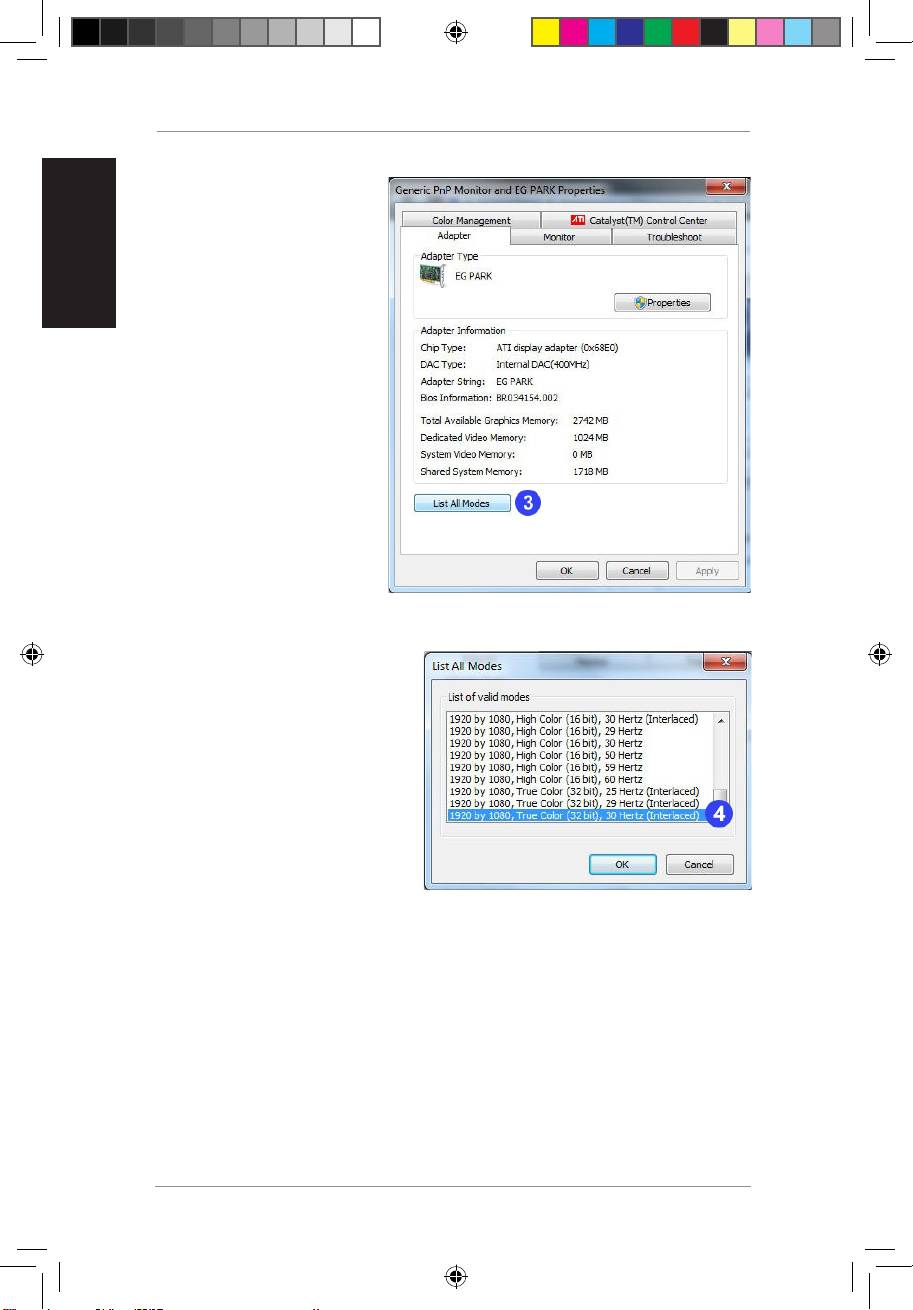
Asus BR-HD3: 3. Click List All Modes. 4. Select 1920 by 1080, True color (32 Bit), 30Hertz (Interlaced)
3. Click List All Modes. 4. Select 1920 by 1080, True color (32 Bit), 30Hertz (Interlaced): Asus BR-HD3
Table of contents
- Setting up PS3 and XBox to 1080i output
- Setting up your computer to 1080i output 1. Right-click anywhere on Windows desktop,andclick Screen resolution 2. Click Advanced settings
- 3. Click List All Modes. 4. Select 1920 by 1080, True color (32 Bit), 30Hertz (Interlaced)
- Using NVIDIA utility Using ATI utility 1. L a u n c h t h e ATi C o n t r ol Center.Select Advanced
- 2. Click Graphics 3. Select Desktop Properties 4. From the Desktop area field, select 1920 X 1080 5. FromtheRefreshratedropdown list,select 30i Hz
BR-HD3 Wireless HDMI Kit Supplementary Guide
English
4
3. Click List All Modes.
4. Select
1920 by 1080, True
color (32 Bit), 30Hertz
(Interlaced)
.
Q5328_BR-HD3_FAQ.indb 4 2/9/10 3:29:28 PM
Top 10 manuals
100.00
NZXT HALE90 1000W99.99
Samsung SM-R38099.97
AEG BSB 18C99.97
Dell 2700W99.97
Smeg KSEC70X99.96
Beurer HDE 4099.96
Pyramida KH 50 v.299.96
MSI CSM-H81M-P3299.96
AEG HR 562799.95
Melissa 640-048