
Asus WL-130: Installing the ASUS WLAN Card Driver
Installing the ASUS WLAN Card Driver: Asus WL-130
Table of contents
Quick Start Guide
Installing the ASUS WLAN Card Driver
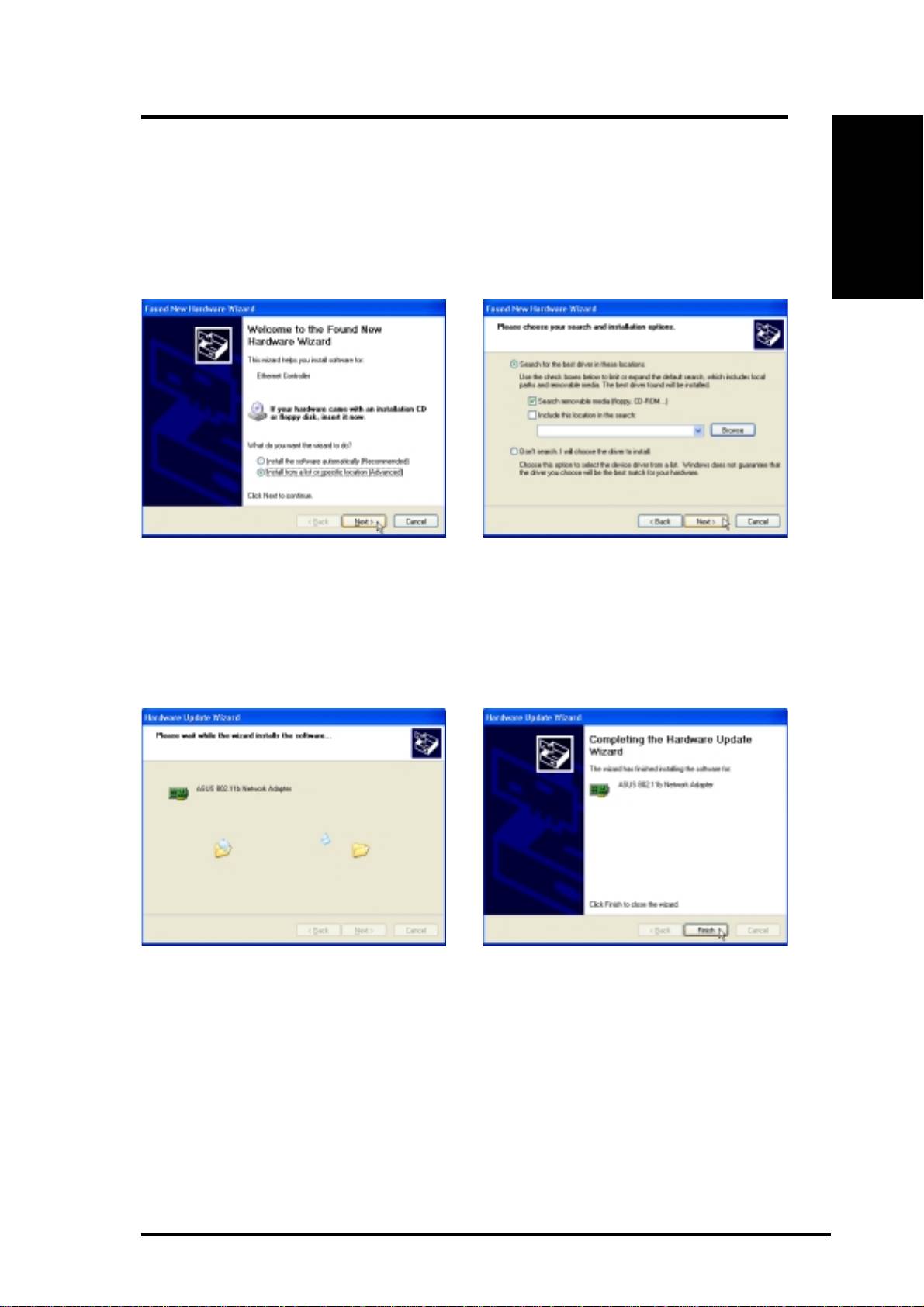
1. Have an experienced person install the ASUS WLAN Card into a free PCI slot. Replace your
chassis door, panels, screws, and cables when completed.
English
2. Turn ON your computer and enter Windows.
3. Windows will automatically detect the ASUS
4. Insert the support CD that came with your
WLAN Card once it is inserted into the PCI
ASUS WLAN Card.
slot, then the “Add New Hardware Wizard”
5. Select “Search for the best driver in”... and
dialog will appear. Click Next.
“Search removable media...”, then click
Next.
6. Wait while Windows XP creates a restore
7. Click Finish when installation has
point for you system files in case you
complete. Restart your computer if
need to restore your current system.
prompted.
ASUS WLAN Card 3
Top 10 manuals
100.00
NZXT HALE90 1000W99.99
Samsung SM-R38099.97
AEG BSB 18C99.97
Dell 2700W99.97
Smeg KSEC70X99.96
Beurer HDE 4099.96
Pyramida KH 50 v.299.96
MSI CSM-H81M-P3299.96
AEG HR 562799.95
Melissa 640-048