
Asus HS-W1: Pairing the wireless headset and the USB wireless dongle
Pairing the wireless headset and the USB wireless dongle: Asus HS-W1
Table of contents
- Package contents Getting to know your headset
- Charging the battery
- Pairing the wireless headset and the USB wireless dongle
- Specications
English
Pairing the wireless headset and the USB wireless
dongle
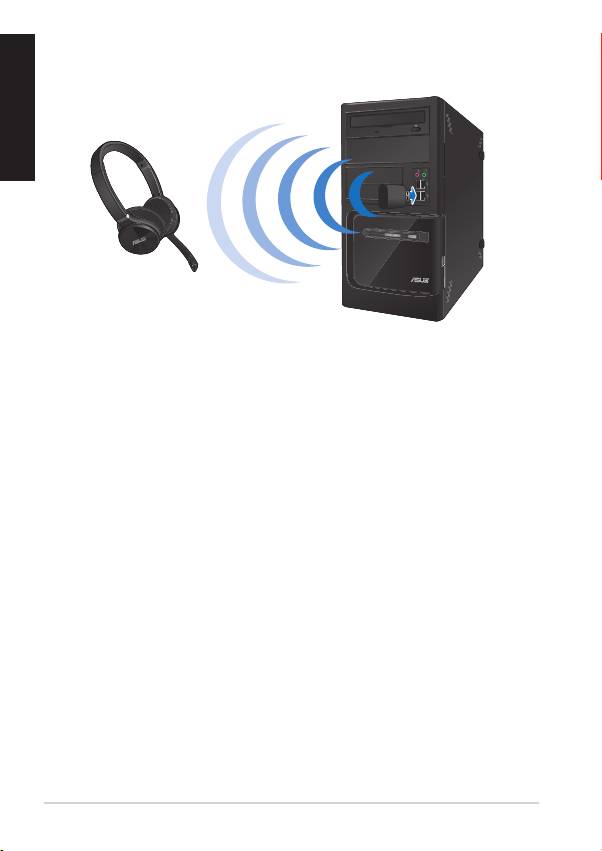
To pair the wireless headset and the USB wireless dongle:
1. Connect the bundled USB wireless dongle to your computer’s USB port
for a wireless transmission up to 15 meters.
2. Press the power button for a few seconds until the status indicator turns
green. You can now start using your wireless headset to listen to music or
chat with friends.
Turning the microphone on/o
To turn the microphone on
• Rotate the microphone down until you will hear a clicking sound.
To turn the microphone o
• Rotate the microphone up until you will hear a clicking sound.
4
Quick Start Guide
Top 10 manuals
100.00
NZXT HALE90 1000W99.99
Samsung SM-R38099.97
AEG BSB 18C99.97
Dell 2700W99.97
Smeg KSEC70X99.96
Beurer HDE 4099.96
Pyramida KH 50 v.299.96
MSI CSM-H81M-P3299.96
AEG HR 562799.95
Melissa 640-048