
Asus xonar u7: 4.1.3 Connecting microphone / Line-In No Item Description
4.1.3 Connecting microphone / Line-In No Item Description: Asus xonar u7
Table of contents
- 1. Introduction 1.1 Package contents 1.2 System requirements
- 2. Hardware
- No Item Description
- 3. Driver Installation
- 4. Connecting Speakers and Peripherals 4.1 Input connection 4.1.1 Connecting to a USB 2.0 port on your computer No Item Description
- 4.1.2 Connecting digital audio systems
- 4.1.3 Connecting microphone / Line-In No Item Description
- 4.2 Output connection 4.2.1 Connecting Stereo Headphones
- 4.2.2 Connecting 5.1 channel headphones
- 4.2.3 Connecting analog speaker systems
-
- Connecting 5.1 channel speakers
- Connecting 7.1 channel speakers
English
ASUS Xonar U7 Quick Start Guide
9
HP Out Mic In/Line In
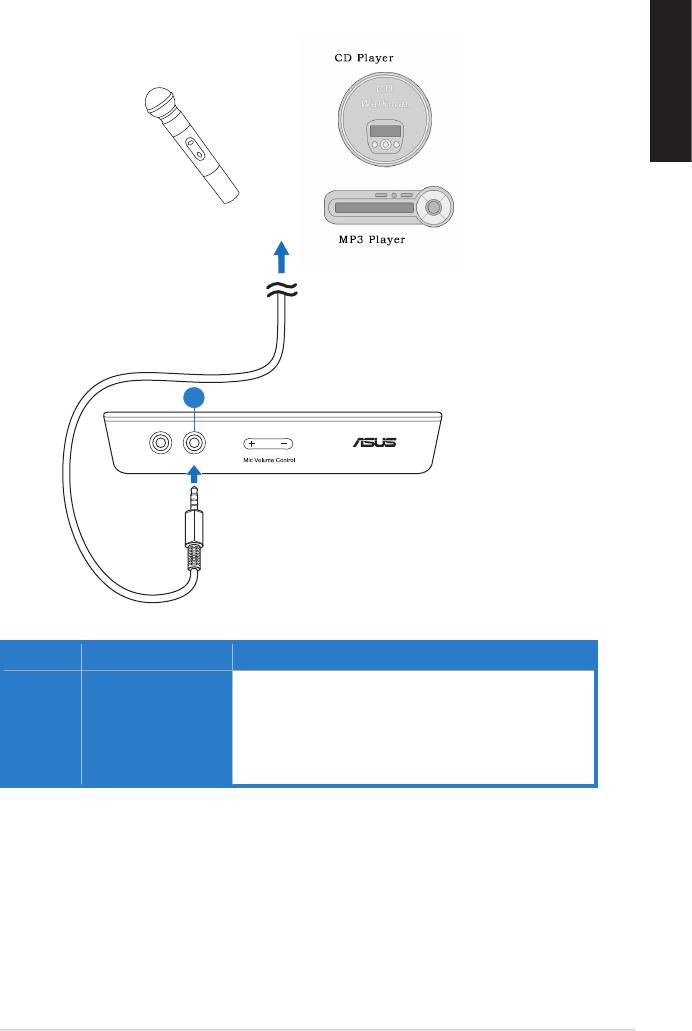
4.1.3 Connecting microphone / Line-In
OR
1
No Item Description
1 Microphone In /
Line In port
port for voice communication, recording, or karaoke.
Connect the 3.5mm plug of the CD/MP3 Player or any
other Line level analog audio sources into this Line-In
port for sound recording.
Top 10 manuals
100.00
NZXT HALE90 1000W99.99
Samsung SM-R38099.97
AEG BSB 18C99.97
Dell 2700W99.97
Smeg KSEC70X99.96
Beurer HDE 4099.96
Pyramida KH 50 v.299.96
MSI CSM-H81M-P3299.96
AEG HR 562799.95
Melissa 640-048


