
Asus Xonar DGX: 1. Package contents 2. System requirements 3. Hardware introduction 3.1 Xonar DGX card layout
1. Package contents 2. System requirements 3. Hardware introduction 3.1 Xonar DGX card layout: Asus Xonar DGX
Table of contents
- Table of content English ....................................................................................... 1
- 1. Package contents 2. System requirements 3. Hardware introduction 3.1 Xonar DGX card layout
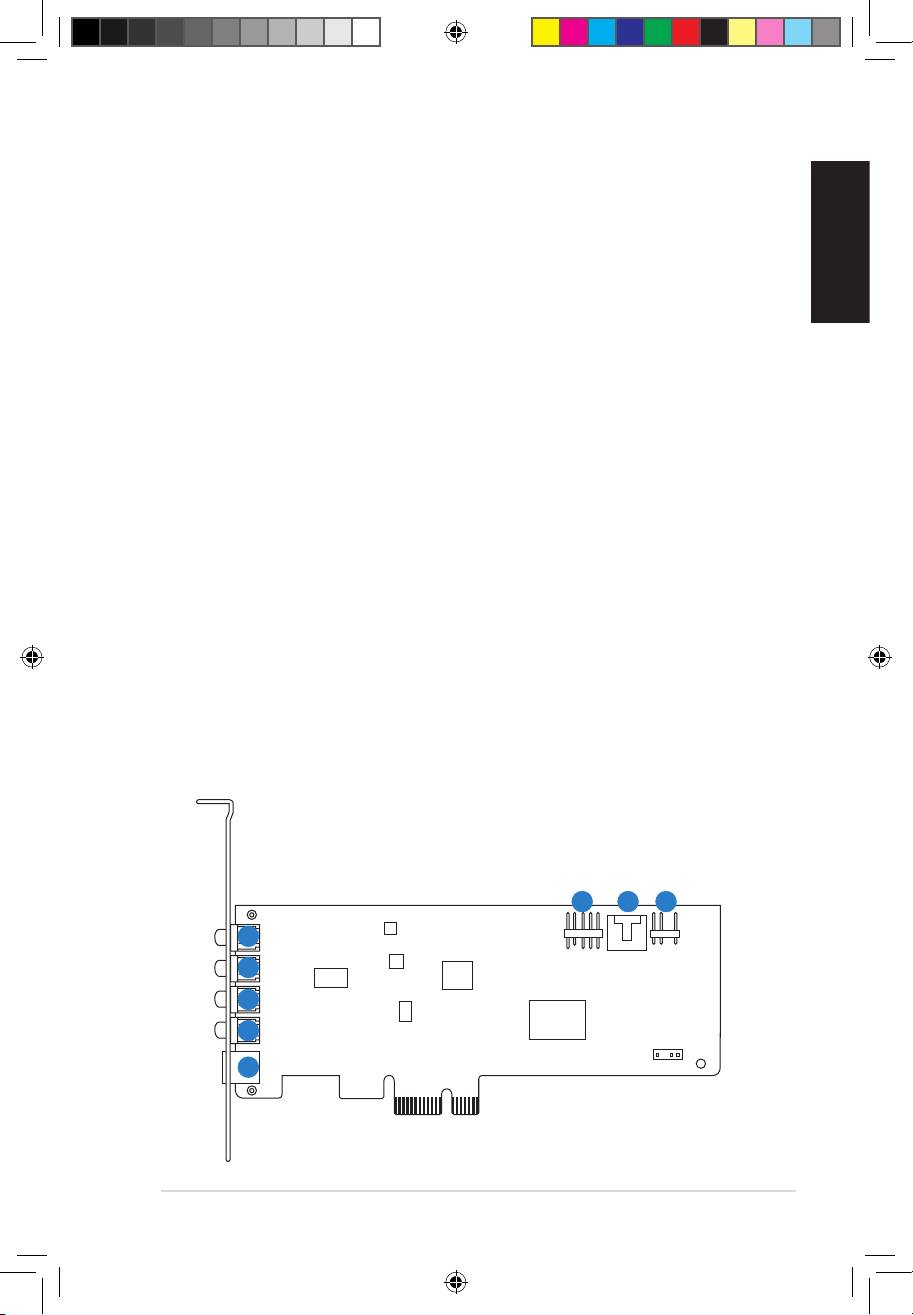
- No Item Description
- 3.2 Card installation 4. Driver installation
1. Package contents
Check your ASUS Xonar DGX audio card package for the following items:
• ASUS Xonar DGX PCIE audio card
• LowProleBracketx1
• SupportCDx1
English
• QuickStartGuidex1
2. System requirements
To ensure a successful installation of the Xonar DGX card, your computer must
meet the following requirements:
• One PCIE 1.0 (or higher) compatible slot for the audio card
®
®
• Microsoft
Windows
7 (32/64bit) / Vista (32/64bit) / XP (32/64bit) / MCE2005
®
®
®
• Intel
Pentium
4 1.4 GHz or AMD
Athlon 1400 CPU or faster CPU
• 256MB(orabove)DRAMsystemmemory
• 60MBavailableHDDspacefordriverinstallationpackage
• CD-ROM drive (or DVD-ROM drive) for software installation
• High-quality headphones or powered analog speakers to enjoy the ultra-high
delitysoundofthecard
3. Hardware introduction
3.1 Xonar DGX card layout
6
7 8
1
2
3
4
5
ASUS Xonar DGX Quick Start Guide
1
U7083_Xonar DGX_QSG.indb 1 1/9/12 6:42:03 PM
