
Asus Vintage-AE1: Installing the fan and heatsink assembly
Installing the fan and heatsink assembly: Asus Vintage-AE1
Table of contents
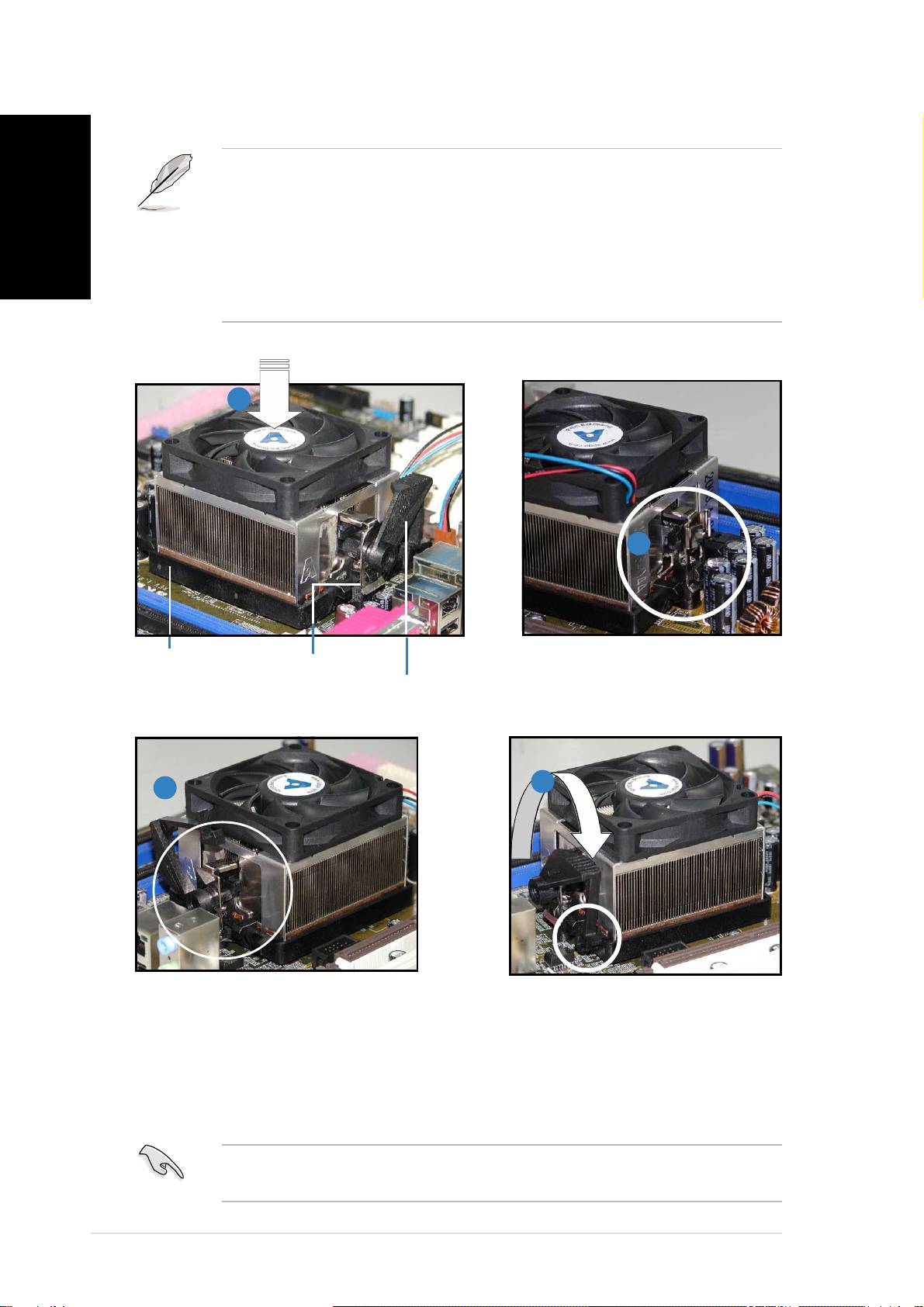
Installing the fan and heatsink assembly
English
• The retention module base is already installed on the motherboard
upon purchase. You do not have to remove the retention module
base when installing the CPU or installing other motherboard
components.
• If you purchased a separate CPU heatsink and fan assembly, make
sure that a Thermal Interface Material is properly applied to the CPU
heatsink or CPU before you install the heatsink and fan assembly.
11
11
1
22
22
2
RetentionRetention
RetentionRetention
Retention
Retention bracketRetention bracket
Retention bracketRetention bracket
Retention bracket
Attach one end of the
Module BaseModule Base
Module BaseModule Base
Module Base
retention bracket to the
Retention bracket lockRetention bracket lock
Retention bracket lockRetention bracket lock
Retention bracket lock
retention module base.
44
44
4
33
33
3
Align the other end of the
Push down the retention
retention bracket to the
bracket lock on the retention
retention module base. A clicking
mechanism to secure the
sound denotes that the retention
heatsink and fan to the module
bracket is in place.
base.
IMPORTANT. IMPORTANT.
IMPORTANT. IMPORTANT.
IMPORTANT. Do not forget to connect the CPU fan connector!
Hardware monitoring errors can occur if you fail to plug this connector.
vivi
vivi
vi
