
Asus VW225: Troubleshooting (FAQ)
Troubleshooting (FAQ): Asus VW225
Table of contents
English
5Quick Start Guide
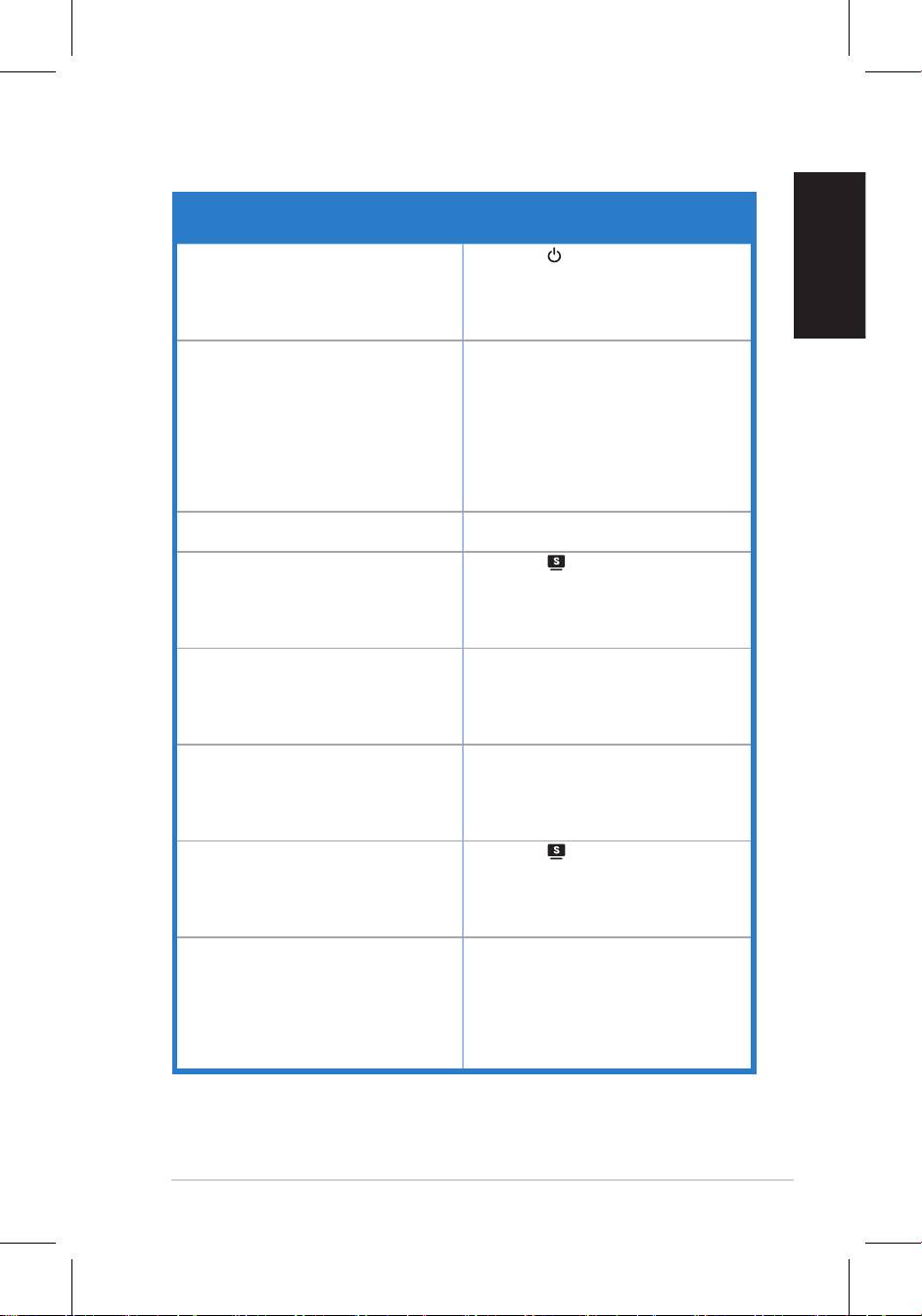
Troubleshooting (FAQ)
Problem Possible Solution
Power LED is not ON • Press the button to check if the monitor
is in the ON mode.
connected to the monitor and the power
outlet.
The power LED lights amber and there is no
screen image
in the ON mode.
• Make sure the signal cable is properly
connected the monitor and the computer.
• Inspect the signal cable and make sure
none of the pins are bent.
available monitor to check if the computer
is properly working.
Screen image is too light or dark
settings via OSD.
• Press the button for two seconds to
properly
settings
via OSD.
Screen image bounces or a wave pattern is
• Make sure the signal cable is properly
present in the image
connected to the monitor and the
computer.
• Move electrical devices that may cause
electrical interference.
Screen image has color defects (white does
• Inspect the signal cable and make sure
not look white)
that none of the pins are bent.
• Perform Reset via OSD.
• Press the button for two seconds to
mode only).
OSD.
No sound or sound is low • Ensure that the audio cable is properly
connected to the monitor and the
computer.
monitor and computer.
• Ensure that the computer sound card
driver is properly installed and activated.


