
Asus Audio Card Xonar D2X: For Digital Speakers SPDIF Out SPDIF In
For Digital Speakers SPDIF Out SPDIF In: Asus Audio Card Xonar D2X
Table of contents
- 1.1 Installation requirements
- When removing the power cable from the Xonar D2X audio card, make sure to pull outward the 4-pin header rst, then unplug it from the power connector as the following pictures show. Do not forcefully remove the header from the power connector; doing so may pull up the power connector from the audio card and cause damage!
- 1.3 Driver installation
- 1.4 Connecting speakers
- 2.1 Speakers 4 Speakers
- 4.1 Speakers 5.1 Speakers
- 6.1 Speakers 7.1 Speakers
- For Digital Speakers SPDIF Out SPDIF In
- Connecting headphone / microphone Connecting Line-In audio sources
English
ASUS Xonar D2X Quick Installation Guide
9
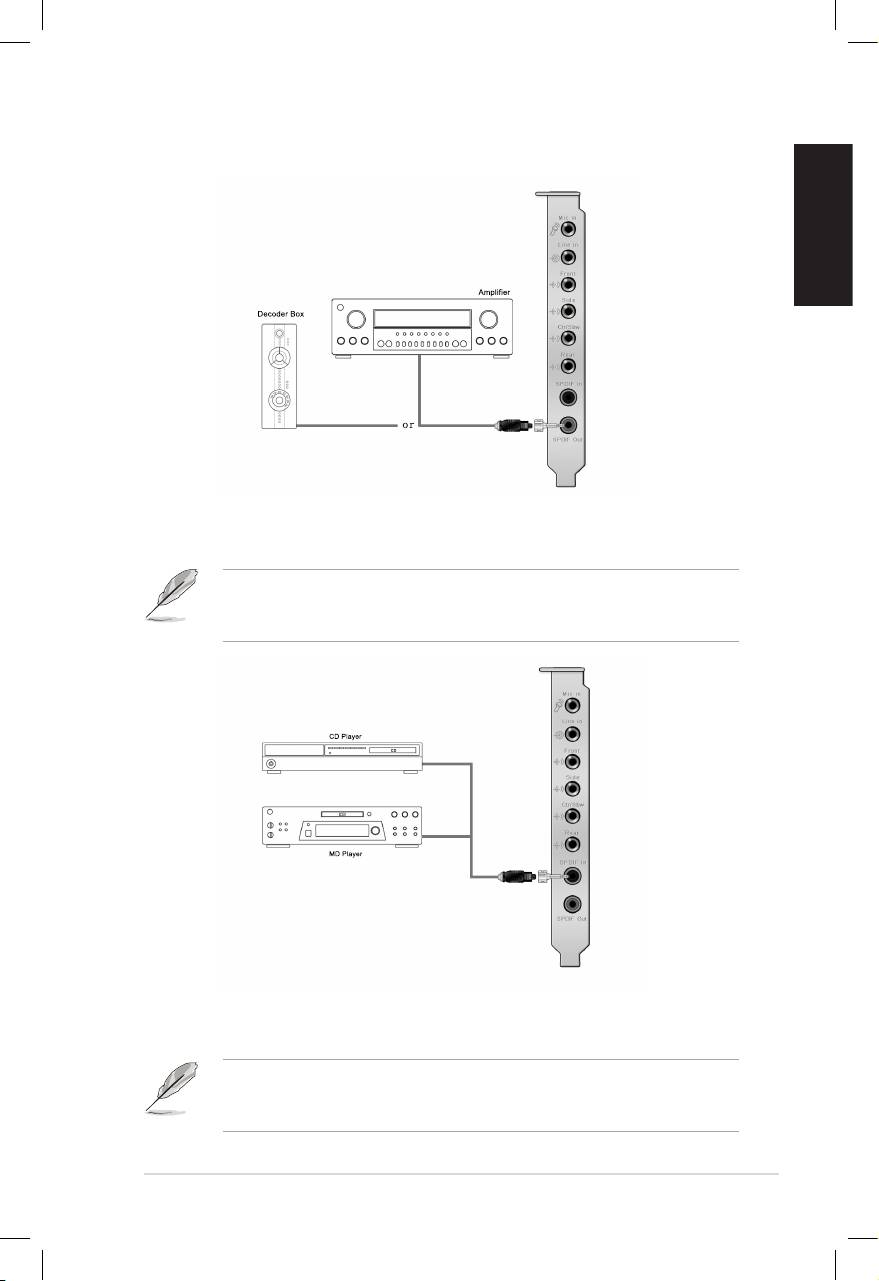
For Digital Speakers
SPDIF Out
Plug the optical TOSLINK adaptor into the S/PDIF-Out combo connector. Then,
connect your decoder’s S/PDIF in port to the optical adaptor with the TOSLINK
optical cable
You can also use a coaxial cable for a S/PDIF connection. Just plug the coaxial
RCA male connector to the S/PDIF-Out combo jack and connect the other end
into the coaxial S/PDIF input on your decoder.
SPDIF In
Plug the optical TOSLINK adaptor into the S/PDIF-In combo connector. Then,
connect your MD/CD/DVD player’s S/PDIF out port to the optical adaptor with the
TOSLINK optical cable
You can also use a coaxial cable for a S/PDIF digital connection. Just plug the
coaxial RCA male connector to the S/PDIF-In combo jack and connect the other
end into the coaxial S/PDIF output on the player.
