
Asus Audio Card Xonar D2X: 1.4 Connecting speakers
1.4 Connecting speakers: Asus Audio Card Xonar D2X
Table of contents
- 1.1 Installation requirements
- When removing the power cable from the Xonar D2X audio card, make sure to pull outward the 4-pin header rst, then unplug it from the power connector as the following pictures show. Do not forcefully remove the header from the power connector; doing so may pull up the power connector from the audio card and cause damage!
- 1.3 Driver installation
- 1.4 Connecting speakers
- 2.1 Speakers 4 Speakers
- 4.1 Speakers 5.1 Speakers
- 6.1 Speakers 7.1 Speakers
- For Digital Speakers SPDIF Out SPDIF In
- Connecting headphone / microphone Connecting Line-In audio sources
English
ASUS Xonar D2X Quick Installation Guide
5
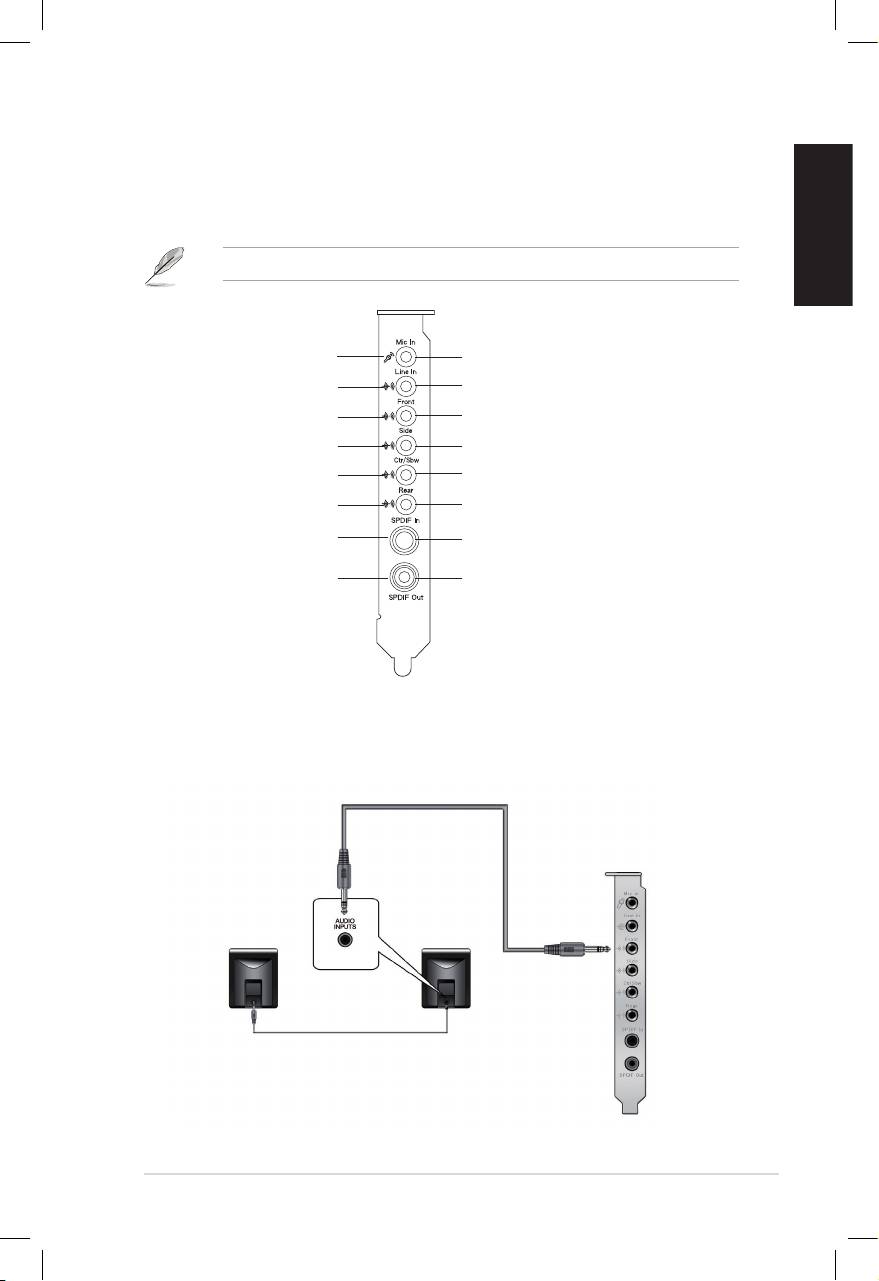
1.4 Connecting speakers
LED color denition
This audio card comes with LEDs in different colors that denes each port.
Red
MIC In
Blue
Line In
Green
Front Out
Orange
Side Surround
White
Center & Subwoofer
Amber
Back Surround
No LED
SPDIF In
No LED
SPDIF Out
For Analog Spakers
2 Speakers
Top 10 manuals
100.00
NZXT HALE90 1000W99.99
Samsung SM-R38099.97
AEG BSB 18C99.97
Dell 2700W99.97
Smeg KSEC70X99.96
Beurer HDE 4099.96
Pyramida KH 50 v.299.96
MSI CSM-H81M-P3299.96
AEG HR 562799.95
Melissa 640-048