
Pioneer KRL-37V: Watching TV EPG (Electronic Programme Guide) EPG Overview Useful settings for using EPG
Watching TV EPG (Electronic Programme Guide) EPG Overview Useful settings for using EPG: Pioneer KRL-37V
Table of contents
- OPERATION MANUAL Contents
- Introduction
- Introduction
- Introduction Controlling other equipment using the supplied remote control unit Presetting manufacture codes Manufacture codes
- Introduction
- Using with other equipment (STB) Using with other equipment (VCR)
- Using with other equipment (DVD/DVR)
- Introduction
- Preparation
- Preparation CAUTION Cautions regarding the remote control unit
- Installation precautions
- Quick guide
- Quick guide Supplying power to the antenna Bundling the cables
- Checking signal strength and channel strength Confirm the following before turning on the power
- Watching TV Daily operation
- Watching TV EPG (Electronic Programme Guide) EPG Overview Useful settings for using EPG
- Selecting a programme using EPG
- Timer recording using EPG
- Using the MHEG-5 application (UK Teletext
- Connecting external devices NOTE
- Connecting external devices HDMI connection Component connection S-VIDEO/VIDEO connection
- Controlling devices with SCART using i/o link.A SCART connection
- Speaker/amplifier connection
- Connecting external devices Inserting a smart card
- HDMI CONTROL Controlling HDMI devices using HDMI CONTROL
- HDMI CONTROL connection
- MODE D’EMPLOI
Watching TV
Useful functions
E
Common Operation
Press
h
and the “HOME MENU” screen
displays.
Press
a
/
b
to select “Digital Setup”.
Press
a
/
b
to select “EPG Setup”, and then
press
ENTER
.
REC Picture Size
Download Setup
EPG Setup
Subtitle
CI Menu
[Yes]
[16:9 TV]
Press
a
/
b
to select the desired item, and then
press
ENTER
(Example: “EPG Setup”, “Display
Range Setup”, etc.).
Yes
No
EPG Setup
Display Range Setup
Genre Icon Setup
Press
a
/
b
/
c
/
d
to select or adjust the desired
item, and then press
ENTER
(Example: “Yes”,
“No”, etc.).
1
2
3
4
5
EPG (Electronic Programme Guide)
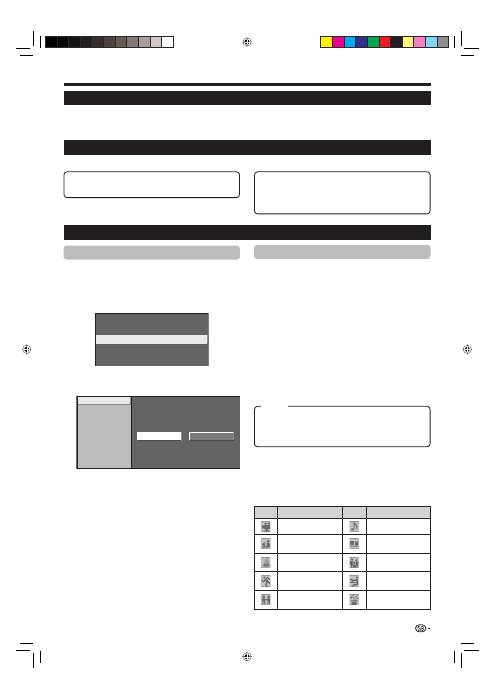
EPG (Electronic Programme Guide) is a programme list that is displayed on the screen. With the EPG, you can
check the schedule of DTV/RADIO/DATA, view detailed information about them, tune to an event currently on-air
and set a timer for future events.
EPG Overview
Basic functions
E
Useful settings for using EPG
EPG display settings
EPG Setup (setting for receiving EPG
data)
If you want to use the EPG for digital stations, select
“Yes”. The EPG data must be automatically captured
while the TV is in standby mode. After setting to “Yes”,
it may take some time to turn off the power using the
remote control unit due to the process of the data
capture.
NOTE
If the TV main power is switched off, the EPG data will not
be captured.
Display Range Setup
The “Display Range Setup” allows you to select three
types of time spans for display on the screen.
E
•
E
Genre Icon Setup
You can grey out or place a mark on desired genres
and smoothly search for programmes you frequently
watch.
Genre Icon List
Icon
Genre
Icon
Genre
Movie/Drama
Music/Ballet/Dance
News/Current affairs
Arts/Culture (without
music)
Show/Game show
Social/Political
Issues/Economics
Sports
Education/Science/
Factual Topics
Children’s/Youth
programmes
Leisure hobbies
E
E
Select a programme using EPG (Page 18)
Check programme information (Page 18)
E
E
Search for a programme by category (Page 18)
Search for a programme by date and time
(Page 18)
Timer recording using EPG (Page 19)
E
E
E
Mode1:
Displays six hours of programme information.
Mode2:
Displays three hours of programme information.
Mode3:
Changes to the EPG display format with a
vertical time span.
17
Item
KRL3237V_GB.indd 17
KRL3237V_GB.indd 17
2008/06/13 14:49:54
2008/06/13 14:49:54
