
Pioneer KRL-37V: Introduction Controlling other equipment using the supplied remote control unit Presetting manufacture codes Manufacture codes
Introduction Controlling other equipment using the supplied remote control unit Presetting manufacture codes Manufacture codes: Pioneer KRL-37V
Table of contents
- OPERATION MANUAL Contents
- Introduction
- Introduction
- Introduction Controlling other equipment using the supplied remote control unit Presetting manufacture codes Manufacture codes
- Introduction
- Using with other equipment (STB) Using with other equipment (VCR)
- Using with other equipment (DVD/DVR)
- Introduction
- Preparation
- Preparation CAUTION Cautions regarding the remote control unit
- Installation precautions
- Quick guide
- Quick guide Supplying power to the antenna Bundling the cables
- Checking signal strength and channel strength Confirm the following before turning on the power
- Watching TV Daily operation
- Watching TV EPG (Electronic Programme Guide) EPG Overview Useful settings for using EPG
- Selecting a programme using EPG
- Timer recording using EPG
- Using the MHEG-5 application (UK Teletext
- Connecting external devices NOTE
- Connecting external devices HDMI connection Component connection S-VIDEO/VIDEO connection
- Controlling devices with SCART using i/o link.A SCART connection
- Speaker/amplifier connection
- Connecting external devices Inserting a smart card
- HDMI CONTROL Controlling HDMI devices using HDMI CONTROL
- HDMI CONTROL connection
- MODE D’EMPLOI
Introduction
Controlling other equipment using
the supplied remote control unit
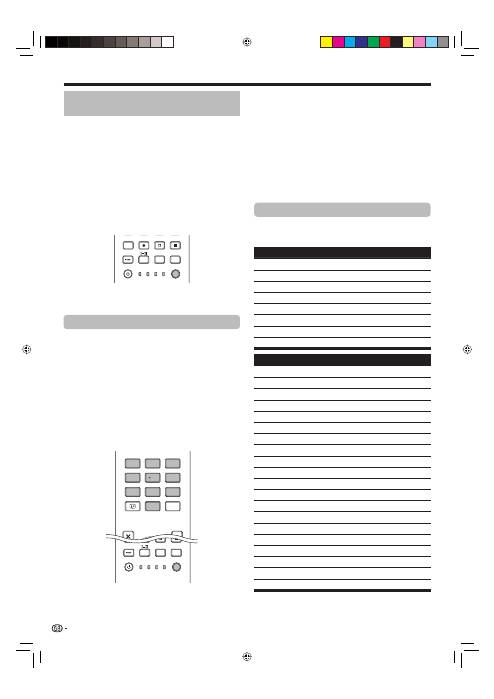
Using the supplied remote control unit, you can control
other equipment in connection: a set-top box (STB),
DVD player, DVD/HDD recorder (DVR), BD player or
VCR.
Before using this function, you need to preset the
supplied remote control unit with the manufacture
code of the equipment to be controlled. When you
then want to control the equipment, press
SELECT
on the remote control unit to select an appropriate
mode depending on the equipment; the selection is
switched among
TV
,
STB
,
DVD/DVR
, and
VCR
. The
corresponding mode indicators on the remote control
unit show the currently selected mode.
CTRL
HDMI
REC STOP
HDD
AV
SELECTION
CM SKIP
DVD
TOOLS
SCREEN
SIZE
SOURCE
TV
STB DVR VCR
DVD
SELECT
NOTE
When you control a BD player, select the DVD/DVR
mode.
Presetting manufacture codes
Press
SELECT
on the remote control unit
to select the STB, DVD/DVR, or VCR mode
depending on the equipment.
After confirming that the indicator of the
previously selected mode goes off, press and
hold
SELECT
, and then press
1
on the remote
control unit.
The corresponding mode indicator flashes.
Press
0
–
9
to enter a three-digit manufacture
code.
See the manufacture code list to identify an
appropriate code. The mode indicator lights up
for approximately one second and then goes off;
presetting the manufacture code is completed.
EXIT
DVD TOPMENU/
GUIDE
EPG
4 5 6
7 8 9
0
P.INFO
1 2 3
INFO
SOURCE
TV
STB DVR VCR
DVD
SELECT
CTRL
HDD
AV
SELECTION
CM SKIP
DVD
TOOLS
SCREEN
SIZE
•
1
2
•
3
•
NOTE
If you perform no operation for approximately one
minute while a mode indicator is flashing, the code
presetting procedure is quitted.
If you enter a code not listed in the table, a mode
indicator flashes quickly for approximately one
second and then flashes as before.
To quit the code presetting procedure halfway
while a mode indicator is flashing, you may press
SELECT
on the remote control unit.
The factory default manufacture codes for the STB,
DVD/DVR, and VCR modes are “000”, “100”, and
“500” respectively.
Manufacture codes
You may not be able to control some equipment
in the tables partially or entirely with the supplied
remote control unit.
STB
000
PIONEER 1 (factory default)
001
PIONEER 2
002
CANAL SATELLITE
003
HUMAX
004
PACE 1
005
PACE 2
006
QUALI-TV
007
SKY DIGITAL
DVD
100
PIONEER 1 (factory default)
101
PIONEER 2
102
AKAI
103
DENON
104
HITACHI
105
JVC
106
KENWOOD 1
107
KENWOOD 2
108
PANASONIC 1
109
PANASONIC 2
110
PHILIPS 1
111
PHILIPS 2
112
SAMSUNG
113
SHARP
114
SONY 1
115
SONY 2
116
SONY 3
117
THOMSON
118
TOSHIBA
119
YAMAHA
•
•
•
•
*
4
KRL3237V_GB.indd 4
KRL3237V_GB.indd 4
2008/06/13 14:49:23
2008/06/13 14:49:23
